error message:
Server Tomcat v8.0 Server at localhost failed to start.
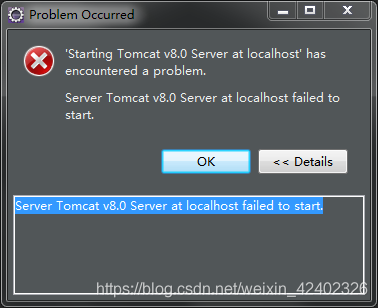
this situation appears, generally there are two situations.
The first type:
port is occupied or the service is forcibly closed at startup.
service startup is forcibly shut down: clean the tomcat cache: right click tomcat-> Clear
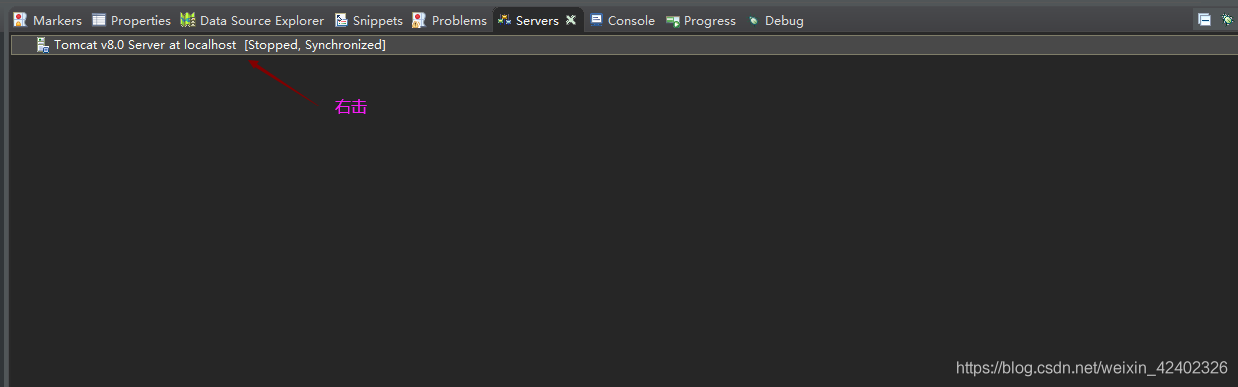
after clearing the cache, close the editor eclipse
and then go to the directory D:\tomcat\apache-tomcat-8.0.17\bin to close tomcat
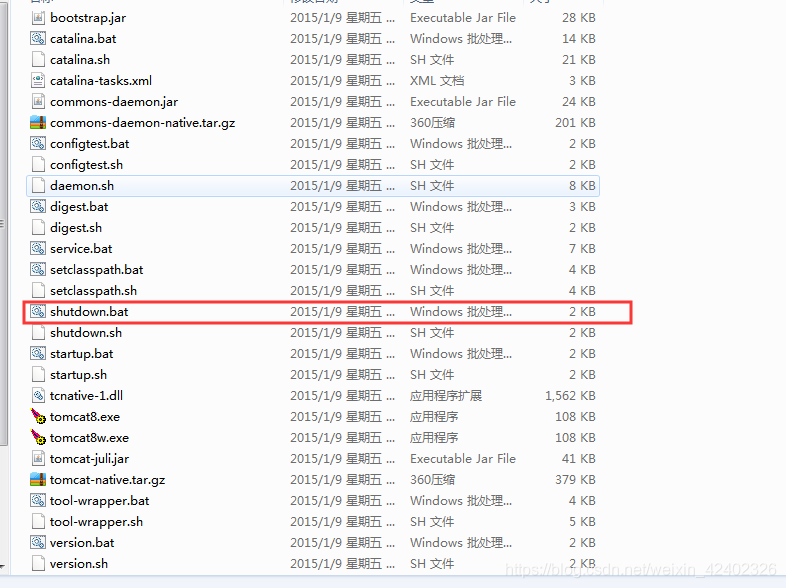
so that is solved.
if the port is occupied, you need to modify the tomcat port, or go to the service to see who is occupying the port. 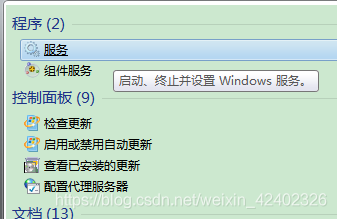
must be modified or closed. The second kind:
startup project is maven project and maven local repository is broken, not fully downloaded, jar package is missing, the code is not recognized at compile time, also will report this error.
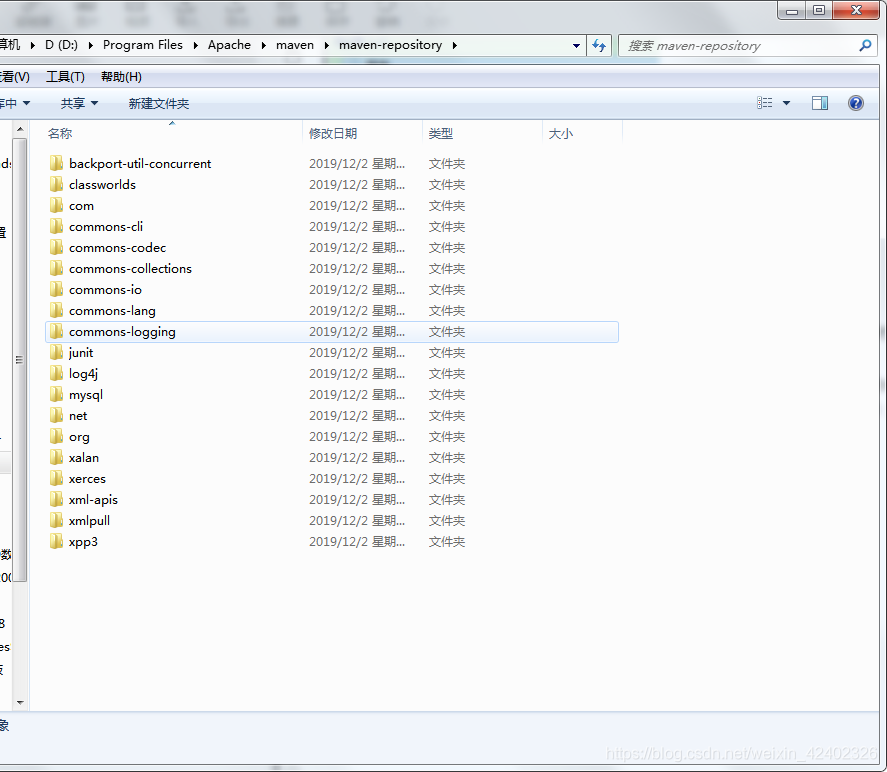
the most simple and rude method at this time is to close the compiler eclipse to avoid other projects accidentally, and then go to the maven local repository storage location
D:\Program Files\Apache\maven\maven-repository delete all the jar package Files in this directory:

then execute the MVN help:system command under CMD, maven’s warehouse will download the Files again.
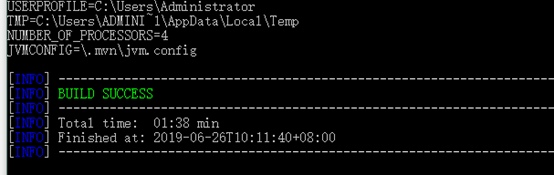
download successful:
close failed in file object destructor: IOError: [Error 10] No child processes
this problem is really annoying, it took me half a day to solve. It turns out that the reason is a small problem, but it is usually ignored, looking for a long time on the Internet seems to be different from my situation
is timed to query the current port concurrency every 30 seconds and record it in the document
import os
from threading import Thread
def check_count():
def check_count():
MSG = os.popen(‘ netstat -nat |grep 9995 | wc-l ‘)
count = msg.read()
current_time = datetime. Datetime. Now (). Strftime (“%Y-%m-%d %H:% m :%S”)
with Open (‘ /home/opvis/transfer_server/log/ check_port.log ‘, ‘a’) as f:
f.write(current_time + ‘, current time concurrent visits are: ‘+ count)
time.sleep(30)
t= Thread(target=check_count)
t.daemon (True)
t.daemon ()
results will run normally, but at the terminal will always report the following error :

because the last os.popen execution object was not closed. The next time the loop executes os.popen, the error will appear
.
will no longer be displayed
def check_count():
def check_count():
MSG = os.popen(‘ netstat -nat |grep 9995 | wc-l ‘)
count = msg.read()
current_time = datetime. Datetime. Now (). Strftime (“%Y-%m-%d %H:% m :%S”)
with Open (‘ /home/opvis/transfer_server/log/ check_port.log ‘, ‘a’) as f:
f.write(current_time + ‘, current time concurrent visits are: ‘+ count)
MSG. Close ()
time.sleep(30)
t= Thread(target=check_count)
t.daemon (True)
t.daemon ()
rmd to pdf error: pandoc document conversion failed with error 43
system environment
- ubuntu 16 </ li>
- R 3.4.4 </ li>
- rstudio server – 1.1.463 </ li>
- rmarkdown 1.6 </ li>
- knitr 1.21 </ li> </ ul>
error message
Error: pandoc document conversion failed with error 43
error scenario
is like this error on stackoverflow. An RMD file written in RStudio – Server with Chinese characters can normally generate the corresponding PDF file, but an error will be reported if the command to generate the PDF file is executed from the command line with the following code.
R -q -e 'rmarkdown::render("myreport.rmd", output_format = "pdf_document")observed the pandoc command printed by the system when generating PDF in rstudio-server is as follows:
/usr/lib/rstudio-server/bin/pandoc/pandoc +RTS -K512m -RTS myreport.utf8.md --to latex .....pandoc command printed when PDF is generated on the command line is as follows:
/usr/bin/pandoc +RTS -K512m -RTS myreport.utf8.md --to latex...it can be seen that the pandoc used in the two environments is different, and the version information (pandoc-v) of the two pandoc queries is 1.19 and 1.16 respectively. Therefore, it should be a problem with the PanDoc version.
error exclusion
USES the following command to update pandoc in the system. It is found that the pandoc corresponding to the latest version of the system can only be 1.16.
sudo apt-get install --upgrade pandocsimply replaces pandoc in rstudio-server with pandoc in the system.
cd /usr/bin
sudo mv pandoc pandoc.bak # 备份系统中pandoc的执行文件
sudo ln -s /usr/lib/rstudio-server/bin/pandoc/pandoc pandoc # 建立软连接,将rstudio-server中的pandoc执行文件链接过来
now that the pandoc command on the system has been replaced with the one in rstudio-server, you can generate PDF reports in the command line environment.

No data: data: get host by name failed in TCP_ Connect() error resolution
the reason is that the version of MiKTeX component in CTeX is too low , which cannot be connected to the server for update. Manual update will give an error message:
No Data:
Data: Get host by name failed in tcp_connect().
solution:
requires a higher version of MiKTeX to be installed. Download the latest version of the installation file from the website https://miktex.org/download. The installation path does not need to be in ctex. Packages that need to be installed can be installed directly in the console.
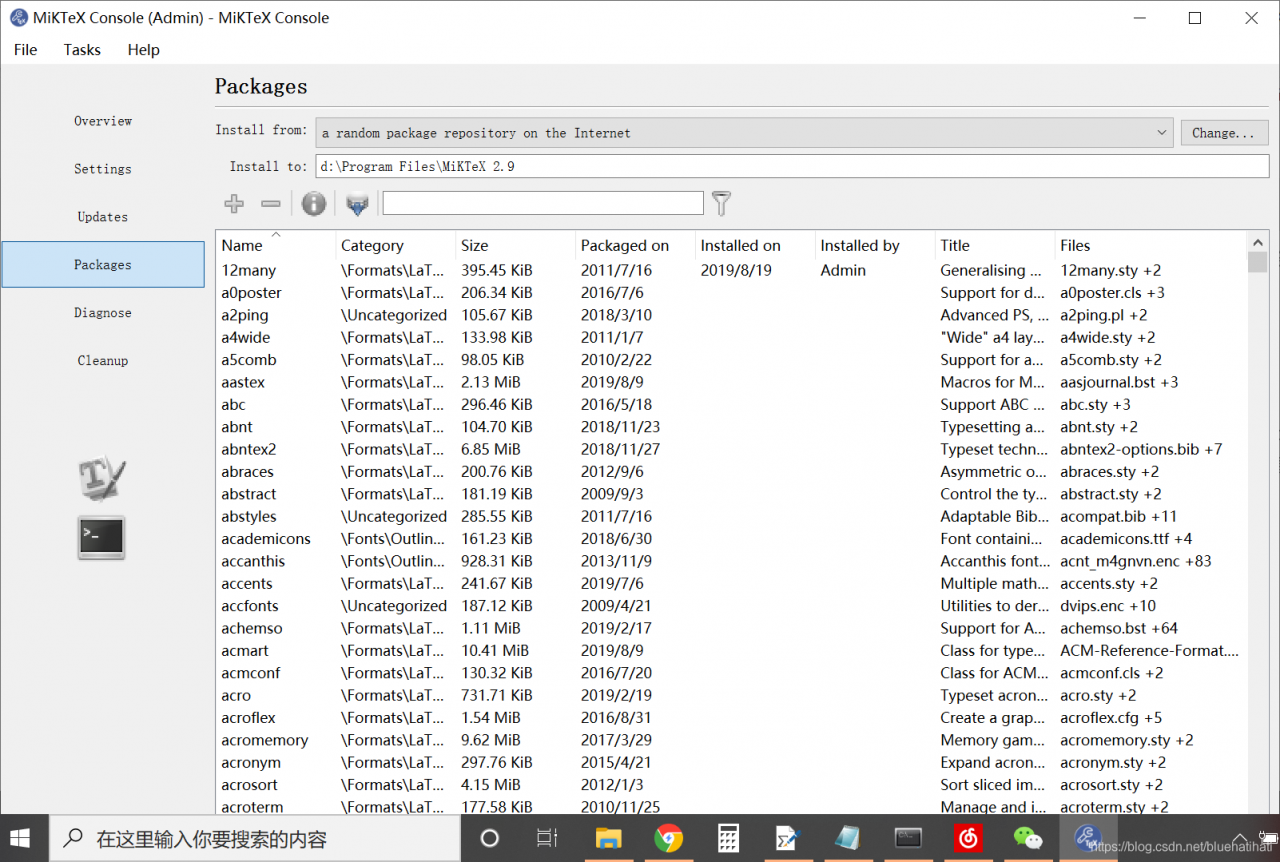
can also be automatically installed through a pop-up window during compilation in winedit10.3.
Solution to failed to create JVM: error code – 1 JVM path
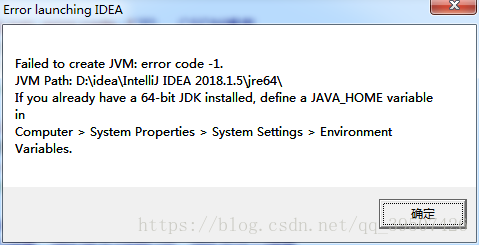
, I modified idea64. Exe. Vmoptions file of idea, but when I restarted it prompted a problem similar to the one above, and deleted the parameters also prompted this. Baidu searched the solution, reinstalled idea, and reinstalled JDK, all of which failed to solve the problem
this file does not have to exist, idea can still run without this file, but when you need to customize parameters, this file will be created for the first time.
again this problem might as well delete C:\Users\ name \.IntelliJIdea2018.1\config vmoption file, simple and crude
Remove video with video byte 0, uncaught (in promise) domexception: failed to load because no supported source was f
Uncaught (in promise) DOMException: Failed to load because no supported source was found.
the above error occurs on the one hand, the number of bytes of the video obtained from the background is 0, is an empty video
was used to determine whether the video could be downloaded. In the project, there was a problem that the video from the mobile phone to the database could not be played at all for the 0 byte video. The console reported an error: Uncaught (in promise) DOMException: Failed to load because no supported source was found
solution:
determines the networkState of the video, if the value is equal to 3, it will not play, skip
- Media.networkState; //0. This element is not initialized 1. Normal but not using network 2. Downloading data 3. No resource
found
determines the resource length of the video. If it is NAN, it cannot be played. However, this may be limited by the network state, and it takes a certain amount of time to obtain the length of the video when the network is not good.
- Media.duration; // the current resource length stream returns an infinite
I use the item written by vue: ev.target is used to get the status of the video
videoChanging: function (ev) {
if (! $refs.video) {return}
// replace the SRC of video
if(this.videosrctwo){
var status = this.$refs. video-ended
if(status){
if(this.$refs. video-src == this.videosrcone){
this.$refs.video.src = this.videosrcTwo
console.log('ev.target.networkState', ev.target.networkState)
console.log('ev.target.duration', ev.target.duration)
this.$refs.video.play()
}else{
this.$refs.video.src = this.videosrcOne
}
}
if(ev.target.ended){
this.playing = false
// this.replay =true
}
} else {
this. IsLoop = true
}
solution:
determines the networkState of the video, if the value is equal to 3, it will not play, skip
- Media.networkState; //0. This element is not initialized 1. Normal but not using network 2. Downloading data 3. No resource
found
determines the resource length of the video. If it is NAN, it cannot be played. However, this may be limited by the network state, and it takes a certain amount of time to obtain the length of the video when the network is not good.
- Media.duration; // the current resource length stream returns an infinite
I use the item written by vue: ev.target is used to get the status of the video
videoChanging: function (ev) {
if (! $refs.video) {return}
// replace the SRC of video
if(this.videosrctwo){
var status = this.$refs. video-ended
if(status){
if(this.$refs. video-src == this.videosrcone){
this.$refs.video.src = this.videosrcTwo
console.log('ev.target.networkState', ev.target.networkState)
console.log('ev.target.duration', ev.target.duration)
this.$refs.video.play()
}else{
this.$refs.video.src = this.videosrcOne
}
}
if(ev.target.ended){
this.playing = false
// this.replay =true
}
} else {
this. IsLoop = true
}
if(ev.target.networkState == 3) return this.$refs.video-src = this.videosrcone
This result will not play '
ev.target.networkState 3
ev.target.duration NaN
Error: Command ‘arm linux gnueabihf GCC’ failed with exit status 1, raspberry pie install paramiko
encountered this problem when installing paramiko package on raspberry pie, the solution is as follows:
sudo apt-get install gcc
sudo apt-get install gcc libffi-dev libssl-dev python3-dev
pip3 install paramikocurl: (23)failed writing body(0!=3810)
directly on the error message
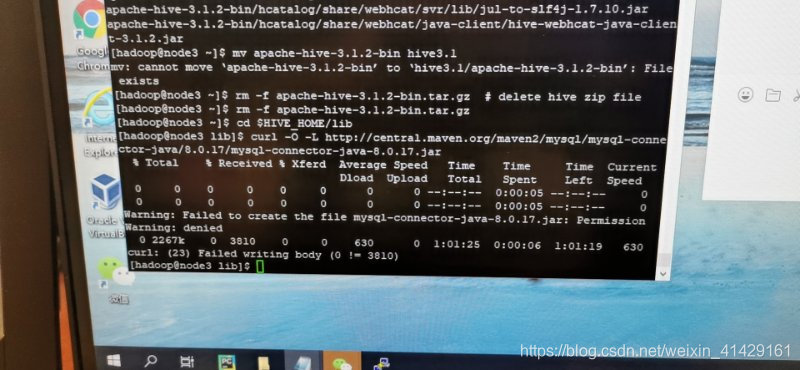
and then on to the solution steps
type curl “url” | tac | tac | grep-qs foo command
works:

if you’re still having problems, check to see if your virtual machine is running out of storage space.
use df-dh, this command is to let you know your disk usage, if the virtual machine space to expand their own space.
PY3 install box2d PY
direct PIP installation try
>>>pip install -i https://pypi.tuna.tsinghua.edu.cn/simple box2d-py
...
 error: Microsoft Visual C++ 14.0 is required. Get it with "Microsoft Visual C++ Build Tools": https://visualstudio.microsoft.com/downloads/

  ----------------------------------------
  Failed building wheel for box2d-py
  ...
we have to go to the wheel
https://www.lfd.uci.edu/~gohlke/pythonlibs/#pybox2d
>>> pip install Box2D-2.3.2-cp36-cp36m-win_amd64.whl
tests the following code:
import gym
env = gym.make('CarRacing-v0')
env.reset()
for _ in range(1000):
    env.render()
    env.step(env.action_space.sample())
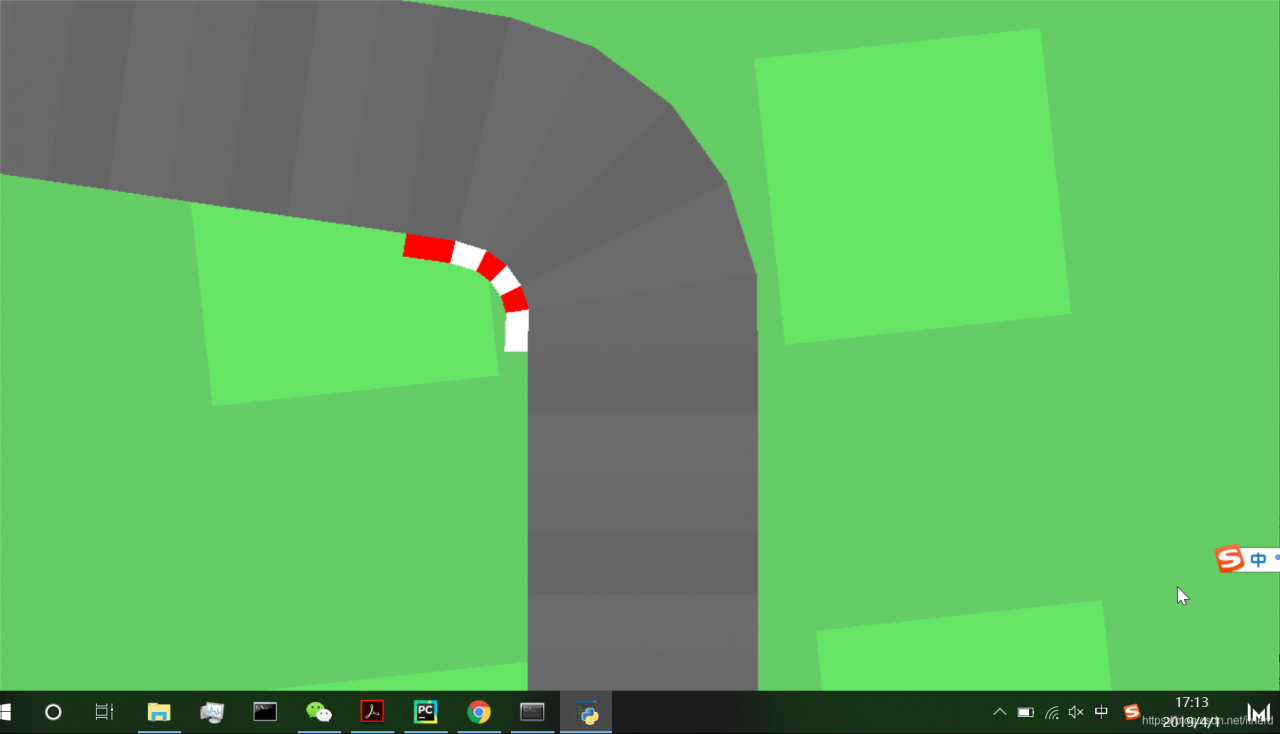
the atari wheel here
https://github.com/Kojoley/atari-py/releases
Delete when debugging Android_ FAILED_ INTERNAL_ ERROR,Error while Installing APKs
new version of Android Studio is DELETE_FAILED_INTERNAL_ERROR, how to solve Error while Installing APKs.
has one way: turn on Settings and find Build> Instant Run, remove the check on the right and try to install again.
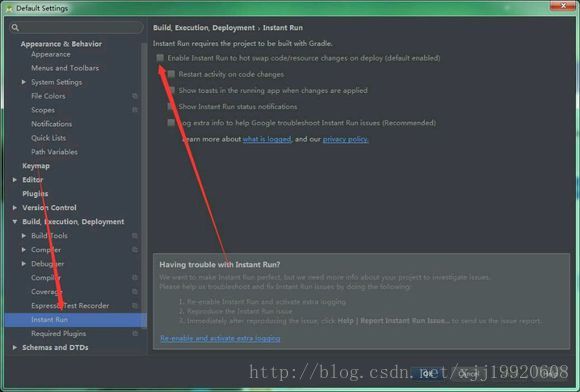
XR: OpenVR Error! OpenVR failed initialization with error code VRInitError_Init_PathRegistryNotFound
XR: OpenVR Error! OpenVR failed initialization with error code VRInitError_Init_PathRegistryNotFound
problem description
when I was running the scene in Unity, the following error occurred: ‘VR: OpenVR error! OpenVR initialization failed, error code VRInitError_Init_PathRegistryNotFound: “Installation path (110) cannot be found!”
problem cause
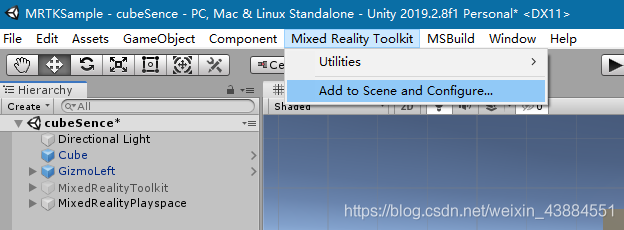
MRTK tools were used in the
project, but
was not introduced in the unity scenario
solution
Failed to find Build Tools revision 27.0.3
because of the problem of the computer system, the entire 8G memory of the computer running Android Studio was consumed, so I just reinstalled the computer and re-installed Android Studio.
error message
11:44	Gradle sync failed: Failed to find Build Tools revision 27.0.3
		Consult IDE log for more details (Help | Show Log) (1 m 17 s 505 ms)
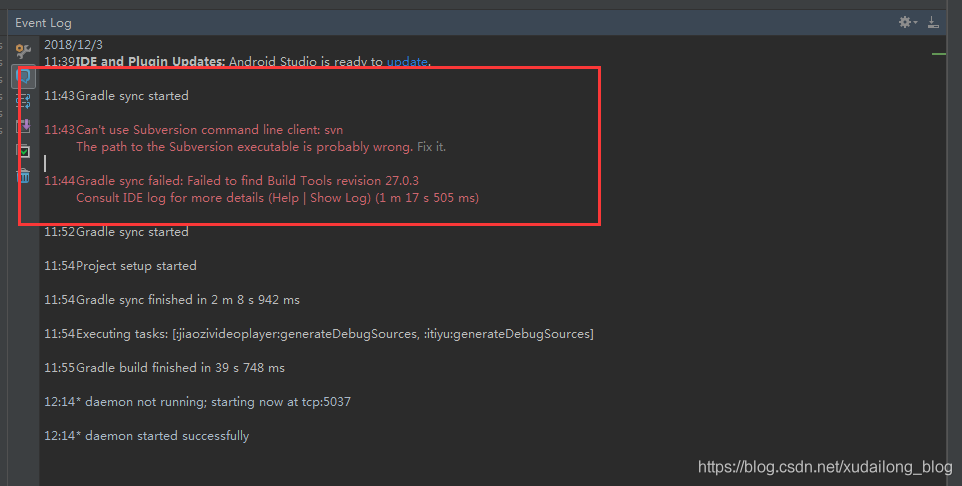
when Android studio was installed and the project was imported, Failed to find Build Tools revision 27.0.3 which caused the compilation to fail. The main problem is that the APT tool compiled by Android Studio is inconsistent with the tool imported by the target project. My download is a compilation tool of 28.0.3, while the target Android project USES a compilation tool of 27.0.3, so we need to download such a compilation tool.
download address:
http://mirrors.neusoft.edu.cn/android/repository/
select version (since I have a Windows PC) :
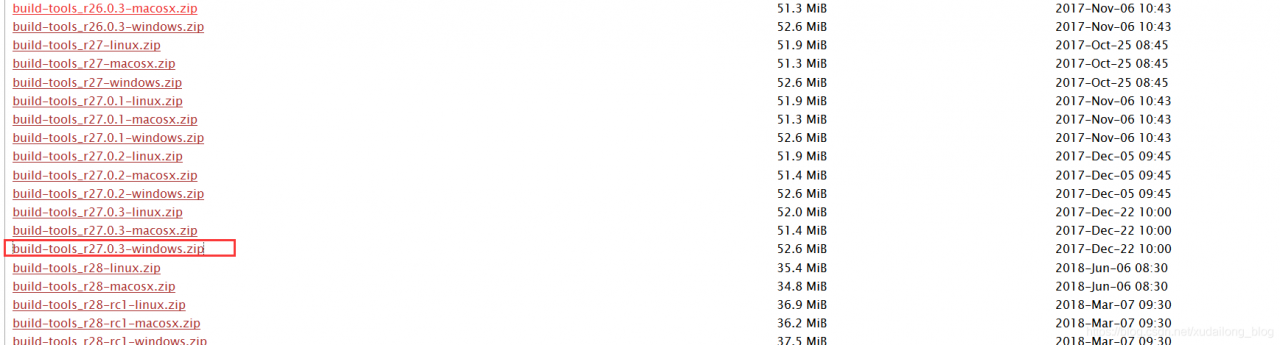
unzip and place in the corresponding folder:
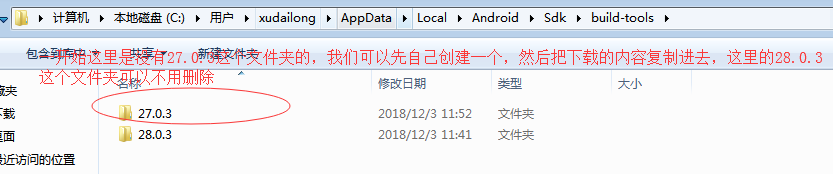
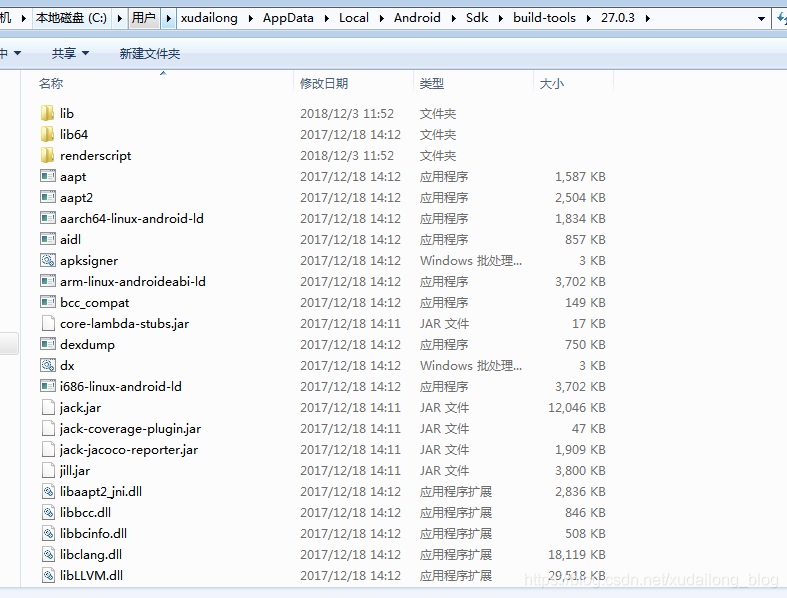
28.0.3 folder here can be deleted without
copied content

now after we rebuild, we find that the small compiled triangle lines in the project can be used