Category Archives: How to Fix

Start machine failed! Error code = 3 and error code = 21

ssdwin7 installation visual studio 2019, in addition to open a web page, finally crashed at the last minute…

and then ghost reinstall, a few times plug and then SSD disappeared…

buy SSD again, and then reload.

… It’s all foreplay…

today opened the hippocampus simulator ghost inside play, the results report error:

start machine failed! Error code = 3.

search all kinds of methods, find the official forum, all not good.

open the BIOS and turn on virtual technology. I can’t.

in the official website hippocampus apple community, search start machine failed! Error code = 3,

http://forum.droid4x.cn/search.php?mod=forum& searchid=10& orderby=lastpost& ascdesc=desc& searchsubmit=yes& kw=start+machine+failed%21+error+code+%3D+21

is not going to work either way.

deleted c disk program files under Oracle is also not good.

The

control panel will not unload the virtual box.

The

fix tool does not work.

reloaded the official full version of the virtual box, and then reloaded the haima play, the error code became 21.

http://forum.droid4x.cn/forum.php?mod=viewthread& tid=43521& highlight=start%2Bmachine%2Bfailed%21%2Berror%2Bcode%2B%3D%2B21

start machine failed! For users with errpr cpde = 21 problem resolution
Win+7 or above, press Win+R to open the run dialog and then run the following command to fix it.
%SystemRoot%\ InfDefaultInstall. Exe “%programfiles%\Oracle\VirtualBox\drivers\vboxdrv\ vboxdrv. inf”
XP user or not doing the above, please open this path: %programfiles%\Oracle\VirtualBox\drivers\vboxdrv\, then right-click “vboxdrv. inf” and select “install”

from the right-click menu

is OK
FileZilla server failed to initialize SSL Library

http://www.cnblogs.com/airoot/p/4516690.html reproduced first address

for Google and share into Chinese man

first said that the conclusion version is too high reduced to 0.9.44!! FZS history version download
click on the open link

, I have been using filezilla before. Today, I had a strange problem: after installing filezilla server in 2008R2, I intended to generate a certificate for SSL encryption. However, the error “Failed to initialize SSL library”

kept coming

the strange thing is, in some OS running on no problem, and then the related cases, baidu search to only one article: https://forum.filezilla-project.org/viewtopic.php?t=14852

> install Microsoft Visual C++ 2008 Redistributable Package, then install it.

and we continue to play around: compare the OS that runs SSL, and find out which components are not installed in R2 — which doesn’t work either;

suddenly thought to search Google, the fact that baidu is really not external. And Google came up with a bunch of them:

http://undefeated3.rssing.com/browser.php?indx=3477818& item=11163

https://forum.filezilla-project.org/viewtopic.php?t=14503

http://trac.filezilla-project.org/ticket/940

concluded that the above solution is mainly related to the following SSL DLLS:

msvcr71.dll, msvcr90. DLL (virtualization support)

libeay32.dll, ssleay32.dll (SSL support)

copy it to the filezilla installation directory or system32 directory, there is a Microsoft KB2533623 patch, the result is conceivable or not –!

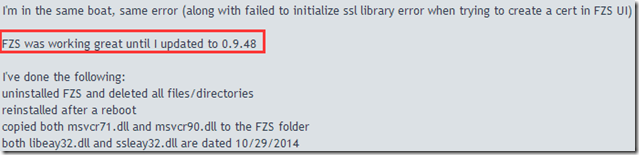
and then I saw this

in one of the comments

then it occurred to me that the problem might be related to the filezilla version, down to 0.9.44(my maximum is 9.44, not 9.46). Problem solving… What a speechless to Fzs, out of such a buggy

attachment: FZS history version download

click the open link

Camtasia | An error occurred in the Recorde System Audio setup Failed

version description:

Camtasia Studio 8.5.1

Win10 x64 home edition

when using Camtasia Studio, the following screen will pop up after recording:

solution:

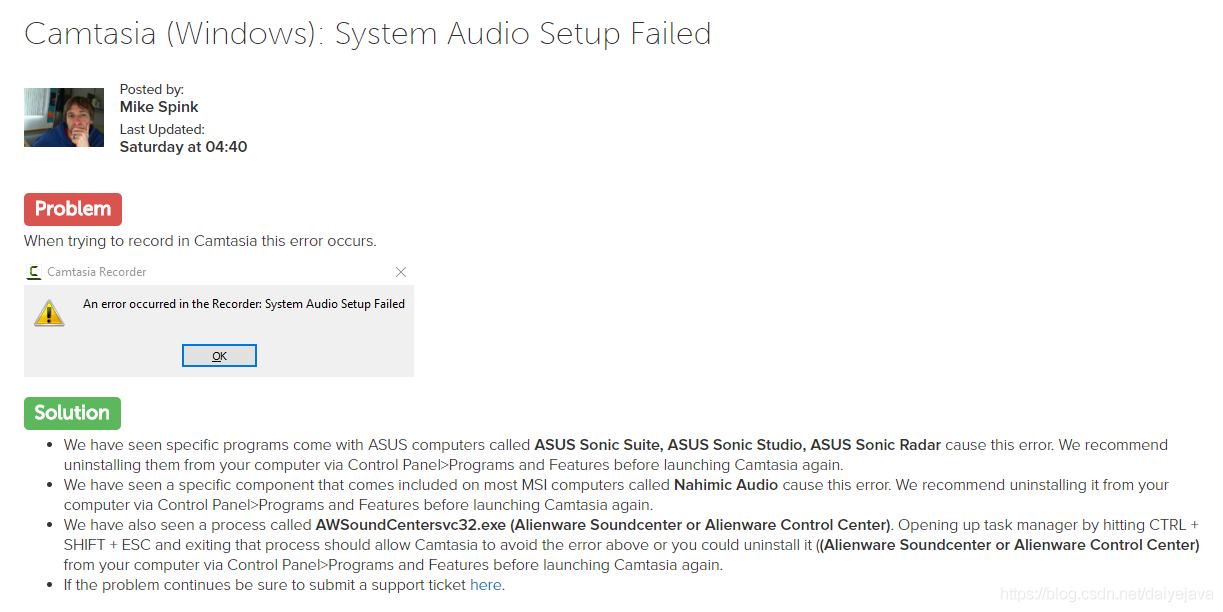
if it contains any of these programs, remove it (control panel –> Program uninstall), ASUS Sonic Suite, ASUS Sonic Studio, ASUS Sonic Radar, Nahimic Audio (with msi), AWSoundCentersvc32. Exe (Alienware Soundcenter or Alienware Control Center)

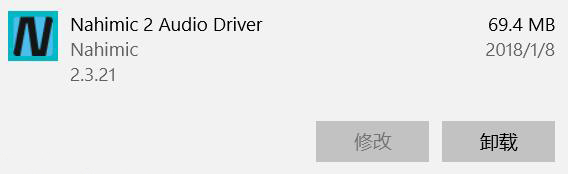
after self-examination, Nahimic Audio is installed in my computer, and I uninstall it in “applications and functions”. After uninstalling Camtasia Studio, it can be used normally. Thanks for Pinnsvin’s sharing.

Tank

2018.3.16

After unity connects with androidstudio, unity packages APK with an error: commandinvocationfailure: failed to re package resources

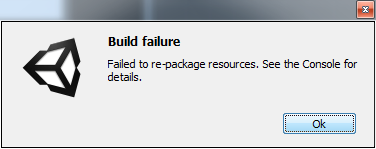
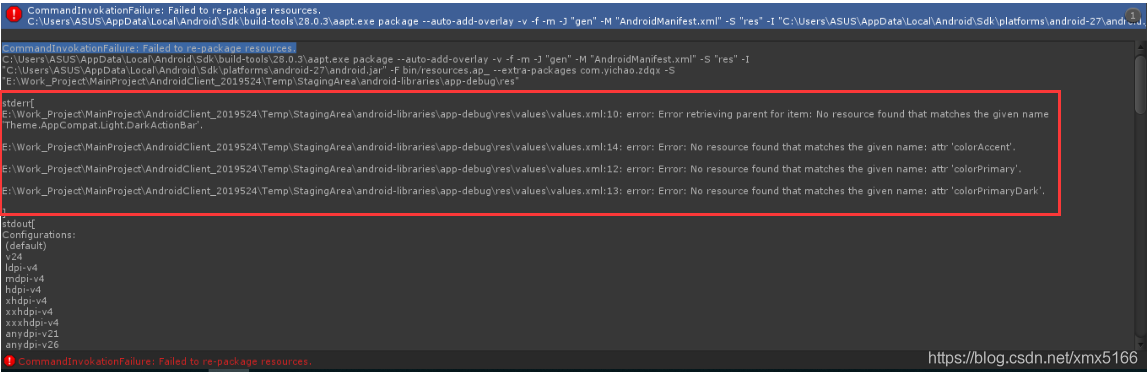
after accessing wechat and logging in SDK today, Unity packaging Apk directly reported an error, saying “command call failed: unable to repackage resources”, as shown in the figure below:

click OK and the error is displayed as follows:
CommandInvokationFailure: Failed to re-package resources.
C:\Users\ AppData\Local\Android\Sdk\build-tools\28.0.3\ aap.exe package –auto-add-overlay -v-f-m-j “gen” -m “androidmanifest.xml” -s “res” -i “C:\Users\ AppData\Local\Android\Sdk\platforms\ Android-27 \ Android. jar” -f bin/resources.ap_ –extra-packages com. Yichao. Zdqx-s “E: \ Work_Project \ MainProject \ AndroidClient_2019524 \ Temp \ StagingArea \ android – libraries \ app – debug \ res”

stderr[
E:\Work_Project\MainProject\AndroidClient_2019524\Temp\StagingArea\android-libraries\app-debug\res\values\values.xml:10: error: Error retrieving parent for item: No resource found that matches the given name ‘Theme. AppCompat. Light. DarkActionBar’.

E:\Work_Project\MainProject\AndroidClient_2019524\Temp\StagingArea\android-libraries\app-debug\res\values\values.xml:14: error: Error: No resource found that matches the given name: Attr colorAccent.

E:\Work_Project\MainProject\AndroidClient_2019524\Temp\StagingArea\android-libraries\app-debug\res\values\values.xml:12: error: Error: No resource found that matches the given name: Attr colorPrimary.

E:\Work_Project\MainProject\AndroidClient_2019524\Temp\StagingArea\android-libraries\app-debug\res\values\values.xml:13: error: Error: No resource found that matches the given name:
]


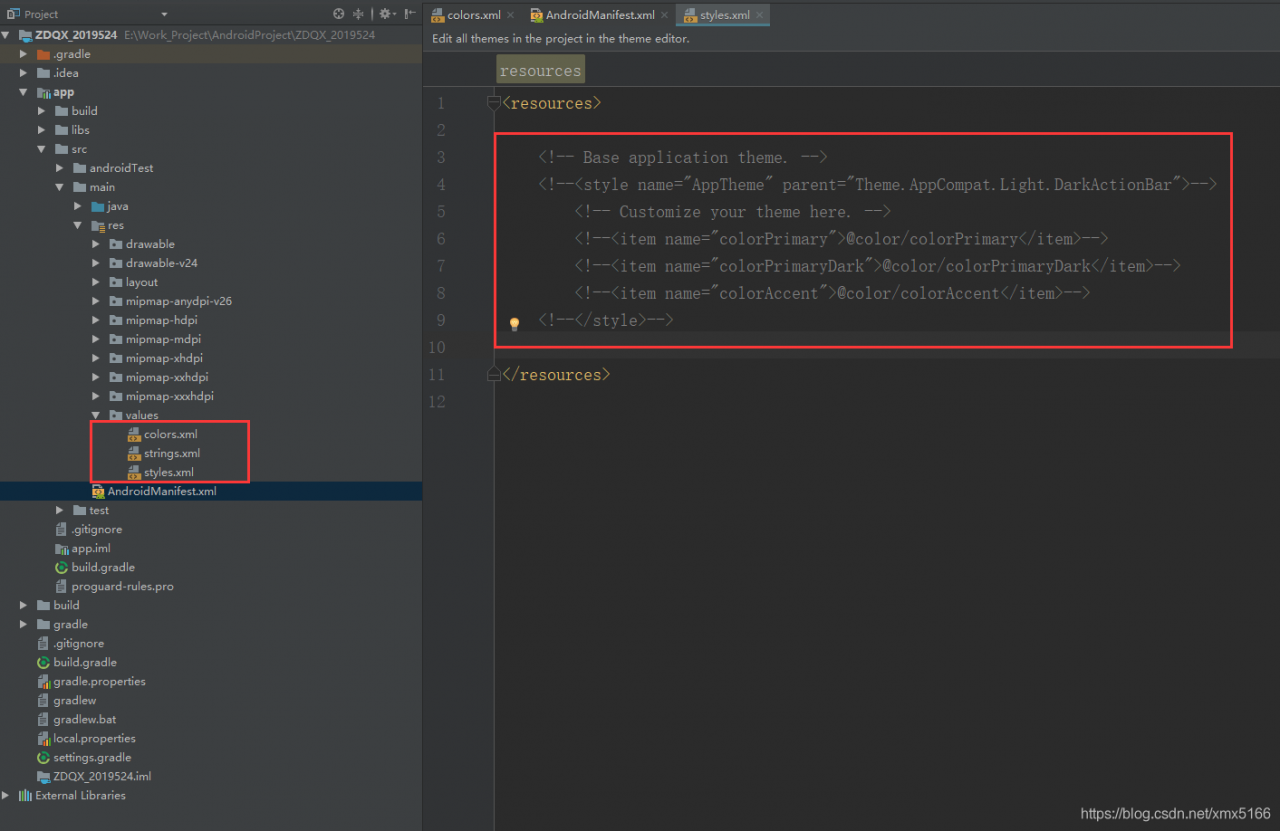
if you look carefully, you will find that it points to the typed text on the android side. There are some resources in the aar package values.xml. I here is 4 (‘ Theme. AppCompat. Light. DarkActionBar ‘and’ attr ‘colorAccent’, ‘attr’ colorPrimary ‘and’ attr ‘colorPrimaryDark’) :


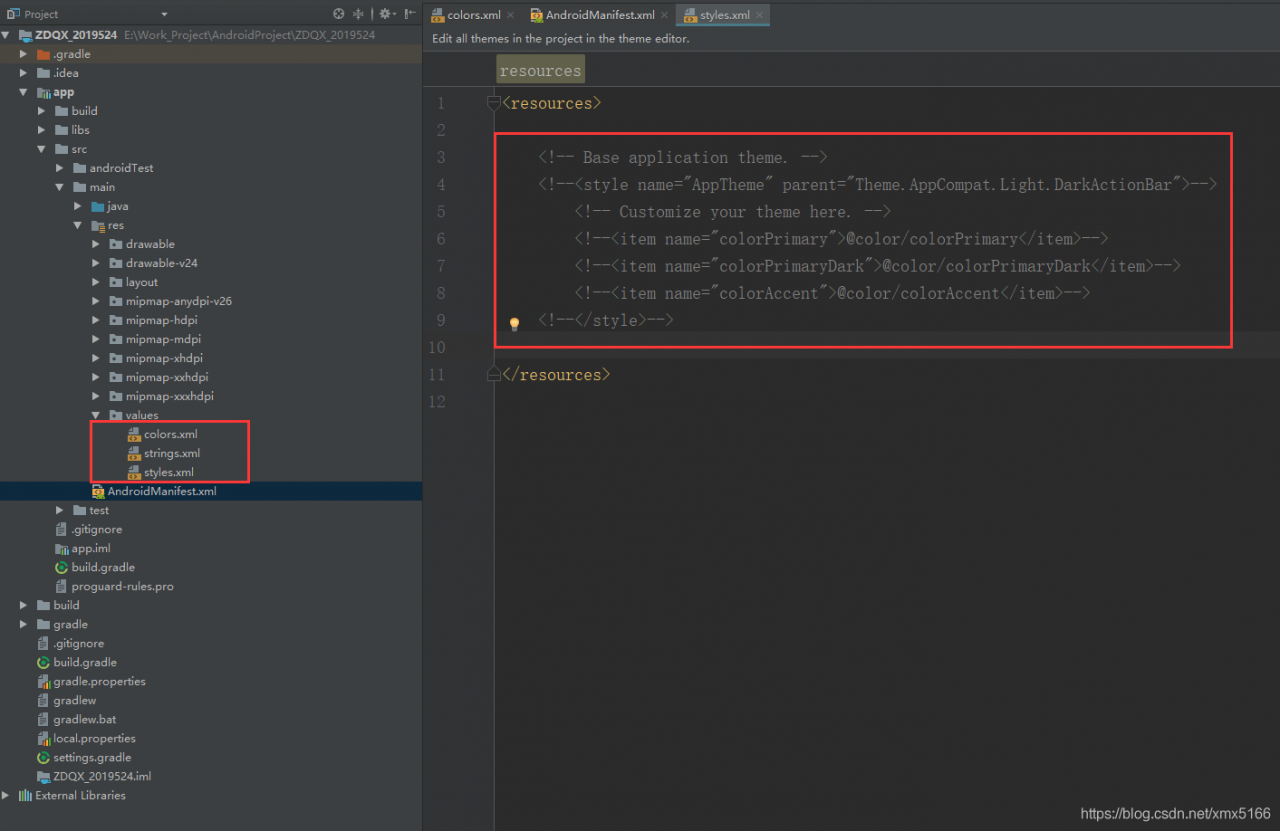
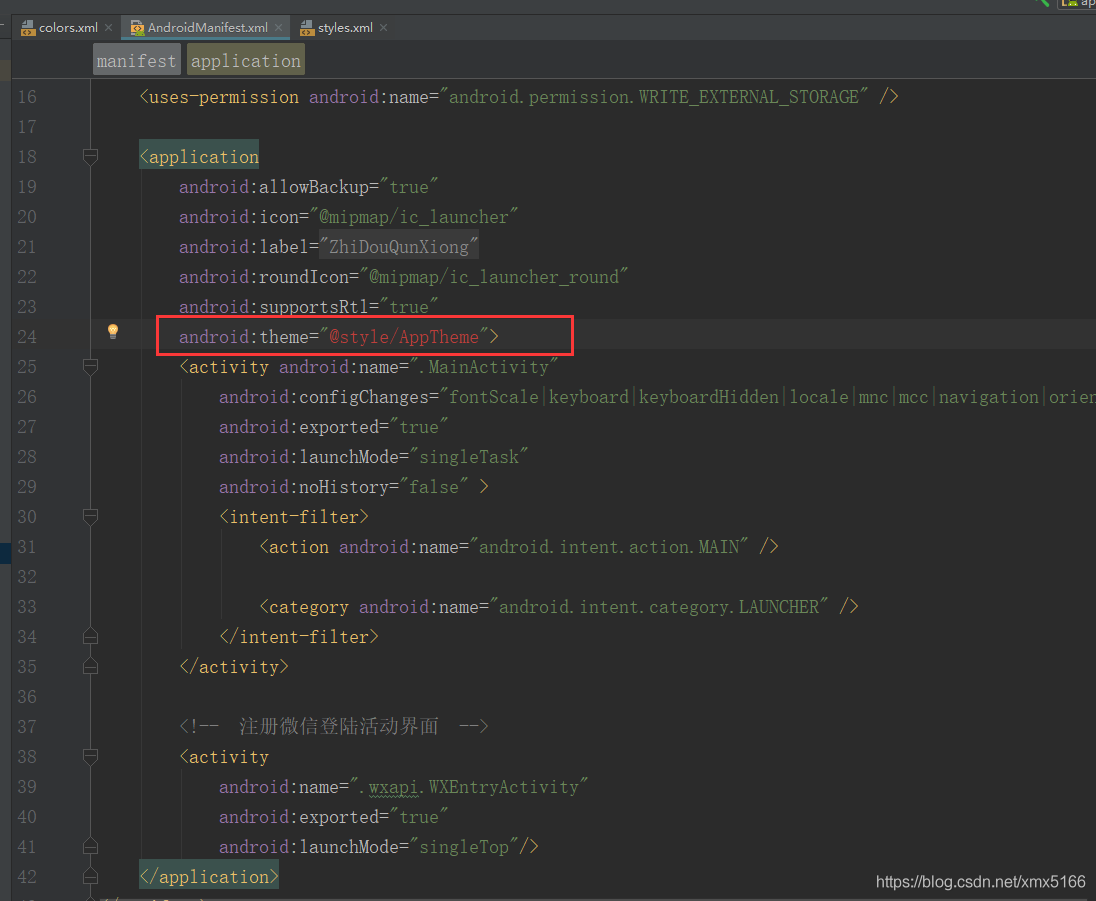
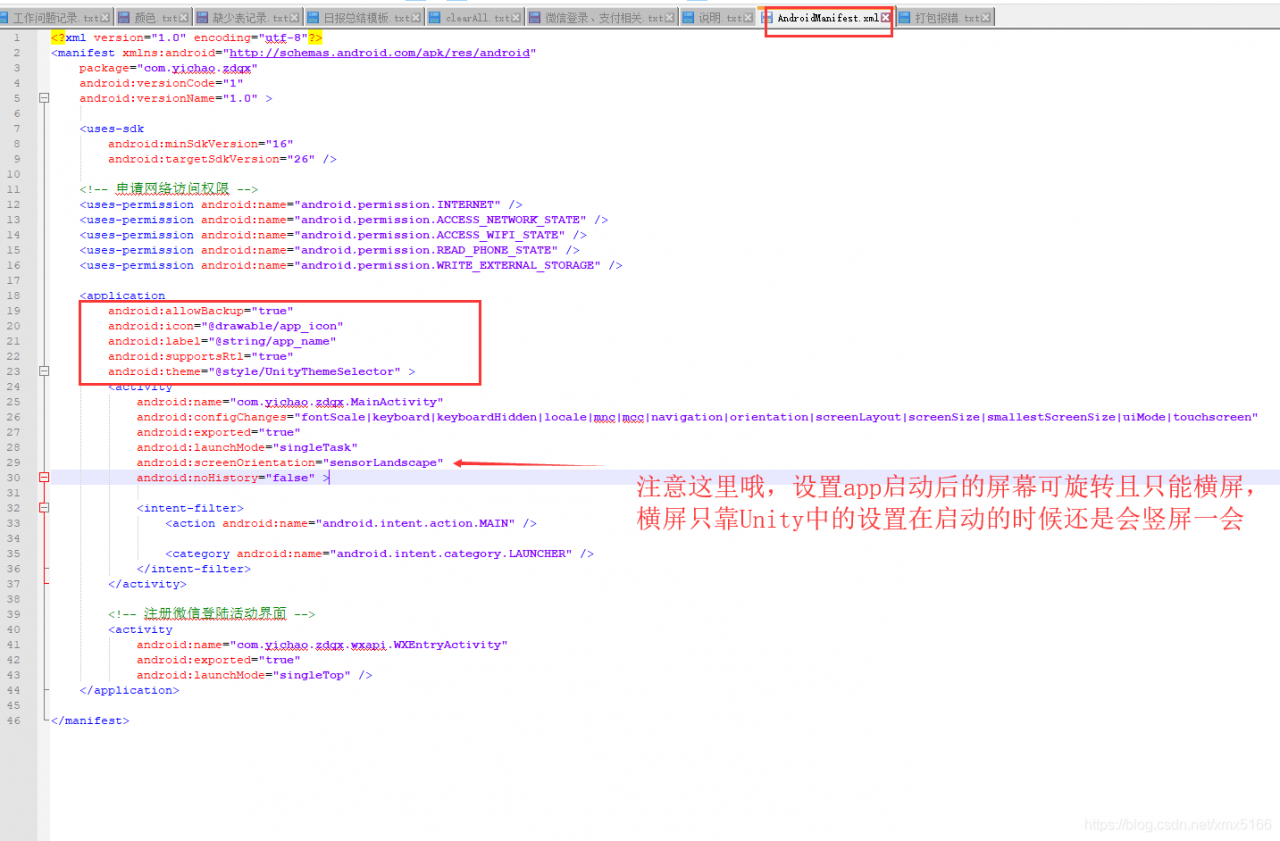
comment out these complains when will Clear again after the project, an error in the AndroidManifest. XML, because it USES a comment out the above variables, but we can’t have, because in Unity again we will modify this file:

the final modified like this:

hey, carelessly said much, actually in the above comment out those variables problem has been solved, anyway I is such!

added: it has a set in the XML file should be changed to android: screenOrientation = “landscape”, this is to set the screen to landscape, the previous set up some models will be vertical screen for a moment in the game to start the

virtualbox Failed to load VMMR0.r0 (VERR_SUPLIB_OWNER_NOT_ROOT)


Failed to load VMMR0. R0 (VERR_SUPLIB_OWNER_NOT_ROOT).
return code :
NS_ERROR_FAILURE (0x80004005)
component :
Console
interface :
IConsole

ls-l /
drwxr-xr-x 13 ABC test 4096 June 7 2012 usr
found /usr does not belong to root user
solution:
sudo chown root:root /usr/
if it still doesn’t work, check again whether /usr/lib belongs to root and solve with the above method.
Implementation of the USB 2.0 controller not found!
Because the USB 2.0 controller state is part of the saved VM state, the VM cannot be started. To fix this problem, Either install the ‘Oracle VM VirtualBox Extension Pack’ or disable USB 2.0 support in the VM Settings (VERR_NOT_FOUND).

solution install VirtualBox Extension Pack
Download http://download.virtualbox.org/virtualbox/

Oracle VM VirtualBox Extension Pack
VBoxGuestAdditions
the two packages
I install VirtualBox 4.3.20, select download 4.3.20

installation:
VBoxManage extpack Install oracle_vm_extension_pack-4.3.20. Vbox-extpack
virtual machine — device — allocate optical drive — select an optical drive to select the downloaded VBoxGuestAdditions_4.3.20. Iso, the installation will start automatically
sudo modprobe vboxdrv
if it still doesn’t work, check if it’s installed kernel-devel if not, install it

zengming@linux-eshv:~> Sudo/etc/init. D/vboxdrv setup

Recompiling VirtualBox kernel module, NOT. It has had said.
done


zengming@linux-eshv:~> sudo /etc/init.d/vboxdrv restart

redirecting to systemctl restart vboxdrv. Service

Failed to restart vboxdrv.service: Unit vboxdrv.service failed to load: No to the file or directory.// this error may be DKMS is not installed, installed DKMS

author: too handsome to go out programmer: 31843264

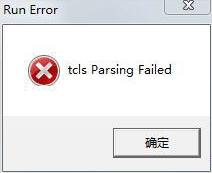
Solution to “TCLs parsing failed” when dnf starts

and Parsing occurs when DNF is started. The solution is

or TCLS Parsing Failed

after the virtual machine copied the DNF file, and then logged in the game using WeGame, there was a problem that service failed to connect to the channel in the pop-up box. Then I logged in using the client, and the following prompt popped up:

this sentence indicates that the tip is game start path error, the solution to the following:

X:\地下城与勇士\TCLS\Client.exe
X:指存放的盘的位置  

this will solve the TCLS Parsing Failed error.

Error report set of unity: failed to unload “assets / animation / clips / run_ 5.anim”

this error is due to a path error when generating the resource:

AssetDataBase.DreateAsset(“Assets//Animation/Clips/run_5.anim”);

the above code will be submitted to the Failed to unload “Assets/Animation Clips/run_5. Anim”

why is AssetDataBase DreateAsset () path to fill a fault, marked red “/ /” should be “/”, it is strange that the unity incredibly successful generation resources. An error will be reported on rerefresh, resulting resource issues…

this should be a bug in unity.

Internalerror: blas GEMM launch failed: A. shape = (100, 784), B. shape = (784, 10), M = 100, n = 10… Problem solving

problem description

when training MNIST data set with tensorflow-gpu version, error:

  InternalError: Blas SGEMM launch failed : a.shape=(100, 784), b.shape=(784, 10), m=100, n=10, k=784
     [[Node: MatMul = MatMul[T=DT_FLOAT, transpose_a=false, transpose_b=false, _device="/job:localhost/replica:0/task:0/gpu:0"](_recv_Placeholder_0/_4, Variable/read)]]  

cause

(1) because other pythonx programs use GPU resources, existing programs cannot allocate enough resources to execute the current program.
(2). If you are using GPU TensorFlow, and you want to train the model under high graphics card usage (such as playing a game), you should be careful to allocate a fixed amount of video memory when initializing the Session, otherwise you may report an error and exit directly at the beginning of the training.

solution

(1) : determines the current Session()

if 'session' in locals() and session is not None:
    print('Close interactive session')
    session.close()

(2) : assigns video memory

gpu_options = tf.GPUOptions(per_process_gpu_memory_fraction=0.333)
sess = tf.Session(config=tf.ConfigProto(gpu_options=gpu_options))

(3) : if the first two methods do not solve the problem
restart the machine