Category Archives: How to Fix

Springboot project start swagger prompt error err_ CONNECTION_ Refused solution

Project scenario:

(this is a common problem for novices!) Springboot project starts debugging in idea. When swagger is used to test the API on browser, the server stops after starting the project, and prompts localhost on browser to reject our connection request. At the same time, it prompts err_ CONNECTION_ REFUSED


Problem Description:

prompt: the problems encountered in project debugging are caused by the wrong startup and operation of your own choice:

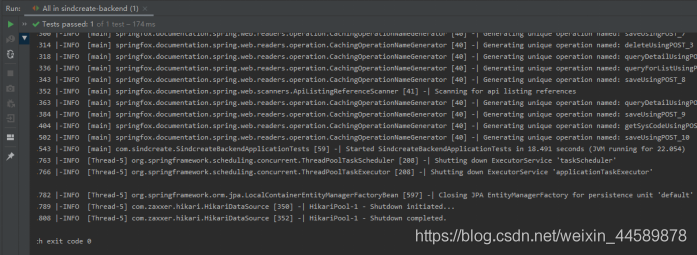
1. Running results after starting the project in idea:

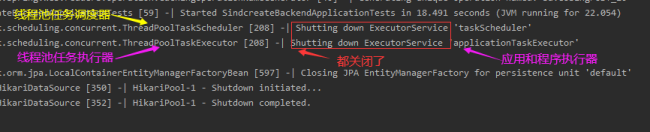
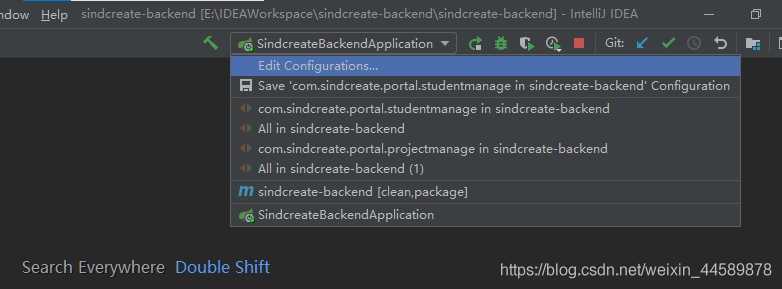
Automatically shut down the thread and shut down JPA. The key is that after I run it directly, I automatically shut down all the threads, and no error was reported. The browser was not opened. I did some debugging in the early stage, and I don’t know how to do it. I used eclipse and idea to do a lot of things before school,!!! Here is my power debugging option.

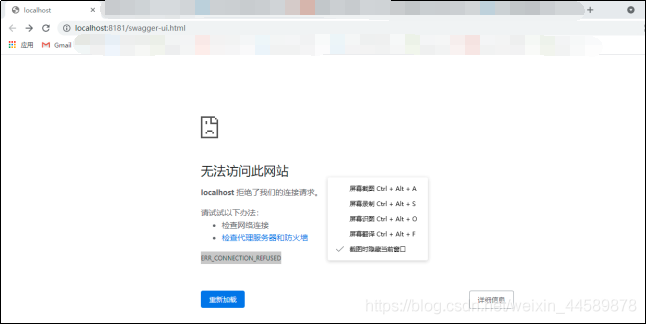
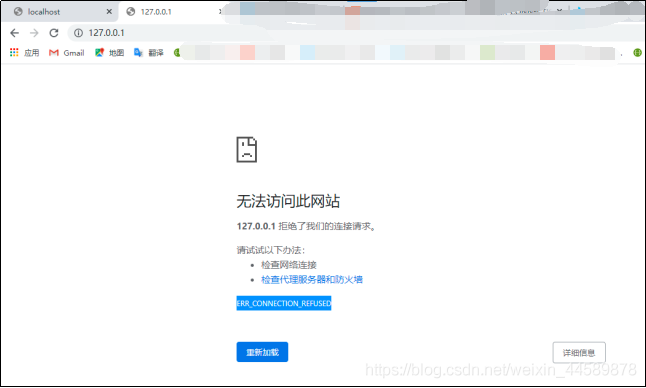
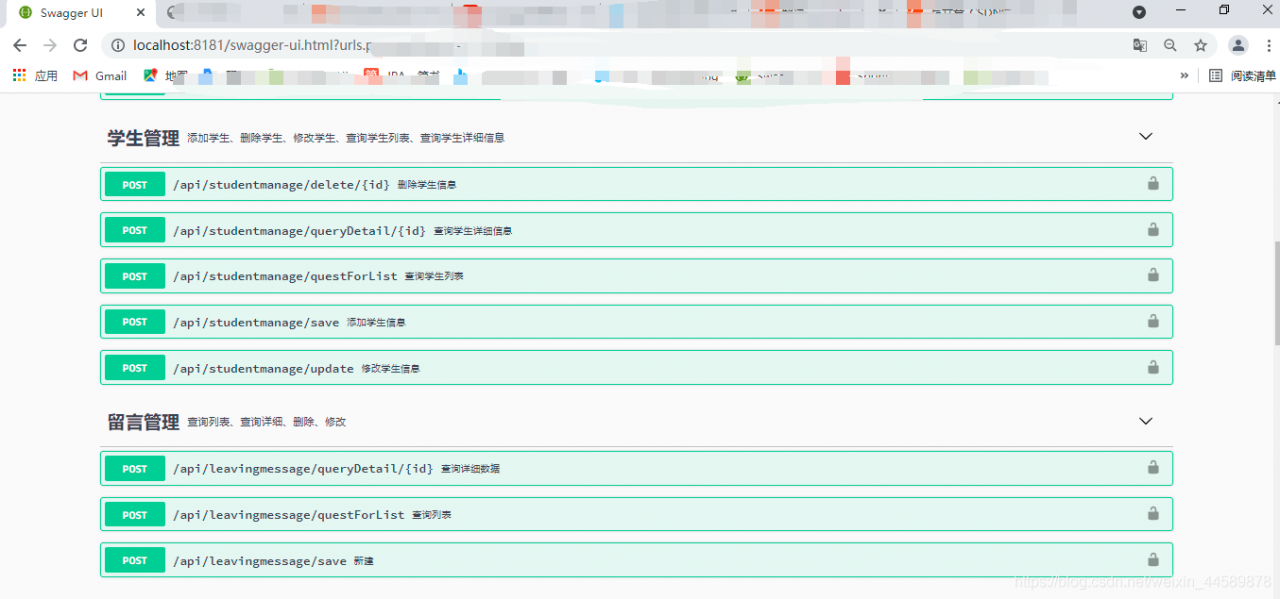
2. Browser display results
this is the end of my search for [thread – 5]. I can’t successfully start to access the browser’s address http://localhost : 8181/swagger-ui.html, the browser error is as follows:


Cause analysis:

I read this blog: https://blog.csdn.net/zj15527620802/article/details/84889346
The problem is very simple, that is, the selection of debugging options is wrong. I’m too careless to run


Solution:

To run the project, just choose the one at the end of application

after successful execution

In windows, “cmake” is not an internal or external command, nor a runnable program or batch file.

1、 Problem description.

An error is reported when cmake is performed under Windows: ‘cmake’ is not an internal or external command, nor is it a runnable program or batch file.

2、 Problem analysis.

Lack of tool cmake.

3、 Solutions.

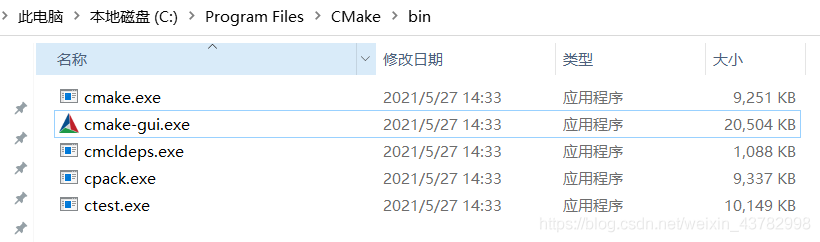
Install cmake. website: https://cmake.org/download/

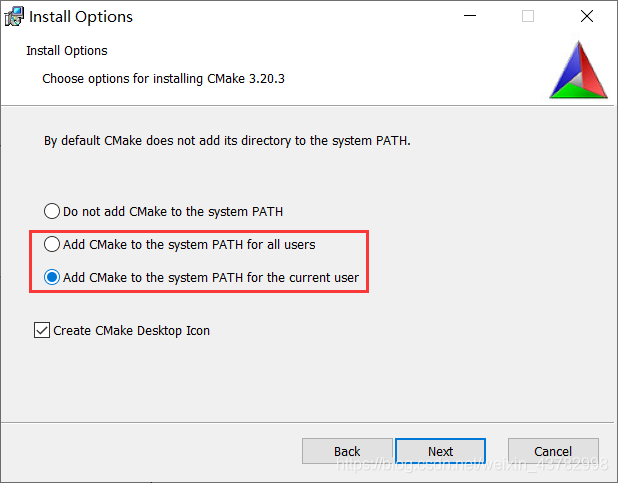
When installing cmake, choose to add environment variables.


It is invalid to submit the content directly after pasting it on the mobile terminal of Vue HTML5 editor

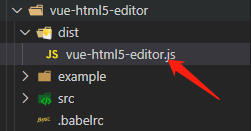
Modify the source code vue-html5-editor.js
Directory:

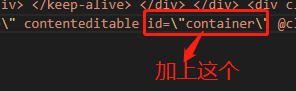
open this file, search for contenteditable, add id = “container”

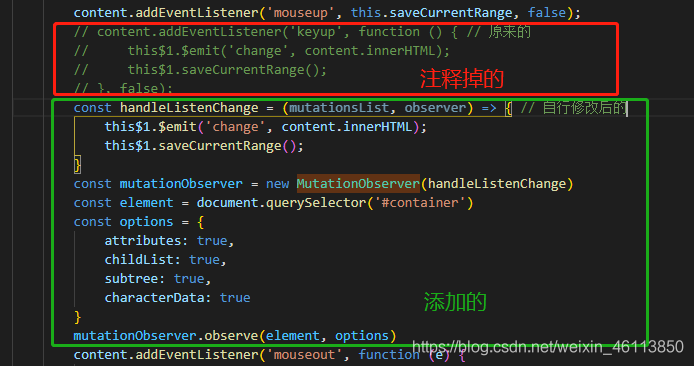
and then search for Keyup
comment code

 // content.addEventListener('keyup', function () {
 //     this$1.$emit('change', content.innerHTML);
 //     this$1.saveCurrentRange();
 // }, false);

Add code

const handleListenChange = (mutationsList, observer) => {
 this$1.$emit('change', content.innerHTML);
 this$1.saveCurrentRange();
}
const mutationObserver = new MutationObserver(handleListenChange)
const element = document.querySelector('#container')
const options = {
 attributes: true,
 childList: true,
 subtree: true,
 characterData: true
}

It’s like this on the whole

I’ve looked at others and modified it myself. This question is more detailed than that of the blogger. Link to attach. If you have any other questions, take a look
CSDN of Dashen

Error c3861: “strcasecmp”: identifier not found

1、 Problem description.

The C/C + + program compiles normally in Linux, and an error is reported in Windows: error c3861: “strcasecmp”:   Identifier not found.

2、 Problem analysis.

There is no library function related to strcasecmp in windows.

3、 Solutions.

Declare the library function of strcasecmp under windows.

#ifdef _WIN32
	//#define strcasecmp _stricmp
	//#define strncasecmp _strnicmp
#endif
#ifdef _MSC_VER
	#define strcasecmp _stricmp
	#define strncasecmp _strnicmp
#endif


Redis cannot load windows.conf

Contents of articles

Redis can’t load windows.conf solution

Redis cannot load windows.conf

Redis modifies AOF persistence operation
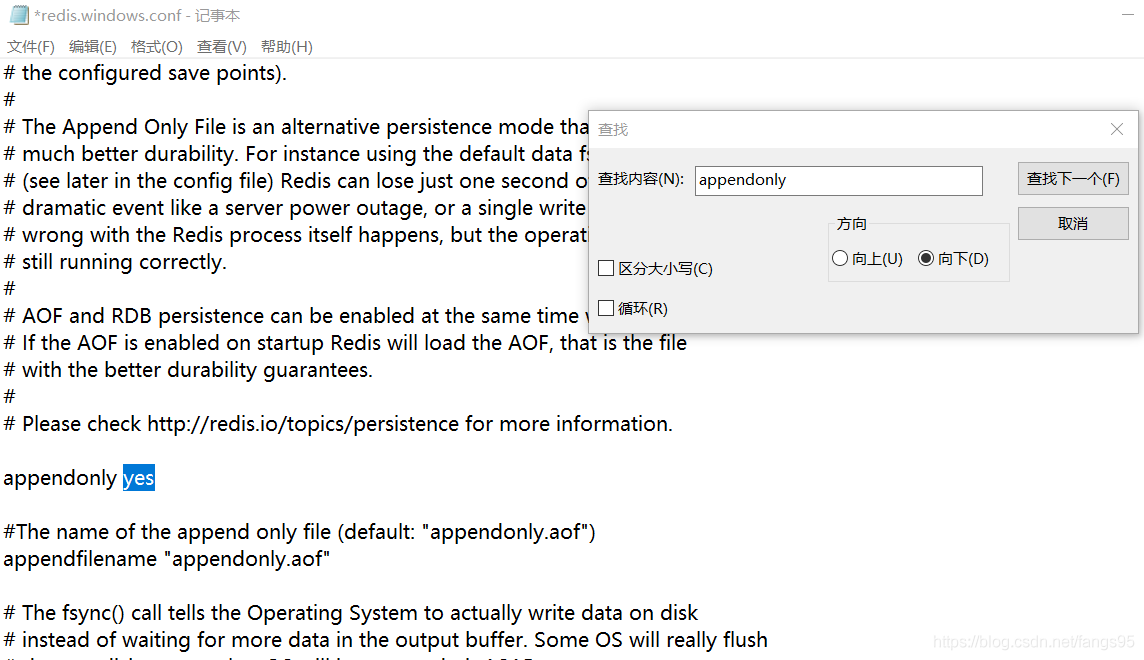
modifies configuration file
appendonly no — & gt; Appendonly Yes (open AOF)

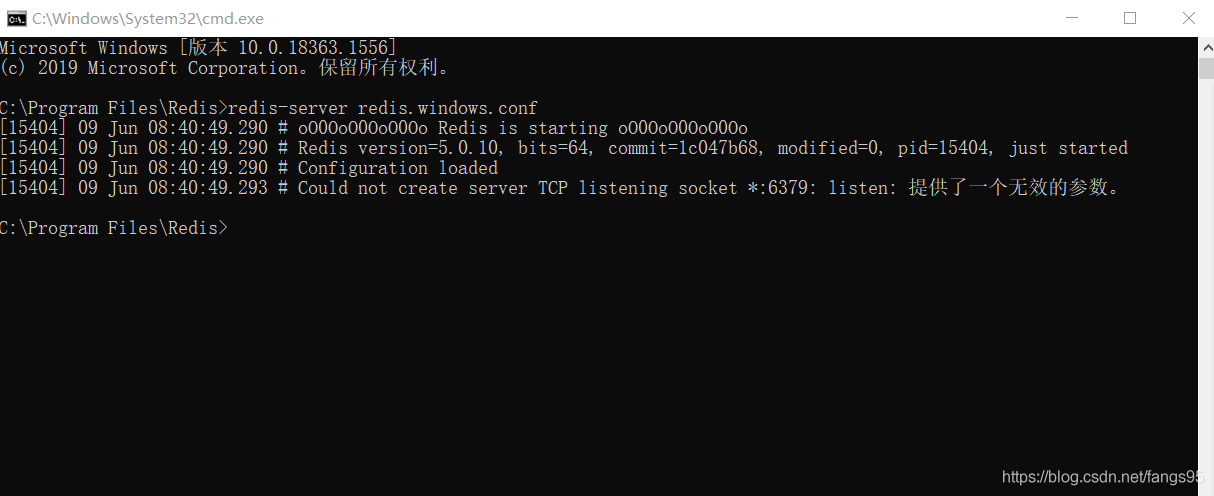
then there was an error when starting the service to load the configuration file
[8056] 09 Jun 08:32:29.054 ᦇ could not create server TCP listening socket *: 6379: Listening: an invalid parameter was provided

resolvent

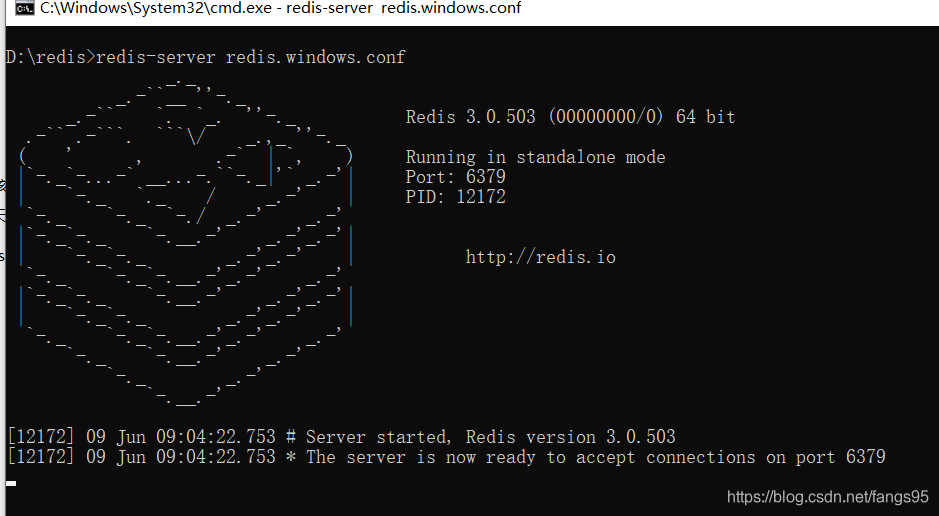
Moving redis to a directory other than disk C solves the problem

SUSE mount NFS prompt mount.nfs no such device

    suse11_ sp4_ Tips for mounting NFS_ mount. nfs:No_ such__ device_, How to cooperate with NFS kernel module
    try to load NFSD and test to see if it is normal:
    ?Modprobe NFSD
    If an error is reported when executing the command
    2. Check the log file, Check the memory
    see the following error from the log:
    Mar 30 10:56:17 idc-miyun5 modprobe: fat: error inserting NFS (/ lib/modules/3.0.101-63-default/kernel/FS/NFS/NFS. KO): cannot allocate memory
    have the following call trace prompt:
    Mar 30 13:30:34 idc-miyun5 kernel: [30647348.889920] modprobe: page allocation failure: order:4 , mode:0xd0
    Try the following operation:
    to minimize the cache occupation, you can drop the cache manually_ caches:
    #sync
    #echo 3 >/proc/sys/vm/drop_ Caches
    manually clearing the cache will not affect the normal operation of the application, because the memory of drop cache is the data that the process has not used, and the data in use will not be dropped. However, if the file data in the previous cache needs to be read again later, it is recommended to execute it when the business is not busy current configuration vm.min_ free_ Kbytes = 1048576
    ?Note that Kbytes is used here

The connection pool of SSM project database cannot be connected. The project can run normally and the database cannot be connected

Problem description

I use Maven to build an SSM project. The project can run normally, but I can’t connect to the database. If I have connected to the database, I will report an error. The error message is as follows.

org.springframework.web.util.NestedServletException: Handler dispatch failed; nested exception is java.lang.AbstractMethodError: org.mybatis.spring.transaction.SpringManagedTransaction.getTimeout()Ljava/lang/Integer;
	at org.springframework.web.servlet.DispatcherServlet.doDispatch(DispatcherServlet.java:982)
	at org.springframework.web.servlet.DispatcherServlet.doService(DispatcherServlet.java:901)
	at org.springframework.web.servlet.FrameworkServlet.processRequest(FrameworkServlet.java:970)
	at org.springframework.web.servlet.FrameworkServlet.doGet(FrameworkServlet.java:861)
	at javax.servlet.http.HttpServlet.service(HttpServlet.java:634)
	at org.springframework.web.servlet.FrameworkServlet.service(FrameworkServlet.java:846)
	at javax.servlet.http.HttpServlet.service(HttpServlet.java:741)
	at org.apache.catalina.core.ApplicationFilterChain.internalDoFilter(ApplicationFilterChain.java:231)
	at org.apache.catalina.core.ApplicationFilterChain.doFilter(ApplicationFilterChain.java:166)
	at org.apache.tomcat.websocket.server.WsFilter.doFilter(WsFilter.java:53)
	at org.apache.catalina.core.ApplicationFilterChain.internalDoFilter(ApplicationFilterChain.java:193)
	at org.apache.catalina.core.ApplicationFilterChain.doFilter(ApplicationFilterChain.java:166)
	at org.springframework.web.filter.CharacterEncodingFilter.doFilterInternal(CharacterEncodingFilter.java:197)
	at org.springframework.web.filter.OncePerRequestFilter.doFilter(OncePerRequestFilter.java:107)
	at org.apache.catalina.core.ApplicationFilterChain.internalDoFilter(ApplicationFilterChain.java:193)
	at org.apache.catalina.core.ApplicationFilterChain.doFilter(ApplicationFilterChain.java:166)
	at org.apache.catalina.core.StandardWrapperValve.invoke(StandardWrapperValve.java:200)
	at org.apache.catalina.core.StandardContextValve.invoke(StandardContextValve.java:96)
	at org.apache.catalina.authenticator.AuthenticatorBase.invoke(AuthenticatorBase.java:490)
	at org.apache.catalina.core.StandardHostValve.invoke(StandardHostValve.java:139)
	at org.apache.catalina.valves.ErrorReportValve.invoke(ErrorReportValve.java:92)
	at org.apache.catalina.valves.AbstractAccessLogValve.invoke(AbstractAccessLogValve.java:668)
	at org.apache.catalina.core.StandardEngineValve.invoke(StandardEngineValve.java:74)
	at org.apache.catalina.connector.CoyoteAdapter.service(CoyoteAdapter.java:343)
	at org.apache.coyote.http11.Http11Processor.service(Http11Processor.java:408)
	at org.apache.coyote.AbstractProcessorLight.process(AbstractProcessorLight.java:66)
	at org.apache.coyote.AbstractProtocol$ConnectionHandler.process(AbstractProtocol.java:834)
	at org.apache.tomcat.util.net.NioEndpoint$SocketProcessor.doRun(NioEndpoint.java:1415)
	at org.apache.tomcat.util.net.SocketProcessorBase.run(SocketProcessorBase.java:49)
	at java.util.concurrent.ThreadPoolExecutor.runWorker(ThreadPoolExecutor.java:1142)
	at java.util.concurrent.ThreadPoolExecutor$Worker.run(ThreadPoolExecutor.java:617)
	at org.apache.tomcat.util.threads.TaskThread$WrappingRunnable.run(TaskThread.java:61)
	at java.lang.Thread.run(Thread.java:745)
Caused by: java.lang.AbstractMethodError: org.mybatis.spring.transaction.SpringManagedTransaction.getTimeout()Ljava/lang/Integer;
	at org.apache.ibatis.executor.SimpleExecutor.prepareStatement(SimpleExecutor.java:85)
	at org.apache.ibatis.executor.SimpleExecutor.doQuery(SimpleExecutor.java:62)
	at org.apache.ibatis.executor.BaseExecutor.queryFromDatabase(BaseExecutor.java:324)
	at org.apache.ibatis.executor.BaseExecutor.query(BaseExecutor.java:156)
	at org.apache.ibatis.executor.CachingExecutor.query(CachingExecutor.java:109)
	at org.apache.ibatis.executor.CachingExecutor.query(CachingExecutor.java:83)
	at org.apache.ibatis.session.defaults.DefaultSqlSession.selectList(DefaultSqlSession.java:148)
	at org.apache.ibatis.session.defaults.DefaultSqlSession.selectList(DefaultSqlSession.java:141)
	at sun.reflect.NativeMethodAccessorImpl.invoke0(Native Method)
	at sun.reflect.NativeMethodAccessorImpl.invoke(NativeMethodAccessorImpl.java:62)
	at sun.reflect.DelegatingMethodAccessorImpl.invoke(DelegatingMethodAccessorImpl.java:43)
	at java.lang.reflect.Method.invoke(Method.java:498)
	at org.mybatis.spring.SqlSessionTemplate$SqlSessionInterceptor.invoke(SqlSessionTemplate.java:386)
	at com.sun.proxy.$Proxy10.selectList(Unknown Source)
	at org.mybatis.spring.SqlSessionTemplate.selectList(SqlSessionTemplate.java:205)
	at org.apache.ibatis.binding.MapperMethod.executeForMany(MapperMethod.java:137)
	at org.apache.ibatis.binding.MapperMethod.execute(MapperMethod.java:75)
	at org.apache.ibatis.binding.MapperProxy.invoke(MapperProxy.java:53)
	at com.sun.proxy.$Proxy16.getAll(Unknown Source)
	at com.controller.AdminController.login(AdminController.java:23)
	at sun.reflect.NativeMethodAccessorImpl.invoke0(Native Method)
	at sun.reflect.NativeMethodAccessorImpl.invoke(NativeMethodAccessorImpl.java:62)
	at sun.reflect.DelegatingMethodAccessorImpl.invoke(DelegatingMethodAccessorImpl.java:43)
	at java.lang.reflect.Method.invoke(Method.java:498)
	at org.springframework.web.method.support.InvocableHandlerMethod.doInvoke(InvocableHandlerMethod.java:205)
	at org.springframework.web.method.support.InvocableHandlerMethod.invokeForRequest(InvocableHandlerMethod.java:133)
	at org.springframework.web.servlet.mvc.method.annotation.ServletInvocableHandlerMethod.invokeAndHandle(ServletInvocableHandlerMethod.java:97)
	at org.springframework.web.servlet.mvc.method.annotation.RequestMappingHandlerAdapter.invokeHandlerMethod(RequestMappingHandlerAdapter.java:827)
	at org.springframework.web.servlet.mvc.method.annotation.RequestMappingHandlerAdapter.handleInternal(RequestMappingHandlerAdapter.java:738)
	at org.springframework.web.servlet.mvc.method.AbstractHandlerMethodAdapter.handle(AbstractHandlerMethodAdapter.java:85)
	at org.springframework.web.servlet.DispatcherServlet.doDispatch(DispatcherServlet.java:967)
	... 32 more
[DEBUG] 2021-06-09 19:28:00,962 org.springframework.beans.factory.support.DefaultListableBeanFactory - Returning cached instance of singleton bean 'sqlSessionFactory'

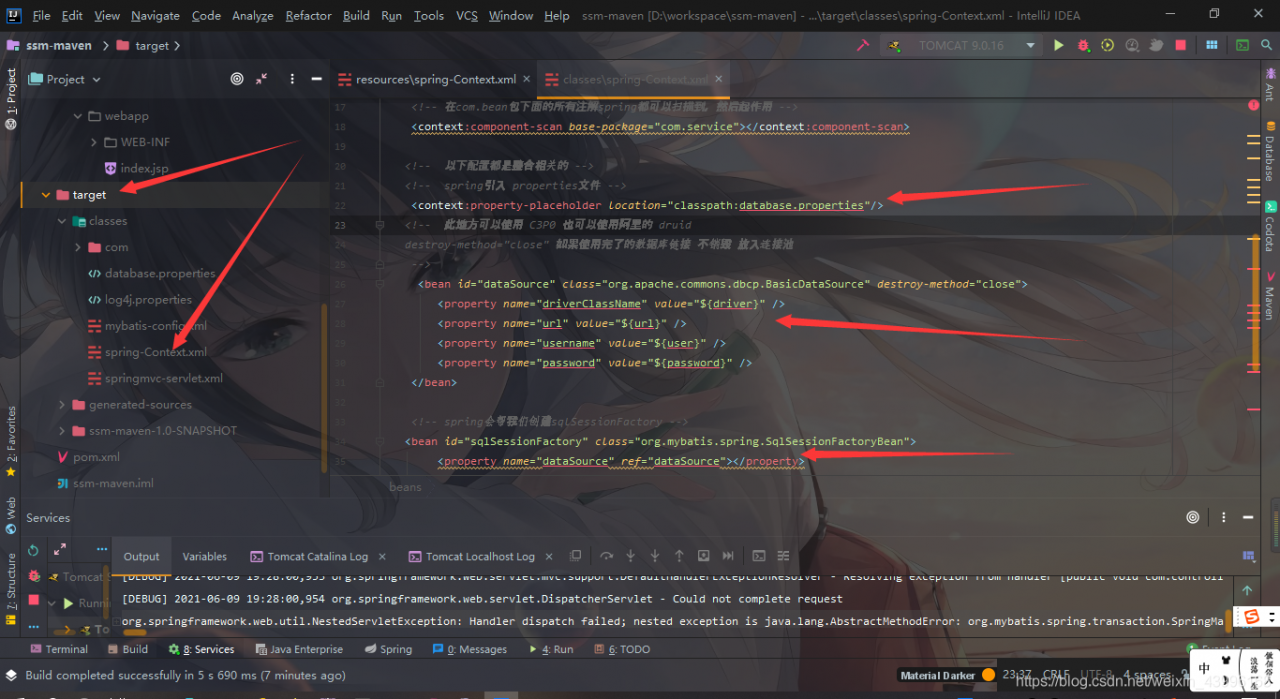
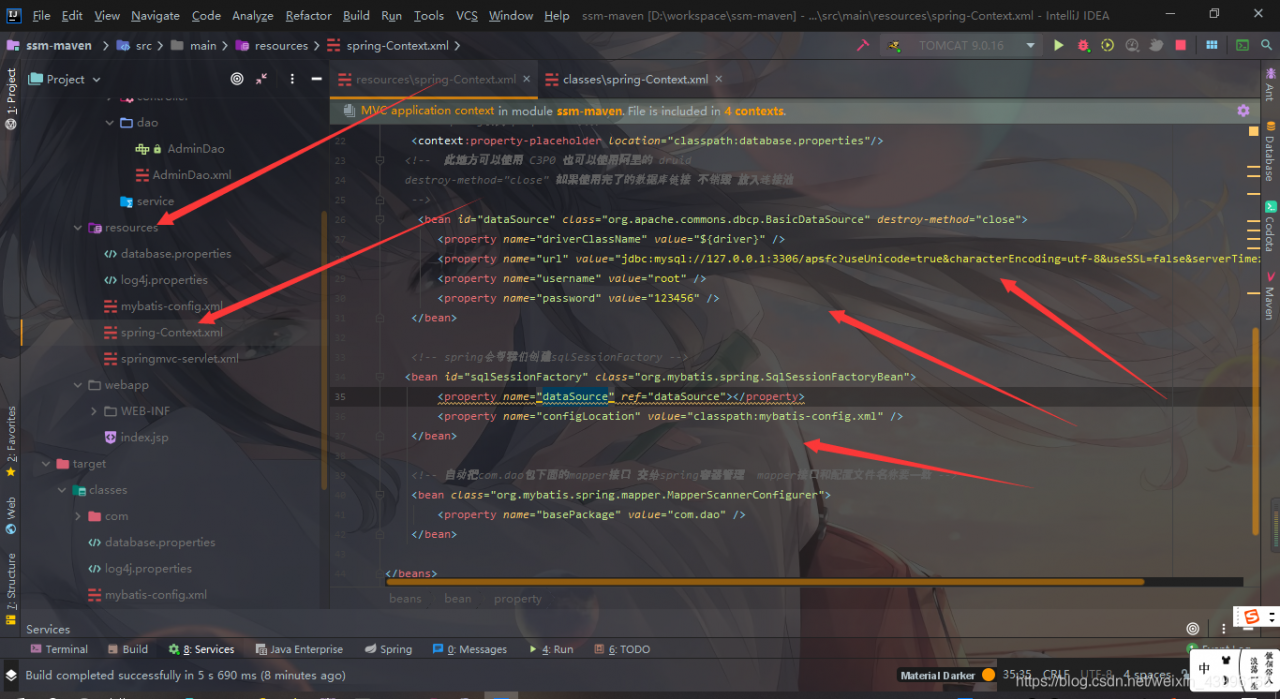
After troubleshooting, I found that after my spring configuration file was compiled by maven, the database connection pool reported an error, which was very popular

but the source code without compilation is not popular

this is very strange. I don’t understand what the problem is. After a meal at Baidu, I found that some predecessors said it might be the jar package version matching problem, so I found an operation in my POM file
the original database connection pool related jar and spring versions are as follows:

<dependency>
      <groupId>org.springframework</groupId>
      <artifactId>spring-jdbc</artifactId>
      <version>4.3.18.RELEASE</version>
</dependency>
<dependency>
      <groupId>org.mybatis</groupId>
      <artifactId>mybatis</artifactId>
      <version>3.4.1</version>
</dependency>
<dependency>
      <groupId>org.mybatis</groupId>
      <artifactId>mybatis-spring</artifactId>
      <version>1.2.3</version>
</dependency>

The revised version is as follows:

<dependency>
      <groupId>org.springframework</groupId>
      <artifactId>spring-jdbc</artifactId>
      <version>4.3.18.RELEASE</version>
 </dependency>
 <dependency>
      <groupId>org.mybatis</groupId>
      <artifactId>mybatis</artifactId>
      <version>3.4.1</version>
 </dependency>
<dependency>
      <groupId>org.mybatis</groupId>
      <artifactId>mybatis-spring</artifactId>
      <version>2.0.3</version>
</dependency>

Here, after running the project, connecting to the database, the problem is solved
it’s just the jar package version conflict, which makes me very tired.

solve the problem

Modify jar package version

Flutter development: prompt error parsing localfile when running the project: ‘/ users / xxx / Android / APP / SRC / main / androidmanifest. XML’… Solution

preface

At the beginning of the development of flutter, there are all kinds of problems. At this time, it is a little difficult for the developers who have just contacted the development of flutter. Therefore, in the early stage of the development of flutter, we should accumulate more, consult more and step on more holes, so that we can start to develop the flutter project quickly. This article will share a relatively simple problem encountered in the development of flutter, the error prompted after the operation of flutter packages get.

 
Error message

After running the flutter packages get, the flutter project will prompt the following error prompt:

After executing the command flutter packages get, an error is reported. It is about the Android related prompt in the flutter project

Error parsing LocalFile: '/Users/xxx/xxxxxx/android/app/src/main/AndroidManifest.xml' Please ensure that the android manifest is a valid XML document and try again.

exit code 1

analysis

Through the above error prompt, the editor has told the specific location of the error file, so follow the file path of the prompt and enter the corresponding file to check the specific location of the error. However, after checking, no error is found. After performing the flitter clean, the editor runs the flitter run again, and the error is still reported. The corresponding writing method of the specific file is as follows:

<manifest xmlns:android="http://schemas.android.com/apk/res/android"

    package="com.example.platform_app">

    <uses-permission android:name="android.permission.INTERNET"/>

    <application

        android:name="io.flutter.app.FlutterApplication"

        android:label="platform_app">

        <activity

            android:name=".MainActivity"

            android:launchMode="singleTop"

            android:theme="@style/LaunchTheme"

           android:configChanges="orientation|keyboardHidden|keyboard|screenSize|smallestScreenSize|locale|layoutDirection|fontScale|screenLayout|density|uiMode"

            android:hardwareAccelerated="true"

            android:windowSoftInputMode="adjustResize">

            <intent-filter>

                <action android:name="android.intent.action.MAIN"/>

                <category android:name="android.intent.category.LAUNCHER"/>

            </intent-filter>

        </activity>

        <meta-data

            android:name="flutterEmbedding"

            android:value="2" />

    </application>

</manifest>

Through repeated investigation, we finally found out the problem, label & lt/ manifest> The end tag of is missing one, as shown in the following figure:
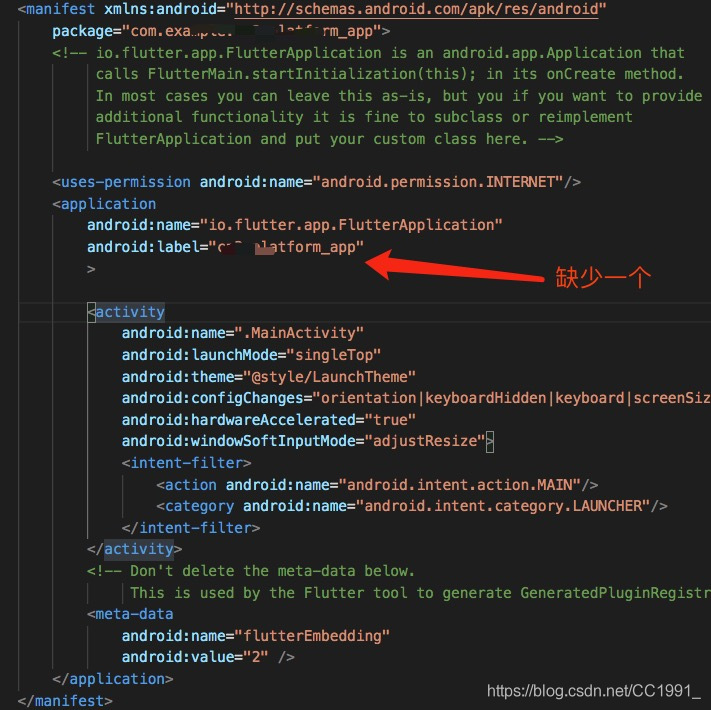
 
resolvent

In & gt; And then it was lost android:icon= “@mipmap/ic_ So it should be like this:

<application

    android:name="io.flutter.app.FlutterApplication"

    android:label="platform_app"

    android:icon="@mipmap/ic_launcher">

<activity...

Finally, click save file, run the project again, and no error will be reported directly. The project flutter is successfully started, and the problem is perfectly solved.

 
The above is the whole content of this chapter. Welcome to WeChat official account of the three shopkeeper, “program ape by three shopkeeper”, three shopkeeper’s Sina micro-blog “three shopkeeper 666”, welcome to pay attention!

Three WeChat’s official account:

Sina Weibo of three shopkeepers:

 

SpringCloud GateWay Failed to instantiate [org.springframework.cloud.gateway.discovery.DiscoveryL…

Recently, the company needs to rebuild the system permission framework. I use gateway as the gateway.

I have to admit that gateway configuration is really good. In the past, when using nginx, I had to configure a lot of messy things, now I don’t need to configure certificates

There was no problem when the project was running, but when the jar package was run alone after packaging, it encountered this problem. After looking for it all afternoon, a netizen told me that as long as you use the gateway gateway, you will encounter this problem.

resolvent:

Add configuration in the POM file of gateway

<dependency>
      <groupId>org.springframework.boot</groupId>
      <artifactId>spring-boot-starter-validation</artifactId>
</dependency>

Perfect solution