1. Problems encountered in building the springboot framework.
** WARNING ** : Your ApplicationContext is unlikely to start due to a @ComponentScan of the default package.
Warning: your application context may not be started because you added comments to the default package. There is also a sentence in the stack information below that includes this meaning.
1. Reason analysis
I didn’t use @ componentscanning annotation. Why did such an annotation pop up here?
When writing a startup class (the class where the main method is located), springboot does not use @ componentscan to indicate the object scanning range. By default, it scans the objects in the package where the current startup class is located.
(Note: I didn’t add @ componentscan annotation when writing the main method, so he will scan the objects in the package where the application is located)
if the current startup class has no package, an error will be reported when starting: your ApplicationContext is unlikely to start due to a @ componentscan of the default package.
(Note: the application class written in the Java folder does not belong to any package, so the startup class has no package.)
Application is built under other packages
2. Solutions
Method 1: build application under other packages
Method 2: add @ componentscan annotation on the application class to specify the package to scan
Failed insert module ‘autofs4’ error in deploying xenserver7.2

In the process of installing XenServer 7.2, the above error is reported. Although it can be started to the console interface normally, there are some inexplicable errors in the follow-up, such as the basic link of the server is often broken and the ISO repository cannot be added.
Solution: it is not recommended to use XenServer version 7.2.
The Huawei Lite Simulator supports only Lite projects
Just turn on the simulator
Install SDK and preview tool
Path: menu bar tools — SDK Manager
Idea project prompt: symbol not found or package does not have a solution
Problem Description:
When the code of the pull company is running locally, the following error is found. Idea prompts java: no symbol is found

Cause analysis:
Baidu found a lot of solutions, but did not see the positive solution…
If the symbol is not found, it means that the current JDK version does not recognize some symbols in the project. Just replace the JDK version that adapts to the current project.
Solution:
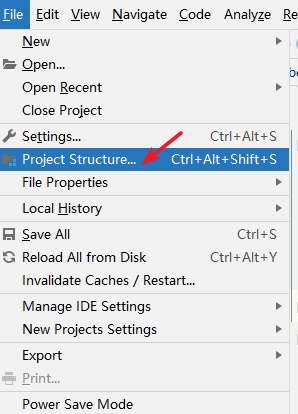
Click file --- & gt; Project structure
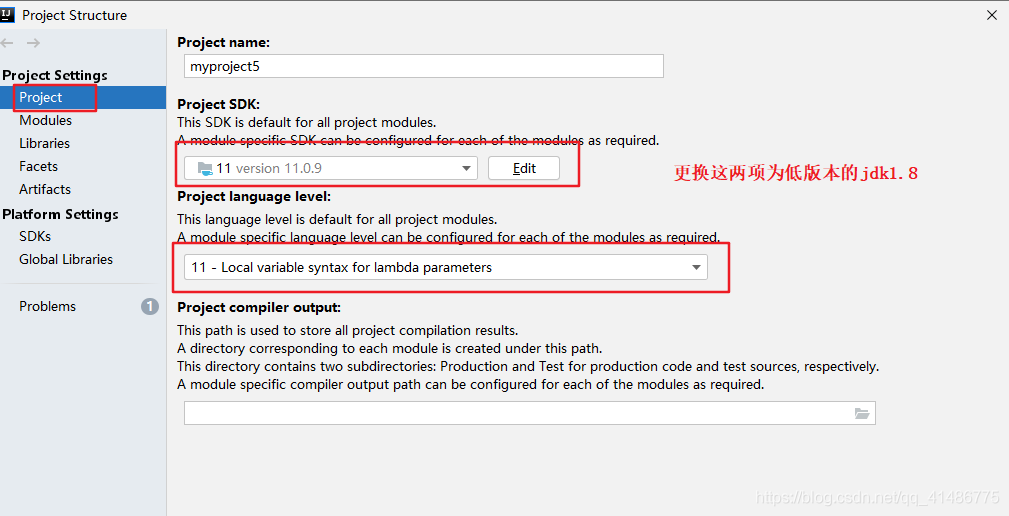
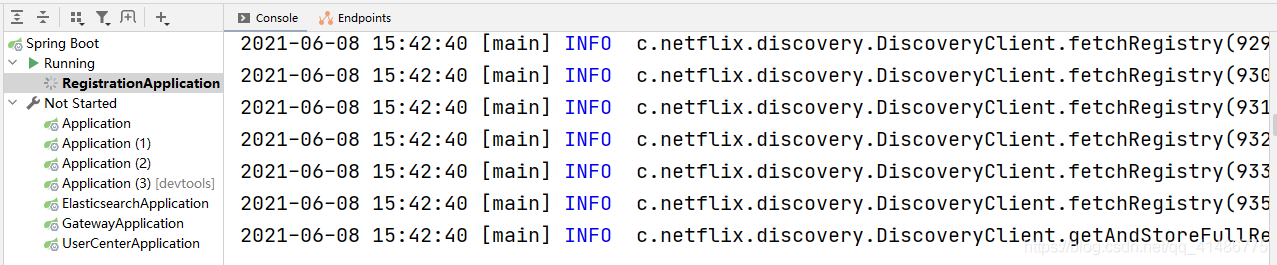
the project is ready to run:
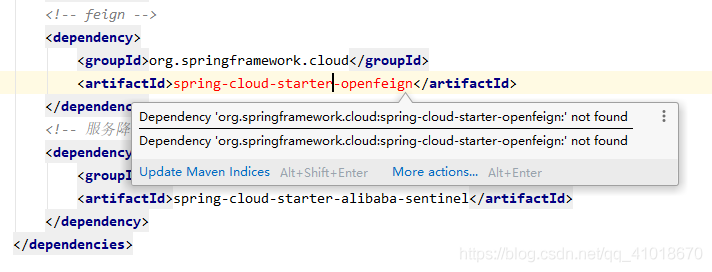
‘dependencies.dependency.version‘ for org.springframework.cloud:spring-cloud-starter-openfeign:jar
‘dependencies.dependency.version’ for org.springframework. cloud:spring-cloud-starter-openfeign :jar is missing. @ line 29, column 21
The error is as follows:

terms of settlement:
Delete local Maven warehouse (Maven)_ repository)
Or adjust the location of the local Maven warehouse, pull the project again, and then build it with Maven.
Not creating XLA devices, tf_xla_enable_xla_devices not set
Solution
os.environ['TF_XLA_FLAGS'] = '--tf_xla_enable_xla_devices'
os.environ['TF_CPP_MIN_LOG_LEVEL']='2'
Tomcat — failed to start, flash back
Tomcat server failed to start
Reason: the project was configured before, but the project folder was accidentally deleted later. As a result, when the project was started, an error was flashed back.
Solution: open the server.xml configuration file in the conf folder of Tomcat installation directory and delete it
<Context path="" docBase="..." reloadable="true"/>
This is just one line of code.
Class file for com.sun.beans.introspect.propertyinfo not found
The following error occurred when executing Maven install:
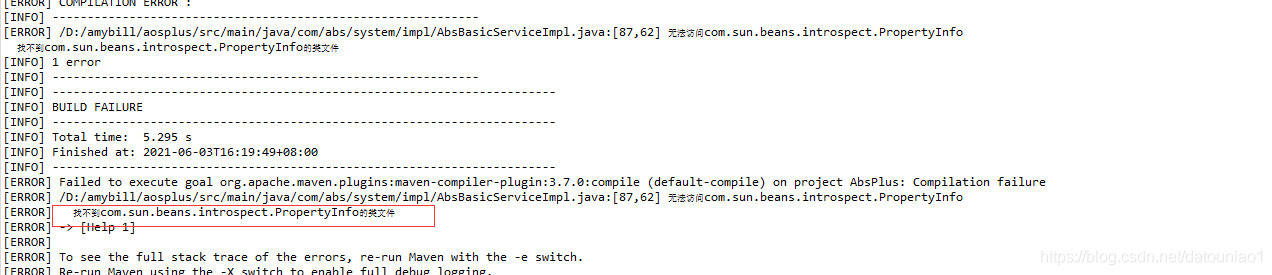
Find the error in the code:
	PropertyDescriptor pd = null;
	try {
             pd = new PropertyDescriptor(fields[j].getName(),entity.getClass());
         }catch (IntrospectionException e1) {
               e1.printStackTrace();
     }
     Method getMethod = pd.getReadMethod();
It turns out that we are creating a propertydescriptor This is to get the get method of the entity class to read the value in the object. We find the construction method of this class

Previously, we encountered that the com.sun jar could not be loaded. For example, the previous Base64 was also under com.sun, and it could not be loaded every time it was started
How to solve: introduce this class:
import org.springframework.beans.BeanUtils;
	PropertyDescriptor pd = null;
	/*
	 * try {
     *      pd = new  PropertyDescriptor(fields[j].getName(),entity.getClass());
     *     }catch (IntrospectionException e1) {
     *       e1.printStackTrace();
     *      }
	 */

     pd=BeanUtils.getPropertyDescriptor(entity.getClass(),fields[j].getName());
	 Method getMethod = pd.getReadMethod();
Hope to help you
Crazy error of cannot find module ‘xxx’
Today, when I was crazy about writing code, I got the error of cannot find module ‘xxx’. Moreover, all the dependencies had been installed before, so I used the following code to install them all again, and then it was OK:
cnpm instal
Solution of Vue axios400 bad request problem
This is the object I want to transfer
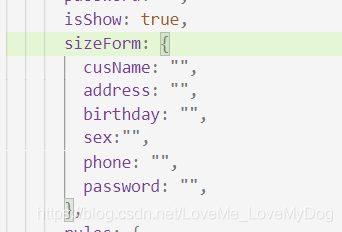
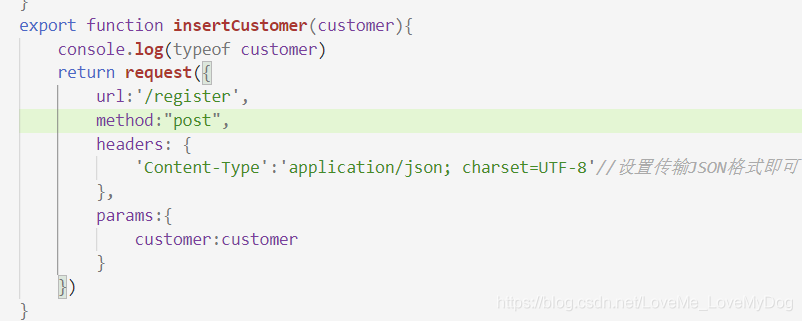
export method
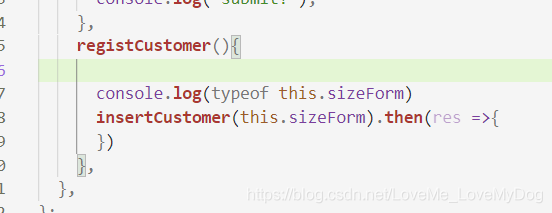
use the export method in the component, and transfer parameters
method of background controller layer
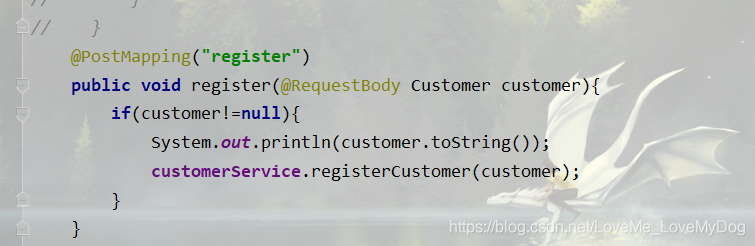
400 errors reported and display of background control console 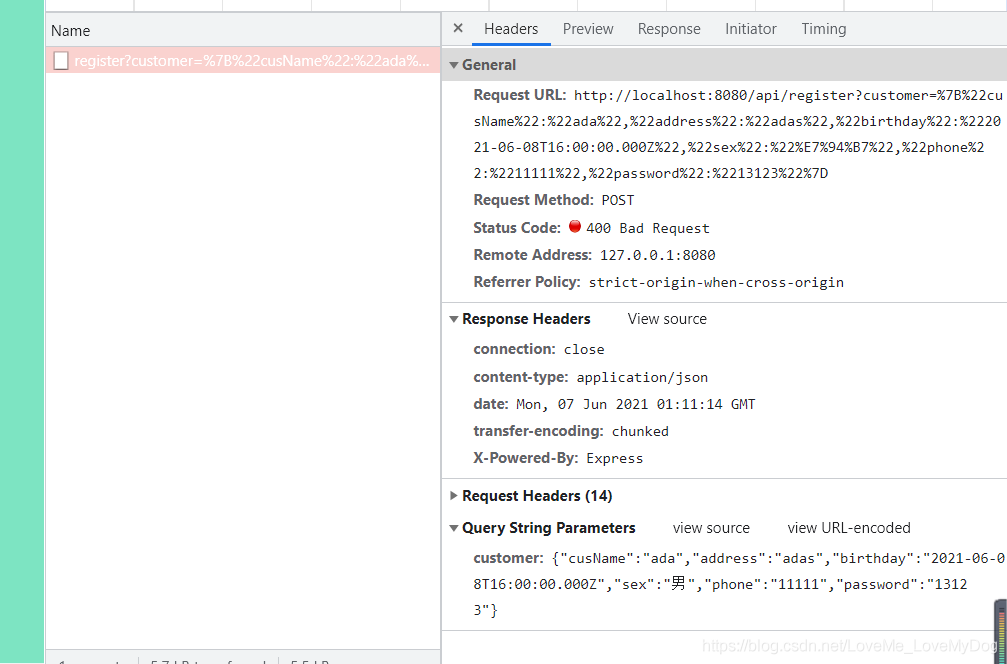

java.lang.NoClassDefFoundError: org/junit/platform/launcher/TestExecutionListener
You can specify all versions
       <dependency>
           <groupId>org.junit.jupiter</groupId>
           <artifactId>junit-jupiter-engine</artifactId>
           <version>5.7.1</version>
           <scope>test</scope>
       </dependency>
       <dependency>
           <groupId>org.junit.jupiter</groupId>
           <artifactId>junit-jupiter-params</artifactId>
           <version>5.7.1</version>
           <scope>test</scope>
       </dependency>
       <dependency>
           <groupId>org.junit.platform</groupId>
           <artifactId>junit-platform-launcher</artifactId>
           <version>1.6.1</version>
           <scope>test</scope>
       </dependency>
Blas loading error in MATLAB, unable to find the specified module
Two methods can be used for personal test: Invalid path found ② Running in MATLAB Note:
method 1
① delete my computer – properties – advanced system settings – environment variables – Blas_ VERSION ;
② right click matlab properties to set compatibility, Windows Vista (service Pack1)getenv('BLAS_VERSION')
setenv('BLAS_VERSION','')
the second method is temporary, which needs to be set every time MATLAB is opened, otherwise an error will still be reported.