Author Archives: Robins

How to Solve Vue cli configuration SCSS global variable error

It is configured according to the online tutorial, but it still reports errors. The error information is as follows:

Module build failed (from ./node_modules/sass-loader/dist/cjs.js):

    width: $sideBarWidth !important;
          ^
      Undefined variable: "$sideBarWidth".

Baidu has a problem with the version of SASS loader
// in sass version 9, additionaldata is used, in sass version 8, prependdata is used, and in other versions, data
my version is 7.1.0, so finally changing the key name to data solves the problem

in vue.config.js, the configuration is as follows:

module.exports = {
    ...
	css: {
	  //   extract: true // Whether to use the css separation plugin ExtractTextPlugin (open skeleton screen must be this configuration)
	    // css presetter configuration item
	    // use additionalData in sass version 9 use prependData in version 8, other versions, use data
	    // semicolon here; required
	    loaderOptions: {
	      sass: {
	        data: '@import "./src/styles/variables.scss";'
	      }
	    },
	  },
	 ...
},

Note: semicolon after the configuration file path; Media query expression must begin with ‘(‘

Apiserver Error: OpenAPI spec does not exists [How to Solve]

**

**
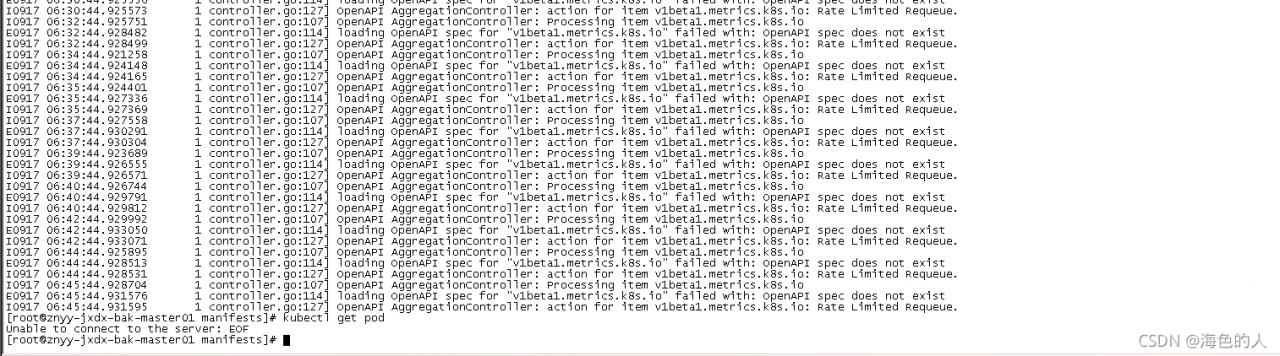
kubectl suddenly failed to obtain resources in the environment just deployed a few days ago. Check the apiserver log, as shown in the above results
then the controller manager component also reports an error

E0916 08:35:55.495444       1 leaderelection.go:306] error retrieving resource lock kube-system/kube-controller-manager: Get https://192.168.1.119:8443/api/v1/namespaces/kube-system/endpoints/kube-controller-manager?timeout=10s: EOF

This environment adopts three master deployments. Then I see that VIP drifts to the master node. Both haproxy and keepalived here are container deployments. Then I restart haproxy first

docker restart xxx
iptables failed: iptables --wait -t nat -A DOCKER -p tcp -d 0/0 --dport 8443 -j DNAT
 --to-destination 172.18.0.6:8443 ! -i docker0 iptables: No chain/target/match by that name

Haproxy doesn’t get up, so I guess there is something wrong with the iptables rules of the master 3 host. Then I restart it. Kept
at this time, the VIP drifts to master 1. At this time, kubectl can obtain resources

Finally, I restarted the docker component of Master 3

systemctl restatrt docker

Then manually drift the VIP to master3, and it is normal at this time

Amdcpu kvm & openstack virtualization nesting error [How to Solve]

Create instance error
Exceeded maximum number of retries. Exhausted all hosts available for retrying build failures for instance 82438533-1d24-417f-9e33-f98110e10160.].
nova.compute log:

ERROR nova.compute.manager [instance: 82438533-1d24-417f-9e33-f98110e10160] qemu-kvm: ../target/i386/kvm/kvm.c:2778: kvm_buf_set_msrs: Assertion `ret == cpu->kvm_msr_buf->nmsrs' failed.

Solution:

sudo tee /etc/modprobe.d/qemu-system-x86.conf << EOF
options kvm ignore_msrs=1
EOF

Reboot
the instance was created successfully

The toast light prompt of vant in Vue reports an error

Toast light prompt for using vant component library in Vue

Record the toast light prompt in vant today, and use it according to the methods in the official documents. It can’t be used if an error is found
this is what the document says

Toast.success('success');
Toast.fail('fail');

After referencing vant in main.js, directly call toast to report an error
the actual usage is as follows:

this.$toast.success("success");
this.$toast.fail("fail");

Like calling routing, you need to click this.

Vue Error: component has been registered but not used [Two Methods to Solve]

reason:

eslint the code checks that you registered the component but did not use it, and then reports an error. For example, code:

For example, the file component is registered in Vue , but it is not actually used:

...
  import File from "../../components/file";
  export default {
    components: {Pagination, File},
...

At this time, you can cancel the registration. Of course, sometimes we don’t want to cancel and don’t change the code. There are two solutions:

Method 1:

Modify the package. JSON
in package.JSON , find rules under eslintconfig , and add "Vue/no unused components": "off" 

Method 2:

If there is a eslintrc.JS file in the project, you can add it as well:

rules: {
  "vue/no-unused-components": "off"
}

Either of the two can be used. Restart the project after modification. Note: if both files are modified, the eslintrc.JS file has higher priority.
Set the maximum number of Postgres connections Error [How to Solve]

The Postgres version of this tutorial case is 12

Problem Description:

psycopg2.OperationalError: FATAL: sorry, too many clients already on

In the morning, I found that the python back-end service I maintained reported an error. Baidu found that the default maximum concurrency of Postgres was only 100, which led to this problem

Modify tutorial:

cd /var/lib/postgresql/12/main
vi postgresql.auto.conf

Add the following line of code to the file to set the maximum number of connections to 800, the default is 100
max_connections = 800

Restart the service
service postgresql restart

The following is the SQL command to check whether the modification is successful:

# Show the maximum number of connections to the current database
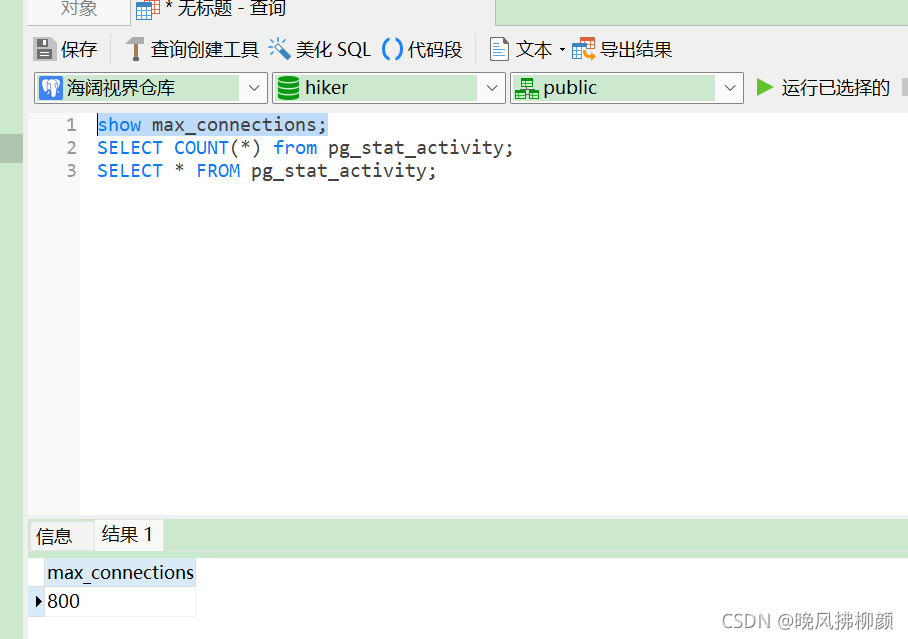
show max_connections;

# Show the number of users currently connected to the data
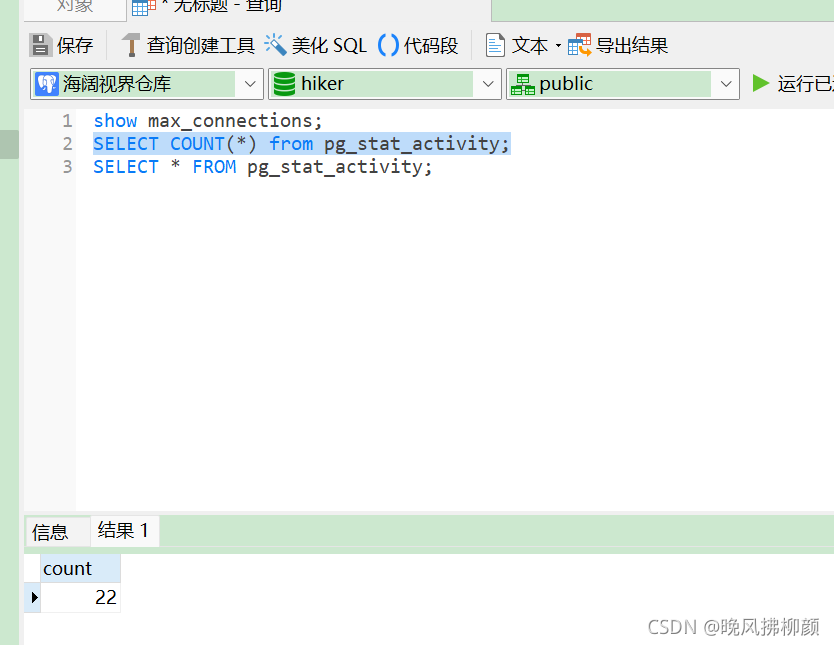
SELECT COUNT(*) from pg_stat_activity;

# Show details of the current connection, very slow, don't use it
SELECT * FROM pg_stat_activity;

The effect is similar, which indicates that the setting is successful

How to Solve classnotfoundexception error in spark without Hadoop runtime

Install spark-3.1.2-bin-without-hadoop.tgz
1.ClassNotFoundException: org.apache.log4j.spi.Filter
Launching a freshly downloaded spark reports the following error:

$ ./bin/spark-shell 
Error: A JNI error has occurred, please check your installation and try again
Exception in thread "main" java.lang.NoClassDefFoundError: org/apache/log4j/spi/Filter
        at java.lang.Class.getDeclaredMethods0(Native Method)
        at java.lang.Class.privateGetDeclaredMethods(Class.java:2701)
        at java.lang.Class.privateGetMethodRecursive(Class.java:3048)
        at java.lang.Class.getMethod0(Class.java:3018)
        at java.lang.Class.getMethod(Class.java:1784)
        at sun.launcher.LauncherHelper.validateMainClass(LauncherHelper.java:544)
        at sun.launcher.LauncherHelper.checkAndLoadMain(LauncherHelper.java:526)
Caused by: java.lang.ClassNotFoundException: org.apache.log4j.spi.Filter
        at java.net.URLClassLoader.findClass(URLClassLoader.java:382)
        at java.lang.ClassLoader.loadClass(ClassLoader.java:424)
        at sun.misc.Launcher$AppClassLoader.loadClass(Launcher.java:349)
        at java.lang.ClassLoader.loadClass(ClassLoader.java:357)
        ... 7 more

Solution:
Place log4j-1.2.17.jar in the jars directory of the spark you just downloaded.
2.ClassNotFoundException: org.apache.hadoop.fs.FSDataInputStream
Missing hadoop-common-xxx.jar dependency
3.ClassNotFoundException: org.slf4j.Logger
Missing slf4j-api-1.7.25.jardependency
4.ClassNotFoundException: org.slf4j.impl.StaticLoggerBinder
Missing log4j-slf4j-impl-2.12.1.jardependency
5.ClassNotFoundException: org.apache.logging.log4j.spi.AbstractLoggerAdapter
Missing log4j-api-2.12.1.jardependency

[Solved] The war package Error: The reason why the XSD file could not be found

I:

(1) Error reporting: org.xml.sax.saxparseexception; lineNumber: 18; columnNumber: 70; schema_ reference.4: Failed to read schema document ‘ http://code.alibabatech.com/schema/dubbo/dubbo.xsd ‘

(2) Reason: Generally speaking, the XSD file is backed up in the dependent jar package, so even if the link of the XSD file fails, it can still run. If the link fails and the XSD is not found, the jar package is not imported successfully.

(3) Solution:

<!--Use the maven-war-plugin plugin to specify the third-party jar package directory at compile time and introduce-->
			<plugin>
				<artifactId>maven-war-plugin</artifactId>
				<version>3.2.0</version>
				<configuration>
					<webResources>
						<resource>
							<directory>your_project_path/lib</directory>
							<targetPath>WEB-INF/lib</targetPath>
							<includes>
								<include>**/*.jar</include>
							</includes>
						</resource>
					</webResources>
				</configuration>
			</plugin>

Front end initialization Vue element admin error [How to Solve]

Problem Description:
the project is downloaded according to Vue element admin. To initialize the project, run the following code:

npm install

The result reported an error:

after nearly a day of trouble, we finally found a solution:

1. Run the prompt code first:

// input commands
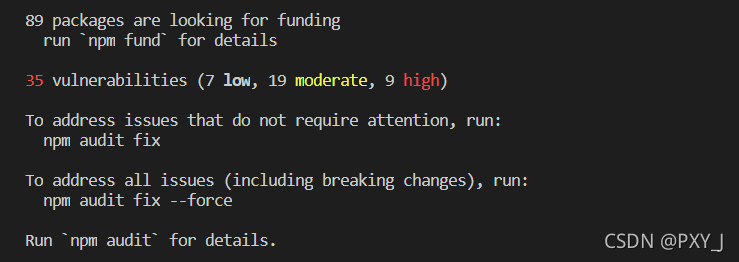
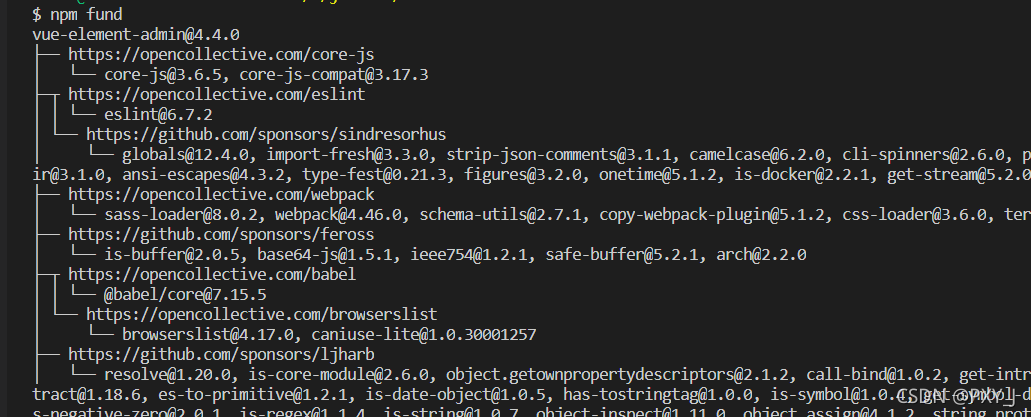
npm fund

Then the following dependent reward donation prompt appears

2. Then enter:

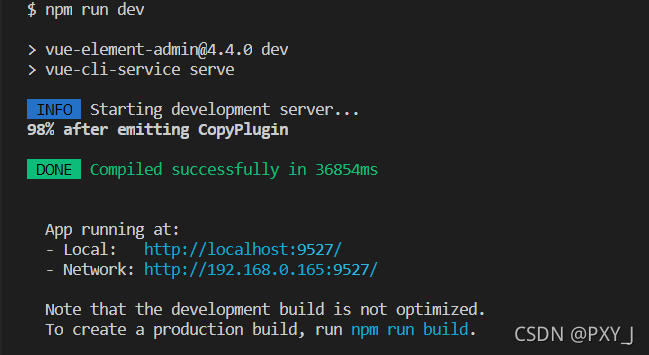
npm run dev

Then it finally succeeded