Author Archives: Robins

[Solved] Npm -v Error: Cannot find module npm_cli

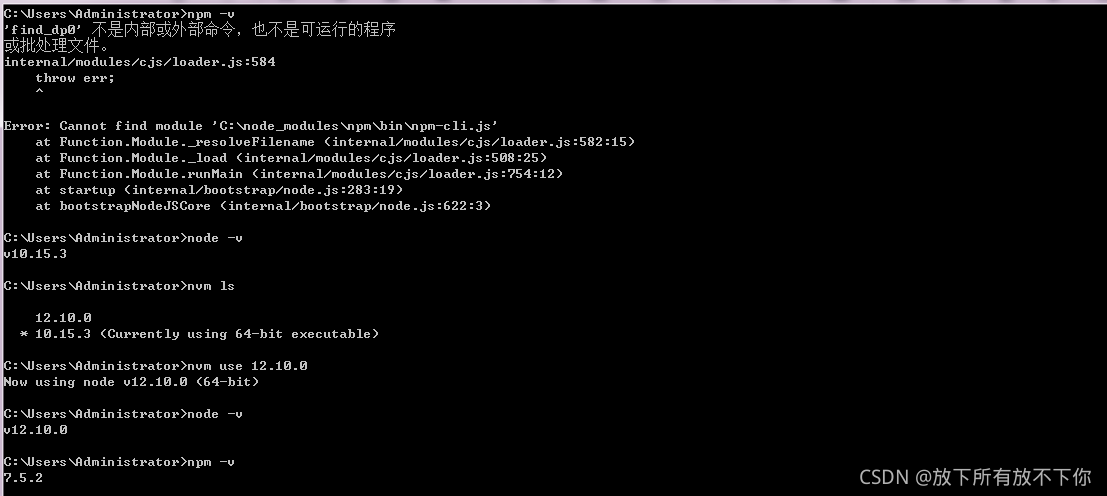
1. If you download the upgraded node version from the node official website, the package management NPM will be automatically installed

2. If you install the NVM and then upgrade or downgrade the node version, the NPM is not automatically installed at this time   As shown in the figure, my node 12.10.0 is downloaded from the official website and 10.15.3 is managed by NVM. After switching back, the NPM will not report an error

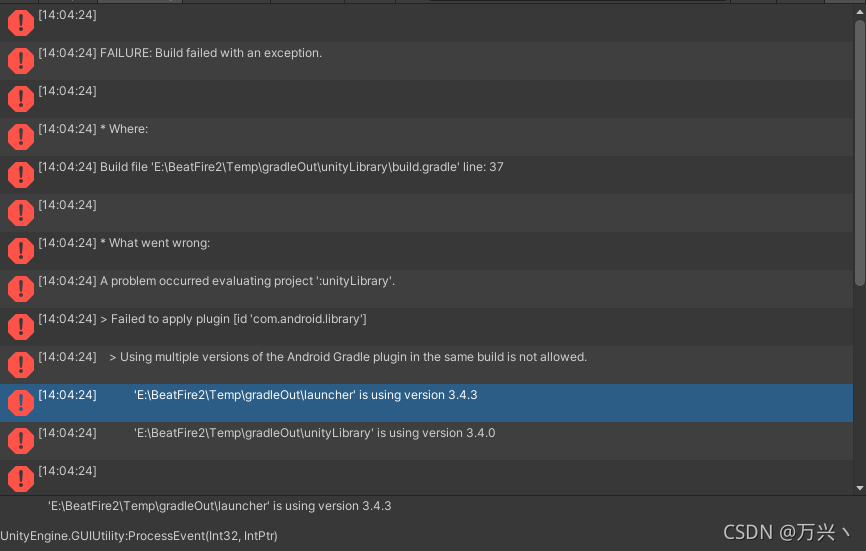
[Solved] Unity Package Error: FAILURE: Build failed with an exception.

Main error reports:

> Using multiple versions of the Android gradle plugin in the sample build is not allowed.
meaning: using multiple versions of the Android gradle plugin in the same version is not allowed.

positioning:
gradle version problem in
unit

Solution:
there is a gradle version file in the project
launchertemplate
maintemplate
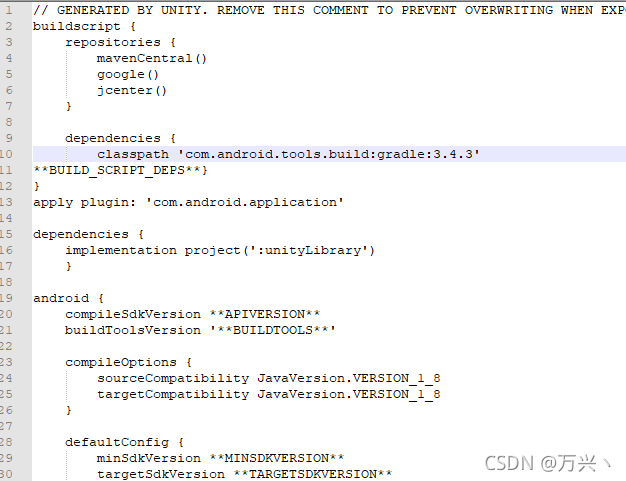
find a code similar to the following

buildscript {
    repositories {
        mavenCentral()
        google()
        jcenter()
    }

    dependencies {
        classpath 'com.android.tools.build:gradle:3.4.3'
**BUILD_SCRIPT_DEPS**}

If not, add
as shown in the figure

to ensure that the version numbers (3.4.3) in the two files are consistent

[Solved] Hadoop Start NameNode Error: ERROR: Cannot set priority of namenode process 2639

Project scene:

HadoopStart NameNodeReport Error: ERROR: Could not set priority of namenode process
=


Description of the question:

Hadoop Start NameNode errror: ERROR: Cannot set priority of namenode process 2639

[ atguigu@localhost333 ↓ logs]$ tail -100 [UNK]hadoop-localhost -namenode-hadoop333.log

😉

@Override public void run() { bytes = mmInStream.read(buffer); mHandler.obtainMessage(READ_DATA, bytes, -1, buffer).sendToTarget(); } 

Reasons analysis:

Date of First Visit: hadoop-atguigu-namenode-hadoop103.log

order as follows:
[localhost @hadoop333 logs]$ tail -100 ˚hadoop-atguigu-namenode-hadoop103.log log log log

2021-09-17 16:41:25,656 INFO org.apache.localhost.util.ExitUtil: 
Exiting with status 1: org.apache.localhost.hdfs.server.common.InconsistentFSStateException: 
Directory /opt/ha/hadoop-3.1.3/data/name is in an inconsistent state: 
storage directory does not exist or is not accessible.
2021-09-17 16:41:25,663 INFO org.apache.hadoop.hdfs.server.namenode.NameNode: 
SHUTDOWN_MSG: 
/************************************************************
SHUTDOWN_MSG: Shutting down NameNode at hadoop333/192.168.1.103

Solution:

Try to restart centos7, and then re delete the data and logs in Hadoop and the files in TMP in the system root directory to re initialize Hadoop. The problem is solved.

rm -rf /opt/ha/hadoop-3.1.3/data /opt/ha/hadoop-3.1.3/logs

sudo rm -rf /tmp/*

hdfs namenode -format

[Solved] Mapped Statements collection does not contain value for xxx

Background: newcomers are learning to use PageHelper plug-in to realize back-end paging. This problem occurs when calling.

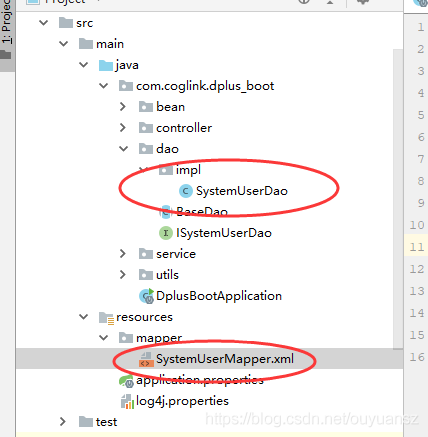
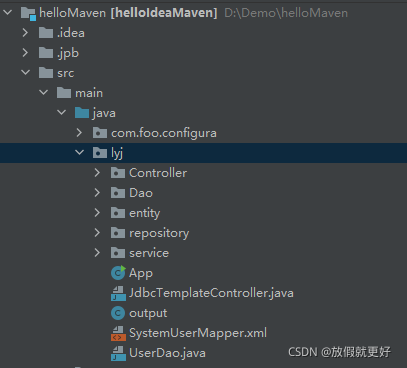
Solution: I searched many articles on the Internet and found that either the namespace setting in systemusermapper.xml file is wrong or the resulttype is wrong. It is still wrong to try these methods one by one. When viewing an article, I found that the project file directory on the left is different from mine. As shown below, the left is someone else’s and the right is mine:


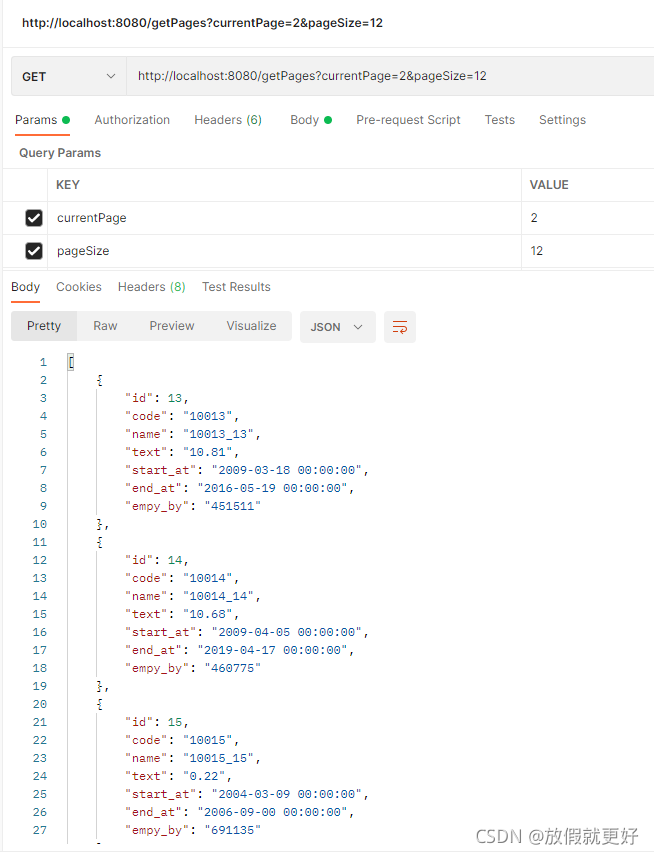
It can be clearly seen that my systemusermapper.xml is placed under lyj, which makes the method of writing this file unusable. As shown in the above figure on the left, systemusermapper.xml should be placed under the mapper package built by resource, so that no error will be reported. The postman test can accurately realize paging, as follows:

Error is reported after adding <router outlet> tag in angular

    If ‘router-outlet’ is an Angular component, then verify that it is part of this module.If ‘router-outlet’ is a Web Component then add ‘CUSTOM_ELEMENTS_SCHEMA’ to the ‘@NgModule.schemas’ of this component to suppress this message.
app-routing.module
@NgModule({
  declarations: [],
  imports: [
    CommonModule,
    RouterModule.forRoot(
      appRoutes,
      { enableTracing: true }
    )
  ],
  exports: [ RouterModule ] 
})

MAC: How to modify the docker container error [screen is terminating]

Run in MAC:

cd /Users/xq/Library/Containers/com.docker.docker/Data/vms/0
screen tty

The following message appears: [screen is terminating]

resolvent

Step 1: pull the secondary image

Direct run command:

docker run -it --privileged --pid=host justincormack/nsenter1

This command will pull down an image: justincommack/nsenter1 latest c81481184b1b 3 years ago 101kb

After pulling, the image will be entered

Step 2: position the container

Run in the command line of the container corresponding to this image:

cd /var/lib/docker/containers

This is all the containers. The file name is the corresponding ID

Step 3: modify the container’s file

First, check the docker ID to be modified. You can use it on the command line: docker PS - a , and then use it on the command line of justincormack/nsenter1:

cd The Container ID you want to change/

Here you can modify the container file, and the modified results will be applied to the docker container.
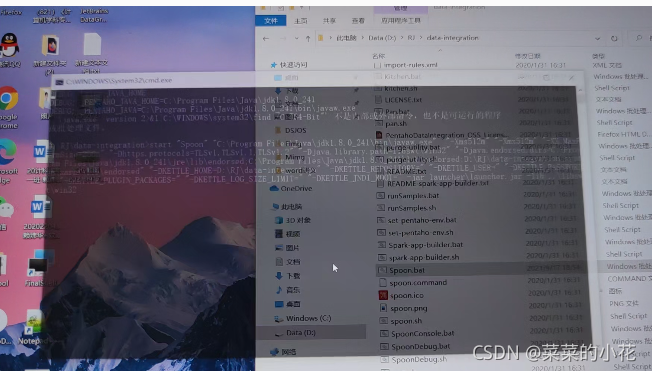
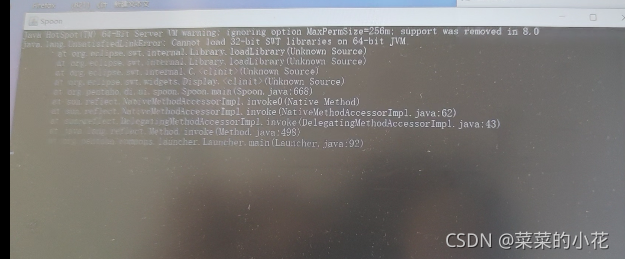
Kettle Flash Back Error:The graphical interface cannot be opened. There is an ETI installation problem

1. Install JDK (version 1.6 or above)

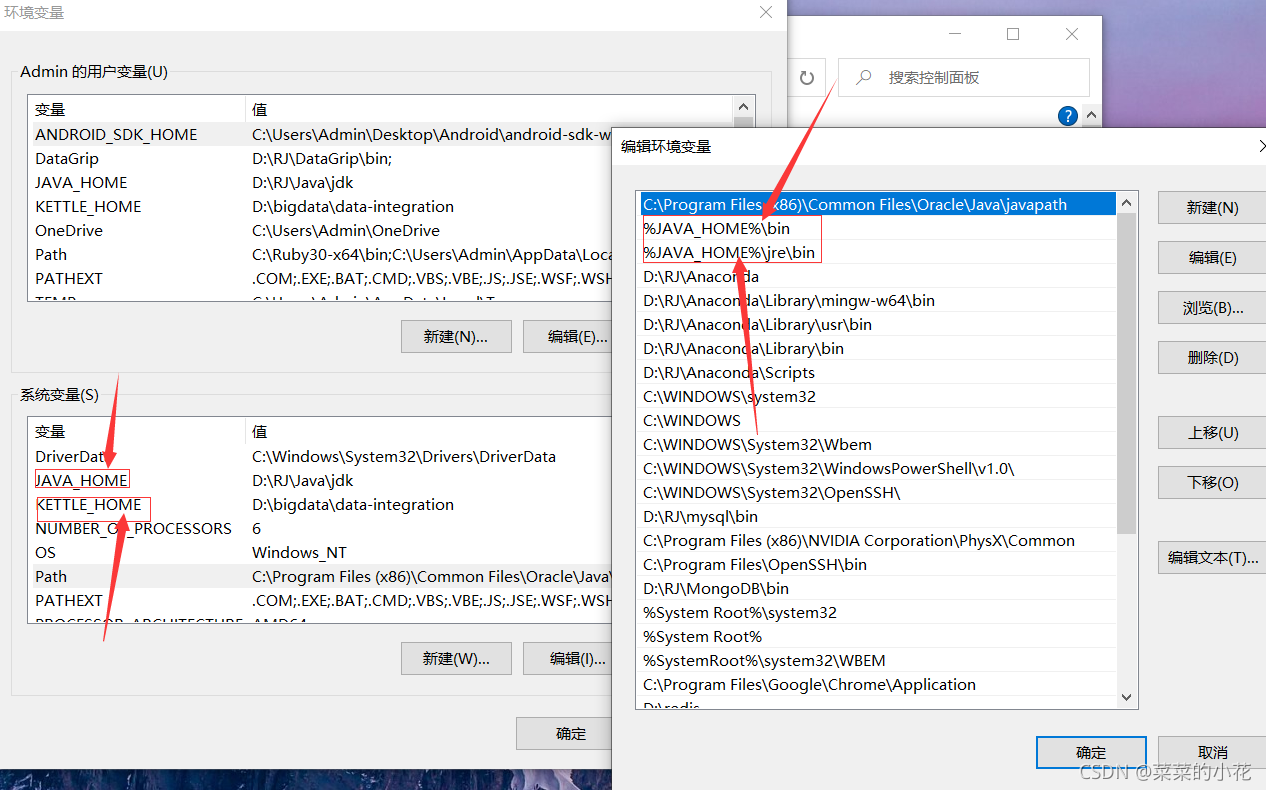
2. JDK environment variable configuration is shown in the figure (the following values are their own installation directory):

3. For the first error, directly flash back, find the spoon.bat in the data integration directory, right-click Notepad to edit, and find the following code to modify

if "%SPOON_CONSOLE%"=="1" set PENTAHO_JAVA=java.exe
if not "%SPOON_CONSOLE%"=="1" set PENTAHO_JAVA=javaw.exe

change to 

 if "%SPOON_CONSOLE%"=="1" set PENTAHO_JAVA=java.exe
if not "%SPOON_CONSOLE%"=="1" set PENTAHO_JAVA=java.exe

4. If you change the first error and then flash back (modify the memory configuration in spoon.bat)


 if "%PENTAHO_DI_JAVA_OPTIONS%"=="" set PENTAHO_DI_JAVA_OPTIONS="-Xms1024m" "-Xmx2048m" "-XX:MaxPermSize=256m"

change to

 if "%PENTAHO_DI_JAVA_OPTIONS%"=="" set PENTAHO_DI_JAVA_OPTIONS="-Xms512m" "-Xmx1024m" "-XX:MaxPermSize=256m"

5. If the above errors are corrected, the following occurs:

You need to modify the variable value in spoon.bat

pushd "%JAVA_HOME%\jre\bin"
if exist java.exe goto USEJAVAFROMPATH
goto USEJAVAFROMPATH
:USEJAVAFROMPENTAHOJAVAHOME
FOR /F %%a IN ('.\java.exe -version 2^>^&1^|%windir%\system32\find /C "64-Bit"') DO (SET /a IS64BITJAVA=%%a)
GOTO CHECK32VS64BITJAVA
:USEJAVAFROMPATH
FOR /F %%a IN ('java -version 2^>^&1^|%windir%\system32\find /C "64-Bit"') DO (SET /a IS64BITJAVA=%%a)
GOTO CHECK32VS64BITJAVA
:CHECK32VS64BITJAVA
IF %IS64BITJAVA% == 1 GOTO :USE64

add a line:(set IS64BITJAVA=1,make them all TRUE)

pushd "%JAVA_HOME%\jre\bin"
if exist java.exe goto USEJAVAFROMPATH
goto USEJAVAFROMPATH
:USEJAVAFROMPENTAHOJAVAHOME
FOR /F %%a IN ('.\java.exe -version 2^>^&1^|%windir%\system32\find /C "64-Bit"') DO (SET /a IS64BITJAVA=%%a)
GOTO CHECK32VS64BITJAVA
:USEJAVAFROMPATH
FOR /F %%a IN ('java -version 2^>^&1^|%windir%\system32\find /C "64-Bit"') DO (SET /a IS64BITJAVA=%%a)
GOTO CHECK32VS64BITJAVA
:CHECK32VS64BITJAVA
set IS64BITJAVA=1

IF %IS64BITJAVA% == 1 GOTO :USE64

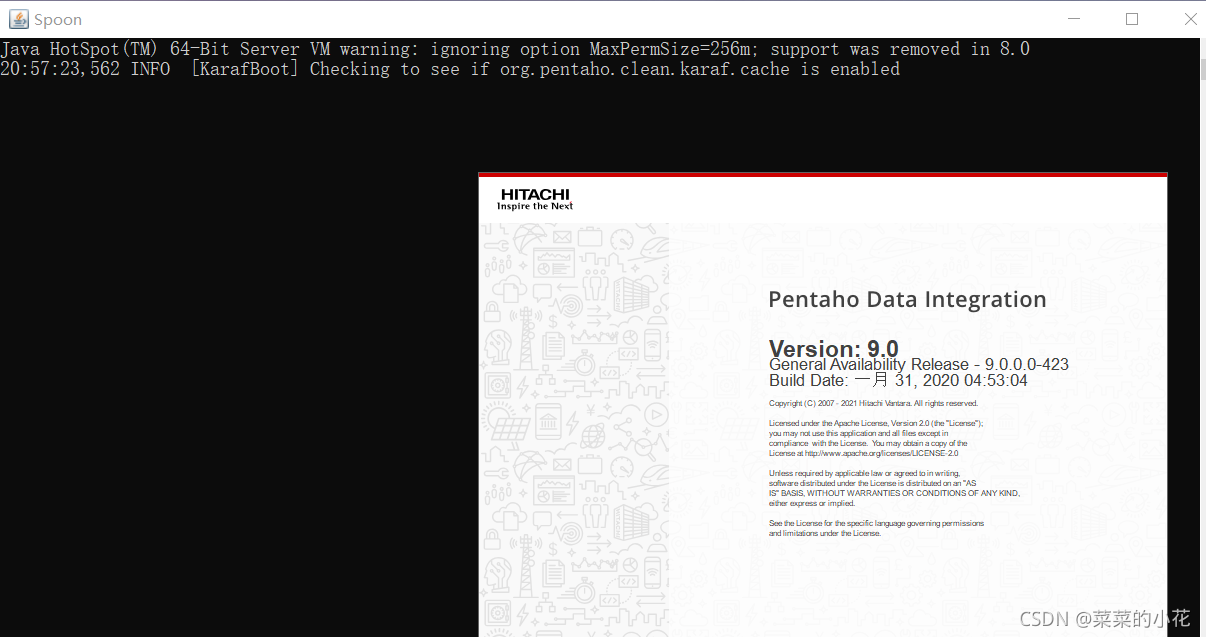
7. After the modification is successful, the graphical interface can be opened after saving

[Solved] Django Models Error: Manager isn‘t accessible via UserInfo instances

Error content: manager isn’t accessible via userinfo instances

Error reason: it is because the variable name is used instead of the object name (model class) when calling the model object, for example:

user = UserInfo()
user_Li = User. Objects. Filter (uname = username), this error will be reported in this call

Solution: call the objects method with the object name

user = UserInfo()
user_li = UserInfo.objects.filter(uname=username)

[Solved] Spring Boot Project Error: Failed to load property source from

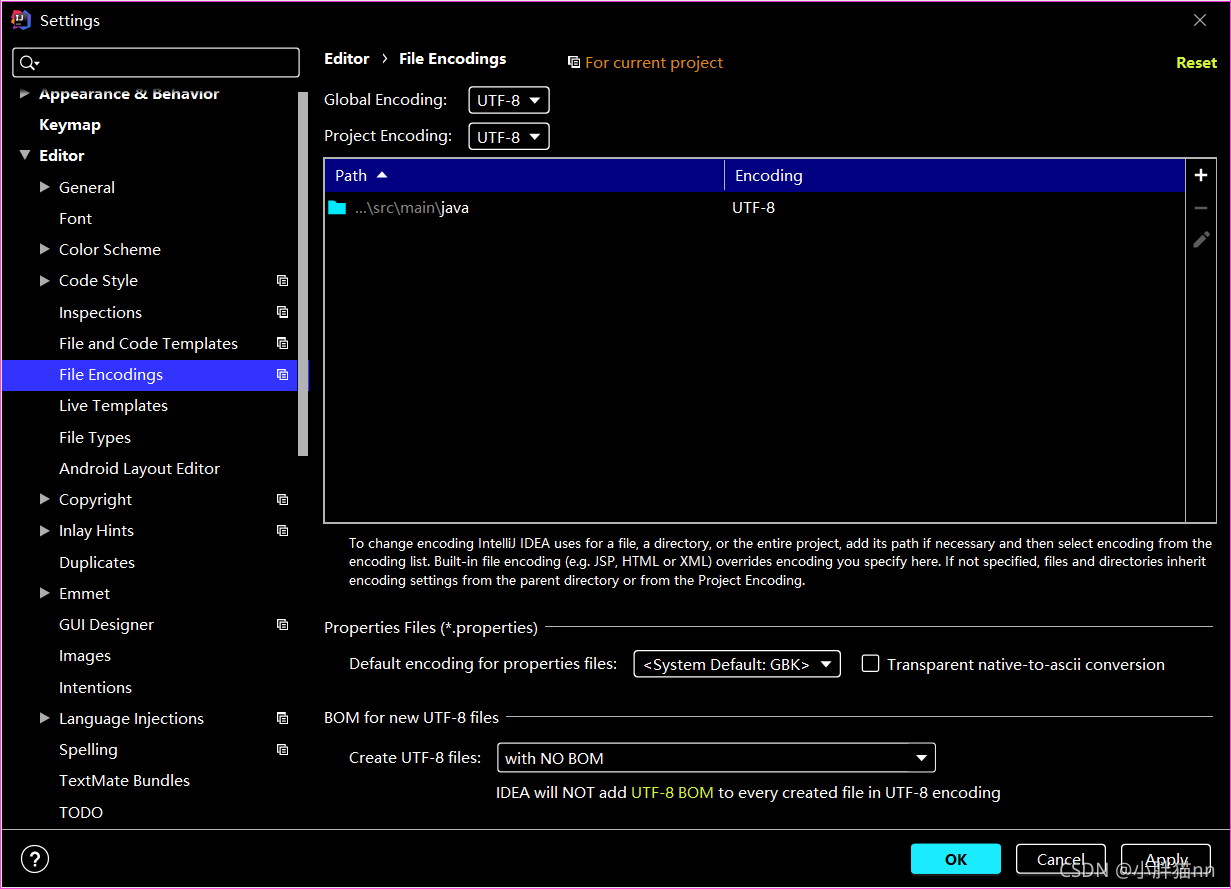
1. There may be a problem with the encoding format of yaml configuration file

All set to UTF-8.

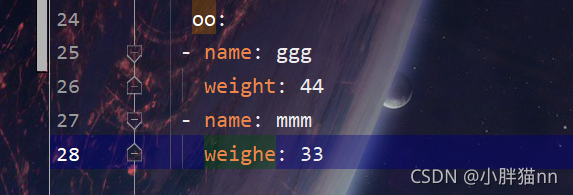
2. Or check whether the writing configured in the file is wrong. For example, the indentation of the next level is less than that of the previous level

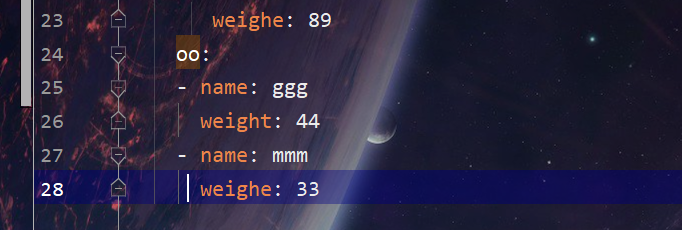
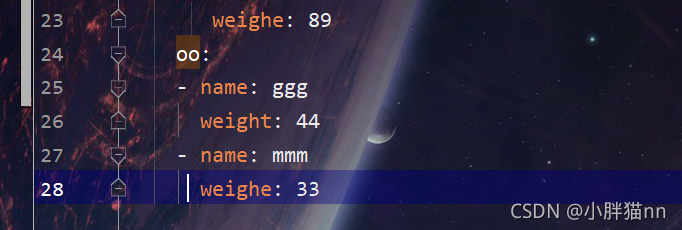
The name and weight in the above figure are more than one indentation than the OO in the above figure. Just change the indentation to normal, as shown below