Author Archives: Robins

How to Solve Pychart configuration import torch error

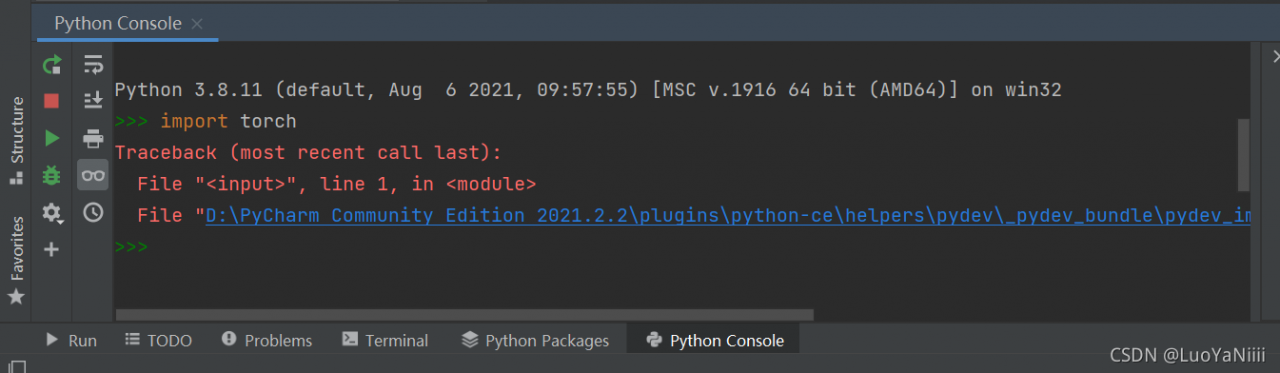
Pycharm configuration import torch report error Traceback
Error content error screenshot solution
Problem solved

Error content

Traceback (most recent call last):
File “”, line 1, in
File “D:\PyCharm Community Edition 2021.2.2\plugins\python-ce\helpers\pydev_pydev_bundle\pydev_import_hook.py”, line 21, in do_import
module = self._system_import(name, *args, **kwargs)
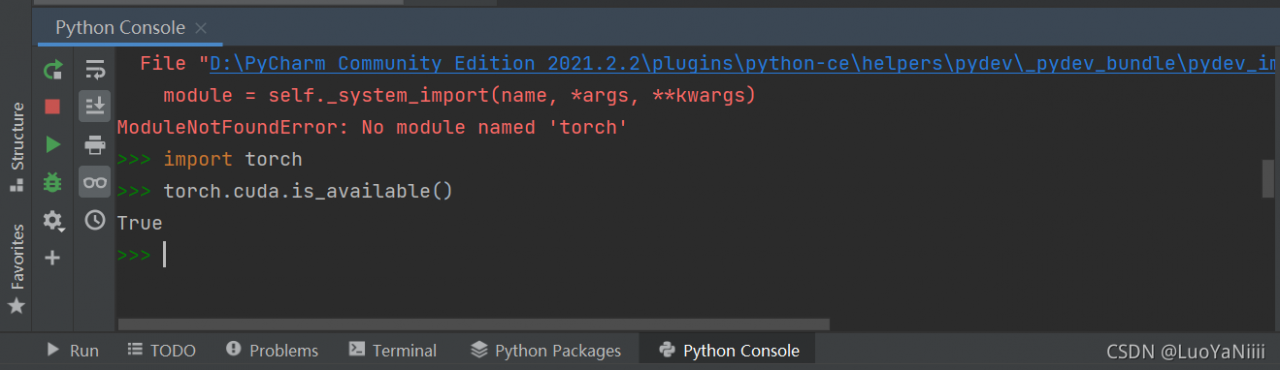
ModuleNotFoundError: No module named ‘torch’
Screenshot of error report
Image:
Solution:
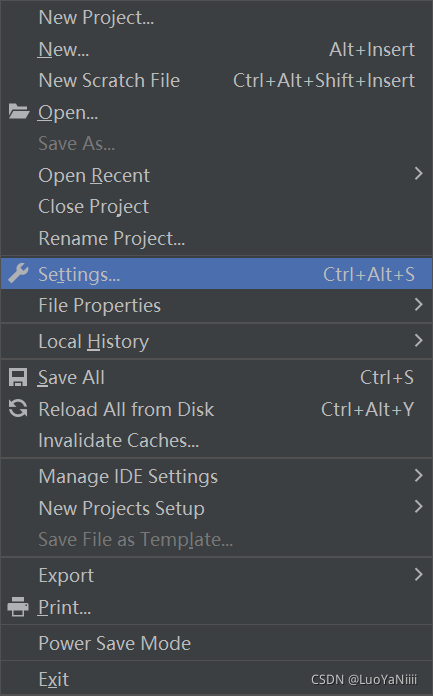
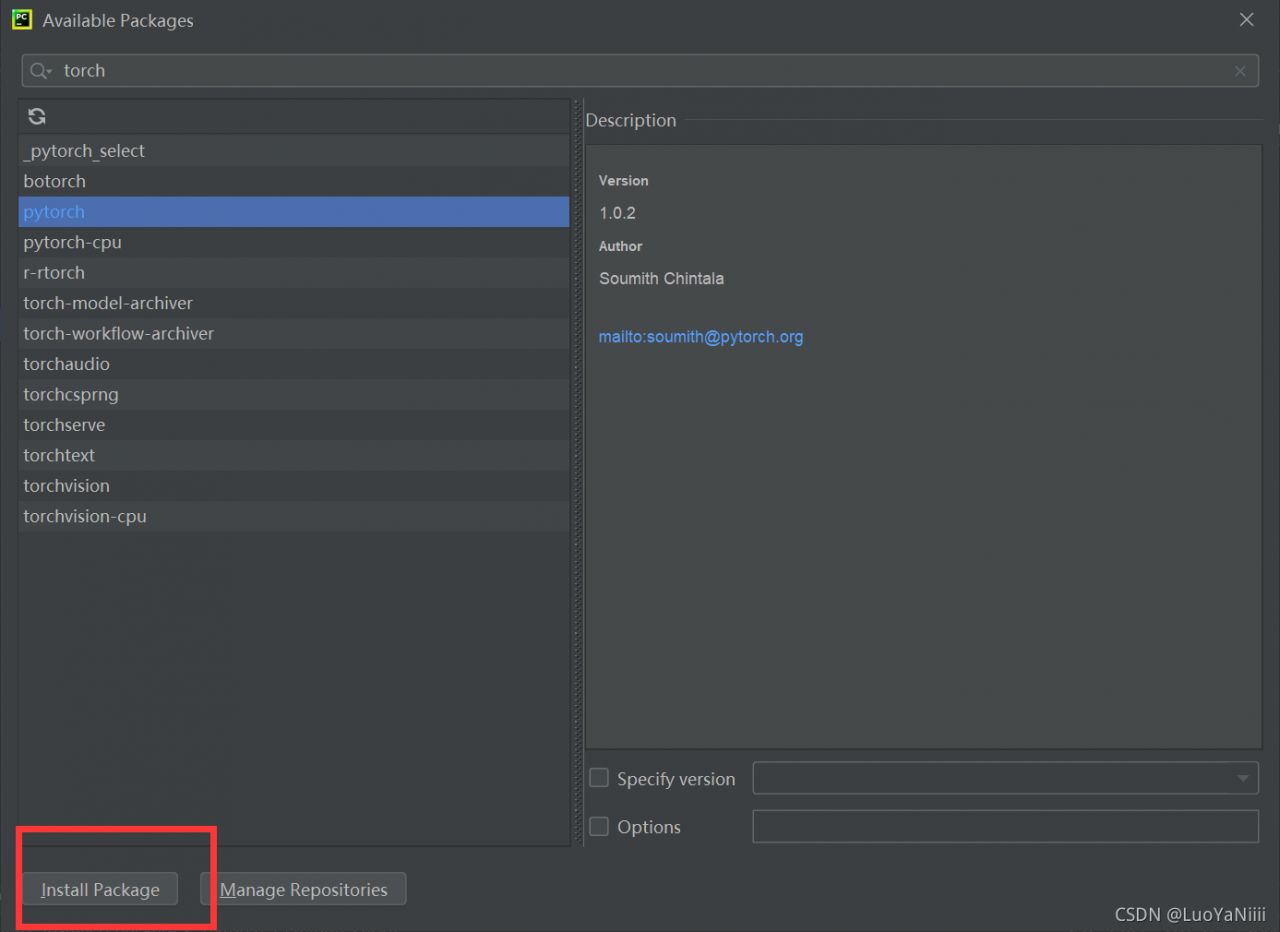
File–>Settings

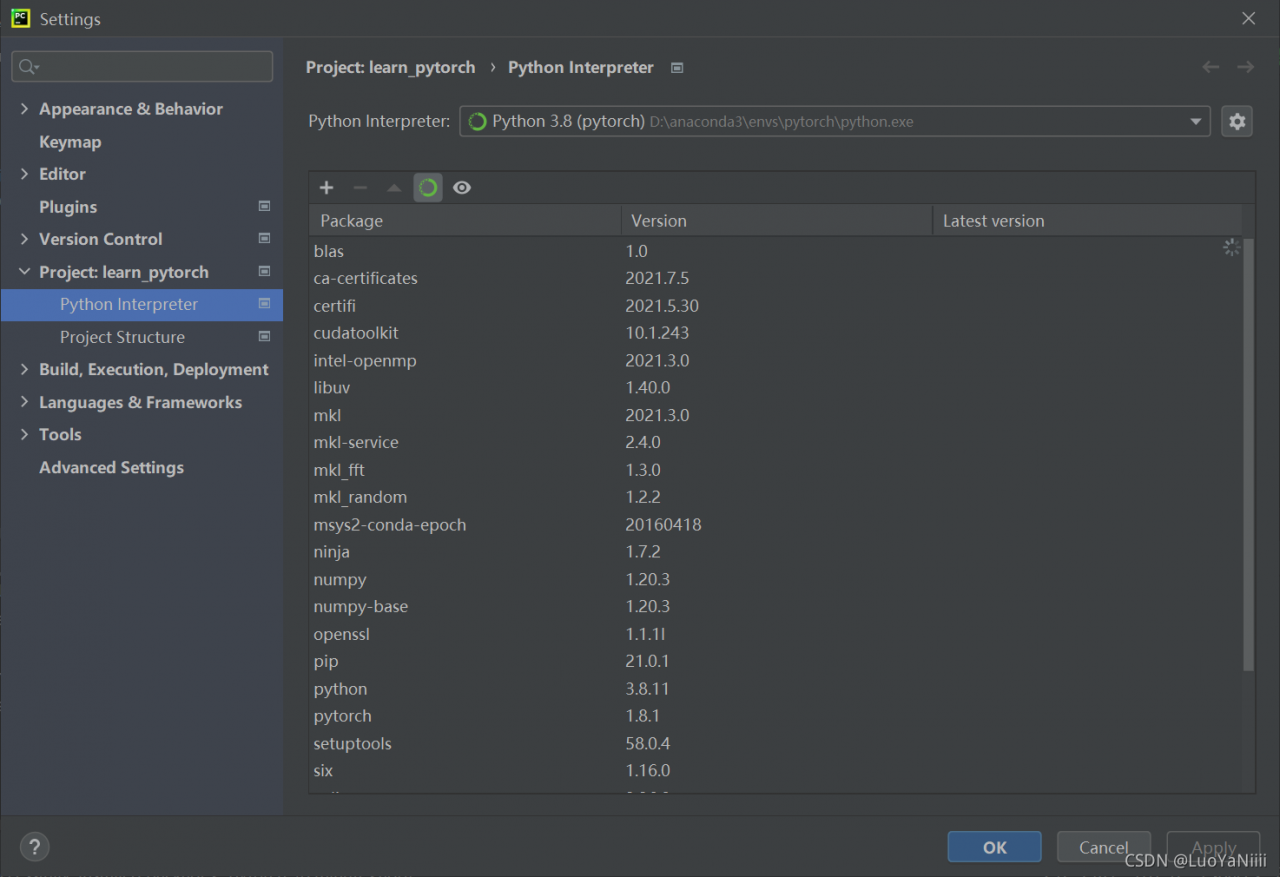
Python Interpreter

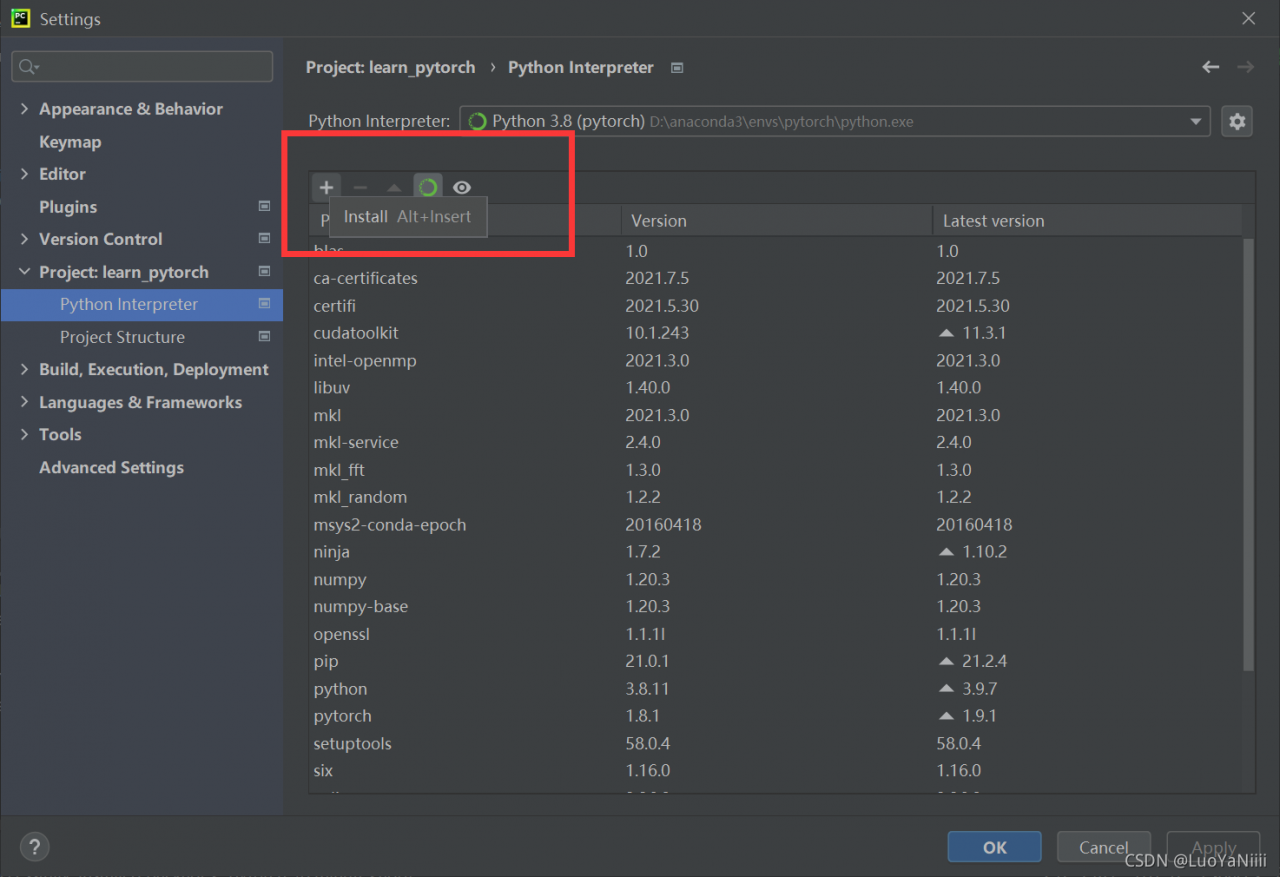
Click the ‘+’
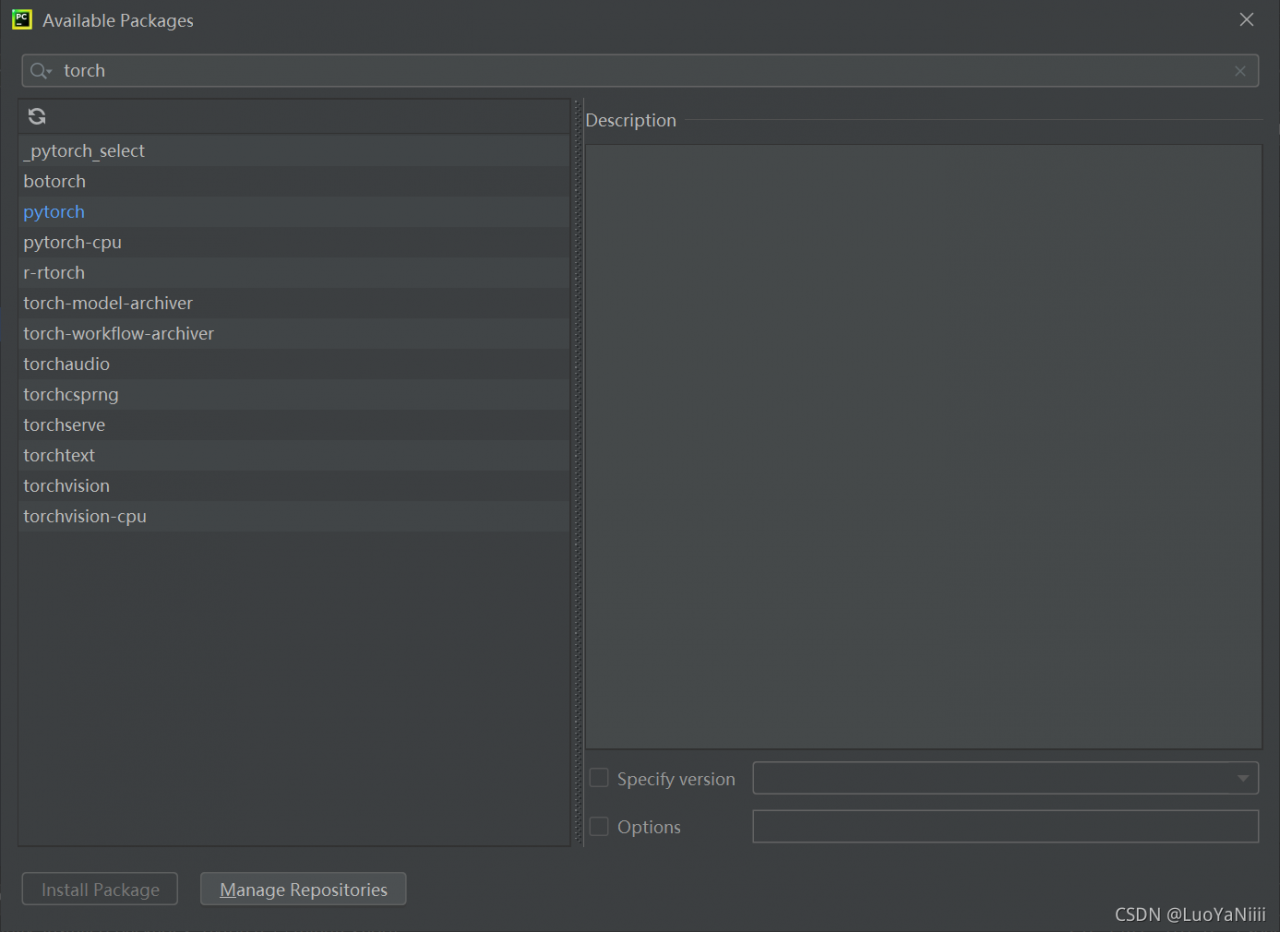
Search torch
Choose install Package

Importing the torch again in the Python Console shows True

Done!

CommunicationsException: Communications link failure [How to Solve]

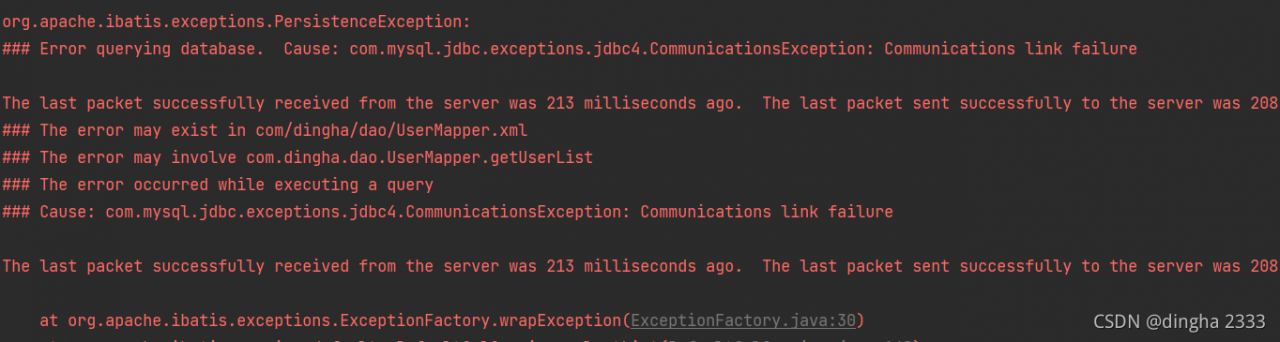
Today, when I was learning mybatis, I always reported an error when executing the query operation! The error is as follows:

com.mysql.jdbc.exceptions.jdbc4.CommunicationsException: Communications link failure

It probably means that there is a problem with the database connection. After checking the database name, user name and password, there are no errors. Some blogs say that they need to change the MySQL configuration file. I really think it’s too troublesome to change

Solution:

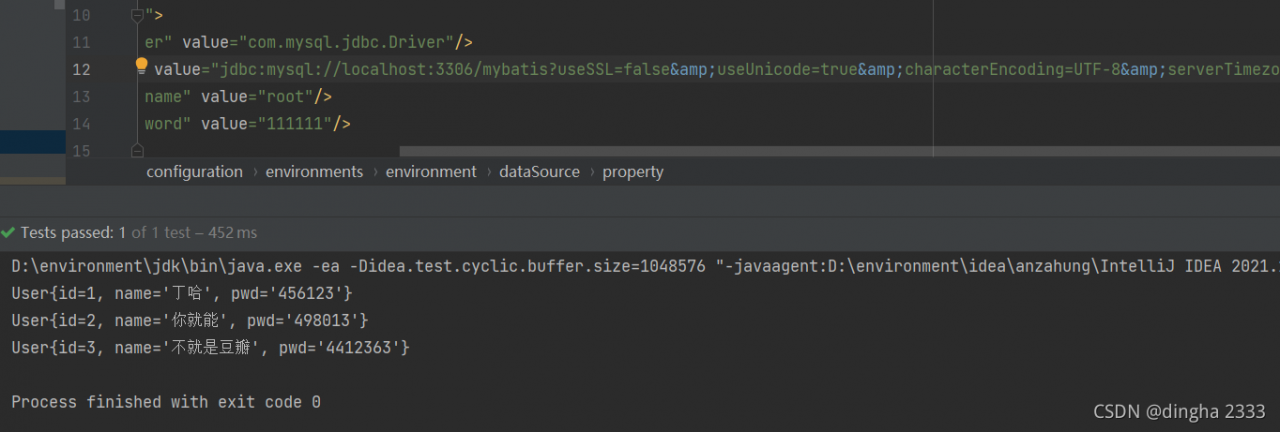
A blog commented that if MySQL is version 8.0 or above, usessl in the configuration should be set to false
and then it will be

useSSL=true

How to Solve JDBC connection error in spring MVC integration

# Error Message:

### Error querying database.  Cause: org.springframework.jdbc.CannotGetJdbcConnectionException: Failed to obtain JDBC Connection; nested exception is java.sql.SQLException: Connections could not be acquired from the underlying database!
### The error may exist in com/dao/BookMapper.xml
### The error may involve com.dao.BookMapper.queryAllBook
### The error occurred while executing a query
### Cause: org.springframework.jdbc.CannotGetJdbcConnectionException: Failed to obtain JDBC Connection; nested exception is java.sql.SQLException: Connections could not be acquired from the underlying database!
	java.sql.SQLException: Access denied for user 'Charles'@'localhost' (using password: YES)
		at com.mysql.cj.jdbc.exceptions.SQLError.createSQLException(SQLError.java:129)
		at com.mysql.cj.jdbc.exceptions.SQLError.createSQLException(SQLError.java:97)
		at com.mysql.cj.jdbc.exceptions.SQLExceptionsMapping.translateException(SQLExceptionsMapping.java:122)
		at com.mysql.cj.jdbc.ConnectionImpl.createNewIO(ConnectionImpl.java:835)
		at com.mysql.cj.jdbc.ConnectionImpl.<init>(ConnectionImpl.java:455)
		at com.mysql.cj.jdbc.ConnectionImpl.getInstance(ConnectionImpl.java:240)
		at com.mysql.cj.jdbc.NonRegisteringDriver.connect(NonRegisteringDriver.java:207)
		at com.mchange.v2.c3p0.DriverManagerDataSource.getConnection(DriverManagerDataSource.java:175)
		at com.mchange.v2.c3p0.WrapperConnectionPoolDataSource.getPooledConnection(WrapperConnectionPoolDataSource.java:220)
		at com.mchange.v2.c3p0.WrapperConnectionPoolDataSource.getPooledConnection(WrapperConnectionPoolDataSource.java:206)
		at com.mchange.v2.c3p0.impl.C3P0PooledConnectionPool$1PooledConnectionResourcePoolManager.acquireResource(C3P0PooledConnectionPool.java:203)
		at com.mchange.v2.resourcepool.BasicResourcePool.doAcquire(BasicResourcePool.java:1138)
		at com.mchange.v2.resourcepool.BasicResourcePool.doAcquireAndDecrementPendingAcquiresWithinLockOnSuccess(BasicResourcePool.java:1125)
		at com.mchange.v2.resourcepool.BasicResourcePool.access$700(BasicResourcePool.java:44)
		at com.mchange.v2.resourcepool.BasicResourcePool$ScatteredAcquireTask.run(BasicResourcePool.java:1870)
		at com.mchange.v2.async.ThreadPoolAsynchronousRunner$PoolThread.run(ThreadPoolAsynchronousRunner.java:696)


Cause analysis:

    1. check the database.properties file, but there is no error </ OL>
driver = com.mysql.cj.jdbc.Driver
url = jdbc:mysql://localhost:3306/ssm?serverTimezone=UTC
username = root
password = admin
      1. the database used is mysql8.0, and the versions of database driver and database connection pool also match the database version </ OL>
<!-- https://mvnrepository.com/artifact/mysql/mysql-connector-java -->
        <dependency>
            <groupId>mysql</groupId>
            <artifactId>mysql-connector-java</artifactId>
            <version>8.0.13</version>
        </dependency>

        <!-- Database connection -->
        <dependency>
            <groupId>com.mchange</groupId>
            <artifactId>c3p0</artifactId>
            <version>0.9.5.2</version>
        </dependency>
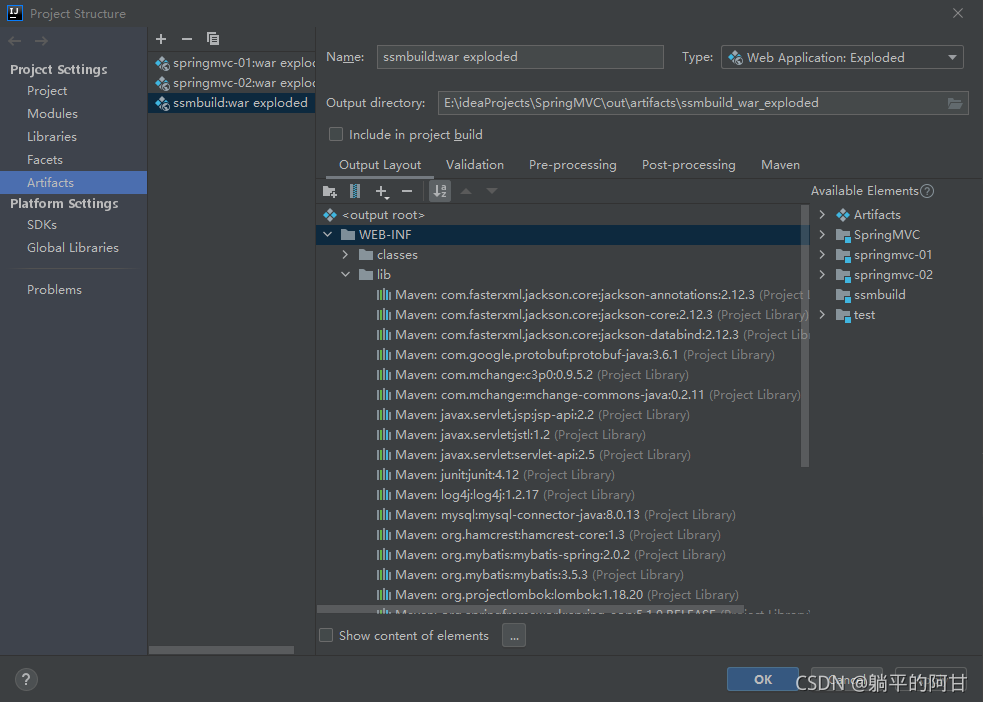
        1. related dependencies are also added to the artifacts in project structure

        1. . There is no mistake in the spring Dao configuration file. All reference paths are correct </ OL>
	<context:property-placeholder location="classpath:database.properties"/>

    <bean id="dataSource" class="com.mchange.v2.c3p0.ComboPooledDataSource">
        <property name="driverClass" value="${driver}"/>
        <property name="jdbcUrl" value="${url}"/>
        <property name="user" value="${username}"/>
        <property name="password" value="${password}"/>

        <property name="maxPoolSize" value="30"/>
        <property name="minPoolSize" value="10"/>

        <property name="autoCommitOnClose" value="false"/>
        <property name="checkoutTimeout" value="10000"/>
        <property name="acquireRetryAttempts" value="2"/>
    </bean>

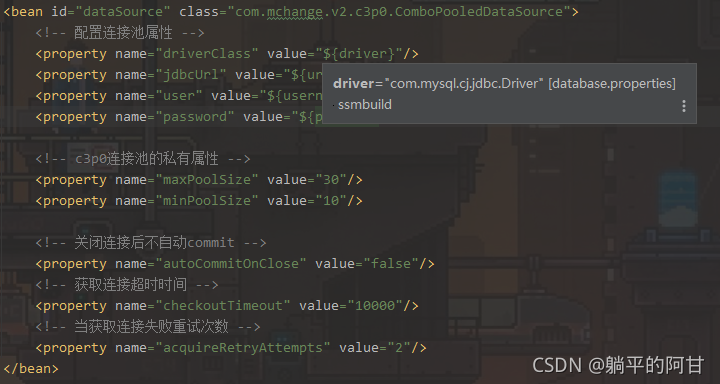
There is also a prompt when the cursor is placed on the value

online solutions have been tried and have not taken effect

Solution:

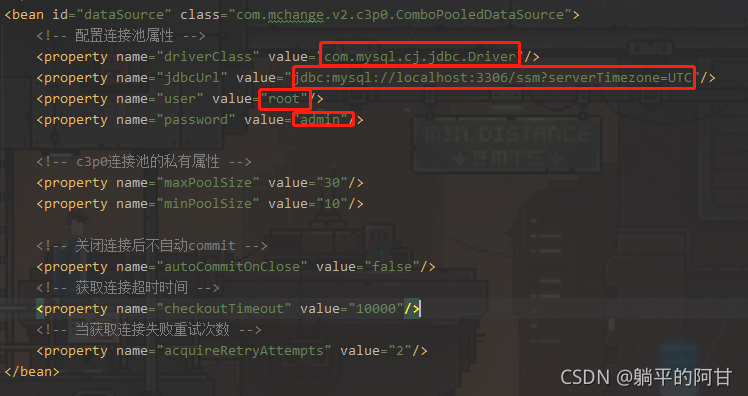
Finally, I accidentally tried to explicitly assign the attribute of the database connection pool, and the connection was successful

How to Solve VUE Error: Mixed spaces and tabs

Cause of the problem: the project uses eslint specification code, and your code violates the specification

The first scheme (recommended): format the code through the editor and unify the indentation method

The second method: turn off the verification of spaces and tabs by eslin
Vue version 3.0:
1, find build – & gt; webpack.base.config.js。 Comment or remove the reference to eslint loader.

{
      test: /\.(js|vue)$/,
      loader: 'eslint-loader',
      enforce: 'pre',
      include: [resolve('src'), resolve('test')],
      options: {
        formatter: require('eslint-friendly-formatter'),
        emitWarning: !config.dev.showEslintErrorsInOverlay
      }
}

2. Restart the project

Vue 3.0 +:
configure the rules of eslin in package.json. Eslintconfig

 {
      "name": "xxxx",
      "version": "0.1.0",
      "private": true,
      "scripts": {
        "serve": "vue-cli-service serve",
        "build": "vue-cli-service build",
        "lint": "vue-cli-service lint"
      },
      "dependencies": {
        xxx
      },
      "devDependencies": {
       xxx
      },
     
      "eslintConfig": {
        "root": true,
        "env": {
          "node": true
        },
        "extends": [
          "plugin:vue/essential",
          "eslint:recommended"
        ],
        "parserOptions": {
          "parser": "babel-eslint"
        },
        "rules": {
          "no-console": "off",
          "no-debugger": "off",
          "no-mixed-spaces-and-tabs": "off"
        }
     
      },
      "browserslist": [
        "> 1%",
        "last 2 versions",
        "not dead"
      ]
 }

The third other method:
create a vue.config.js

module.exports = {
	lintOnSave:false 
}

How to Solve No approve protocol error when running kettle on Linux

No appropriate protocol (protocol is disabled or cipher suites are inappropriate)

Deploy kettle on Linux, and then run the test script for sending e-mail. The error is as follows:

org.pentaho.di.core.exception.KettleException: 
Can not send mail!
Could not connect to SMTP host: smtp.exmail.qq.com, port: 465
	at org.pentaho.di.trans.steps.mail.Mail.processRow(Mail.java:510)
	at org.pentaho.di.trans.step.RunThread.run(RunThread.java:62)
	at java.lang.Thread.run(Thread.java:748)
Caused by: javax.mail.MessagingException: Could not connect to SMTP host: smtp.exmail.qq.com, port: 465;
  nested exception is:
	javax.net.ssl.SSLHandshakeException: No appropriate protocol (protocol is disabled or cipher suites are inappropriate)
	at com.sun.mail.smtp.SMTPTransport.openServer(SMTPTransport.java:1961)
	at com.sun.mail.smtp.SMTPTransport.protocolConnect(SMTPTransport.java:654)
	at javax.mail.Service.connect(Service.java:295)
	at org.pentaho.di.trans.steps.mail.Mail.sendMail(Mail.java:713)
	at org.pentaho.di.trans.steps.mail.Mail.processRow(Mail.java:493)
	... 2 more
Caused by: javax.net.ssl.SSLHandshakeException: No appropriate protocol (protocol is disabled or cipher suites are inappropriate)
	at sun.security.ssl.HandshakeContext.<init>(HandshakeContext.java:171)
	at sun.security.ssl.ClientHandshakeContext.<init>(ClientHandshakeContext.java:101)
	at sun.security.ssl.TransportContext.kickstart(TransportContext.java:238)
	at sun.security.ssl.SSLSocketImpl.startHandshake(SSLSocketImpl.java:394)
	at sun.security.ssl.SSLSocketImpl.startHandshake(SSLSocketImpl.java:373)
	at com.sun.mail.util.SocketFetcher.configureSSLSocket(SocketFetcher.java:549)
	at com.sun.mail.util.SocketFetcher.createSocket(SocketFetcher.java:354)
	at com.sun.mail.util.SocketFetcher.getSocket(SocketFetcher.java:237)
	at com.sun.mail.smtp.SMTPTransport.openServer(SMTPTransport.java:1927)
	... 6 more

The main error is: no approve protocol (protocol is disabled or cipher suits are inappropriate)

Solution:
find the folder where the JDK is installed
find the file:/jdk1.8.0_ 301/JRE/lib/security/Java. Security
find the configuration:

jdk.tls.disabledAlgorithms=SSLv3, TLSv1, TLSv1.1, RC4, DES, MD5withRSA, \
DH keySize < 1024, EC keySize < 224, 3DES_EDE_CBC, anon, NULL, \
include jdk.disabled.namedCurves

Remove the SSLv3, TLSv1, TLSv1.1,
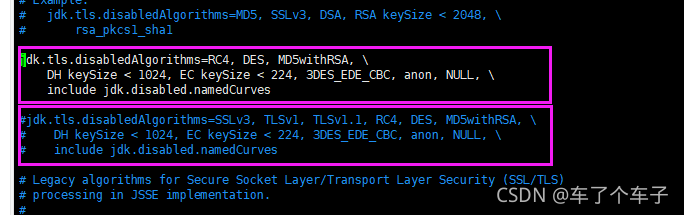
Restart kettle script can solve the error.
How to Solve DVA switches history to browserhistory Error

report errors:

Module not found: Can't resolve 'history/createBrowserHistory'

Solution:

// import createHistory from 'history/createBrowserHistory';
// Error: Cannot find module 'history/createBrowserHistory';

// Change to
import { createBrowserHistory  as createHistory} from 'history';

const app = dva({
  history: createHistory(),
});

How to Solve Application failed to start error

***************************
APPLICATION FAILED TO START
***************************

Description:

Failed to configure a DataSource: 'url' attribute is not specified and no embedded datasource could be configured.

Reason: Failed to determine suitable jdbc url


Action:

Consider the following:
	If you want an embedded database (H2, HSQL or Derby), please put it on the classpath.
	If you have database settings to be loaded from a particular profile you may need to activate it (no profiles are currently active).


Process finished with exit code 1

Reason: Failed to configure a DataSource: ‘url’ attribute is not specified and no embedded datasource could be configured.

Solution:
There are other dependencies in pom.xml that affect

<dependency>
<groupId>org.mybatis.spring.boot</groupId>
<artifactId>mybatis-spring-boot-starter</artifactId>
<version>2.2.0</version>
</dependency>

mybatis dependency delete and rerun on it

[Solved] Error during composer operation in docker: insufficient memory

Background
Need to perform composer removal package operation on lumen framework.
Error message

docker composer remove Fatal error: Allowed memory size of 1610612736 bytes exhausted (tried to allocate 4096 byt

Solution:

/usr/local/bin/php -d memory_limit=-1 /usr/local/sbin/composer remove xxx

Explanation: php -d memory_limit=-1 means that the php process uses unlimited memory.
Note that both php and composer need to use absolute paths.

How to Solve “Error db.num is null” when starting Nacos

Nacos startup is divided into stand-alone or cluster. When you start in cluster mode but do not configure the data source that the cluster depends on, the error db.num is null will be reported

Solution

The operation of this paper is based on Windows environment, similar to Linux

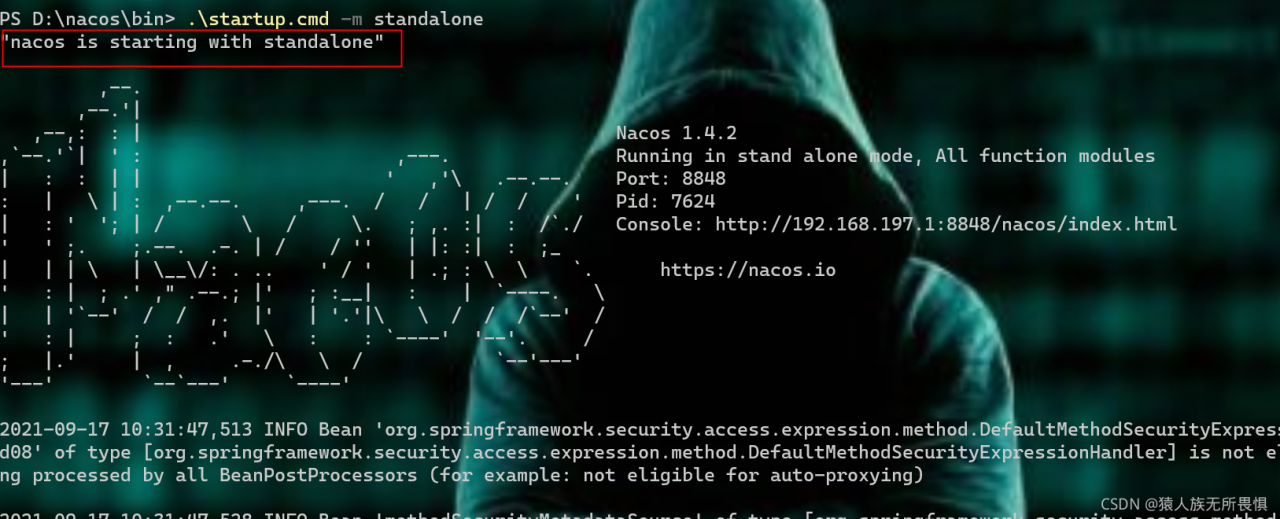
Mode 1: single machine mode startup

startup.cmd -m standalone

Start as shown in the figure below:

standalone: independent
at this time, Nacos starts in stand-alone mode

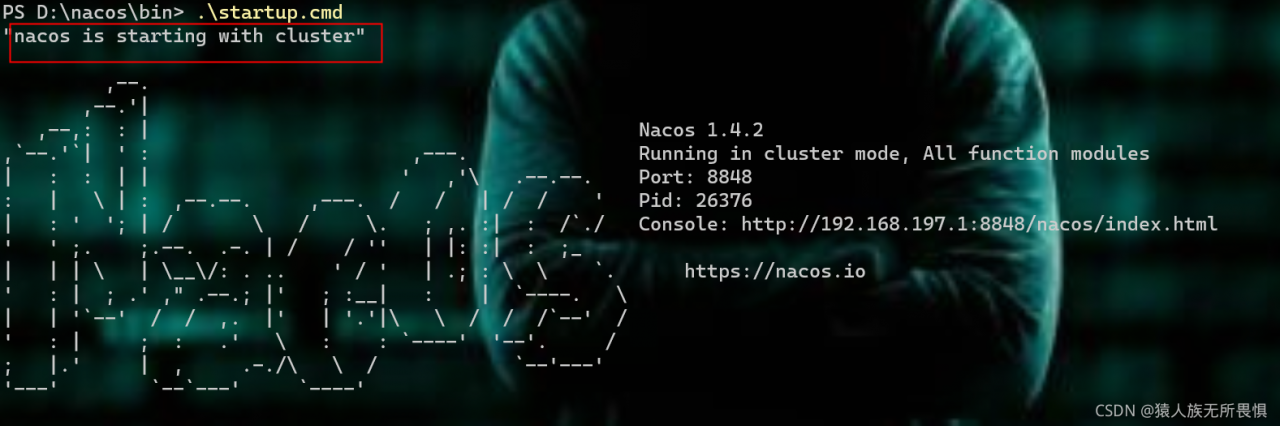
Mode 2: start in cluster mode and configure the data source

Use the conf/nacos-mysql.sql file to initialize the database, and modify the conf/application.properties file to add MySQL support

spring.datasource.platform=mysql
db.num=1
db.url.0=jdbc:mysql://localhost:3306/nacos?characterEncoding=utf8&connectTimeout=1000&socketTimeout=3000&autoReconnect=true
db.user=root
db.password=1234

All the above configurations exist in the original configuration. You only need to modify the parameter value
after the modification is successful, start Nacos

startup.bat