Author Archives: Robins

The typereference reported an error classnotfoundexception:

Error message

java.lang.ClassNotFoundException: com.alibaba.fastjson.TypeReference

First, I went to the mvnrepository to find the fastjson package
introduced into the common service dependency
but still reported an error

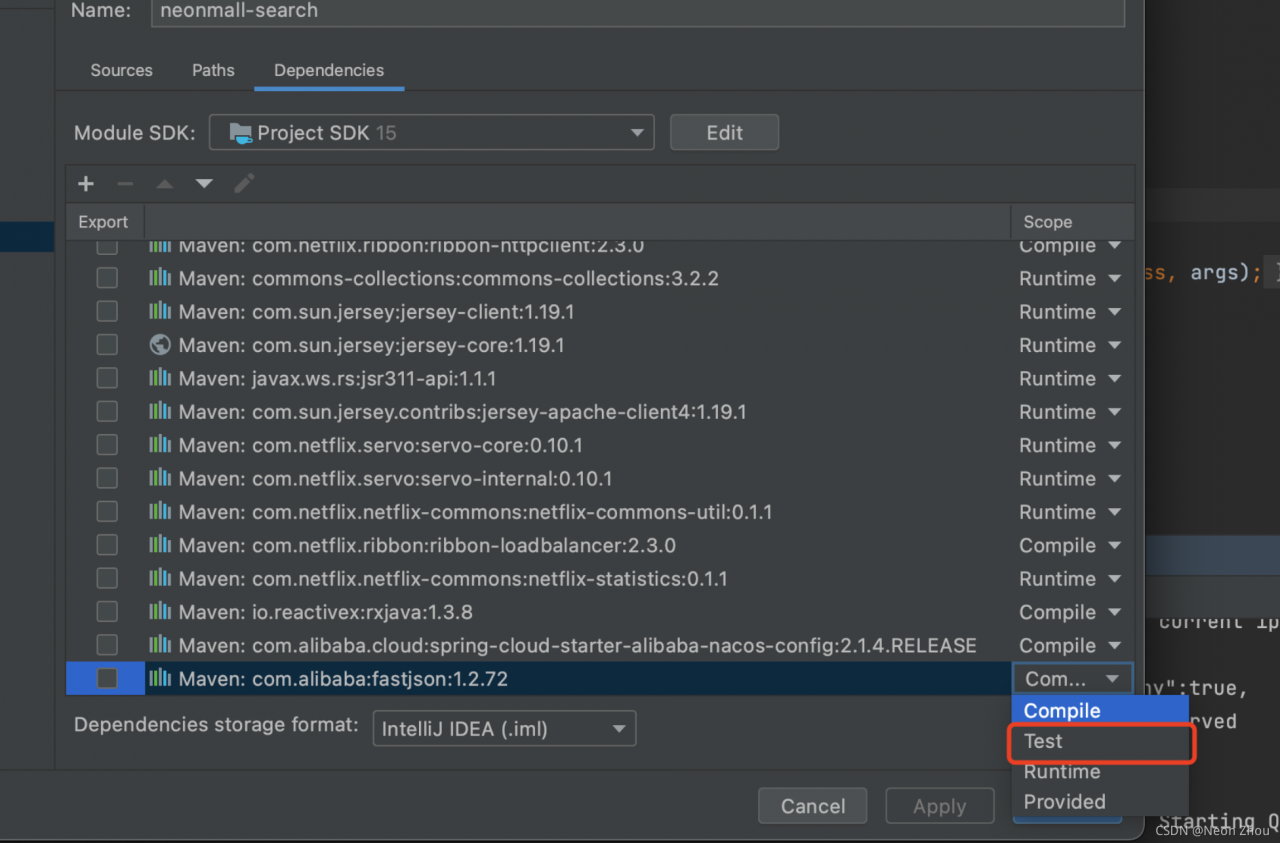
Later, in project structure, I found that the dependencies of search service are also divided into complie, runtime, test, etc. my fastjson scope is test. After I modify it to complie, it can be used normally

Redis cli create creates an error when creating a cluster

Execute

Error message

Node 127.0.0.1:30001 is not configured as a cluster node

  Error reason:

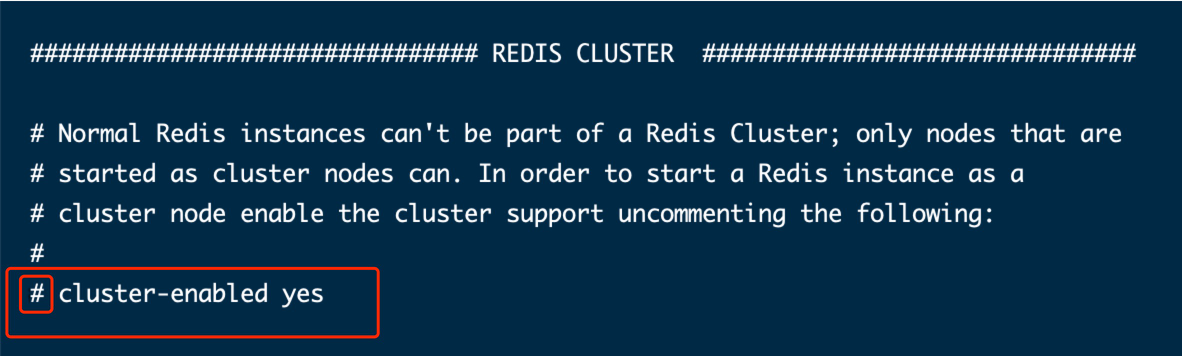
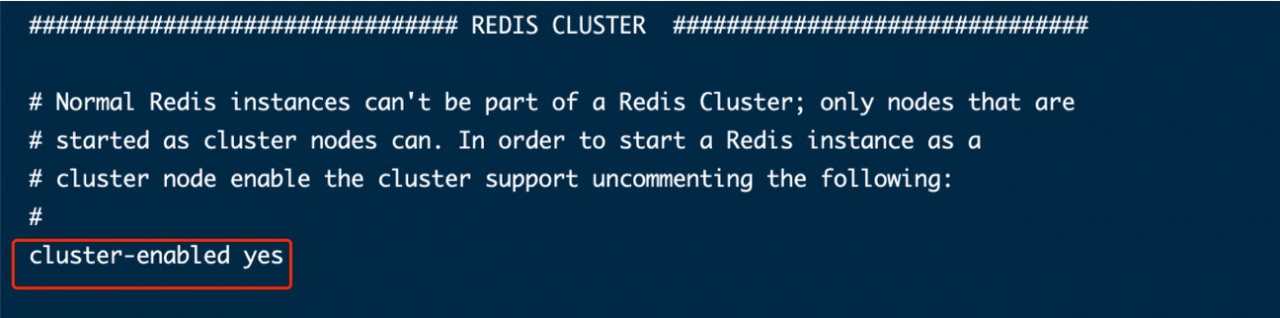
/Cluster enabled yes is commented out in the root/soft/redis-5.0.5/redis.conf file  

Solution:

VI redis.conf uncomment and save.

Restart redis

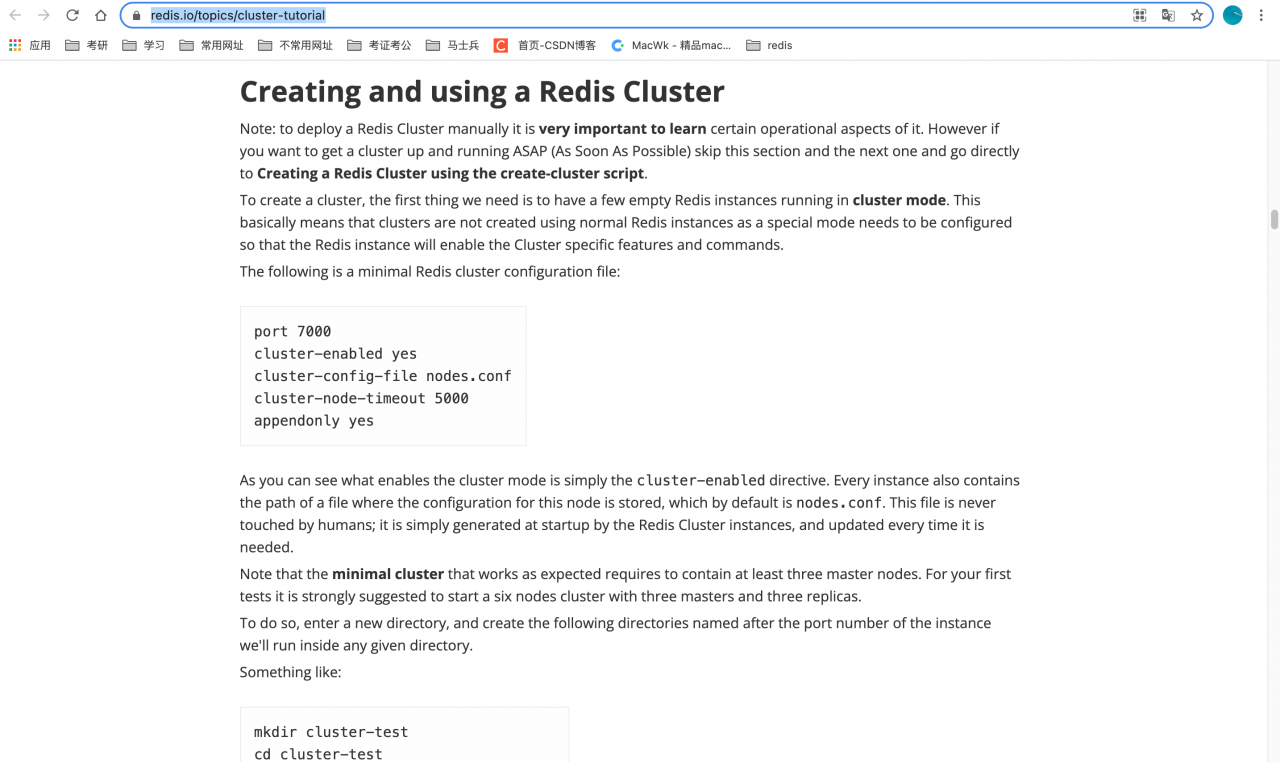
If it still fails to start, refer to redis cluster tutorial – redis https://redis.io/topics/cluster-tutorial
Installation starts here


#An error is reported by the chart map component of renfast framework

#An error is reported by the chart map component of renfast framework

##Bug:
you can’t install your own version of ecarts all the time. The console always comes out with 3.84 (actually 4.9.0 is installed)
and the following error will be reported if you reference the map component

##Reason:
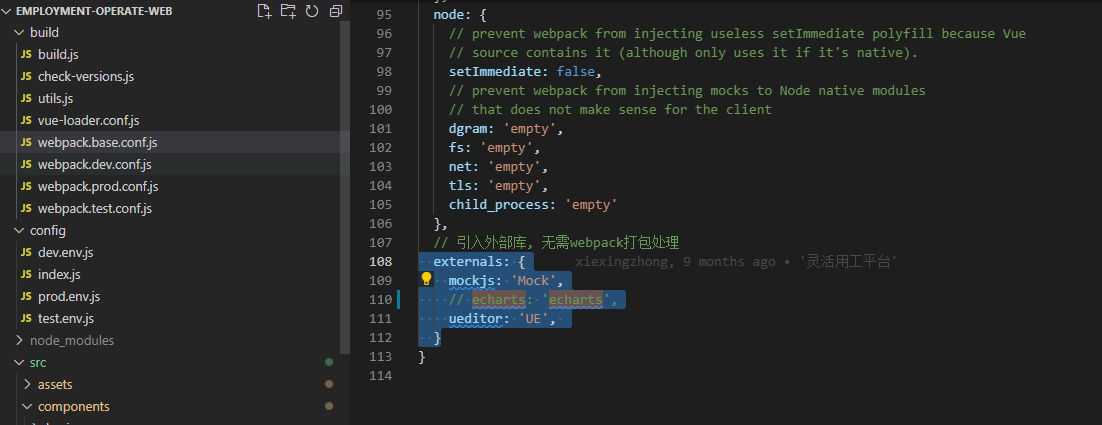
in the renfast framework, the plugins preset the ecarts plug-in (3.8.5), and set// to import an external library, without the need for webpack packaging

##Handling method:
if you reference your own installed ecarts, you need to comment out the ecarts of external in build \ webpack.base.conf.js

Error reported by thinkphp5 and wdatepicker calendar control

Error reported by thinkphp5 and wdatepicker calendar control

The solution is as follows

{literal}
	<input type="text" onfocus="WdatePicker({maxDate:'#F{$dp.$D(\'logmax\')||\'%y-%M-%d\'}'})" id="logmin" class="input-text Wdate" style="width:120px;">
	<input type="text" onfocus="WdatePicker({minDate:'#F{$dp.$D(\'logmin\')}',maxDate:'%y-%M-%d'})" id="logmax" class="input-text Wdate" style="width:120px;">
{/literal}

ThinkPHP uses literal to prevent template tags from being parsed

How to Solve Roscore Run error [Install ROS]

Command ‘roscore’ not found, but can be installed with:
sudo apt install python-roslaunch

Install Python Ross launch as prompted,

Error reporting: e: unable to correct problems, you have held broken packages

According to the online search, the binary executable named “roscore” may not exist in the folder “/opt/ROS/indigo/bin/”, and there will be no problem after having it

Solution:

1. First check whether there is a binary executable named roscore in the folder. If it does not exist, execute step 2. If it does exist, execute step 3

cd /opt/ros/melodic/bin
ls -l

2. If it does not exist, execute the following code, and then execute the first step to see if the roscore file exists. If it does, execute the third step

sudo apt-get install ros-melodic-desktop

3. If the roscore file is found in the first step, find the file named setup.sh under melody (the version of ROS you installed) and source its path

source /opt/ros/melodic/setup.sh

Enter roscore at the terminal, the problem is solved and the execution is successful.

How to Solve cocos2dx msb3073 Error

Solve cocos2dx 3.17 error msb3073:: vcend “has exited, the code is 9009 and an error is reported

For example, if the dill function appears, and the msb3073 code is 9009 or 4, the error
and the libcurl file cannot be connected appear at the same time, or the error
msb3073 code is 9009, the command xcopy/Y/Q and if not exist will be prompted (your project path)
the solution is as follows (try one by one) :
1. Change the Cocos environment path from Chinese to English or the project path from Chinese to all citations
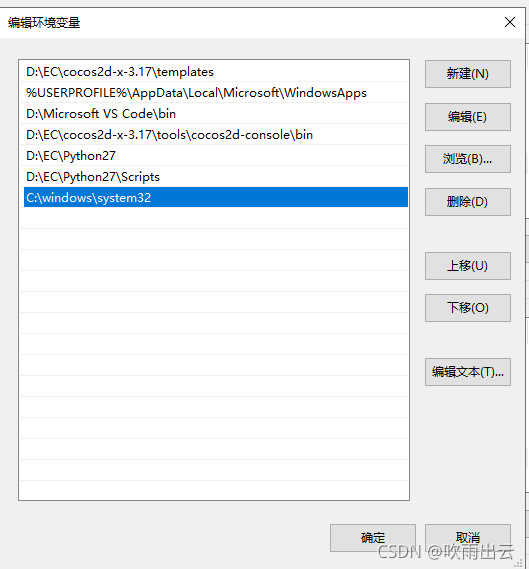
2. Confirm that your environment variables are set correctly and that pyhton and cocos environment variables are
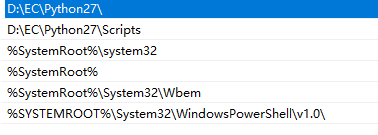
3. If none of the above methods can be solved, your problem should be the same as me. If you reinstall the system or newly install the system, in the path of the environment variable Adding C:\windows\system32 should be able to solve the problem, because you may have deleted the environment variable path by mistake, resulting in file replication failure. Add the following files in sequence:% systemroot%\system32;% systemroot%;% systemroot%\system32\WBEM;% systemroot%\system32\windowspowershell\v1.0;
as shown in the figure

How to Fix the printer error 0x00000709 on Windows

If there is a name problem with the printer, please check the printer name and the error number is 0x00000709. If there is this problem, the solution is as follows. Look down:

Step 1: first, open the control panel to find the user account, click open to find the credential manager, find the management windows credentials in the credential manager, click open, select the windows credentials after clicking, and then add the windows credentials. Then fill in according to the prompt. The first line writes the IP address of the printer, and the second line writes the user name of the computer login, The third line is to fill in the password of the computer user. If you don’t have a password, you don’t have to fill in it. After filling in it, click OK,

You think this is OK. How is it possible?It’s not that simple. The first step is above, and the second step is next. Another problem. After the first step is completed, you will be prompted when you add a printer. Windows cannot connect to the printer, and the error number is 0x0000007c. Next, look down:

Step 2: still open the control panel, find the program, and you will see an uninstall program. Click on it to find and view the installed updates. Click on it, and you will see the program in the following picture. Right-click to uninstall the program. Several uninstall only the programs beginning with KB500 in brackets, and then restart the computer to add a printer Do you think it’s very simple? If you only complete the first step, it can’t be solved. The solution to the problem of printer name is to turn one problem into another,

Hadoop reports an error. Cannot access scala.serializable and python MapReduce reports an error

Record the problems encountered when doing school Hadoop homework. The homework is more basic, that is, calling Hadoop through makefile to execute the MapReduce program written in advance

Error 1

An error occurred in the Hadoop wordcount code

java: cannot access scala.Serializable class file for scala.Serializable not found

An error is reported

Solution:
through this Q & A on stack overflow, I guess that the scala version is incompatible with the Hadoop version, so rollback to 2.7 will solve the problem

Error report 2

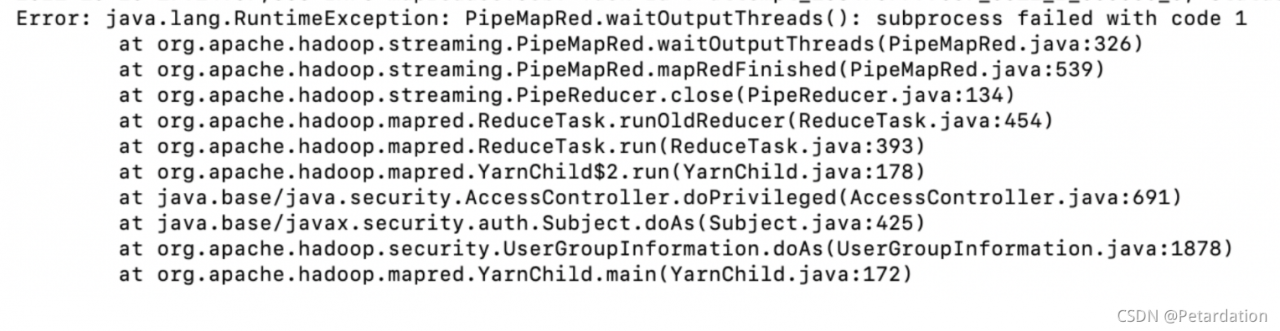
Attempting to run Python on Hadoop. But an error is reported. The error information is not detailed:
insert a picture description here

solution:
add the following at the beginning of the source code:

#!/usr/bin/env python
# -*-coding:utf-8 -*

(the problem with the coding format is really that I don’t know how to debug it.)

Common errors reported by Eureka in spring cloud

1.Consider the following:
     If you want an embedded database (H2, HSQL or Derby), please put it on the classpath.
     If you have database settings to be loaded from a particular profile you may need to activate it (no profiles are currently active).

The reason for this is that the service provider starts earlier than Eureka, or Eureka service may not start, and then start the service provider after Eureka starts.

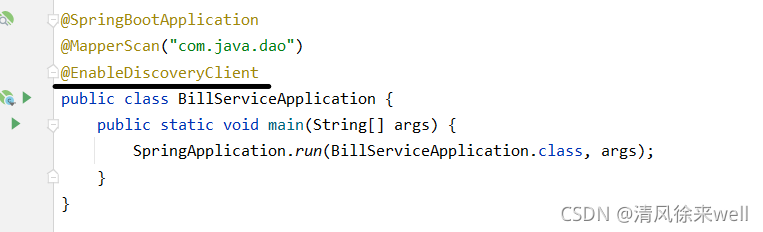
2.No instances found of configserver (config-server)

The annotation @ enablediscoveryclient may be missing from the startup class

  3.Cannot execute request on any known server

This error is due to the missing annotation @ enableeurekaserver in the Eureka startup class


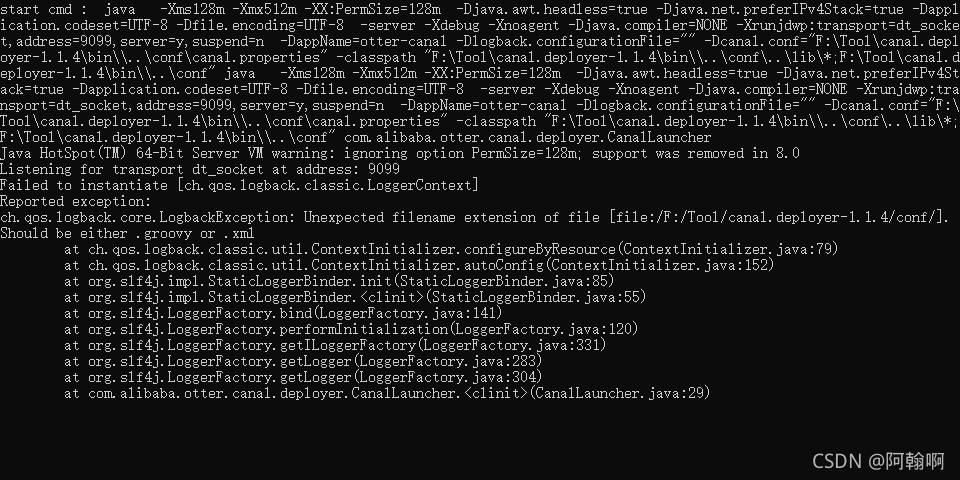
Error in installing canal server for windows

    startup error

    solution: edit the startup.bat file, delete @rem, modify, and restart. Whether the startup is successful or not can be checked. An error occurred in/log/example/example.log, and canal cannot connect to the database
    solution: modify the canal user password in MySQL

    update user set password = PASSWORD('Canal_2020') where user = 'canal';
    

How to Solve Client-go Mod Error

Error message:

E:\github\client-go>go mod tidy
go: finding module for package k8s.io/client-go/kubernetes
go: finding module for package k8s.io/client-go/tools/clientcmd
go: finding module for package k8s.io/apimachinery/pkg/apis/meta/v1
go: found k8s.io/apimachinery/pkg/apis/meta/v1 in k8s.io/apimachinery v0.22.2
go: finding module for package k8s.io/client-go/kubernetes
go: finding module for package k8s.io/client-go/tools/clientcmd
client-go imports
        k8s.io/client-go/kubernetes: module k8s.io/client-go@latest found (v1.5.2), but does not contain package k8s.io/client-go/kubernetes
client-go imports
        k8s.io/client-go/tools/clientcmd: module k8s.io/client-go@latest found (v1.5.2), but does not contain package k8s.io/client-go/tools/clientcmd

Solution:
always specify three files in the go.mod file

require (
    ...
    k8s.io/api v0.19.0
    k8s.io/apimachinery v0.19.0
    k8s.io/client-go v0.19.0
    ...
)

Python learning notes (5) — cross entropy error runtimeerror: 1D target tensor expected, multi target not supported

When I use cross entropy as the loss function, an error occurs:

RuntimeError: 1D target tensor expected, multi-target not supported

I checked the relevant information, and the statements in it are basically:

    the dimension of the input labels should be 1, and the precision cannot be double. It must be replaced by long; Dimensionality reduction of the input label

    But it can’t solve my problem, because my tag data has been processed with the following code after processing:

    torch.LongTensor(labels)
    

    And I also printed the dimension of my label data:

    torch.Size([16, 11])
    

    Here 16 refers to batch_ Size , so it’s not a dimension problem.

    But I was inspired when I read this blog (runtimeerror: multi target not supported at). It says:

    When calculating the cross entropy loss function in pytorch, the correct label input cannot be in one hot format. The function will process itself into one hot format. Therefore, you do not need to enter [0 1], just enter 4.

    My tag data is a multi tag problem, as follows:

    tensor([0, 1, 0, 0, 1, 0, 0, 1, 1, 0, 0])
    

    Then, when passing through loss , crossentropyloss will automatically code it as one-hot , which will increase it by one dimension to:

    tensor([[1., 0.],
            [0., 1.],
            [1., 0.],
            [1., 0.],
            [0., 1.],
            [1., 0.],
            [1., 0.],
            [0., 1.],
            [0., 1.],
            [1., 0.],
            [1., 0.]])
    

    This leads to the error.

    Therefore, the solution is to use the loss function of the multi label problem. For example, multilabelsoftmarginloss , or the most original mselos .

    reference resources

    [1] Wang’s technical road. Runtimeerror: multi target not supported at [EB/OL]. (December 10, 2019) [October 27, 2021] https://www.cnblogs.com/blogwangwang/p/12018897.html
    [2] Python free. Solution of “one-dimensional target tensor expectation, multi-objective unsupported” in cross entropy loss function, calculation, lossfunction, error report, 1dtargettensorexpected, multitargetnotsupported, Solution [EB/OL] (2020-07-04) [2021-10-27] https://www.pythonf.cn/read/125399