Author Archives: Robins

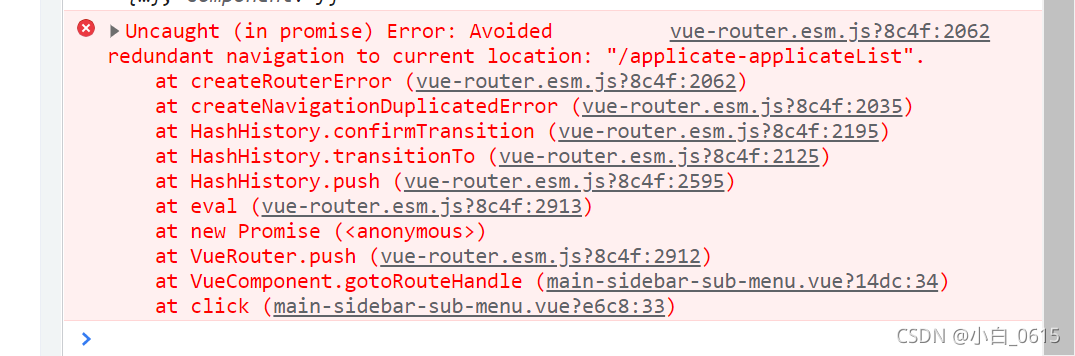
[Solved] Uncaught (in promise) Error: Avoided redundant navigation to current location:

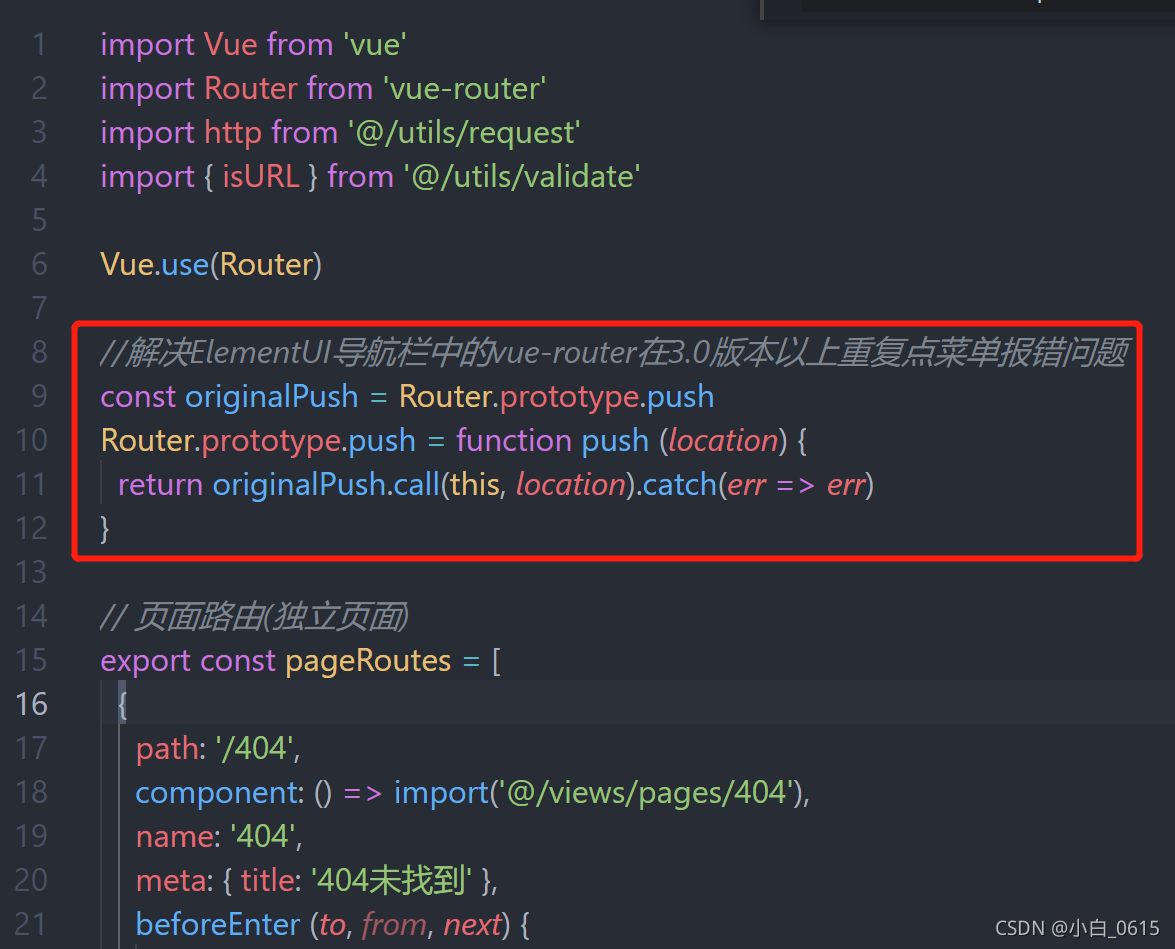
Add the following code to the routing file   router/index.js

//Solve the problem that vue-router in the navigation bar of ElementUI reports an error when repeatedly clicking the menu in version 3.0 or above
const originalPush = Router.prototype.push
Router.prototype.push = function push (location) {
  return originalPush.call(this, location).catch(err => err)
}

Good position!!!!!

Type

srs Error: demux SPS/PPS : avc decode sequence header

SRS reports errors as follows:

[31m[2021-10-23 17:43:55.682][Error][31374][5ns94367][4] serve error
code=3001 : service cycle : rtmp: stream service : rtmp: receive
thread : handle publish message : rtmp: consume message : rtmp:
consume video : meta update video : demux SPS/PPS : avc decode
sequence header

This error means that SRS cannot obtain SPS and PPS information when receiving the code stream.
then select to disconnect from the streaming end. At this time, if the streaming end continues to push the stream, av_interleaved_write_frame (…) will report – 32, and the print log is:

broken pipe

The following encoder parameters need to be set:

if(octx->oformat->flags & AVFMT_GLOBALHEADER)
{
	printf("set video GLOBAL_HEADER\n");
	enc_ctx->flags |= AV_CODEC_FLAG_GLOBAL_HEADER;
}
octx Represents the output context

Explain PPS and SPS, two-byte areas in the code stream, which are very important for decoding. If they are not found, decoding will
fail because they store the parameters set by the encoder, such as the height and width of the video, the sampling rate of the audio, the number of channels, etc
explain the meaning of the above code segment. It will detect the encapsulation format of the output context to determine whether AV is set_CODEC_FLAG_GLOBAL_HEADER.
The function of the AV_CODEC_FLAG_GLOBAL_header flag is to add PPS and SPS in front of each keyframe from the original encoding to the byte area of extradate. Then, when decoding, you have to read PPS and SPS from extradate and put them in front of each keyframe.

[Solved] Pycharm from xx import xx Error: Unresolved reference

There is a problem: the related classes cannot be referenced, but these classes are indeed in the project

Analysis reason: import failed because the path does not correspond. Pycharm defaults to the source directory as the root directory of the project

Solution:

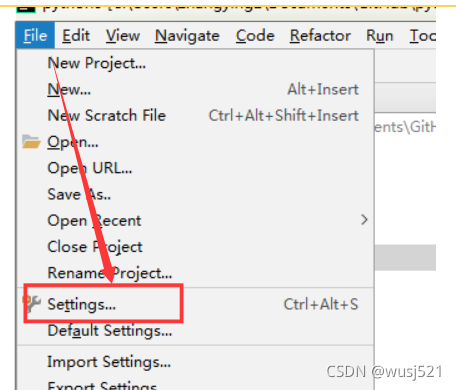
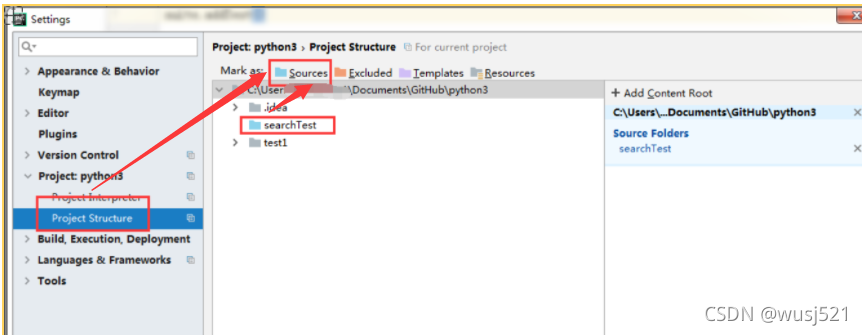
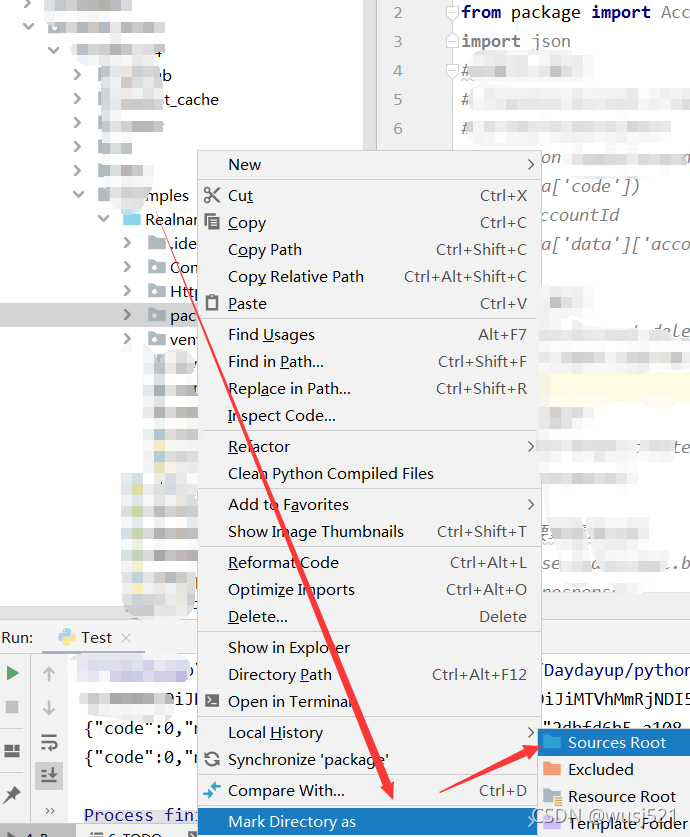
Search the corresponding item searchtest and select “sources”; Finally, be sure to “apply”

Set the folder where the package is placed as source, so that the module class of import can be found through these source folders as the root path, that is, find the imported things in these source folders

Or

PHP large file upload error 413: request entity too large [How to Solve]

1. Nginx configuration modification

1. Modify the Nginx.conf (/ etc/Nginx/Nginx.conf) configuration file, and add or modify the following configuration in http{}:

client_max_body_size 20m; 

2. Restart nginx

systemctl restart nginx

2. PHP configuration modification

Find the location of the php.ini file:

Method 1

Use the command whereis php; to view the php related directories, if you can't find the ini file in the listed directories, you can refer to method 2.

Method 2

php --info > a.log;
vim a.log, To view the output, you can directly search for php.ini and you will see the directory where the file is located. As the following screenshot.

1. Modify the php.ini (/etc/PHP.ini) configuration file, find the following configuration and modify it:

post_max_size = 20M  
upload_max_filesize = 20M  

2. Restart PHP FPM

systemctl restart php-fpm

[Solved] Vscode Connect to the remote server error: permission denied (public key)

Background

The purpose is to edit the intranet server code locally

However, the springboard machine of the company’s server needs to log in with a key. In addition, there is a dynamic password + personal password. It has not been configured directly with vscode

The termius implementation is borrowed here

How to Solve:

    1. ensure that termius has logged in to the intranet server through the key dynamic password. Use the port forwarding function provided by termius to connect the local XX port to the YY port of the intranet server. Note that the intranet server port here depends on the personal opening. Configure the local ~ /. SSH/config file. For example, the content is as follows
Host local
    HostName 127.0.0.1
    Port xx port
    User Your own username for logging into the server
      1. put a copy of the public key given to you by the company in ~ /.SSH/ and pay attention to these key permissions. Generally, the key is only open to individuals, otherwise an error is reported. For example, permission denied (public key), Chmod 600 ~ /.SSH/* can be executed to change the key files of local and remote servers to only allow individuals to read and write, and the file can be modified locally directly through vscode connection.


[Solved] AES encryption in ie11 results in an error (missing ‘)‘

Ie11 error reporting details

Analysis

Through finding the problem, it is found that the problem occurs in the crypto JS package. Because this error is reported only in ie, the page cannot be loaded. It is thought that the syntax in this package is ie incompatible

Solution:

Let this package be Babel translated

chainWebpack(config) {
    // For IE compatibility, the js under crypto-js and some node_modules have to be babel-translated
    config.module
      .rule('js')
      .exclude.clear().end()
      .include
      .add(resolve('src'))
      .add(resolve('node_modules/@quanzhiFE/qz-frontend-biz/src'))
      .add(resolve('node_modules/element-ui/lib'))
      .add(resolve('node_modules/crypto-js'))
      .end()

  }

Sqoop Error: Can‘t parse input data: ‘\N‘ [How to Solve]

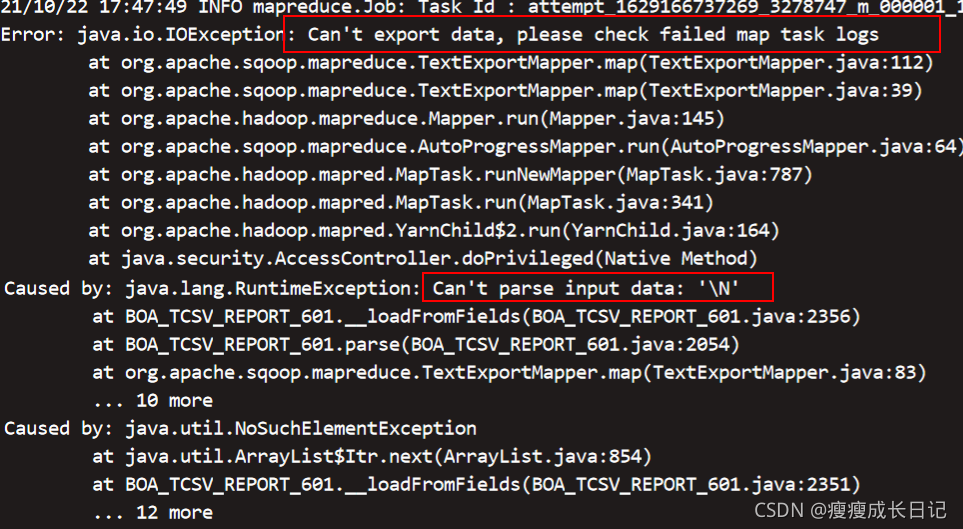
Sqoop reports an error can’t parse input data: ‘\ n’

Problem Description: use sqoop to push the data in hive to Oracle. The program reports an error: can’t parse input data: ‘\ n’
. Null value cannot be recognized when derivative.
The reason for this exception is that when the table in hive is a partitioned table, the added fields do not use cascade, such as:

alter table app.suntest_user add  columns(name string comment 'name') cascade

When does not use the cascade keyword, hive does not update the history partition definition, resulting in differences between the columns in the table and the target table when transmitting history data.

For example:

False table suntest_ User created partition M08 in August, added a name column in September, and created partition M09, and added a name column to the table definition in the target database (Oracle). There is no problem exporting M09 partition data through the sqoop script, but an error will be reported when exporting M08 data: can’t parse input data: ‘\ n’

Solution:

You can rebuild the partition in August , or create a table for derivatives. The following is a table creation statement.

----- Create a table corresponding to the partition and use the temporary derivative 
	create table app.test_suntest_user as 
	select id,name from app.suntest_user where partition_month='M08' 

----Rebuild partition statement 
	--Rename partition 
	alter table app.suntest_user partition (partition_month='M08') rename to partition (partition_month='M08bak');
	--New Partition 
	insert overwrite table app.suntest_user partition(partition_month='M08')
	select id ,name from app.suntest_user where partition_month='M08bak'; 


The sqoop statement is as follows:

sqoop export --connect "jdbc:oracle:thin:@**********" \
--username "abc" \
--password "123" \
--input-null-string '\\N'  --input-null-non-string '\\N' \
--table "SUNTEST_USER" \
--export-dir /user/hive/warehouse/app/test_suntest_user\
--input-fields-terminated-by '\001' \

[Solved] Redis Cache Error: org.springframework.data.redis.serializer.SerializationException: Could not read JSON..

Problem description


Using redis to cache data, it can be successfully saved to redis

The serialization format of the value used is: genericjackson2jsonredisserializer , but the error is obtained from the cache for the second time


Key error message, suggesting no constructor
org.springframework.data.redis.serializer.SerializationException: Could not read JSON: Cannot construct instance of `io.renren.common.utils.PageUtils` (no Creators, like default construct, exist): cannot deserialize from Object value (no delegate- or property-based Creator)

Problem-solving:

The first method directly changes the serialization of value to string type. The second method adds an empty parameter structure

The second method is adopted. The disadvantage of the first method is that Chinese information may be escaped

[Solved] unknown error: DevToolsActivePort file doesn‘t exis

Scene

When using selenium, an error is reported one day, as shown in the title, and the code is as follows:

from selenium import webdriver
from selenium.webdriver.chrome.options import Options

option = Options()
option.add_argument('--headless')
option.add_argument('--no-sandbox')
option.add_argument('--disable-dev-shm-usage')

browser = webdriver.Chrome('./chromedriver',chrome_options=option)

browser.get('http://www.baidu.com/')
print(browser.title)
browser.quit()  

Solution:

First, ensure that the versions of Google Chrome and chrome River are consistent. If you are sure to be consistent, skip the following three steps.

    1. View Google Chrome version command:
google-chrome --version

I’m not sure about the command to view the chrome River version, but if you find the Google Chrome version, you can go to the following website to download the corresponding chrome river. If the versions are inconsistent, you need to download the consistent version from the download location

    1. google-chrome: http://dist.control.lth.se/public/CentOS-7/x86_64/google.x86_64/chromedriver: https://sites.google.com/a/chromium.org/chromedriver/downloads

Then the solution is to add an option

option.add_argument("--remote-debugging-port=9222")  # this

[Solved] CONDA ENV create and run Error: F environment.yml under win10

The error report description corresponds to the solution according to the serial number. Since everyone has different luck and problems when installing the software, read it as needed. (of course, I stumbled all the way, so friends who installed for the first time still suggest reading the error report description first, and then read it as needed)

Error reporting description

    1. the CMD console constantly displays the following warning information

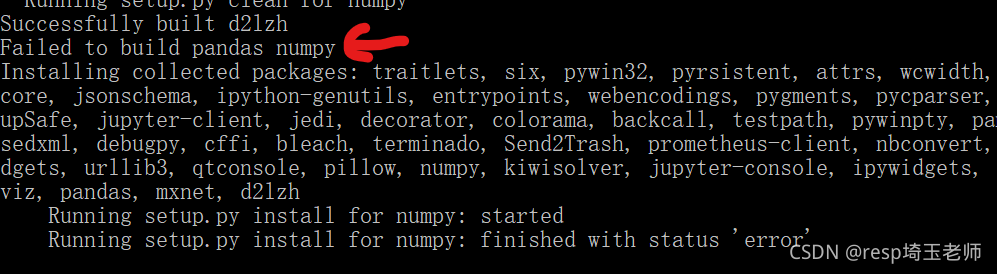
    1. can’t find the version of Matplotlib = = 2.2.2 (if the corresponding version number of other packages can’t be found, it can also be handled as this) failed to build panda numpy

Solution

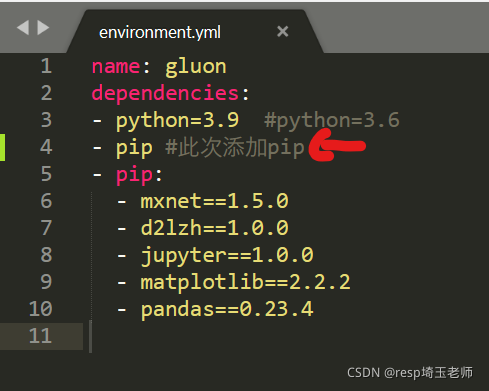
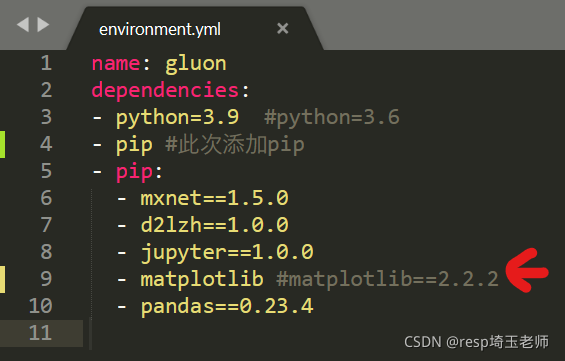
      1. the PIP command may be omitted in the environment.yml file. Just add the PIP command in the corresponding position of the file (the content indicated by the red arrow in the figure below)

      1. delete the following version number (as shown by the red arrow)

      1. failed to build panda numpy


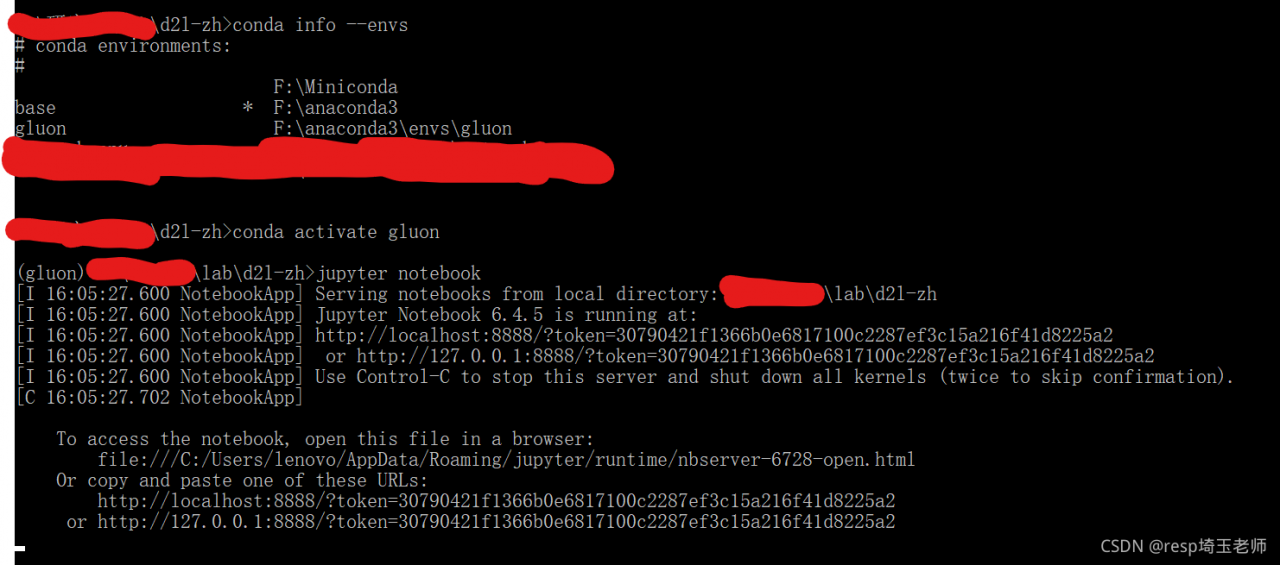
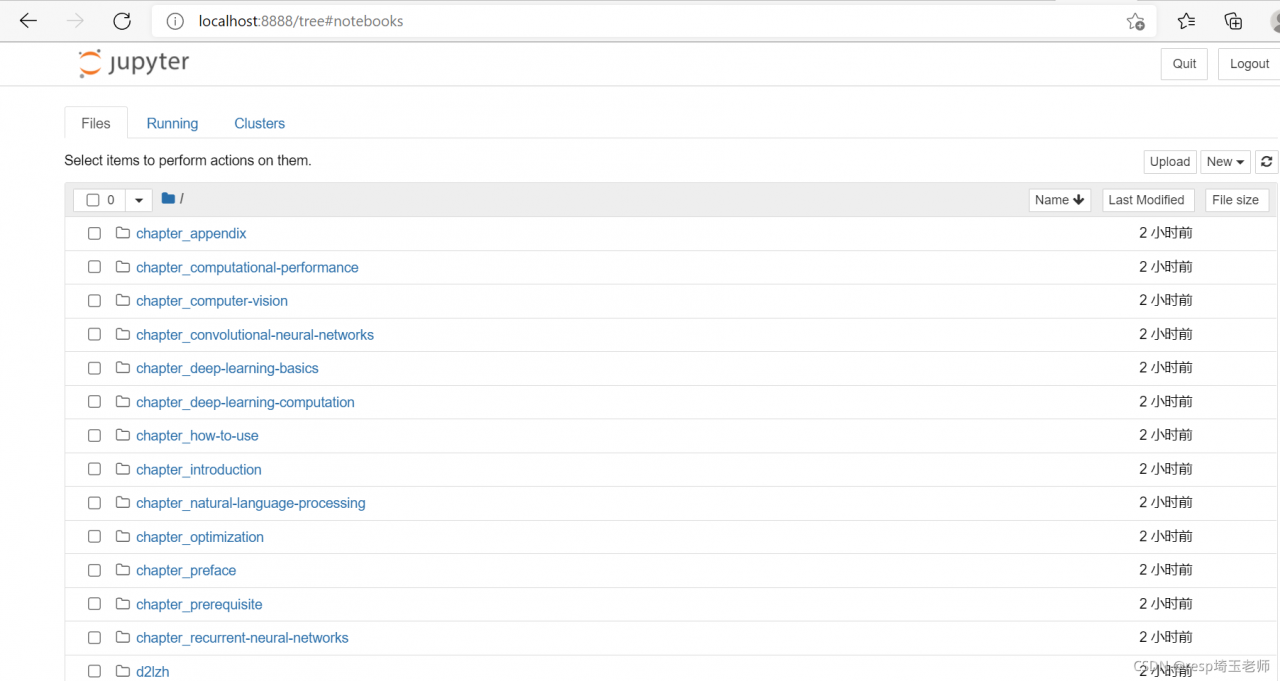
      1. to be honest, in this environment, I ignored the error report, I found that it doesn’t seem to affect my subsequent operation. For example, I can open the gluon environment and open jupyter notepad in the gluon environment. (if there is any subsequent impact, I will continue to solve it and update the content)


Reference link:

        1. after installing miniconda3, run CONDA env create – F environment.yml and report an error miniconda installs numpy but Python can’t import it

Add a little knowledge. The command to delete the gluon environment is as follows:

conda remove -n gluon --all  

Nginx Error: nginx: [emerg] the “ssl“ parameter requires ngx_http_ssl_module in /project/api/nginx.conf:

Error reporting reason:

NGX is not installed_http_ssl_Module module

Solution:

    1. check which modules are installed in Nginx
/usr/local/ngxin/sbin/nginx -V

nginx version: nginx/1.12.2
built by gcc 4.8.5 20150623 (Red Hat 4.8.5-44) (GCC) 
configure arguments:

No parameters after configure arguments indicates that no modules are installed
install NGX_http_ssl_Module the module is in the installation directory ofngxin, note the installation directory, find configure and execute:

./configure --prefix=/usr/local/nginx 
./configure --with-http_ssl_module

After installation, execute make and make install

make
...
make install

Back up the original nginx, and overwrite the compiled nginx with the original nginx

cp /usr/local/nginx/sbin/nginx  /usr/local/nginx/sbin/nginx.bak
cp ./objs/nginx /usr/local/nginx/sbin/

Check whether the installation is successful

/usr/local/nginx/sbin/nginx -V

nginx version: nginx/1.12.2
built by gcc 4.8.5 20150623 (Red Hat 4.8.5-44) (GCC) 
built with OpenSSL 1.0.2k-fips  26 Jan 2017
TLS SNI support enabled
configure arguments: --with-http_ssl_module

[UNK] enable nginx

/usr/local/nginx/sbin/nginx -s reload