Author Archives: Robins

How to Solve Error: Error no module “Tkinter”

Error no module “Tkinter”

Principle:

Import Tkinter in python3 import Tkinter in python2

It’s just the difference in the case of the beginning in the python version.

Therefore, we can modify the startup version of Python. One is to directly modify the system version, and the other is to modify the specified version of Python file
here we mainly talk about how to modify the specified version of Python files.

Add the following two lines at the beginning of the .Py file:

#! /usr/bin/python2.7
# -*- coding utf-8 -*-

How to Solve Kotlin unresolved reference error

A crazy problem is that after the project is transferred to kotlin, it always reports: unresolved reference: XXXXXXX
the pre compilation of the project can report no error, but the problem is reported as soon as the mark is marked. The location of the problem is related to the interface defined by kotlin in in the project,
so it begins to solve:
check whether there are bugs in the definition code of the interface. The conclusion is no problem. Check whether there are bugs in the implementation of the interface. The conclusion is that the implementation class has not been executed to the environment, whether there are problems, and the version of gradle and other related tools has not been upgraded. Therefore, create a new kotlin module to import the error interface class, Results it works normally

conclusion:
when defining the interface of kotlin in the module of Java environment, an error will be reported during compilation.

Error in scikit learn installation of CONDA

Installing scikit learn under win7 will report an error

ERROR conda.core.link:_execute(701): An error occurred while installing package 'defaults::scikit-learn-1.0.1-py37hf11a4ad_0'.
Rolling back transaction: done

LinkError: post-link script failed for package defaults::scikit-learn-1.0.1-py37hf11a4ad_0
location of failed script: E:\PPY\Scripts\.scikit-learn-post-link.bat
==> script messages <==
<None>
==> script output <==
stdout:
stderr:
return code: 1

This should be the problem caused by the source of CONDA. The solution can be installed using the following command

conda install -c anaconda scikit-learn

How to Solve canal & MYSQL or “Kafka cannot consume data” Error

Error 1: interaction between canal and MySQL
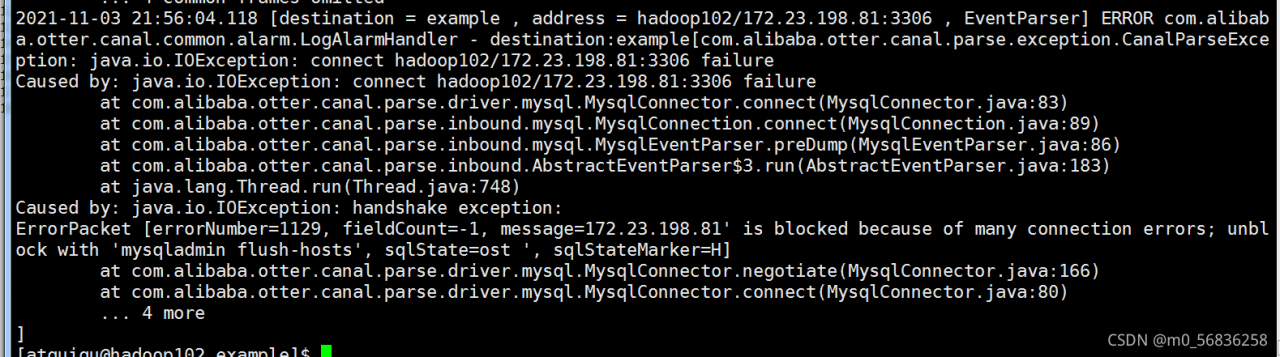
Explanation: the essential reason is that the same IP generates too many interrupted database connections (exceeding the maximum value of max_connect_errors) in a short time

If the MySQL server continuously receives requests from the same host, and all these continuous requests are unsuccessful, the established connection will be interrupted. When the cumulative value of these continuous requests is greater than When you set the value of max_connect_errors, the MySQL server will block all subsequent requests from this host.

Solution:   Mysqladmin flush hosts – H 127.0.0.1 – uroot – P password

Error 2: Kafka cannot consume data
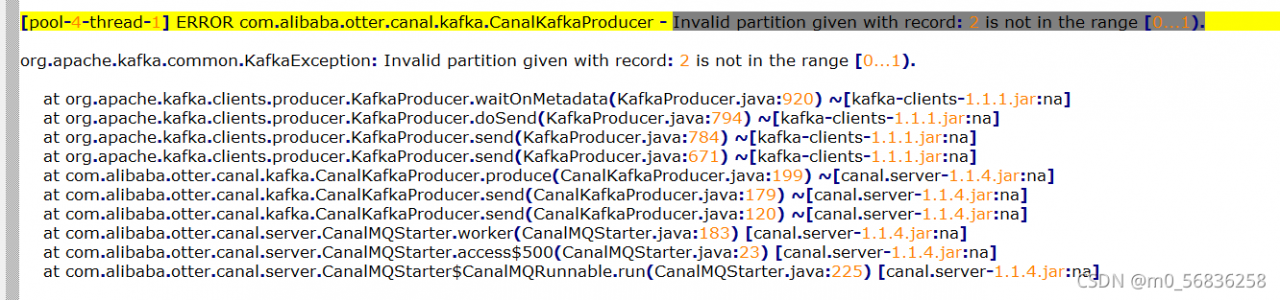
Reason: the number of partitions of the theme I created is insufficient. You can manually add the same number of partitions as those set in instance.properties in conf/example of canal

Execute the following command:

//1. View the subject details and the number of partitions

kafka-topics.sh –bootstrap-server hadoop102:9092 –describe –topic ODS_BASE_DB_C

//2. Manually add the number of partitions

kafka-topics.sh –bootstrap-server hadoop102:9092 –alter –partitions 4 –topic ODS_BASE_DB_C
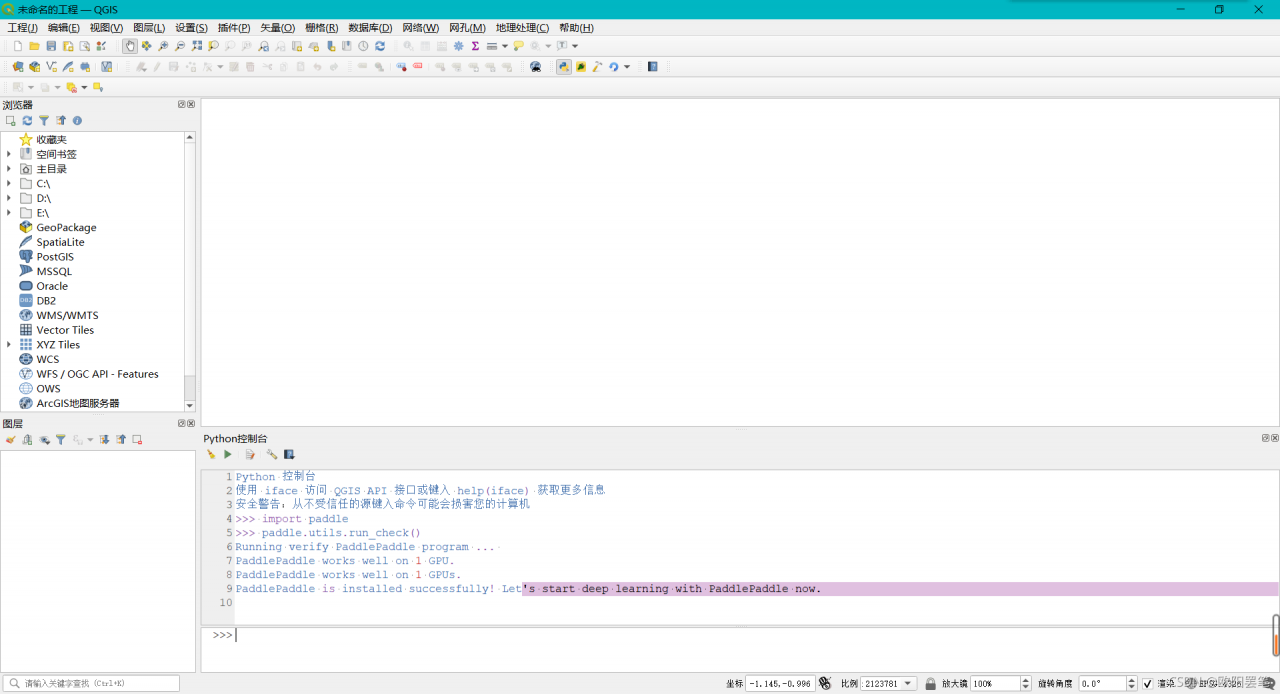
How to Solve QGIS installation paddy GPU error

QGIS installation paddy GPU error

Error content

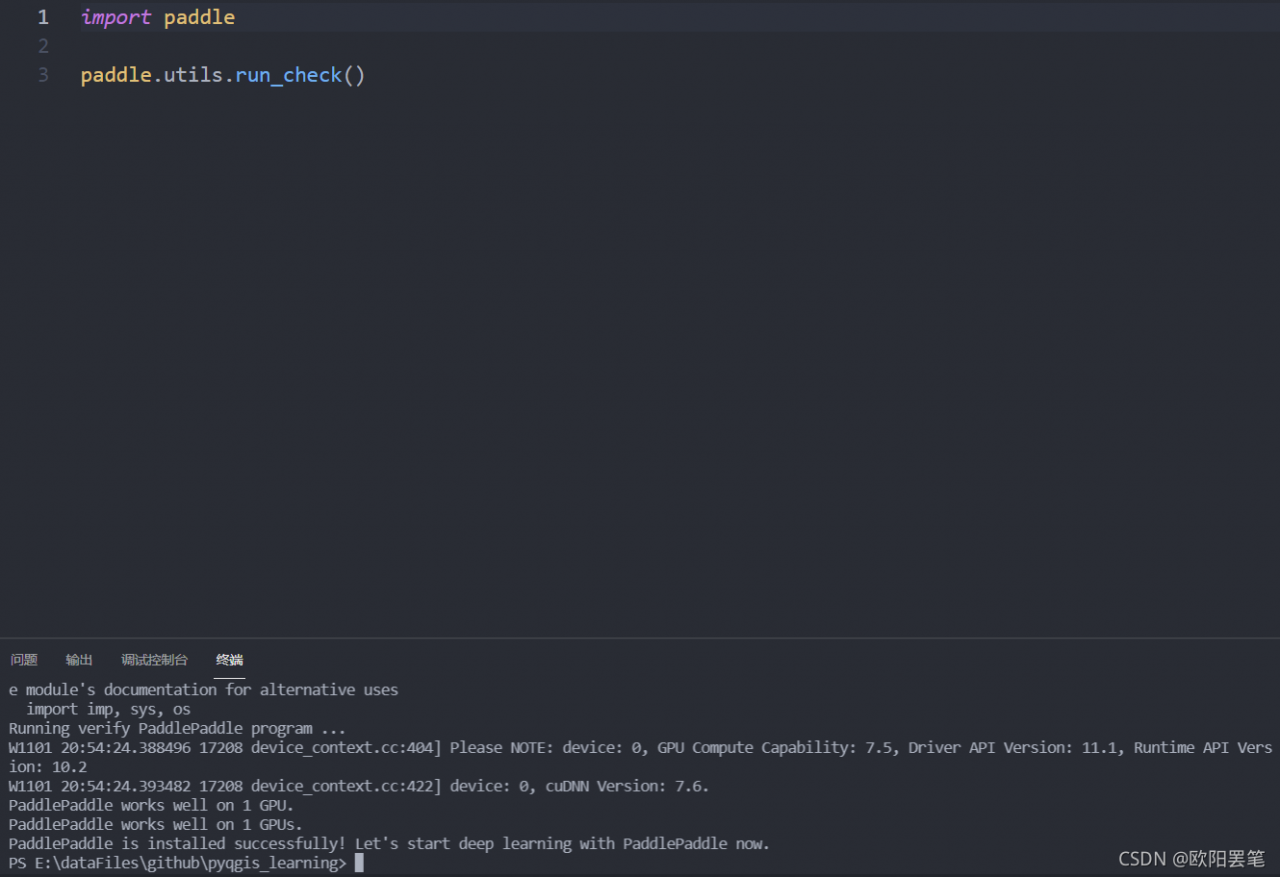
Use the following code to check whether the paddle GPU is installed successfully

import paddle
paddle.utils.run_check()

Get the following error reports

RuntimeError: (PreconditionNotMet) The third-party dynamic library (cublas64_102.dll;cublas64_10.dll) that Paddle depends on is not configured correctly. (error code is 126)
  Suggestions:
  1. Check if the third-party dynamic library (e.g. CUDA, CUDNN) is installed correctly and its version is matched with paddlepaddle you installed.
  2. Configure third-party dynamic library environment variables as follows:
  - Linux: set LD_LIBRARY_PATH by `export LD_LIBRARY_PATH=...`
  - Windows: set PATH by `set PATH=XXX; (at C:\home\workspace\Paddle_release\paddle\fluid\platform\dynload\dynamic_loader.cc:265)

It is found that other CONDA environments can be used normally, CUDA installation and environment variable configuration are correct, and the environment variable is checked in QGIS. It is found that there is no C: \program files\NVIDIA GPU computing toolkit\CUDA\v10.2\bin in path.

Solution:

For the desktop, you can add C:\program files\NVIDIA GPU computing toolkit\CUDA\v10.2\bin
after the path in QGIS\bin\qgis-ltr-bin.env. For plug-ins developed in vscode, you can add o4w in the same folder, Change set path to set path =% osgeo4w in env.bat_ROOT%\bin;% WINDIR%\system32;% WINDIR%;% WINDIR%\system32\WBem;% CUDA_BIN_PATH%
Webpack multi version incompatibility error

NPM run build packaging source code is incompatible with multiple versions of webpack, and an error is reported

Then use NPM run build to package the source code, and there is a webpack error, and then the prompt message of NPM audit fix is as follows

su@ly050:~/Downloads/dingtalk$ npm audit fix
npm ERR! code ERESOLVE
npm ERR! ERESOLVE could not resolve
npm ERR! 
npm ERR! While resolving: [email protected]
npm ERR! Found: [email protected]
npm ERR! node_modules/webpack
npm ERR!   peer webpack@"4.x.x || 5.x.x" from @webpack-cli/[email protected]
npm ERR!   node_modules/@webpack-cli/configtest
npm ERR!     @webpack-cli/configtest@"^1.1.0" from [email protected]
npm ERR!     node_modules/webpack-cli
npm ERR!       dev webpack-cli@"^4.9.1" from the root project
npm ERR!       3 more (@webpack-cli/configtest, @webpack-cli/info, @webpack-cli/serve)
npm ERR!   peer webpack@">=2" from [email protected]
npm ERR!   node_modules/babel-loader
npm ERR!     dev babel-loader@"^8.1.0" from the root project
npm ERR!   13 more (clean-webpack-plugin, eslint-loader, file-loader, ...)
npm ERR! 
npm ERR! Could not resolve dependency:
npm ERR! peer webpack@"^4.27.0 || ^5.0.0" from [email protected]
npm ERR! node_modules/css-loader
npm ERR!   dev css-loader@"^4.2.1" from the root project
npm ERR!   peer css-loader@"*" from [email protected]
npm ERR!   node_modules/vue-loader
npm ERR!     dev vue-loader@"^15.9.3" from the root project
npm ERR! 
npm ERR! Conflicting peer dependency: [email protected]
npm ERR! node_modules/webpack
npm ERR!   peer webpack@"^4.27.0 || ^5.0.0" from [email protected]
npm ERR!   node_modules/css-loader
npm ERR!     dev css-loader@"^4.2.1" from the root project
npm ERR!     peer css-loader@"*" from [email protected]
npm ERR!     node_modules/vue-loader
npm ERR!       dev vue-loader@"^15.9.3" from the root project
npm ERR! 
npm ERR! Fix the upstream dependency conflict, or retry
npm ERR! this command with --force, or --legacy-peer-deps
npm ERR! to accept an incorrect (and potentially broken) dependency resolution.
npm ERR! 
npm ERR! See /home/su/.npm/eresolve-report.txt for a full report.

npm ERR! A complete log of this run can be found in:
npm ERR!     /home/su/.npm/_logs/2021-11-01T01_35_04_547Z-debug.log

My approach is to uninstall the current webpack and then reassign a global version.

sudo npm uninstall webpack
sudo npm install [email protected] -g

How to Solve React devtools plug-in Error

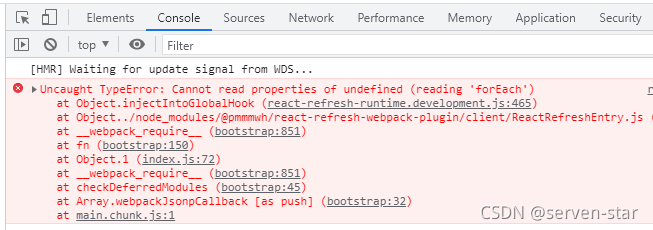
The developer debugging tool plug-in of react will prompt an error in chrome after installation:

react-refresh-runtime.development.js:465

Solution:

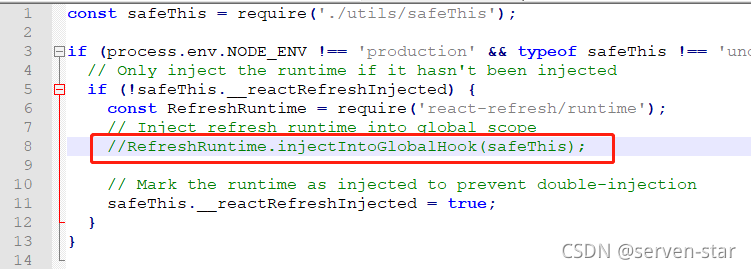
Under the react project (not the plug-in file directory), find \node_Modules\@pmmmwh\react refresh webpack plugin\client

Reactrrefreshentry.js file, comment out this line:

//RefreshRuntime.injectIntoGlobalHook(safeThis);

Error in value transmission of react parent-child component

Scenario:

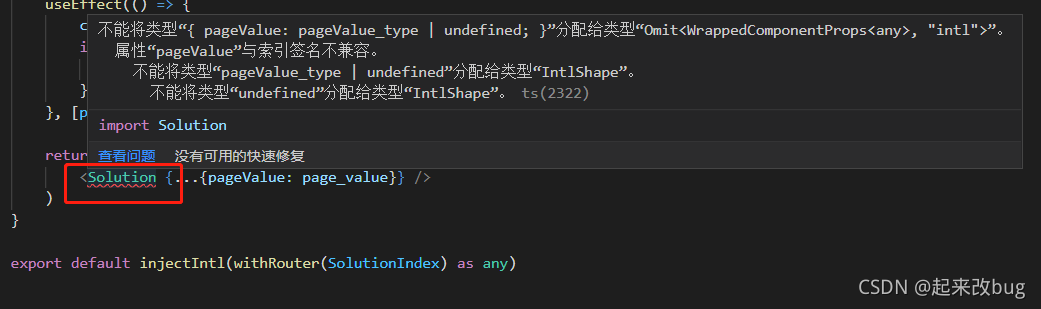
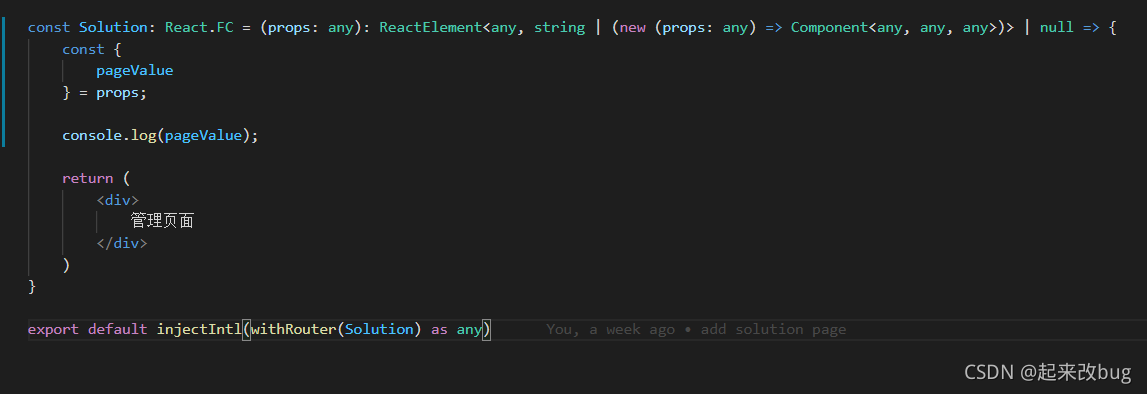
Call subcomponent  

1) Analyze the problem:

Type ‘XXX’ is not assignable to type ‘Omit< WrappedComponentProps< any>, “intl”>’.

There seems to be a problem with the type of subcomponents, which is related to Intl internationalization. Remove the internationalization and routing of subcomponents

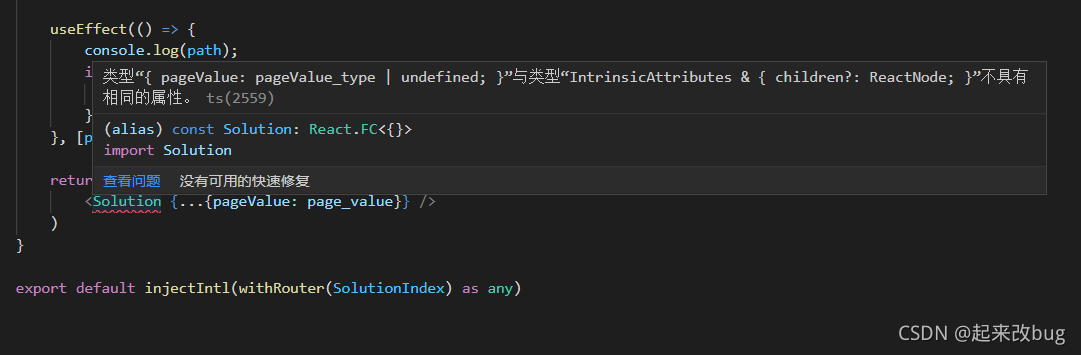
2) It will still report errors:  

Type ‘{pagevalue: pagevalue_type | undefined;}’ does not have the same attributes as type ‘internalattributes & amp; {children?: reactnode;}’. ts(2559)

  resolvent:

As shown in the figure above, you need to add a generic & lt; to the type react.fc of the solution component; any>

Here the problem is solved