Author Archives: Robins

VScode Run CONDA environment Error [How to Solve]

In the CONDA environment using vs code, running the program will report the following problems

conda activate base

CommandNotFoundError: Your shell has not been properly configured to use 'conda activate'.
If using 'conda activate' from a batch script, change your
invocation to 'CALL conda.bat activate'.

To initialize your shell, run

    $ conda init <SHELL_NAME>

Currently supported shells are:
  - bash
  - cmd.exe
  - fish
  - tcsh
  - xonsh
  - zsh
  - powershell

See 'conda init --help' for more information and options.

IMPORTANT: You may need to close and restart your shell after running 'conda init'.

After online search, the solution is as follows. Method 2 can be used for pro test:

Method 1:

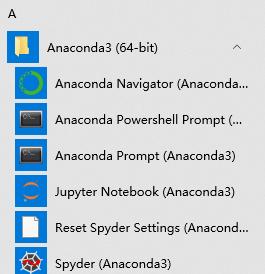
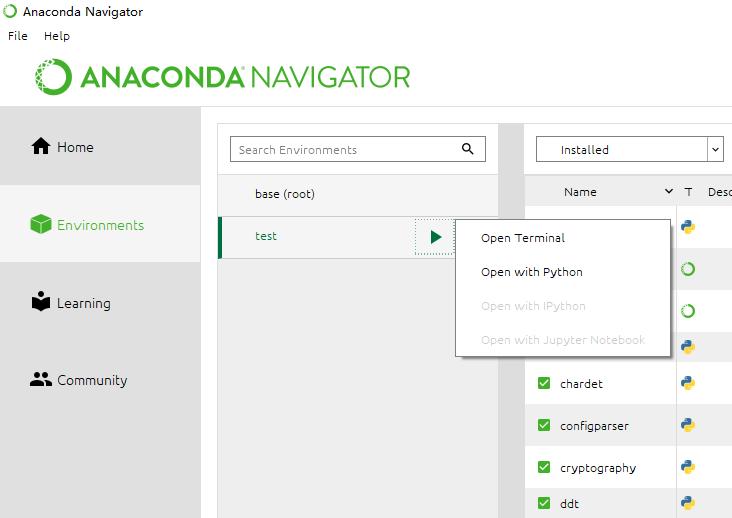
Use the anaconda navigator or Anaconda PowerShell prompt provided by Anaconda to enter the environment, or enter CONDA Bat activate “environment path”, such as CONDA batactivate”D:\Anaconda3\envs\test”
Method 2:

Step 1:

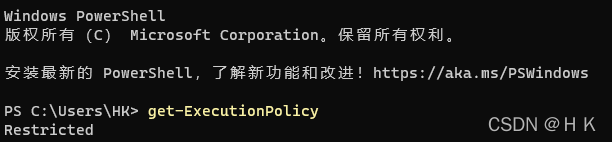
Open the administrator power shell, modify the execution policy, execute: get executionpolicy, reply restricted, indicating that the status is prohibited

Restricted – default setting, no scripts are allowed to run
allsigned – only scripts signed by digital certificates can be run
remotesigned – local scripts do not need digital signatures, but scripts downloaded from the network must have digital signatures
unrestricted – all scripts are allowed to run
Step 2:

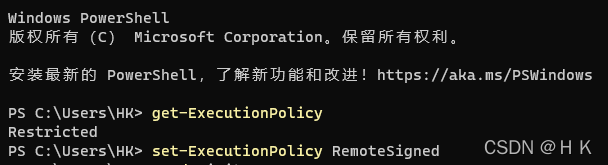
Execute: set executionpolicy remotesigned
Step 3:

Input: CONDA init
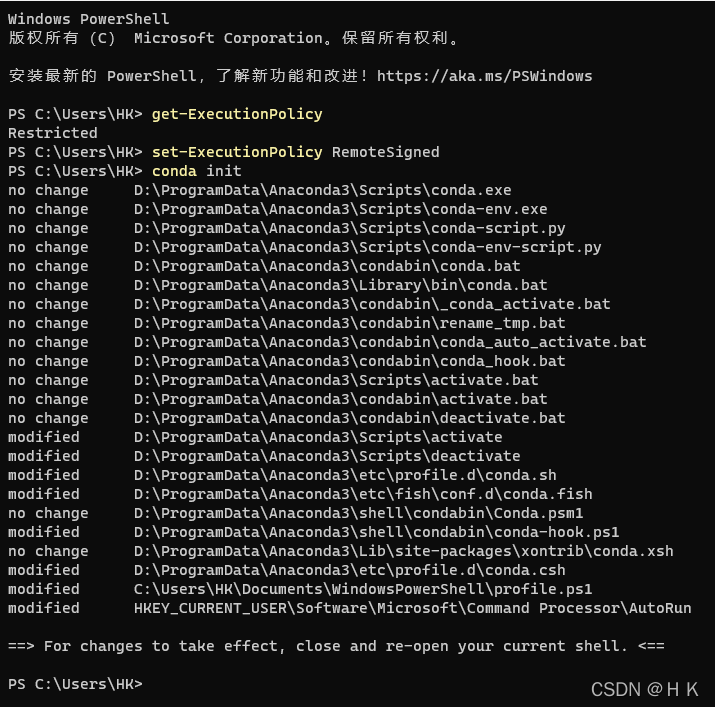
At this time, the configuration file profile will be generated under C:\users\XXX\documents\windowspowershell ps1

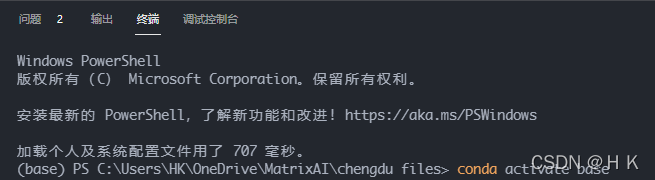
After restarting the power shell or vs code, it will enter the base environment of CONDA by default
Recovery:

Delete profile ps1.

According to personal conditions, execute the set executionpolicy restricted policy and change it back to restricted.

[Solved] Gunicorn timeout error: worker timeout

Gunicorn timeout error: worker timeout

I. Problem Description:

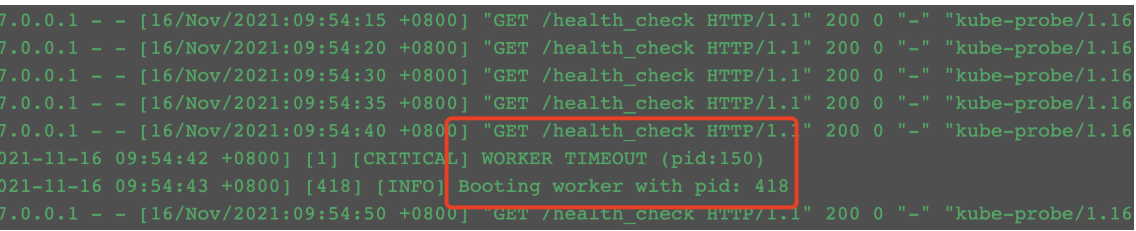
One morning, the developer suddenly reported a failure and the container restarted inexplicably. After checking the business container log, the worker timeout field was found

II. Analysis of error reporting reasons:

It can be seen from the error message that the worker process of gunicorn timed out, causing the process to exit and restart. Check the official website. The official website explains that the default timeout of gunicorn is 30s. If it exceeds 30s, the worker process will be killed and restarted.

III Solution:

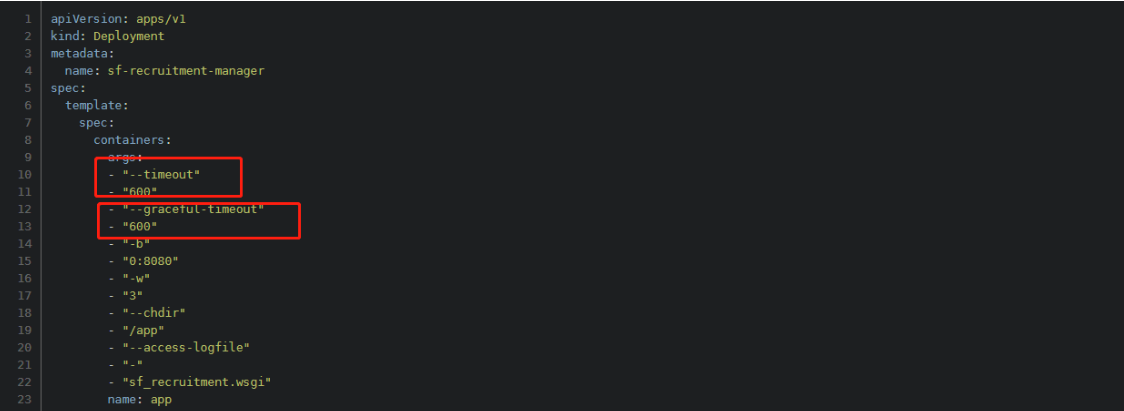
Add: -- timeout 600 to gunicorn’s startup command to set the timeout to 600 seconds– Graceful timeout 600 indicates that the graceful timeout is 600 seconds

After the setting is completed, it is verified through kustomize inspection and re-distribution. It is found that the problem does not occur in the follow-up

[Solved] spring boot integrated PageHelper Error

The error reporting information is as follows:

 Error creating bean with name 

'com.github.pagehelper.autoconfigure.PageHelperAutoConfiguration'

Description:

The dependencies of some of the beans in the application context form a cycle:

┌──->──┐
|  com.github.pagehelper.autoconfigure.PageHelperAutoConfiguration
└──<-──┘

└──<-──┘

The spring boot version is 2.6.1

<parent>
   <groupId>org.springframework.boot</groupId>
     <artifactId>spring-boot-starter-parent</artifactId>
     <version>2.6.1</version>
   <relativePath/> <!-- lookup parent from repository -->
</parent>

The page helper version is 1.2.3

<!-- pageHelper -->
<dependency>
   <groupId>com.github.pagehelper</groupId>
   <artifactId>pagehelper-spring-boot-starter</artifactId>
   <version>1.2.3</version>
</dependency>

After verification by many parties, it is found that the error is due to the conflict between the springboot version and the PageHelper version.

Solution:

    1. reduce the springboot version, such as 2.5 3 (the PageHelper version remains unchanged from 1.2.3)
<parent>
   <groupId>org.springframework.boot</groupId>
     <artifactId>spring-boot-starter-parent</artifactId>
     <version>2.5.3</version>
   <relativePath/> <!-- lookup parent from repository -->
</parent>

Increase the version of PageHelper, such as 1.4 1 (the springboot version remains unchanged from 2.6.1)

<!-- pageHelper -->
<dependency>
   <groupId>com.github.pagehelper</groupId>
   <artifactId>pagehelper-spring-boot-starter</artifactId>
   <version>1.4.1</version>
</dependency>

I hope my solution will help you a little. Good luck!!!

How to Solve Springboot configurate environment file Error

preface

When configuring multiple environment files for springboot, you need to configure multiple YML files. The configuration before version 2.4 is as follows:

spring: 
  profiles:
    active: dev

But if SpringBoot’s version 2.4 later, it’s a reward.

org.springframework.boot.context.config.InvalidConfigDataPropertyException: Property ‘spring.profiles.active[0]’ imported from location ‘class path resource [application-work.yml]’ is invalid in a profile specific resource [origin: class path resource [application-work.yml] - 9:7]


Solution:

General layout changes as follows:

spring:
  config:
    activate:
       on-profile:
          - dev

Of course, it can also be solved by returning the spring boot version to before 2.4

Spring cloud remote connect Nacos error [How to Solve]


Problem description

Spring cloud Alibaba micro service architecture is used, and Nacos is used in the service discovery and configuration center

At the beginning, Nacos was started locally, and everything was normal,

After Nacos is migrated to the cloud, change the Nacos address in the configuration file

The gateway service reports an error java.net.connectexception: no available server, because it is always connected to localhost:8848 .

The console outputs the following screenshot:

Cause location

Because the parent POM dependency is imported:

spring-cloud-starter-Alibaba-Nacos-config and spring-cloud-starter-Alibaba-Nacos-discovery

In local development, items such as testing, registration and discovery are configured in application.yml, the central configuration file bootstrap.properties is not created

Springboot automation configuration defaults to localhost:8848 , so there is no problem with the local environment.

Solution:

Remove useless dependencies (if nacos-config is not used, remove spring-cloud-starter-alibaba-nacos-config dependencies)

Oracle Start as DBA Error [How to Solve]

Problem Description:

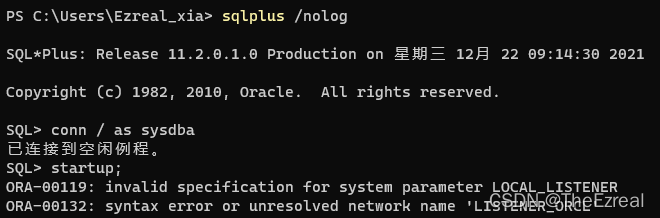
In the morning, I created Oracle11g on the new machine and reported an error when starting with the startup command:

This error message means:
ora-00119: the initialization parameters of the system are invalid

Ora-00132: unresolved network listener name

My understanding: there is a problem with the listening configuration in the initialization file. It cannot be initialized and listening cannot be started.

Troubleshooting direction:

View the initialization file. Everyone has different installation paths.

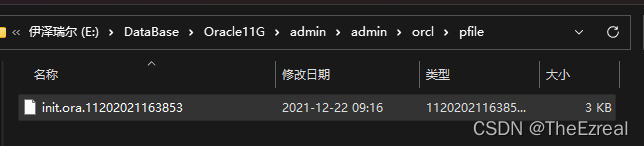
The initialization file must exist in the Oracle installation directory orcl. My path:

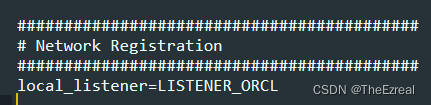
Open the initialization file in Notepad and find the local listening configuration: local_Listener: the original local listening configuration parameter is listener_ORCL

Now, change it to:

local_listener=(ADDRESS = (PROTOCOL = TCP)(HOST = localhost)(PORT = 1521)

verification:

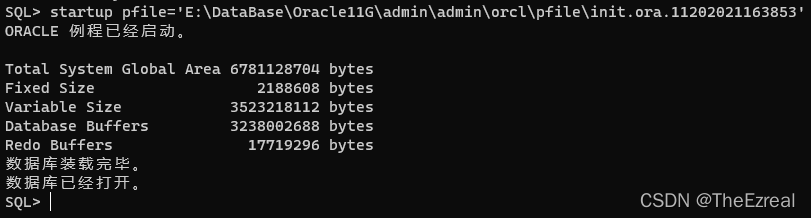
Load initialization file synchronously at startup:

The database started successfully.

Kotlin gets the ID automatically error [How to Solve]

Use Android studio to automatically create a kotlin project. To automatically obtain the ID in the layout in the project, you need to follow the steps below

1. In the project build Add ‘kotlin Android extensions’ to gradle

plugins {
    id 'com.android.application'
    id 'kotlin-android'
    id 'kotlin-android-extensions'
}

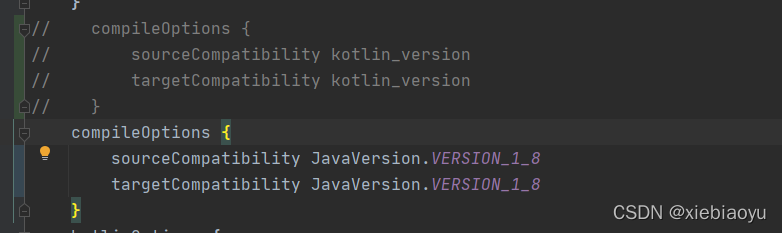
2. To modify the configuration of sourcecompatibility, the default studio is automatically created using kotlin_version

 compileOptions {
        sourceCompatibility JavaVersion.VERSION_1_8
        targetCompatibility JavaVersion.VERSION_1_8
    }

3. Find gradle.properties file in the root directory of the project, Add android.enableJetifier=true:

android.enableJetifier=true

All right! Then you can use it.
when using it, you need to import the layout file.
normally, press and hold act + enter to select import for automatic import, or you can add it manually. For example, the name of my layout file is activity_main.XML that is import kotlinx android.synthetic.main.activity_main.*

 import kotlinx.android.synthetic.main.activity_main.*

Vs code execute command error [How to Solve]

Inexplicable mistake about vs Code

Error Description:

Drive not found. If you enter any execution command in the vs Code terminal, you will report “drive not found”. The name is’ ‘ The drive for ‘C’ does not exist.

Solution:

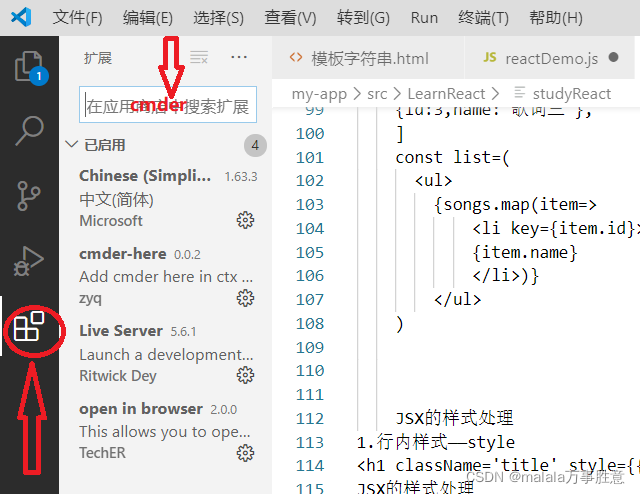
    1. download the cmder plug-in in vs Code

    1. modify the default terminal


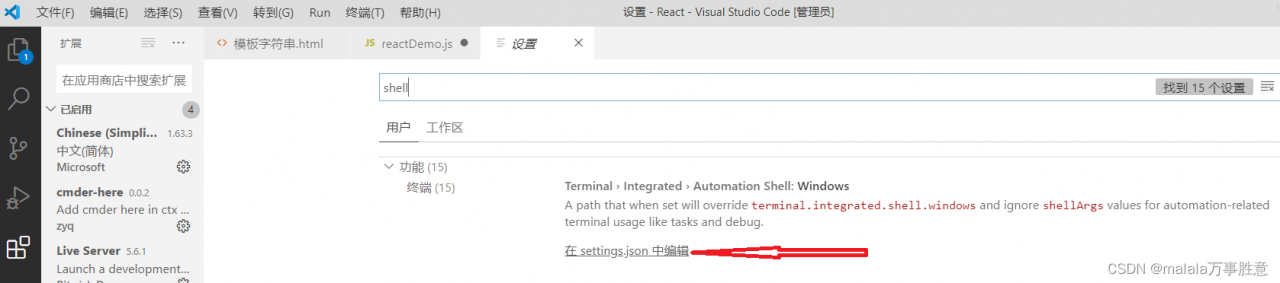
    1. steps: File —— preferences —— settings —— search shell —— Click to enter the file

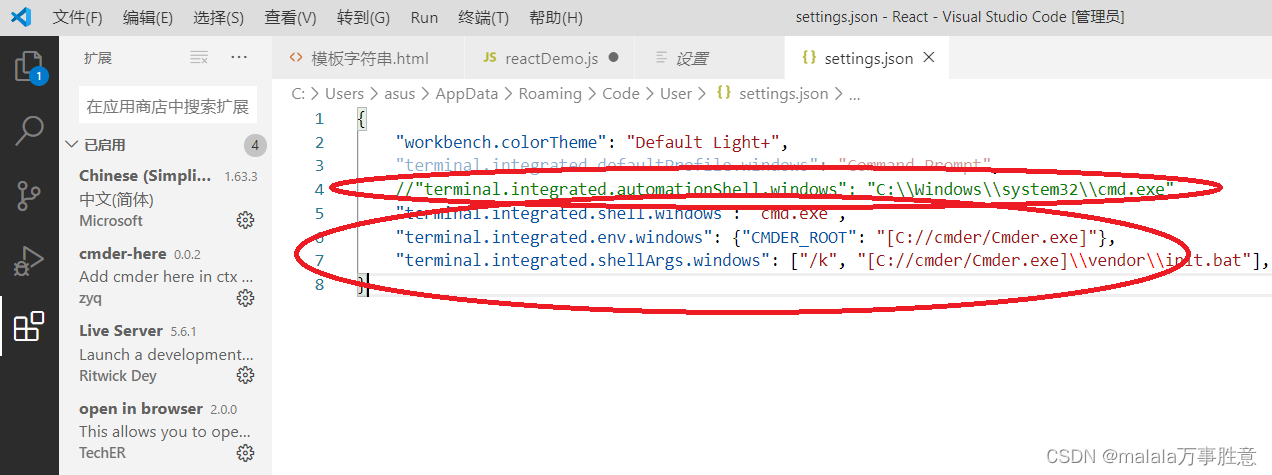
"terminal.integrated.shell.windows": "C:\\WINDOWS\\System32\\cmd.exe"

Note out and replace with:

"terminal.integrated.shell.windows": "cmd.exe",
"terminal.integrated.env.windows": {"CMDER_ROOT": "[cmder_root]"},
"terminal.integrated.shellArgs.windows": ["/k", "[cmder_root]\\vendor\\init.bat"],

As shown in the figure:
4 Save exit, restart vs Code

GoLand import the local package Error [How to Solve]

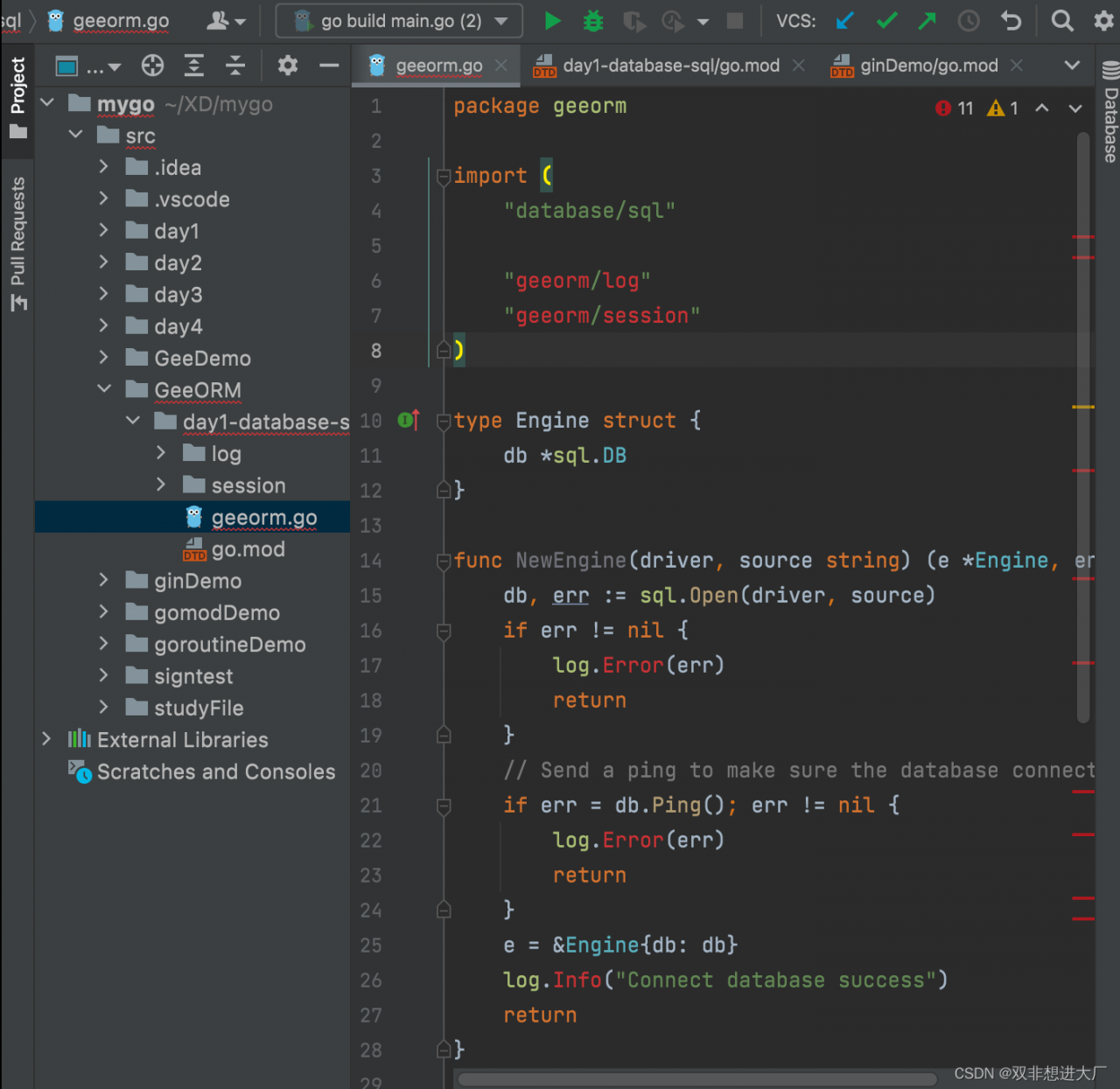
The local package imported by GoLand is red, recording a very speechless problem

Shortly after contacting go, I found a problem when I wrote a little demo with a blog. Importing another local package in one package will be popular, and importing a third-party package is no problem

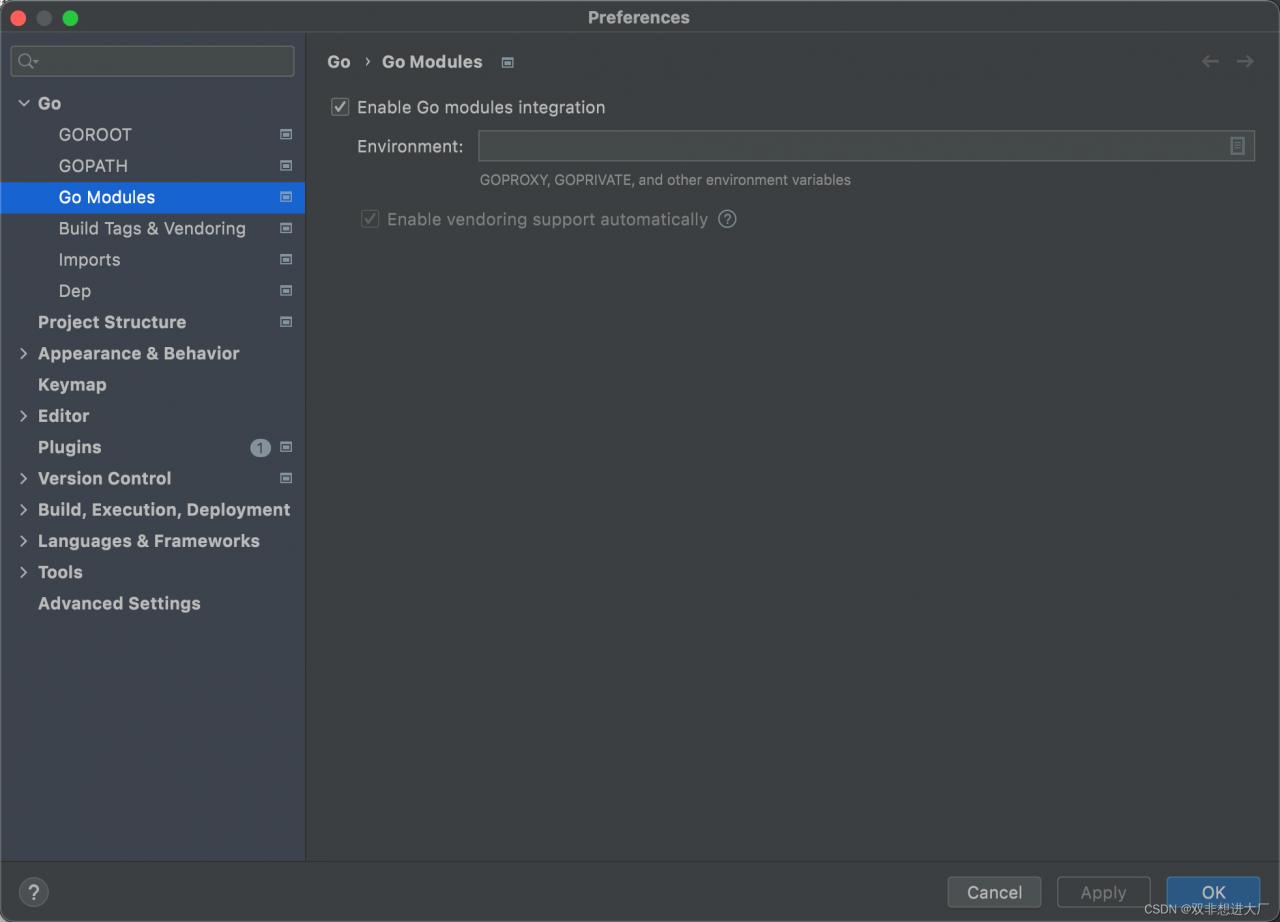
Solution: open this setting of goland