Category Archives: How to Fix

Error:java: Compilation failed: internal java compiler error

Compilation error

Error:java: Compilation failed: internal java compiler error

Solution (two cases):

    setting–> Build,Execution,Deployment–> The build process heap size (Mbytes): 700 is changed to 2000, or 5000 (it is possible that the company’s project needs a lot, so try to make it larger). The JDK version does not correspond. It needs to be in file — & gt; Project structure–> Project check whether the JDK version corresponds to

RuntimeError: module compiled against API version 0xe but this version of numpy is 0xd

After completing the compilation and installation of Caffe, execute import Caffe under Python and report an error:

SystemError: initialization of _caffe raised unreported exception
RuntimeError: module compiled against API version 0xe but this version of numpy is 0xd

My solution is to modify Python in makefile.config_ The include path and numpy (1.16.6) path should be consistent with the virtual environment they use:

PYTHON_INCLUDE := /home/robot/anaconda3/include \
				  /home/robot/anaconda3/envs/zed/include/python3.5m \
				  /home/robot/anaconda3/envs/zed/lib/python3.5/site-packages/numpy/core/include

Django. DB. Utils. Programmingerror: (1146, “table * doesn’t exist”) causes and Solutions

Reason 1:

In the record file generated by each change in the migrations folder in the app, there are operations to delete a table or delete a field, but these modifications are generated in someone else’s environment. When running in your own environment for the first time, you will run the deletion operation first when Python manage. Py migrate , At this time, an error will be reported Django. DB. Utils. Programmingerror: (1146, "table 'doesn't exist")

Reason 2:

The table was called first in the urls.py file.

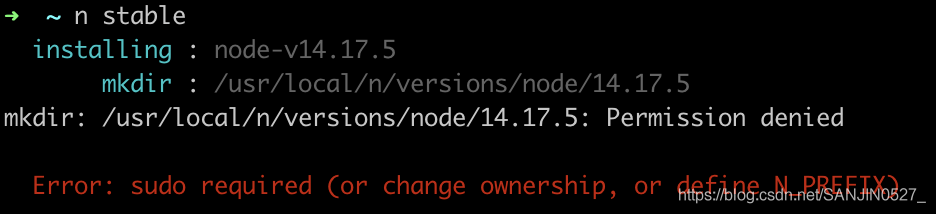
Error: sudo required (or change ownership, or define N_PREFIX)

Install the specified version of nodejs

node has a module n, which is specially used to manage the version of node.js

    Global installation n module:

    npm install -g n
    
      upgrade node.js to the latest stable version

      n stable
      

      Solution:
      do you log in as root on the Ubuntu computer?If not, try running the command using sudo

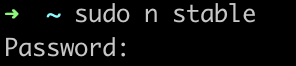
      Column: sudo N stable to fill in the login password

      4. Install the specified version

      n v10.17.0
      

Flutter Error: Cannot run with sound null safety, because the following dependencies don‘t support

Since flutter 2, flutter has enabled null security by default in the configuration. By incorporating null checking into the type system, these errors can be caught during development, so as to prevent crashes caused by the reproduction environment. If empty security is enabled in the current project and the imported third-party plug-in is not adapted, the operation returns the following error.

Error: Cannot run with sound null safety, because the following dependencies
don't support null safety:

 - package:provider

For solutions, see https://dart.dev/go/unsound-null-safety
Restarted application in 341ms.

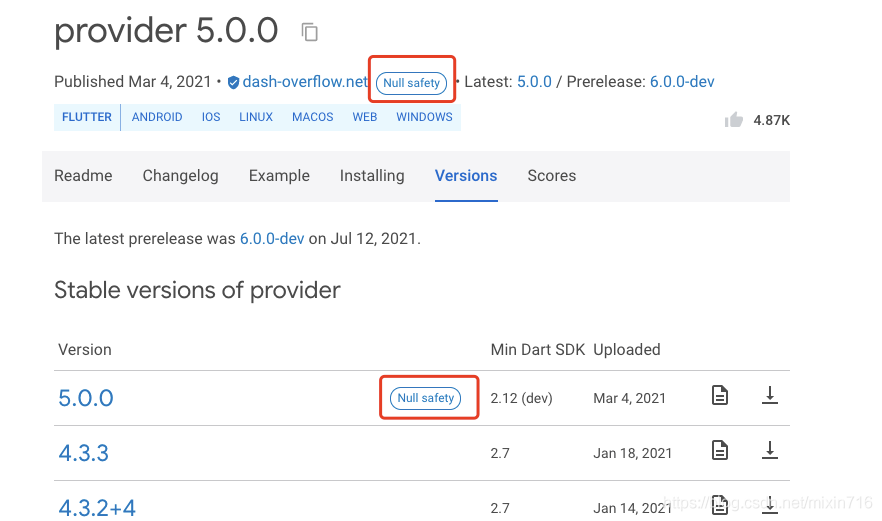
At this time, you can check whether the new version of the imported plug-in supports empty security. If the plug-in supports empty security, the plug-in platform will mark it as empty security:

if the imported plug-in does not support empty security, you can execute the following commands on the terminal to run the software

flutter run --no-sound-null-safety

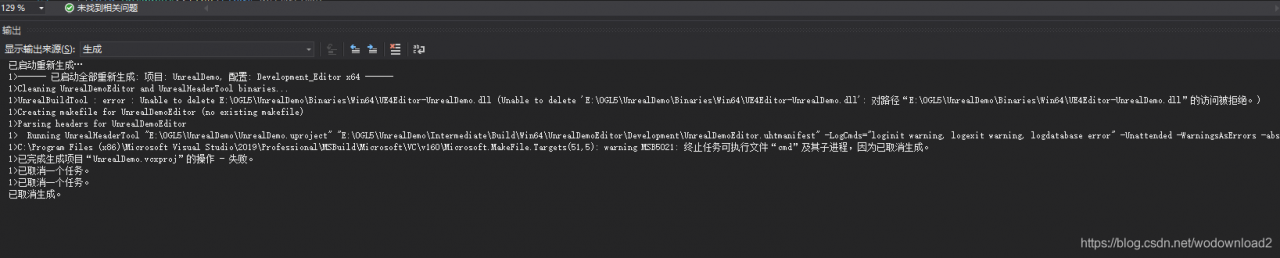
unreal——UnrealBuildTool : error : Unable to deleteXXXX

UnrealBuildTool: error: Unable to delete E:\\\\UnrealDemo\WinWinWinWinWinWinWinWinWinWinWinWinWinWinWinWinWinWinWinWinWinWinWinWinWinWinWinWinWinWinWinWinWinWinWinWinWinWinWinWinWinWinWinWinWinWinWinWinWinWinWinWinWinWinWinWinWinWinWinWinWin5Editor-UnrealDemoDemoDemoDemoDemoDemoDemoDemoDemo.dll: WinWinWinWinWinWinWinWinWinWinWinWinWinWinWinWinWin5555555555999161616161616161616161616161616161616161616161616161616161616161616161616161616161616161616161616161616161616161616161635775;- 38382;- 34987;- 25298;- 32477;


38381;- unreal;-28982;- 20877;- vs35793s;

Error loading in pyinstaller packaging

Error loading “\site-packages\torch\lib\caffe2_ detectron_ ops_ gpu.dll“ or one of its dependencies.

I was tortured by this error when packing. I found various reasons on the Internet. Some people said that there was no Intel OpenMP package in the environment, and others said that there was no cudnn64 in system32_ 7. DLL, others say that the python version in the environment is low and the python version is high… Anyway, I’ve tried many methods, but they’re not very good. But I haven’t tried the last version of Python and python because it’s too troublesome.

terms of settlement

Similar to the above problems that can’t be found, you can solve them by modifying the. Spec
for example, caffe2_ detectron_ ops_ Gpu.dll, I solved the problem by adding Intel OpenMP to hiddenimports
when online solutions are not suitable for you, you’d better read the official documents. Many problems can be solved by writing. Spec files.

[Solved] Logstash Error: Bad file descriptor

no errors in the startup log using bin/logstash-f config/D_HINFO_PDT.conf.
When I use nohup bin/logstash-f config/D_HINFO_PDT.conf & startup.
Every second the following error is reported.
2017-10-30T10:52:13,412][ERROR][logstash.pipeline        ] A plugin had an unrecoverable error. Will restart this plugin.
Plugin: <LogStash::Inputs::Stdin id=>”d82cf8f6e66e1ce48c50c9d2d840029f3296238a-1″, enable_metric=>true, codec=><LogStash::Codecs::Line id=>”line_6e3830b8-b4c6-4fb8-b15c-27356ae29021″, enable_metric=>true, charset=>”UTF-8″, delimiter=>”\n”>>
Error: Bad file descriptor – Bad file descriptor 


Solution: When bin/logstash is started directly, there is a plugin to read data from stdin.
Once the nohup is used, it means that stdin is empty, so it will naturally report bad file descriptor error.
To solve this, one is to install logstash as a service, and the other is to add a parameter at startup.

nohup bin/logstash -f config/D_HINFO_PDT.conf 0</dev/null &

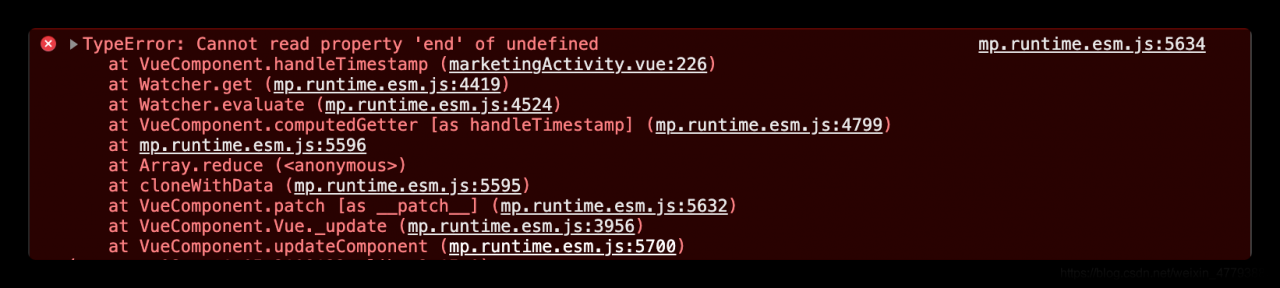
[Solved] Vue Error: TypeError: Cannot read property ‘end‘ of undefined

My code:

computed: {
    handleTimestamp() {
    let endData = this.activityList[0].end
    }
}

The error message is as follows:
but when I print this.activitylist, it has value

The reason for the error here is:
the page has not rendered data at the beginning. At this time, the activitylist is still empty. Of course, you can’t get its value in the calculated method

Solution:
at the beginning of the method, judge the length of the activitylist. If it is empty, the execution will not continue. If it is not empty, the following code will be executed:

computed: {
    handleTimestamp() {
    if(!this.activityList.length) return
    let endData = this.activityList[0].end
    }
}

That’s it~~~

[Solved] Error in registering Eureka for spring cloud micro service: classnotfoundexception: org.apache.http.conn.scheme.schemeregistry

1. Problem description

As mentioned above, it is normal to start the Eureka server alone. When you start the micro service module and register the service with Eureka, an error is reported.

My microservice module POM depends on the following:

<dependencies>
        <dependency>
            <groupId>org.springframework.cloud</groupId>
            <artifactId>spring-cloud-starter-netflix-eureka-client</artifactId>
        </dependency>
        <dependency>
            <groupId>org.springframework.boot</groupId>
            <artifactId>spring-boot-starter-web</artifactId>
        </dependency>
        <dependency>
            <groupId>mysql</groupId>
            <artifactId>mysql-connector-java</artifactId>
        </dependency>
        <dependency>
            <groupId>org.mybatis.spring.boot</groupId>
            <artifactId>mybatis-spring-boot-starter</artifactId>
            <version>2.1.1</version>
        </dependency>

    </dependencies>

Microservice module configuration file:

eureka.client.service-url.defaultZone=http://localhost:8000/eureka

The total POM of the project is as follows:

<dependencies>
        <dependency>
            <groupId>org.springframework.boot</groupId>
            <artifactId>spring-boot-starter</artifactId>
        </dependency>

        <dependency>
            <groupId>org.springframework.boot</groupId>
            <artifactId>spring-boot-starter-test</artifactId>
            <scope>test</scope>
        </dependency>
    </dependencies>
    <dependencyManagement>
        <dependencies>
            <dependency>
                <groupId>org.springframework.cloud</groupId>
                <artifactId>spring-cloud-dependencies</artifactId>
                <version>Greenwich.SR5</version>
                <type>pom</type>
                <scope>import</scope>
            </dependency>
        </dependencies>
    </dependencyManagement>

2. Solution

See a similar problem on stack overflow:

https://stackoverflow.com/questions/28217891/java-lang-classnotfoundexception-org-apache-http-config-registrybuilder

It is speculated that there may also be a problem with the dependent package under D: \ D1 \ Java \ maven \ repo \ ORG \ Apache \ httpcomponents

According to the time of the file modification date, the following package should be called for the use of Eureka
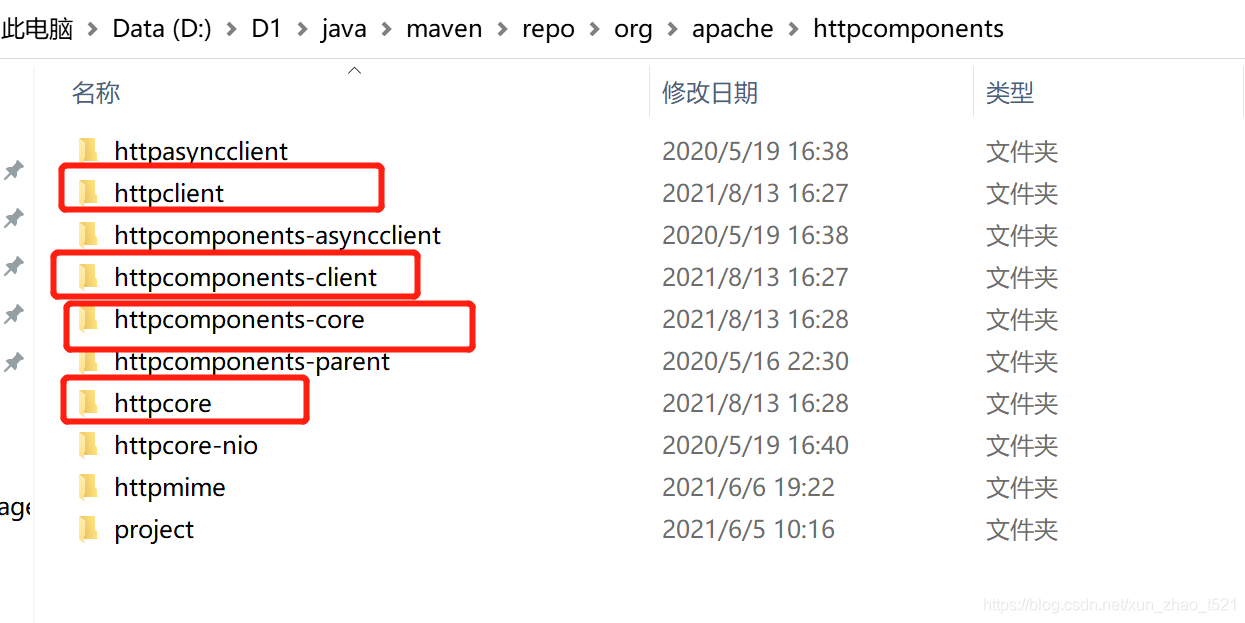
Delete these folders and reintroduce the POM dependency of microservice module and Eureka server
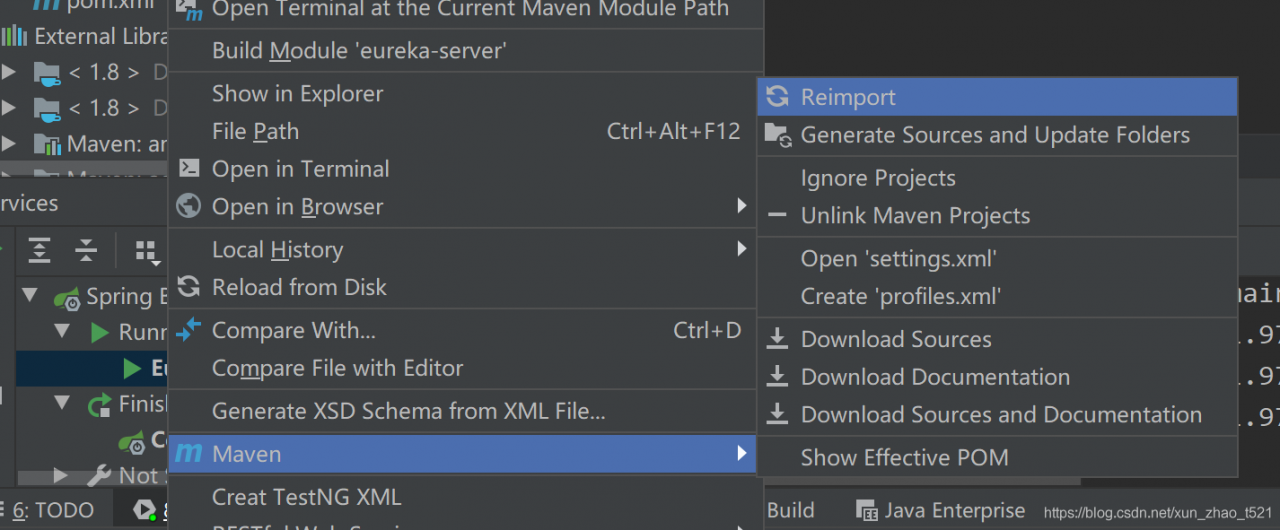
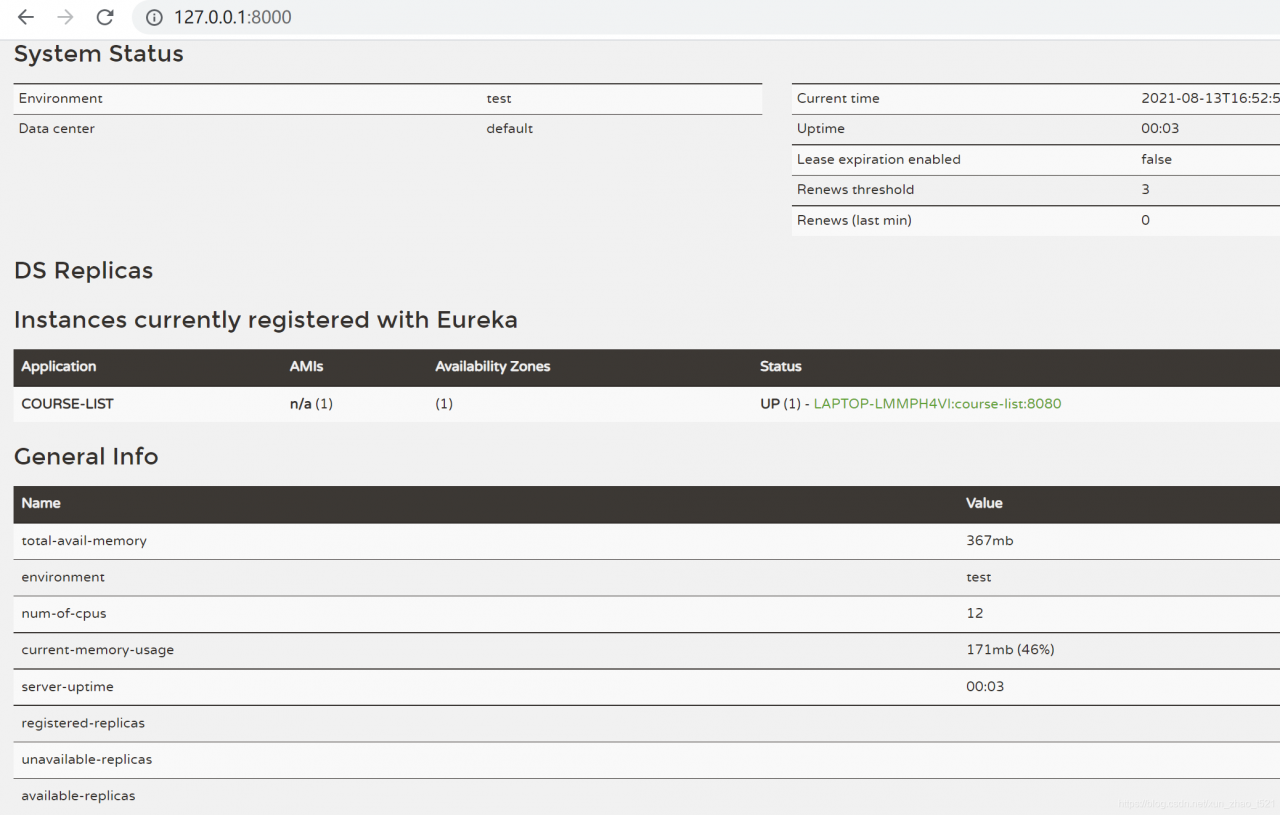
Start the microservice here and the problem is solved

16:31:17.183- INFO 38700 --- [           main]com.netflix.discovery.DiscoveryClient    :Getting all instance registry info from the eureka server
16:31:17.460- INFO 38700 --- [           main]com.netflix.discovery.DiscoveryClient    :The response status is 200
16:31:17.462- INFO 38700 --- [           main]com.netflix.discovery.DiscoveryClient    :Starting heartbeat executor: renew interval is: 30
16:31:17.465- INFO 38700 --- [           main]c.n.discovery.InstanceInfoReplicator     :InstanceInfoReplicator onDemand update allowed rate per min is 4
16:31:17.470- INFO 38700 --- [           main]com.netflix.discovery.DiscoveryClient    :Discovery Client initialized at timestamp 1628843477468 with initial instances count: 0
16:31:17.472- INFO 38700 --- [           main]o.s.c.n.e.s.EurekaServiceRegistry        :Registering application COURSE-LIST with eureka with status UP
16:31:17.472- INFO 38700 --- [           main]com.netflix.discovery.DiscoveryClient    :Saw local status change event StatusChangeEvent [timestamp=1628843477472, current=UP, previous=STARTING]
16:31:17.475- INFO 38700 --- [nfoReplicator-0]com.netflix.discovery.DiscoveryClient    :DiscoveryClient_COURSE-LIST/LAPTOP-LMMPH4VI:course-list:8080: registering service...
16:31:17.523- INFO 38700 --- [           main]o.s.b.w.embedded.tomcat.TomcatWebServer  :Tomcat started on port(s): 8080 (http) with context path ''
16:31:17.524- INFO 38700 --- [           main].s.c.n.e.s.EurekaAutoServiceRegistration :Updating port to 8080
16:31:17.567- INFO 38700 --- [nfoReplicator-0]com.netflix.discovery.DiscoveryClient    :DiscoveryClient_COURSE-LIST/LAPTOP-LMMPH4VI:course-list:8080 - registration status: 204
16:31:19.133- INFO 38700 --- [           main]com.fanyu.course.CourseListApplication   :Started CourseListApplication in 13.313 seconds (JVM running for 14.906)