Category Archives: How to Fix

**Gazebo error – [REST.cc:205] Error in REST request**

Gazebo error – [rest. CC: 205] error in rest request
summarize some problems encountered in today’s running navigation
this error message appears. Gazebo error – [rest. CC: 205] error in rest request is probably due to the problem in the following file
~ /. Ignition/fuel/config.yaml
put the
URL: https://api.ignitionfuel.org Use URL: https://api.ignitionrobotics.org replace ~ /. Ignition/fuel/config.yaml file.

After changing this file, there may be errors, but it will not affect the use
the reason is that we just changed the above file
for the problem we want to solve, we can refer to the following scheme
error code

[Err] [ClientConfig.cc:270] Parser error [4]

Ignore the error, as it doesn’t affect functionality.
Delete the configuration file ~/.ignition/fuel/config.yaml, which may be broken. The next time you launch Gazebo a new file should be created.

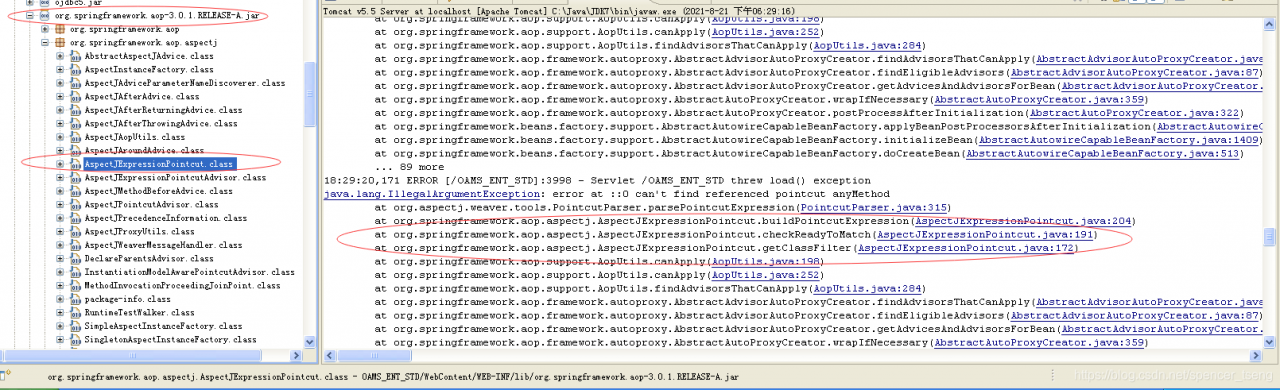
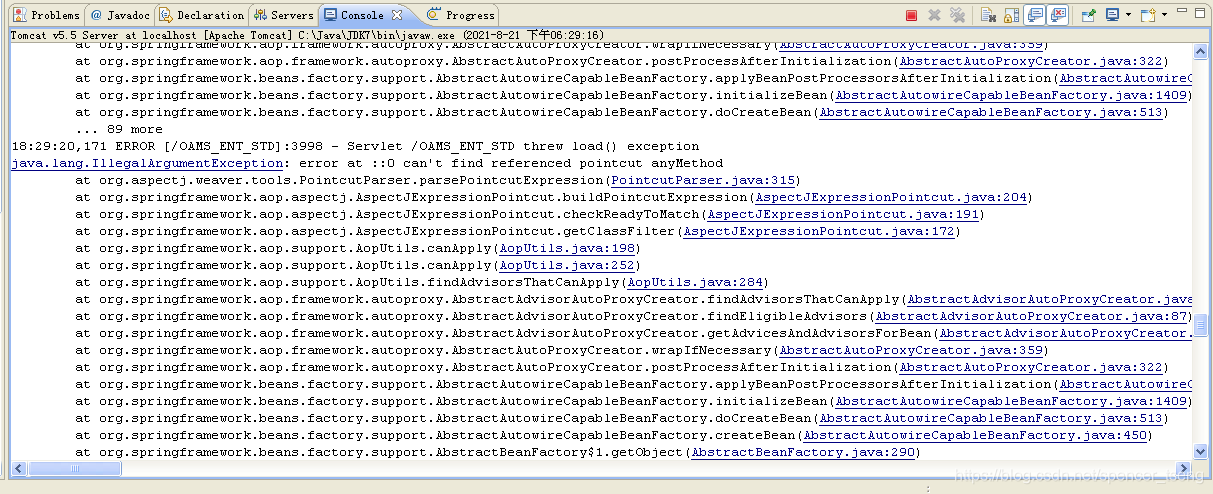
java.lang.IllegalArgumentException: error at ::0 can‘t find referenced pointcut anyMethod

18:29:20,171 ERROR [/OAMS_ENT_STD]:3998 - Servlet /OAMS_ENT_STD threw load() exception
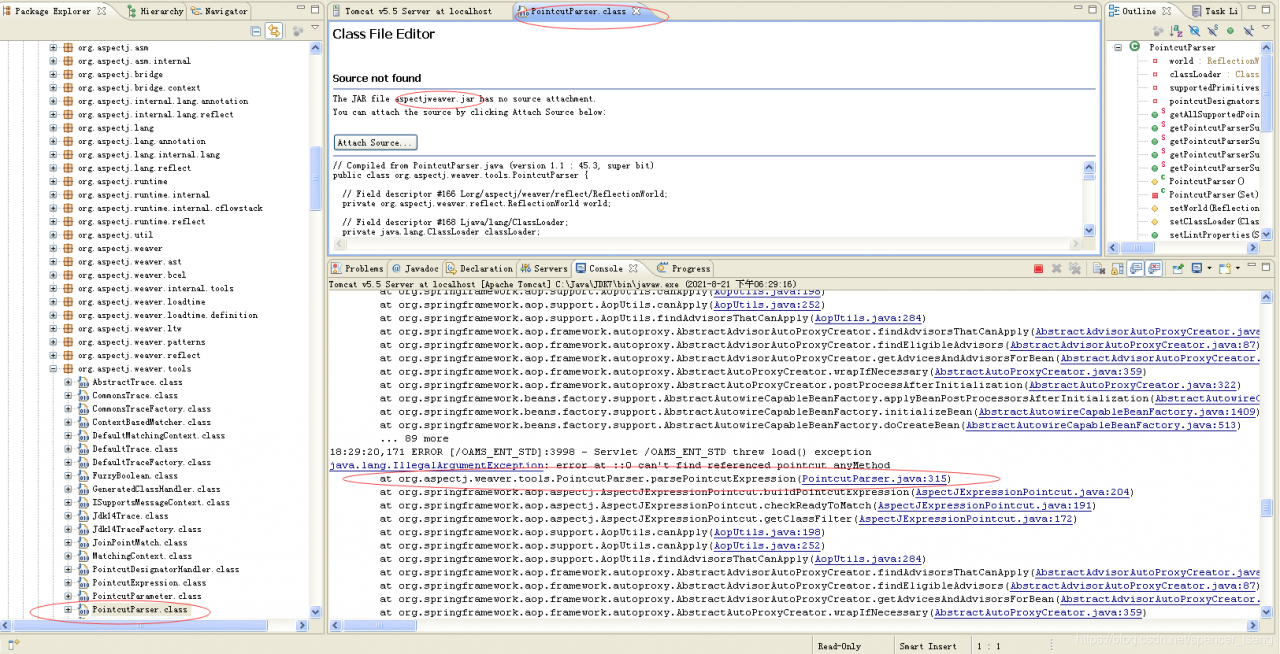
java.lang.IllegalArgumentException: error at ::0 can't find referenced pointcut anyMethod
	at org.aspectj.weaver.tools.PointcutParser.parsePointcutExpression(PointcutParser.java:315)
	at org.springframework.aop.aspectj.AspectJExpressionPointcut.buildPointcutExpression(AspectJExpressionPointcut.java:204)
	at org.springframework.aop.aspectj.AspectJExpressionPointcut.checkReadyToMatch(AspectJExpressionPointcut.java:191)
	at org.springframework.aop.aspectj.AspectJExpressionPointcut.getClassFilter(AspectJExpressionPointcut.java:172)
	at org.springframework.aop.support.AopUtils.canApply(AopUtils.java:198)
	at org.springframework.aop.support.AopUtils.canApply(AopUtils.java:252)
	at org.springframework.aop.support.AopUtils.findAdvisorsThatCanApply(AopUtils.java:284)
	at org.springframework.aop.framework.autoproxy.AbstractAdvisorAutoProxyCreator.findAdvisorsThatCanApply(AbstractAdvisorAutoProxyCreator.java:117)
	at org.springframework.aop.framework.autoproxy.AbstractAdvisorAutoProxyCreator.findEligibleAdvisors(AbstractAdvisorAutoProxyCreator.java:87)
	at org.springframework.aop.framework.autoproxy.AbstractAdvisorAutoProxyCreator.getAdvicesAndAdvisorsForBean(AbstractAdvisorAutoProxyCreator.java:68)
	at org.springframework.aop.framework.autoproxy.AbstractAutoProxyCreator.wrapIfNecessary(AbstractAutoProxyCreator.java:359)
	at org.springframework.aop.framework.autoproxy.AbstractAutoProxyCreator.postProcessAfterInitialization(AbstractAutoProxyCreator.java:322)
	at org.springframework.beans.factory.support.AbstractAutowireCapableBeanFactory.applyBeanPostProcessorsAfterInitialization(AbstractAutowireCapableBeanFactory.java:404)
	at org.springframework.beans.factory.support.AbstractAutowireCapableBeanFactory.initializeBean(AbstractAutowireCapableBeanFactory.java:1409)
	at org.springframework.beans.factory.support.AbstractAutowireCapableBeanFactory.doCreateBean(AbstractAutowireCapableBeanFactory.java:513)
	at org.springframework.beans.factory.support.AbstractAutowireCapableBeanFactory.createBean(AbstractAutowireCapableBeanFactory.java:450)
	at org.springframework.beans.factory.support.AbstractBeanFactory$1.getObject(AbstractBeanFactory.java:290)
	at org.springframework.beans.factory.support.DefaultSingletonBeanRegistry.getSingleton(DefaultSingletonBeanRegistry.java:222)
	at org.springframework.beans.factory.support.AbstractBeanFactory.doGetBean(AbstractBeanFactory.java:287)
	at org.springframework.beans.factory.support.AbstractBeanFactory.getBean(AbstractBeanFactory.java:189)
	at org.springframework.beans.factory.support.BeanDefinitionValueResolver.resolveReference(BeanDefinitionValueResolver.java:322)
	at org.springframework.beans.factory.support.BeanDefinitionValueResolver.resolveValueIfNecessary(BeanDefinitionValueResolver.java:106)
	at org.springframework.beans.factory.support.AbstractAutowireCapableBeanFactory.applyPropertyValues(AbstractAutowireCapableBeanFactory.java:1308)
	at org.springframework.beans.factory.support.AbstractAutowireCapableBeanFactory.populateBean(AbstractAutowireCapableBeanFactory.java:1067)
	at org.springframework.beans.factory.support.AbstractAutowireCapableBeanFactory.doCreateBean(AbstractAutowireCapableBeanFactory.java:511)
	at org.springframework.beans.factory.support.AbstractAutowireCapableBeanFactory.createBean(AbstractAutowireCapableBeanFactory.java:450)
	at org.springframework.beans.factory.support.AbstractBeanFactory$1.getObject(AbstractBeanFactory.java:290)
	at org.springframework.beans.factory.support.DefaultSingletonBeanRegistry.getSingleton(DefaultSingletonBeanRegistry.java:222)
	at org.springframework.beans.factory.support.AbstractBeanFactory.doGetBean(AbstractBeanFactory.java:287)
	at org.springframework.beans.factory.support.AbstractBeanFactory.getBean(AbstractBeanFactory.java:193)
	at org.springframework.aop.framework.autoproxy.BeanFactoryAdvisorRetrievalHelper.findAdvisorBeans(BeanFactoryAdvisorRetrievalHelper.java:86)
	at org.springframework.aop.framework.autoproxy.AbstractAdvisorAutoProxyCreator.findCandidateAdvisors(AbstractAdvisorAutoProxyCreator.java:100)
	at org.springframework.aop.aspectj.annotation.AnnotationAwareAspectJAutoProxyCreator.findCandidateAdvisors(AnnotationAwareAspectJAutoProxyCreator.java:84)
	at org.springframework.aop.aspectj.autoproxy.AspectJAwareAdvisorAutoProxyCreator.shouldSkip(AspectJAwareAdvisorAutoProxyCreator.java:107)
	at org.springframework.aop.framework.autoproxy.AbstractAutoProxyCreator.postProcessBeforeInstantiation(AbstractAutoProxyCreator.java:278)
	at org.springframework.beans.factory.support.AbstractAutowireCapableBeanFactory.applyBeanPostProcessorsBeforeInstantiation(AbstractAutowireCapableBeanFactory.java:839)
	at org.springframework.beans.factory.support.AbstractAutowireCapableBeanFactory.resolveBeforeInstantiation(AbstractAutowireCapableBeanFactory.java:811)
	at org.springframework.beans.factory.support.AbstractAutowireCapableBeanFactory.createBean(AbstractAutowireCapableBeanFactory.java:440)
	at org.springframework.beans.factory.support.AbstractBeanFactory$1.getObject(AbstractBeanFactory.java:290)
	at org.springframework.beans.factory.support.DefaultSingletonBeanRegistry.getSingleton(DefaultSingletonBeanRegistry.java:222)
	at org.springframework.beans.factory.support.AbstractBeanFactory.doGetBean(AbstractBeanFactory.java:287)
	at org.springframework.beans.factory.support.AbstractBeanFactory.getBean(AbstractBeanFactory.java:189)
	at org.springframework.beans.factory.support.BeanDefinitionValueResolver.resolveReference(BeanDefinitionValueResolver.java:322)
	at org.springframework.beans.factory.support.BeanDefinitionValueResolver.resolveValueIfNecessary(BeanDefinitionValueResolver.java:106)
	at org.springframework.beans.factory.support.BeanDefinitionValueResolver.resolveManagedSet(BeanDefinitionValueResolver.java:370)
	at org.springframework.beans.factory.support.BeanDefinitionValueResolver.resolveValueIfNecessary(BeanDefinitionValueResolver.java:157)
	at org.springframework.beans.factory.support.AbstractAutowireCapableBeanFactory.applyPropertyValues(AbstractAutowireCapableBeanFactory.java:1308)
	at org.springframework.beans.factory.support.AbstractAutowireCapableBeanFactory.populateBean(AbstractAutowireCapableBeanFactory.java:1067)
	at org.springframework.beans.factory.support.AbstractAutowireCapableBeanFactory.doCreateBean(AbstractAutowireCapableBeanFactory.java:511)
	at org.springframework.beans.factory.support.AbstractAutowireCapableBeanFactory.createBean(AbstractAutowireCapableBeanFactory.java:450)
	at org.springframework.beans.factory.support.AbstractBeanFactory$1.getObject(AbstractBeanFactory.java:290)
	at org.springframework.beans.factory.support.DefaultSingletonBeanRegistry.getSingleton(DefaultSingletonBeanRegistry.java:222)
	at org.springframework.beans.factory.support.AbstractBeanFactory.doGetBean(AbstractBeanFactory.java:287)
	at org.springframework.beans.factory.support.AbstractBeanFactory.getBean(AbstractBeanFactory.java:189)
	at org.springframework.beans.factory.support.BeanDefinitionValueResolver.resolveReference(BeanDefinitionValueResolver.java:322)
	at org.springframework.beans.factory.support.BeanDefinitionValueResolver.resolveValueIfNecessary(BeanDefinitionValueResolver.java:106)
	at org.springframework.beans.factory.support.ConstructorResolver.resolveConstructorArguments(ConstructorResolver.java:586)
	at org.springframework.beans.factory.support.ConstructorResolver.autowireConstructor(ConstructorResolver.java:140)
	at org.springframework.beans.factory.support.AbstractAutowireCapableBeanFactory.autowireConstructor(AbstractAutowireCapableBeanFactory.java:984)
	at org.springframework.beans.factory.support.AbstractAutowireCapableBeanFactory.createBeanInstance(AbstractAutowireCapableBeanFactory.java:888)
	at org.springframework.beans.factory.support.AbstractAutowireCapableBeanFactory.doCreateBean(AbstractAutowireCapableBeanFactory.java:479)
	at org.springframework.beans.factory.support.AbstractAutowireCapableBeanFactory.createBean(AbstractAutowireCapableBeanFactory.java:450)
	at org.springframework.beans.factory.support.AbstractBeanFactory$1.getObject(AbstractBeanFactory.java:290)
	at org.springframework.beans.factory.support.DefaultSingletonBeanRegistry.getSingleton(DefaultSingletonBeanRegistry.java:222)
	at org.springframework.beans.factory.support.AbstractBeanFactory.doGetBean(AbstractBeanFactory.java:287)
	at org.springframework.beans.factory.support.AbstractBeanFactory.getBean(AbstractBeanFactory.java:193)
	at org.springframework.aop.framework.autoproxy.BeanFactoryAdvisorRetrievalHelper.findAdvisorBeans(BeanFactoryAdvisorRetrievalHelper.java:86)
	at org.springframework.aop.framework.autoproxy.AbstractAdvisorAutoProxyCreator.findCandidateAdvisors(AbstractAdvisorAutoProxyCreator.java:100)
	at org.springframework.aop.aspectj.annotation.AnnotationAwareAspectJAutoProxyCreator.findCandidateAdvisors(AnnotationAwareAspectJAutoProxyCreator.java:84)
	at org.springframework.aop.aspectj.autoproxy.AspectJAwareAdvisorAutoProxyCreator.shouldSkip(AspectJAwareAdvisorAutoProxyCreator.java:107)
	at org.springframework.aop.framework.autoproxy.AbstractAutoProxyCreator.postProcessBeforeInstantiation(AbstractAutoProxyCreator.java:278)
	at org.springframework.beans.factory.support.AbstractAutowireCapableBeanFactory.applyBeanPostProcessorsBeforeInstantiation(AbstractAutowireCapableBeanFactory.java:839)
	at org.springframework.beans.factory.support.AbstractAutowireCapableBeanFactory.resolveBeforeInstantiation(AbstractAutowireCapableBeanFactory.java:811)
	at org.springframework.beans.factory.support.AbstractAutowireCapableBeanFactory.createBean(AbstractAutowireCapableBeanFactory.java:440)
	at org.springframework.beans.factory.support.AbstractBeanFactory$1.getObject(AbstractBeanFactory.java:290)
	at org.springframework.beans.factory.support.DefaultSingletonBeanRegistry.getSingleton(DefaultSingletonBeanRegistry.java:222)
	at org.springframework.beans.factory.support.AbstractBeanFactory.doGetBean(AbstractBeanFactory.java:287)
	at org.springframework.beans.factory.support.AbstractBeanFactory.getBean(AbstractBeanFactory.java:189)
	at org.springframework.beans.factory.support.DefaultListableBeanFactory.preInstantiateSingletons(DefaultListableBeanFactory.java:562)
	at org.springframework.context.support.AbstractApplicationContext.finishBeanFactoryInitialization(AbstractApplicationContext.java:871)
	at org.springframework.context.support.AbstractApplicationContext.refresh(AbstractApplicationContext.java:423)
	at org.springframework.web.servlet.FrameworkServlet.createWebApplicationContext(FrameworkServlet.java:443)
	at org.springframework.web.servlet.FrameworkServlet.createWebApplicationContext(FrameworkServlet.java:459)
	at org.springframework.web.servlet.FrameworkServlet.initWebApplicationContext(FrameworkServlet.java:340)
	at org.springframework.web.servlet.FrameworkServlet.initServletBean(FrameworkServlet.java:307)
	at org.springframework.web.servlet.HttpServletBean.init(HttpServletBean.java:127)
	at javax.servlet.GenericServlet.init(GenericServlet.java:212)
	at org.apache.catalina.core.StandardWrapper.loadServlet(StandardWrapper.java:1139)
	at org.apache.catalina.core.StandardWrapper.load(StandardWrapper.java:966)
	at org.apache.catalina.core.StandardContext.loadOnStartup(StandardContext.java:3996)
	at org.apache.catalina.core.StandardContext.start(StandardContext.java:4266)
	at org.apache.catalina.core.ContainerBase.start(ContainerBase.java:1014)
	at org.apache.catalina.core.StandardHost.start(StandardHost.java:736)
	at org.apache.catalina.core.ContainerBase.start(ContainerBase.java:1014)
	at org.apache.catalina.core.StandardEngine.start(StandardEngine.java:443)
	at org.apache.catalina.core.StandardService.start(StandardService.java:448)
	at org.apache.catalina.core.StandardServer.start(StandardServer.java:700)
	at org.apache.catalina.startup.Catalina.start(Catalina.java:552)
	at sun.reflect.NativeMethodAccessorImpl.invoke0(Native Method)
	at sun.reflect.NativeMethodAccessorImpl.invoke(NativeMethodAccessorImpl.java:57)
	at sun.reflect.DelegatingMethodAccessorImpl.invoke(DelegatingMethodAccessorImpl.java:43)
	at java.lang.reflect.Method.invoke(Method.java:606)
	at org.apache.catalina.startup.Bootstrap.start(Bootstrap.java:295)
	at org.apache.catalina.startup.Bootstrap.main(Bootstrap.java:433)

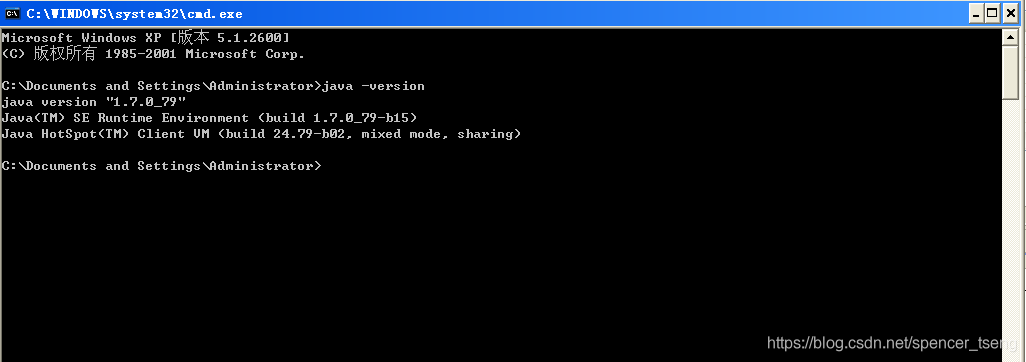
JDK1.7

.26367;.25442;.25481;.21407;.26469;.30340;.21253;-23601;-21487;-20197;-20102;

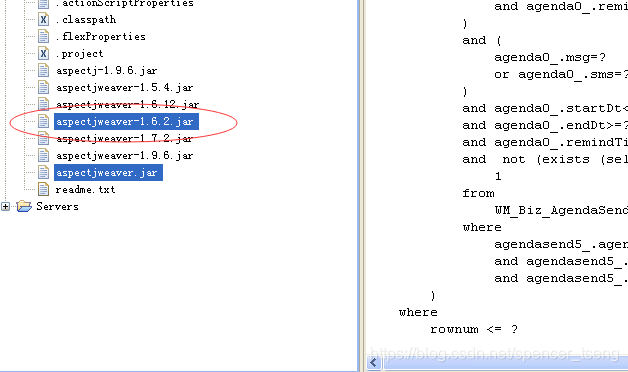
https://mvnrepository.com/artifact/org.aspectj/aspectjweaver/1.6.12

W

[resolved] superset failed to create admin user: error! User already exists user or attributeerror: ‘nonetype’‘

superset failed to create admin user and reported error: error! User already exists user or attributeerror: ‘nonetype’ object has no attribute ‘auth_ Type ‘solution

Error description

After installing superset, it is found that the admin user cannot log in, execute flash Fab create admin , and the following error is reported:

(superset) [layne@hadoop102 bin]$ flask fab create-admin
Username [admin]: layne
User first name [admin]: 
User last name [user]: 
Email [[email protected]]: 
Password: 
Repeat for confirmation: 
logging was configured successfully
INFO:superset.utils.logging_configurator:logging was configured successfully
/opt/module/miniconda3/envs/superset/lib/python3.6/site-packages/flask_caching/__init__.py:202: UserWarning: Flask-Caching: CACHE_TYPE is set to null, caching is effectively disabled.
  "Flask-Caching: CACHE_TYPE is set to null, "
No PIL installation found
INFO:superset.utils.screenshots:No PIL installation found
Recognized Database Authentications.
Error! User already exists layne

Execute fabmanager create admin -- app superset according to the online method, and the following error is reported:

(superset) [layne@hadoop102 bin]$ fabmanager create-admin --app superset
fabmanager is going to be deprecated in 2.2.X, you can use the same commands on the improved 'flask fab <command>'
Username [admin]: layne
User first name [admin]: 
User last name [user]: 
Email [[email protected]]:
Password: 
Repeat for confirmation: 
Traceback (most recent call last):
  File "/opt/module/miniconda3/envs/superset/bin/fabmanager", line 8, in <module>
    sys.exit(cli())
  File "/opt/module/miniconda3/envs/superset/lib/python3.6/site-packages/flask_appbuilder/console.py", line 422, in cli
    cli_app()
  File "/opt/module/miniconda3/envs/superset/lib/python3.6/site-packages/click/core.py", line 829, in __call__
    return self.main(*args, **kwargs)
  File "/opt/module/miniconda3/envs/superset/lib/python3.6/site-packages/click/core.py", line 782, in main
    rv = self.invoke(ctx)
  File "/opt/module/miniconda3/envs/superset/lib/python3.6/site-packages/click/core.py", line 1259, in invoke
    return _process_result(sub_ctx.command.invoke(sub_ctx))
  File "/opt/module/miniconda3/envs/superset/lib/python3.6/site-packages/click/core.py", line 1066, in invoke
    return ctx.invoke(self.callback, **ctx.params)
  File "/opt/module/miniconda3/envs/superset/lib/python3.6/site-packages/click/core.py", line 610, in invoke
    return callback(*args, **kwargs)
  File "/opt/module/miniconda3/envs/superset/lib/python3.6/site-packages/flask_appbuilder/console.py", line 137, in create_admin
    auth_type.get(_appbuilder.sm.auth_type, "No Auth method")
AttributeError: 'NoneType' object has no attribute 'auth_type'

resolvent

Delete the superset.db database file and reinitialize the database

For example, my current Linux login user name is lane, and my superset.db file is in /home/Lane /. Superset/superset. DB , delete the file:

(superset) [layne@hadoop102 ~]$ cd /home/layne/.superset/
(superset) [layne@hadoop102 .superset]$ rm -f superset.db 

Then reinitialize the database:

(superset) [layne@hadoop102 ~]$ superset db upgrade

Create the admin user again and find that it can be created successfully:

(superset) [layne@hadoop102 ~]$ export FLASK_APP=superset
(superset) [layne@hadoop102 ~]$ flask fab create-admin
Username [admin]: layne
User first name [admin]: 
User last name [user]: 
Email [[email protected]]: 
Password: 
Repeat for confirmation: 
logging was configured successfully
INFO:superset.utils.logging_configurator:logging was configured successfully
/opt/module/miniconda3/envs/superset/lib/python3.6/site-packages/flask_caching/__init__.py:202: UserWarning: Flask-Caching: CACHE_TYPE is set to null, caching is effectively disabled.
  "Flask-Caching: CACHE_TYPE is set to null, "
No PIL installation found
INFO:superset.utils.screenshots:No PIL installation found
Recognized Database Authentications.
Admin User layne created.

OK, it’s done!
cv2 error – function not implemented [How to Solve]

Run target detection, import CV2   Normal, CV2. Write() is OK, but CV2. Imshow() has an error: function not implemented, prompting windows and Ubuntu to install libgtk2.0-dev and PKG config, re run cmake

PIP install opencv Python runs unresponsive.

Recall that Anaconda was installed later and uninstalled first. Sure enough, the original opencv relied on Python 3.8 of Ubuntu 20.04.

uninstall  After installation, reinstall install and everything is normal.

[Solved] Error: unable to verify the first certificate

Many options have been set on win10, but the error is still reported: unable to verify the first certificate

$ yarn config list
yarn config v1.22.4
info yarn config
{
  'version-tag-prefix': 'v',
  'version-git-tag': true,
  'version-commit-hooks': true,
  'version-git-sign': false,
  'version-git-message': 'v%s',
  'init-version': '1.0.0',
  'init-license': 'MIT',
  'save-prefix': '^',
  'bin-links': true,
  'ignore-scripts': false,
  'ignore-optional': false,
  registry: 'http://npm.xxxxx.com',
  'strict-ssl': false,
  'user-agent': 'yarn/1.22.4 npm/?node/v12.22.1 win32 x64',
  NODE_TLS_REJECT_UNAUTHORIZED: 0,
  lastUpdateCheck: 1629361331003
}
info npm config
{
  registry: 'http://npm.xxxxx.com',
  CYPRESS_INSTALL_BINARY: 'https://npm.taobao.org/mirrors/cypress/5.6.0/darwin-x64/cypress.zip',
  '//arch': 'ia32',
  '//registry': 'https://registry.npm.taobao.org',
  electron_mirror: 'https://npm.taobao.org/mirrors/electron/',
  CHROMEDRIVER_CDNURL: 'http://npm.taobao.org/mirrors/chromedriver/',
  sass_binary_site: 'https://npm.taobao.org/mirrors/node-sass/',
  phantomjs_cdnurl: 'https://npm.taobao.org/mirrors/phantomjs',
  'strict-ssl': false,
  proxy: null,
  'https-proxy': null,
  '//npm.xxxxx.com/:_authToken': '8624c0fe-ea43-4f30-b113-617f22e9c6c6'
}

Solution:

NODE_TLS_REJECT_UNAUTHORIZED=0 yarn

failed call to cuInit: CUDA_ERROR_UNKNOWN: unknown error

Question

It was good before. After restarting the computer running program, this error is reported:

failed call to cuInit: CUDA_ERROR_UNKNOWN: unknown error
retrieving CUDA diagnositic information for host: ...

Then it runs with the old slow CPU.

environment

Ubuntu 20.04TensorFlow 2.5cudatoolkit 11.2cudnn 8.1

solve

The probability is that the graphics card driver is stained with something.

Because I happened to update the system (Ubuntu) automatically before, I probably moved some NVIDIA files or something. Then I can’t restart.

Then I opened the Software Updater, completely updated it, restarted it, and finished it.

python cx_Oracle.DatabaseError: Error while trying to retrieve text for error ORA-01804

Problem Description:

Using Python package CX_ When setting scheduled tasks on the Oracle server, errors are always reported, such as the title, but running alone is no problem

resolvent:

Under the guidance of the boss, add a few lines of code in front of the script to solve the problem perfectly. The environment variable path is configured according to its own path.

import os

os.environ["ORACLE_HOME"] = '/home/oracle/app/oracle/product/11.2.0/dbhome_1'
os.environ["ORACLE_BASE"] = '/home/oracle/app/oracle'
os.environ["ORACLE_SID"] = 'orcl'
os.environ["LD_LIBRARY_PATH"] = '/home/oracle/app/oracle/product/11.2.0/dbhome_1/lib:/lib:/usr/lib'

Loadlibrary failed with error 126 workaround

The environment is windows10, the computer has dual network cards, and the independent graphics card is AMD radeon RX 640. The phenomenon is that opening some software will prompt “loaded library failed with error 126”

Solution:

    install the latest AMD radeon graphics card driver on the official website, search the “atio6axx. DLL” file with everything software, and copy the file to the “C: \ windows \ system32” directory. Right click the start icon in the lower left corner of the window desktop and select “windows PowerShell (administrator)”. Enter the command line and enter the command “copy atio6axx. DLL. DLL”
    it is said on the Internet to disable the independent graphics card, which is not recommended. This is not equivalent to buying an independent graphics card for nothing

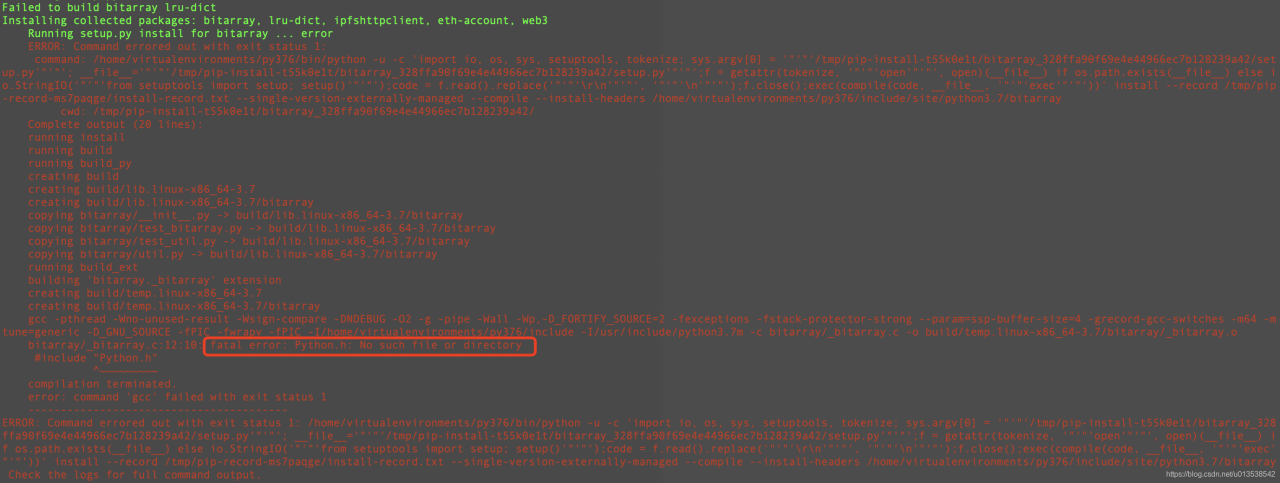
fatal error: Python.h: No such file or directory

fatal error: Python.h: No such file or directory

Process: through PIP install a library, an error occurred and the python. H header file could not be found

Solution

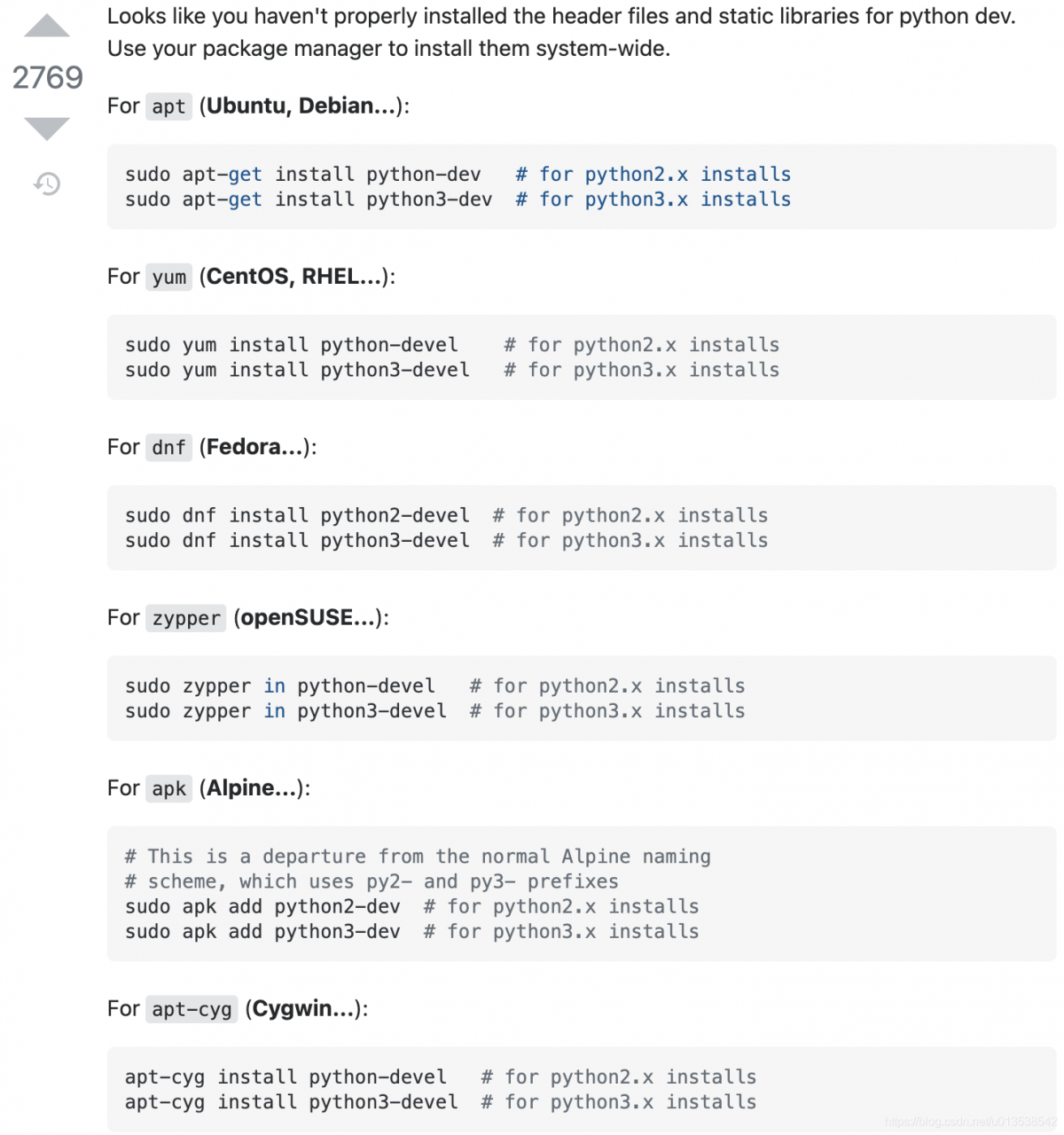
Search stackoverflow. My environment is CentOS, so execute sudo Yum install python3 devel and then go to the PIP install library. It’s all OK

For apt (Ubuntu, Debian…):

sudo apt-get install python-dev   # for python2.x installs
sudo apt-get install python3-dev  # for python3.x installs

For yum (CentOS, RHEL…):

sudo yum install python-devel    # for python2.x installs
sudo yum install python3-devel   # for python3.x installs

For dnf (Fedora…):

sudo dnf install python2-devel  # for python2.x installs
sudo dnf install python3-devel  # for python3.x installs

For zippers (openSUSE):

sudo zypper in python-devel   # for python2.x installs
sudo zypper in python3-devel  # for python3.x installs

For apk (Alpine…):
This is a departure from the normal Alpine naming
scheme, which uses py2- and py3- prefixes

sudo apk add python2-dev  # for python2.x installs
sudo apk add python3-dev  # for python3.x installs

For apt-cyg (Cygwin…):

apt-cyg install python-devel   # for python2.x installs
apt-cyg install python3-devel  # for python3.x installs

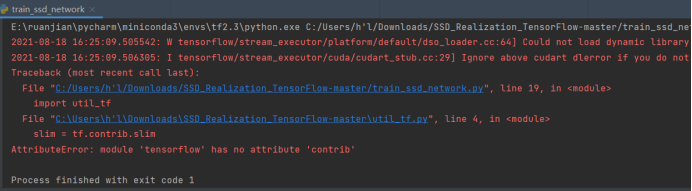
Error reporting: attributeerror: module ‘******* has no attribute’ ******* and other problems are solved

Error reported:

resolvent:

1、 Install the third-party library directly on the command page

pip install xxxxxx

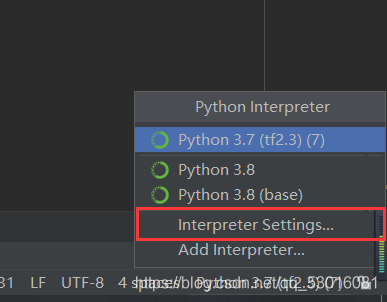
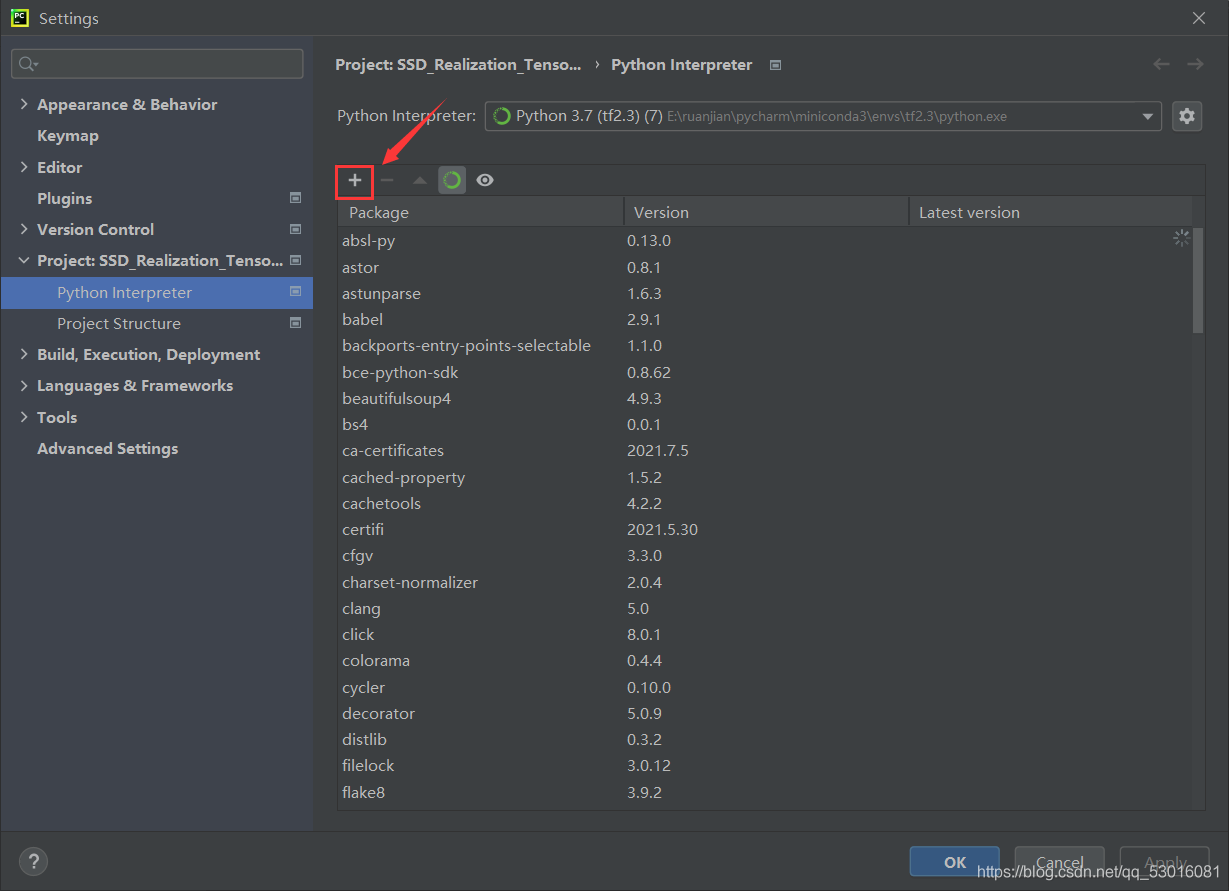
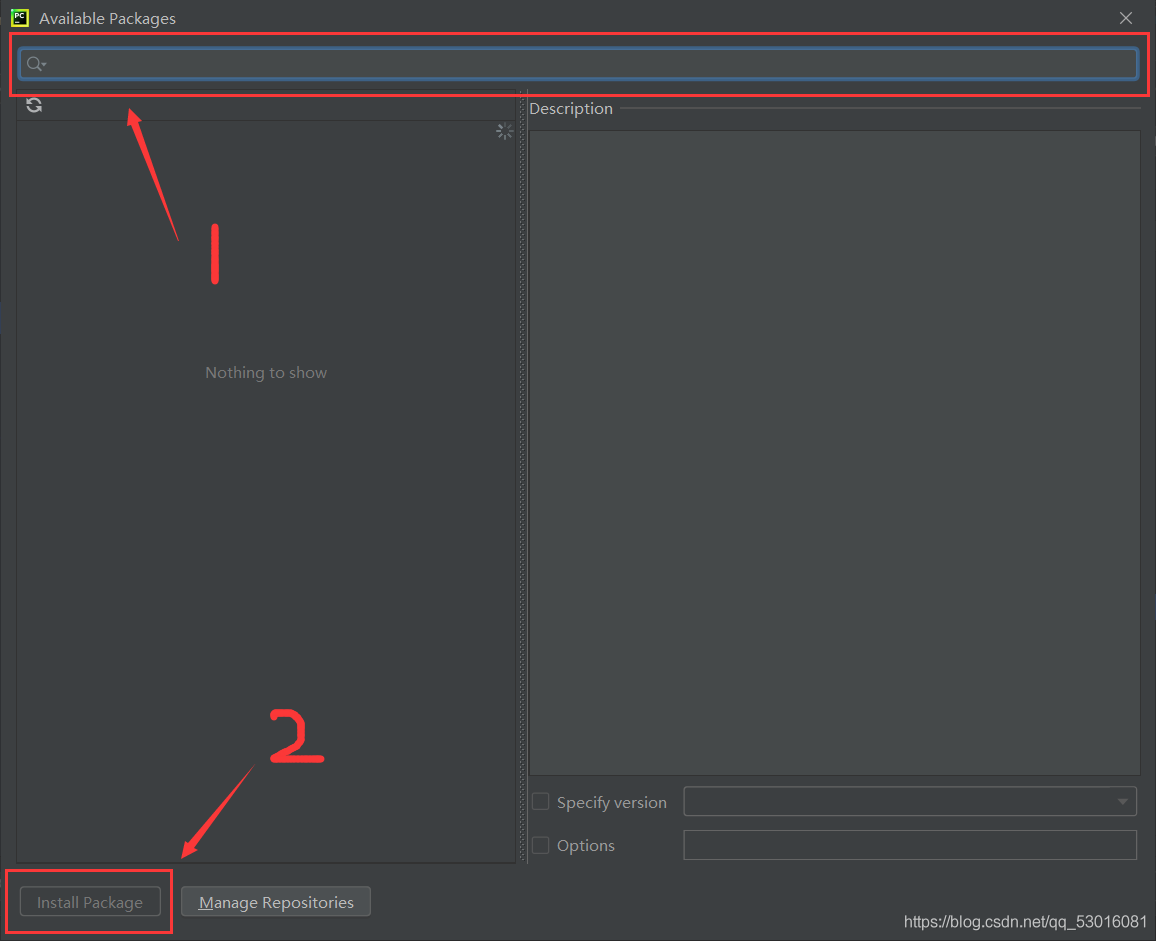
  2、 Select interpreter setting in the lower left corner of pychart, click the plus sign, enter the name of the third-party library, and then click Install pakage in the lower left corner to install.

  3、 The 2. X version of tensorflow does not support many third-party libraries. I have tried many methods, but I still think it is the most direct and effective (simple and crude) to install the 1. X version directly. Correspondingly, you may need to downgrade numpy because the installed tensorflow version and numpy version do not match.

Uninstall tensorflow first:

pip uninstall tensorflow

  To install a new version:

pip install tensorflow1.xx

  Check the applicable version of pycharm, and then install:  

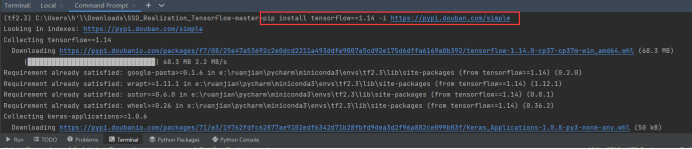
pip install tensorflow==1.14 -i https://pypi.douban.com/simple

  After running the code, an error is reported indicating that the numpy version does not match:

For example, I report an error: futurewarning: passing (type, 1) or ‘1type’ as a synonym of type is deprecated; in a future version of numpy, it will be understood as (type, (1,))/'(1,)type’.  _ np_ qint32 = np.dtype([(“qint32”, np.int32, 1)])

Recommended installation: or other version

pip install numpy==1.16.0

  Normal operation after.

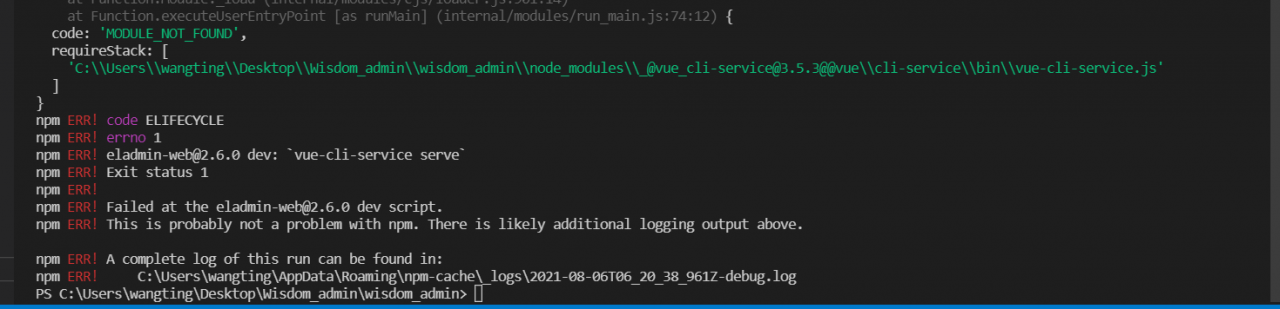
npm run devstart error: Error: Unable to find module ‘semver’

PS C:\Users\wangting\Desktop\Wisdom_admin\wisdom_admin> npm run dev

> [email protected] dev C:\Users\wangting\Desktop\Wisdom_admin\wisdom_admin
> vue-cli-service serve

internal/modules/cjs/loader.js:985
  throw err;
  ^

Error: Cannot find module 'semver'
Require stack:
- C:\Users\wangting\Desktop\Wisdom_admin\wisdom_admin\node_modules\_@[email protected]@@vue\cli-service\bin\vue-cli-service.js
    at Function.Module._resolveFilename (internal/modules/cjs/loader.js:982:15)
    at Function.Module._load (internal/modules/cjs/loader.js:864:27)
    at Module.require (internal/modules/cjs/loader.js:1044:19)
    at require (internal/modules/cjs/helpers.js:77:18)
    at Object.<anonymous> (C:\Users\wangting\Desktop\Wisdom_admin\wisdom_admin\node_modules\_@[email protected]@@vue\cli-service\bin\vue-cli-service.js:3:16)
    at Module._compile (internal/modules/cjs/loader.js:1158:30)
    at Object.Module._extensions..js (internal/modules/cjs/loader.js:1178:10)
    at Module.load (internal/modules/cjs/loader.js:1002:32)
    at Function.Module._load (internal/modules/cjs/loader.js:901:14)
    at Function.executeUserEntryPoint [as runMain] (internal/modules/run_main.js:74:12) {
  code: 'MODULE_NOT_FOUND',
  requireStack: [
    'C:\\Users\\wangting\\Desktop\\Wisdom_admin\\wisdom_admin\\node_modules\\_@[email protected]@@vue\\cli-service\\bin\\vue-cli-service.js'
  ]
}
npm ERR! code ELIFECYCLE
npm ERR! errno 1        
npm ERR! [email protected] dev: `vue-cli-service serve`
npm ERR! Exit status 1
npm ERR! 
npm ERR! Failed at the [email protected] dev script.
npm ERR! This is probably not a problem with npm. There is likely additional logging output above.

npm ERR! A complete log of this run can be found in:
npm ERR!     C:\Users\wangting\AppData\Roaming\npm-cache\_logs\2021-08-06T06_20_38_961Z-debug.log
PS C:\Users\wangting\Desktop\Wisdom_admin\wisdom_admin> 

In case of such an error
you need to

Delete node_ modules

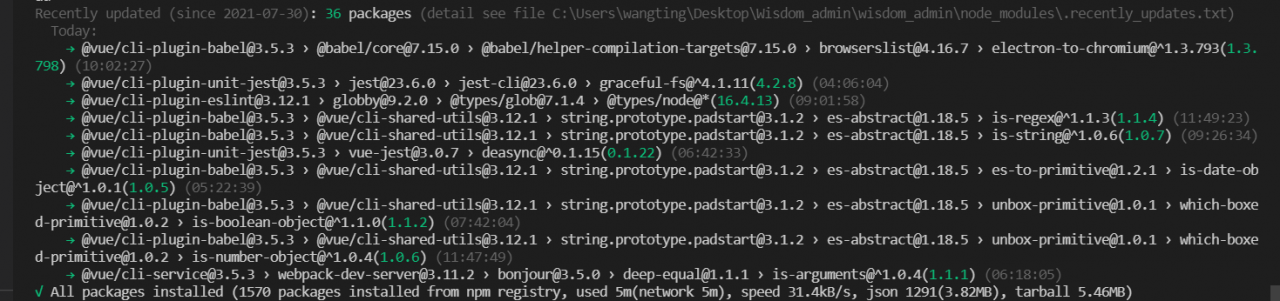
Then open the vscode editor, open the terminal, enter the project directory, and install the dependencies

cnpm install

After dependency installation is complete

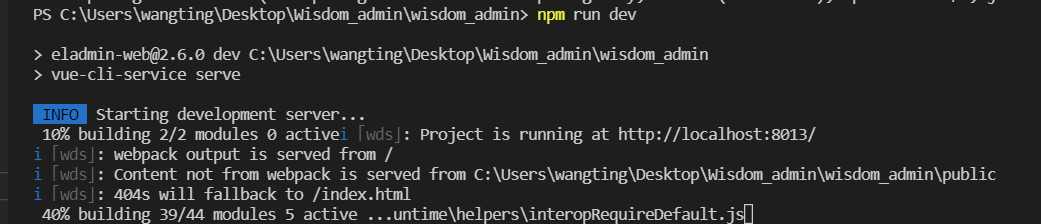
Just start it again

Restart

npm run dev

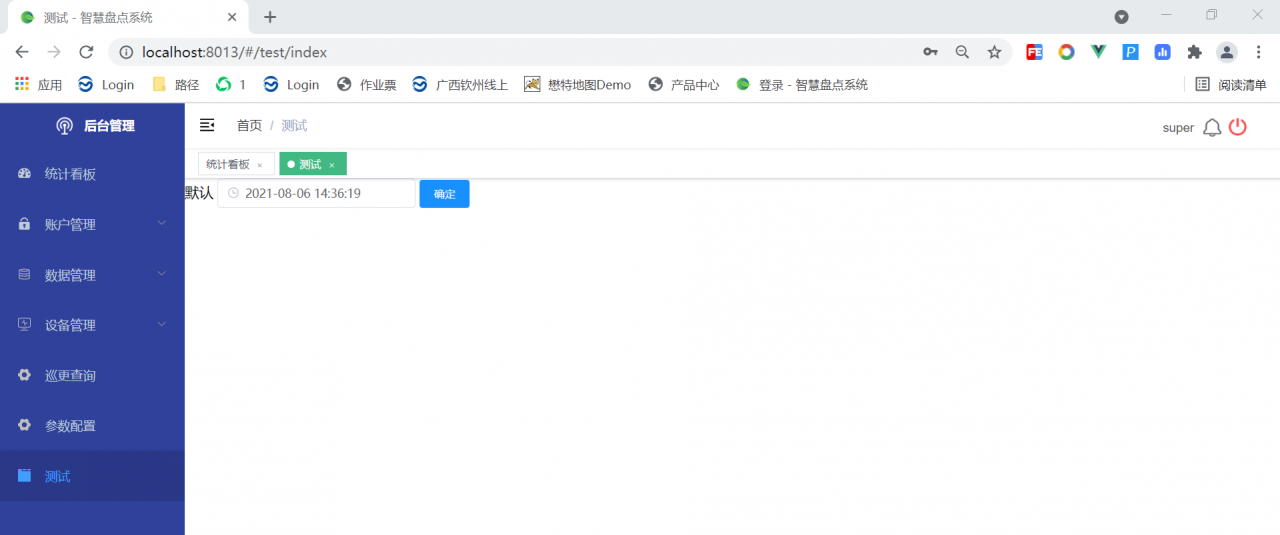
You’ll find it working normally