Category Archives: How to Fix

Error creating bean with name ‘redisTemplate‘ defined in class path resource [xx/RedisConfig.class]

Error creating bean with name ‘redisTemplate’ defined in class path resource [xx/RedisConfig.class]

1. Problem description

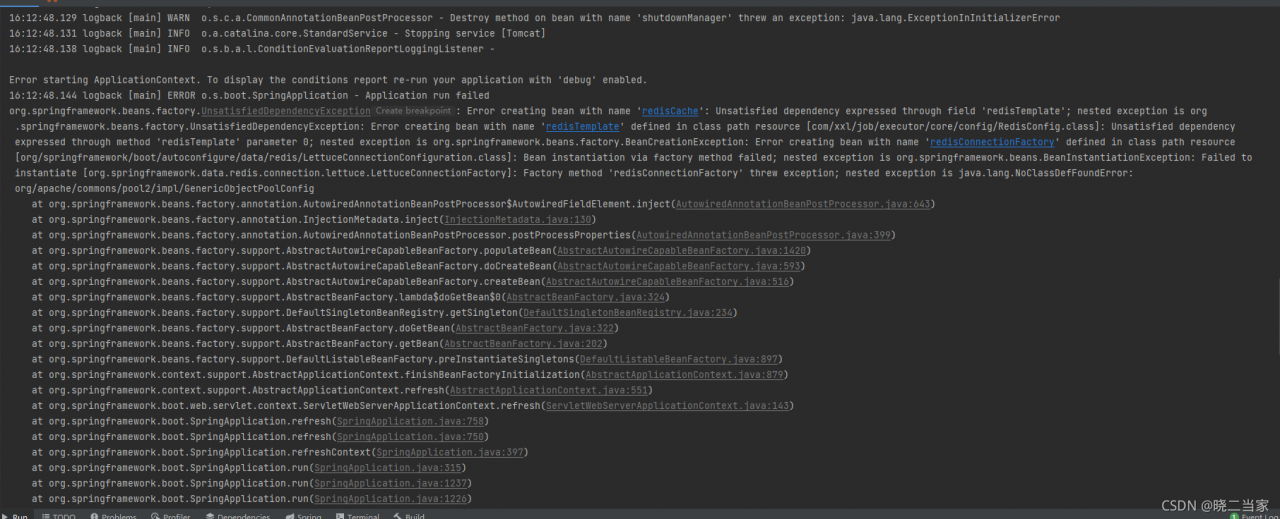
When redis is used in the project, the following errors are reported:
2. Problem analysis

From the error reporting factory method ‘redisconnectionfactory’ thread exception; Needed exception is java.lang.noclassdeffounderror: org/Apache/commons/pool2/impl/genericobjectpoolconfig get key information. NoClassDefFoundError: it is caused by that the JVM cannot load the class or cannot find the class at compile time
reasons for NoClassDefFoundError:
1) one reason is that static variables cannot be loaded
2) if jars are not added to classpath and Maven projects in the project, they need to be checked according to the project conditions

3. Problem handling

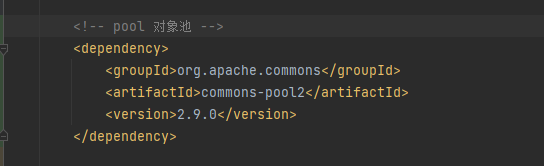
The spring boot starter data redis package referenced in the project. By default, spring boot starter data redis uses lettuce as the redis client, and the underlying layer of lettuce is implemented by netty. Lettuce is a scalable thread safe redis client that supports synchronization, asynchronous and responsive modes. Multiple threads can share a connection instance without worrying about multithreading concurrency. The use of lettuce requires the configuration of thread pool. You also need to reference the following packages:
Visual Studio 2010 compilation error fatal error lnk1123: failed during conversion to coff: solution to invalid or corrupt file

VS2010 environment compilation encountered a fatal error lnk1123: failure during conversion to coff: invalid or corrupt file, fatal error lnk1123: failure during conversion to coff.

Here are some solutions:

Option 1:

Click “project” – & gt; “Properties” – & gt; “Inventory tool”,

Then select “input and output” – & gt; “embedded list”, and change the following “yes” to “no”

Option 2:

Search the vs installation directory for cvtres.exe

Two cvtres.exe files were found, including

Some netizens chose to overwrite all the old cvtres.exe with the latest file, and some netizens deleted the old cvtres.exe file

Change the name for the recovery environment. Note that the two files have the same version number, but the generation time is only 1 hour. Select the latest one. There are also many cvtres.exe searches

I don’t know. Try how to delete these files. My two file directories are as follows:

D:\ProgramFiles (x86)\Microsoft Visual Studio 10.0\VC\bin\amd64

D:\Program Files (x86)\Microsoft VisualStudio 10.0\VC\bin

Option 3:

Even if the new VS2010 Sp1 is installed, this method can also solve some of this problem.

What’s more troublesome is that this Sp1 is still relatively large, and all the messy things have to be patched.

= division line of sigh ===========

Related resources: lnk1123: failure during conversion to coff: solution to invalid or corrupt file _lnk1123

Lnk1123: failure during conversion to coff: solution to invalid or corrupt file
original link: https://blog.csdn.net/weixin_39951018/article/details/111739349

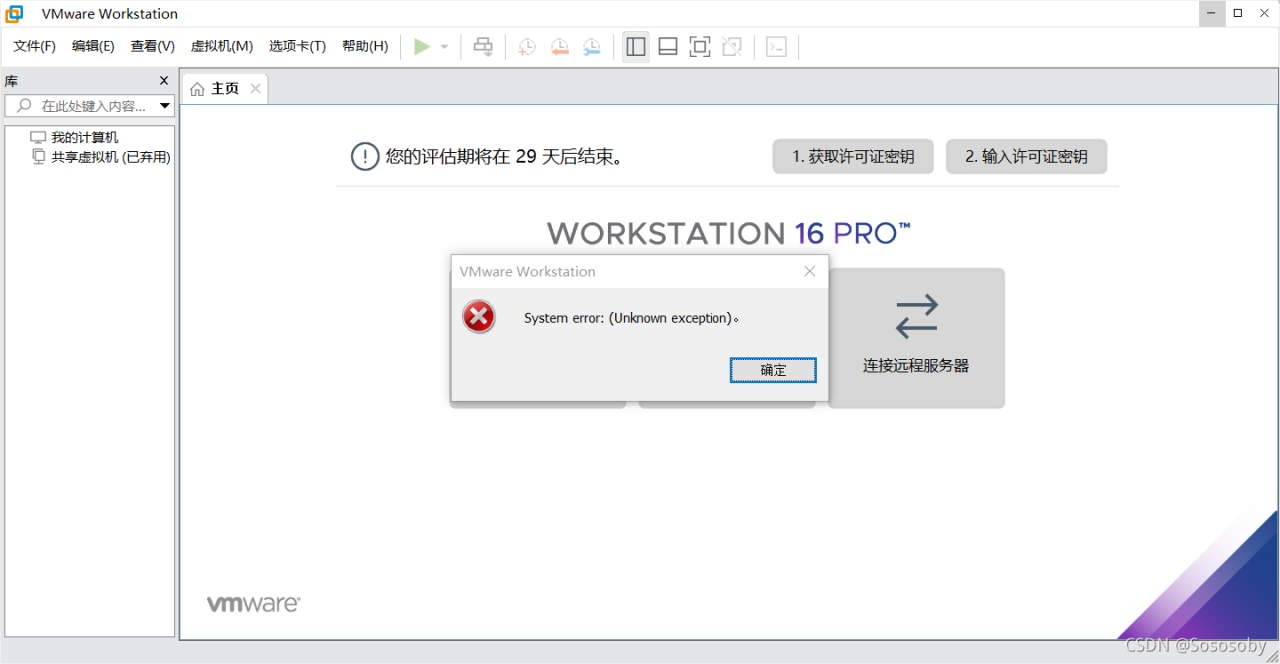
VMware imports an external virtual machine and displays system error: (unknown exception). Wrong solution

Problem Description:  

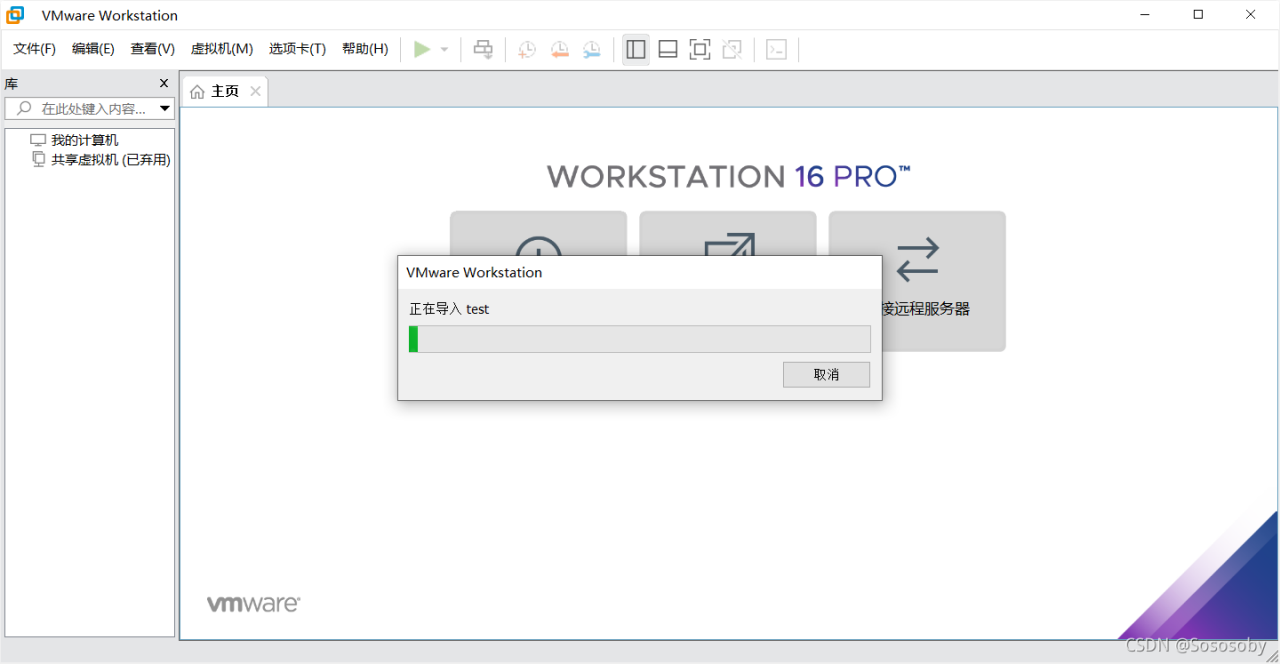
When VMware Workstation imports an external virtual machine, everything is normal at first.

However, this error is displayed every time the progress bar is imported to about half of the time.


Cause analysis:  

I looked around the Internet and didn’t find the same mistake.

I thought it was a disk space problem, but I still couldn’t change several disks; Then I checked the log and found nothing.

One possibility is that when I download the virtual machine on the Internet, half of the download is disconnected, resulting in incomplete download or errors of the virtual machine. There is a problem with the virtual machine itself, so an error is displayed when importing.


Solution:

Download the virtual machine again, keep the network unobstructed during the download process, and then import it. The problem can be solved.

(when downloading large files in the future, you must ensure the smoothness of the network)

Failed to build bottleneck ERROR: Could not build wheels for bottleneck which use PEP 517

I want to import pandas in anaconda_ Profiling: the import failed. PIP install later reported the error as mentioned in the title. Later, check the stack overflow to solve the problem. Here is a record of the solution. The four steps start:

conda install bottleneck
pip install p5py
pip install pep517
pip install pycaret

Enter in your Anaconda prompt environment in turn to solve the problem.

RuntimeError: Default process group has not been initialized, please make sure to call init_process_

Problems encountered when using mmsegmentation framework:

 File "C:\software\Anaconda3\envs\python36\lib\site-packages\torch\distributed\distributed_c10d.py", line 347, in _get_default_group
    raise RuntimeError("Default process group has not been initialized, "
RuntimeError: Default process group has not been initialized, please make sure to call init_process_group.

After debugging and positioning, it is found that there is a problem with the normalization of a convolution module:

        self.linear_fuse = ConvModule(
            in_channels=embedding_dim*4,
            out_channels=embedding_dim,
            kernel_size=1,
            norm_cfg=dict(type='SyncBN', requires_grad=True)
          
        )

Norm here_ In CFG, if it is multi card training, use “syncbn”; If it is a single card training, change the type to ‘BN’.

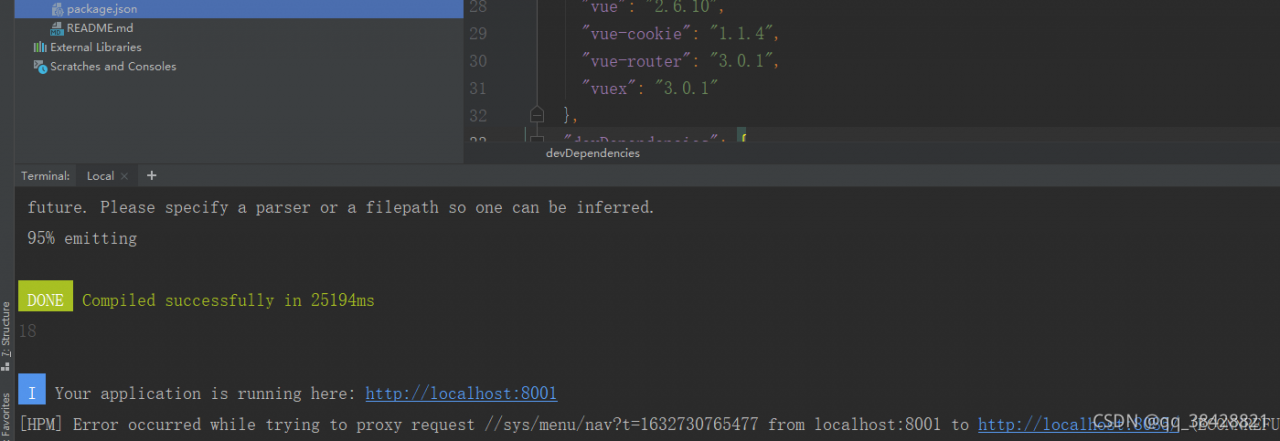
Module build failed: Error: Node Sass does not yet support your current environment: Windows 64-bit

@[TOC](Module build failed: Error: Node Sass does not yet support your current environment: Windows 64-bit with Unsupported runtime (93))

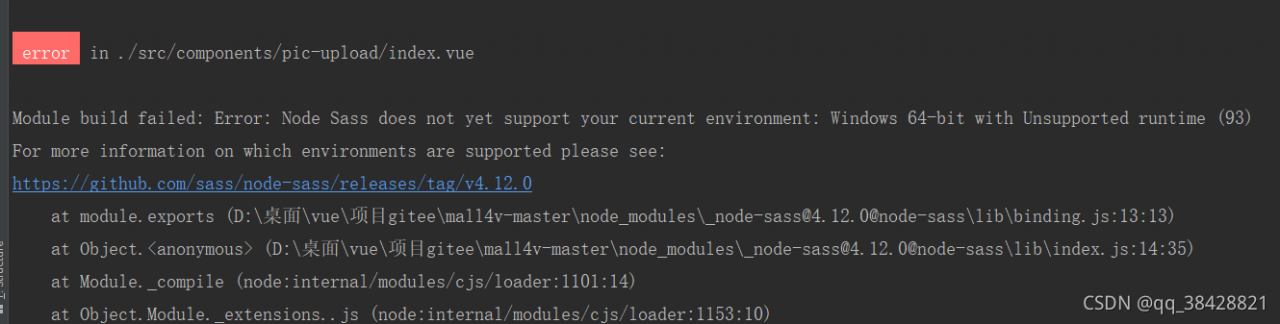
Importing other people’s Vue projects on gitee or GitHub can easily lead to incompatible node sass versions. Generally, you are prompted as follows:

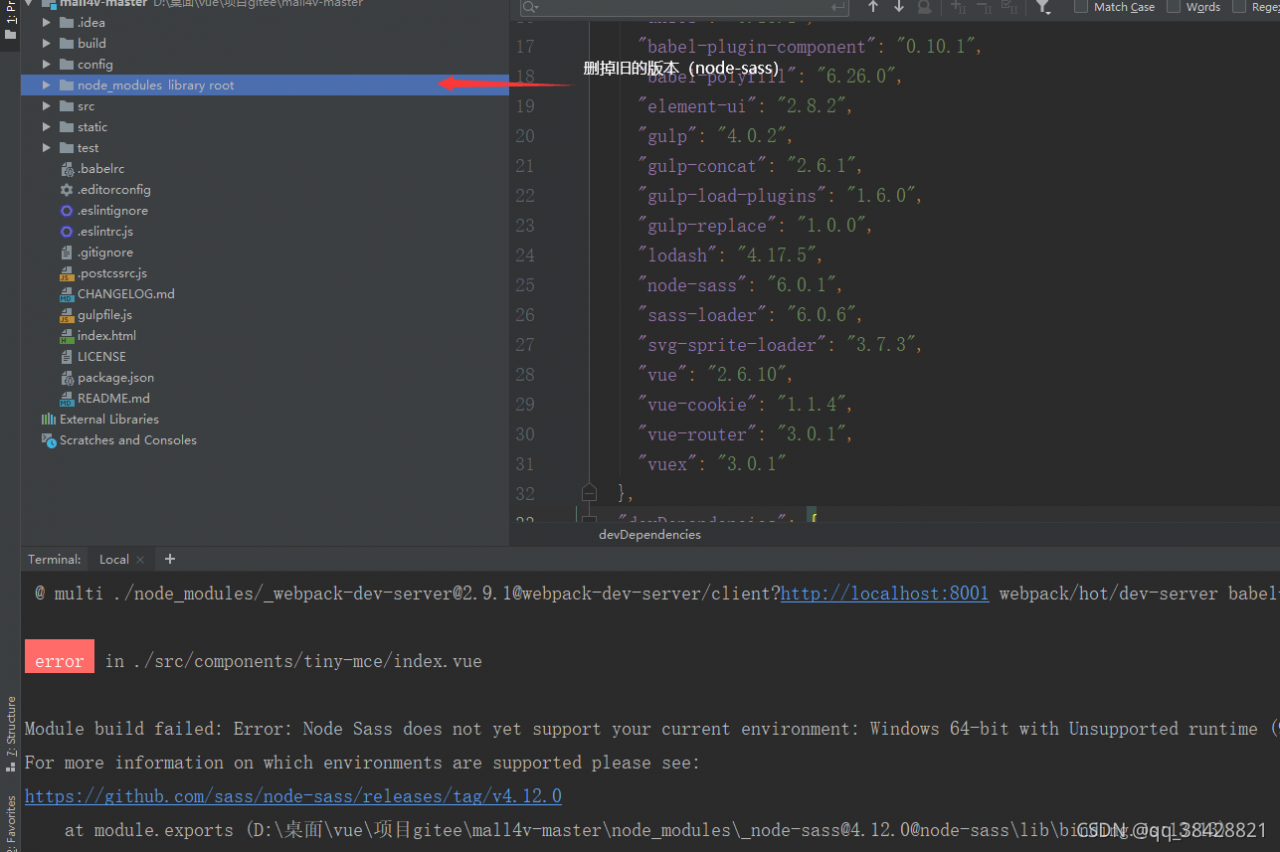
Module build failed: Error: Node Sass does not yet support your current environment: Windows 64-bit with Unsupported runtime (93)
For more information on which environments are supported please see:
https://github.com/sass/node-sass/releases/tag/v4.12.0

This is the error encountered

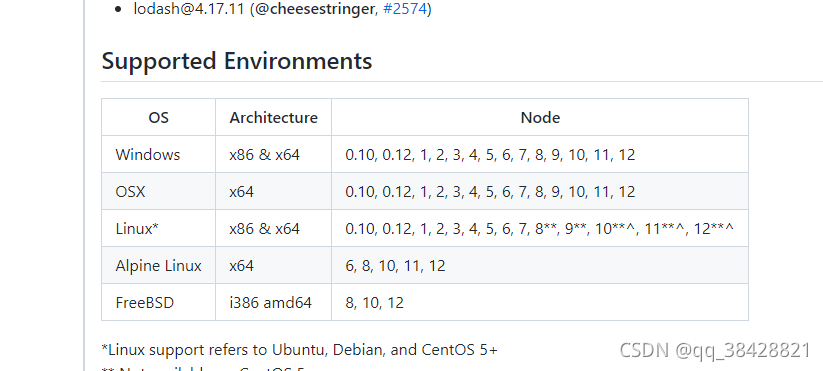
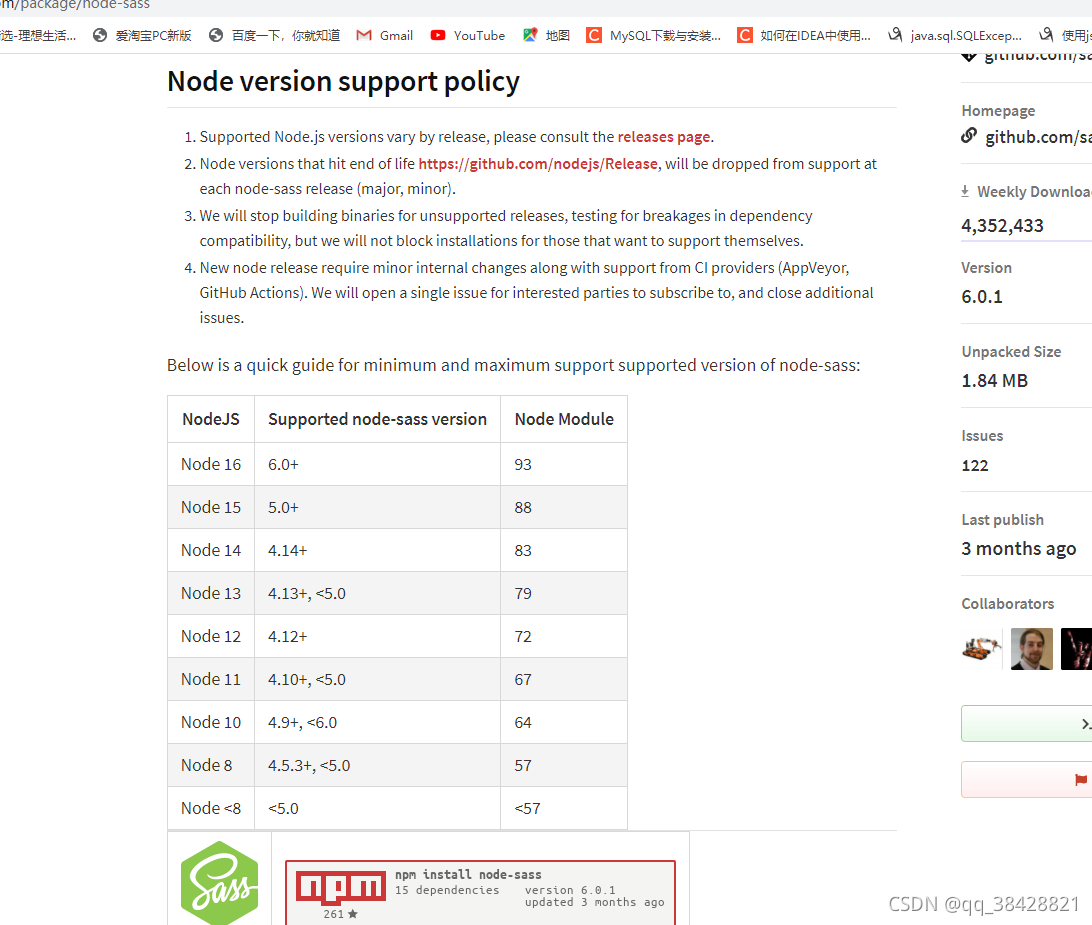
We open the web page on the link and find that it is the corresponding version. My node version is 16, which is incompatible

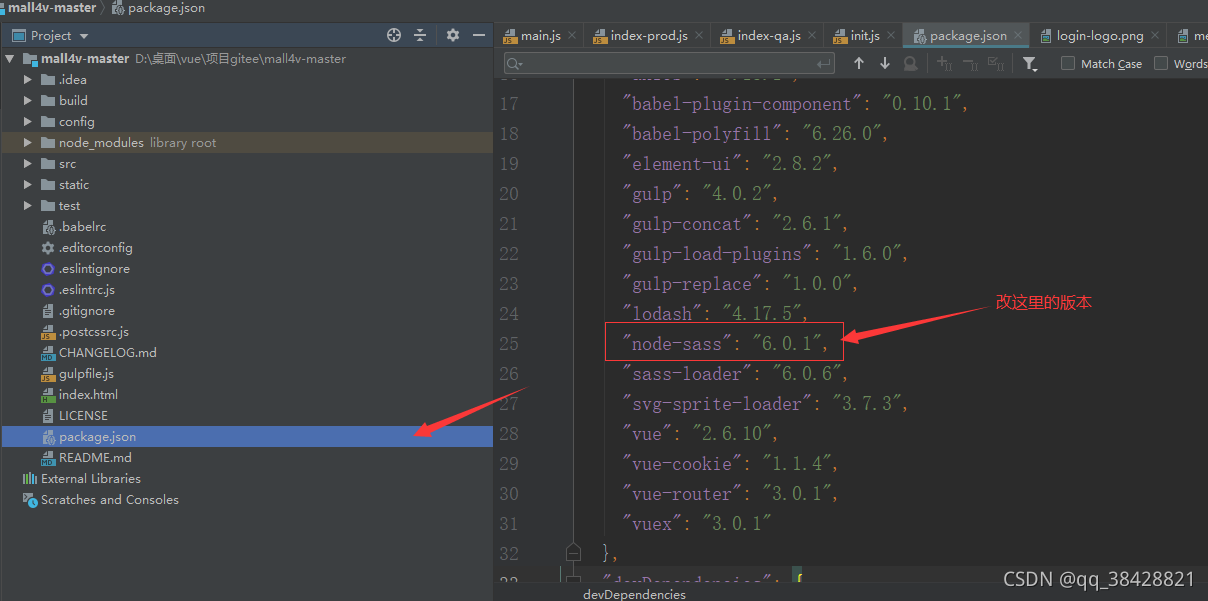
Here, you need to change the version of node sass in package.json to match the notejs Version (emphasis)

On the official website, you can see that my nodejs (16) corresponds to 6.0+

After modification, it is better to delete the previous node sass Version (under the node_medules directory)

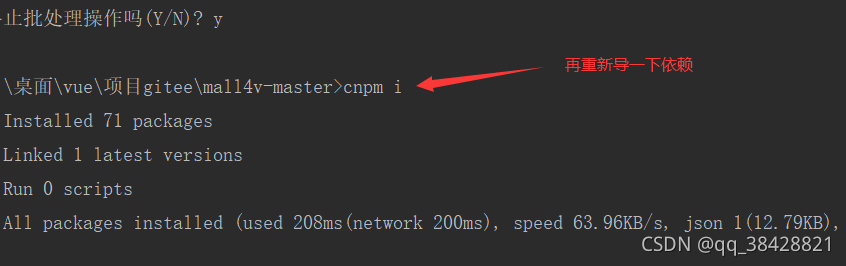
Re execute NPM I or cnpm I to re import dependencies

Done!!!

About error CSC in c# vs: error cs0006: metadata file could not be found

About error CSC in c# vs: error cs0006: metadata file could not be found

Moving a project around in different solutions, the legendary CSC: error cs0006 finally appeared.

When compiling, it is always prompted that an item that does not exist in the reference cannot find the metadata file.

No matter how you delete a project, deleting a reference cannot be generated.

Solution:

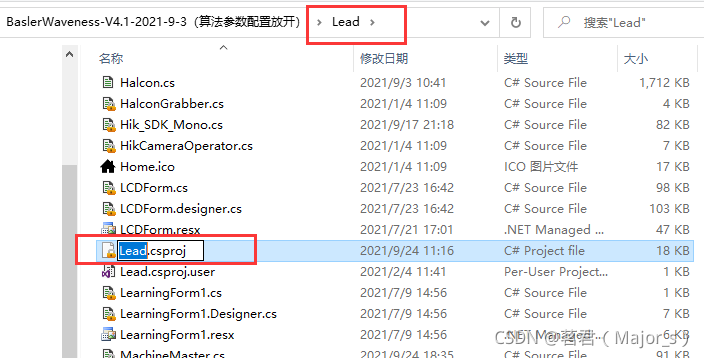
Step 1: find your own xxx.csproj project file

Step 2: Rename: add suffix . TXT

Step 3:

Open the csproj project file, find the item containing the reference item in question, and delete the item as a whole.

(error) MISCONF Redis is configured to save RDB snapshots, but is currently not able to

An error occurred while running redis today. The error information is as follows:

(error) MISCONF Redis is configured to save RDB snapshots, but is currently not able to persist on disk. Commands that may modify the data set are disabled. Please check Redis logs for details about the error.

Redis is configured to save database snapshots, but it cannot be persisted to the hard disk at present. The command used to modify set data cannot be used. Please check the detailed error information in redis logs.

reason:

The redis snapshot cannot be persisted because it is forcibly closed.

Solution:

After running the config set stop writes on bgsave error no command, close the configuration item stop writes on bgsave error to solve the problem.

root@ubuntu :/usr/local/redis/bin# ./redis-cli
127.0.0.1:6379> config set stop-writes-on-bgsave-error no
OK
127.0.0.1:6379> lpush myColour “red”
(integer) 1