Ubuntu 18.04 installation of opencv2.4.13 encountered fatal error. Possible solutions
During the installation process, some fatal errors may occur. I haven’t found a method for a long time. I happened to see an article that the installation can be successful according to the following methods. Although the errors reported are not consistent, they can be used in this way.
Ubuntu installation opencv step pit
1、 Installation process
apt-get update
apt-get install build-essential
apt-get install cmake git libgtk2.0-dev pkg-config libavcodec-dev libavformat-dev libswscale-dev
apt-get install python-dev python-numpy libtbb2 libtbb-dev libjpeg-dev libpng-dev libtiff-dev libjasper-dev libdc1394-22-dev


cd opencv-2.4.13
mkdir release
cd release/

cmake -D CMAKE_BUILD_TYPE=RELEASE -D CMAKE_INSTALL_PREFIX=/usr/local ..
make -j4
sudo make install
[UNK]ह_;;
CMake Error at cmake/OpenCVDetectCXXCompiler.cmake:85 (list):
CMake Error at cmake/OpenCVDetectCXXCompiler.cmake:85 (list):
  list GET given empty list
Call Stack (most recent call first):
  CMakeLists.txt:77 (include)


CMake Error at cmake/OpenCVDetectCXXCompiler.cmake:86 (list):
  list GET given empty list
Call Stack (most recent call first):
  CMakeLists.txt:77 (include)


CMake Error at cmake/OpenCVDetectCXXCompiler.cmake:89 (math):
  math cannot parse the expression: "*100 + ": syntax error, unexpected
  exp_TIMES, expecting exp_PLUS or exp_MINUS or exp_OPENPARENT or exp_NUMBER
  (1)
Call Stack (most recent call first):
  CMakeLists.txt:77 (include)
Solution
replace the contents of opencvdetectcxxcompiler.cmake with the following:
# ----------------------------------------------------------------------------
# Detect Microsoft compiler:
# ----------------------------------------------------------------------------
if(CMAKE_CL_64)
    set(MSVC64 1)
endif()

if(CMAKE_CXX_COMPILER_ID STREQUAL "Clang")
  set(CMAKE_COMPILER_IS_GNUCXX 1)
  set(CMAKE_COMPILER_IS_CLANGCXX 1)
endif()
if(CMAKE_C_COMPILER_ID STREQUAL "Clang")
  set(CMAKE_COMPILER_IS_GNUCC 1)
  set(CMAKE_COMPILER_IS_CLANGCC 1)
endif()
if("${CMAKE_CXX_COMPILER};${CMAKE_C_COMPILER}" MATCHES "ccache")
  set(CMAKE_COMPILER_IS_CCACHE 1)
endif()

# ----------------------------------------------------------------------------
# Detect Intel ICC compiler -- for -fPIC in 3rdparty ( UNIX ONLY ):
#  see  include/opencv/cxtypes.h file for related   ICC & CV_ICC defines.
# NOTE: The system needs to determine if the '-fPIC' option needs to be added
#  for the 3rdparty static libs being compiled.  The CMakeLists.txt files
#  in 3rdparty use the CV_ICC definition being set here to determine if
#  the -fPIC flag should be used.
# ----------------------------------------------------------------------------
if(UNIX)
  if  (__ICL)
    set(CV_ICC   __ICL)
  elseif(__ICC)
    set(CV_ICC   __ICC)
  elseif(__ECL)
    set(CV_ICC   __ECL)
  elseif(__ECC)
    set(CV_ICC   __ECC)
  elseif(__INTEL_COMPILER)
    set(CV_ICC   __INTEL_COMPILER)
  elseif(CMAKE_C_COMPILER MATCHES "icc")
    set(CV_ICC   icc_matches_c_compiler)
  endif()
endif()

if(MSVC AND CMAKE_C_COMPILER MATCHES "icc|icl")
  set(CV_ICC   __INTEL_COMPILER_FOR_WINDOWS)
endif()

# ----------------------------------------------------------------------------
# Detect GNU version:
# ----------------------------------------------------------------------------
if(CMAKE_COMPILER_IS_CLANGCXX)
  set(CMAKE_GCC_REGEX_VERSION "4.2.1")
  set(CMAKE_OPENCV_GCC_VERSION_MAJOR 4)
  set(CMAKE_OPENCV_GCC_VERSION_MINOR 2)
  set(CMAKE_OPENCV_GCC_VERSION 42)
  set(CMAKE_OPENCV_GCC_VERSION_NUM 402)

  execute_process(COMMAND ${CMAKE_CXX_COMPILER} ${CMAKE_CXX_COMPILER_ARG1} -v
                  ERROR_VARIABLE CMAKE_OPENCV_CLANG_VERSION_FULL
                  ERROR_STRIP_TRAILING_WHITESPACE)

  string(REGEX MATCH "version.*$" CMAKE_OPENCV_CLANG_VERSION_FULL "${CMAKE_OPENCV_CLANG_VERSION_FULL}")
  string(REGEX MATCH "[0-9]+\\.[0-9]+" CMAKE_CLANG_REGEX_VERSION "${CMAKE_OPENCV_CLANG_VERSION_FULL}")

elseif(CMAKE_COMPILER_IS_GNUCXX)
  execute_process(COMMAND ${CMAKE_CXX_COMPILER} ${CMAKE_CXX_COMPILER_ARG1} -dumpversion
                OUTPUT_VARIABLE CMAKE_OPENCV_GCC_VERSION_FULL
                OUTPUT_STRIP_TRAILING_WHITESPACE)

  execute_process(COMMAND ${CMAKE_CXX_COMPILER} ${CMAKE_CXX_COMPILER_ARG1} -v
                ERROR_VARIABLE CMAKE_OPENCV_GCC_INFO_FULL
                OUTPUT_STRIP_TRAILING_WHITESPACE)

  # Typical output in CMAKE_OPENCV_GCC_VERSION_FULL: "c+//0 (whatever) 4.2.3 (...)"
  # Look for the version number, major.minor.build
  string(REGEX MATCH "[0-9]+\\.[0-9]+\\.[0-9]+" CMAKE_GCC_REGEX_VERSION "${CMAKE_OPENCV_GCC_VERSION_FULL}")
  if(NOT CMAKE_GCC_REGEX_VERSION)#major.minor
    string(REGEX MATCH "[0-9]+\\.[0-9]+" CMAKE_GCC_REGEX_VERSION "${CMAKE_OPENCV_GCC_VERSION_FULL}")
  endif()

  if(CMAKE_GCC_REGEX_VERSION)
    # Split the parts:
    string(REGEX MATCHALL "[0-9]+" CMAKE_OPENCV_GCC_VERSIONS "${CMAKE_GCC_REGEX_VERSION}")

    list(GET CMAKE_OPENCV_GCC_VERSIONS 0 CMAKE_OPENCV_GCC_VERSION_MAJOR)
    list(GET CMAKE_OPENCV_GCC_VERSIONS 1 CMAKE_OPENCV_GCC_VERSION_MINOR)
  else()#compiler returned just the major version number
    string(REGEX MATCH "[0-9]+" CMAKE_GCC_REGEX_VERSION "${CMAKE_OPENCV_GCC_VERSION_FULL}")
    if(NOT CMAKE_GCC_REGEX_VERSION)#compiler did not return anything reasonable
      set(CMAKE_GCC_REGEX_VERSION "0")
      message(WARNING "GCC version not detected!")
    endif()
    set(CMAKE_OPENCV_GCC_VERSION_MAJOR ${CMAKE_GCC_REGEX_VERSION})
    set(CMAKE_OPENCV_GCC_VERSION_MINOR 0)
  endif()

  set(CMAKE_OPENCV_GCC_VERSION ${CMAKE_OPENCV_GCC_VERSION_MAJOR}${CMAKE_OPENCV_GCC_VERSION_MINOR})
  math(EXPR CMAKE_OPENCV_GCC_VERSION_NUM "${CMAKE_OPENCV_GCC_VERSION_MAJOR}*100 + ${CMAKE_OPENCV_GCC_VERSION_MINOR}")
  message(STATUS "Detected version of GNU GCC: ${CMAKE_OPENCV_GCC_VERSION} (${CMAKE_OPENCV_GCC_VERSION_NUM})")

  if(WIN32)
    execute_process(COMMAND ${CMAKE_CXX_COMPILER} -dumpmachine
              OUTPUT_VARIABLE OPENCV_GCC_TARGET_MACHINE
              OUTPUT_STRIP_TRAILING_WHITESPACE)
    if(OPENCV_GCC_TARGET_MACHINE MATCHES "amd64|x86_64|AMD64")
      set(MINGW64 1)
    endif()
  endif()
endif()

if(MSVC64 OR MINGW64)
  set(X86_64 1)
elseif(MINGW OR (MSVC AND NOT CMAKE_CROSSCOMPILING))
  set(X86 1)
elseif(CMAKE_SYSTEM_PROCESSOR MATCHES "amd64.*|x86_64.*|AMD64.*")
  set(X86_64 1)
elseif(CMAKE_SYSTEM_PROCESSOR MATCHES "i686.*|i386.*|x86.*|amd64.*|AMD64.*")
  set(X86 1)
elseif(CMAKE_SYSTEM_PROCESSOR MATCHES "^(arm.*|ARM.*)")
  set(ARM 1)
elseif(CMAKE_SYSTEM_PROCESSOR MATCHES "^(aarch64.*|AARCH64.*)")
  set(AARCH64 1)
endif()

# Workaround for 32-bit operating systems on 64-bit x86_64 processor
if(X86_64 AND CMAKE_SIZEOF_VOID_P EQUAL 4 AND NOT FORCE_X86_64)
  message(STATUS "sizeof(void) = 4 on x86/x86_64 processor. Assume 32-bit compilation mode (X86=1)")
  unset(X86_64)
  set(X86 1)
endif()

# Similar code exists in OpenCVConfig.cmake
if(NOT DEFINED OpenCV_STATIC)
  # look for global setting
  if(NOT DEFINED BUILD_SHARED_LIBS OR BUILD_SHARED_LIBS)
    set(OpenCV_STATIC OFF)
  else()
    set(OpenCV_STATIC ON)
  endif()
endif()

if(MSVC)
  if(CMAKE_CL_64)
    set(OpenCV_ARCH x64)
  elseif((CMAKE_GENERATOR MATCHES "ARM") OR ("${arch_hint}" STREQUAL "ARM") OR (CMAKE_VS_EFFECTIVE_PLATFORMS MATCHES "ARM|arm"))
    # see Modules/CmakeGenericSystem.cmake
    set(OpenCV_ARCH ARM)
  else()
    set(OpenCV_ARCH x86)
  endif()
  if(MSVC_VERSION EQUAL 1400)
    set(OpenCV_RUNTIME vc8)
  elseif(MSVC_VERSION EQUAL 1500)
    set(OpenCV_RUNTIME vc9)
  elseif(MSVC_VERSION EQUAL 1600)
    set(OpenCV_RUNTIME vc10)
  elseif(MSVC_VERSION EQUAL 1700)
    set(OpenCV_RUNTIME vc11)
  elseif(MSVC_VERSION EQUAL 1800)
    set(OpenCV_RUNTIME vc12)
  elseif(MSVC_VERSION EQUAL 1900)
    set(OpenCV_RUNTIME vc14)
  elseif(MSVC_VERSION EQUAL 1910)
    set(OpenCV_RUNTIME vc15)
  endif()
elseif(MINGW)
  set(OpenCV_RUNTIME mingw)

  if(MINGW64)
    set(OpenCV_ARCH x64)
  else()
    set(OpenCV_ARCH x86)
  endif()
endif()
/Usr/include/C + +/7/cstdlib: 75:15: fatal error: stdlib. H: there is no such file or directory
solution: change the cmake instruction
cmake -D CMAKE_BUILD_TYPE=RELEASE -D CMAKE_INSTALL_PREFIX=/usr/local .. -D ENABLE_PRECOMPILED_HEADERS=OFF ..



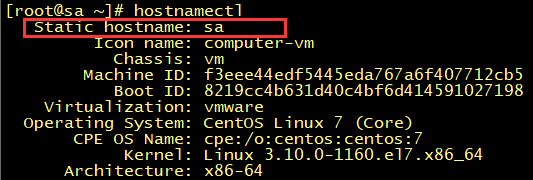 , then enter “VI/etc/hosts” to set your own hostname (Note: here is your own IP address + hostname, for example: 172.12.1.68 admin)
  , and finally run again: rabbitmq plugins enable rabbitmq_ management