Category Archives: How to Fix

Flink 1.1 error: no executorfactory found to execute the application

Error reported when migrating Flink to 1.1:

No ExecutorFactory found to execute the application

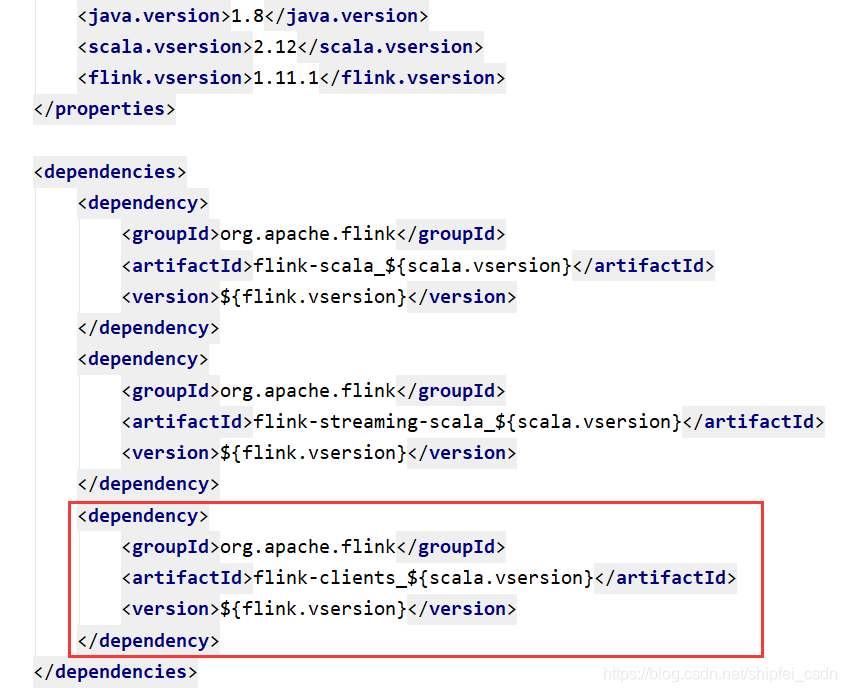
After investigation, the reason is: starting from flink1.11, the Flink streaming Java dependency on Flink clients has been removed, and the clients dependency needs to be added manually.

The POM file is as follows, add Flink clients_ 2.12, problem solving.


Keytool error: java.io.FileNotFoundException : MyAndroidKey.keystore (access denied)

This is the problem I encountered when I used java keytool to generate certificates this afternoon

Cause error:

Keytool error: java.io.FileNotFoundException : MyAndroidKey.keystore (access denied)

Analyze the problem:

When the certificate is generated, the permissions are not enough when writing to disk C. The properties of all the directories under C disk are read-only.

terms of settlement:

Method 1:
the path of JDK is in disk C. you can move JDK to other disk letters.
Method 2:
this method is the simplest to open CMD as an administrator, so that the error will not occur when writing something.

[error] attributeerror: module ‘SIP’ has no attribute ‘setapi‘

Problem Description:

Import bar_ chart_ Race report error

Recently, I was importing bar_ chart_ Error: attributeerror: module 'SIP' has no attribute 'setapi'
imported package:

import bar_chart_race as bcr

Just run the imported statement and an error will be reported: attributeerror: module 'SIP' has no attribute 'setapi'

terms of settlement:

Finally, I found that the reason for this error is that the version of Matplotlib library is too high. The version I reported is 3.3.2. If I downgrade it to 3.3.0, there will be no problem;

Uninstall first: PIP install Matplotlib

Re install: PIP install Matplotlib = = 3.3.0

Problem solving!!

Start cell keyerror and report an error

Local “Python” manage.py The error is as follows:

{'timelimit': (None, None), 'utc': False, 'chord': None, 'args': [], 'retries': 0, 'expires': None, 'task': u'home_application.celery_tasks.get_data_cycle_info', 'callbacks': None, 'errbacks': None, 't
askset': None, 'kwargs': {}, 'eta': None, 'id': '881d3c41-0d40-4a0e-9a86-60eca081b49c'} (248b)
Traceback (most recent call last):
  File "C:\python_env\dc_iip\lib\site-packages\celery\worker\consumer.py", line 455, in on_task_received
    strategies[name](message, body,
KeyError: u'home_application.celery_tasks.get_data_cycle_info'

In the early stage, the celery task was run, and then the app name initialized by the framework was changed to the specified project name due to the normalization of the project.
Rabbitmq service under windows is running all the time, in which the previous app name is also recorded, so an error is reported.

Solution: restart rabbitmq service
Error in idea compilation: java.lang.OutOfMemoryError Java heap space and java.lang.StackOverflowError

noun explanation java.lang.OutOfMemoryError Out of memory error
0 java.lang.StackOverflowError Stack overflow error

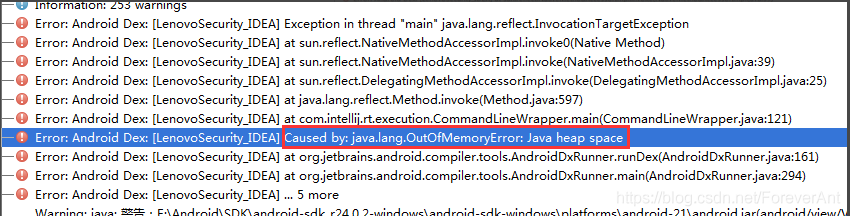
When developing applications with IntelliJ idea, If you compile a large amount of code, you will encounter
problems java.lang.OutOfMemoryError : Java heap space
error:

the usual solution is as follows
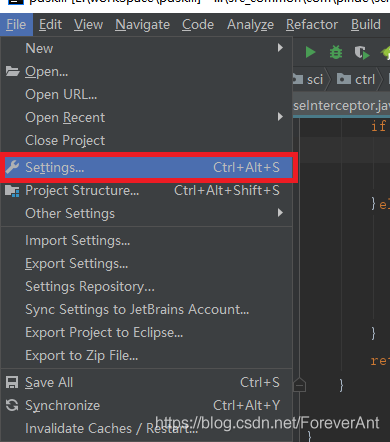
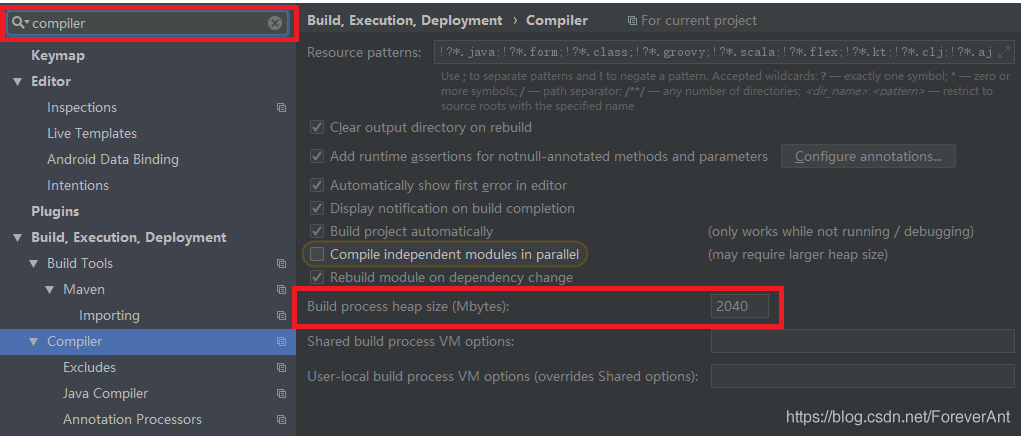
1. Click file setting search compiler

2. Change the value of “bulk process heap size (Mbytes)” to 2048

2 and java.lang.StackOverflowError Usually due to the program loop, infinite recursion. But I have also encountered a situation, not set the JVM parameters

The solution is as follows:
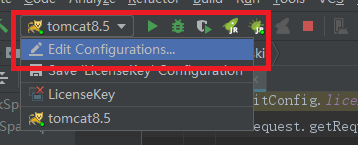
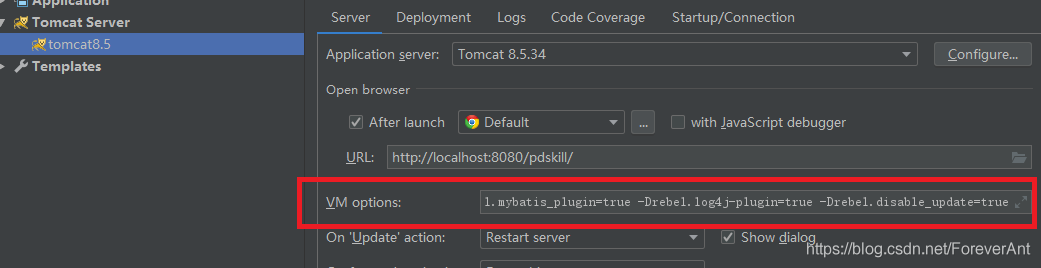
1. Click Tomcat – select Edit configurations

2. Select VM options as shown in the figure

the settings are as follows:
1- Ddruid.log.stmt .executableSql=true
-server
-Xms1024m
-Xmx1024m
-XX:MaxNewSize=512m
-XX:PermSize=128m
-XX:MaxPermSize=256m
-noverify
– Drebel.spring_ plugin=true
– Drebel.mybatis_ plugin=true
– Drebel.log4j -plugin=true
– Drebel.disable_ update=true`

click “apply” – “OK”

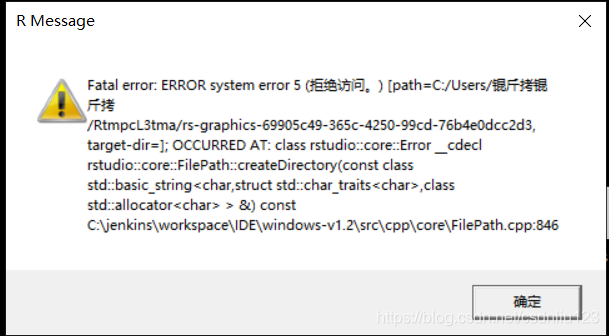
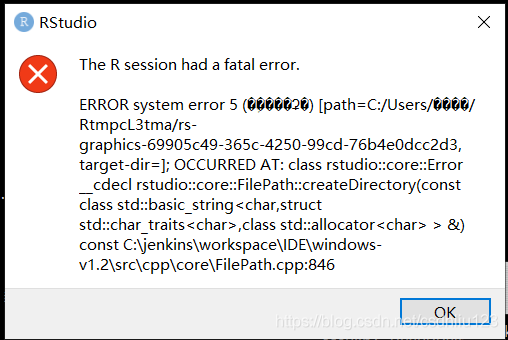
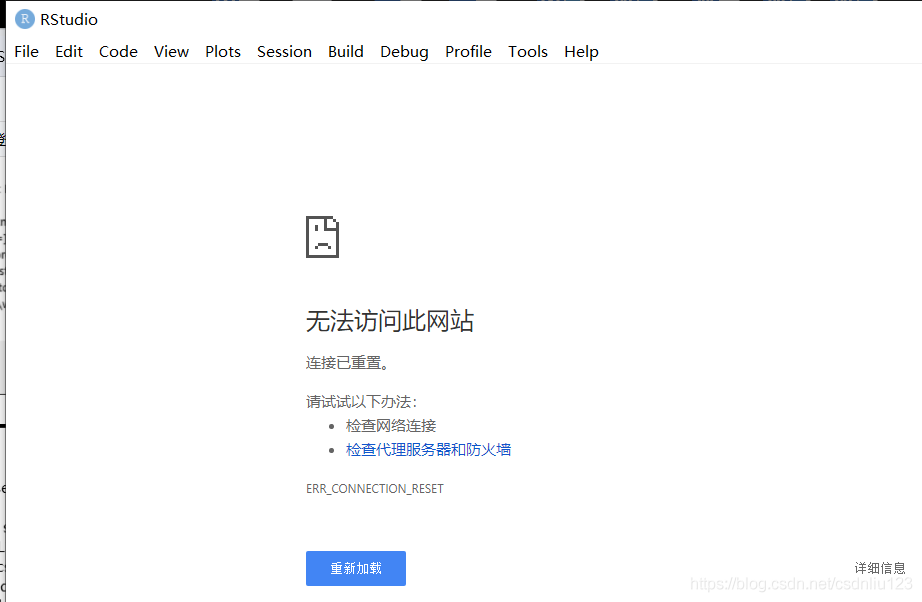
Solve rstudio software error: fatal error error system error 5 (access denied) problem, pro test effective

1. Error reporting:

2. Error report: because the current system user name is in Chinese, there is a garbled code when reading the path, which cannot be recognized.

3. Solution: modify the values of the current user’s environment variables temp and TMP. Change the variable value to a path without Chinese name.

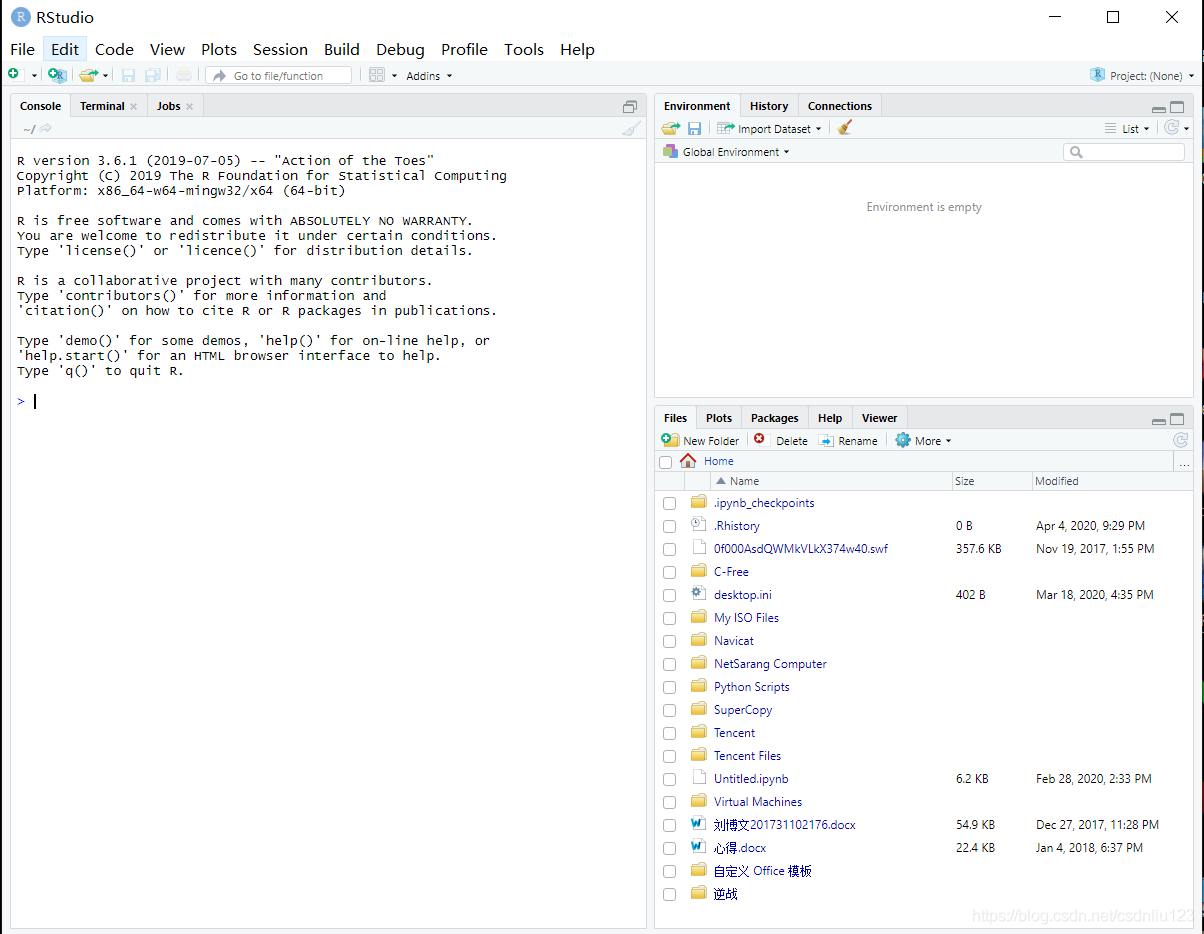
4. Restart rsudio software: the software can be used normally.

IOS error: linker command failed with exit code 1 solution

The error is as follows:

ld: library not found for -lXXX

clang: error: linker command failed with exit code 1 (use -v to see invocati

When we refer to static libraries, we do not configure library search paths, which results in an error

resolvent:

Build settings – library search paths view the path of the XXX file. If the path is wrong or there is no path, add the correct path again, and then compile Xcode.

Vs2013 error msb8031 solution today ran a MFC program, found that the error: error msb8031: building an MFC project for a non-U

Vs2013 error msb8031 solution

Today, in the process of porting and compiling, we found an error: error msb8031: building an MFC project for a non Unicode character set is decoded

You must change the project property to Unicode or download an additional library.  


Solution:
go to the Microsoft website to download this component https://www.microsoft.com/zh-cn/download/details.aspx?id=40770

Select the corresponding language. Microsoft removed the multi byte character set support in vs2013,

Crypto JS decrypts malformed UTF-8 data

When using crypto JS to decrypt, an error may be reported:

Malformed UTF-8 data
Error: Malformed UTF-8 data
    at Object.stringify (d:\StudeyCode\myStudy\encryptDemo\routes\encrypt\crypto-js.js:478:27)
    at WordArray.init.toString (d:\StudeyCode\myStudy\encryptDemo\routes\encrypt\crypto-js.js:215:41)
    at decryptByDESModeCBC (d:\StudeyCode\myStudy\encryptDemo\routes\encrypt\crypto.js:90:22)
    at testSign (d:\StudeyCode\myStudy\encryptDemo\routes\test.js:34:18)
    at Layer.handle [as handle_request] (d:\StudeyCode\myStudy\encryptDemo\node_modules\express\lib\router\layer.js:95:5)
    at next (d:\StudeyCode\myStudy\encryptDemo\node_modules\express\lib\router\route.js:137:13)
    at Route.dispatch (d:\StudeyCode\myStudy\encryptDemo\node_modules\express\lib\router\route.js:112:3)
    at Layer.handle [as handle_request] (d:\StudeyCode\myStudy\encryptDemo\node_modules\express\lib\router\layer.js:95:5)
    at d:\StudeyCode\myStudy\encryptDemo\node_modules\express\lib\router\index.js:281:22
    at Function.process_params (d:\StudeyCode\myStudy\encryptDemo\node_modules\express\lib\router\index.js:335:12)

The reason for the error is: when des decrypts, if the encrypted data is not an integral multiple of 8, the above error will be reported,
solution: encrypt the data, and then encrypt it with Base64. When decrypting, first decrypt it with Base64, and then decrypt it with DES. The above problems can be solved.

Unit package manager error

Although the idea of changing unity to package manager is very good, we always encounter various exotic problems. For example, when importing the project, when processing the package, all kinds of prompts report errors, resulting in the project cannot be opened normally… Click continue to flash back.

Unity package manager error: unable to connect“ https://packages.unity.cn ”

It seems to be the problem of unity China.

The solutions are as follows:

Add environment variables and add them directly from the command line under CMD (please open it in administrator mode). The command is as follows: setx unity_ NOPROXY localhost,127.0.0.1

Wait for the environment variable to be added.

Update: some projects can be done like this. Today another project will always prompt unable to connect“ https://packages.unity.cn “It’s very painful. Unity is too rubbish. Normally, I copy the package cache from other projects. Shouldn’t it work?He can’t