Category Archives: How to Fix

Android monitor EditText text input EditText monitor events and input events

Method 1: use setonkeylistener (), which can only listen to hard keyboard events, so most Android devices can’t use it

editText.setOnKeyListener(new View.OnKeyListener() {              
            @Override  
            public boolean onKey(View v, int keyCode, KeyEvent event) {  
                Log.i(TAG, editText.getText());  
                return false;  
            }  
        }); 

method 2: use textwatcher class to monitor the soft keyboard and hard keyboard, just implement the ontextchanged method. In addition, textwatcher also provides the beforetextchanged and aftertextchanged methods for more detailed input monitoring

editText.addTextChangedListener(new TextWatcher() {           
            @Override  
            public void onTextChanged(CharSequence s, int start, int before, int count) {  
            	Log.i(TAG, "please input the status in the word, count is the number of the string your input"); 
                Log.i(TAG, editText.getText());  
            }  
              
            @Override  
            public void beforeTextChanged(CharSequence s, int start, int count,  
                    int after) {   
            	Log.i(TAG, "input the status after your text");  
            }  
              
            @Override  
            public void afterTextChanged(Editable s) {   
            	Log.i(TAG, "input the status before your text");  
            }  
        });

Method 3: when the input value reaches the maximum value, it is not allowed to input again. In addition, EditText does not provide us with the function of forbidding input of EditText. The following method also realizes this function.


  private void setEditable(EditText editText, int maxLength, boolean value) {  
        if (value) {  
            editText.setFilters(new InputFilter[] { new MyEditFilter(maxLength) });  
            editText.setCursorVisible(true);  
            editText.setFocusableInTouchMode(true);  
            editText.requestFocus();  
        } else {  
            editText.setFilters(new InputFilter[] { new InputFilter() {  
                @Override  
                public CharSequence filter(CharSequence source, int start,  
                        int end, Spanned dest, int dstart, int dend) {  
                    return source.length() < 1 ?dest.subSequence(dstart, dend)  
                            : "";  
                }  
            } });  
            editText.setCursorVisible(false);  
            editText.setFocusableInTouchMode(false);  
            editText.clearFocus();  
        }  
    } 
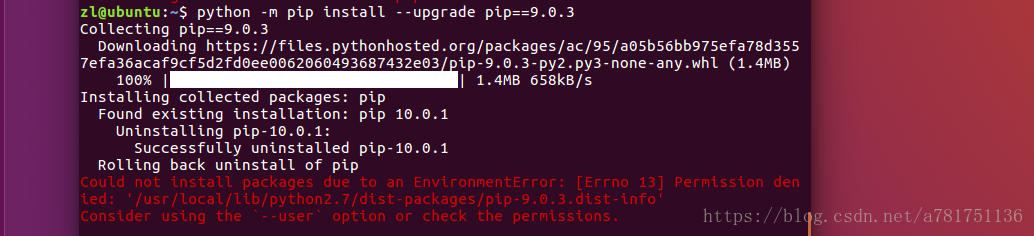
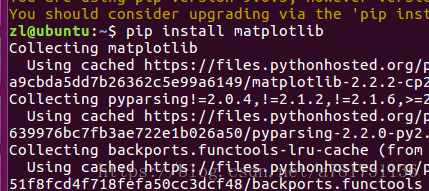
Could not install packages due to anenvironment error: [winerror 5] access denied

I’ve been learning Python before, but I’m not familiar with PIP

Every time you install a package, PIP will

You are asked to install the updated version of PIP, which is 10.1

But after the update, when installing other libraries, we habitually install the libraries in the same way as before

This is a problem

Due to time constraints, pip10.1 has no time to study. I want to go back, but I can’t

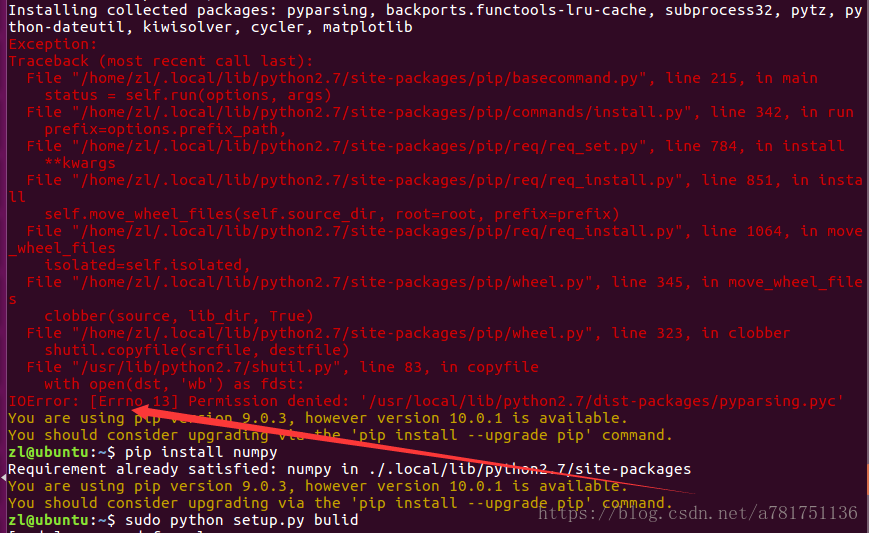
Look at the wrong requirements

Just Python – M PIP install — user — upgrade PIP = = 9.0.3

Just add a — user

As for why, I don’t know. I’ll be in a hurry when I have a problem. I can use it

If you still report an error when installing some packages after returning!!

I often encounter this error, and I feel that the online solutions are a bit messy

Just add a — user directly after install

Vs code solves the problem that latex does not display references and [?] is displayed in the text

After compiling, display without reference:

solution:

    compile to make sure that there are. Aux files in the same directory folder as. Tex. click Terminal – & gt; new terminal on the top navigation bar of vscode to export the console. Enter the command: BibTex will automatically prompt the file name, and then recompile to display the references

    Note: if the reference is displayed, but the text is [?], note that the quotation of latex is: balabalabalab , there is a space between the text and , or compile twice !

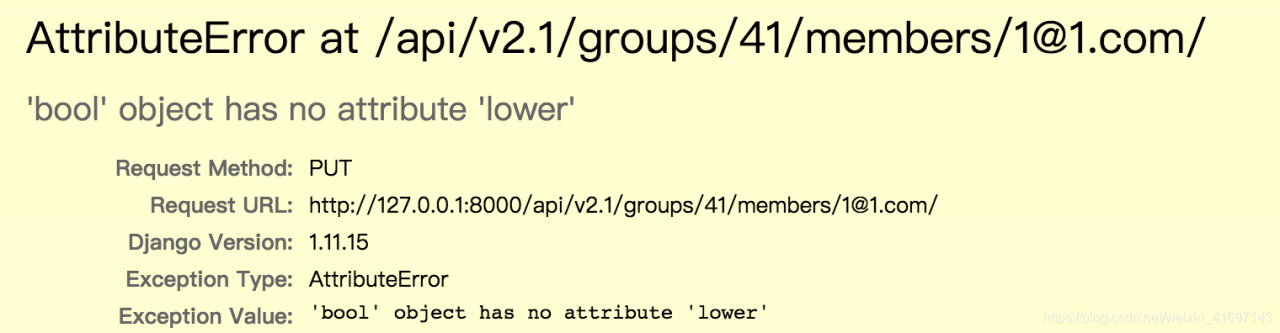
Attributeerror: object has no attribute

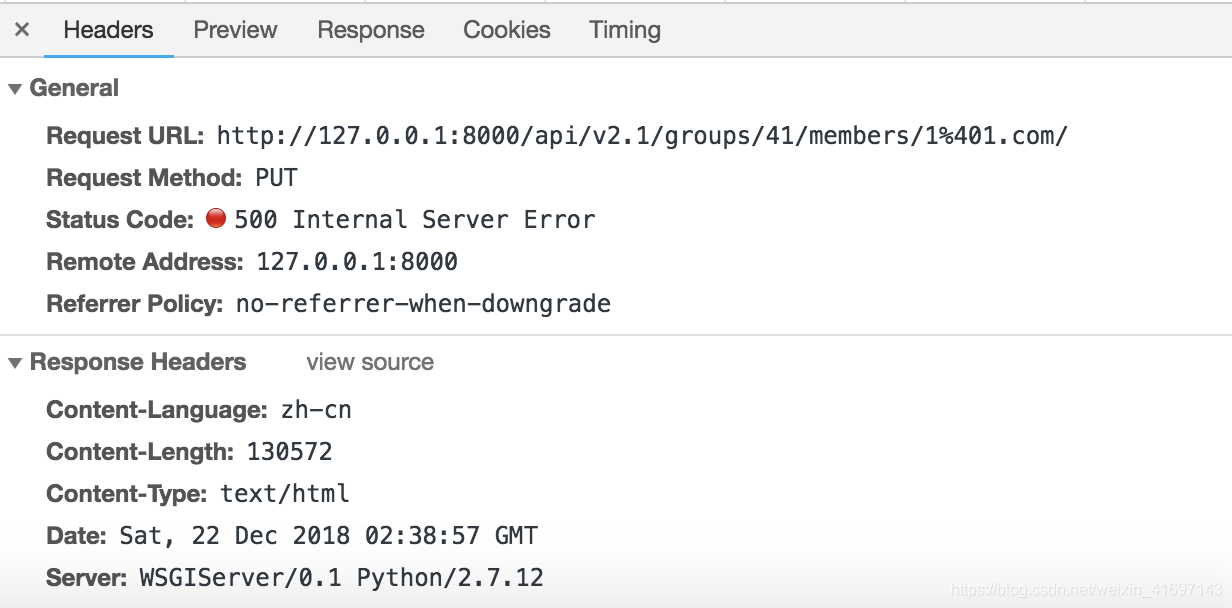
Error report: in the front-end test, the interface sends a put request, the error report occurs on the interface, the request cannot respond, and the server status code is 500.

Error analysis: semantically, “the object does not have a XXX attribute.”.

Look up most of the information, most of the problems with Python. The front end of this project uses react, and the back end uses the djongo framework of Python.

The main reason for asking the back-end colleagues is that the data type of the parameters passed by the front-end is incorrect. The back end needs a string “true”, but the front end passes a Boolean “true”, which causes the above problem.

In case of such a problem, the error code returned by the server is 500. For such a problem, usually ask the back-end colleagues to check the log for common analysis.

An error is reported after Android studio creates a new virtual machine. Emulator: emulator: error: unknown AVD name

Background: after Android studio is installed, a new virtual machine is created, and then it runs normally for the first time, and then it runs with two errors:
1. Emulator: emulator: error: unknown AVD name, use – list avds to see valid list.
2. Emulator: process finished with exit code 1
search the Internet for the problem, and find the following solution: save a note.
Original source: https://blog.csdn.net/xiaoxiao133/article/details/79819532
Abstract:
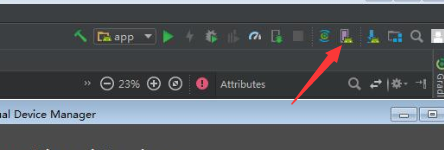
Open AVD manager, or you can find

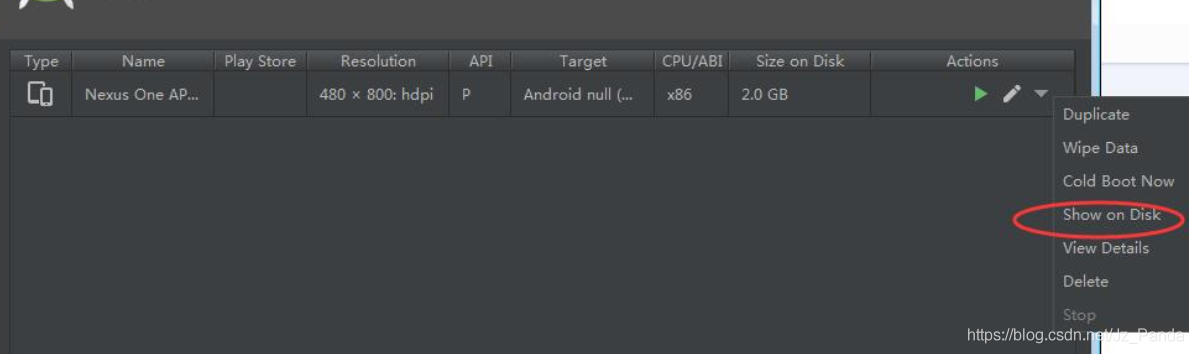
in the menu bar tools, and then click Show on disk in the inverted triangle on the right

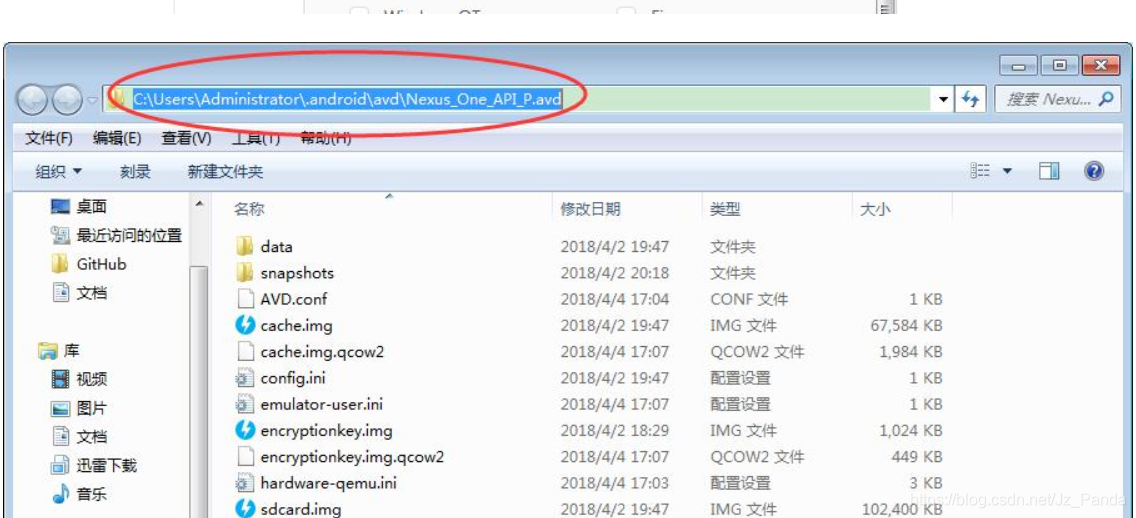
the picture is from the original blog Then jump to the folder of your virtual machine and copy the previous path. Take the original blog map as an example:
* * C: (users/administrator) \ *
just use the previous path (all the previous paths of Android include “\”)

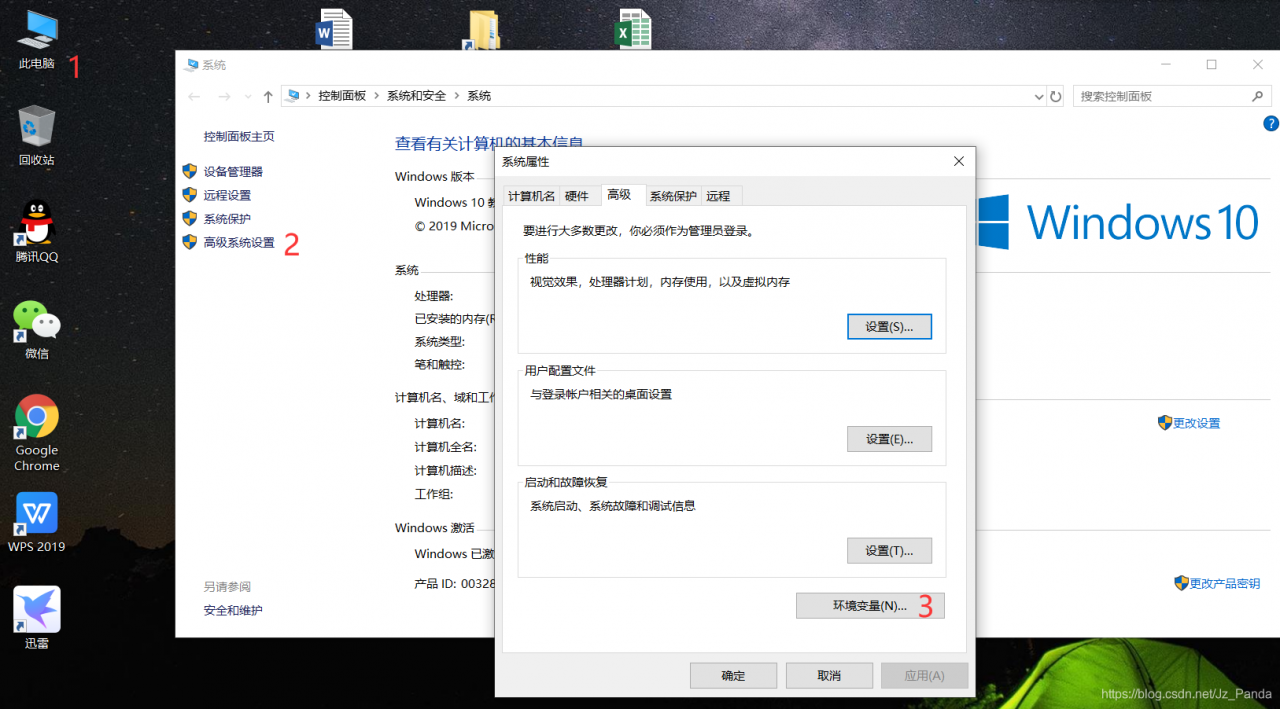
and then go to Android in the computer environment variable_ SDK_ Under home

* add Android_ SDK_ The value of the home variable is changed to the path that was copied just now, C:: Restart Android studio!!
Thank you again for understanding Android_ SDK_ Environment variable of home!
Please contact me to delete it.

Yapi platform deployment error (MAC must report error) solution

1. Deploy Yapi locally

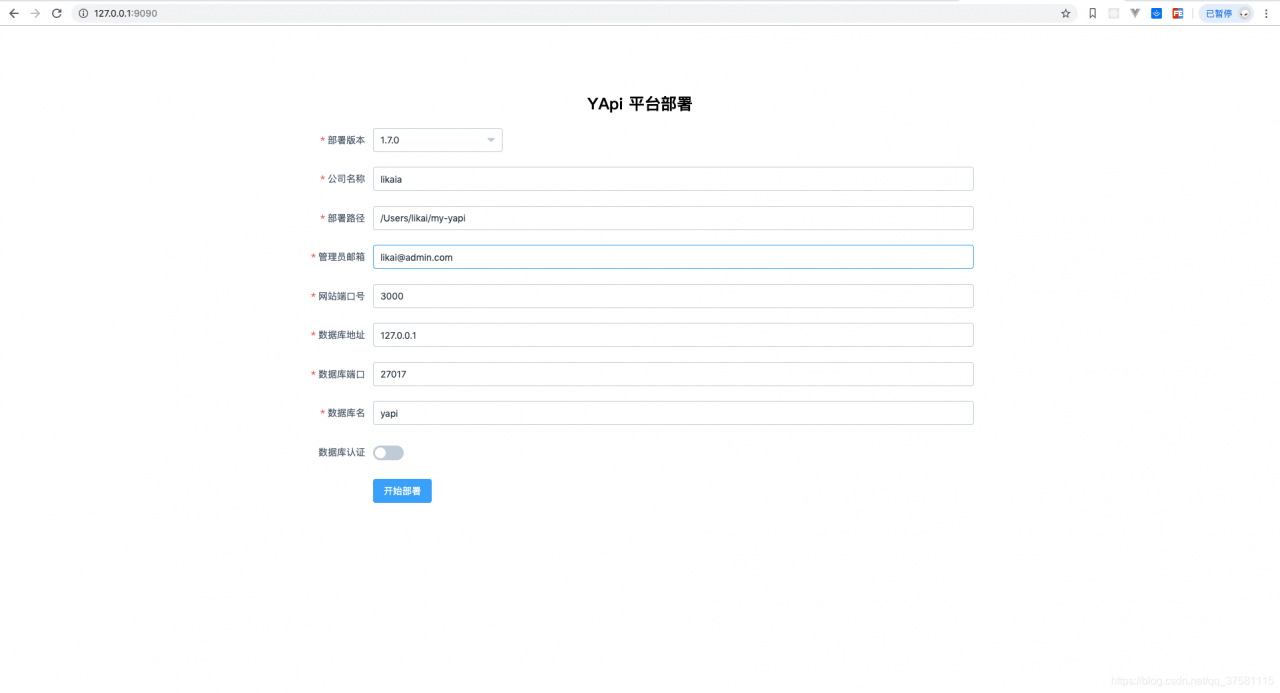
According to the official documents, after the global installation of Yapi CLI and mongodb, the terminal executes Yapi server, and the browser enters 127.0.0.1:9090 to open the deployment page

After filling in the basic information, click Start deployment, wait for a period of time, the problem appears

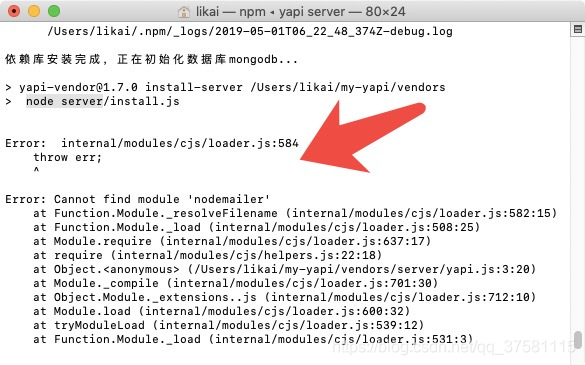
node server/install.js

Error:internal/modules/cjs/loader.js:584
   throw err;

Errpr:Cannot find module 'nodemailer'
  at Function.Module_resolveFileName(.........)
  at Function.Module_resolveFileName(.........)
  ........


The reason for the error is probably the lack of nodemailer module, so I tried to install the module globally. After the installation, I still reported the same error. In this way, I kept looking for the error. I deleted the project and started over again. After repeated tossing and tossing, I was about to re install the system. After one afternoon’s tossing and tossing, I finally found a solution

2. Solutions

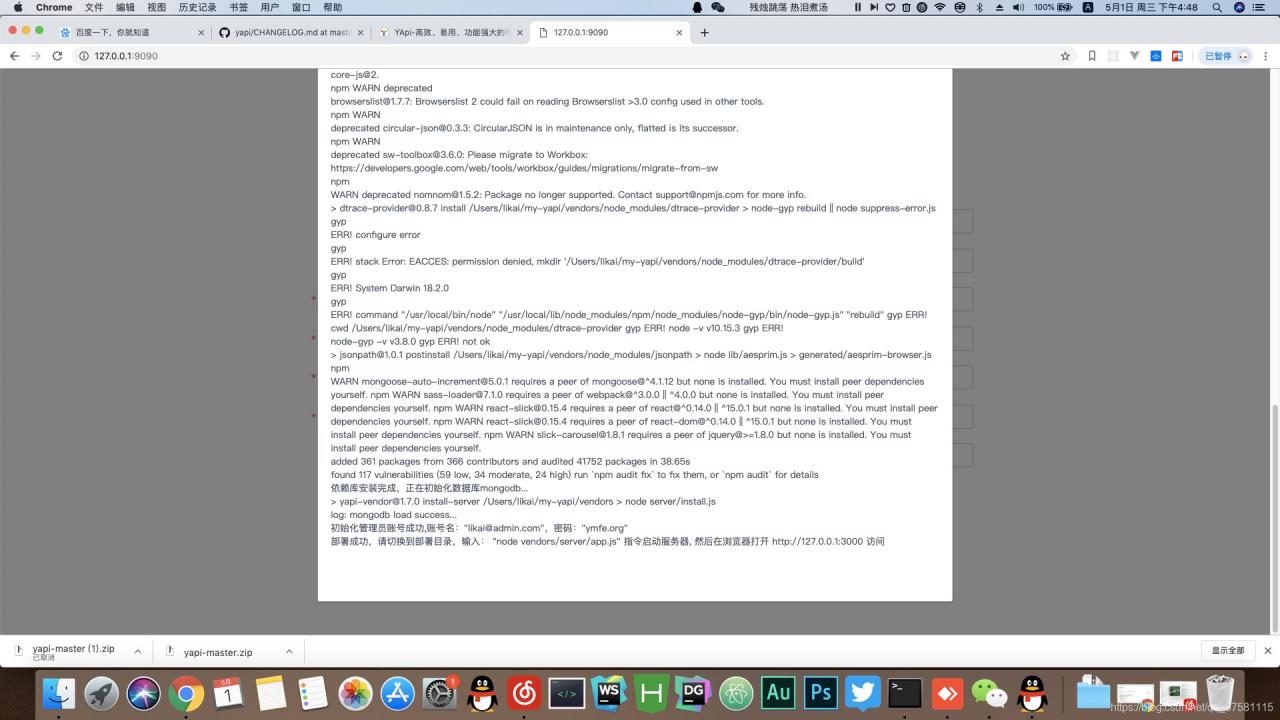
Due to the problem of MAC permission, Yapi is initialized according to the official document writing method, and finally there is no write permission in NPM, resulting in the loss of packets

Modify the “Yapi server” as

sudo yapi server

Then the project is deployed again and the problem is solved


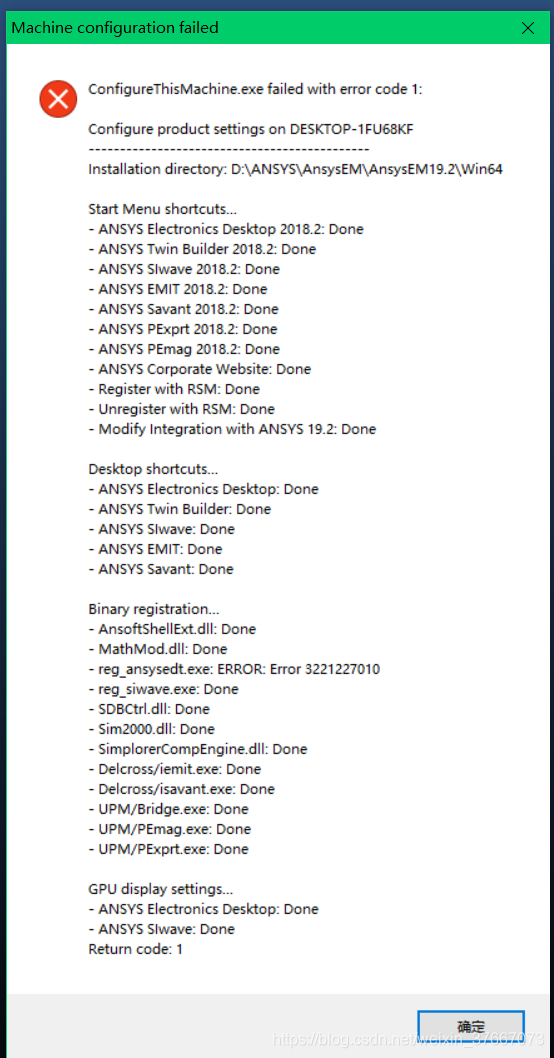
Ansoft installation error_ ansys.exe ERROR:Error3221227010

Ansoft installation error_ ansys.exe ERROR:Error3221227010

Problem description solution

Problem description

The original Maxwell software cannot be opened after the window is updated

Due to the installation of several latest security patches for windows, Maxwell can not be opened and the problem can not be solved after the re installation, and the error has been reported all the time

resolvent

There is only one solution: uninstall the latest security updates, generally the package starting with kb457 *
Win + R Enter to view the update record & gt; uninstall update = = & gt; find the relevant update package and uninstall it.

Maven of springboot project pom.xml Unknown error in the first line of the file

Reason: the plug-in version of Maven is not compatible with IDE

Solution: add & lt; Maven jar to POM- plugin.version&gt ;3.1.1</maven-jar- plugin.version&gt That’s all

    <properties>
        < java.version&gt ;1.8         <spring- cloud.version&gt ; Greenwich.SR1&lt ;/spring- cloud.version&gt ;
        <maven-jar- plugin.version&gt ;3.1.1</maven-jar- plugin.version&gt ;
    </properties>

Android studio error Error:Could not Determine java version from ‘9.0.4’

The beginning of the matter is to export an APK with signature package and report an error Error:Execution failed for task ‘: app:compileReleaseJava ‘& gt; cannot find sys

At that time, my default setting location did not point to the correct JDK path, so an error was reported. Since I haven’t found my previous JDK for a long time, I went to the next version of JDK (9.0.4). Please pay attention to the latest version.

Then I try to export again and report an error: Error:Could not Determine java version from ‘9.0.4’

Then try again and continue to report errors Error:Gradle version 2.2 is required. Current version is 4.6. If using the gradle wrapper, try editing the distributionUrl in /Users//Desktop/gradle/wrapper/gradle- wrapper.properties to gradle-2.2- all.zip … because of the error caused by the inconsistency between the gradle version and the gradle version of as, modifying the gradle configuration file (there are many detailed solutions on the Internet) is of no use to me… Because after the change, an error is reported: could not initialize class com.android.repository . api.RepoManager Well, I gave up.

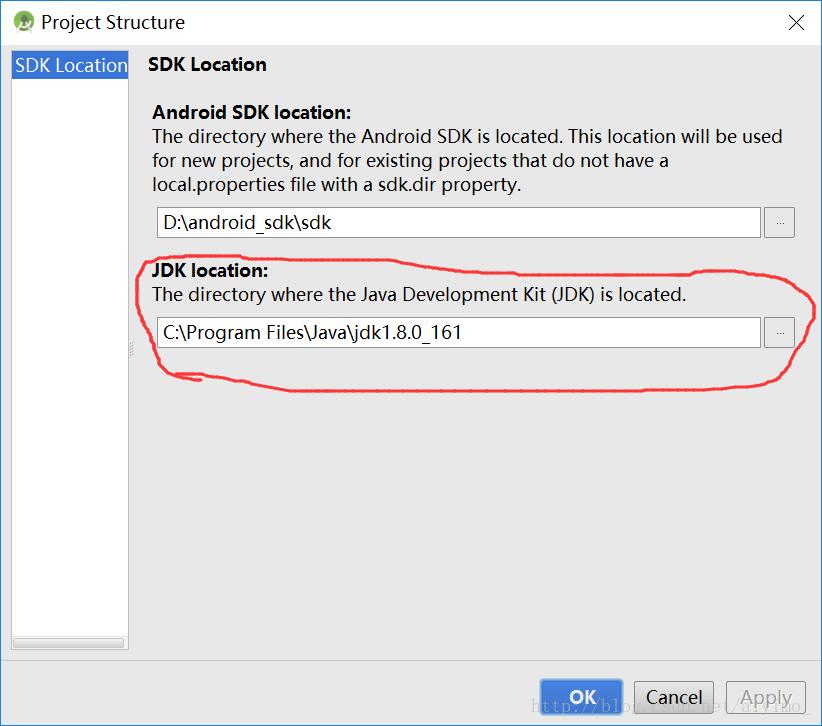
I began to think about why I encountered this series of problems at the beginning, right! Because of the latest version of JDK! So, I went to download a 1.8.0 JDK (download address), download and install it, change the JDK location of Android studio (Figure), and then gradle changed back to the old version, APK signature package export, success!!

So why should I download the latest JDK?:)

[development experience] solution to unexpected syntax error: unexpected identifier in JSON parsing

The solution of unexpected syntax error: unexpected identifier

Analysis of the causes of the solutions to errors

Error phenomenon

As shown in the title, this error occurs when the foreground parses the JSON object passed in the background. Other code is very simple, as follows:

$.getJSON("Index_ToDoList", { type: "GetBacklog" }, function (data) {
                   var rowData = eval('(' + data + ')');
                   alert(rowData[0].RiskNumber);
               }
        })

Results no matter how to test and modify, always report the above error. Online Baidu also many times, are saying less or more a “comma”, but tested the background, JSON format is no problem.

resolvent

One hour later, when I couldn’t figure out the solution, I suddenly found that in other code, the parsing was done by another method. I quickly tested the code as follows:

    $.ajax({
               url: 'Index_ToDoList?random=' + Math.random(),
               data: { "type": "GetBacklog" },
               success: function (data) {
                   var rowData = eval('(' + data + ')');
                   alert(rowData[0].RiskNumber);
               }
        })

It’s OK! The data is also parsed out!

Cause analysis

The most likely reason is that there is a problem with the version of jQuery quoted in this framework, or some code has been changed by others (I don’t have the ability to look up the code), so this writing method is feasible in this framework. It can be seen that maintaining the code left behind by others is such a pitfall, but sometimes, if you can’t rewrite the code, you have to be more careful!