Category Archives: How to Fix

After node.js is installed, use the instruction node version in vscode to show that it is not an external or internal instruction. The solution is as follows:

**

After node.js is installed, use the instruction node version in vscode to show that it is not an external or internal instruction. The solution is as follows:

**

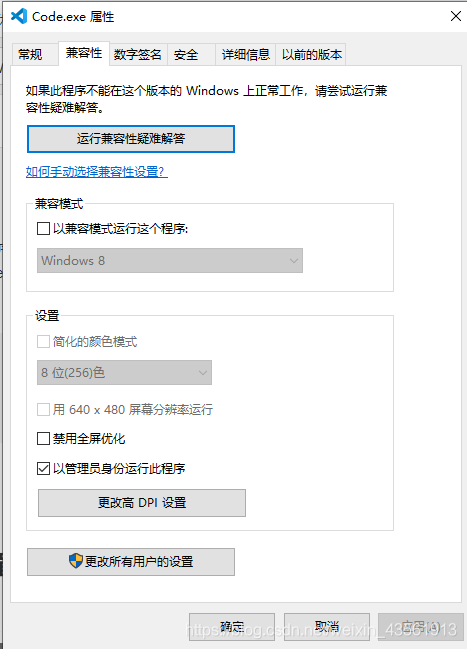
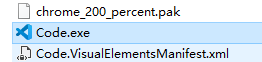
Method 1: restart vscode, and then re-enter node — version (1) find the code.exe file
(2) right click the properties
(3) after opening the compatibility, select to run the program as an administrator and click OK
(4) in the last step, restart vscode and re-enter node — version

Jsonformat annotation solves the problem of time format in the front end of localdatetime

Annotation @ jsonformat is mainly the conversion of time format from background to foreground

Annotation @ dataformat is mainly the conversion of time format from front to back to background

@DateTimeFormat(pattern = "yyyy-MM-dd")
@JsonFormat(pattern = "yyyy-MM-dd HH:mm:ss",timezone="GMT+8")
private Date symstarttime;
 
@DateTimeFormat(pattern = "yyyy-MM-dd")
@JsonFormat(pattern = "yyyy-MM-dd HH:mm:ss",timezone="GMT+8")
private Date symendtime;

Mac bigsur cannot create other directory solutions in the root directory (M1 chip is also applicable)

The solution is to create a soft link to the real directory

For example:
here, take creating/data in the root directory as an example, and other directory names are the same

First, create a data directory anywhere you want, such as/users/baixxhao/downloads/work/data. Don’t imitate me directly. Remember to change the user name.
2. Open the terminal (Command + space, then enter the terminal, enter)
2. Input sudo VIM/etc/synthetic.conf from the command line, Enter, enter a similar text editing page, do not close the window!!! Press the letter I, pay attention to the use of English characters throughout the operation, do not use pinyin input method (including all the following, are in English)
3, enter the following line (note that the middle is tab, not spaces)!!! Pay attention to the following parameters, use your own real directory

data	/Users/baixxhao/Downloads/work/data

4. Press ESC, press the English colon (Shift + colon), enter WQ, press return, that is, save and exit
5. Then restart, and you will find that/data has
6. If it is successful, like it?

look here
1. MKDIR/users/baixxhao/downloads/work/data
2. Sudo VIM/etc/synthetic. Conf
3

data	/Users/baixxhao/Downloads/work/data

4. Restart
5
Installing R’s “mvtnorm” package in Windows system: solving the problem of the R package “mvtnorm” is not installed

When R language library is installed, some packages will be brought with it, which can be called directly. However, not all expansion packages come with them. Some packages need to be installed separately. For example, “mvtnorm” needs to be downloaded and installed manually
the following two methods have been tried, but the second one is easier to use. For the official documentation of mvtnorm, see the link: mvtnorm

1. Use the command to install

Open the command line interface (executable program exe) under the path of R, and several interfaces can be used, such as r.exe and rgui.exe. It is recommended to use rgui.exe because it has GUI interface, which is more convenient to operate
then enter the following command:

install.package("mvtnorm")

Choose the image source of cran, it’s better to choose the domestic one, so that the download speed is not too slow
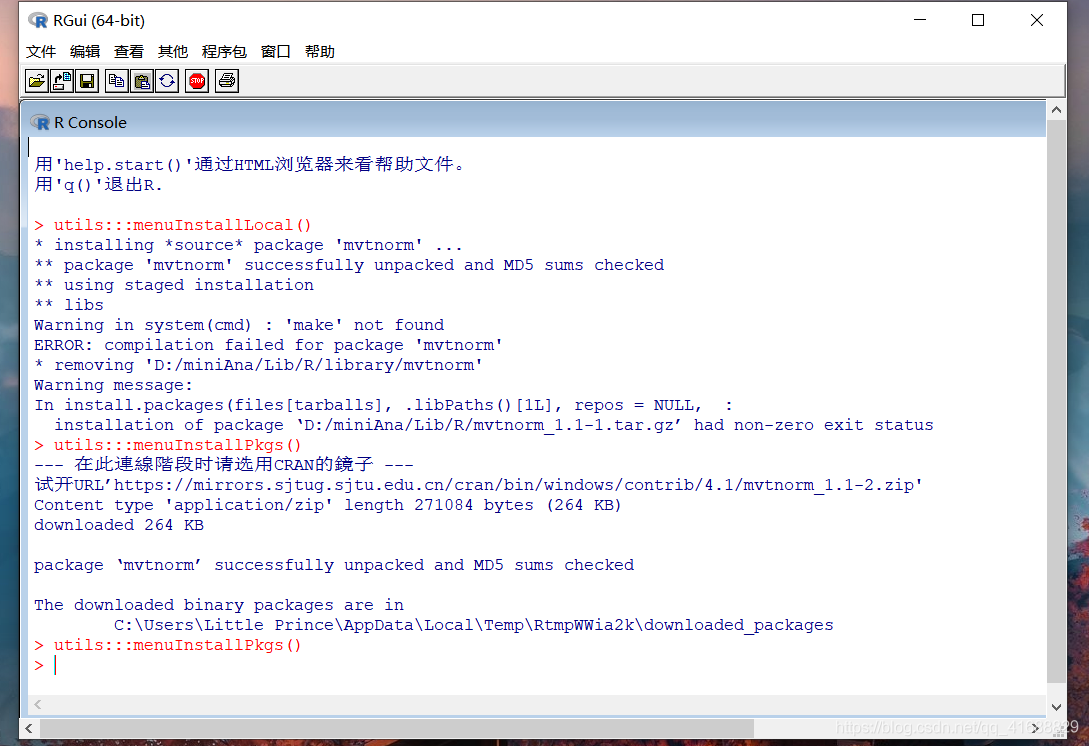
select package – “install package –” and then select the package you want to install in the pop-up box. Note that package names are case sensitive. The reason why I choose this installation method is that I don’t need to search for the matching expansion package on the image URL. It’s easier than the first command line installation

after the installation, the prompt of package: mvtnorm “successfully unpacked and MD5 sums checked” will appear, and the installation path of binary package will be displayed
to check whether the installation is successful, you can enter the

from rpy2.robjects.packages import importr
mvt=importr('mvtnorm')

You can check whether the installation is successful. If there is no display, the mvtnorm package is successfully installed. If: the R package “mvtnorm” is not installed.

3. References

R realization method of multivariate normal distribution test

Run with Python console solution is set by default for all projects in pcharm

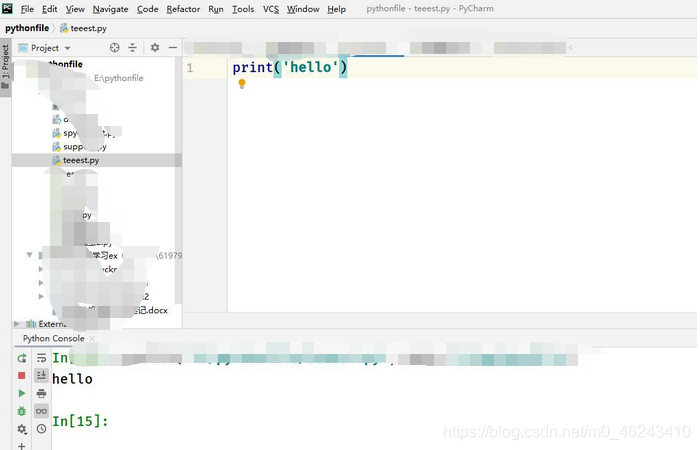
I like interactive programming. After the PY file is running, I can directly enter the variable name and view the variable value without entering the print function to print the variable or enter some small commands, So I think Python console is at least better than “rigid” console.
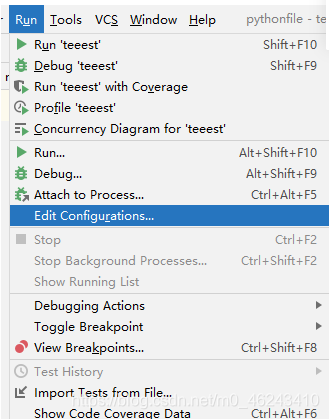
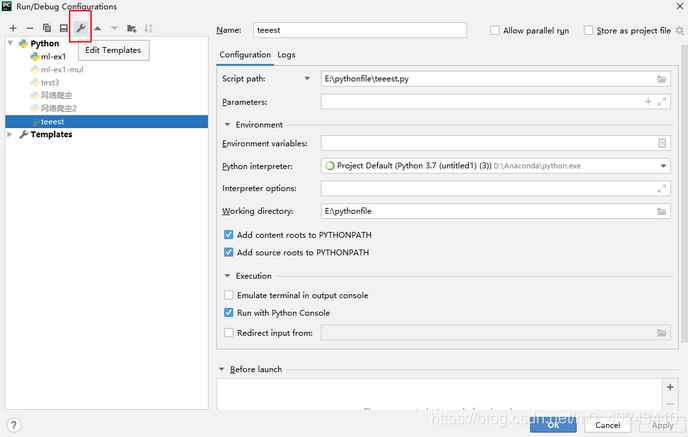
1. Run edit configurations

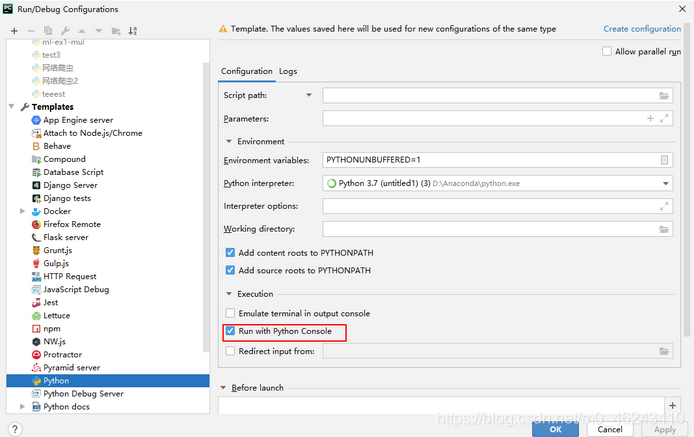
2. Click “wrench”

3. Check “run with Python console” and then click “OK”
4. Create a new project new Python file, Only new project is the default setting)

if you don’t like Python console constantly creating new tabs every time you run, you can set the following
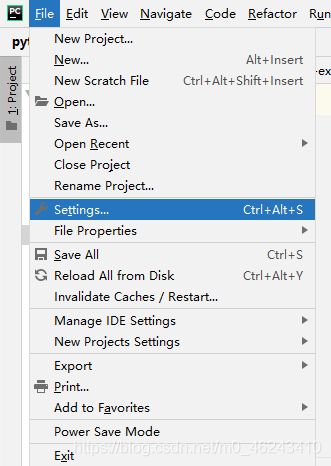
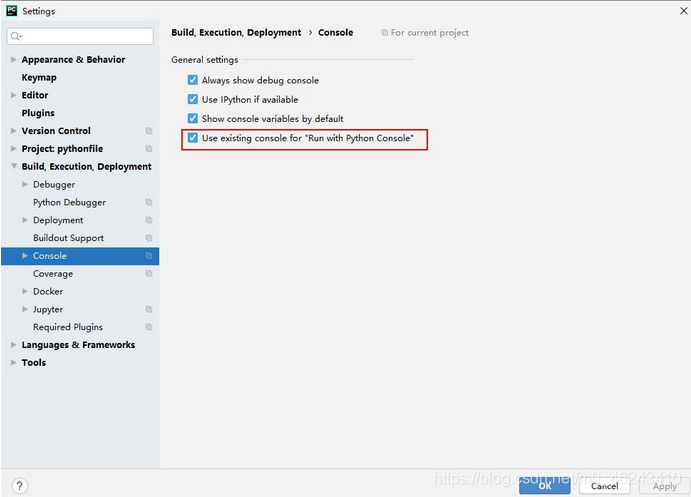
5. File settings

6. Check the red box “√” in build, execution and deployment console

Solution of maven pom.xml dependency invalidation in IntelliJ

https://blog.csdn.net/weixin_33400820/article/details/78855594?utm_medium=distribute.pc_relevant.none-task-blog-baidujs_title-0&spm=1001.2101.3001.4242

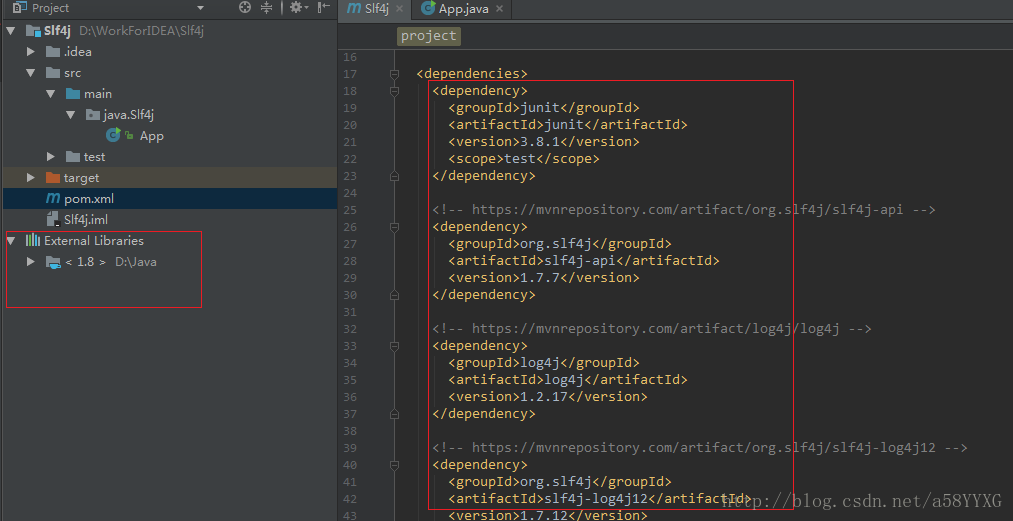
The Maven project was created in IntelliJ, and the dependencies of slf4j and log4j were added to pom.xml. However, when writing the program, we found that IntelliJ had no text assistance about slf4j and log4j at all. After checking, we found that although the dependencies in pom.xml had been downloaded to the local repository, they were not added to the extended libraries of the project path
as shown in the figure:

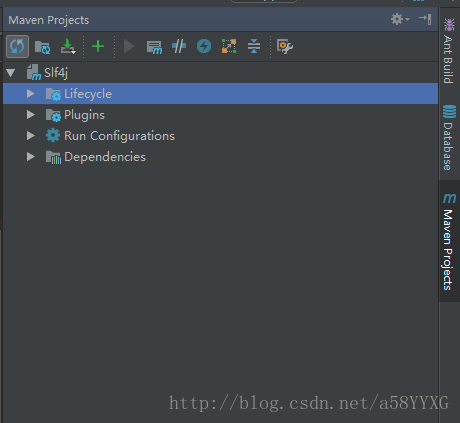
After Google and Baidu, they didn’t find the same type of problems, so they had to explore their own solutions. They found that there was a management window for Maven project in IntelliJ

View –> Tool Windows –> Maven Projects

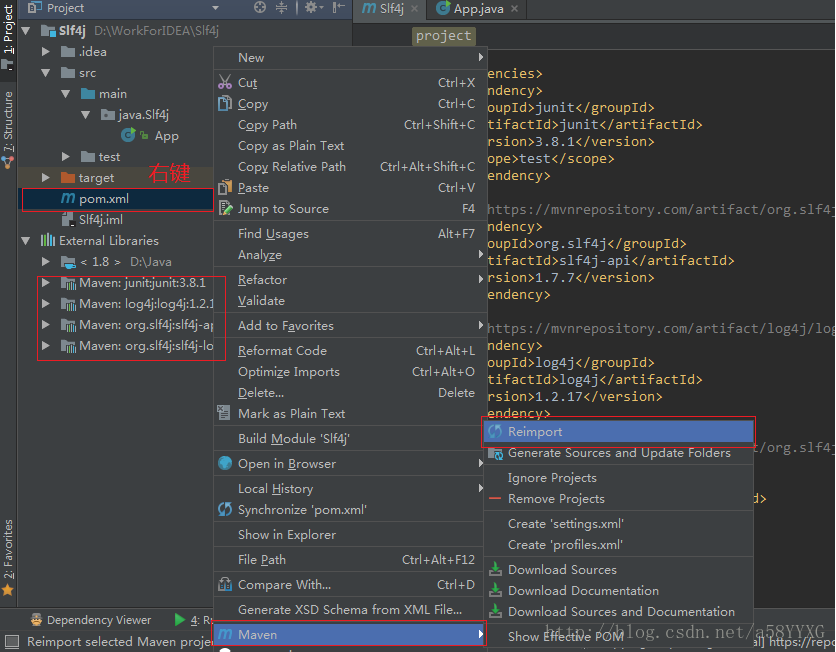
If the dependencies folder is not found, there is no dependency in the project, but the content required for dependency has been added to the pom.xml file. Later, it is found that the content of Maven’s pom.xml file needs to be re imported, as shown in the figure:

Re import can find all the dependent packages in external libraries

To solve the problem that windows Remote Desktop Services cannot copy and paste: restart rdpclip.exe

After connecting to the remote server, even if you select the “clipboard” function in the “local resources” tab, you still can’t copy and paste. The solution is found through Baidu, because the rdpclip.exe on the remote server doesn’t work properly. The solution is to open the task manager on the remote server, find the rdpclip.exe process, and close it.

Then enter rdpclip.exe in the start menu search box, press enter, and it will run again.

Rk3399 boot into loader mode

Problem description

After burning the software on the main board of rk3399, it enters the loader mode again after restarting. You can view the following print records by viewing the log.

[ 11.254728] init: init first stage started!
[ 11.260572] init: Using Android DT directory /proc/device-tree/firmware/android/
[ 11.274173] init: [libfs_mgr]fs_mgr_read_fstab_default(): failed to find device default fstab
[ 11.463441] init: [libfs_mgr]by-name symlink not found for partition: 'recovery'
[ 11.471083] init: [libfs_mgr]avb_slot_verify failed, result: 2

reason

Looking at the above problem, it seems that Baidu pointed to AVB, a feature of Android. After comparison, we found that DTS was compiled incorrectly,
the DTS we used was rk3399-tve1030g-avb, but it was compiled into rk3399-tve1030g, which may be due to the lack of AVB function, leading to the failure of startup.

remarks

Rk3399 if you want to replace the kernel, you need to burn the boot partition. If you burn kenel and resource, it is invalid.