Category Archives: How to Fix

error: (-215:Assertion failed) !ssize.empty() in function ‘resize‘

error: (-215:Assertion failed) ! ssize.empty() in function ‘resize‘

1. Cause of the problem:

(1) The image path is correct, and does not contain Chinese, but the image path is not the whole path
(2) the image path is wrong, and no image is found
(3) the image path contains Chinese, and the function reports an error

2. Solution:
step by step check
(1) whether the file path is correct
(2) whether it is an absolute path
(3) whether the file name contains Chinese characters

If there is no way to solve, more detailed steps reference! Empty() in function ‘CV:: cascade classifier’
the errors are different, but the solutions are similar.

Automatic configuration of springboot and application.yml

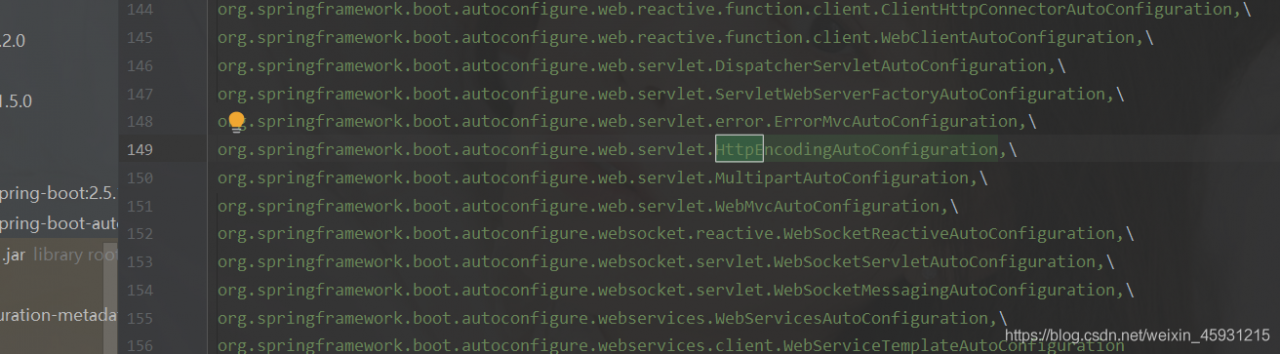
We need to know that when springboot starts, it will be automatically configured, find meta-inf/spring. Factors , and load it into the IOC container

enter the file and find any class
click in<

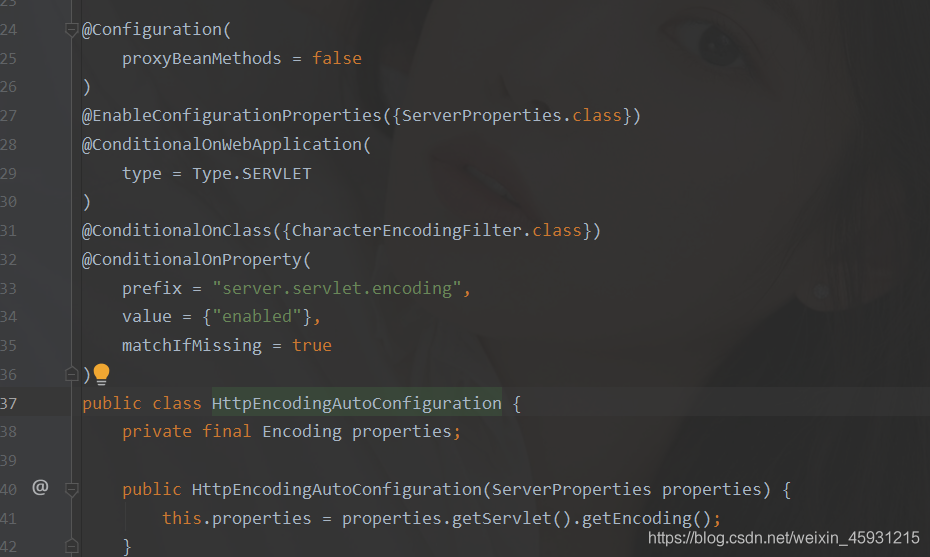
see the @ enableconfigurationproperties ({serverproperties. Class}) annotation
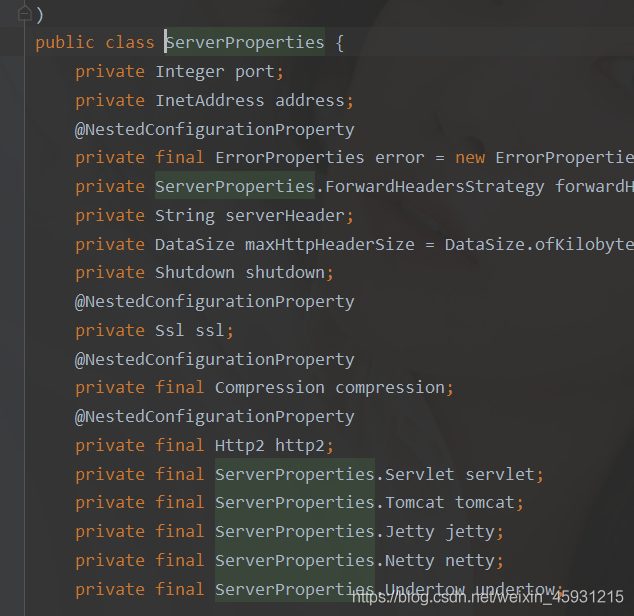
click in serverproperties. Class

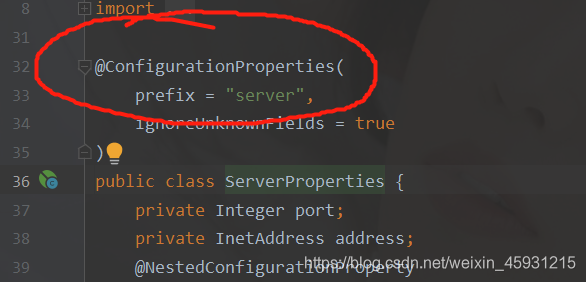
this means that the class is bound to the application.yml file
in which the value of prefix represents the

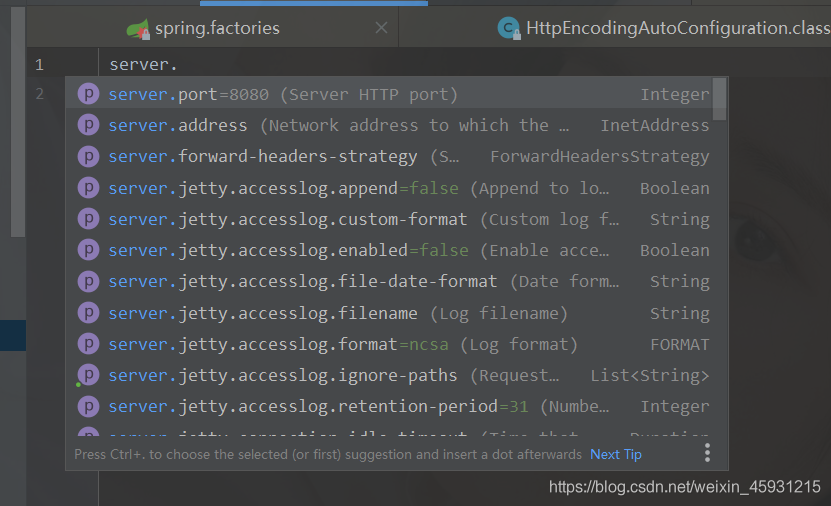
in the YML file All kinds of properties of this class are those of this class

the above is spring boot auto configuration and application. YML contact!!!

not found libc++.so

Problem: the installation of install depends on the APK with so library, so it can’t load so normally. Error: not found libc + +. So
for example: system. Loadlibrary (“inittest”);

analysis:

    on Android/prebuilds/tools/GCC SDK, run the following command:
    readelf – DW libinittest. So
    to view the dynamic dependency Library of libinittest. So. Since relying on libc + +. So Android n, Google has contracted the dependent permissions of so library. Only the application under system/APP system/priv app can be relied on. Some so libraries cannot be loaded by the installation application under data/APP
    the following/system/etc/public.libraries.txt is the white list of dynamically dependent libraries. Libc + +. So is not among them

    libandroid.so
    libaaudio.so
    libamidi.so
    libbinder_ndk.so
    libc.so
    libcamera2ndk.so
    libdl.so
    libEGL.so
    libGLESv1_CM.so
    libGLESv2.so
    libGLESv3.so
    libicui18n.so
    libicuuc.so
    libjnigraphics.so
    liblog.so
    libmediandk.so
    libm.so
    libnativewindow.so
    libneuralnetworks.so
    libOpenMAXAL.so
    libOpenSLES.so
    libRS.so
    libstdc++.so
    libsync.so
    libvulkan.so
    libwebviewchromium_plat_support.so
    libz.so
    

    Scheme 1:
    add libc + +. So to the white list

    Scheme 2:
    add the following configuration in the source code android.mk of libinittest.so:

    LOCAL_NDK_STL_VARIANT := c++_static
    LOCAL_SDK_VERSION := 8
    

    Scheme 3:
    copy libc + +. So to the same level directory of libinittest.so in your app to generate APK.

Unity install ilruntime plug-in [novice installation tutorial] (supported by unity2018 and later versions)

Official website:

https://ourpalm.github.io/ILRuntime/public/v1/guide/tutorial.html
https://github.com/Ourpalm/ILRuntime

1. Search “ilruntime” with unity built-in package manager

1.1 existence:

Direct “Install”

1.2 does not exist

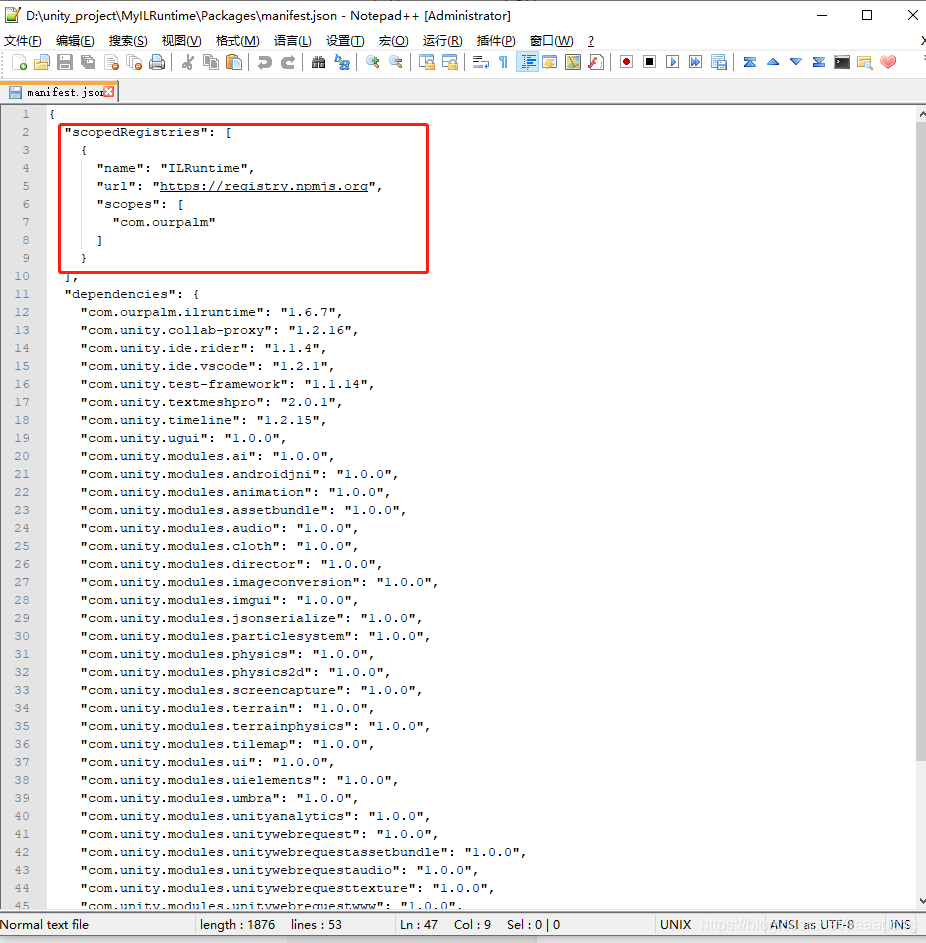
First of all, you need to add ilruntime source information in packages/manifest. JSON of the project, and add the following code before the dependencies node of this file

"scopedRegistries": [
  {
    "name": "ILRuntime",
    "url": "https://registry.npmjs.org",
    "scopes": [
      "com.ourpalm"
    ]
  }
],

As shown in the figure:
Then through unity’s window – & gt; From the package manager menu, open the package manager, select all packages from the upper tab, and tick show preview packages in advanced. Wait for unity to load the package information. Ilruntime should be found in the list on the left, and click Install

1.3 still cannot be installed:

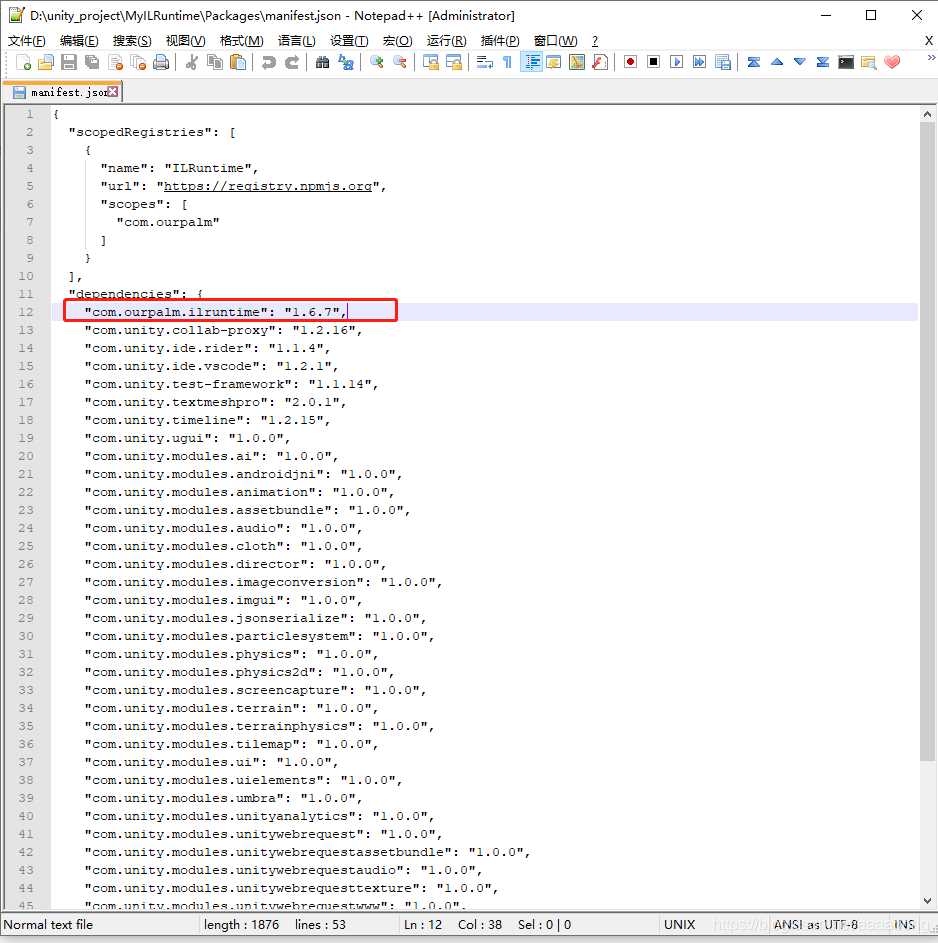
Some unity versions can’t directly brush ilruntime in the list. If the list on the left can’t be found, add the following code at the beginning of the dependencies section in the project’s manifest.json to manually add ilruntime to the project
“com.ourpalm.ilruntime”: “1.6.0”,

As shown in the figure:
1.4 you can import demo

After installing the ilruntime package, select ilruntime in the package manager. There are samples in the details page on the right. Click Import to project on the right to directly import the sample demo of ilruntime into the current project.

1.5 import demo error

After the example is imported into the project, it may cause compilation errors because unsafe is not turned on. You can check allow unsafe code in player settings to solve the compilation problem.

1.6 turn on heat exchanger

In assets/samples/ilruntime/1.6/demo/hotfix_ Open the vs project of hotchange DLL in the project ~ directory, compile it directly, and then you can run the demo example of ilruntime normally

1.7 final solution

If ilruntime cannot be found after the above configuration, you can manually install ilruntime according to the steps of the example project of unity3d below

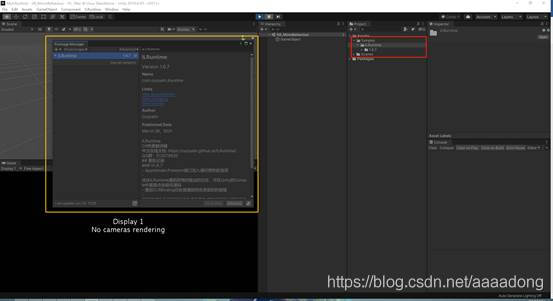
1.8 installation successful
Vue picture path, webpack error resolution after packaging

Recently, there is a problem in the project: when the SRC attribute of img tag is used as a relative path in HTML, and then the project is packaged and deployed online with webpack, the image path will report an error. Because it was built by ourselves, so I stepped on a lot of pits. Baidu has common problems. The problem of wrong image path was solved after a long time.

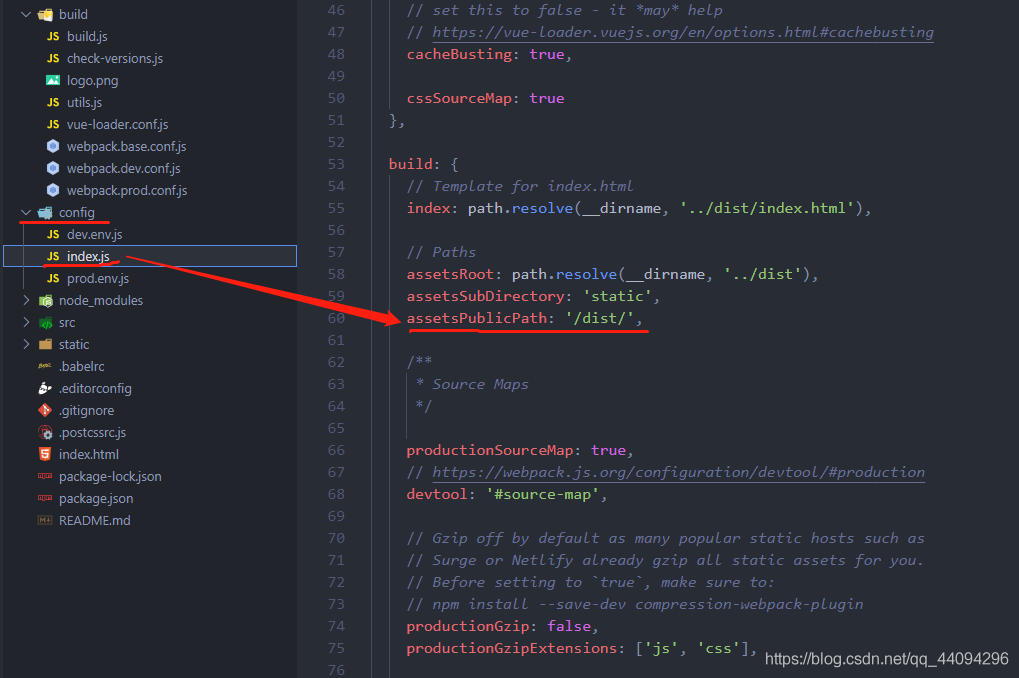
1. Find config – & gt; In index.js, modify as follows

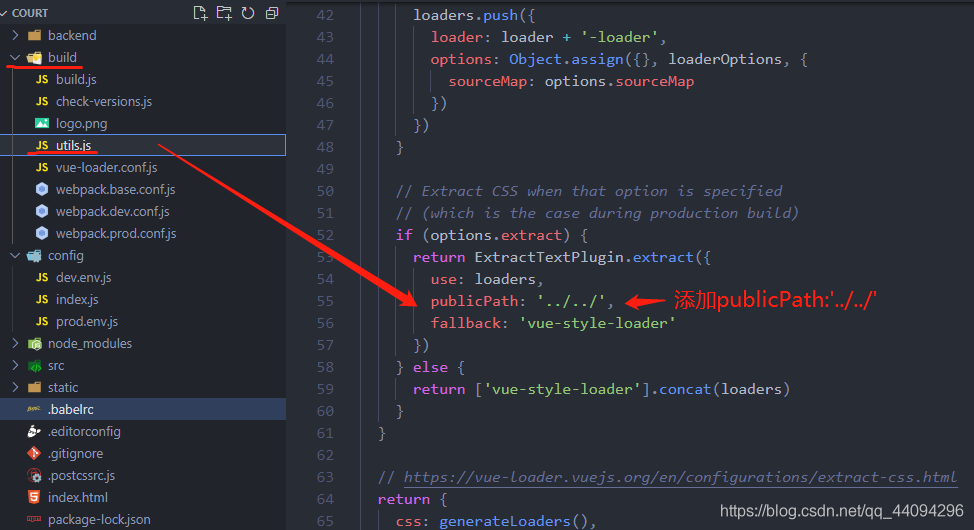
2. Find build – & gt; Utils.js, add a sentence in it: ‘… /… /’,

3. Img tag introduces the image

<img src="static/images/list_icon.png" alt="">

nested exception is org.hibernate.PropertyAccessException: Null value was assigned to a property

Project startup error

  nested exception is org.hibernate.PropertyAccessException: Null value was assigned to a property [class ***] of primitive type setter of ***

The error content indicates a field of the entity class for the following reasons

Field types are basic types, such as int, long, float, and so on. These types are not allowed to save null values. This field may already exist in the database and has data. You need to directly modify the database field properties and modify or clear all null in the existing data. No error will be reported after restart after modification

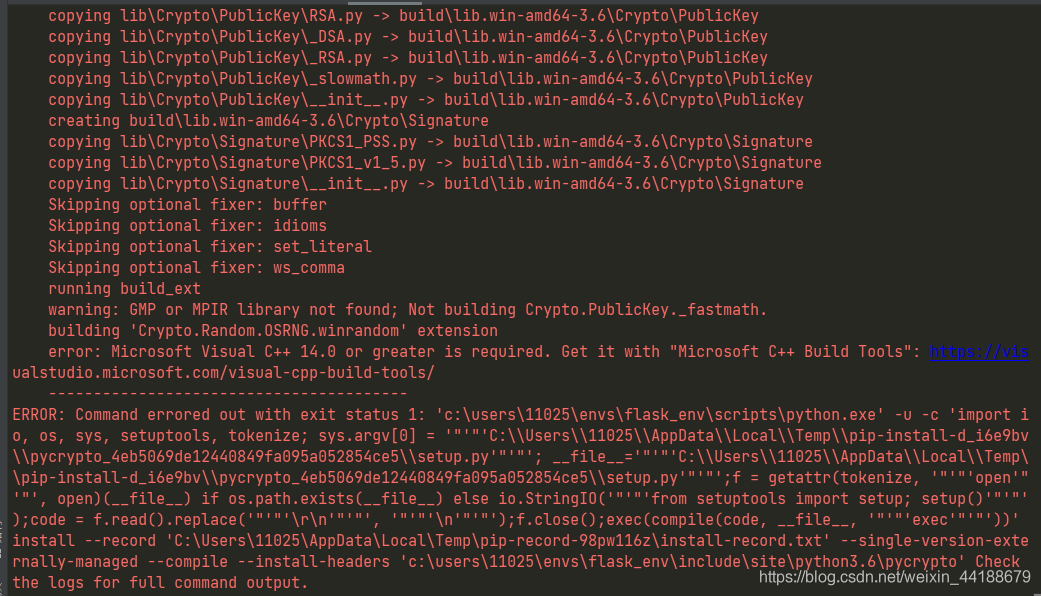
Microsoft Visual C++ 14.0 or greater is required. Get it with “Microsoft C++ Build Tools“

Alipay’s online payment function has recently been developed to download and pay the SDK package. The wrong presentation is as follows:
reported false prompts: Microsoft Visual C++ 14 or greater is required. Get it it ” https://visualstudio.microsoft.com/visual-cpp-build-tools/

Reason: python3 is compiled with VC + + 14, python27 is compiled with C + + 9, and the package to install python3 needs to be compiled with C + + 14 or above

Don’t panic for small scenes

That’s the thing above. Double click the installation. Do you think it’s over?

In case of no accident, most of the installation packages you download will finally prompt you: the installation package is missing or damaged
some netizens say that it can succeed with a ladder, and others say that it can’t succeed
I uploaded an offline version here. You can try