[root@localhost u01]# kubeadm init –image-repository registry.aliyuncs.com/google_containers –kubernetes-version v1.21.2 –pod-network-cidr=192.168.0.0/16 –ignore-preflight-errors=NumCPU
[init] Using Kubernetes version: v1.21.2
[preflight] Running pre-flight checks
[WARNING IsDockerSystemdCheck]: detected “cgroupfs” as the Docker cgroup driver. The recommended driver is “systemd”. Please follow the guide at https://kubernetes.io/docs/setup/cri/
[preflight] Pulling images required for setting up a Kubernetes cluster
[preflight] This might take a minute or two, depending on the speed of your internet connection
[preflight] You can also perform this action in beforehand using ‘kubeadm config images pull’
error execution phase preflight: [preflight] Some fatal errors occurred:
[ERROR ImagePull]: failed to pull image registry.aliyuncs.com/google_containers/coredns:v1.8.0: output: Error response from daemon: manifest for registry.aliyuncs.com/google_containers/coredns:v1.8.0 not found: manifest unknown: manifest unknown
, error: exit status 1
[preflight] If you know what you are doing, you can make a check non-fatal with `–ignore-preflight-errors=…`
To see the stack trace of this error execute with –v=5 or higher
#Solved
cat <<EOF> /etc/docker/daemon.json
{
“exec-opts”: [“native.cgroupdriver=systemd”]
}
EOF
#restart docker
systemctl restart docker
[root@localhost u01]# kubeadm init –image-repository registry.aliyuncs.com/google_containers –kubernetes-version v1.21.2 –pod-network-cidr=192.168.0.0/16 –ignore-preflight-errors=NumCPU
[init] Using Kubernetes version: v1.21.2
[preflight] Running pre-flight checks
[preflight] Pulling images required for setting up a Kubernetes cluster
[preflight] This might take a minute or two, depending on the speed of your internet connection
[preflight] You can also perform this action in beforehand using ‘kubeadm config images pull’
error execution phase preflight: [preflight] Some fatal errors occurred:
[ERROR ImagePull]: failed to pull image registry.aliyuncs.com/google_containers/coredns:v1.8.0: output: Error response from daemon: manifest for registry.aliyuncs.com/google_containers/coredns:v1.8.0 not found: manifest unknown: manifest unknown
, error: exit status 1
[preflight] If you know what you are doing, you can make a check non-fatal with `–ignore-preflight-errors=…`
To see the stack trace of this error execute with –v=5 or higher
[root@localhost u01]#
Author Archives: Robins
where in subquery source [How to Solve]
An error was reported today.
error: where in subquery source
Reason:
This is actually because all subqueries in hive need to be aliased
Exception: logstash:: pluginloadingerror when importing MySQL data into es in Windows
Insert code snippet here
```Error: unable to load D:\work\elasticsearch-7.13.1-windows-x86_64\elasticsearch-7.13.2\logstash-7.13.1-windows-x86_64\logstash-7.13.1\bin\mysql-connector-java-8.0.25\mysql-connector-java-8.0.20.jar from :jdbc_driver_library, file not readable (please check user and group permissions for the path)
  Exception: LogStash::PluginLoadingError
  Stack: D:/work/elasticsearch-7.13.1-windows-x86_64/elasticsearch-7.13.2/logstash-7.13.1-windows-x86_64/logstash-7.13.1/vendor/bundle/jruby/2.5.0/gems/logstash-integration-jdbc-5.0.7/lib/logstash/plugin_mixins/jdbc/common.rb:47:in `block in load_driver_jars'
org/jruby/RubyArray.java:1809:in `each'
[Solved] Es delete all the data in the index without deleting the index structure, including curl deletion
Scenario: if you want to delete only the data under the index without deleting the index structure, there is no postman tool in the (Windows Environment) server
First, only delete all the data in the index without deleting the index structure
POST 192.168.100.88:9200/my_index/_delete_by_query


get
{
  "query": {
    "match_all": {}
  }
}


Notes:
where my_index is the index name
Second, delete the specified data in the index without deleting the index structure
HEADER
DELETE 192.168.100.88:9200/log_index/log_type/D8D1D480190945C2A50B32D2255AA3D3


Notes.
where log_index is the index name, log_type is the index type, and D8D1D480190945C2A50B32D2255AA3D3 is the document id
Third: delete all data and index structure
DELETE 192.168.100.88:9200/my_index


Notes.
where my_index is the index name
Curl deletion in Windows
First, delete all data, including index structure
curl -X DELETE "http://192.168.100.88:9200/my_index"Second: delete all data without deleting index structure
curl -XPOST "http://192.168.100.88:9200/log_index/_delete_by_query?pretty=true" -d "{"""query""":{"""match_all""": {}}}"Among them: note when using curl (double quotation marks must be used in Windows Environment), single quotation mark will report the following error
“‘http” not supported or disabled in libcurl
C:\Users\admin>curl  -X DELETE 'http://192.168.100.88:9200/my_index'
curl: (1) Protocol "'http" not supported or disabled in libcurl
[How to Solve] Kernel died with exit code 1.
When jupyter is installed on the vscode and a sentence of Python code is calculated randomly in the ipynb file, the error of kernel died with exit code 1, C:: (users, hpccp, appdata, roaming, python, python38, site packages, traitlets) appears. I’ve been looking for solutions on the Internet all the time. I’ve spent a lot of energy trying many solutions, but I can’t, Because the error of kernel died with exit code 1 may be caused by many different details, and the root cause of the error is different. Of course, other people’s solutions may not be applicable to themselves.
So I began to pay attention to the details of my error. I wonder if there is something wrong with this folder, because my vscode and juptyer plug-ins have just been re installed (I have repeatedly uninstalled and re installed several times, but the first two have not been completely uninstalled), C: The folder was created before. I deleted the folder and its contents. Then the problem was solved.
Sklearn.datasets.base import error [How to Solve]
Check the file path to find the name changed.
print (get_data_home())
from sklearn.datasets._base import get_data_home
print (get_data_home())
from sklearn.datasets._base import get_data_home
Java implementation of inputsteam to Base64
1 inputsteam to Base64
    /**
     * InputStream to Base64
     *
     * @param inputStream
     * @return
     */
    public static String toBase64(InputStream inputStream) {
        try {
            //switch to base64
            byte[] bytes = IOUtils.toByteArray(inputStream);
            return Base64.getEncoder().encodeToString(bytes);
        } catch (Exception e) {
            e.printStackTrace();
            return "";
        }
    }
2 debugging code
    /**
     * get Base64
     *
     * @return
     * @throws IOException
     */
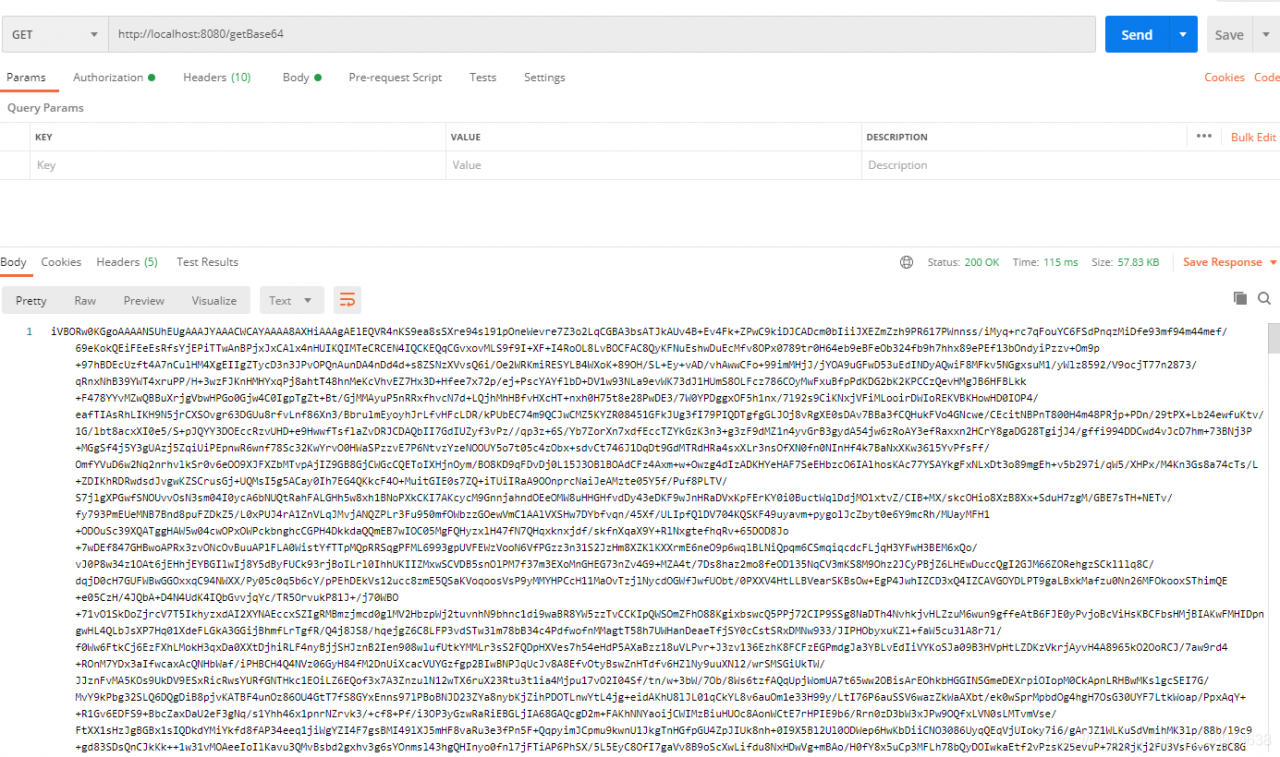
    @GetMapping("/getBase64")
    public String getBases64() throws IOException {
        InputStream inputStream = new ClassPathResource("/img/logo.jpg").getInputStream();
        return toBase64(inputStream);
    }
3 picture address

4 debugging results
[Solved] G++ Error: Command ‘g++‘ not found, but can be installed with:
And you go through it
sudo apt-get install g++
It shows that you have installed the latest version of G + +, but you just can’t use G + +++
In fact, I accidentally deleted the G + + script file under/usr/bin, leaving a bunch of G + + 7.4, G + + 4.8, etc. enter the command line:
cd /usr/bin
sudo ln -s g++-7.4 g++
That’s all
[Solved] Kafka Error: Discovered coordinator XXXXX:9092 (id: 2147483647 rack: null) for group itstyle.
Error information:
Discovered coordinator DESKTOP-NRTTBDM:9092 (id: 2147483647 rack: null) for group itstyle.
reason:
The host of Kafka running on windows is the machine name, not the IP address
So it will lead to error reporting
Desktop-nrttbdm is the host name of the server where the Kafka instance is located
and 9092 is the port of Kafka, that is, the connection address of Kafka.
Solution
Modify the hosts file directly
The windows hosts file is located in
C:\Windows\System32\drivers\etc\hosts
Open it with administrator’s permission and append the corresponding relationship between IP and host name
Add the
172.18.0.52 DESKTOP-NRTTBDM
Restart the service again
Problem solved!
[Solved] has been blocked by CORS policy: Response to preflight request doesn‘t pass access control check: No
Has been blocked by CORS policy: response to preflight request doesn’t pass access control check: no ‘access control allow origin’ header is present on the requested resource.
seeing this error in the webpage, I know that it must be a cross domain problem of Ajax requests.
there are two solutions to this problem, as you should know after reading my article, Before I sent the front-end solution, I don’t know how to flip through my article list
today we talk about the server-side solution
add this code before the JSON data to be returned:
// Specify to allow access to other domains
header('Access-Control-Allow-Origin:*');
// Response type
header('Access-Control-Allow-Methods:POST');
// response header settings
header('Access-Control-Allow-Headers:x-requested-with,content-type');
Here is the PHP code, you can also change it to the corresponding java code.
[Solved] MySQL5.6.44 [Err] 1067 – Invalid default value for create_date settlement programme
Scenario
[Err] 1067 – Invalid default value for ‘create_date’, for the create table species statement as follows.
`create_date` timestamp(0) NOT NULL ON UPDATE CURRENT_TIMESTAMP(0) COMMENT ‘creation time’ SOLVED
MySQL5.6.44 and MySQL5.7.27 timestamp set default rule changed, not “0000 00-00 00:00:00″
Solution:
Check sql_mode:
mysql> show session variables like ‘%sql_mode%’;
+—————+——————————————————————————————————————————————-+
| Variable_name | Value |
+—————+——————————————————————————————————————————————-+
| sql_mode | ONLY_FULL_GROUP_BY,STRICT_TRANS_TABLES,NO_ZERO_IN_DATE,NO_ZERO_DATE,ERROR_FOR_DIVISION_BY_ZERO,NO_AUTO_CREATE_USER,NO_ENGINE_SUBSTITUTION |
+—————+——————————————————————————————————————————————-+
1 row in set (0.01 sec)
change sql_mode, remove NO_ZERO_IN_DATE,NO_ZERO_DATE:
mysql> set sql_mode=”ONLY_FULL_GROUP_BY,STRICT_TRANS_TABLES,ERROR_FOR_DIVISION_BY_ZERO,NO_AUTO_CREATE_USER,NO_ENGINE_SUBSTITUTION”;
[Err] 1067 – Invalid default value for ‘create_date’, for the create table species statement as follows.
`create_date` timestamp(0) NOT NULL ON UPDATE CURRENT_TIMESTAMP(0) COMMENT ‘creation time’ SOLVED
MySQL5.6.44 and MySQL5.7.27 timestamp set default rule changed, not “0000 00-00 00:00:00″
Solution:
Check sql_mode:
mysql> show session variables like ‘%sql_mode%’;
+—————+——————————————————————————————————————————————-+
| Variable_name | Value |
+—————+——————————————————————————————————————————————-+
| sql_mode | ONLY_FULL_GROUP_BY,STRICT_TRANS_TABLES,NO_ZERO_IN_DATE,NO_ZERO_DATE,ERROR_FOR_DIVISION_BY_ZERO,NO_AUTO_CREATE_USER,NO_ENGINE_SUBSTITUTION |
+—————+——————————————————————————————————————————————-+
1 row in set (0.01 sec)
change sql_mode, remove NO_ZERO_IN_DATE,NO_ZERO_DATE:
mysql> set sql_mode=”ONLY_FULL_GROUP_BY,STRICT_TRANS_TABLES,ERROR_FOR_DIVISION_BY_ZERO,NO_AUTO_CREATE_USER,NO_ENGINE_SUBSTITUTION”;
MacOS: How to start or stop Docker
1. View
launchctl list | grep docker
2. Start up
Method 1
launchctl start com.docker.docker.port
Method 2
open /Applications/Docker.app
3. Stop
launchctl stop com.docker.docker.port
