Author Archives: Robins

line 1: syntax error: unexpected “(“ [How to Solve]

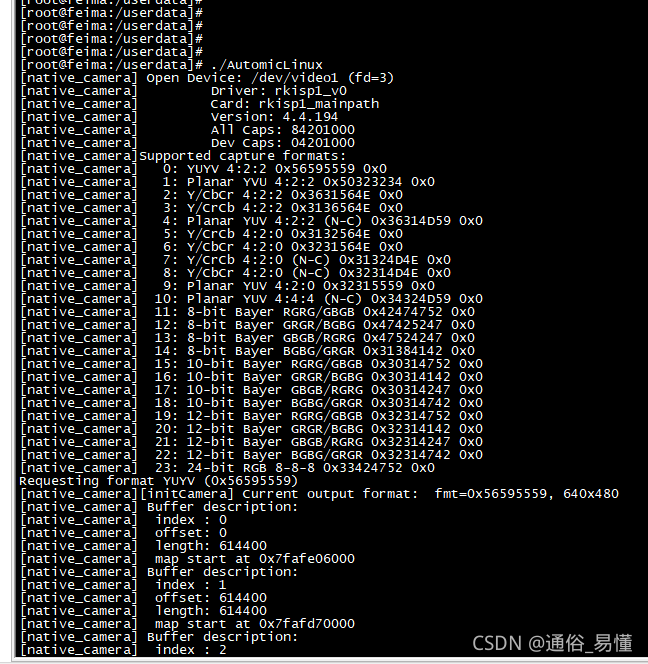
An error occurred while executing the executable on the development board: Line 1: syntax error: unexpected “(”

View the architecture of the executable file with the command objdump – a automiclinux. It is found that it is not the arm architecture

Re cross-compile and transplant it to the development board for execution. It is found that it can run

Error: [VueLoaderPlugin Error] No matching use for vue-loader is found. Make sure the rule matching

Project scenario:

using webpck5 package vue3 plug-in to import Vue loader appears

Error: [VueLoaderPlugin Error] No matching use for vue-loader is found. 
Make sure the rule matching .vue files include vue-loader in its use.

terms of settlement:

It can be solved by putting Vue loader in the first place

  module: {
    rules: [
      {
        test: /\.vue$/,
        loader: "vue-loader",
      },

[Solved] adb shell error: no devices/emulators found

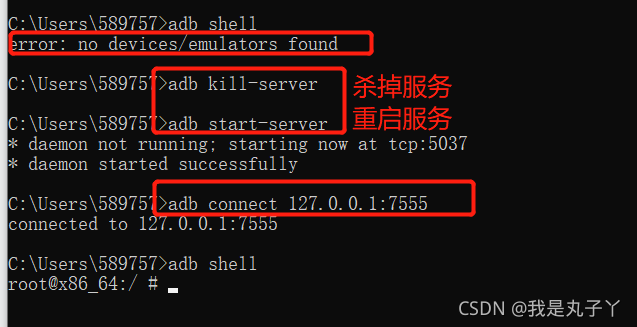
1. Confirm whether it is connected to the simulator: ADB connect XXX

2. Confirm whether the device enters the developer mode (enter settings – about mobile phone/tablet – continuously click the version number)

3. Confirm whether more than one device is connected: ADB devices

If there are multiple devices, you can kill ADB’s service: ADB kill server first

End the process again: taskkill/F/im adb.exe (if it still fails after killing the service, execute the command to end the process)

How to Solve Error while executing: am start -n

When Android studio installs and debugs APK, the compilation passes, but when debugging and installing online, it will report an error while executing: am start – N error

The ADB uninstall package name is not used

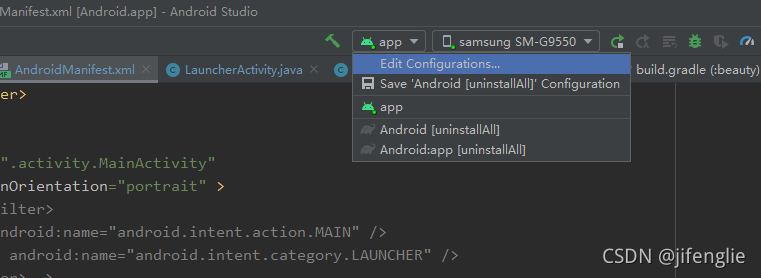
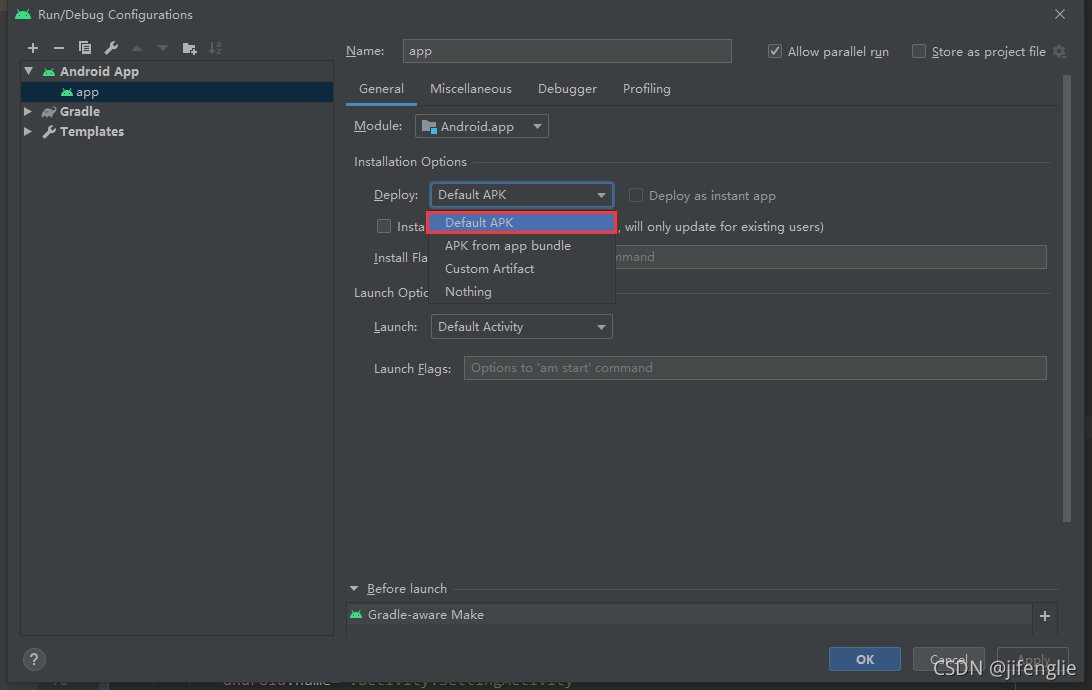
After searching for a long time, I found that the installation options in edit configuration were set to nothing before. When running, it will not automatically PM install

Change to default APK as follows

configure: error: C compiler cannot create executables

An error message appears when executing ./configure :

checking for a BSD-compatible install... /usr/bin/install -c
checking whether build environment is sane... yes
checking for a thread-safe mkdir -p... /bin/mkdir -p
checking for gawk... gawk
checking whether make sets $(MAKE)... yes
checking whether make supports nested variables... yes
checking build system type... x86_64-unknown-linux-gnu
checking host system type... x86_64-unknown-linux-gnu
checking how to print strings... printf
checking for style of include used by make... GNU
checking for gcc... gcc
checking whether the C compiler works... no
configure: error: in `/home/jiajia/libuuid-1.0.3/libuuid-1.0.3':
configure: error: C compiler cannot create executables
See `config.log' for more details

I wonder. I’ve looked up a lot of information and summarized it:

Case 1: the export operation changes the values of cflags and LIBS
solution: clear the values of cflags and LIBS

export LIBS=
export CFLAGS=

Case 2: environment variable is modified

vi  ~/.bashrc

Check whether there is similar information at the end:

export CC=arm-linux-gcc
export AR=arm-linux-ar
export LD=arm-linux-ld
export RANLIB=arm-linux-ranlib
export STRIP=arm-linux-strip

Solution: delete or comment out the above information

Case 3: the GCC compilation environment is not configured properly
to solve the problem:

sudo apt-get install gcc libc6-dev

However, none of the above is my case, and the above operations are useless
Case 4: there is a problem with the software package, and the list information of the necessary software packages for the compiler cannot be provided
solution: reinstall the build essential software package

sudo apt purge binutils
sudo apt remove make
sudo apt autoremove
sudo apt install build-essential

The problem was finally solved and ./configure was successfully executed

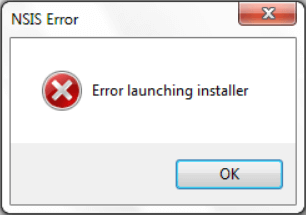
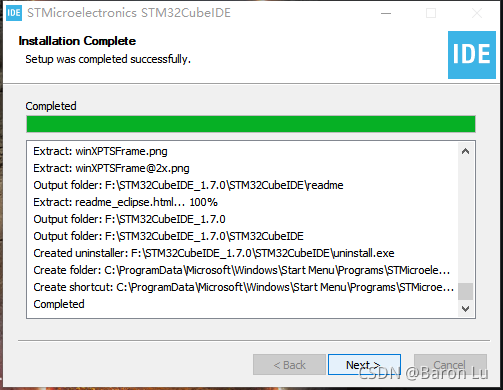
Stm32cube ide installation – NSIS error problem

Stm32cubeide is a tool officially launched by st for developing STM32. In fact, it integrates stm32cubemx and truestudio. For the development of STM32, this tool should become the mainstream in the future. This paper summarizes the problems encountered in installing this software to prevent similar problems in the future.

First attach the download connection to the official website, which is completely free. It is recommended to download from the official website.

https://www.st.com/content/st_ com/en/products/development-tools/software-development-tools/stm32-software-development-tools/stm32-ides/stm32cubeide.html?dl=dX5H5iG6jaTdAbPTEwejXA%3D%3D%2CrTf%2FR%2FW0bw3TdsE5geyarS%2Bx46lDPNXJJ%2FwoQwC2jvAqsWaJAv4gTkLJ4qSDWl0VdOI6vqvYjbxZpaN5e3OGR4Nu8KAJpfygznI%2FHtVJGBQ19G8mXVbW5rm9Y4ddBLs0dgsZ0plnr1i7c1v8BK7cFCIgEizW94LWN7PbjdeZgvyhhTJAibSp0V 5JbQ4Y9YAB8jXDKk0p77IW5172NlLbNRukH3uiA0oN%2FJ%2FXrRBHUNhifSJSL3q%2BTlfvAwIo1dQ8%2FlroraTNMB9f%2FeoHtreO5%2B76F7JZ22ct09VvzYrS5012d2J7R1KF0QJyZPMo1pVG9DAkfYduAj%2F8Kk%2FCCwOlh8vod3OfZ09kBaIbbTsXqvUzXuDgjZY3uvBFtlVpQ4d6wrPl3y8VwmHnS%2B6cLumUqqOOg75YeolR3ib%2F0PVDJvBIBLONtOLYQaOFojeuVoOw& uid=iNttJlvTrIR013Z64dbS0PWuF3wDZMRC#get-software

After downloading, be sure to decompress the compressed file into the file path of the standard ascall character set, otherwise you will encounter the following NSIS error problem

However, a lot of solutions have been found on the Internet:

    rename or relocate the installation files from the command prompt installer, re download programs, remove viruses and malware, update your Windows, turn off windows firewall, check your hard drive for errors, check your system language

    However, it doesn’t make any difference….

    Finally, I found that the most essential problem is that the installation package folder contains non ascall characters, which can be modified.

      In addition, a tutorial on the use of cube IDE is attached

    https://blog.csdn.net/Naisu_ kun/article/details/95935283

Eureka starts abnormally and prompts FreeMarker template error

When starting Eureka, an error is reported in DS replicas. The error contents are as follows:

FreeMarker template error (DEBUG mode; use RETHROW in production!): The following has evaluated to null or missing: ==> replica.key [in template "eureka/navbar.ftlh" at line 68, column 62] ---- Tip: It's the step after the last dot that caused this error, not those before it. ---- Tip: If the failing expression is known to legally refer to something that's sometimes null or missing, either

More exceptions will not be written. In short, it is FreeMarker’s exception.  

This should be the configuration file of spring boot. The default zone configuration of euraka is not standardized.

Note: this defaultzone requires absolute specifications, otherwise FreeMarker exceptions will be reported.

Two mistakes have been found:

  one    defaultZone: localhost:10000/eureka   

    Should be     defaultZone: http://localhost:10000/eureka

two   defaultZone: http://eurekaServer2:8762/eureka , http://eurekaServer3:8763/eureka ,

  For multiple zones, write an extra comma at the end. Just remove the last comma.

Solution to “error: invalid environment block” when Ubuntu starts up

Solution to “error: invalid environment block” when Ubuntu starts up

1. Error status 2. Solution


1. Error status

When starting Ubuntu with grub, some errors are displayed below:

error: invalid environment block

Press any key to continue...

2. Solutions

Execute the following instructions:

sudo cd /boot/grub
sudo rm grubenv
sudo grub-editenv grubenv create
sudo grub-editenv grubenv set default=0

Now check whether it is feasible

grub-editenv grubenv list
# default=0

Restart again should have no problem.


thank you

ERROR Docker Engine API on Mac Osx

    according to the official document docker desktop on MAC vs. docker toolbox, docker desktop on Mac only provides UNIX socket/var/run/docker.socket, and does not provide TCP listening (default 2375 port). If you configure host in docker desktop using the configuration method of Linux, Docker desktop cannot be started. You need to delete the hosts configuration in ~ /. Docker/daemon.json to start normally. The following method exposes 2375 TCP

    docker run --rm -d -v /var/run/docker.sock:/var/run/docker.sock -p 127.0.0.1:2375:2375 bobrik/socat TCP-LISTEN:2375,fork UNIX-CONNECT:/var/run/docker.sock
    
      then view the current docker engine version through docker version, such as 1.40. View the official engine API document: https://docs.docker.com/engine/api Search for an image to test:

      $curl -XGET http://127.0.0.1:2375/version | python -mjson.tool
      
      {
          "ApiVersion": "1.41",
          "Arch": "amd64",
          "BuildTime": "2021-07-30T19:52:10.000000000+00:00",
          "Components": [
              {
                  "Details": {
                      "ApiVersion": "1.41",
                      "Arch": "amd64",
                      "BuildTime": "2021-07-30T19:52:10.000000000+00:00",
                      "Experimental": "false",
                      "GitCommit": "75249d8",
                      "GoVersion": "go1.16.6",
                      "KernelVersion": "5.10.47-linuxkit",
                      "MinAPIVersion": "1.12",
                      "Os": "linux"
                  },
                  "Name": "Engine",
                  "Version": "20.10.8"
              },
              {
                  "Details": {
                      "GitCommit": "e25210fe30a0a703442421b0f60afac609f950a3"
                  },
                  "Name": "containerd",
                  "Version": "1.4.9"
              },
              {
                  "Details": {
                      "GitCommit": "v1.0.1-0-g4144b63"
                  },
                  "Name": "runc",
                  "Version": "1.0.1"
              },
              {
                  "Details": {
                      "GitCommit": "de40ad0"
                  },
                  "Name": "docker-init",
                  "Version": "0.19.0"
              }
          ],
          "GitCommit": "75249d8",
          "GoVersion": "go1.16.6",
          "KernelVersion": "5.10.47-linuxkit",
          "MinAPIVersion": "1.12",
          "Os": "linux",
          "Platform": {
              "Name": "Docker Engine - Community"
          },
          "Version": "20.10.8"
      }
      

Repo reports an error syntax error: invalid syntax

File "/mnt/fileroot/yuhua.lin/p/.repo/repo/main.py", line 79
    file=sys.stderr)
        ^
SyntaxError: invalid syntax

solve

This is because of the version of Python

mkdir -p ~/.bin
PATH="${HOME}/.bin:${PATH}"
curl https://storage.googleapis.com/git-repo-downloads/repo > ~/.bin/repo
chmod a+rx ~/.bin/repo