Author Archives: Robins

Error creating bean with name ‘helloController‘: Injection of autowired dependencies failed;

Error content:
when using the automatic injection of springboot, the configuration file in yaml format is used for injection, but the error is always reported and cannot be injected.

org.springframework.beans.factory.BeanCreationException: Error creating bean with name ‘helloController’: Injection of autowired dependencies failed; nested exception is java.lang.IllegalArgumentException: Could not resolve placeholder ‘name’ in value “${name}”

I searched many posts saying that I should pay attention to the application scanning my folder and corresponding subfolders. Many people step on the pit in this place, but my problem is not here
code

@RestController
public class HelloController {

    @Value(value = "${name}")
    private String name;
    
    @RequestMapping("/hello")
    public String hello(){
        System.out.println(name);
        return "hello Spring Boot !";
    }
}

Add the annotation to read the configuration file on hellocontroller

@PropertySource(value = "classpath:application.yaml")

That solved the problem
An error happened during template parsing (template: “class path resource

1. Error explanation: an error occurred during template parsing (template: “classpath resource”

As the name suggests, the reason for the error is that this indicates the resource

2. Solution: I don’t know what your mistake is, just tell you the reason for the mistake.

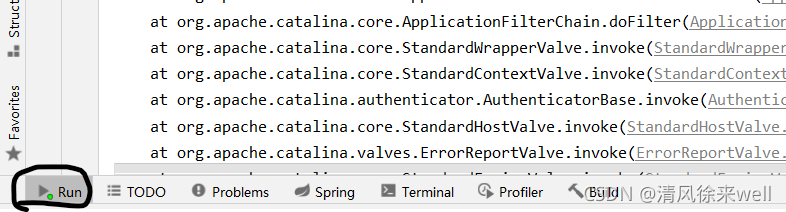
Open run first,


  Right click to clear this page,


  Refresh the error page, and the error message will be displayed in run, as shown in the following figure:


  According to the error information, find the error code, find the corresponding problem and modify it.


Solution to dev C + + error [error] LD returned 1 exit status

        I am a beginner of C language. When using dev C + + compiler, I encountered a situation: the program is correct and can be compiled and run normally, but it appears when I run it again after running it once   Error [error] LD returned 1 exit status. The reason for this problem is that although the last running window is closed, the program is still running in the background. This can be viewed through the task manager.

      The usual method on the Internet is to close the program and then open it. This is OK, but it is too inconvenient. Here is a method. I used this method to solve my problem:


Right click the compatibility attribute of devcpp.exe and check the run as administrator.     Just.

ERROR: Could not install packages due to an OSError: [Errno 13] Permission denied

Error content: importerror: C extension: DLL load failed: access denied. not built. If you want to import pandas from the source directory, you may need to run ‘python setup.py build_ ext –inplace –force’ to build the C extensions first.

Reason for error reporting: it may be caused by deleting the installation dependency package of pandas in the environment by mistake, or by deleting the anti-virus software. Generally, the latter does it.

Solution 1: uninstall pandas: PIP uninstall pandas , reinstall: PIP install pandas

—————————————————————————
if you use the above method, you may make mistakes

Error content: error: could not install packages due to an oserror: [errno 13] permission denied: ‘your project path \ venv \ lib \ site packages \ pandas\_ libs\
tslibs\period.cp36-win_ amd64.pyd’
Check the permissions.

Error reason: it means that there are missing files in the folder reported above and cannot be downloaded.

Solution 2: delete the folder and reinstall pandas. For example, in this example, delete pandas under site packages. Remember to delete pandas under site packages instead of site packages. Don’t make a mistake. Delete all the environment and you’ll be finished.

—————————————————————————

If it’s still the previous error, congratulations. I’ve been confused for half an hour. Hahaha……..

Why?The reason is that with Shadu software, I don’t need to repeat what sahdu software is. I know everything: the inner corners of a circle and. Because it is on, it causes the software to delete the PYD file during pandas installation

Solution 3: turn off the kill software, and then try again according to solution 2. It should be successful
if you still can’t, you can only be a freak. Ha ha ha. Just kidding, you can write private letters and step on the pit together!

cURL error 60: SSL certificate problem: self signed certificate in certificate chain

1、 Question

Curl error 60: SSL certificate problem: self signed certificate in certificate chain – server http302 this is generally a problem with self signed certificates

2、 Settle

Scheme 1. Directly use the domain name with HTTPS on the online server

Solution 2. Windows local development environment solution

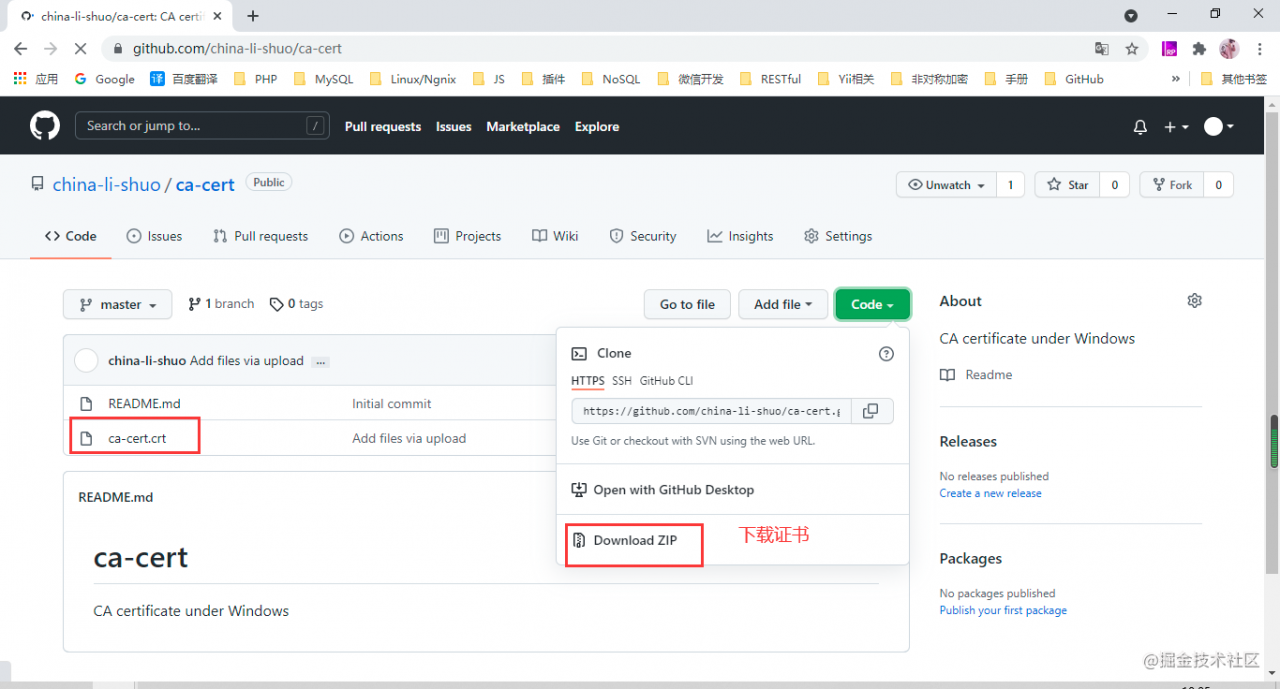
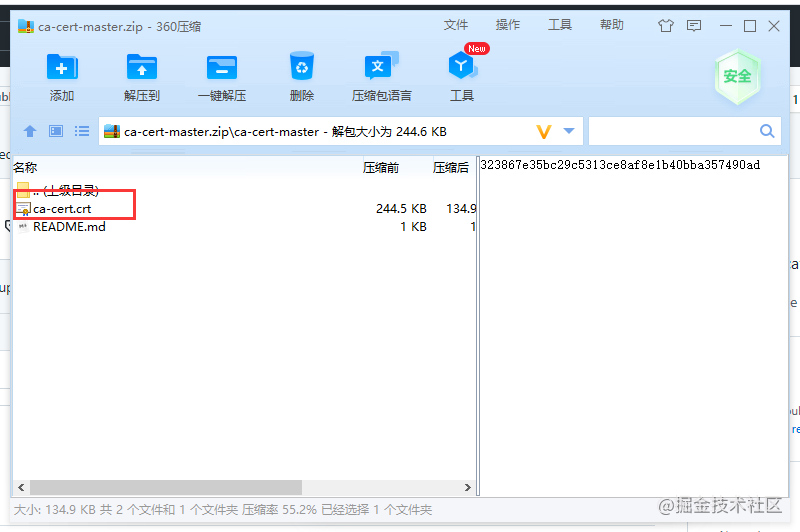
a) Download certificate:
https://github.com/china-li-shuo/ca-cert

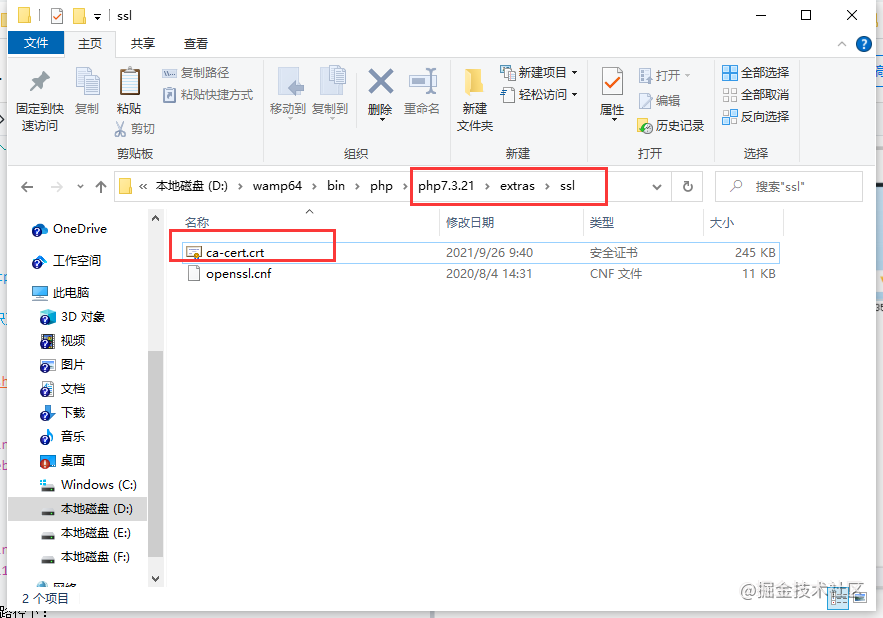
b) Put the downloaded Certificate in your PHP path:

D: \ wamp64 \ bin \ PHP \ php7.3.21 \ extras \ SSL this is your local PHP version path

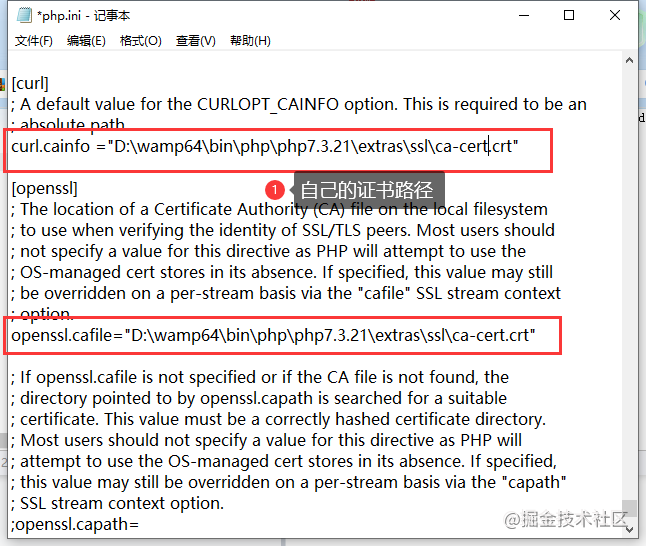
c) Modify the php.ini file

curl.cainfo ="D:\wamp64\bin\php\php7.3.21\extras\ssl\ca-cert.crt"
openssl.cafile="D:\wamp64\bin\php\php7.3.21\extras\ssl\ca-cert.crt"

d) Just restart PHP

A method to solve the error – 110 whilst initializing SD card of raspberry pie

A method to solve the error – 110 whilst initializing SD card of raspberry pie

Error – 110 whilst initializing SD card)

Recently, when playing raspberry pie 4b, it may be because the power supply is not stable enough. Suddenly, the SD card cannot be loaded when starting up. Specifically, the official 5v3a power supply is used, the green act flashes all the time, the red power light is always on, and the screen displays error – 110 whilst initializing SD card.

Changing two SD cards didn’t work, nor did updating the latest EEPROM. I had to start through the USB flash disk, but it didn’t seem to solve the problem at all.

Try the following:

    Update EEPROM. Use SD card to update EEPROM, which can be updated normally. This indicates that the SD card slot should be OK, but it still can’t solve the problem; Replace the SD card and find that it does not work, and the SD card can be read normally on the computer; Using USB flash disk to start, it is found that it can be started through USB flash disk, but it does not solve the problem of SD card startup** Try adding ‘sdhci. Debug’ to the cmdline.txt file_ Quirks2 = 4 ‘* *, solve the problem

Error when Linux executes sh script: syntax error: bad FD number

Today, when using the WCET analyzed by Chronos, there is an error:

: Syntax error: Bad fd number

This error occurs when executing the SH script and when opening the file
solution:
after consulting the data, it is possible that SH is linked to dash rather than bash, so you only need to check the link
execute command

ls -l /bin/sh

Results:

if the above results are obtained, continue to execute the command:

sudo mv /bin/sh /bin/sh.orig
sudo ln -s /bin/bash /bin/sh

Check again and you should get the correct results

ERR Slot 3300 is already busy (Redis::CommandError)

Can I set the above configuration?(type 'yes' to accept): yes
/usr/local/share/gems/gems/redis-3.0.0/lib/redis/client.rb:79:in `call': ERR Slot 3300 is already busy (Redis::CommandError)
        from /usr/local/share/gems/gems/redis-3.0.0/lib/redis.rb:2190:in `block in method_missing'
        from /usr/local/share/gems/gems/redis-3.0.0/lib/redis.rb:36:in `block in synchronize'
        from /usr/share/ruby/monitor.rb:211:in `mon_synchronize'
        from /usr/local/share/gems/gems/redis-3.0.0/lib/redis.rb:36:in `synchronize'
        from /usr/local/share/gems/gems/redis-3.0.0/lib/redis.rb:2189:in `method_missing'
        from ./redis-trib.rb:205:in `flush_node_config'
        from ./redis-trib.rb:657:in `block in flush_nodes_config'
        from ./redis-trib.rb:656:in `each'
        from ./redis-trib.rb:656:in `flush_nodes_config'
        from ./redis-trib.rb:997:in `create_cluster_cmd'
        from ./redis-trib.rb:1373:in `<main>'

It shows that the 3300 slot is occupied by multiple nodes. The landlord has solved it by using the following methods. Open each server, execute the flush hall, flush dB and cluster reset instructions, and then re create it successfully

Nebula queries data and reports an error. Storage error: part: XX error: e_ RPC_ FAILURE(-3).

Storage Error: part: xx   error: E_ RPC_ FAILURE(-3).

IndexScanExecutor failed, error E_ RPC_ FAILURE, part xx

The processing may have timed out due to the large amount of data. You can add storage in the configuration file of graphd_ client_ timeout_ ms, storage_ client_ timeout_ MS defaults to 60 seconds and you can increase it.

Modify nebula-graphid.conf to change the timeout to:

–storage_ client_ timeout_ ms=600000

Match execution failed storage error – usage problem – nebulagraph