Author Archives: Robins

The Vue mobile terminal cannot use string.replaceall, and the error message is blank

When developing Vue, the replaceall function is used, and there is no problem debugging on the PC side

However, when packaging and deploying to the mobile end test, it is found that some pages are blank and the console only displays error {}

After troubleshooting, the replaceall function reports an error. Replace it with replace

The MAC system installs MySQL client, and the error is solved_ config not found

The MAC system installs MySQL client, and the error is solved_ config not found

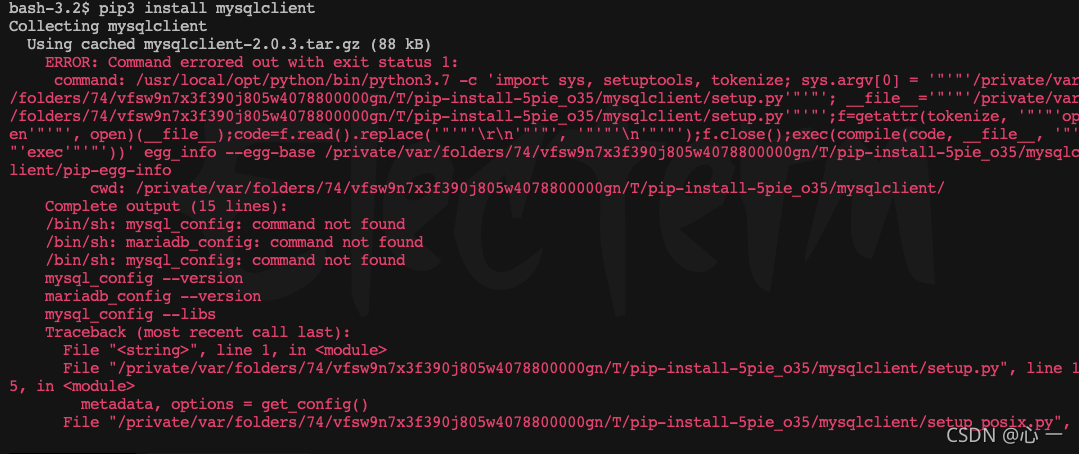
Using PIP3 install MySQL_ Client error

The error message is as follows: prompt: oserror: MySQL_ config not found
python setup.py egg_ info Check the logs for full command output
mysql_ Config not found

Solve the problem according to the error report

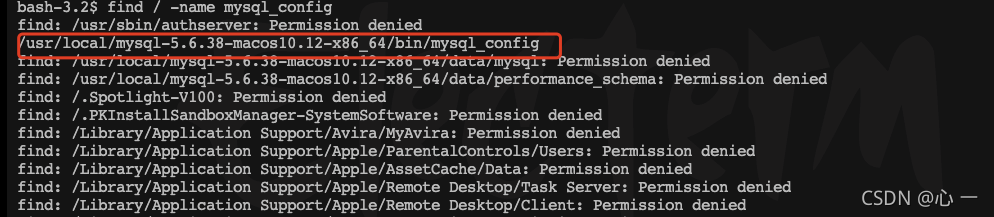
Prompt that the file does not exist. Use find to find the file and verify whether the file exists
find/- name MySQL_ Config
you can see that the file exists. It is preliminarily judged that the environment variable is not configured

resolvent

Add the queried address to the environment variable
export path = $path:/usr/local/mysql-5.6.38-macos10.12-x86_ 64/bin

Verify again

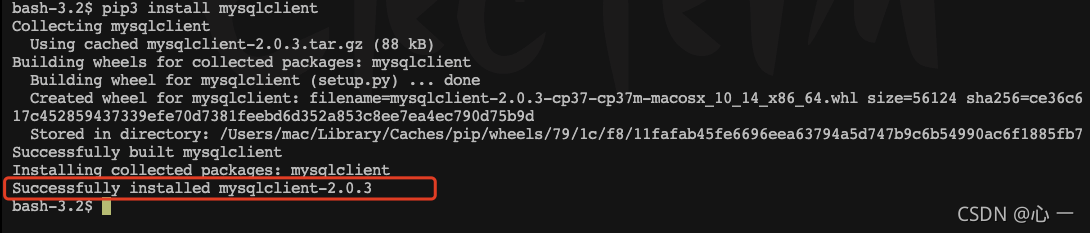
Download again, the prompt is successful, and the problem is solved

Problem regression

Because MySQL has been downloaded before, the environment variable configuration may be deleted when operating other contents. This method is not applicable to all cases

Python calls C to generate so library and reports an error: undefined symbol

  After using C + + to implement some algorithm functions, there is an error when calling Python:

AttributeError: /..../libHessian4Nii.so: undefined symbol: callVesselSegNii

    According to Du Niang, it is because the function name will be renamed in the C + + compiled file (which is convenient to realize the overload function), so the function name cannot be found when calling the script.

The solution is to use   extern “C”   Just enclose the header file to be exposed. Examples are as follows:

extern "C"{

  int callVesselSegNii(char* oriNiiFile, char* maskNiiFile, char* save_path);
 
}

After recompilation, call the normal!!!!

Idea ignores compilation errors and runs in eclipse compilation mode

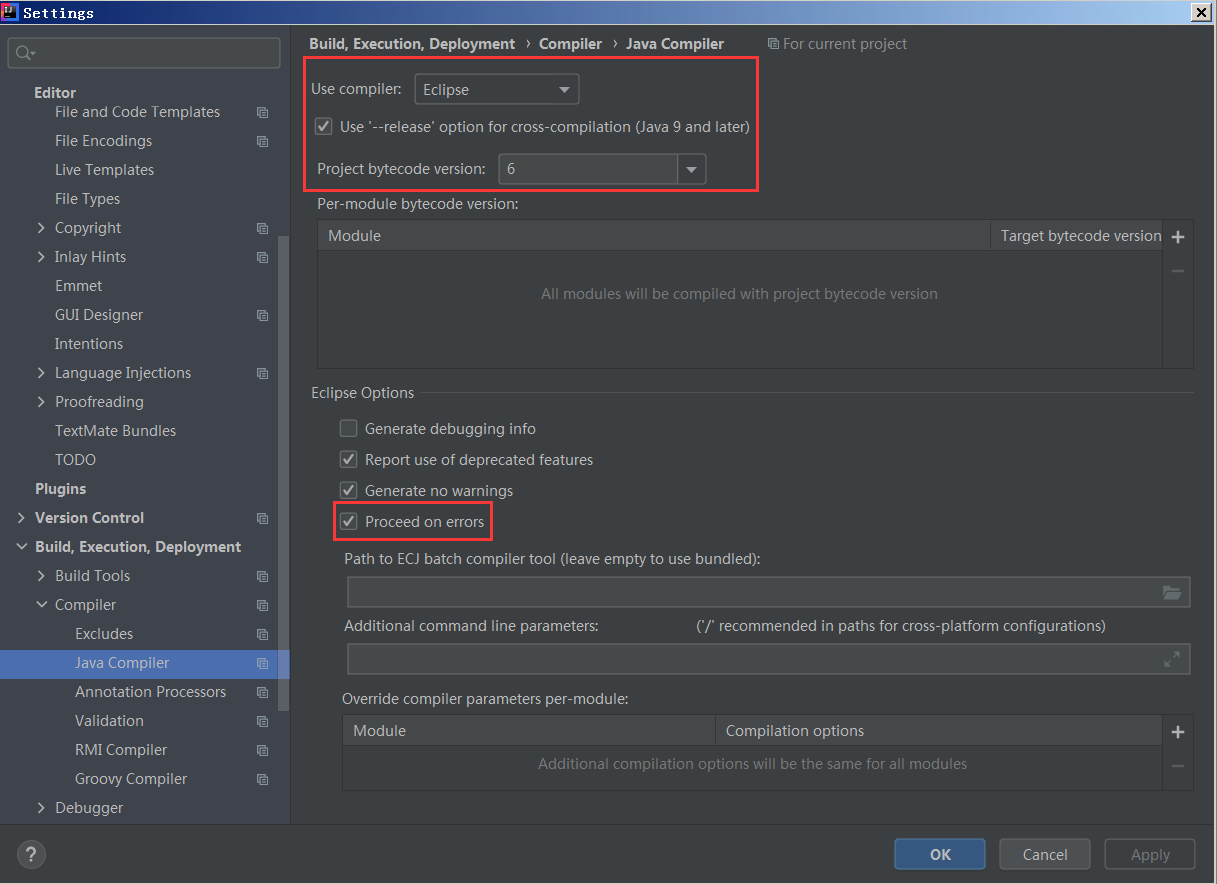
1. Enter file settings compiler java compiler

Modifying the configuration:
use compiler: change javac to eclipse
select “processed on errors” in eclipse options

Change project bytecode version to 6

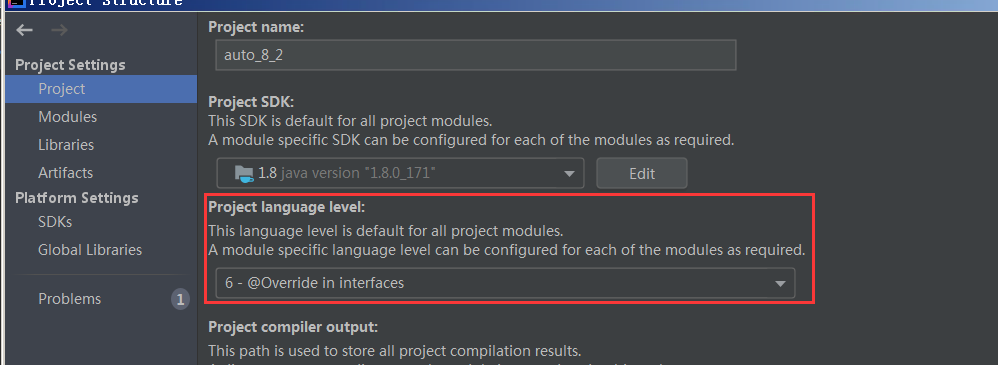
   Enter project configuration: project structure – & gt; Project   -& gt; Project name interface

Setting: Project language level: setting 6 version

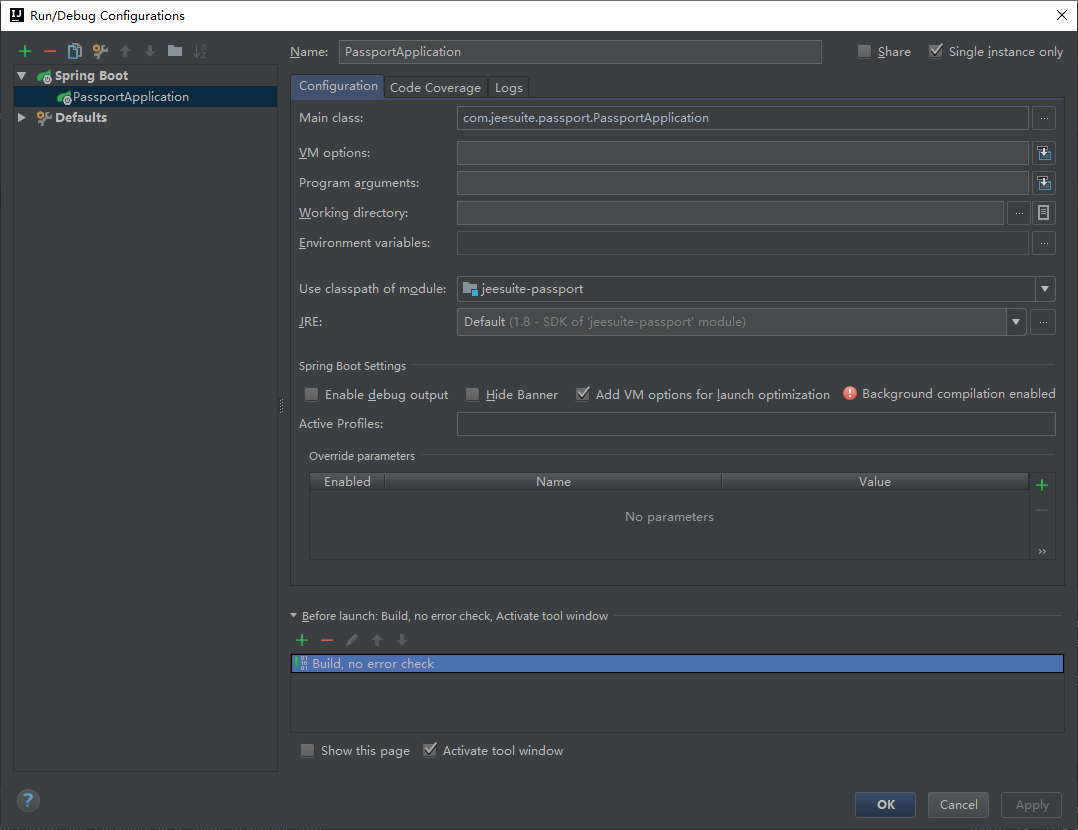
Set run/debug configurations

Run/Debug Configurations

For web projects, set “before launch” to “make, no error check” (the default should be make)
for ordinary projects, set “before launch” to “build, no error build” (the default should be build)

  Return to the editing area and click build – & gt; build Project

Nuxt uses the image lazy to load the lazy component tag, and an error is reported

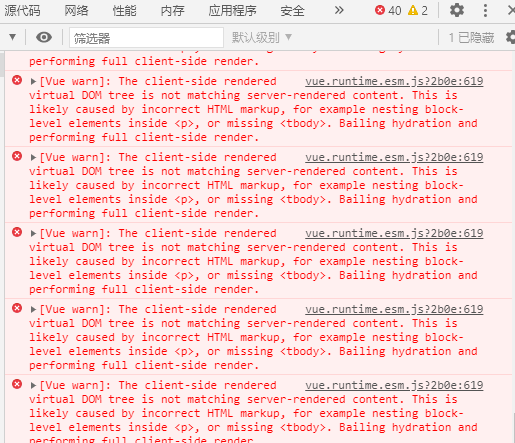
Problems encountered when nuxt uses image lazy loading, when & lt; lazy-component> tag is still normal, but after it is used, more than 40 exceptions will be prompted directly

found later. It needs to be found in & lt; lazy-component> & lt; no-ssr> label is good

<no-ssr>
	<lazy-component>
	...
	</lazy-component>
</no-ssr>

Personal blog address: nuxt uses pictures to load lazy component tags and reports an error

Error Ninja reported during dpdk20.11.1 installation and compilation

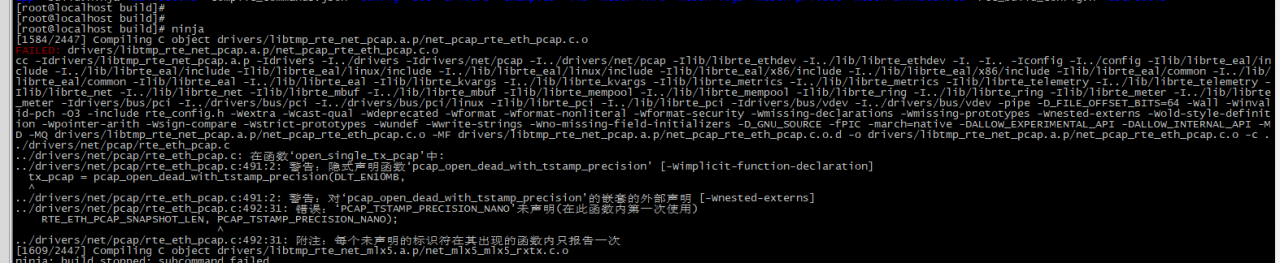
Execute CD build & amp& amp; Ninja error reporting

Cause analysis: dpdk relies on a higher version of Libpcap. The version of Libpcap carried in Python 3 is lower, so an error will be reported

terms of settlement

1、cd/home/haohan/software/PF_ Ring-6.6.0/userland/libpcap; Execute make install compilation

2. Execute ldconfig

3. Re execute CD build & amp& amp; ninja


Insert datagram error: ISAM error: no free disk space

I made a mistake in migrating data times:

[error]: error inserting data

Error   SQLCode:[-271]

Error message:Could not insert new row into the table:(-271) ISAM error:no free disk space(-131)

After checking the storage space, it is found that the space is free. After inquiry, it is found that the database built by Informix will often report an error when importing a large amount of data.

You can search for settings about Informix’s extend size and next size.

How Informix determines the extent size and next size_ The growth of database technology… – CSDN blog

Then my solution is as like as two peas: i migrated data, so I set up a table structure that is exactly the same as the database to be migrated in the destination database, but the value of extent size and next size is needed to build the table statement. For example, if I want to migrate a 34 g table, set the value of my extent size to 33554430 (the default unit is KB, which is the maximum value, 32g) and the next size to 1048576 (1 g or 2 g). Of course, the table space is extensible.

Create table table name(

  id CHAR(64),

age INTEGER

extent size 33554430 next size 1048576;

In tablespace name;

The values of ext size and next size are about the same as the data size, because my table space is extensible. If it is not extensible, it is better to be larger than the data size.
How to Solve Props value transfer International Language error

Props value transfer – International Language – error reporting problem

The calling component finds that the label is dead. Because it wants to be lazy, it plans to transfer the value of the label to the value assignment through props.

  props: {
    labelName: {
      type: String,
      default: this.$t('common_rpt_department')
    }
  },`

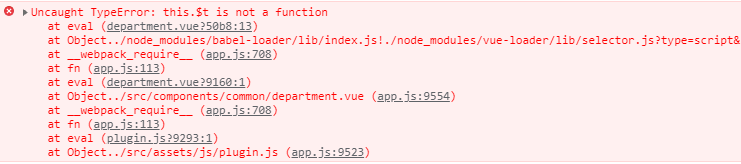
If you write directly at the beginning, an error is reported on the page

solution:

  props: {
    labelName: {
      type: String,
      default () {
        return this.$t('common_rpt_department')
      }
    }
  },

Done!