Author Archives: Robins

Ranger Install Error: [E] ranger_core_db_mysql.sql file import failed!

Exception information:

Error executing: CREATE FUNCTION `getXportalUIdByLoginId`(input_val VARCHAR(100)) RETURNS int(11) BEGIN DECLARE myid INT; SELECT x_portal_user.id into myid FROM x_portal_user WHERE x_portal_user.login_id = input_val; RETURN myid; END  
java.sql.SQLException: This function has none of DETERMINISTIC, NO SQL, or READS SQL DATA in its declaration and binary logging is enabled (you *might* want to use the less safe log_bin_trust_function_creators variable)
SQLException : SQL state: HY000 java.sql.SQLException: This function has none of DETERMINISTIC, NO SQL, or READS SQL DATA in its declaration and binary logging is enabled (you *might* want to use the less safe log_bin_trust_function_creators variable) ErrorCode: 1418
2022-02-24 18:24:06,439  [E] ranger_core_db_mysql.sql file import failed!
2022-02-24 18:24:06,439  [I] Unable to create DB schema, Please drop the database and try again

...
2022-02-24 18:24:08,667  [E] CORE_DB_SCHEMA import failed!


This error is reported when Ranger is installed

Solution:

SET GLOBAL log_bin_trust_function_creators = 1;

[Solved] kitt2bag Error: Failed to find match for field intensity

Problem analysis: this problem usually occurs when the point cloud type with intensity field (such as PointXYZI) is used to load the point cloud without intensity information. The point cloud data structure downloaded from Kitti data set is (x, y, Z, I) which contains intensity information, so the above problem may be caused by the loss of point cloud intensity information when bin file is converted to bag file?

Solution:

  1. Modify kitti2bag.
  2. Generate new bag.

Modification steps:

enter whereis kitti2bag in the terminal to find the path of the file.

whereis kitti2bag

Open the file vim/gedit in this path and change ‘i’ to ‘intensity’

Modified
        # fill pcl msg
        fields = [PointField('x', 0, PointField.FLOAT32, 1),
                  PointField('y', 4, PointField.FLOAT32, 1),
                  PointField('z', 8, PointField.FLOAT32, 1),
                  PointField('intensity', 12, PointField.FLOAT32, 1)]
        pcl_msg = pcl2.create_cloud(header, fields, scan)

#Before
        # fill pcl msg
        fields = [PointField('x', 0, PointField.FLOAT32, 1),
                  PointField('y', 4, PointField.FLOAT32, 1),
                  PointField('z', 8, PointField.FLOAT32, 1),
                  PointField('i', 12, PointField.FLOAT32, 1)]
        pcl_msg = pcl2.create_cloud(header, fields, scan)i

Re-convert bag file.

[Solved] Error: Message failed: 554 5.2.0 STOREDRV.Submission.Exception:OutboundSpamException;

office 365 SMTP outlook error:

Error: Message failed: 554 5.2.0 STOREDRV.Submission.Exception:OutboundSpamException; Failed to process message due to a permanent exception with message [BeginDiagnosticData]WASCL UserAction verdict is not None. Actual verdict is RefuseQuota, ShowTierUpgrade. OutboundSpamException: WASCL UserAction verdict is not None. Actual verdict is RefuseQuota, ShowTierUpgrade.[EndDiagnosticData] [Hostname=HK0PR02MB3217.apcprd02.prod.outlook.com]
      at SMTPConnection._formatError (/Users/qilongyu/personal-code/qerFriends/node_modules/nodemailer/lib/smtp-connection/index.js:784:19)
      at SMTPConnection._actionSMTPStream (/Users/qilongyu/personal-code/qerFriends/node_modules/nodemailer/lib/smtp-connection/index.js:1674:34)
      at SMTPConnection.<anonymous> (/Users/qilongyu/personal-code/qerFriends/node_modules/nodemailer/lib/smtp-connection/index.js:1152:22)
      at SMTPConnection._processResponse (/Users/qilongyu/personal-code/qerFriends/node_modules/nodemailer/lib/smtp-connection/index.js:947:20)
      at SMTPConnection._onData (/Users/qilongyu/personal-code/qerFriends/node_modules/nodemailer/lib/smtp-connection/index.js:749:14)
      at TLSSocket.SMTPConnection._onSocketData (/Users/qilongyu/personal-code/qerFriends/node_modules/nodemailer/lib/smtp-connection/index.js:189:44)
      at TLSSocket.emit (node:events:520:28)
      at TLSSocket.emit (node:domain:475:12)
      at addChunk (node:internal/streams/readable:315:12)
      at readableAddChunk (node:internal/streams/readable:289:9)
    How to Solve:

1. Check whether user and from is the same or not? (Solution)

2. Check whether it has been limited, just check the ms email in outlook mail.

[Solved] SecureCRT Error: Key exchange failed. No compatible key exchange method.

There may be a software version problem:
two solutions:
Solution 1. upgrade SecureCRT to the latest version, or use other connection tools

Solution 2. modify the server to make it compatible with the algorithm of the old system
after logging in to the server, use the following command in the server

vi /etc/ssh/sshd_config
#add the following text
KexAlgorithms [email protected],ecdh-sha2-nistp256,ecdh-sha2-nistp384,ecdh-sha2-nistp521,diffie-hellman-group-exchange-sha256,diffie-hellman-group14-sha1,diffie-hellman-group-exchange-sha1,diffie-hellman-group1-sha1
#restart ssh
systemctl restart sshd.service

Request processing failed; nested exception is java.lang.NullPointerException or UnsatisfiedDependencyE

1. Null pointer exception:

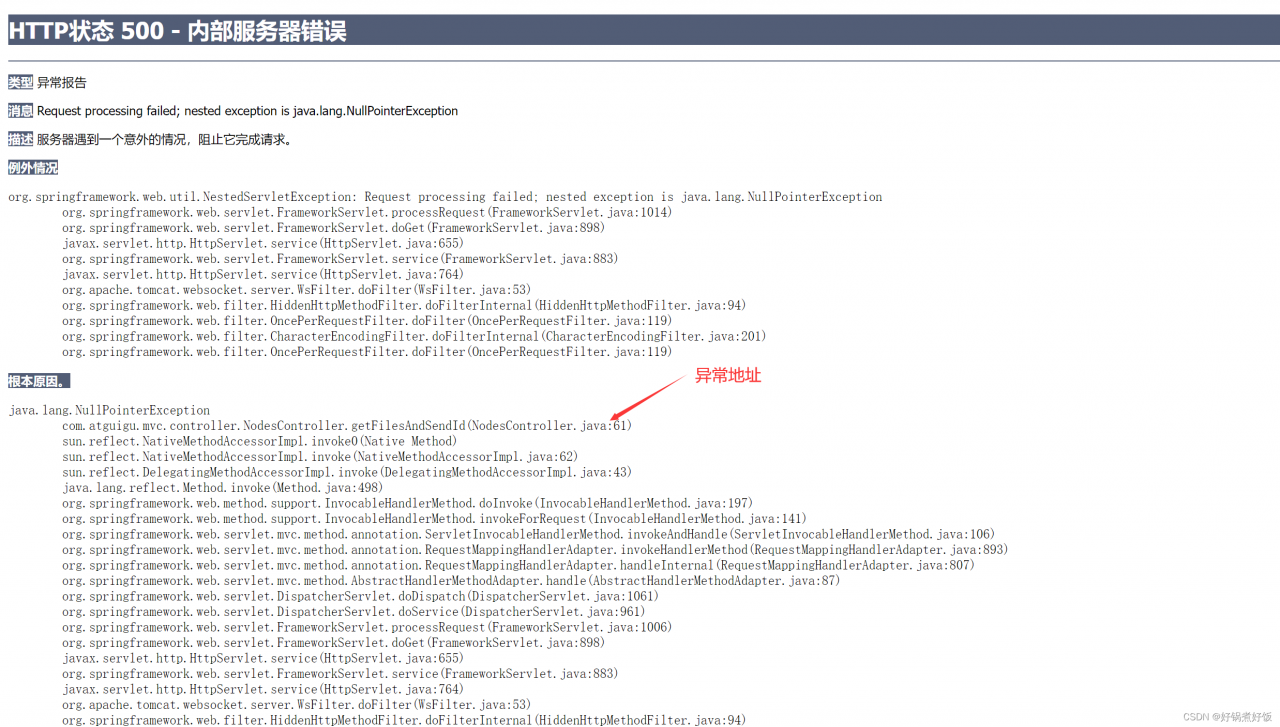
Request processing failed; nested exception is java.lang.NullPointerException

java.lang.NullPointerException
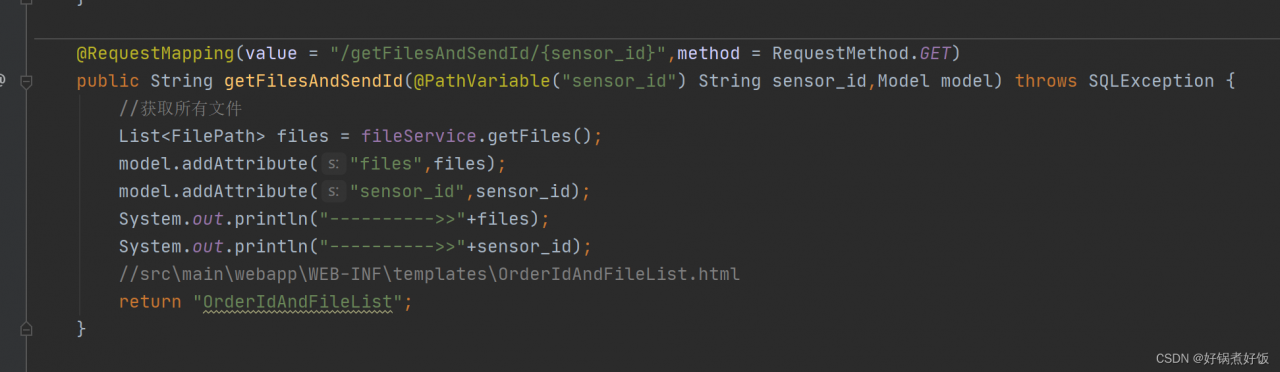
com.atguigu.mvc.controller.NodesController.getFilesAndSendId(NodesController.java:61)


See the exception address and check the control layer

Control level, line 61:

List<FilePath> files = fileService.getFiles();

current

@RequestMapping(value = "/getFilesAndSendId/{sensor_id}",method = RequestMethod.GET)

Parameter sensor_id is passed;

Solution to null pointer:
Original:

private FileService fileService;

Change to: add @Autowired annotation

 @Autowired
    private FileService fileService;

If there is any other error when you run the codes:

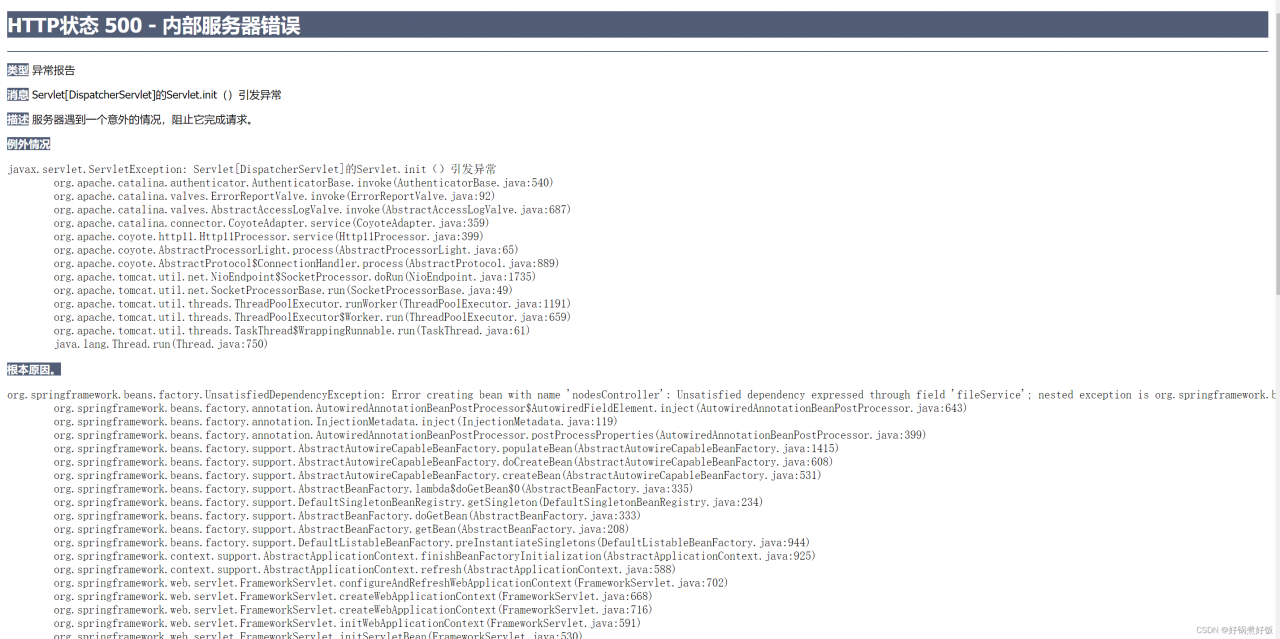
Servlet.init() of Servlet[DispatcherServlet] raises an exception.
org.springframework.beans.factory.UnsatisfiedDependencyException: Error creating bean with name ‘nodesController’: Unsatisfied dependency expressed through field ‘fileService’; nested exception is org.springframework.beans.factory.NoSuchBeanDefinitionException: No qualifying bean of type ‘com.atguigu.mvc.service.FileService’ available: expected at least 1 bean which qualifies as autowire candidate. Dependency annotations: {@org.springframework.beans.factory.annotation.Autowired(required=true)}


Solution:
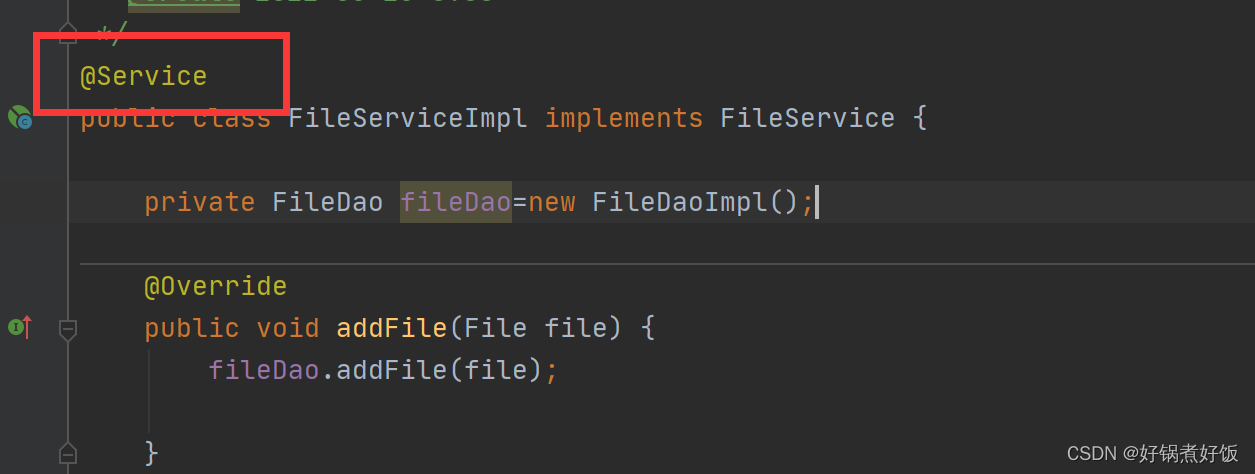
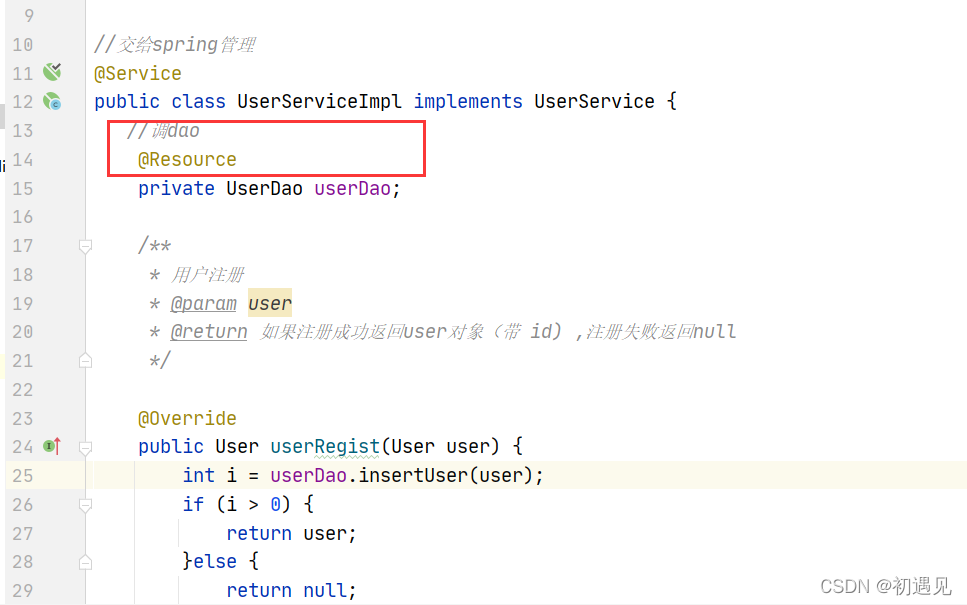
Check if the @Service annotation is added to the implementation class here

[Solved] Docker Start Error: System.InvalidOperationException Failed to set version to docker-desktop exit code

Project scenario:

Docker 3.2.2
win10 Home Edition

Problem Description:

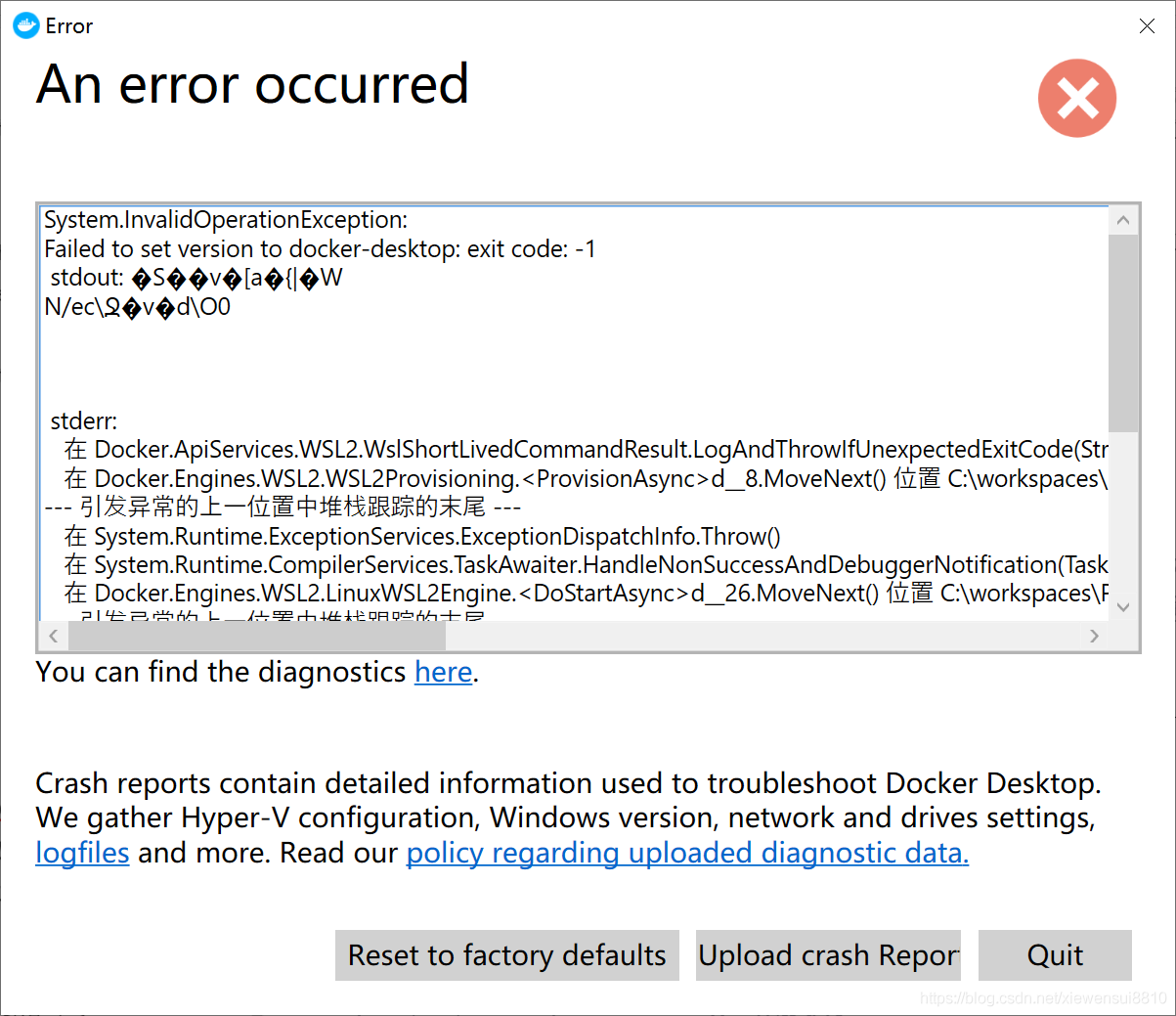
The docker opens error: System.InvalidOperationException: Failed to set version to docker-desktop: exit code: -1
detailed error report:

System.InvalidOperationException:
Failed to set version to docker-desktop: exit code: -1
 stdout: ?S??v?[a?{|?W
N/ec??v?dO0
stderr: 
   在 Docker.ApiServices.WSL2.WslShortLivedCommandResult.LogAndThrowIfUnexpectedExitCode(String prefix, ILogger log, Int32 expectedExitCode) 位置 C:workspacesPR-15387srcgithub.comdockerpinatawinsrcDocker.ApiServicesWSL2WslCommand.cs:Line 146
   在 Docker.Engines.WSL2.WSL2Provisioning.<ProvisionAsync>d__8.MoveNext() 位置 C:workspacesPR-15387srcgithub.comdockerpinatawinsrcDocker.DesktopEnginesWSL2WSL2Provisioning.cs:Line 82
--- The end of the stack trace in the previous location where the exception was raised ---
   在 System.Runtime.ExceptionServices.ExceptionDispatchInfo.Throw()
   在 System.Runtime.CompilerServices.TaskAwaiter.HandleNonSuccessAndDebuggerNotification(Task task)
   在 Docker.Engines.WSL2.LinuxWSL2Engine.<DoStartAsync>d__26.MoveNext() 位置 C:workspacesPR-15387srcgithub.comdockerpinatawinsrcDocker.DesktopEnginesWSL2LinuxWSL2Engine.cs:Line 104
--- The end of the stack trace in the previous location where the exception was raised ---
   在 System.Runtime.ExceptionServices.ExceptionDispatchInfo.Throw()
   在 System.Runtime.CompilerServices.TaskAwaiter.HandleNonSuccessAndDebuggerNotification(Task task)
   在 Docker.ApiServices.StateMachines.TaskExtensions.<WrapAsyncInCancellationException>d__0.MoveNext() 位置 C:workspacesPR-15387srcgithub.comdockerpinatawinsrcDocker.ApiServicesStateMachinesTaskExtensions.cs:Line 29
--- The end of the stack trace in the previous location where the exception was raised ---
   在 System.Runtime.ExceptionServices.ExceptionDispatchInfo.Throw()
   在 System.Runtime.CompilerServices.TaskAwaiter.HandleNonSuccessAndDebuggerNotification(Task task)
   在 Docker.ApiServices.StateMachines.StartTransition.<DoRunAsync>d__5.MoveNext() 位置 C:workspacesPR-15387srcgithub.comdockerpinatawinsrcDocker.ApiServicesStateMachinesStartTransition.cs:Line 67
--- The end of the stack trace in the previous location where the exception was raised ---
   在 System.Runtime.ExceptionServices.ExceptionDispatchInfo.Throw()
   在 Docker.ApiServices.StateMachines.StartTransition.<DoRunAsync>d__5.MoveNext() 位置 C:workspacesPR-15387srcgithub.comdockerpinatawinsrcDocker.ApiServicesStateMachinesStartTransition.cs:Line 92

Screenshot:


Solution:

Execute under cmd/shell

netsh winsock reset

Then restart docker

[Solved] hadoop Error: 9000 failed on connection exception java.net.ConnectException Denied to Access

To view the files on haddop, enter:

hadoop fs -ls /

The following occurred:

ls: Call From yx/127.0.1.1 to 0.0.0.0:9000 failed on connection exception: 
java.net.ConnectException: Denied to Access 
For more details see:  http://wiki.apache.org/hadoop/ConnectionRefused

Display 9000 port access denied
from the configuration file, you can know that Hadoop needs to access the machine through 9000 port, but now 9000 port access is denied
Input:

telnet localhost 9000

Display:

Trying 127.0.0.1…
telnet: Unable to connect to remote host: Connection refused

Input:

nmap -p 9000 localhost

Display:

Starting Nmap 7.80 ( https://nmap.org ) at 2020-04-25 14:57 CST
Nmap scan report for localhost (127.0.0.1)
Host is up (0.000051s latency).
PORT STATE SERVICE
9000/tcp closed cslistener
Nmap done: 1 IP address (1 host up) scanned in 0.03 seconds


Use the command:

 lsof -i :9000

See which app is using the port. If the result is empty (return value 1), it is not opened
the above is just to check the status and will not change anything.

Because hadoop connects to the local port in core-site.xml
Open $HADOOP_HOME/etc/hadoop/core-site.xml

<configuration>
<property>
    <name>hadoop.tmp.dir</name>
    <value>/data/tmp/hadoop/tmp</value>
</property>
<property>
    <name>fs.defaultFS</name>
    <value>hdfs://0.0.0.0:9000</value>
</property>
</configuration>

It is found that I have not configured the port number, which is modified to:
hdfs://localhost:9000
It still not work.
I tried many methods, and finally found that the most commonly used method on the Internet is to use this method, which is really OK:

cd $HADOOP_HOME/bin
hdfs namenode -format

But I still couldn’t run it. I tried many times and all the results were the same. Later, then I found an error:

WARN common.Util: Path /data/tmp/hadoop/hdfs/name should be specified as a URI in configuration files. Please update hdfs configuration.

This is due to the non-standard path. The file describing the path is in:

$HADOOP_HOMW/etc/hadoop/hdfs-site.xml

Place in the file:

 <property>  
     <name>dfs.datanode.data.dir</name>  
     <value>/data/tmp/hadoop/hdfs/data</value>  
 </property>

Amend to read:

  <property>  
     <name>dfs.datanode.data.dir</name>  
     <value>file:///data/tmp/hadoop/hdfs/data</value>  
 </property>

The warning disappears
but this does not play a decisive role. My reason is that the security mode is turned on. Just turn off the security mode

cd $HADOOP_HOME/bin
hadoop dfsadmin -safemode leave

Users can

hadoop dfsadmin -safemode value

Operation security mode
value value:
enter: enter security mode
leave: force to leave security mode
get: return to security mode status
wait: until the end of security mode
now:

root@yx:/apps/hadoop/bin# hadoop fs -ls /
20/04/25 19:24:24 WARN util.NativeCodeLoader: Unable to load native-hadoop library for your platform... using builtin-java classes where applicable
Found 1 items
drwxr-xr-x   - root supergroup          0 2020-04-25 17:13 /test
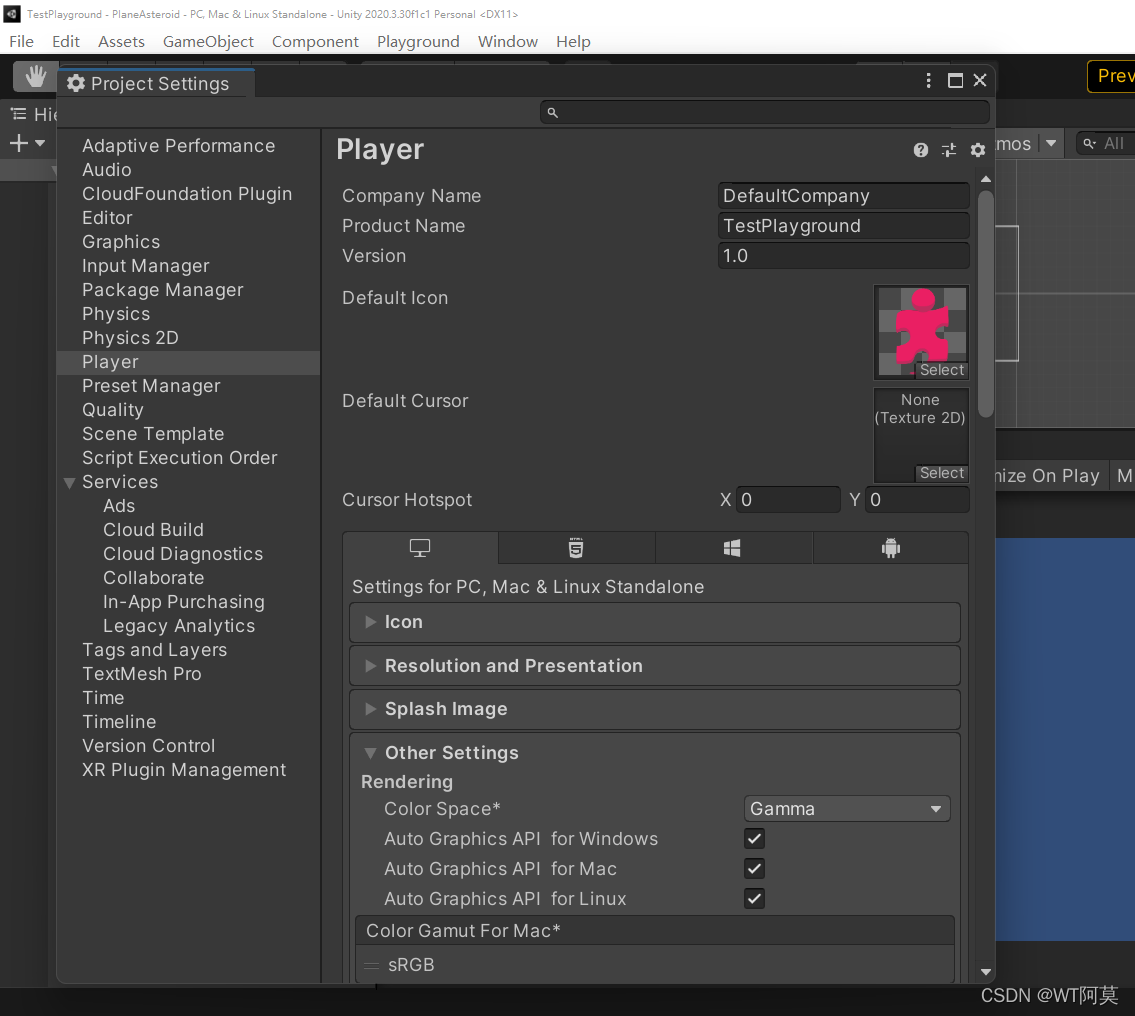
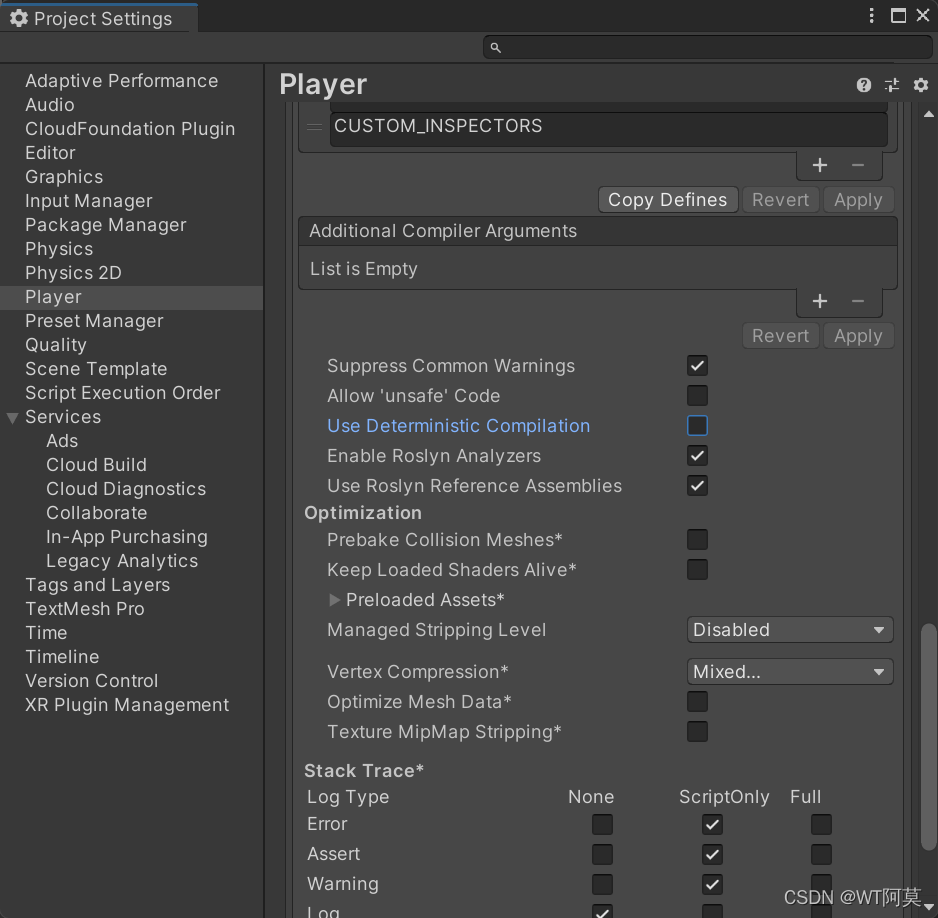
[Solved] Unity Error: Deterministic compilation failed. You can disable Deterministic builds in Player Settings

preface


Unity error: deterministic compilation failed You can disable deterministic builds in player settings
this error was encountered when opening the old version of the project with the new version of unity


Solution:

1. Click Edit –> Project Settings

2. Click play –> Pull down to find Use Deterministic Compilation, then uncheck and restart unity

3. Done!

[Solved] Failed assertion: line 3180 pos 12: ‘debugNeedsPaint‘: is not true

Click the screenshot of the flitter to call the screenshot method for the first time, and an error is reported
Failed assertion: line 3180 pos 12: ‘debugNeedsPaint’: is not true.

flutter: 'package:flutter/src/rendering/proxy_box.dart': Failed assertion: line 3180 pos 12: '!debugNeedsPaint': is not true.

Solution:
Add a delay call when calling the screenshot method

 onPressed: () {
                Future.delayed(Duration.zero, () {
                  this._capturePng();
                });
              },

[Solved] error c101008d: Failed to write the updated manifest to the resource of file

System: win10
compiler: vs08

Error c101008d: error c101008d: Failed to write the updated manifest to the resource of file “XXX.exe”

Solution: Microsoft menu bar in the lower left corner – Settings – update and security – Windows Security Center – virus and threat protection – virus and threat protection settings – the following management settings – implement protection – off – recompile the project