[Solved] torchvision.models.resnet18() Error: PytorchStreamReader failed reading zip archive: failed finding…

When I was downloading the resnet18 network using torchvision.models.resnet18(), I manually terminated it once and when I ran it again, I got the error PytorchStreamReader failed reading zip archive: failed finding central directory

This is because after manually terminating the program, the file was halfway down, but when I rerun it, the program thought it was done and started unpacking, which resulted in an error. Here is the file I downloaded halfway:

The procedure to detect if the file already exists is in the torch.hub file at line 585, follow the error message to find the torch.hub file

Type a breakpoint here, debug it, then see what the value of cached_file is here, follow the path of cached_file to find the file that is halfway down, delete it and you’re done.

When I run it, the path of this file looks like this

[Solved] ApplicationContextException: Failed to start bean ‘documentationPluginsBootstrapper‘;

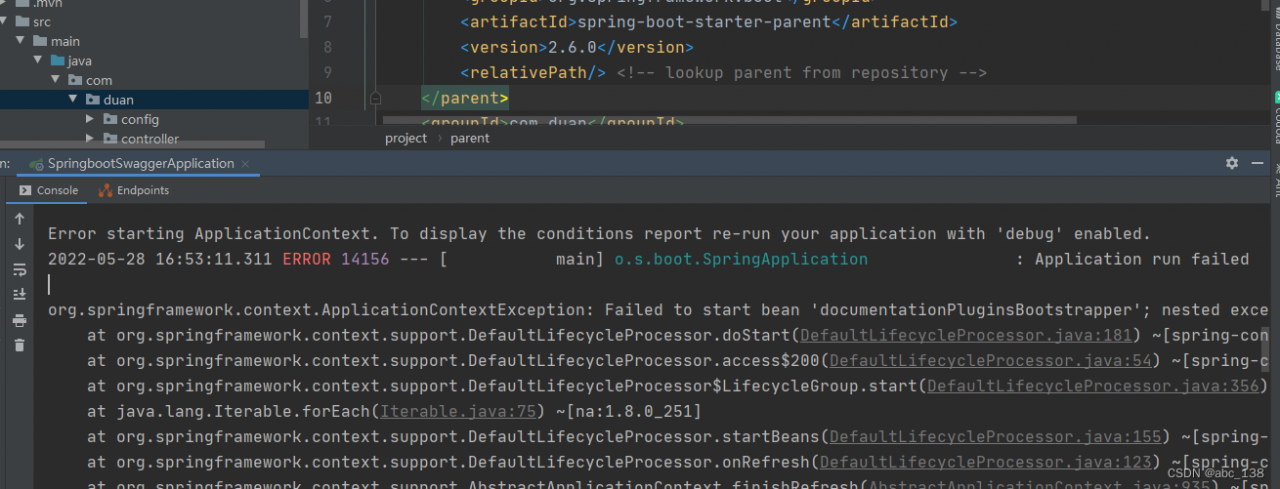
ApplicationContextException: Failed to start bean ‘documentationPluginsBootstrapper‘;

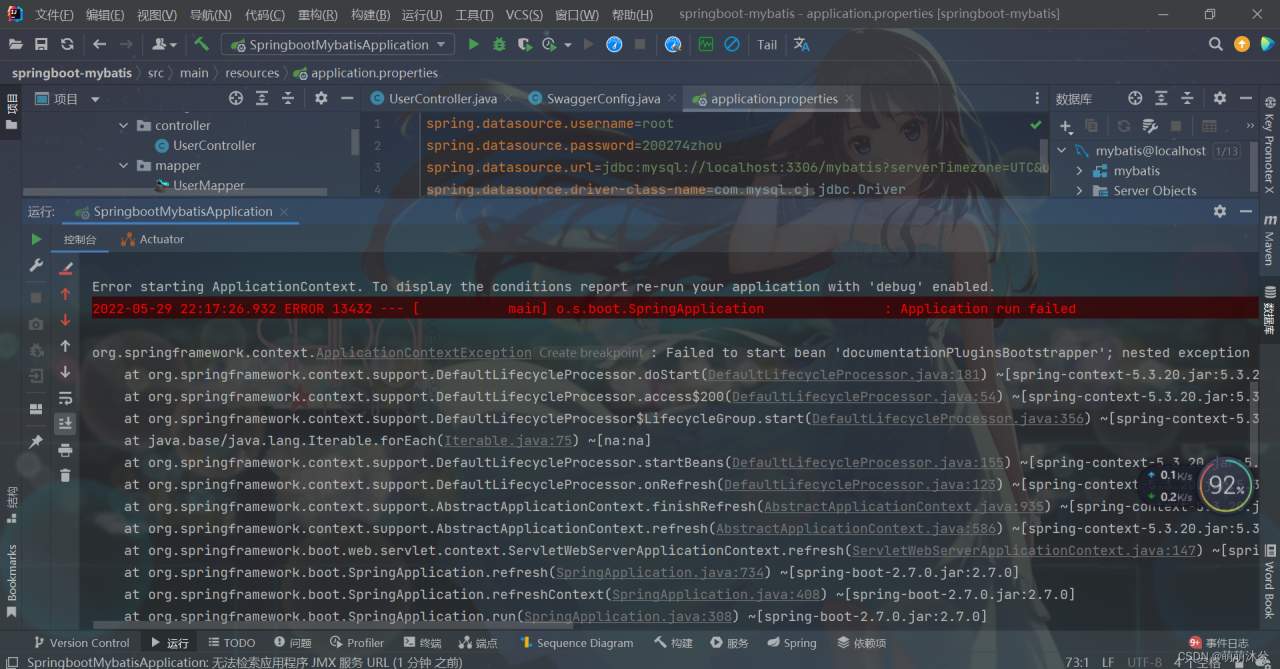
Spring boot reports the following errors:

org.springframework.context.applicationContextException: Failed to start bean ‘documentationPluginsBootstrapper’; nested exception is java. lang.NullPointerException

After testing for a long time, it is found that the reason for swagger2:

Version 3.0.0 was originally used:

<!-- https://mvnrepository.com/artifact/io.springfox/springfox-swagger2 -->
<dependency>
    <groupId>io.springfox</groupId>
    <artifactId>springfox-swagger2</artifactId>
    <version>3.0.0</version>
</dependency>
<!-- https://mvnrepository.com/artifact/io.springfox/springfox-swagger-ui -->
<dependency>
    <groupId>io.springfox</groupId>
    <artifactId>springfox-swagger-ui</artifactId>
    <version>3.0.0</version>
</dependency>

It is said that:

Reason: This is because Springfox uses path matching based on AntPathMatcher, while Spring Boot 2.6.X uses PathPatternMatcher.
Solution: Configure in application.properties: spring.mvc.pathmatch.matching-strategy=ANT_PATH_MATCHER

After testing, no error was reported, but the search access http://localhost:8080/swagger-ui.html has 404

Final solution:

Switch the version of swagger2 and swaggerui to version 2.9.2

<!-- https://mvnrepository.com/artifact/io.springfox/springfox-swagger2 -->
<dependency>
        <groupId>io.springfox</groupId>
        <artifactId>springfox-swagger2</artifactId>
        <version>2.9.2</version>
</dependency>
<!-- https://mvnrepository.com/artifact/io.springfox/springfox-swagger-ui -->
<dependency>
        <groupId>io.springfox</groupId>
        <artifactId>springfox-swagger-ui</artifactId>
        <version>2.9.2</version>
</dependency>

If it does not work like me, just add the following code in application.properties:

spring.mvc.pathmatch.matching-strategy=ANT_PATH_MATCHER

Problem solved!

[Solved] ssh secure shell: server responded algorithm negotiation failed

ssh secure shell:server responded algorithm negotiation failed

This problem is usually solved as follows:
enter
1. cd /etc/ssh
2.vim /etc/ssh/sshd_config

# Add the following to the configuration file (except the last one of the third is gray plus purple, the others are blue, if it is gray means it is not right!)
Ciphers aes128-cbc,aes192-cbc,aes256-cbc,aes128-ctr,aes192-ctr,aes256-ctr,3des-cbc,arcfour128,arcfour256,arcfour,blowfish-cbc,cast128-cbc
 
MACs hmac-md5,hmac-sha1,[email protected],hmac-ripemd160,hmac-sha1-96,hmac-md5-96
 
KexAlgorithms diffie-hellman-group1-sha1,diffie-hellman-group14-sha1,diffie-hellman-group-exchange-sha1,diffie-hellman-group-exchange-sha256,ecdh-sha2-nistp256,ecdh-sha2-nistp384,ecdh-sha2-nistp521,diffie-hellman-group1-sha1,[email protected]

Then restart sshd with this statement and you’re done
systemctl restart sshd

Because the error page can not be selected, so I did not directly check the error, but with their own understanding of the error to check, but wasted a lot of time, so if such an error, or hand typing in the future, it is very fast.

[Solved] YarnClientSchedulerBackend: Yarn application has already exited with state FAILED

In starting spark shell –master yarn, we will find an error when spark shell is started

YarnClientSchedulerBackend: Yarn application has already exited with state FAILED

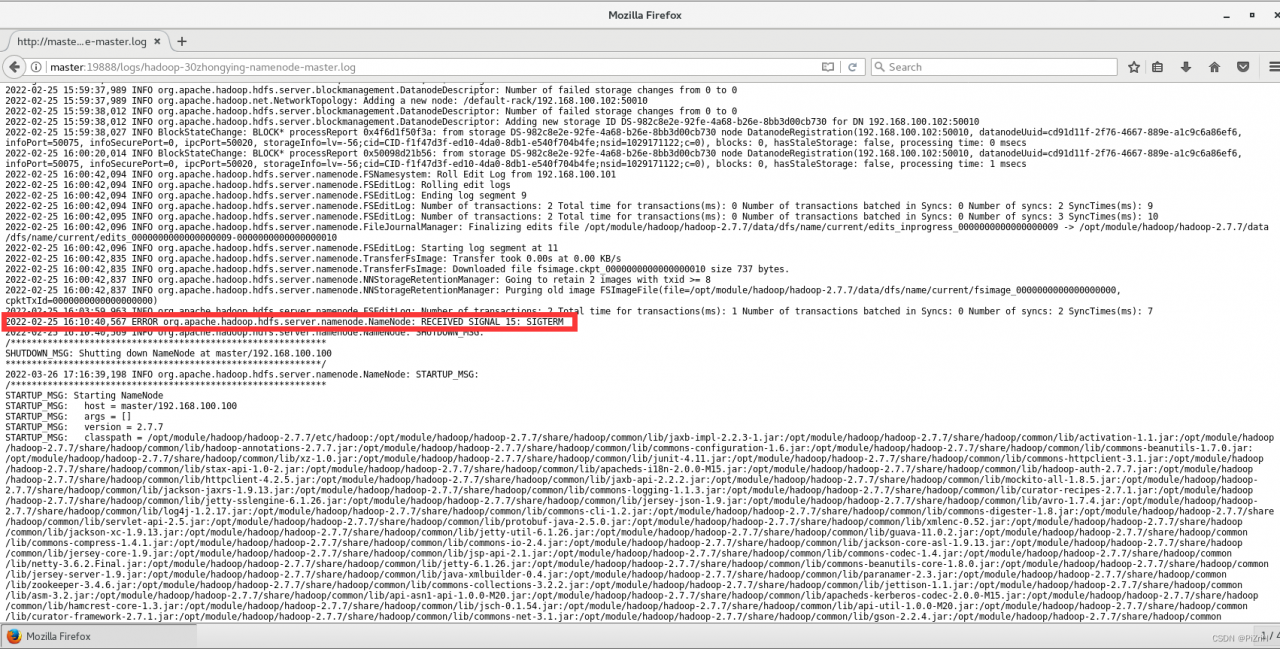
At this point we visit the yarn process to see the history of the start-up time error exception: ERRORorg.apache.hadoop.hdfs.server.namenode.NameNode: RECEIVED SIGNAL 15: SIGTERM (as shown), the general access to the port number is http://Localhost_name+8088 (default)

Solution:

This problem often occurs when the jdk version is 1.8. You can directly modify the configuration of yarn-site.xml in hadoop and distribute it to each cluster, and restart the cluster.
 <property>
    <name>yarn.nodemanager.vmem-pmem-ratio</name>
    <value>10</value>
</property>
<property>
    <name>yarn.nodemanager.vmem-check-enabled</name>
    <value>false</value>
</property>

[Solved] VScode Error: find_package(catkin) failed

Question:

In vscode, when using cmake for configure, I found that the CMakeLists.txt generated by catkin_init_workspace reported an error:
find_package(catkin) failed. catkin was neither found in the workspace···

analysis:

After investigation and analysis, it is found that there is a problem with the following code in CMakeLists.txt:

# use command ‘catkin_init_workspace’  to generate ‘CMakeLists.txt’
set(catkin_search_path "")
  foreach(path ${CMAKE_PREFIX_PATH})
    if(EXISTS "${path}/.catkin")
      list(FIND catkin_search_path ${path} _index)
      if(_index EQUAL -1)
        list(APPEND catkin_search_path ${path})
      endif()
    endif()
  endforeach()

Specifically, the path from the variable ${CMAKE_PREFIX_PATH} is not searched for .catkin.
By directly modifying the /opt/ros/melodic/share/catkin/cmake/toplevel.cmake print variable ${CMAKE_PREFIX_PATH} pointed to by CMakeLists.txt, the output was found to be empty.
However, the configure in the system terminal works, and the command executed is the same as the configure in vscde, as follows

# The actual command executed when configure with cmake-tool in vscode
/usr/bin/cmake \
--no-warn-unused-cli \
-DCMAKE_PREFIX_PATH=/opt/ros/melodic \
-DCMAKE_EXPORT_COMPILE_COMMANDS:BOOL=TRUE -DCMAKE_BUILD_TYPE:STRING=Release \
-DCMAKE_C_COMPILER:FILEPATH=/usr/bin/x86_64-linux-gnu-gcc-7 \
-DCMAKE_CXX_COMPILER:FILEPATH=/usr/bin/x86_64-linux-gnu-g++-7 \
-S/home/will/allpros/avp_slam_sim \
-B/home/will/allpros/avp_slam_sim/build_vsc \
-G "Unix Makefiles"

Also, even if you add export CMAKE_PREFIX_PATH=/opt/ros/melodic:$CMAKE_PREFIX_PATH to ~/.bashrc, you will still get an error after restarting the computer and doing configure, where the path /opt/ros/melodic was determined when installing ros Of course, you can also use the command find / -iname *.catkin or locate *.catkin to find the specific path.
To summarize.
The reason for this is unclear. It is suspected that the environment variable ${CMAKE_PREFIX_PATH} obtained by vscode during cmake-configure is empty, but when using the system terminal ${CMAKE_PREFIX_PATH} has the value /opt/ros/melodic, which comes from the source /opt/ros/melodic at boot time. source /opt/ros/melodic/setup.bash, which is already written in the ~/.bashrc auto-execution file when we installed ROS, and after booting, echo $CMAKE_PREFIX_PATH in system terminal can output /opt/ros/melodic normally. .

Solution:
1. modify the system file directly

$ sudo gedit /opt/ros/melodic/share/catkin/cmake/toplevel.cmake

Add the following in /opt/ros/melodic/share/catkin/cmake/toplevel.cmake

list(APPEND CMAKE_PREFIX_PATH "/opt/ros/melodic")

The results are as follows:

# toplevel CMakeLists.txt for a catkin workspace
# catkin/cmake/toplevel.cmake

cmake_minimum_required(VERSION 3.0.2)

project(Project)

set(CATKIN_TOPLEVEL TRUE)

list(APPEND CMAKE_PREFIX_PATH "/opt/ros/melodic")

# search for catkin within the workspace
set(_cmd "catkin_find_pkg" "catkin" "${CMAKE_SOURCE_DIR}")
execute_process(COMMAND ${_cmd}
  RESULT_VARIABLE _res
  OUTPUT_VARIABLE _out
  ERROR_VARIABLE _err
  OUTPUT_STRIP_TRAILING_WHITESPACE
  ERROR_STRIP_TRAILING_WHITESPACE
)
...
...
...

2. add attribute in cmake setting of vscode

Ctrl+Shift+P –> preferences: open settings (JSON)
add:

"cmake.configureArgs": [
        "-DCMAKE_PREFIX_PATH=/opt/ros/melodic"
    ],

[Solved] Kubernetes Error: failed to list *core.Secret: unable to transform key

While installing a Kubernetes local cluster, I happened to encounter the following problem:

E0514 07:30:58.627632 1 cacher.go:424] cacher (*core.Secret): unexpected ListAndWatch error: failed to list *core.Secret: unable to transform key “/registry/secrets/default/default-token-nk77g”: invalid padding on input; reinitializing…
W0514 07:30:59.631509 1 reflector.go:324] storage/cacher.go:/secrets: failed to list *core.Secret: unable to transform key “/registry/secrets/default/default-token-nk77g”: invalid padding on input
E0514 07:30:59.631563 1 cacher.go:424] cacher (*core.Secret): unexpected ListAndWatch error: failed to list *core.Secret: unable to transform key “/registry/secrets/default/default-token-nk77g”: invalid padding on input; reinitializing…
W0514 07:31:00.633540 1 reflector.go:324] storage/cacher.go:/secrets: failed to list *core.Secret: unable to transform key “/registry/secrets/default/default-token-nk77g”: invalid padding on input
E0514 07:31:00.633575 1 cacher.go:424] cacher (*core.Secret): unexpected ListAndWatch error: failed to list *core.Secret: unable to transform key “/registry/secrets/default/default-token-nk77g”: invalid padding on input; reinitializing…


Reason:

We know that after running the cluster master, we need to create the TLS Bootstrap Secret to provide an automatic visa using.

cat <<EOF | kubectl create -f -
apiVersion: v1
kind: Secret
metadata:
  name: bootstrap-token-${TOKEN_ID}
  namespace: kube-system
type: bootstrap.kubernetes.io/token
stringData:
  token-id: "${TOKEN_ID}"
  token-secret: "${TOKEN_SECRET}"
  usage-bootstrap-authentication: "true"
  usage-bootstrap-signing: "true"
  auth-extra-groups: system:bootstrappers:default-node-token
EOF

secret "bootstrap-token-65a3a9" created

where BOOTSTRAP_TOKEN=T O K E N I D . {TOKEN_ID}.TOKEN
I

D.{TOKEN_SECRET} can be found in bootstrap-kubelet.conf.

One of the reasons for the problem shown in the title is that the command may have been run multiple times and multiple secrets exist, e.g. the node side was found to be not working properly and a bootstrap-kubelet.conf was regenerated for it, etc.

Then when installing the kubernetes cluster manually, we will find that the online information is backward after all, so we will use the kubeadm post-installation information for comparison and verification, and then I accidentally added the following codes:

spec:
hostNetwork: true
priorityClassName: system-cluster-critical
securityContext:
seccompProfile:
type: RuntimeDefault

spec.securityContext.seccompProfile.type=RuntimeDefault, this setting will automatically generate a self-signed secret when the cluster is running, which will lead to a contradiction with the manual generation and the problem in the title.


Solution:

1) First clear the cluster cache, delete all files under /var/lib/etcd/ and /var/lib/kubelet/, and keep the config.xml file in the latter.
2) Delete the spec.securityContext.type=”seccompProfile” in /etc/kubernetes/manifests under kube-apiserver.yml, kube-controller-manager.yml and kube-scheduler.yml. seccompProfile.type=RuntimeDefault.
3) Re-run the kubelet: systemctl start kubelet and you are done.

[Solved] nova-compute.log Error: Instance failed block device setup

Project scenario:

Openstack private cloud failed to create a virtual machine

nvoa-compute.log prompt:
instance failed block device setup
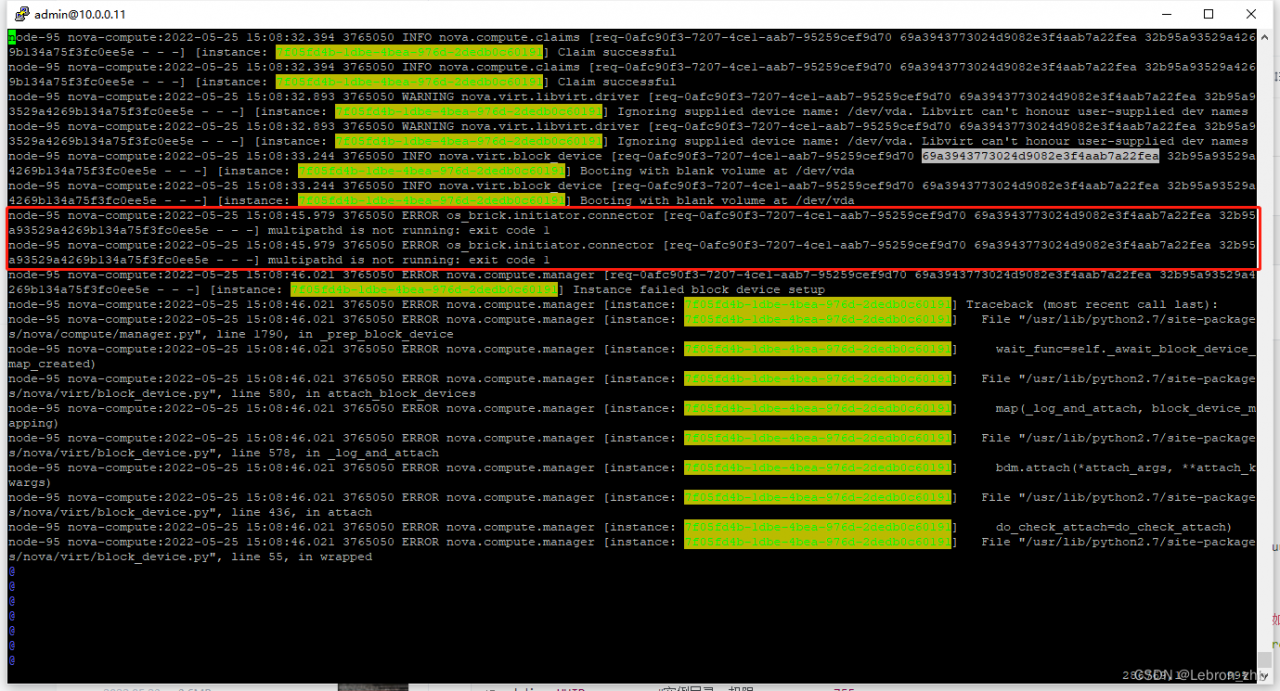
multipathd is not running exit code 1

Problem description

Create a new virtual machine, select the corresponding image, network, storage, etc., and the creation fails. The host status is error

Cause analysis:

If the cloud host creation fails, you need to first determine the node that the cloud host was scheduled to, then go to that node and check the nova-compute logs and search for that log record by UUID. It is better to determine the request ID, req-id, that created that task and go to the error log, as shown in the figure showing that the node is not running the multipath service causing the volume creation to fail.

Solution:

Start the corresponding node multipath service, and check whether the multipath service of all nodes is running normally.

systemctl restart multipathd.service
systemctl status multipathd.service

Then re-create the virtual machine.

[Solved] Springboot integrate swagger error: Failed to start bean ‘documentationPluginsBootstrapper‘

spring boot upgrade to 2.6.x+ version, I suddenly found the following error when integrating with swagger:

org.springframework.context.ApplicationContextException: Failed to start bean 'documentationPluginsBootstrapper'; nested exception is java.lang.NullPointerException

Reason: because the path matching used by springfox is based on AntPathMatcher, and spring boot 2.6.X uses PathPatternMatcher, which can change the matching rules

Solution:
add the following configuration in the configuration file (application.yaml)

spring:
  mvc:
    pathmatch:
      matching-strategy: ant_path_matcher

[Solved] Cordova Android Compile Error: Execution failed for task ‘:packageDebug‘

Execution failed for task ‘:packageDebug’

Background

Use ionic+cordova+gradle to package the Android program. The environment is as follows:

    cordova  :  7.1.0
    Gradle  :   7.4
    @ionic/cli-utils  : 1.19.0
    ionic (Ionic CLI) : 3.19.0
    

System:

    Node : v6.9.1
    npm  : 3.10.8
    OS   : Windows 10

Misc:

    backend : pro

problem

* What went wrong:
Execution failed for task ':packageDebug'.
> com.android.ide.common.signing.KeytoolException: Failed to read key AndroidDebugKey from store "C:\Users\11644\.android\debug.keystore": Invalid keystore format

Solution:

According to the second paragraph

 Failed to read key AndroidDebugKey from store "C:\Users\11644\.android\debug.keystore": Invalid keystore format

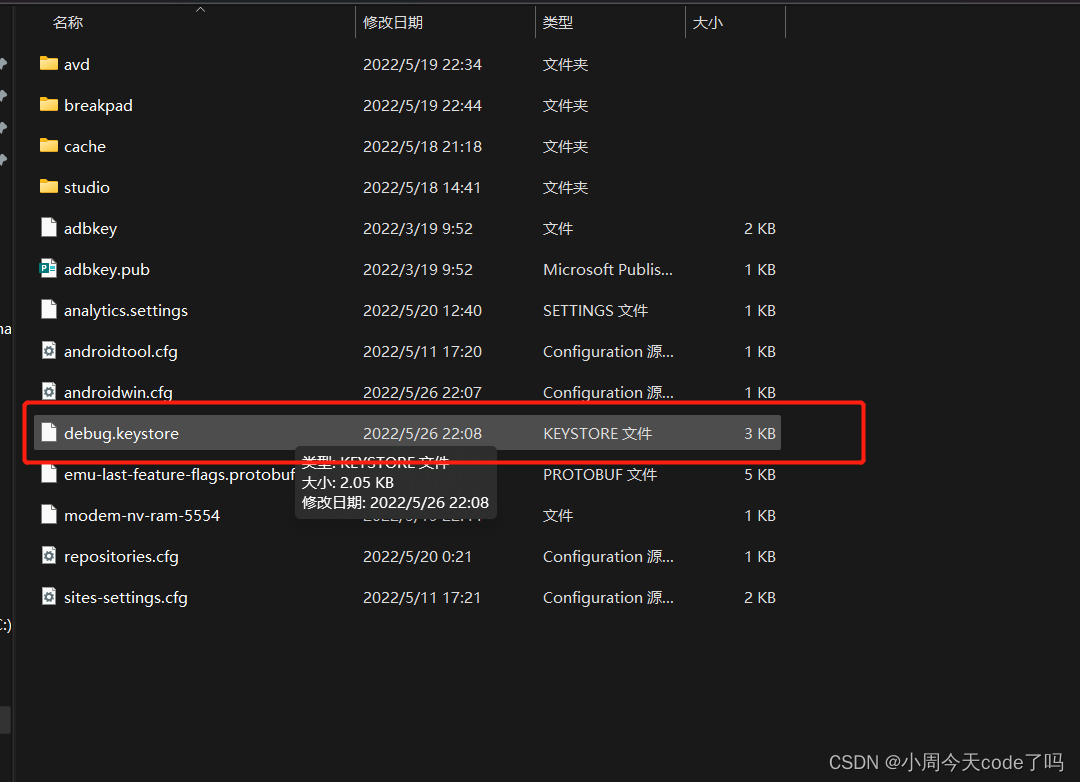
Find the debug.keystore file

delete this file and rerun the command
package successfully

BUILD SUCCESSFUL

Total time: 1.658 secs
Built the following apk(s):
        D:/ProjectFiles/CordovaProject/myapp/platforms/android/build/outputs/apk/android-debug.apk
ANDROID_HOME=D:\Programmer\AndroidSDKmange
JAVA_HOME=C:\Program Files\Java\jdk1.8.0_201
No target specified, deploying to device '26395863'.
Skipping build...
Built the following apk(s):
        D:/ProjectFiles/CordovaProject/myapp/platforms/android/build/outputs/apk/android-debug.apk
Using apk: D:/ProjectFiles/CordovaProject/myapp/platforms/android/build/outputs/apk/android-debug.apk
Package name: io.cordova.hellocordova
LAUNCH SUCCESS

[Solved] EOS7.6 Error: Init DB failed [Specified key was too long; max key length is 767 bytes…

Init DB failed![Specified key was too long; max key length is 767 bytes[CREATE INDEX IDX_WFWI_PARTICI ON WFWORKITEM( PARTICIPANT )]
Specified key was too long; max key length is 767 bytes[CREATE INDEX WTRI_EXPAT ON WFTASKRESOURCEINFO(EXCLUDEUNIQUEID)]
Specified key was too long; max key length is 767 bytes[CREATE INDEX WTRI_COMP ON WFTASKRESOURCEINFO(QUEUENAME,STATUS,SERVERID)]
]


– select 'yes' for retry and' no 'for exit


If the system variable innodb_large_prefix is enabled (enabled by default, it is off by default on my computer installation of MySQL 5.6.41, and on by default on MySQL 5.7), the index key prefix is limited to 3072 bytes for InnoDB tables that use DYNAMIC or COMPRESSED row format. If innodb_large_prefix is disabled, the index key prefix is limited to 767 bytes for any table in row format.

innodb_large_prefix will be removed and deprecated in future releases. The innodb_large_prefix was introduced in MySQL 5.5 to disable large prefix indexes for compatibility with earlier versions of InnoDB that did not support large index key prefixes.

For InnoDB tables using REDUNDANT or COMPACT row formats, the index key prefix length is limited to 767 bytes. For example, you might reach this limit using a column prefix index of more than 255 characters on a TEXT or VARCHAR column, assuming a utf8mb3 character set and a maximum of 3 bytes per character.

Attempts to use an index key prefix length that exceeds the limit will return an error. To avoid such errors in replication configurations, avoid enabling enableinnodb_large_prefix on the master server (if it cannot be enabled on the slave server).

The restrictions that apply to index key prefixes also apply to full column index keys.

Note: The above is 767 bytes, not characters, specifically the number of characters, which is related to the character set. gbk is double-byte, utf-8 is triple-byte

Solutions.

1: Enable the system variable innodb_large_prefix
Note: It is not enough to have this system variable enabled. The following conditions must be met.

2: System variable innodb_large_prefix is ON

3: System variable innodb_file_format is Barracuda

4: ROW_FORMAT is DYNAMIC or COMPRESSED

mysql> show variables like '%innodb_large_prefix%';
+---------------------+-------+
| Variable_name       | Value |
+---------------------+-------+
| innodb_large_prefix | OFF   |
+---------------------+-------+
1 row in set (0.00 sec)

mysql> set global innodb_large_prefix=on;
Query OK, 0 rows affected (0.00 sec)
 
mysql> show variables like '%innodb_file_format%';
+--------------------------+----------+
| Variable_name            | Value    |
+--------------------------+----------+
| innodb_file_format       | Antelope |
| innodb_file_format_check | ON       |
| innodb_file_format_max   | Antelope |
+--------------------------+----------+
3 rows in set (0.00 sec)

mysql> set global innodb_file_format=Barracuda;
Query OK, 0 rows affected (0.00 sec)

mysql> set global innodb_file_format_max=BARRACUDA;
Query OK, 0 rows affected (0.01 sec)

After completing the above operations, EOS platform 7.6 is successfully installed.