Apk Failed to install Error: [install\u failed\verification\u failure]

Apk install failed: [install\u failed\verification\u failure]

When “myapp.apk” is installed, the following error is obtained:

[INSTALL_FAILED_VERIFICATION_FAILURE]

You must allow unsigned applications. Installation is blocked by Android. Allow non market applications to be installed in settings.

You need to disable verification of APK during ADB installation. If the security settings are grayed out or do not work properly, try shelling the device and running at each API level (global, system, security) according to the settings in the settings database

$ adb shell settings put global verifier_verify_adb_installs 0

If you can really set it, it will prevent APK checking through ADB.

Sometimes you need to disable the package verifier and use:

$ adb shell settings put global package_verifier_enable 0

You can see here that these settings are in the global database:

http://androidxref.com/4.4.2_r2/xref/frameworks/base/core/java/android/provider/Settings.java#5015

[Solved] Docker-maven-plugin Build Mirror Error: failed: Connection refused: connect

Docker-maven-plugin Build Mirror Error: failed: Connection refused: connect

[ERROR] Failed to execute goal com.spotify:dockerfile-maven-plugin:1.4.7:build (default) on project security-api: Could not build image: java.util.concurrent.ExecutionException: com.spotify.docker.client.sha
ded.javax.ws.rs.ProcessingException: com.spotify.docker.client.shaded.org.apache.http.conn.HttpHostConnectException: Connect to localhost:2375 [localhost/127.0.0.1, localhost/0:0:0:0:0:0:0:1] failed: Connect
ion refused: connect -> [Help 1]


Solution:

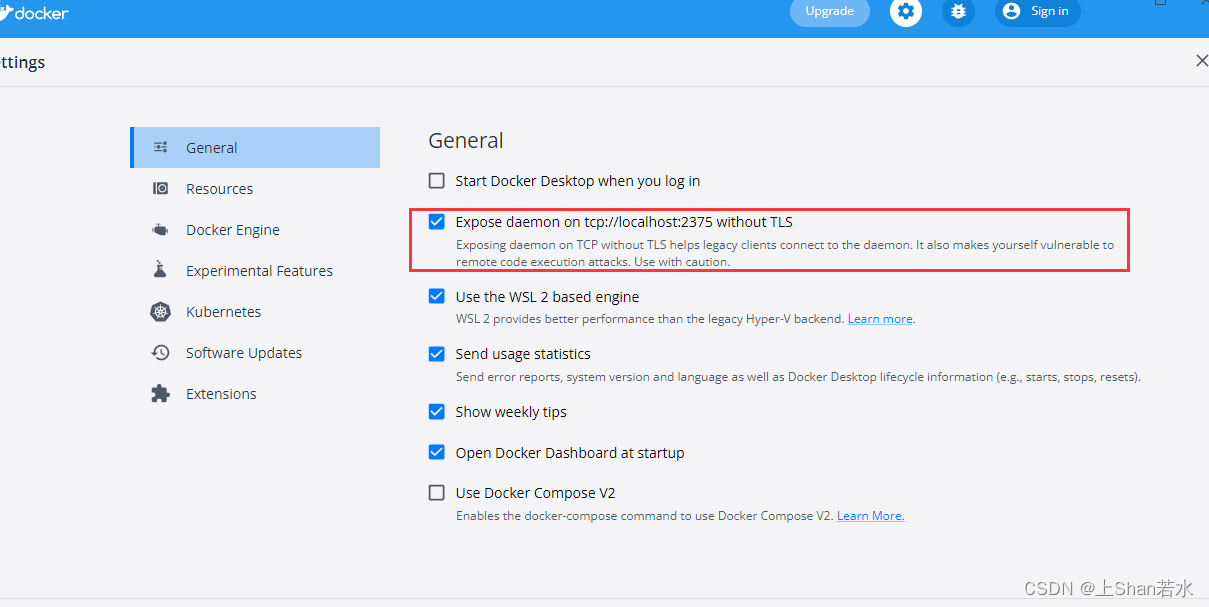
  1. Go to docker settings (Second mouse click on docker icon, click settings)
  2. Click on checkbox ‘Expose daemon on tcp://localhost:2375 without TLS’
  3. Apply & Restart
  4. Run again: mvn clean install

[Solved] IntelliJ IDEA Compile Error: Errorjava Compilation failed internal java compiler error

IntelliJ idea tutorial (contents)

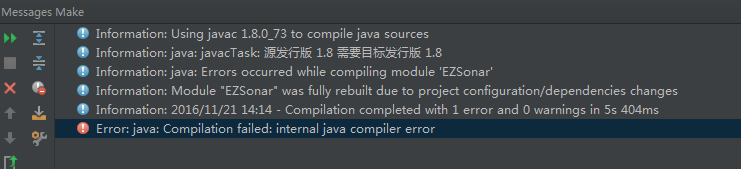
Error content:

information:using javac 1.8.0_ 73 to compile Java sources
information:java: javactask: source release 1.8 requires target release 1.8
information:java: errors occurred while compiling module 'ezsonar'
information:module "ezsonar" was fully rebuilt due to project configuration/dependencies changes
Information:2016/11/21 14:08 - Compilation completed with 1 error and 0 warnings in 5s 242ms
Error:java: Compilation failed: internal java compiler error


Error reporting diagram:

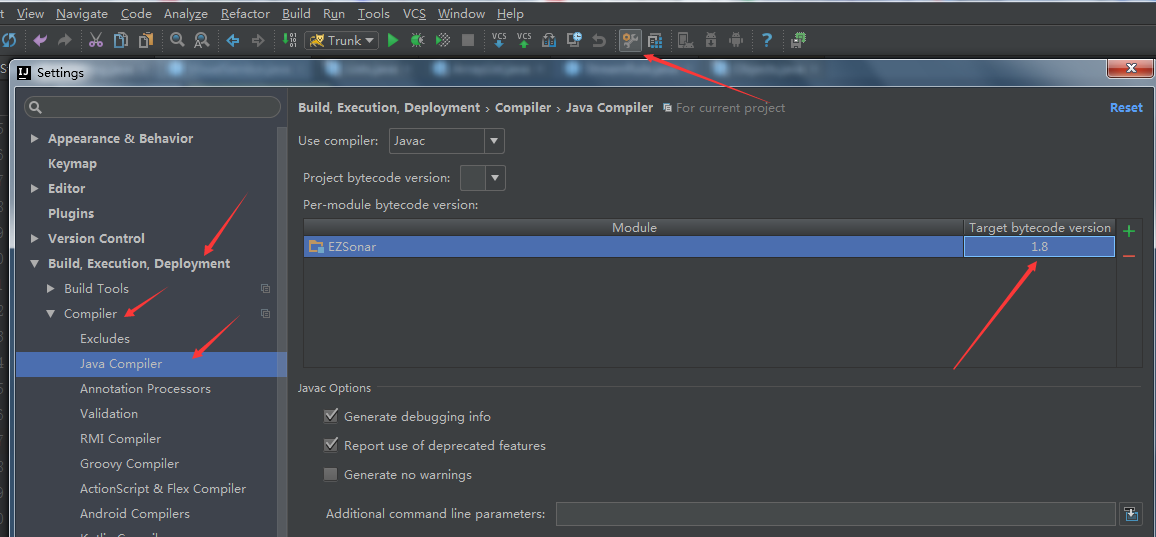
Solution:

If it is not the same as the one in the figure, click the one on the right to add the module of your project and select the corresponding version of JDK required by your project. Just compile it again.

[Solved] Ubuntu Eclipse C/C++ Error: launch failed.binary not found

Questions

Running on windows, there is either a problem with the installation of mingw64, or the header file cannot be found. Anyway, it is to verify whether the simulator can be used. What is the trouble? Just switch to Linux. The following are the results of running on Ubuntu.

Process

To run the square studio export project, follow the readme of the exported project,

    1. install gcc
sudo apt-get install gcc g++ gdb build-essential
    2. install sdl
sudo apt-get install libsdl2-dev

3. Install eclipse c/c++
4. Select the parent folder of the exported project as “Workspace”
5. Select File->Import->General->Exisiting project into Workspace click “Next” and browse the project
6. Build the project with Project->Build
7. Run the project with Run->Run.
Then report an error: could not found lpng


Solution:

    1Install lpng
sudo apt-get install libpng-dev

2. install CDT

help-> Check for updates

check CDT and install 

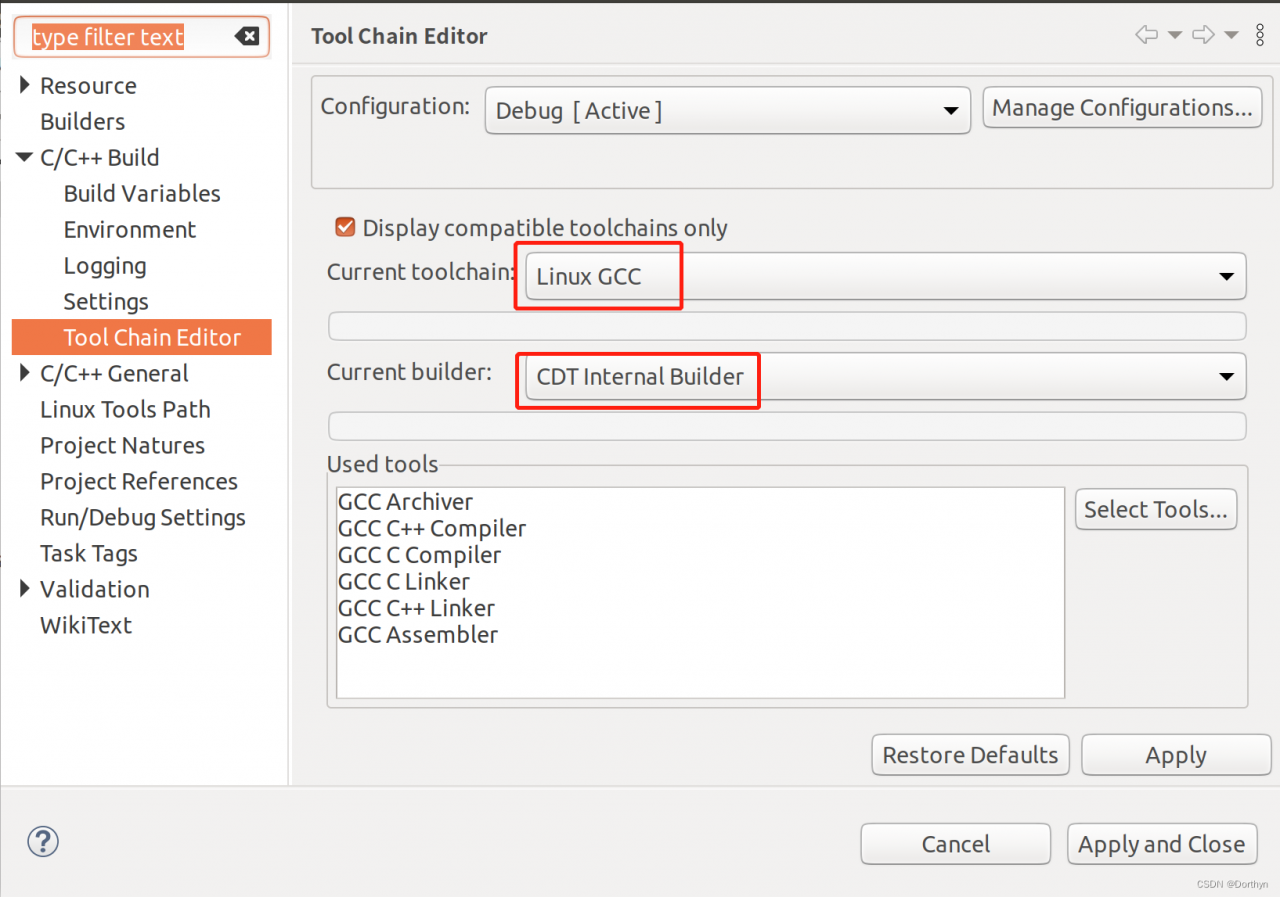
3. Modify the compiler

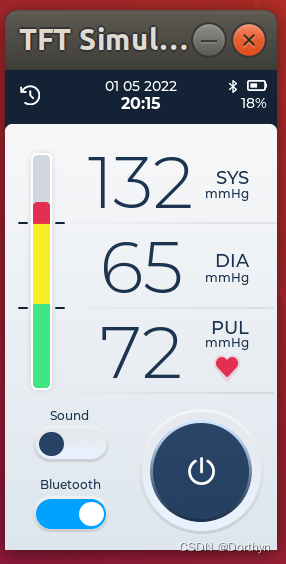
4. Just follow steps 6 and 7 above. The effect drawing is as follows

IDEA Error: ERROR 16720 —[ restartMain] o.a.coyote. http11.Http119Protocol: Failed to sta

Idea reports error: ERROR 16720 – [restartedmain] o.a.coyote http11.Http11NioProtocol : Failed to start end point associated with ProtocolHandler [“http-nio-80”]

1. Error 16720

idea version is IntelliJ idea 2018.3.6 x64

The error reporting codes of running items are as follows:
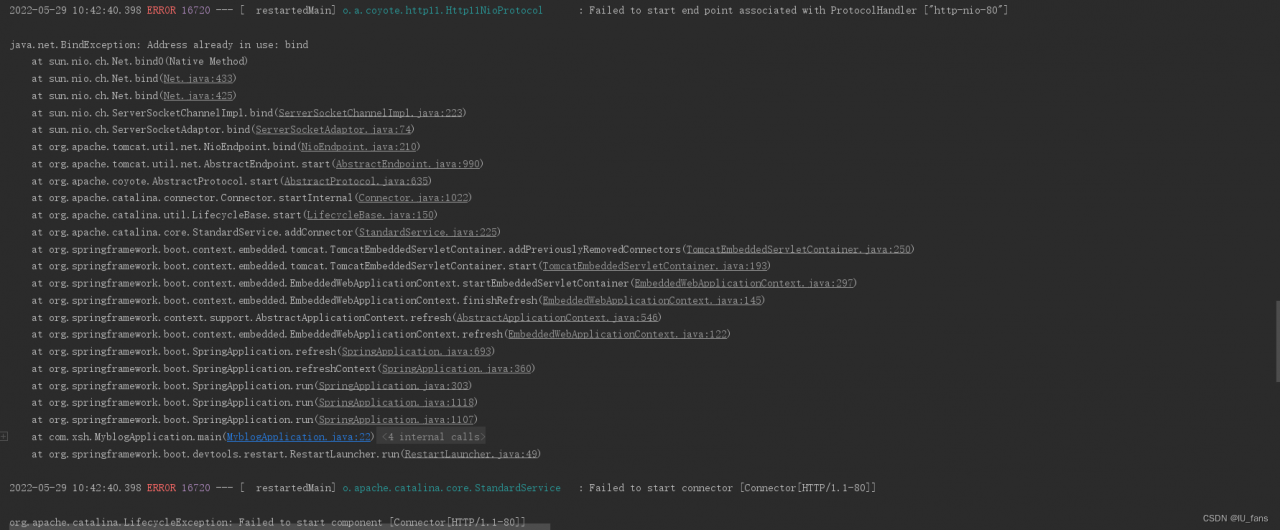

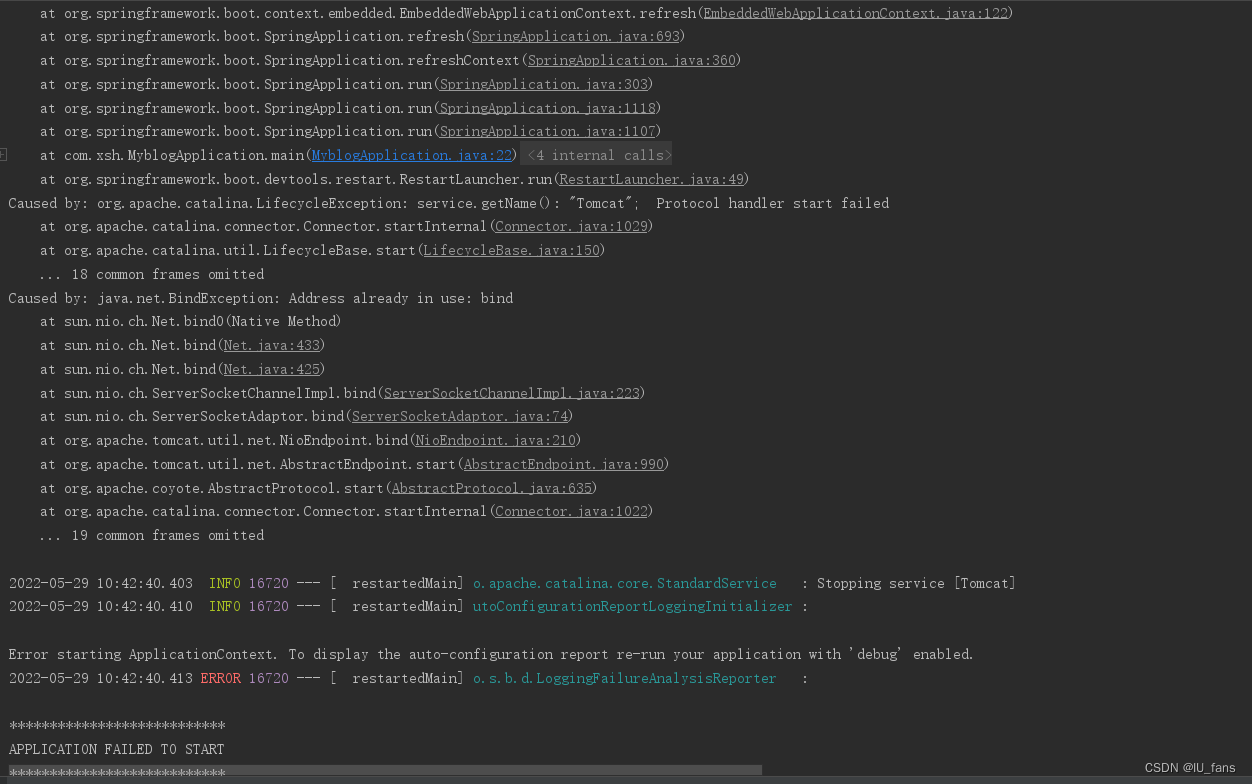
the detailed error reporting code of the third figure

Sun May 29 10:42:36 CST 2022 WARN: Establishing SSL connection without server's identity verification is not recommended. According to MySQL 5.5.45+, 5.6.26+ and 5.7.6+ requirements SSL connection must be established by default if explicit option isn't set. For compliance with existing applications not using SSL the verifyServerCertificate property is set to 'false'. You need either to explicitly disable SSL by setting useSSL=false, or set useSSL=true and provide truststore for server certificate verification.
Sun May 29 10:42:37 CST 2022 WARN: Establishing SSL connection without server's identity verification is not recommended. According to MySQL 5.5.45+, 5.6.26+ and 5.7.6+ requirements SSL connection must be established by default if explicit option isn't set. For compliance with existing applications not using SSL the verifyServerCertificate property is set to 'false'. You need either to explicitly disable SSL by setting useSSL=false, or set useSSL=true and provide truststore for server certificate verification.

2. Error reporting causes and Solutions

1. cause

Port number 80 is occupied

2. solutions

1. change the port number and use the idle port number

the occupied port number here is 80, and the idle port number is 81

(1) Find the configuration file to write the port number

server:
  port: 80

(2) Change the port number to an idle and unoccupied port number

server:
  port: 81

 

[Solved] Win 10 Kafka error: failed to construct Kafka consumer

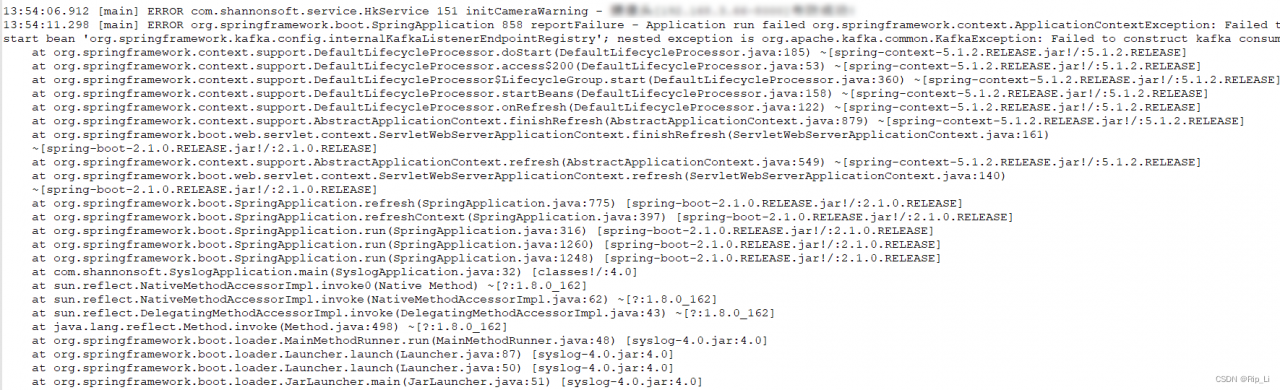
After updating the code, the package succeeds, but an error is reported when the project is started. The error information is shown in the following figure:

I mean, it is obvious that the problem lies in Kafka. After looking at the configuration, it should be the port problem.

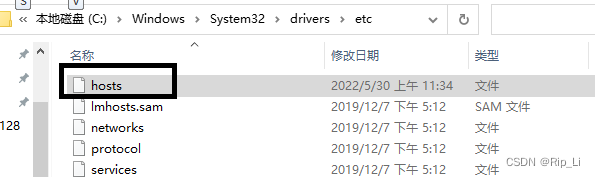
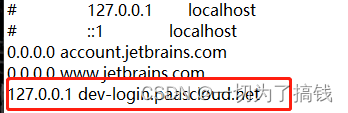
Instead of using IP configuration, I directly configured the port name in the host file, as shown in the following figure:

Add configuration 127.0.0.1 Kafka-server

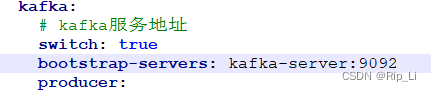
Then change the service address of Kafka to kafka-server:9092 in the application configuration file of the project

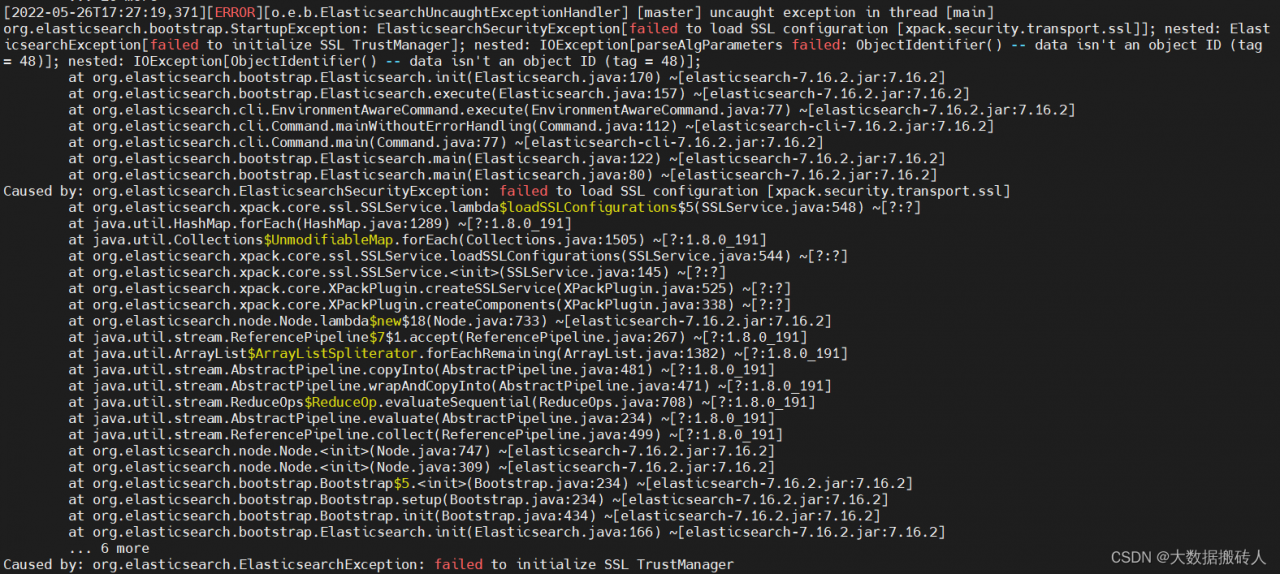
ElasticsearchSecurityException[failed to load SSL configuration [xpack.security.transport.ssl]]

ElasticsearchSecurityException[failed to load SSL configuration [xpack.security.transport.ssl]]

[ERROR][o.e.b.ElasticsearchUncaughtExceptionHandler] [master] uncaught exception in thread [main]
org.elasticsearch.bootstrap.StartupException: ElasticsearchSecurityException[failed to load SSL configuration [xpack.security.transport.ssl]]; nested: ElasticsearchException[failed to initialize SSL TrustManager]; nested: IOException[parseAlgParameters failed: ObjectIdentifier() -- data isn't an object ID (tag = 48)]; nested: IOException[ObjectIdentifier() -- data isn't an object ID (tag = 48)];


Solution:
1. configure xpack.security.transport.ssl.keystore.path: elastic-certificates.p12 in elasticsearch.yml
change the path of elastic-certificates.p12 to absolute path and assign 777 permissions, restart.
2. after modification 1 did not work, continue to think, set the jdk to ES comes with jdk11, restart.
Perfect solution

[Solved] presto Compile Error: Failed to execute goal org.apache.maven.plugins:maven-checkstyle-plugin:3.0.0:check

The error information is as follows:

[ERROR] Failed to execute goal org.apache.maven.plugins:maven-checkstyle-plugin:3.0.0:check (checkstyle) on project presto-parser: You have 4 Checkstyle violations. -> [Help 1]
org.apache.maven.lifecycle.LifecycleExecutionException: Failed to execute goal org.apache.maven.plugins:maven-checkstyle-plugin:3.0.0:check (checkstyle) on project presto-parser: You have 4 Checkstyle violations.
    at org.apache.maven.lifecycle.internal.MojoExecutor.execute (MojoExecutor.java:215)
    at org.apache.maven.lifecycle.internal.MojoExecutor.execute (MojoExecutor.java:156)
    at org.apache.maven.lifecycle.internal.MojoExecutor.execute (MojoExecutor.java:148)
    at org.apache.maven.lifecycle.internal.LifecycleModuleBuilder.buildProject (LifecycleModuleBuilder.java:117)
    at org.apache.maven.lifecycle.internal.builder.multithreaded.MultiThreadedBuilder$1.call (MultiThreadedBuilder.java:196)
    at org.apache.maven.lifecycle.internal.builder.multithreaded.MultiThreadedBuilder$1.call (MultiThreadedBuilder.java:186)
    at java.util.concurrent.FutureTask.run (FutureTask.java:266)
    at java.util.concurrent.Executors$RunnableAdapter.call (Executors.java:511)
    at java.util.concurrent.FutureTask.run (FutureTask.java:266)
    at java.util.concurrent.ThreadPoolExecutor.runWorker (ThreadPoolExecutor.java:1149)
    at java.util.concurrent.ThreadPoolExecutor$Worker.run (ThreadPoolExecutor.java:624)
    at java.lang.Thread.run (Thread.java:748)
Caused by: org.apache.maven.plugin.MojoFailureException: You have 4 Checkstyle violations.
    at org.apache.maven.plugins.checkstyle.CheckstyleViolationCheckMojo.execute (CheckstyleViolationCheckMojo.java:576)
    at org.apache.maven.plugin.DefaultBuildPluginManager.executeMojo (DefaultBuildPluginManager.java:137)
    at org.apache.maven.lifecycle.internal.MojoExecutor.execute (MojoExecutor.java:210)
    at org.apache.maven.lifecycle.internal.MojoExecutor.execute (MojoExecutor.java:156)
    at org.apache.maven.lifecycle.internal.MojoExecutor.execute (MojoExecutor.java:148)
    at org.apache.maven.lifecycle.internal.LifecycleModuleBuilder.buildProject (LifecycleModuleBuilder.java:117)
    at org.apache.maven.lifecycle.internal.builder.multithreaded.MultiThreadedBuilder$1.call (MultiThreadedBuilder.java:196)
    at org.apache.maven.lifecycle.internal.builder.multithreaded.MultiThreadedBuilder$1.call (MultiThreadedBuilder.java:186)
    at java.util.concurrent.FutureTask.run (FutureTask.java:266)
    at java.util.concurrent.Executors$RunnableAdapter.call (Executors.java:511)
    at java.util.concurrent.FutureTask.run (FutureTask.java:266)
    at java.util.concurrent.ThreadPoolExecutor.runWorker (ThreadPoolExecutor.java:1149)
    at java.util.concurrent.ThreadPoolExecutor$Worker.run (ThreadPoolExecutor.java:624)
    at java.lang.Thread.run (Thread.java:748)
[ERROR] 
[ERROR] 
[ERROR] For more information about the errors and possible solutions, please read the following articles:
[ERROR] [Help 1] http://cwiki.apache.org/confluence/display/MAVEN/MojoFailureException
[ERROR] 
[ERROR] After correcting the problems, you can resume the build with the command
[ERROR]   mvn <args> -rf :presto-parser

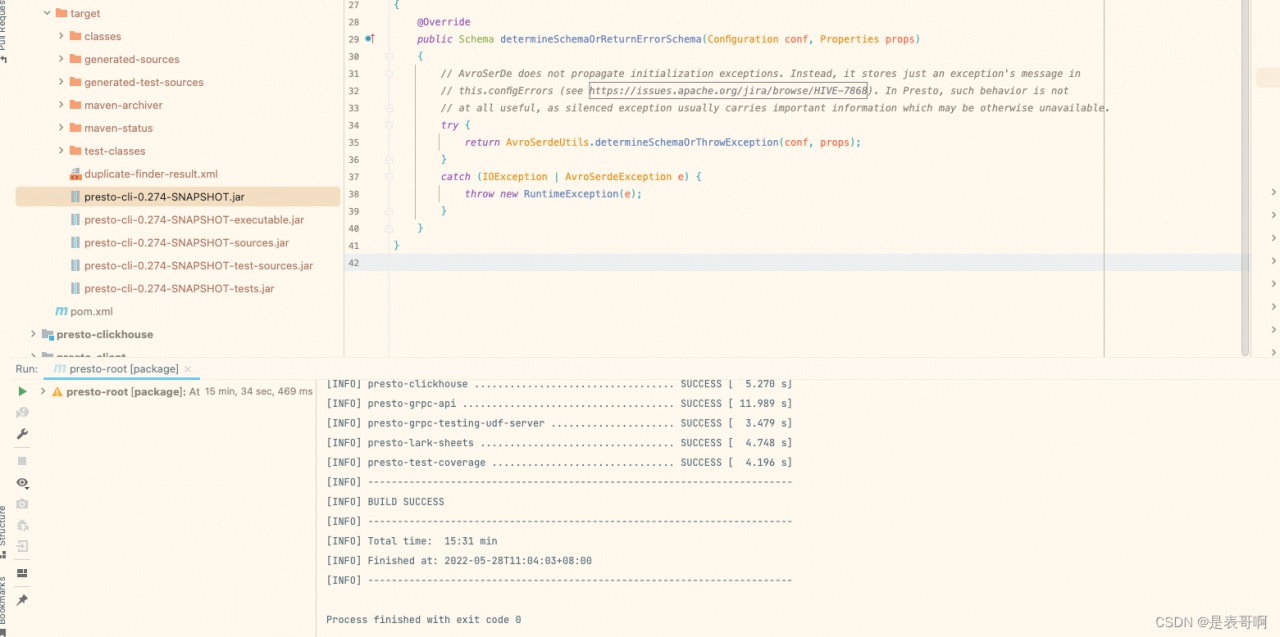
Compile again

[Solved] Manifest merger failed: android:exported needs to be explicitly specified for element <activity#com

Manifest merger failed : android:exported needs to be explicitly specified for element < activity#***

com.tamsiree.rxui.activity.activityWebView***>. Apps targeting Android 12 and higher are required to specify an explicit value forandroid:exportedwhen the corresponding component has an intent filter defined.

**According to the hint, you need to add the dependency package com.tamsiree.rxui.activity.ActivityWebView to the
AndroidManifest.xml file under the activity to add android:exported **

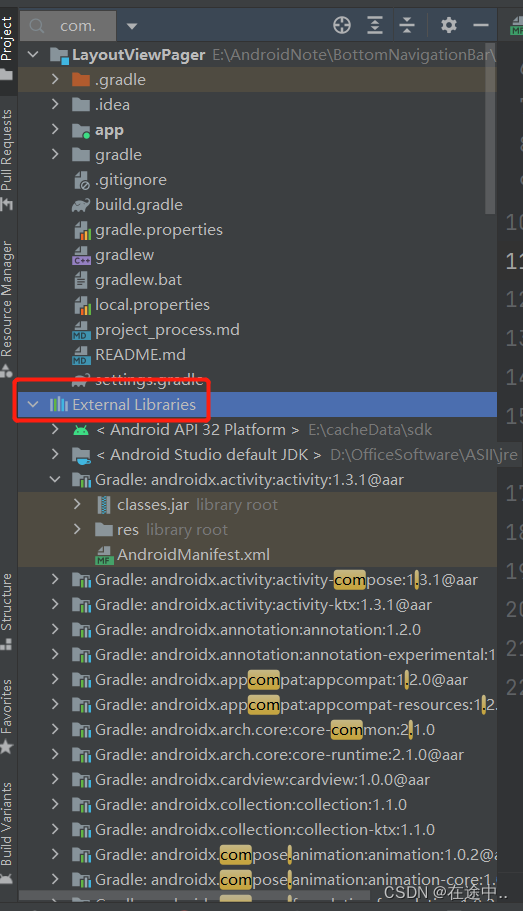
Note that the package name depends on whether it is in your own project or a dependent package. To find it, click on a file on the left and type in what you want to find

How to Solve Android Arouter Frame Autowired Error

For subclasses that inherit the parent class, the parent class then inherits the BaseActivity. If the BaseActivity uses the inject() method, you need to write

@Autowired
open
lateinit var hardware: HardWare

Write in subclass:

@Autowired
override
lateinit var hardware: HardWare

In this way, the problem of Arouter inject error will not be caused

[Solved] cortex_M3 freeRTOS Error: undefined reference to `_sbrk‘

Background: When cortex_m3 uses FreeRTOS to enable the running time statistics function.

Compilation error during compilation:

/Data/user_ Home//build_ Tools/GCC arm none eabi-/bin// Lib/gcc/arm-none-eabi/6.2.1/../../../../..// Arm-none-eabi/lib/thumb/v7-m/libc A (lib_a-sbrkr.o): in function`_ Sbrk_ R’:

Sbrkr c: (.Text.\u sbrk_r+0xc): undefined reference to`_ Sbrk’

Collect2: error: LD returned 1 exit status

Makefile:155: recipe for target’all’failed

Make: * * * [all] error 1


Cause: by default, arm GCC uses startfiles, which results in link compilation failure when calling some functions (malloc, free, sprintf…) that are not implemented at the bottom.

Promotion: if the compiler reports Error: undefined reference to `_sbrk’ `_read’ `_write’ `_lseek’ `_isatty’ `_fstat’ , it is the same reason.


Solution:

Method 1: if the project does not need these functions, find the direct mask function.

Method 2: once and for all. The link fails because these functions are not implemented, so you can rewrite these underlying functions or add library files with these functions, such as libnosys a. Add compilation parameter —specs=nosys.specs can be used.

After adding, if the compiler reports the following errors:

/Data/user_ Home/ /build_ Tools/GCC arm none eabi-/bin// Lib/gcc/arm-none-eabi/6.2.1/../../../../..// Arm-none-eabi/lib/thumb/v7-m/libnosys A (sbrk.o): in function`_ Sbrk’:

Sbrk c: (.Text.\u sbrk+0x18): undefined reference to `end’

Collect2: error: LD returned 1 exit status

Makefile:155: recipe for target’all’failed

Make: * * * [all] error 1

This is because the ‘end’ symbol is not defined in the .lds linker script, so find the project’s xx.lds file to set that script for the heap location, e.g.

  .heap :

  {

    . = ALIGN(4);

    __HEAP_START = .;

    . += 0x2000; __HEAP_MAX = .;

    end = __HEAP_MAX;

     PROVIDE(end = .);

  } > ram