Compilation error: java: compilation failed: internal java compiler error
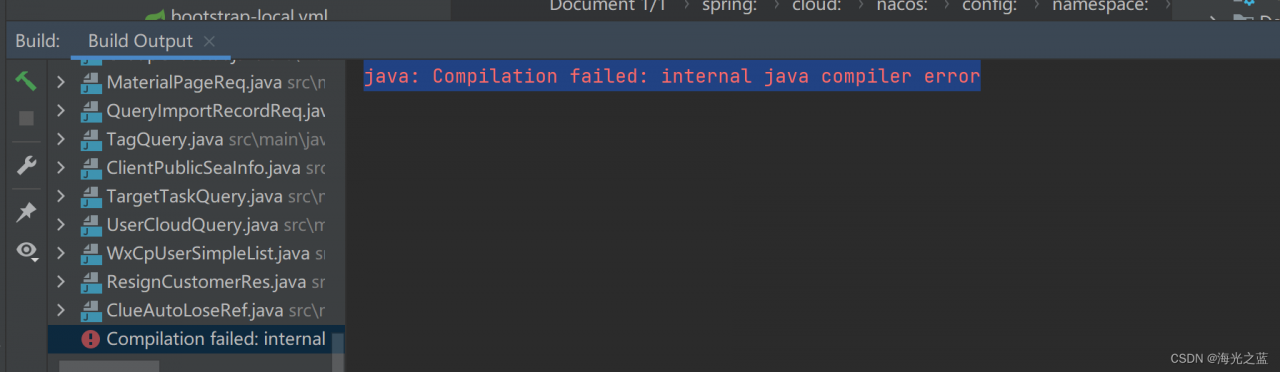
Reason: the project is too large and the memory is not enough. Increase the shared build process heap size, initially 700, now 1500
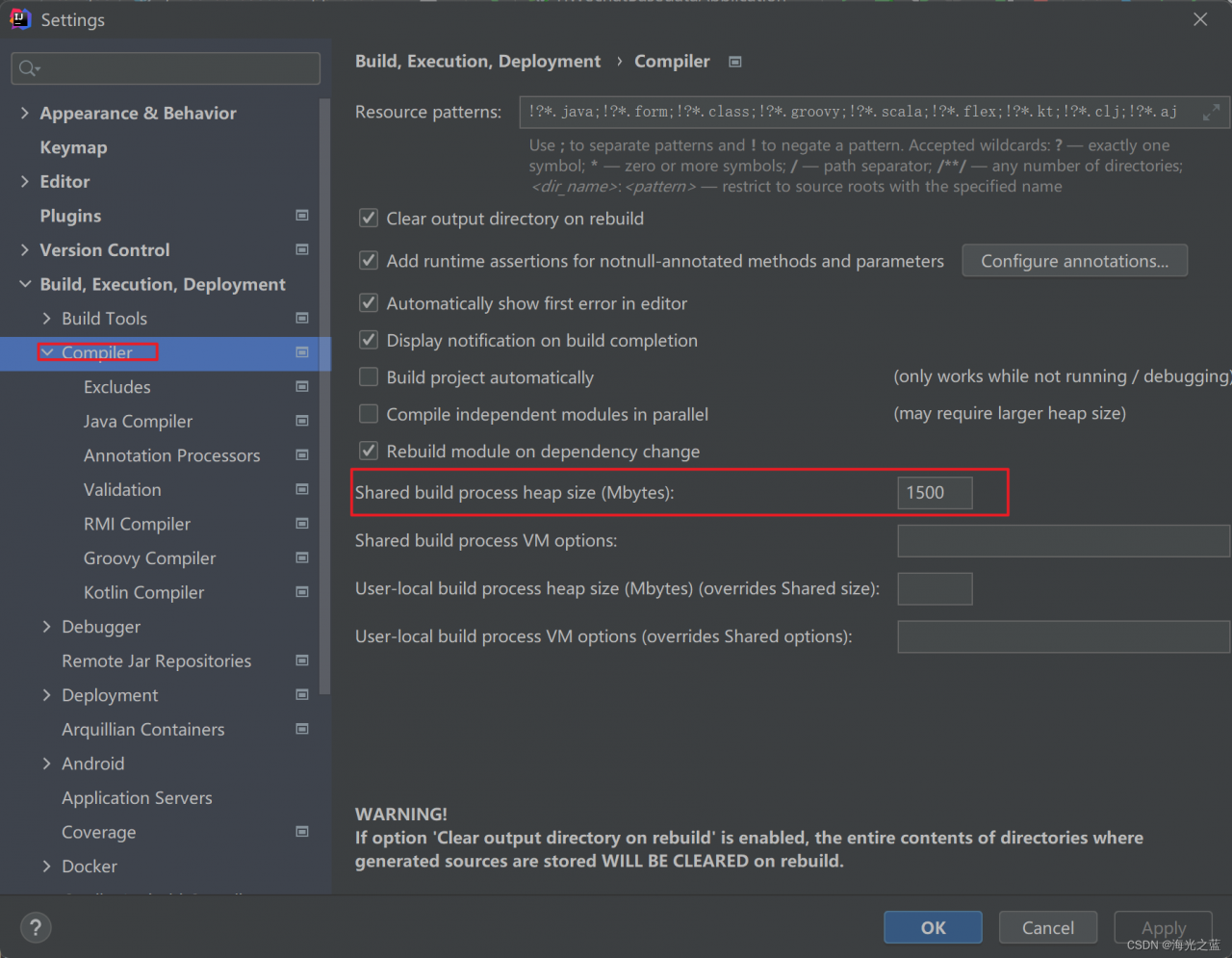
Compilation error: java: compilation failed: internal java compiler error
Reason: the project is too large and the memory is not enough. Increase the shared build process heap size, initially 700, now 1500
About using OpenCV for image processing and image recognition technology,
there are few examples involving Java.
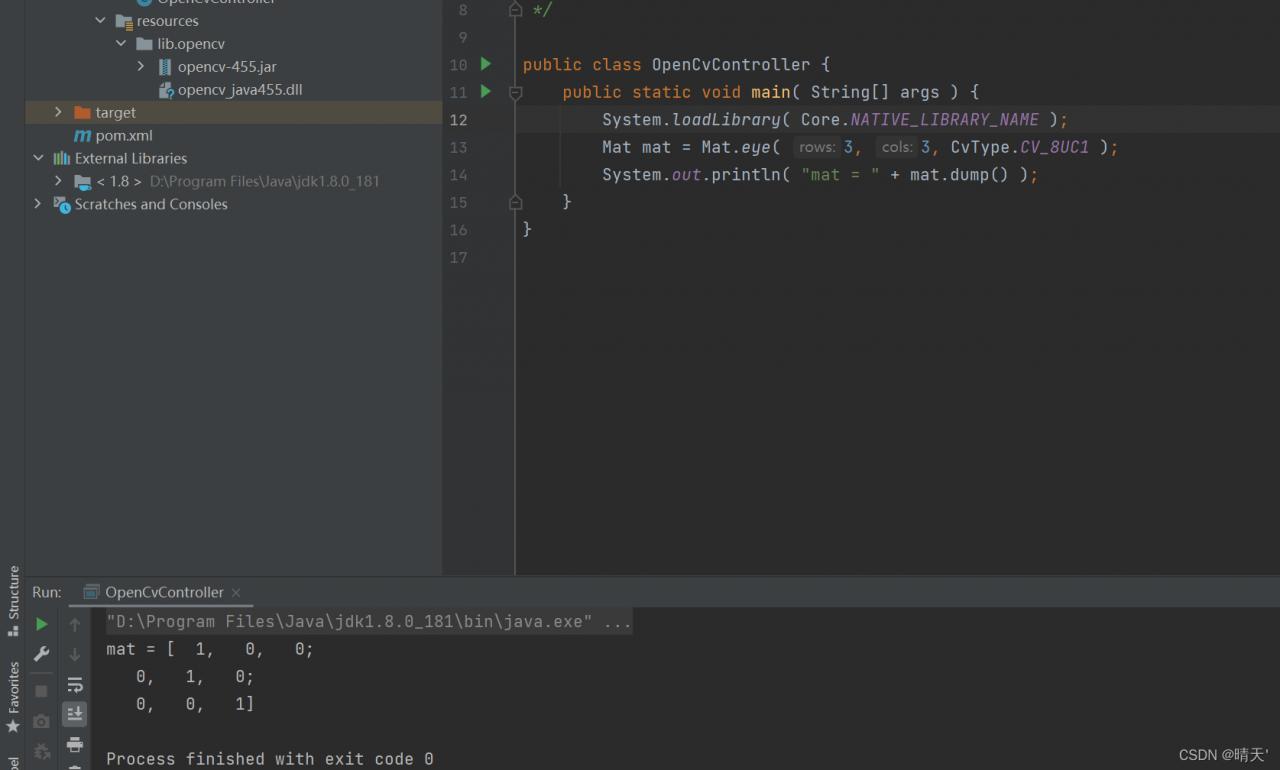
after introducing lib and DLL according to online operations, an error Java is reported Lang.unsatisfiedlinkerror
Someone said they would add system loadLibrary(Core.NATIVE_LIBRARY_NAME); Otherwise, it will report an error java Lang.unsatisfiedlinkerror
but it still report error: java.lang.UnsatisfiedLinkError
Solution: (my operating system is windows64 bit)
Copy the downloaded dll file under opencv\build\java\x64 to C:\Windows\System32
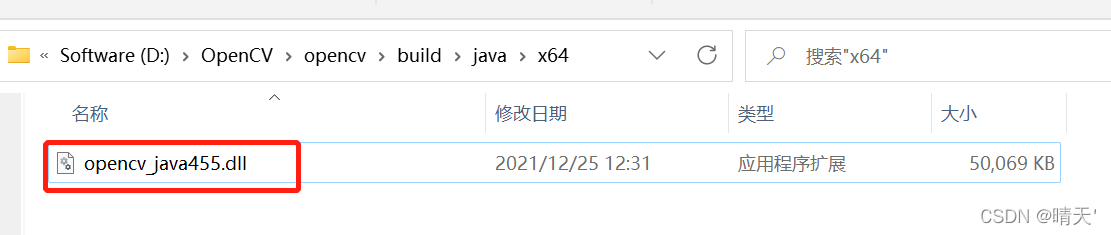
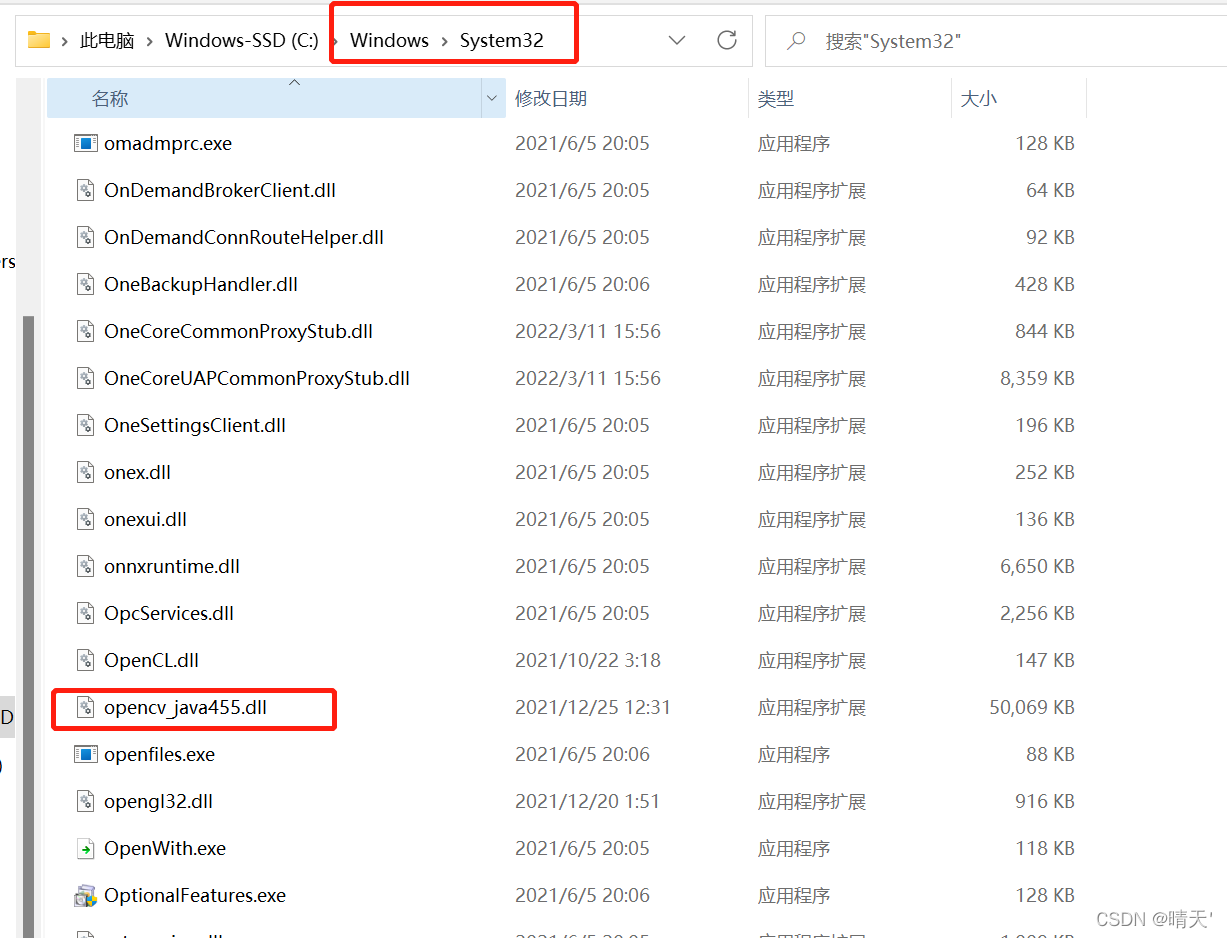
then go to idea to start the main method, and there will be no errors.
error when starting dev server:Error: listen EACCES: permission denied 0.0.0.0:80 at Server.set
mac to 8090.
mac terminal port view command
View Port thread lsof -i:4700
$ lsof -i:4700
COMMAND PID USER FD TYPE DEVICE SIZE/OFF NODE NAME
node 12159 yyyyyy 23u IPv4 0x76b4f5051c4983f3 0t0 TCP *:netxms-agent (LISTEN)
The PID here is the process number that occupies port 4700
kill 4700
Solution:
View mac terminal port command netstat -AaLlnW
Method 1
// Check if port 80 is occupied
sudo lsof -i :80
Method 2
netstat -anp tcp | grep 80
The following command can directly end all processes that are occupying the port.
lsof -P | grep ‘:80’ | awk ‘{print $2}’ | xargs kill -9
Ps -ef|grep program name
After the ZooKeeper download and decompression configuration is successfully started, the execution of zkServer.sh start reports the following error.

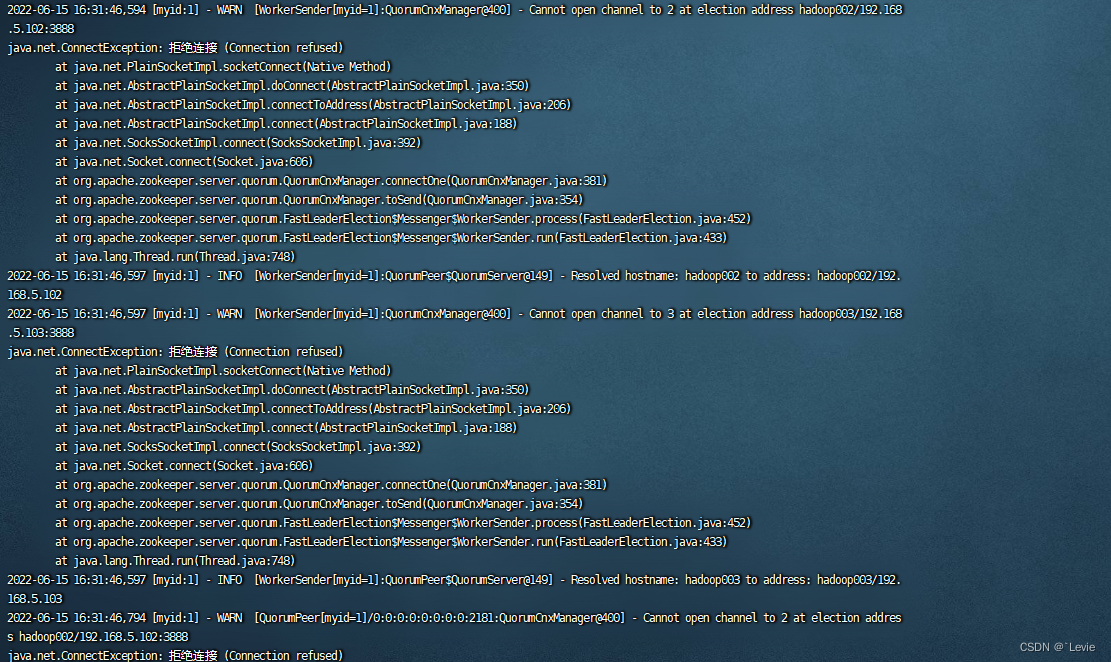
The reason why I report an error is that the 2 and 3 node jdks do not set environment variables, resulting in an error contacting service It is probably not running.

I only configured JDK environment variables on node 1, and did not configure JDK environment variables on nodes 2 and 3. (I have three machines configured here)
Execute the VIM /etc/profile command to set the environment variables.

After setting the environment variable, use the command: source /etc/profile to make it effective
After the JDK environment variables of the three machines are set successfully.
Check zookeeper status at startup: zkServer.sh status three nodes started successfully
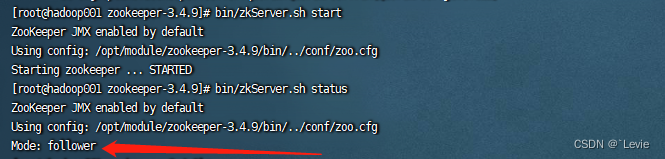
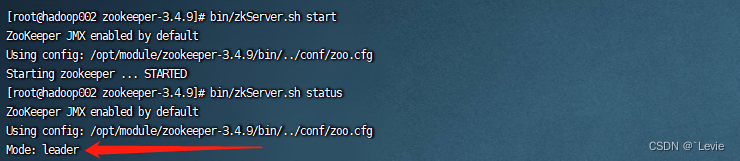
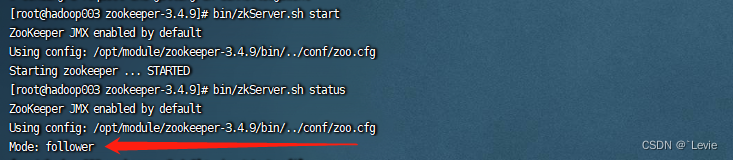
Successfully resolved.
preface
This article mainly records the solution of Vue eslint error component name “index” should always be multi word Vue/multi word component names.
1. Reason for error reporting
Create a project using the latest Vue-cli. When NPM run serve runs the project, an error is reported, as shown in the following figure.

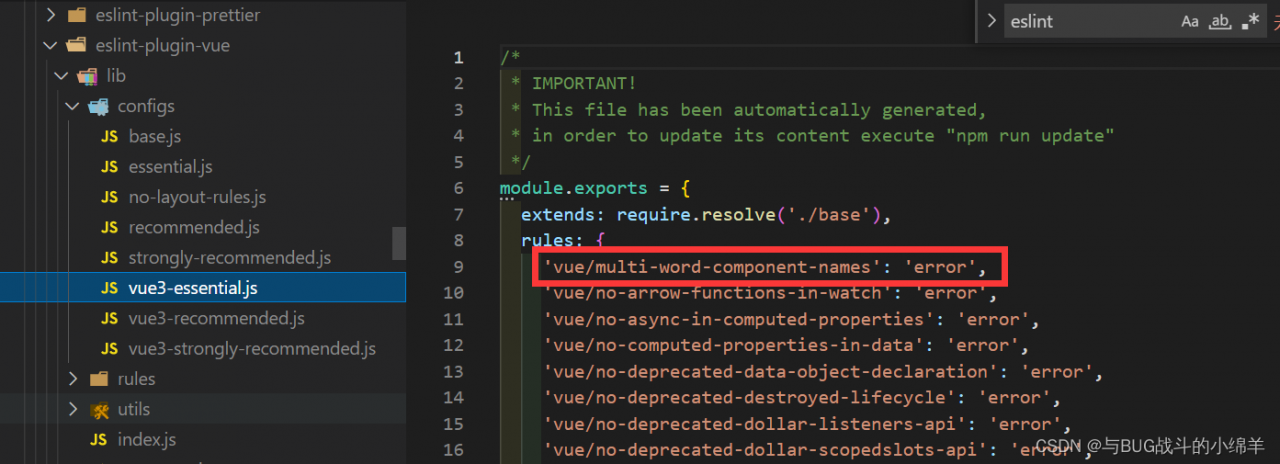
The reason is that the eslint-plugin-vue version has been updated, and compared to the previous version, there are many new rules in the @8 version, the first one is ‘vue/multi-word-component-names’: ‘error’, which requires component names to be named in camel format, so index.vue will report an error.
2. Solutions
// .eslintrc.js
module.exports = {
  root: true,
  env: {
    node: true,
  },
  extends: [
    "plugin:vue/vue3-essential",
    "eslint:recommended",
    "@vue/typescript/recommended",
    "plugin:prettier/recommended",
  ],
  parserOptions: {
    ecmaVersion: 2020,
  },
  rules: {
    "vue/multi-word-component-names": [
      "error",
      {
        ignores: ["index"], //Component names to be ignored
      },
    ],
  },
};[ERROR SystemVerification]: failed to parse kernel config: unable to load kernel module: “configs“
[error systemverification]: failed to parse kernel config: unable to load kernel module: “configs”.
When installing kubernetes cluster, the above error is reported.
Solution:
Method 1: ignore the error
Add the –ignore-preflight-errors=SystemVerification option to ignore the error. It is not possible to tell if other problems will occur subsequently with this option.
Method 2: Upgrade kernel version
I installed the kubernetes cluster using kernel version 4.19.12, and the problem did not occur after upgrading the kernel to 5.13.7. I am not sure if it is a kernel version problem.
Method 3:
Manually compile the config kernel module
Reason: the installed version of core-js is too old and needs to be replaced with a newer version.
Solution:
1 Delete original version
npm rm -rf node_modules
2. install the latest version
npm install core-js@latest
Note:
you cannot directly install a new version. You must first delete the original version dependency, and then install a new version to avoid errors!
Load IGB_UIO modules
sudo modprobe uio
sudo insmod igb_uio. ko
Excribing errors:
insmod: ERROR: could not insert module igb_uio.ko: Invalid parameters
Solution:
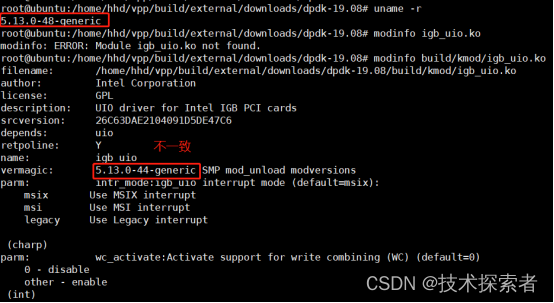
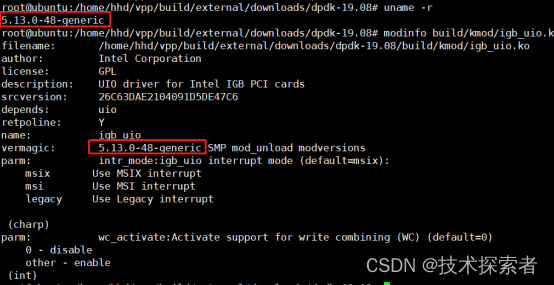
First use uname -r to view the current kernel version
Use modinfo IGB_uio.ko check whether the vermagic field is consistent with the current kernel version, and find that it is inconsistent
Recompile the dpdk. After compilation, check the consistency
Problem Description:
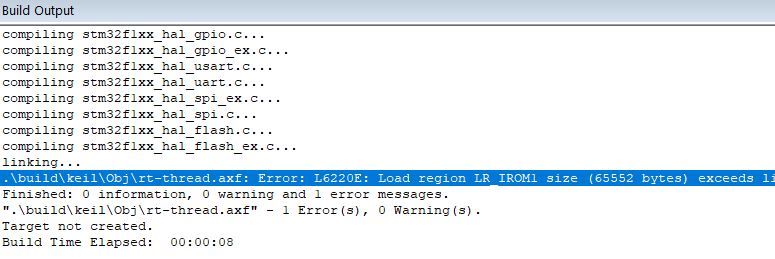
Stm32f103cbt6 keil compilation error: l6220e: load region LR_ IROM1 size (65552 bytes) exceeds limit (65536 bytes). Region contains 84 bytes of padding and 0 bytes of veneers (total 84 bytes of linker generated content).
resolvent:
Step 1
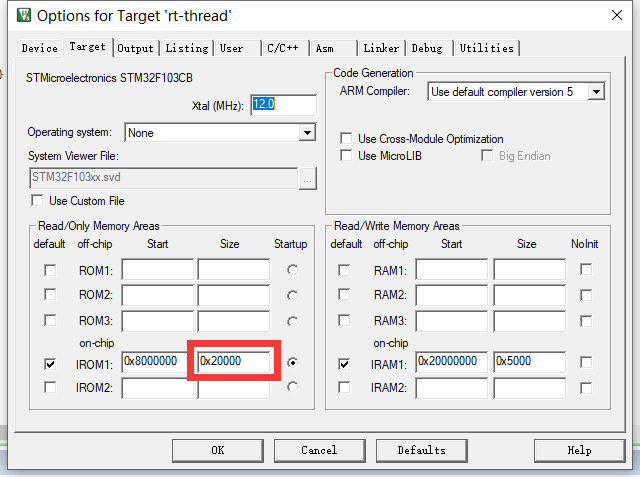
For 128K chips, modify the irom1 size to 0x20000 (in the red box below). Some versions of Keil will automatically change this location when you change the device; Some versions need to be modified manually
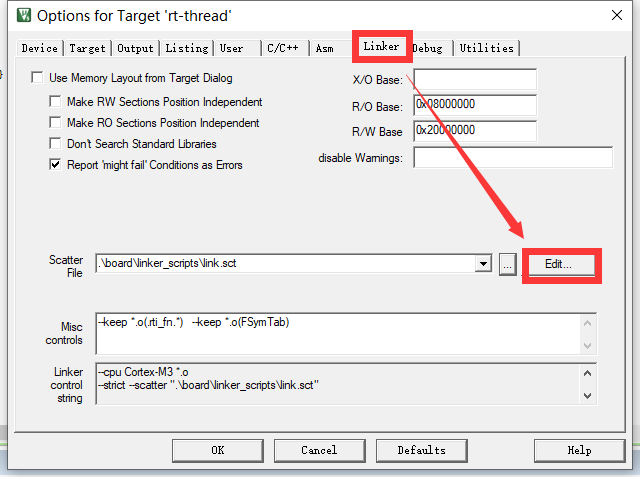
Step 2
Select linker → edit to open link.sct file
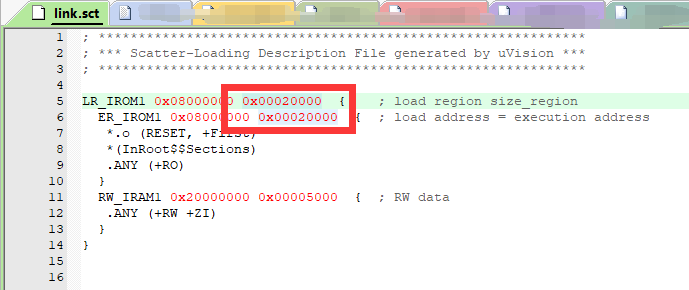
Modify the data after LR_IROM1 and ER_IROM1 in the file to 0x20000 (at the red box in the figure below) and save the file.
Step 3
Recompile and solve the problem
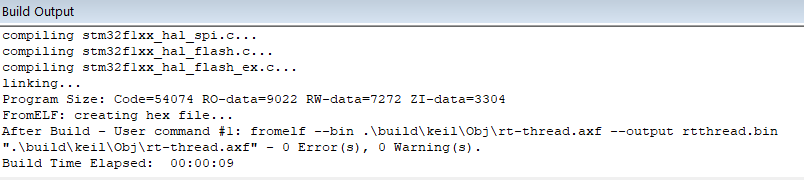
Tips
The first and second steps must be completed before compiling and testing. The first step alone may not be successful.
Error details:
error Component name “School” should always be multi-word vue/multi-word-component-names

Cause: when checking the syntax, the non-standard naming is regarded as a syntax error.
Solution: turn off syntax checking
Add the following codes in vue.config.js:
const { defineConfig } = require('@vue/cli-service')
module.exports = defineConfig({
  transpileDependencies: true,
  lintOnSave:false /*Turn off syntax checking*/
})Problem Description:
Error reporting of global element introduction in Vue project based on scaffold development
Install according to the official document of element
npm i element-ui -S
Import main.js and use
//Import element
import ElementUI from ‘element-ui’
import ‘element-ui/lib/theme-chalk/index. css’
Vue. use(ElementUI)
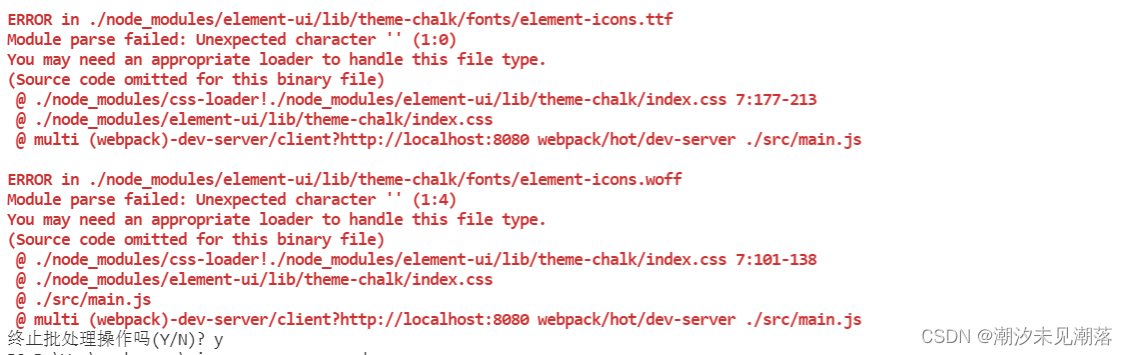
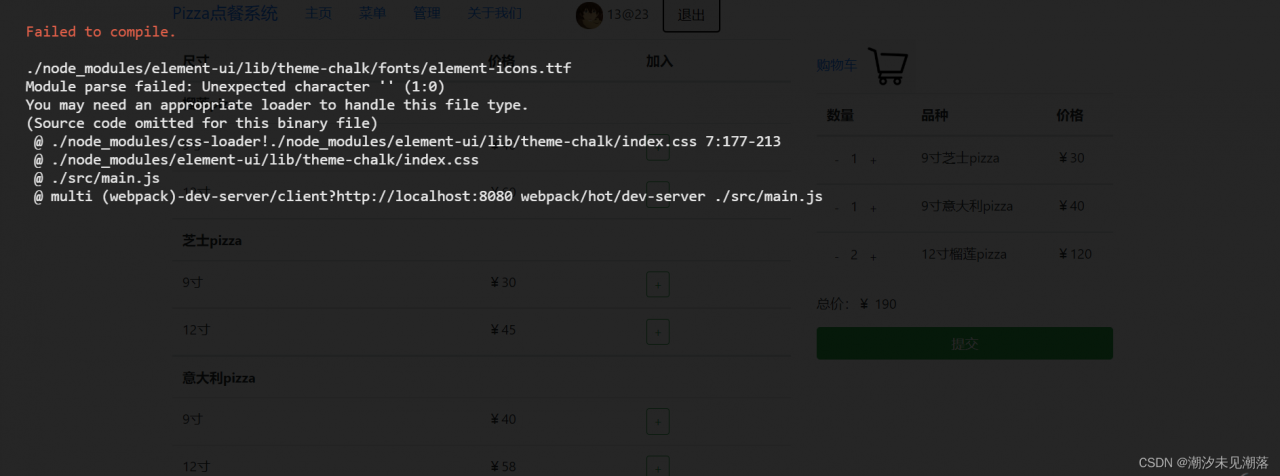
Errors are reported as follows
Vscode terminal error
Web page error
Solution:
The problem was eventually found to be that the ‘ ‘ symbol in the font file was not recognized.
The conversion needs to be done with file-loader
Add the configuration to webpack.config.js
{
        test: /\.(eot|svg|ttf|woff|woff2)(\?\S*)?$/,
        loader: 'file-loader'
}
Add location as follows
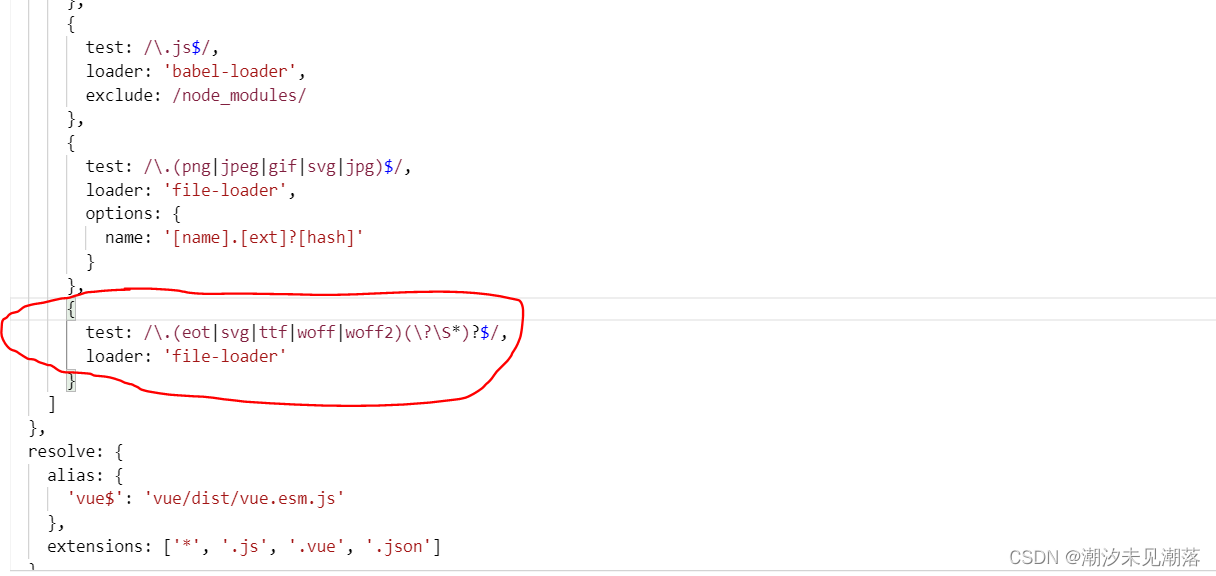
Restart, problem solved
vue3 project error: error Delete `··` prettier/prettier

Run
npm run lint --fixIt depends on what tool is used. If you use yarn or pnpm, you can replace it
If present

Open package.json file, and view the configuration
For example, the configuration of my project is as follows

The command to run is:
npm run lint:eslint --fix Then restart the project
Supplement:
Found that error Delete `——–␍⏎` prettier/prettier is too much when using webstorm, and every time I modify the code, this error will appear, which is troublesome to operate. So choose to close the Prettier code specification directly
Just configure it in the rules in eslintrc.js
'prettier/prettier': 'off'