Category Archives: JavaScript

Use of error attribute in element UI (solution of triggering only once)

Requirement: enter the ID in the input box to initiate the back-end request. When the back-end interface returns an error message, an error message will be prompted below the form
to achieve the effect shown in the figure below:

Solution: use the error attribute in El form item to bind an error msg. When an error is reported at the back end, assign a value to the error msg (note that the error msg should be cleared in the blue event, otherwise the same error will only be triggered once)

The code is as follows:

<el-form-item label="商品ID" prop="spuId" :error="errorMsg">
            <el-input v-model="form.spuId" class="w300" @blur="getSku()" @input="form.spuId = form.spuId.replace(/[^\d]/g, '')" />
</el-form-item>

```javascript
getSku(val) {
      this.errorMsg = '' 
      const spuId = val || Number(this.form.spuId)
      if (!spuId) {
        this.errorMsg = 'The item number you entered is incorrect, please re-enter'
        return
      }
      this.options = []
      getSkuDetail({ spuId: spuId }).then(res => {
        this.skuVOS = res.data.skuVOS
      }).catch(err => {
        console.log(err)
        this.errorMsg = 'The item number you entered is incorrect, please re-enter'
      })
    }

It’s not over yet. Another requirement is that there is no error prompt when the verification is not satisfied, but the red box should be displayed
at the beginning, I used the same method, but a space was passed in errormsg. The value of errormsg was also cleared in the blue method, but the red box could only be triggered once. Finally, after multiple attempts, add a timer to display it multiple times:

blurMethod(){
	this.errorMsgOther = ''
	if(somecode) {
		setTimeout(()=>{
			this.errorMsgOther = ' '
		},300)
	}
}```
Parsing error: await is a reserved word [How to Solve]

Problem: the error message is that a red wavy line appears in the editing of vscade. When the mouse is placed, it will prompt: parsing error: await is a reserved word. Parsing error: await is a reserved word, indicating that the editor does not recognize it and takes it as a keyword

Because an async keyword is added to the function outside the form verification, you want to write synchronization code in the callback function, but an error is reported.

// save
async save() {
  this.$refs.form.validateForm((valid) => {
    if (valid) {
      // The purpose of adding await is to wait for the save to complete before refreshing the list
      await /* this async reports an error */ this.saveRecord()
      this.$emit('closeModal')
      this.reset()
    }
  })
}

After modification:

save() {
// The async should be defined in front of the callback function (anonymous function) at this point.
// The external function and the callback function form two separate scopes.
// The function defined externally and the callback function form two block scopes,
// At this point, await and aysnc are not in the same scope, so they cannot be paired and an error is reported
 this.$refs.form.validateForm(async (valid) => {
   if (valid) {
   	 // The purpose of adding await is to wait for the save to complete before refreshing the list
     await /* No error is reported here for async */ this.saveRecord()
     this.$emit('closeModal')
     this.reset()
   }
 })
}

Summary: if you want to write synchronization code inside the callback function, you need to put the async keyword in front of the callback function to make async and await in the same scope

Vuepress build error: window is not defined [How to Solve]

1. Problems

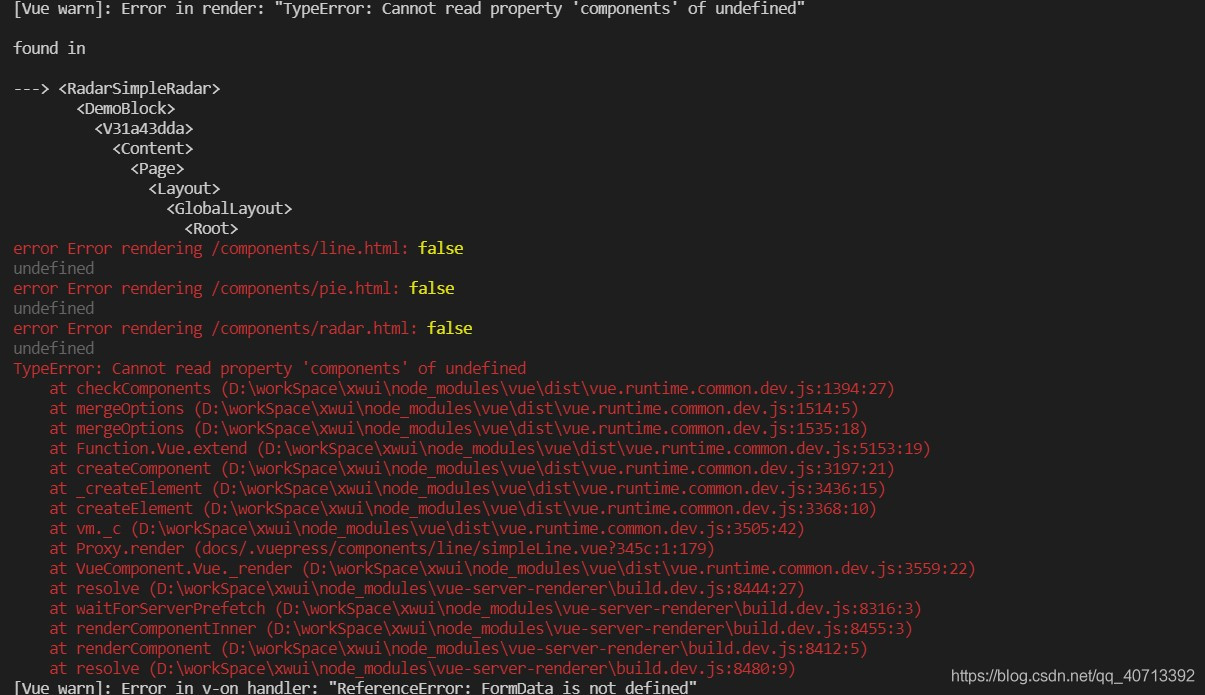
When using vuepress to build documents, the following problems occur:

2. Reasons

This is because the static files generated by vuepress build are rendered through the node server. Therefore, there is a problem when the API of the browser/DOM is not accessed in the beforemount or mounted hook in the component.

3. Solutions

For the components introduced in the markdown file (. MD), use the built-in < ClientOnly> component package
for example:

<ClientOnly>
  <NonSSRFriendlyComponent/>
</ClientOnly>

However, the above method can not solve the problem of accessing the browser API by introducing a third-party component library into the component. You can use the on-demand loading function of import provided by ES6. Used in the mounted hook of the component.

<script>
export default {
  mounted () {
  	// The introduced module will be loaded only when the component is mounted
    import('./lib-that-access-window-on-import').then(module => {
      // use code
    })
  }
}
</script>

[Solved] Pdfjs Preview PDF error: formaterror: bad fcheck in flat stream: 120, 239

The page after the jump can be displayed, and the links generated by the blog are returned, but the preview is blank, and the console warns: warning: invalid stream: “formaterror: bad fcheck in flat stream: 120, 239”

Follow the source code to see the reason for the warning. There should still be a problem.

Solution:

When Axios requests the document flow, the responsetype is changed to blob

If the responsetype is not modified, JSON is the default in Axios.

If it is set to null in XHR, the default is text, and the link: https://developer.mozilla.org/zh-CN/docs/Web/API/XMLHttpRequest/responseType

// originally written here is this.$axios.get(`/api/preview?id=${id}`)
// later found the problem here, $axios is encapsulated axios, did not set the requestType, and I only cross-referenced the returned data is the document stream after ignoring the problem!
// $request is the axios directly thrown out
this.$request({
    methods: 'GET',
    url: `/api/preview?id=${id}`,
    responseType: 'blob'
})
.then(res => {
    console.log(res)
    var blob = new Blob([res.data], {
        type: 'application/pdf;chartset=UTF-8'
    })
    const fileURL = URL.createObjectURL(blob)
    window.open(`${path}pdf/web/viewer.html?file=${fileURL}`)
})
.catch(err => {
    console.log(err)
})

Ant design vue table Error: h is not defined [How to Solve]

Cause

When using table, because there are too many columns data, the data in columns is split into a separate JS file
and because customrender needs to be used and JSX needs to be used for rendering, an error is reported

Solution:

The final reference here is the solution given by a person in GitHub
address: https://github.com/vueComponent/ant-design-vue/issues/1183

Write the following in a separate JS file

import Vue from 'vue'
const h = new Vue().$createElement

This will solve the above problems

[Solved] JS Error: Uncaught SyntaxError: Illegal return statement

let arr = ['a','b','c']
      for( let i=0;i<=arr.length;i++){
        if (i ==2 ){
          console.log(arr[i])
          return  // error: Uncaught SyntaxError: Illegal return statementcan only be used in functions
        } 
      }

Return can only be used in functions

function run() {
  let a = 1
  if (a == 1) {
    return
  }
  console.log(2); // will not output, return interrupts the execution of the code that follows
}

[Solved] Vue Error: TypeError: Cannot read property ‘end‘ of undefined

My code:

computed: {
    handleTimestamp() {
    let endData = this.activityList[0].end
    }
}

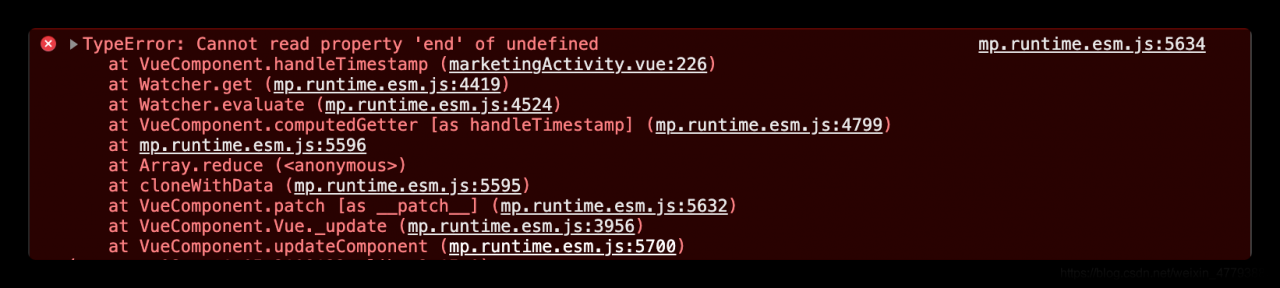
The error message is as follows:
but when I print this.activitylist, it has value

The reason for the error here is:
the page has not rendered data at the beginning. At this time, the activitylist is still empty. Of course, you can’t get its value in the calculated method

Solution:
at the beginning of the method, judge the length of the activitylist. If it is empty, the execution will not continue. If it is not empty, the following code will be executed:

computed: {
    handleTimestamp() {
    if(!this.activityList.length) return
    let endData = this.activityList[0].end
    }
}

That’s it~~~

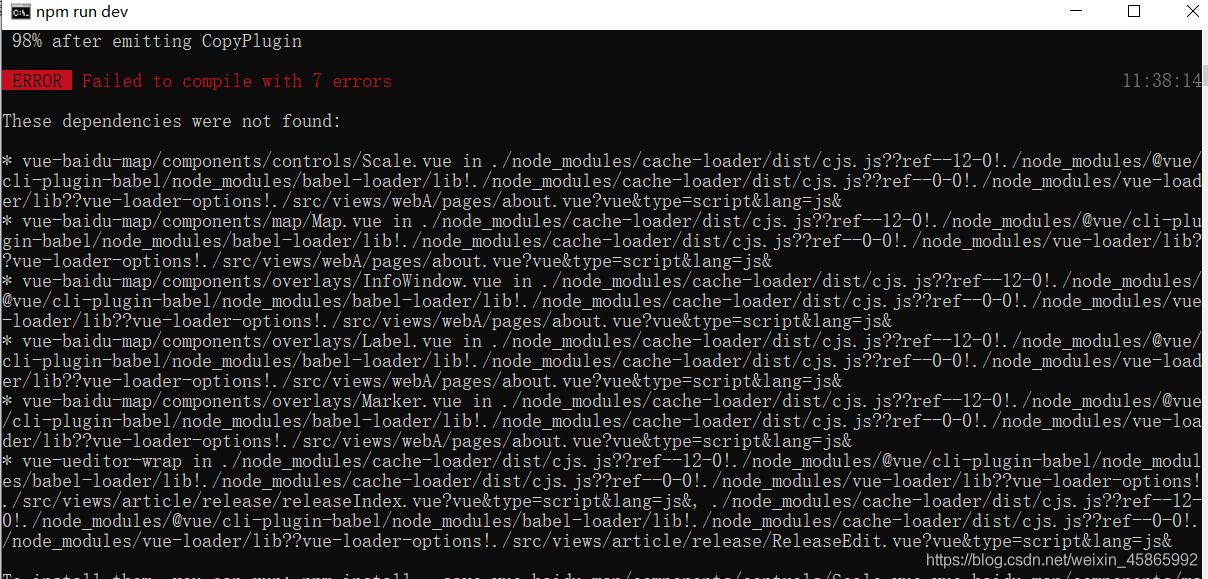
Vue Startup Error: 98% after emitting CopyPlugin This dependency was not found:

Svn downloaded my colleague’s Vue last night. This morning, NPM install kept reporting errors. I was so angry that I directly copied the node in the previous file_ Modules, then continue NPM run Dev and report an error (as shown in the figure below):

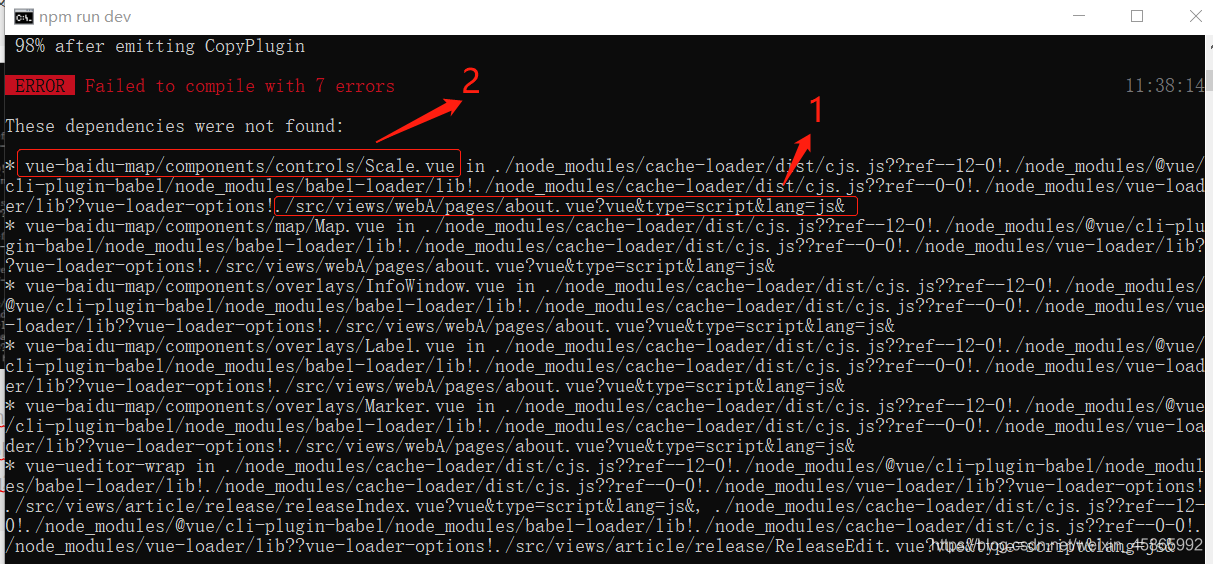
I’ve been looking online and couldn’t find it. I also asked my colleagues. My colleagues said I might have a problem with NPM install. Continue to find the answer on Baidu CSDN!! Finally, the effort pays off. Now let’s show you my solution (below):

mainly look at points 1 and 2. First open your folder according to the directory 1, and then look at the prompt of 2 to find this one. My prompt is to tell me that I quoted a file I don’t have, and then comment it out. It’s OK to run smoothly

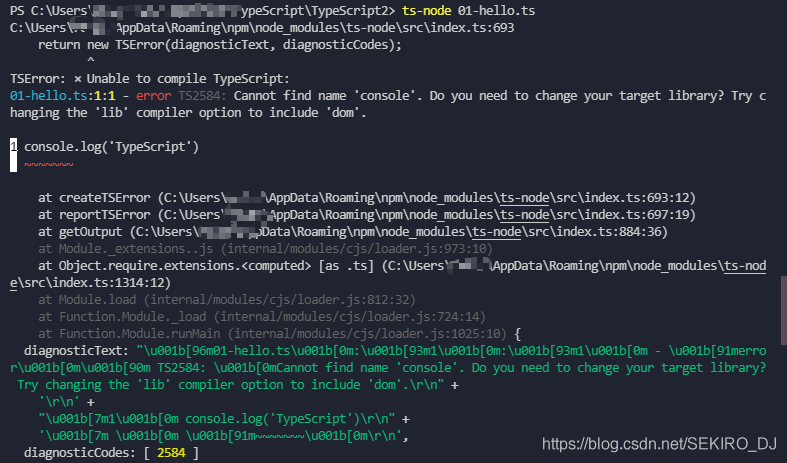
Ts-node Error: return new TSError(diagnosticText, diagnosticCodes);

TS node can help us run the TS code without manually converting it into a JS file

But we passed

npm install -g typescript
npm install -g ts-node

After installing the two packages, running the file with the TS node command may report an error and cannot be executed

At this time, we need to install one more dependency package

npm install -D tslib @types/node

Just run it with TS node

[Solved] UMI Project Error: uncaught at _callee3 at _calle3

1. If it is just a react project and the DVA framework is introduced, an onerror attribute will be passed in when calling the DVA method

const app = dva({
	onError(err) {
		// error
		console.log(err);
	},
});

2. If you are using the UMI framework, you cannot find the place where the DVA is called. Create a new app.js file in the SRC directory and write the following contents

export const dva = {
  config: {
    onError(e) {
      e.preventDefault();
      console.error(e.message);
    },
  },
};

[Solved] Vue Less error: Webpack project report expected indentation of 0 spaces but found 2  

Problem Description:

Webpack project report expected indentation of 0 spaces but found 2


Solution:

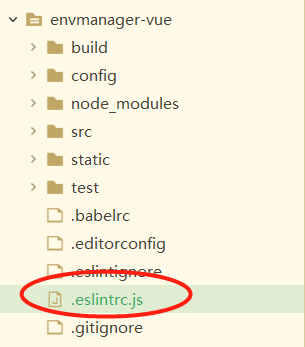
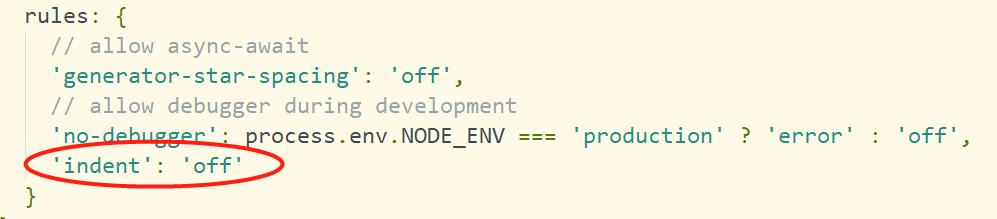
1. Find. Eslintrc.js in the project root directory

2. Add ‘indent’: ‘off’ in the rules tag

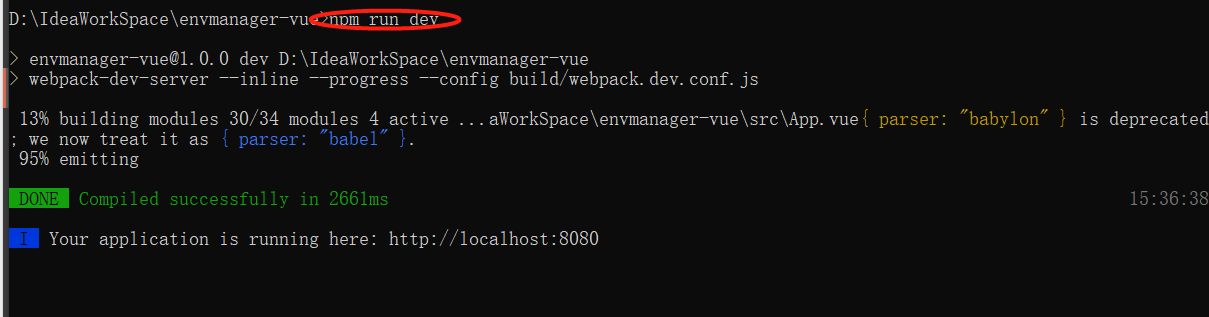
3. Restart project NPM run dev


Cause analysis:

Tip: fill in the analysis of the problem here:
for example, there are two ways for the handler to send messages, namely, handler. Obtainmessage() and handler. Sendmessage(). In obtainmessage mode, when the amount of data is too large, due to the limited size of messagequeue, when the message processing is not enough, the first transmitted data will be overwritten, resulting in data loss.


Solution:

Tip: fill in the specific solution to this problem here:
for example, create a new message object, store the read data in message, and then mhandler.obtainmessage (read)_ DATA, bytes, -1, buffer).sendToTarget(); Replace with mhandler. Sendmessage().