Category Archives: JavaScript

Error in created hook: “SyntaxError: Unexpected token u in JSON at position 0

Problem: an error occurs when the page receives the passed JSON object

Reference page:

let invite = {
				id:albumID,
				unionid,
				role
			}
wx.navigateTo({
		url: `/pages/web/web?id=${id}&isShared=1&invite=${JSON.stringify(invite)}`,
	});

Receive page printing parameters:

console.log('invite',this.invite);
//console.log('invite',JSON.parse(this.invite));//报错 SyntaxError: Unexpected token u in JSON at position 0

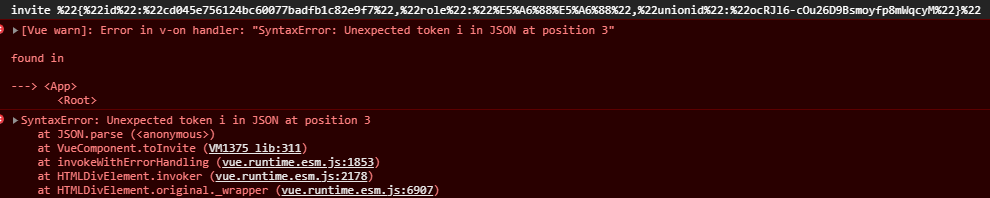
The result is

Solution:

When receiving JSON data, decodeuri () is used for decoding

let {id,role,unionid} = JSON.parse(decodeURI(this.invite));

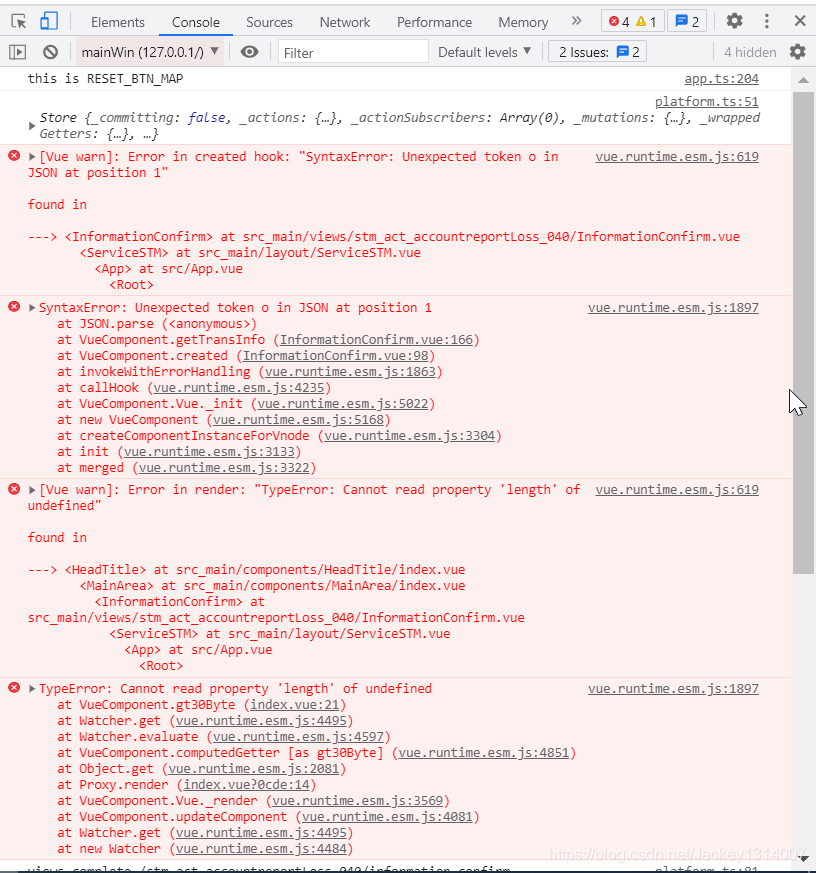
[Solved] Error in created hook: “SyntaxError: Unexpected token o in JSON at position 1“

[Vue Warning]: Error in created hook: “SyntaxError: Unexpected token o in JSON at position 1”

found in

-> > LT?InformationConfirm> that src main/views/st act of accountreportLoss 040/InformationConfirm.vue
< ServiceSTM> src main/layout/ServiceSTM.vue
< App> at src/App.vue
< Root>

2. Reason

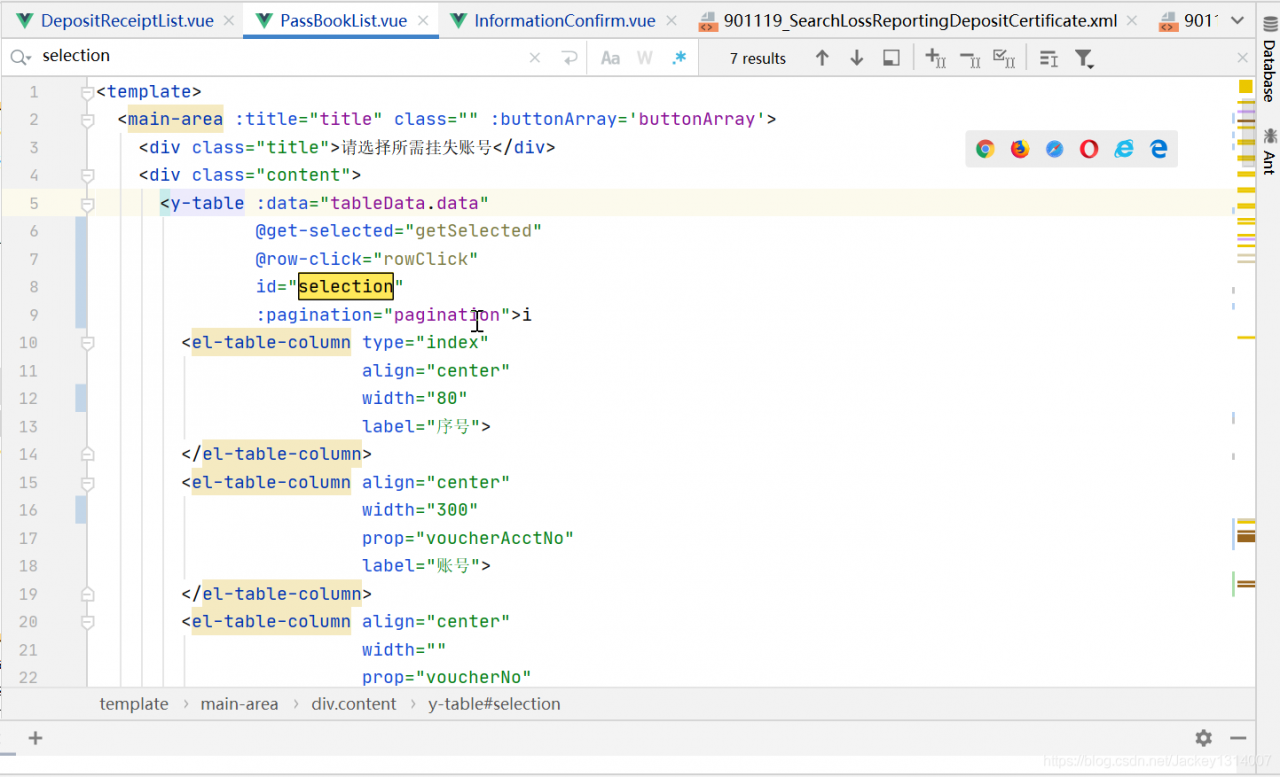
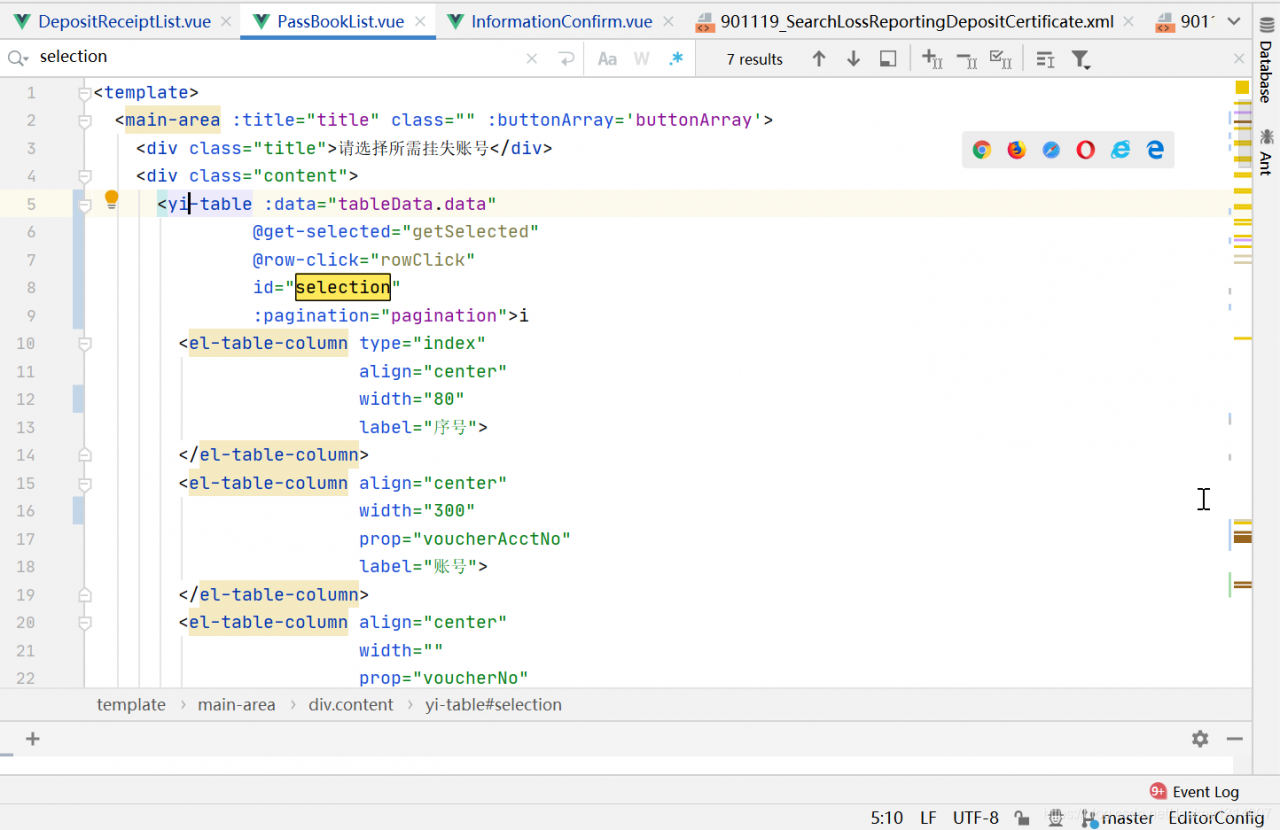
Reference component error.

3. Solution

Modify the reference component.

[Solved] Error: ENOENT: no such file or directory, scandir ‘..\node_modules\node-sass\vendor‘

Problem Description: start the front-end project of the company’s front-end engineer, and the following error message will be prompted:


Module build failed: Error: ENOENT: no such file or directory, scandir '*********\node_modules\node-sass\vendor'

 @ ./node_modules/vue-style-loader??ref--8-oneOf-1-0!./node_modules/css-loader??ref--8-oneOf-1-1!./node_modules/[email protected]@vue-loader/lib/loaders/stylePostLoader.js!./node_modules/postcss-loader/src??ref--8-oneOf-1-2!./node_modules/sass-loader/dist/cjs.js??ref--8-oneOf-1-3!./node_modules/cache-loader/dist/cjs.js??ref--0-0!./node_modules/vue-loader/lib??vue-loader-options!./src/modules/docSearch/components/searchTable/searchResult.vue?vue&type=style&index=0&id=d0be5df2&lang=scss&scoped=true& 4:14-537 15:3-20:5 16:22-545
 @ ./src/modules/docSearch/components/searchTable/searchResult.vue?vue&type=style&index=0&id=d0be5df2&lang=scss&scoped=true&
 @ ./src/modules/docSearch/components/searchTable/searchResult.vue
 @ ./src/modules/docSearch/index.js
 @ ./src/router.js
 @ ./src/main.js
 @ multi ./node_modules/[email protected]@webpack-dev-server/client?http://192.168.1.74:8081/sockjs-node (webpack)/hot/dev-server.js ./src/main.js

Solution: npm rebuild node-sass

[Solved] Syntax Error: TypeError: Cannot read property ‘parseComponent‘ of undefined

Syntax Error: TypeError: Cannot read property ‘parseComponent’ of undefined
Vue packages version mismatch

Failed to compile.

./src/App.vue
Module Error (from ./node_modules/vue-loader/lib/index.js):


Vue packages version mismatch:

- [email protected] (D:\site\hst_tech\hst_platform_frontend\node_modules\vue\dist\vue.runtime.common.js)
- [email protected] (D:\site\hst_tech\hst_platform_frontend\node_modules\vue-template-compiler\package.json)

This may cause things to work incorrectly. Make sure to use the same version for both.
If you are using vue-loader@>=10.0, simply update vue-template-compiler.
If you are using vue-loader@<10.0 or vueify, re-installing vue-loader/vueify should bump vue-template-compiler to the latest.

Solution:

Set Vue template- [email protected] Version change Vue template- [email protected]

// Just change the version number to the same one
npm i -g [email protected] --save

[Solved] Error:Plugin/Preset files are not allowed to export objects, only functions

There will be such an error when installing the on-demand loading of element UI under the official documentation of Vue.

Error:Plugin/Preset files are not allowed to export objects, only functions

In the official document of element

On demand import

With the help of   Babel plugin component, we can only introduce the required components to reduce the project volume.

First, install the Babel plugin component:

npm install babel-plugin-component -D

Then, change. Babelrc to:

{
  "presets": [["es2015", { "modules": false }]],
  "plugins": [
    [
      "component",
      {
        "libraryName": "element-ui",
        "styleLibraryName": "theme-chalk"
      }
    ]
  ]
}

At this time, after the installation and configuration are completed according to the official documents, an error will be reported when NPM run serve is started

Error: Cannot find module 'babel-preset-es2015'

This is due to the lack of Babel preset es2015 dependency

Just install the Babel preset es2015 dependency

npm i babel-preset-es2015 --save

This is OK, but sometimes you will still report an error when you start after installation

Error: Plugin/Preset files are not allowed to export objects, only functions.

I changed the preset in the babel.config.js file in the project     Not used in the official element UI documentation

Es2015, but change the content of babel.config.js to the following:

module.exports = {
  presets: [
    '@vue/cli-plugin-babel/preset',
    ["@babel/preset-env", {
      "useBuiltIns": "entry"
    }]
  ],
  "plugins": [
    [
      "component",
      {
        "libraryName": "element-ui",
        "styleLibraryName": "theme-chalk"
      }
    ]
  ]
}

Then install the dependencies on the command line

npm install --save-dev @babel/preset-env

This solves the error.
[Solved] Vue Error: Duplicate keys detected: ‘74004’. This may cause an update error

Problems and Solutions

This may cause an update error

This error indicates that in your V-for loop, key   The value may be duplicate.

Duplicate key will cause rendering errors.

The reason for the error is that I didn’t add the key attribute at the beginning. The error code fragment is as follows:

<template>
    <vue-aplayer
            :audio="audio"
            :lrc-type="3"
            :fixed='fixed'
            :autoplay='autoplay'
            :order='order'
            :volume='volume'
            :theme='theme'
            :listFolded='listFolded '
    />
</template>


No more errors will be reported after adding key

<template>
    <vue-aplayer
            :audio="audio"
            :lrc-type="3"
            :fixed='fixed'
            :autoplay='autoplay'
            :order='order'
            :volume='volume'
            :theme='theme'
            :listFolded='listFolded '
            :key="audio.name"
    />
</template>


Note: audio attribute is the list I want to traverse, and name is the primary key in my list, so here I take audio. Name as the value of key ,   key must be unique.

Official description

key

Expectation: the special attributes of number | string key are mainly used in Vue’s virtual DOM algorithm to identify vnodes when comparing old and new nodes. If you do not use keys, Vue will use an algorithm that minimizes dynamic elements and tries to modify/reuse elements of the same type in place as much as possible. When using a key, it rearranges the order of elements based on the change of the key, and removes elements that do not exist in the key. Child elements with the same parent element must have a unique key. Duplicate keys can cause rendering errors. The most common use case is the combination of V-for :

<ul>
  <li v-for="item in items" :key="item.id">...</li>
</ul>


It can also be used to force replacement of elements/components rather than reuse it. It may be useful when you encounter the following scenarios:

Completely trigger the life cycle hook of the component to trigger the transition, for example:

<transition>
  <span :key="text">{{ text }}</span>
</transition>


When text changes, <span> is always replaced rather than modified, so a transition is triggered.

[Solved] Syntax Error: TypeError: Cannot read property ‘parseComponent‘ of undefined

An error was found while running the Vue project

Syntax Error: TypeError: Cannot read property 'parseComponent' of undefined

Solution: my version numbers of Vue and Vue template compiler are different.

    1. uninstall Vue template compiler first
npm uninstall vue-template-compiler
      1. reinstall NPM uninstall Vue template compiler. The version number is the same as Vue
 npm install [email protected]

Finally, run NPM run serve again

[Solved] Msbuild: error msb3428: the group cannot use the visual c + + function “vcbuild. Exe”.

After modifying the node version, the project starts to prompt the error message. Nothing has been changed. The error message is as follows:

MSBUILD : error MSB3428: The Visual C++ component "VCBuild.exe" failed to load. To resolve this issue, 1) install the .NET Framework 2.0 SDK; 2) install Microsoft Visual Studio 2005; or 3) if the component is installed in another location, add its location to the system path. [D:\manage\web\node_modules\utf-8-validate\bui
ld\binding.sln]


Error reason: missing windows build in

Solution: run as administrator   And open the command-line tool. Run NPM install – global – production windows build tools in the command-line tool.

[Solved] Project Package Error: Javascript heap out of memory

Project package error:JavaScript heap out of memory
1、Modify package.json add –max_old_space_size=8192

"pro": "cross-env NODE_ENV=production node --max_old_space_size=8192 ./dist/server/server.js",

2. Execute increase memory limit


// global install
npm i -g increase-memory-limit

// into the project
increase-memory-limit

Error JavaScript heap out of memory means that the JavaScript heap is out of memory. JavaScript here refers to node. We all know that node is based on V8 engine. In general back-end development languages, there are no restrictions on the use of basic memory. However, when using memory through JavaScript in node, only part of the memory can be used (about 1.4 GB in 64 bit system and about 0.7 GB in 32-bit system). If the front-end project is too large, webpack compilation will occupy a lot of system resources. When it exceeds the default memory limit of V8 for node, memory leakage will occur.

[Solved] Vue3 Error: Cannot use ‘in‘ operator to search for ‘path‘ in undefined

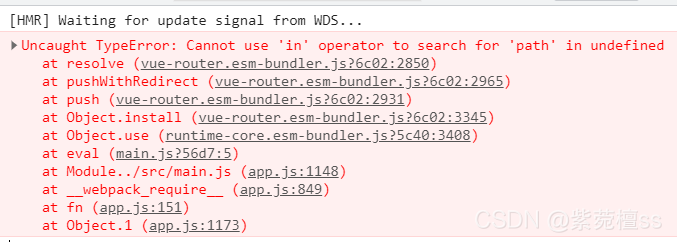
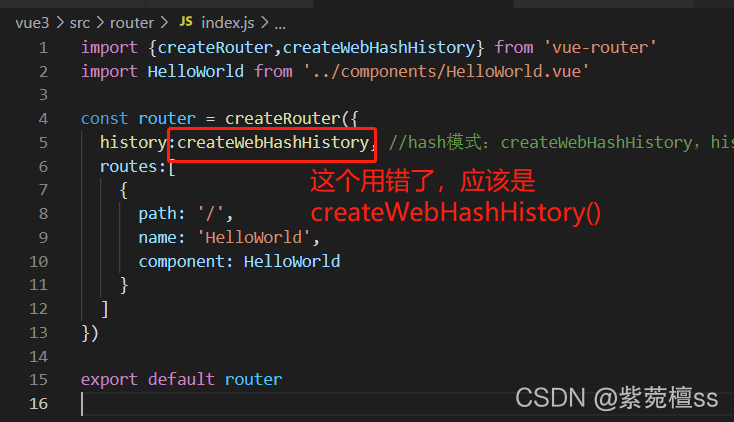
when creating the route of vue3, an error is reported: cannot use 'in' operator to search for 'path' in undefined . After many troubleshooting, it is found that I used the createwebhashhistory() method incorrectly in the route file and used it as a variable.

1. Error reporting

2. Causes and solutions of error reporting

this error is reported because I mistakenly used the createwebhashhistory() method in the routing file and used it as a variable. I just need to write it as a method to solve the problem.

hope to help you!!!

[Vue warn]: Invalid prop: type check failed for prop [How to Solve]

The following situation occurs when developing projects today

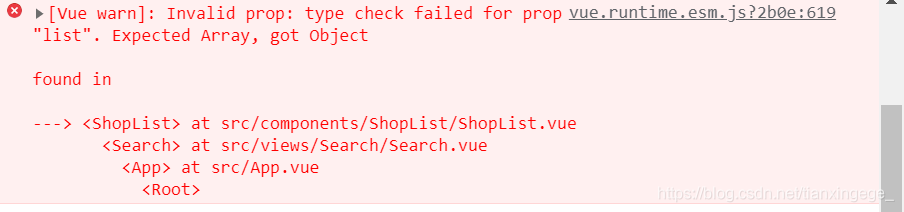
[Vue warn]: invalid attribute: type check of attribute ‘list’ failed. Expected array, got object

Error reason:
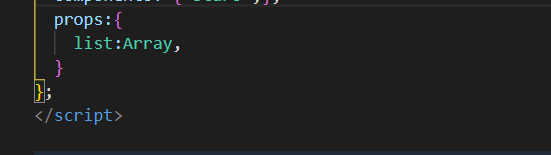
subcomponent props – > List requires that the received data type is array, but the actual received data type is undefined

therefore, check the value passed by the parent component to ensure that the value passed is the data type expected by the child component.