Category Archives: JavaScript

[Solved] Node.js v17 npm run dev Error: opensslErrorStack

Node.js 17 version opensslErrorStack: [ ‘error:03000086:digital envelope routines::initialization error’ ]
Error Messages:

D:\workspace\ideaproject\RuoYi-Cloud\ruoyi-ui>npm run dev

> [email protected] dev
> vue-cli-service serve

 INFO  Starting development server...
10% building 2/5 modules 3 active ...ader\index.js??ref--13-0!D:\workspace\ideaproject\RuoYi-Cloud\ruoyi-ui\src\main.jsError: error:0308010C:digital envelope routines::unsupported
    at new Hash (node:internal/crypto/hash:67:19)
    at Object.createHash (node:crypto:130:10)
    at module.exports (D:\workspace\ideaproject\RuoYi-Cloud\ruoyi-ui\node_modules\webpack\lib\util\createHash.js:135:53)
    at NormalModule._initBuildHash (D:\workspace\ideaproject\RuoYi-Cloud\ruoyi-ui\node_modules\webpack\lib\NormalModule.js:417:16)
    at handleParseError (D:\workspace\ideaproject\RuoYi-Cloud\ruoyi-ui\node_modules\webpack\lib\NormalModule.js:471:10)
    at D:\workspace\ideaproject\RuoYi-Cloud\ruoyi-ui\node_modules\webpack\lib\NormalModule.js:503:5
    at D:\workspace\ideaproject\RuoYi-Cloud\ruoyi-ui\node_modules\webpack\lib\NormalModule.js:358:12
    at D:\workspace\ideaproject\RuoYi-Cloud\ruoyi-ui\node_modules\loader-runner\lib\LoaderRunner.js:373:3
    at iterateNormalLoaders (D:\workspace\ideaproject\RuoYi-Cloud\ruoyi-ui\node_modules\loader-runner\lib\LoaderRunner.js:214:10)
    at iterateNormalLoaders (D:\workspace\ideaproject\RuoYi-Cloud\ruoyi-ui\node_modules\loader-runner\lib\LoaderRunner.js:221:10)
    at D:\workspace\ideaproject\RuoYi-Cloud\ruoyi-ui\node_modules\loader-runner\lib\LoaderRunner.js:236:3
    at runSyncOrAsync (D:\workspace\ideaproject\RuoYi-Cloud\ruoyi-ui\node_modules\loader-runner\lib\LoaderRunner.js:130:11)
    at iterateNormalLoaders (D:\workspace\ideaproject\RuoYi-Cloud\ruoyi-ui\node_modules\loader-runner\lib\LoaderRunner.js:232:2)
    at Array.<anonymous> (D:\workspace\ideaproject\RuoYi-Cloud\ruoyi-ui\node_modules\loader-runner\lib\LoaderRunner.js:205:4)
    at Storage.finished (D:\workspace\ideaproject\RuoYi-Cloud\ruoyi-ui\node_modules\enhanced-resolve\lib\CachedInputFileSystem.js:55:16)
    at D:\workspace\ideaproject\RuoYi-Cloud\ruoyi-ui\node_modules\enhanced-resolve\lib\CachedInputFileSystem.js:91:9
node:internal/crypto/hash:67
  this[kHandle] = new _Hash(algorithm, xofLen);
                  ^

Error: error:0308010C:digital envelope routines::unsupported
    at new Hash (node:internal/crypto/hash:67:19)
    at Object.createHash (node:crypto:130:10)
    at module.exports (D:\workspace\ideaproject\RuoYi-Cloud\ruoyi-ui\node_modules\webpack\lib\util\createHash.js:135:53)
    at NormalModule._initBuildHash (D:\workspace\ideaproject\RuoYi-Cloud\ruoyi-ui\node_modules\webpack\lib\NormalModule.js:417:16)
    at handleParseError (D:\workspace\ideaproject\RuoYi-Cloud\ruoyi-ui\node_modules\webpack\lib\NormalModule.js:471:10)
    at D:\workspace\ideaproject\RuoYi-Cloud\ruoyi-ui\node_modules\webpack\lib\NormalModule.js:503:5
    at D:\workspace\ideaproject\RuoYi-Cloud\ruoyi-ui\node_modules\webpack\lib\NormalModule.js:358:12
    at D:\workspace\ideaproject\RuoYi-Cloud\ruoyi-ui\node_modules\loader-runner\lib\LoaderRunner.js:373:3
    at iterateNormalLoaders (D:\workspace\ideaproject\RuoYi-Cloud\ruoyi-ui\node_modules\loader-runner\lib\LoaderRunner.js:214:10)
    at Array.<anonymous> (D:\workspace\ideaproject\RuoYi-Cloud\ruoyi-ui\node_modules\loader-runner\lib\LoaderRunner.js:205:4)
    at Storage.finished (D:\workspace\ideaproject\RuoYi-Cloud\ruoyi-ui\node_modules\enhanced-resolve\lib\CachedInputFileSystem.js:55:16)
    at D:\workspace\ideaproject\RuoYi-Cloud\ruoyi-ui\node_modules\enhanced-resolve\lib\CachedInputFileSystem.js:91:9
    at D:\workspace\ideaproject\RuoYi-Cloud\ruoyi-ui\node_modules\graceful-fs\graceful-fs.js:123:16
    at FSReqCallback.readFileAfterClose [as oncomplete] (node:internal/fs/read_file_context:68:3) {
  opensslErrorStack: [ 'error:03000086:digital envelope routines::initialization error' ],
  library: 'digital envelope routines',
  reason: 'unsupported',
  code: 'ERR_OSSL_EVP_UNSUPPORTED'
}

Node.js v17.1.0

Solution:

The reason for the problem is that OpenSSL has been updated in node.js V17
the solutions are:

1. Solve temporarily and set environment variables

#windows
set NODE_OPTIONS=--openssl-legacy-provider
#linux
export NODE_OPTIONS=--openssl-legacy-provider

2. Lower the version of node.js instead of V17
[Solved] Vue3.0 Error: The component has been registered but not used vue/no-unused-components, Close eslint

Background

When eslint is selected when creating a project, an error will be reported when there are defined but unused components or defined but unused variables.

Note: I use vue3.0.

Cause analysis

That is, the eslint default rule leads to unnecessary error reporting.

Solution:

Modify rules

If eslint is enabled and component is added, an error is reported:

The “EchartsDemo” component has been registered but not used   vue/no-unused-components

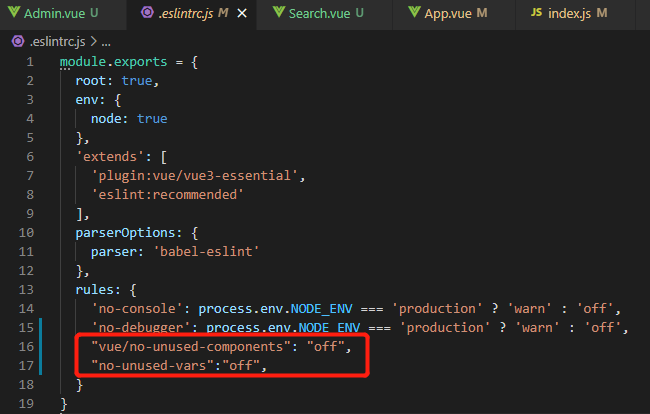
Solution: add the following under eslintconfig of package.JSON or .Eslintrc.JS (if this file exists):

    "rules": {
      "vue/no-unused-components": "off", // Turn off error reporting when there are components defined but not used
      "no-unused-vars": "off" // turn off error reporting when there are defined but unused variables
    }

Note: if both files are modified, eslintrc.JS files have higher priority.

How do I close eslint?

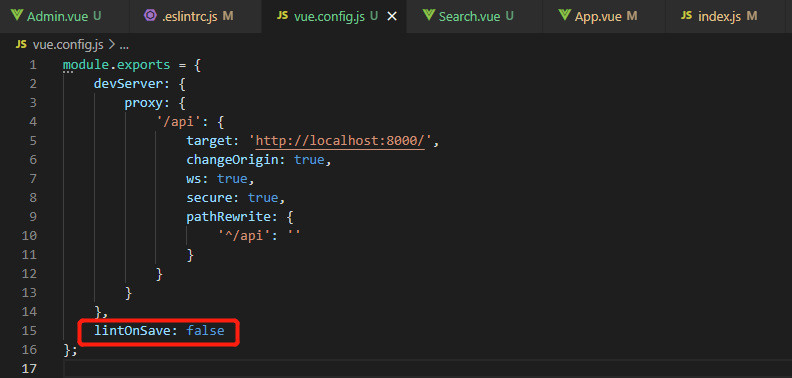
Scheme 1: do not use eslint, of course, you can not select eslint when creating a project, but generally encounter this problem, which is obviously the introduction of eslint.. Scheme 2: close eslint, and add a line of configuration in Vue.Config.JS : lintonsave: false .

Vue Install less Error: While resolving: [email protected]

Vue Install  less Error: While resolving: [email protected]

F:\Workspace\project\hhhs\wudslyh5\big-data\hblvbigdata>npm install less less-loader --save-dev
npm ERR! code ERESOLVE
npm ERR! ERESOLVE could not resolve
npm ERR!
npm ERR! While resolving: [email protected]
npm ERR! Found: [email protected]
npm ERR! node_modules/webpack
npm ERR!   peer webpack@"^4.0.0" from @intervolga/[email protected]
npm ERR!   node_modules/@intervolga/optimize-cssnano-plugin
npm ERR!     @intervolga/optimize-cssnano-plugin@"^1.0.5" from @vue/[email protected]
npm ERR!     node_modules/@vue/cli-service
npm ERR!       peer @vue/cli-service@"^3.0.0 || ^4.0.0-0" from @vue/[email protected]
npm ERR!       node_modules/@vue/cli-plugin-babel
npm ERR!         dev @vue/cli-plugin-babel@"~4.5.0" from the root project
npm ERR!       4 more (@vue/cli-plugin-eslint, @vue/cli-plugin-router, ...)
npm ERR!   peer webpack@"^4.0.0 || ^5.0.0" from @soda/[email protected]
npm ERR!   node_modules/@soda/friendly-errors-webpack-plugin
npm ERR!     @soda/friendly-errors-webpack-plugin@"^1.7.1" from @vue/[email protected]
npm ERR!     node_modules/@vue/cli-service
npm ERR!       peer @vue/cli-service@"^3.0.0 || ^4.0.0-0" from @vue/[email protected]
npm ERR!       node_modules/@vue/cli-plugin-babel
npm ERR!         dev @vue/cli-plugin-babel@"~4.5.0" from the root project
npm ERR!       4 more (@vue/cli-plugin-eslint, @vue/cli-plugin-router, ...)
npm ERR!   19 more (@vue/cli-plugin-babel, @vue/cli-plugin-eslint, ...)
npm ERR!
npm ERR! Could not resolve dependency:
npm ERR! dev less-loader@"*" from the root project
npm ERR!
npm ERR! Conflicting peer dependency: [email protected]
npm ERR! node_modules/webpack
npm ERR!   peer webpack@"^5.0.0" from [email protected]
npm ERR!   node_modules/less-loader
npm ERR!     dev less-loader@"*" from the root project
npm ERR!
npm ERR! Fix the upstream dependency conflict, or retry
npm ERR! this command with --force, or --legacy-peer-deps
npm ERR! to accept an incorrect (and potentially broken) dependency resolution.
npm ERR!
npm ERR! See C:\Users\Administrator\AppData\Local\npm-cache\eresolve-report.txt for a full report.

npm ERR! A complete log of this run can be found in:
npm ERR!     C:\Users\Administrator\AppData\Local\npm-cache\_logs\2021-11-30T09_15_59_630Z-debug.log

Solution:

Error reason: the installed version is too high

Solution:

Delete the previous version: NPM uninstall less loader download the specified version: NPM install less- [email protected] -D

If an error is still reported, the file node_Modules can be removed, Download NPM install again

How to Solve QT uses MSVC compiler to code error

QT uses MSVC compiler, and the code reports an error

1. Premise

After inspection, it is confirmed that your code is correct, and the error reported by QT creator is a pure false alarm.

2. Error examples

[error] Constants with newlines
[error] xxx is not a member of xxx
[error] Syntax error, missing ;
...

3. Solutions

Add the following configuration in *.Pro file.

win32-msvc*: {
    QMAKE_CFLAGS *= /utf-8
    QMAKE_CXXFLAGS *= /utf-8
}

[Solved] nodejs express Error: MulterError: Unexpected field

Problems encountered when using express to write and upload files

The front-end Axios and the back-end express use the multer middleware. They always report the error of the server 500 when uploading. They repeatedly check the code and check the multer documents, and finally find the problem.

No more nonsense, just go to the code:

Back end:

router.post('/upload',upload.single('img'),function(req,res,next){
    console.log(req.file);
})

front end:

formdata.append('img',imgfile);

here, the name in upload.Single() should be consistent with the field name in the front end formdata

Vue Error: renren-fast-vue execute npm install Error [How to Solve]

Resolution NPM: unable to load file D:\code\Renren fast Vue\node_ modules.bin\npm.ps1

There are four steps

It is forbidden to run scripts on this system, that is, you do not have permission. First use the following command:

get-ExecutionPolicy

If output:

Restricted

The above indicates restricted and the status is prohibited. Then give a permission:

Set-ExecutionPolicy -Scope CurrentUser

Re enter:

RemoteSigned

The above is OK. If you want to verify it, enter get executionpolicy and output remotesigned

==================================================================

Build failed with error code: 1
npm WARN optional SKIPPING OPTIONAL DEPENDENCY: [email protected] (node_modules\fsevents):
npm WARN notsup SKIPPING OPTIONAL DEPENDENCY: Unsupported platform for [email protected]: wanted {"os":"darwin","arch":"any"} (current: {"os":"win32","arch":"x64"})    
npm ERR! code ELIFECYCLE
npm ERR! [email protected] postinstall: `node scripts/build.js`
npm ERR! Exit status 1
npm ERR!
npm ERR! Failed at the [email protected] postinstall script.
npm ERR! This is probably not a problem with npm. There is likely additional logging output above.

npm ERR! A complete log of this run can be found in:
npm ERR!     C:\Users\Administrator\AppData\Roaming\npm-cache\_logs\2021-12-03T02_48_23_436Z-debug.log
PS D:\work\guigu\guli-vue\renren-fast-vue> get-ExecutionPolicy
Restricted
PS D:\work\guigu\guli-vue\renren-fast-vue> Set-ExecutionPolicy -Scope CurrentUser

cmdlet Set-ExecutionPolicy in command pipeline location 1
Please provide values for the following parameters:
ExecutionPolicy: RemoteSigned
PS D:\work\guigu\guli-vue\renren-fast-vue> get-ExecutionPolicy
RemoteSigned
PS D:\work\guigu\guli-vue\renren-fast-vue> npm install

vue-elemnt-admin npm run dev [How to Solve]

Vue elemnt admin NPM run dev run error

Description:

vue-element-admin 4.4.4

There is the previous Vue element admin template in the computer, which can run normally, but the following error will be prompted when pulling the latest version

Error content

 DONE  Compiled successfully in 4163ms                                                                                                            4:26:31 ├F10: PM┤


  App running at:
  - Local:   http://localhost:9528
  - Network: http://192.168.70.192:9528

  Note that the development build is not optimized.
  To create a production build, run npm run build.

events.js:291
      throw er; // Unhandled 'error' event
      ^

Error: spawn cmd ENOENT
    at Process.ChildProcess._handle.onexit (internal/child_process.js:267:19)
    at onErrorNT (internal/child_process.js:469:16)
    at processTicksAndRejections (internal/process/task_queues.js:84:21)
Emitted 'error' event on ChildProcess instance at:
    at Process.ChildProcess._handle.onexit (internal/child_process.js:273:12)
    at onErrorNT (internal/child_process.js:469:16)
    at processTicksAndRejections (internal/process/task_queues.js:84:21) {
  errno: 'ENOENT',
  code: 'ENOENT',
  syscall: 'spawn cmd',
  path: 'cmd',
  spawnargs: [ '/c', 'start', '""', '/b', 'http://localhost:9528' ]
}

Solution:

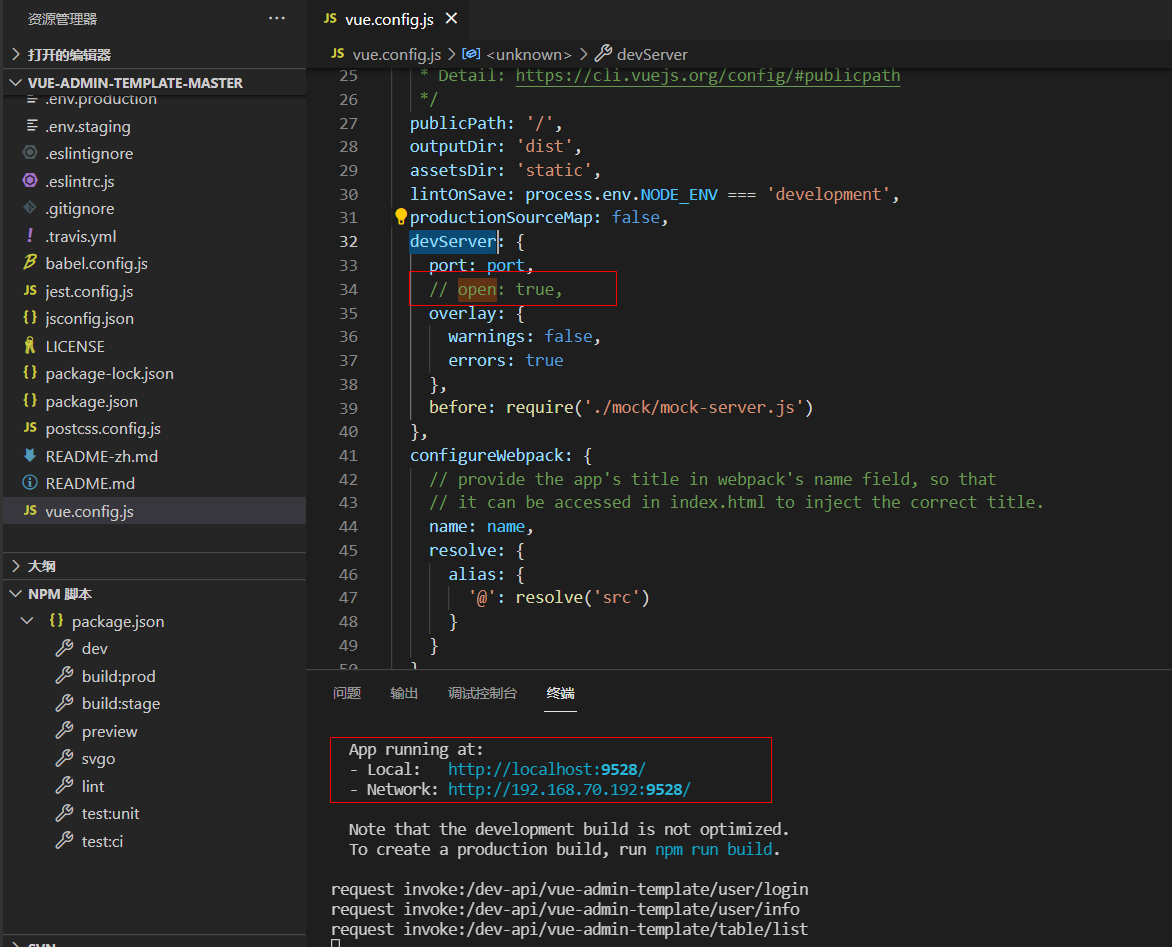
Comment out open: true in vue.config.js


Description of the modified part

For vue projects, find the devServer configuration proxy in vue.config.js
 
  devServer: {
    port: 8081, // port
    // open: true, // whether to open the browser automatically
    overlay: {
      warnings: false,
      errors: true
    },
    hot: true, // simply set to true, if the compiler reports an error, it will throw an error and you change it to the correct one, which will trigger a recompile again and the whole browser will be refreshed!
    headers: {
      'Access-Control-Allow-Origin': '*', //Allows access to all domains 
      'Access-Control-Allow-Credentials': 'true' // whether to allow subsequent requests to carry authentication information (cookies), the value can only be true, otherwise do not return
    },
    host: '0.0.0.0',
    proxy: { // proxy
      '/admin': {
        target: 'http://192.168.1.100:8080', // backend port address
        changeOrigin: true, // option to host the site virtually based on the name, if not configured, the request will report a 404 If the interface crosses the domain, this parameter needs to be configured
        ws: true, // true/false, whether to proxy websockets
        secure: false, // if the interface is https, you need to configure this parameter
        pathRewrite: {
          '^/admin': '' // pathRewrite is the request path to redirect to match the correct request address when using the proxy for proxying
        }
      }
    }
  }

[Solved] Vue Element Date plug-in reports an error in form validation

Error Messages:

Error in event handler for “el.form.change”: “TypeError: value.getTime is not a function”

Element UI’s date picker el-date-picker in addition to format value-format=”yyyy-MM-dd” and format=”yyyy-MM-dd”
In form validation.

{ type: 'date', required: true, message: 'Please select a date', trigger: 'change' } 

There will be conflicts

Solution: modify the verification rules

type: ‘date’-> type: ‘string’

Possible causes of errors:

After the format conversion of the element UI, the binding value will be converted to a string, and the type: ‘date’ in the verification rule does not match. As for its error, it is converted to a string, not a date object, so there is no gettime method.

Vue init webpack Error: unable to verify the first certificate

When initializing the webpack project with Vue cli, use the following commands:

$ vue init webpack [project-name]

After setting up the agent of NPM and modifying the domestic image warehouse, an error is still reported. The error information is as follows:

$ vue-cli · Failed to download repo vuejs-templates/webpack: unable to verify the first certificate

According to the information, the reason for this problem is that we use the proxy server, so Vue cli cannot verify the proxy server certificate when downloading the webpack template, so this error is reported
to solve this error, one way is to turn off the verification of SSL certificates. However, this method is not valid for everyone, and the following method is only used when your proxy server is trusted:

$ npm config set npm_config_strict_ssl=false

If this method doesn’t work, another way is to use the offline method to initialize the Vue project.

Clone the webpack template project to the local C:\users [username]. Vue Templates folder. If there is no such folder, create one. The folder starting with. Cannot be created in windows. You can use CMD or PowerShell to switch to the C:\users [username]\directory and enter the following command to create the folder:

$ mkdir .vue-templates

The download address of the webpack template is: vuejs templates. Select the required template to clone. I select the complete webpack template here. You can clone the project to the folder we created in the previous step through the following command (provided that git Bash is installed):

$ git clone https://github.com/vuejs-templates/webpack ~/.vue-templates/webpack
    1. If Git is not installed, you can also directly download the project in the form of zip on the GitHub and extract it into. Vue templates. Generally speaking, if the clone speed of Git is too slow, you can also directly download and extract the zip in step 3 in addition to setting the agent… Rerun the command of Vue to initialize the project. Note that the offline mode is
$ vue init webpack [project-name] --offline
$ cd [prject-name]
$ npm run dev

How to Solve MAC electronic installation dependent startup error

file: https://github.com/electron/electron/issues/8466

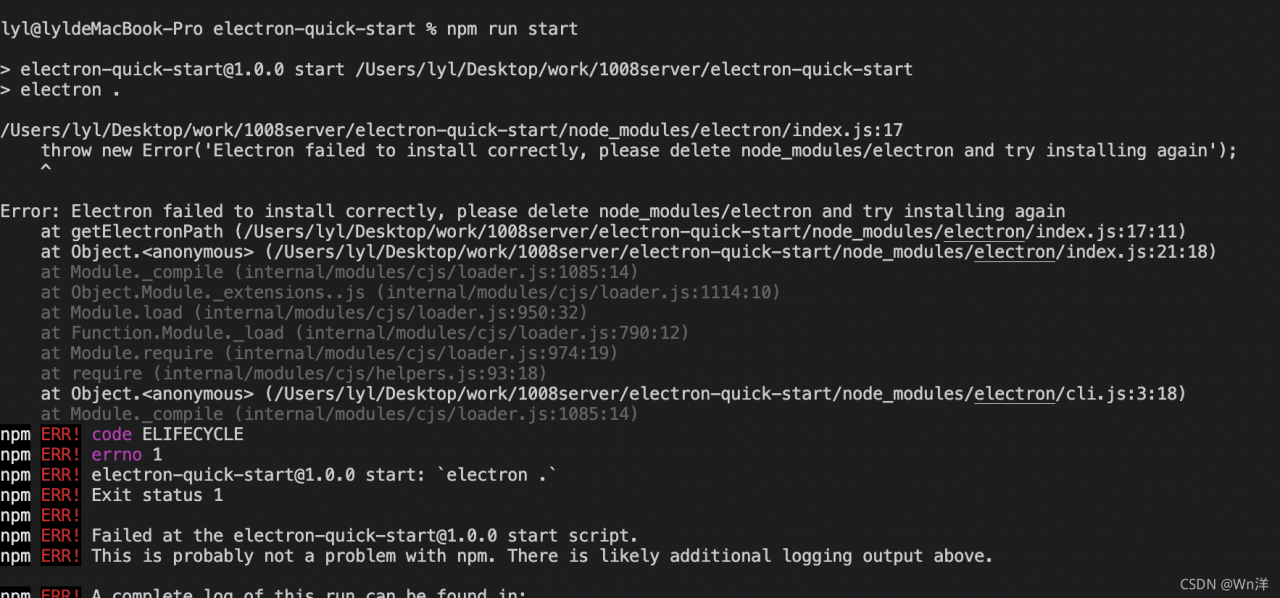
Error message:

Solution:

Switch to node_ The index file used for the electron pair in modules, then enter the terminal and execute it in the current directory with node install.js before completing the electron dependent installation

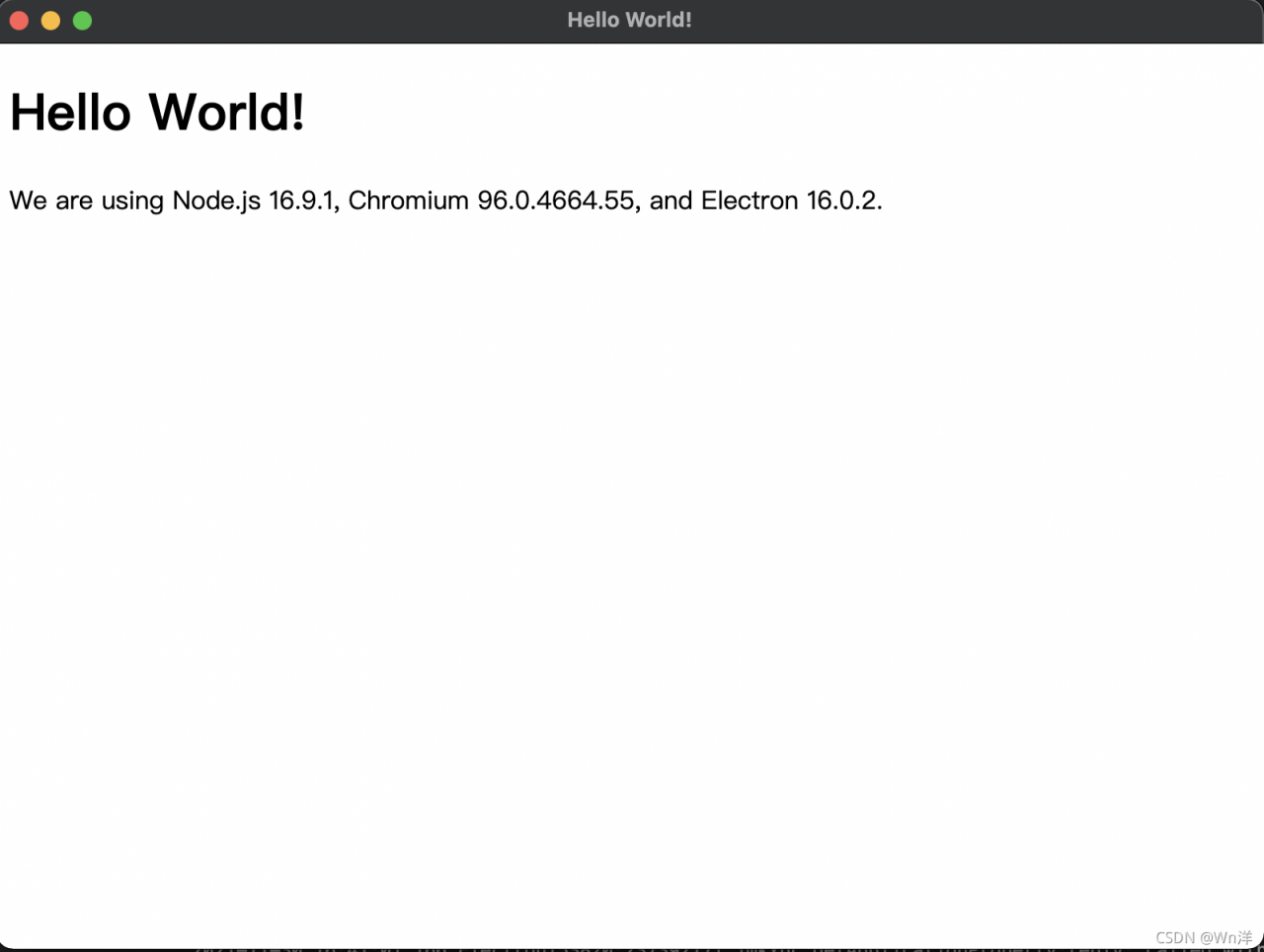
Then go to the project again and start the project

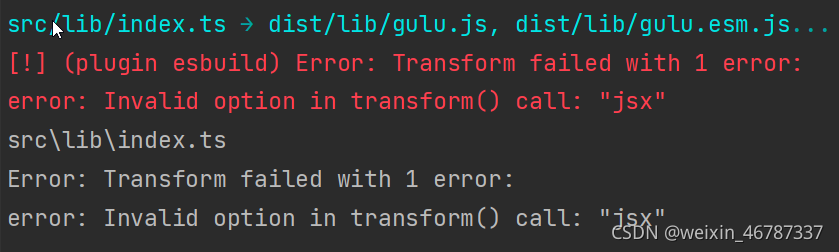
[Solved] Error: Transform failed with 1 error: error: Invalid option in transform() call: “jsx“

Error: Transform failed with 1 error: error: invalid option in transform() call: “JSX”

Solution:

    1. the option “JSX” is invalid due to the old esbuild version
    1. 2. Manually install the latest version of esbuild to solve it, But I think it’s better to update the package.json version of the plug-in
    1. rollback plugin esbuild version: find the esbuild in the package.json plug-in and manually modify the esbuild version: 0.12.7
    1. 3. Install yarn add — dev rollback plugin- [email protected] Can solve

Error reporting: as shown in the following figure

Solution
parkage.json configuration! This is very important

 "devDependencies": {
    "@vue/compiler-sfc": "3.0.0",
    "rollup-plugin-esbuild": "2.5.0",
    "rollup-plugin-scss": "2.6.0",
    "rollup-plugin-terser": "7.0.2",
    "rollup-plugin-vue": "6.0.0-beta.10",
    "sass": "1.32.11",
    "vite": "1.0.0-rc.1"
   } 

Rollup.config.ts file configuration

import esbuild from 'rollup-plugin-esbuild'
import vue from 'rollup-plugin-vue'
const scss = require('rollup-plugin-scss');
const dartSass = require('sass');
import { terser } from "rollup-plugin-terser"

export default {
    input: 'src/lib/index.ts',
    output: [{
        globals: {
            vue: 'Vue'
        },
        name: 'Gulu',
        file: 'dist/lib/gulu.js',
        format: 'umd',
        plugins: [terser()]
    }, {
        name: 'Gulu',
        file: 'dist/lib/gulu.esm.js',
        format: 'es',
        plugins: [terser()]
    }],
    plugins: [
        scss({ include: /\.scss$/, sass: dartSass }),
        esbuild({
            include: /\.[jt]s$/,
            minify: process.env.NODE_ENV === 'production',
            target: 'es2015'
        }),
        vue({
            include: /\.vue$/,
        })
    ],
}