Category Archives: JavaScript

[Solved] error: mongoosserverselectionerror: connect econnreused 127.0 0.1:27017

Mongodb suddenly reported an error, the foreground could not get the data, and the mongodb software could not be opened

node:22368) UnhandledPromiseRejectionWarning: MongooseServerSelectionError: connect ECONNREFUSED 127.0.0.1:27017
    at NativeConnection.Connection.openUri (D:\HBuilder work place\huaRui\2.0\serve\node_modules\mongoose\lib\connection.js:797:32)

Solution: Task Manager — Service — mongodb — Open

[Solved] Vue route jumps to the same page many times error: Navigationduplicated

Vue route jumps to the same page and reports an error many times. Navigationduplicated

The error report does not affect the program operation, but it is annoying to be popular. It needs to be solved.
the reason for the error report is this$ router. Push returns promise
just like

function push(){
	return new  Promise((resolve,reject)=>{
	})
}

Solution 1: capture success value and error value (treat symptoms but not root causes)

this.$router.push({
          name: "project",
          params: { projectPattern: this.projectPattern },
        },()=>{},()=>{ });

Solution 2: Rewrite push
and use it the same as before

this.$router.push({
          name: "project",
          params: { projectPattern: this.projectPattern },
        });

In router/index JS file, write a process by judging whether there are resolve and reject incoming values

let originPush = VueRouter.prototype.push;
VueRouter.prototype.push = function (location, resolve, reject) {
  if (resolve && reject) {
    originPush.call(this,location,resolve,reject)
  }else{
    originPush.call(this,location,()=>{},()=>{})
  }
}```
[Solved] ajax Error: Uncaught SyntaxError: Unexpected end of JSON input

To record, the Ajax request is as follows:

		let xhr = new XMLHttpRequest();
        xhr.open("get","https://music.kele8.cn/search");
        xhr.send();
       
        xhr.onreadystatechange = function () {
            // Determine when the Ajax status code is 4 
            if (xhr.status==200) {
                // Get the response data from the server side
                let ans = JSON.parse(xhr.responseText);
                console.log(ans);
            }
			else {
				console.log("Request failed");
			}
        }

If you ensure that the data returned in the background is correct, the get request can be opened in the browser address bar to see the data in JSON format, but the console reports an error and the data is also obtained, it may be that you lack a judgment

Look at the following code:

let xhr = new XMLHttpRequest();
xhr.open("get", "https://music.kele8.cn/search?keywords="+str);
xhr.send();
                        
xhr.onreadystatechange = function () {
     if(xhr.readyState == 4) {
            if(xhr.status == 200) {
                let arr = xhr.responseText;
                let ctype = xhr.getAllResponseHeaders("content-type");
                if(ctype.indexOf("json") > -1) {
                         let res = JSON.parse(arr);
                         console.log(res);
                 }
                 else {
                        console.log(arr);
                }
          }
          else {
                reject('Request failed');
          }
      }
}

It seems that you need to judge XHR in the onreadystatechange event If the readyState attribute is not judged, an error will be reported by JSON

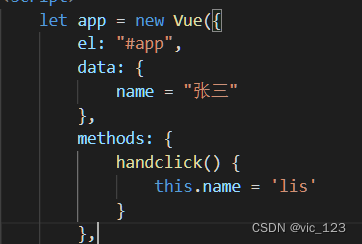
vue Error: Uncaught SyntaxError: Invalid shorthand property initializer

When defining an object using JSON format in JavaScript

An error occurred while debugging the browser: uncaught syntax error: invalid shorthand property initializer

<body>
    <div id=app>
        <button @click="handclick">Button</button>
        <p>{{name}}</p>
    </div>
</body>
<script src="./js/vue.js"></script>
<script>
    let app = new Vue({
        el: "#app",
        // The reason is that "=" should be written as ":"
        data: {
            name: "张三"
        },
        methods: {
            handclick() {
                this.name = 'lis'
            }
        },
        watch: {
            name(newVal, oldVal) {
                console.log(newVal, oldVal)
            }
        }
    })
</script>

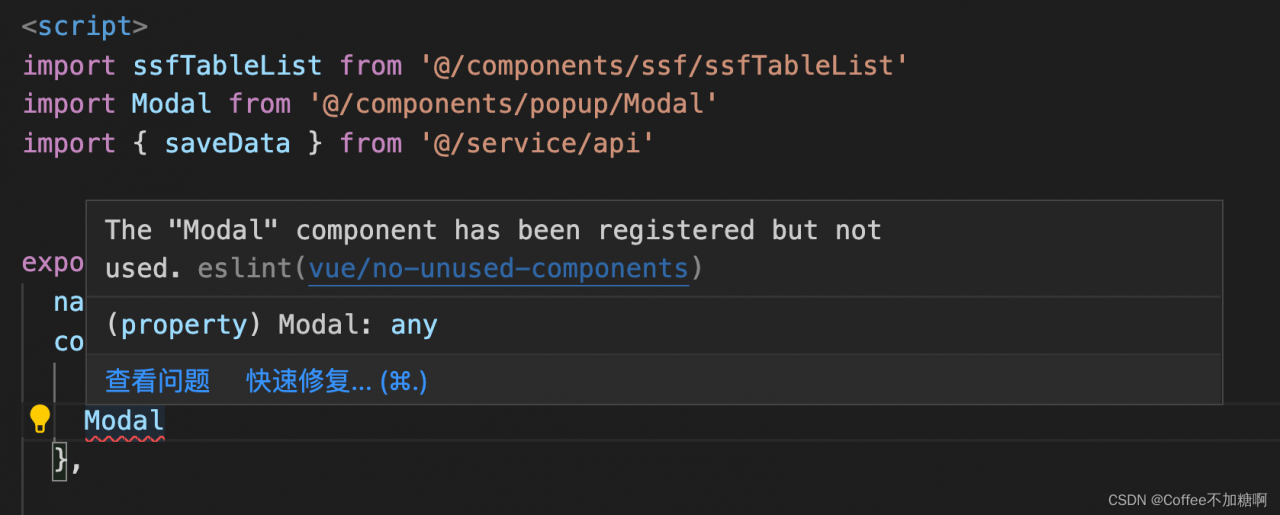
[Solved] error: Unexpected console statement (no-console)

Solution:

Modify package Eslintconfig in JSON: “rules”: {} in {}, add a line of code: “no console”: “off”

NPM install after saving

module.exports = {
  root: true,
  env: {
    node: true
  },
  extends: [
    'plugin:vue/essential',
    '@vue/standard'
  ],
  parserOptions: {
    parser: 'babel-eslint'
  },
  rules: {
    'no-console': process.env.NODE_ENV === 'production' ?'warn' : 'off',
    'no-debugger': process.env.NODE_ENV === 'production' ?'warn' : 'off',
    "no-console":"off"
  }
}

Or directly use:

window.console.log(“…”) (I haven’t tried)

[Solved] error ‘test‘ is assigned a value but never used no-unused-vars

1. Relevant error reporting information

error  'test' is assigned a value but never used  no-unused-vars

2. Error reporting reason

The eslint loader is used for relevant syntax check. Because the test variable has not been used and does not comply with relevant syntax rules, an error is reported.

3. Turn off related syntax checking
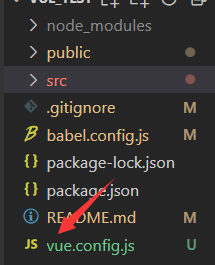
create a new Vue in the root directory of the related project config.JS file

in Vue config.JS file is configured as follows

module.exports = {
    // Turn off syntax checking
    lintOnSave: false
}

after restarting the project, it is found that the relevant error message disappears
See Vue cli configuration parameters for details

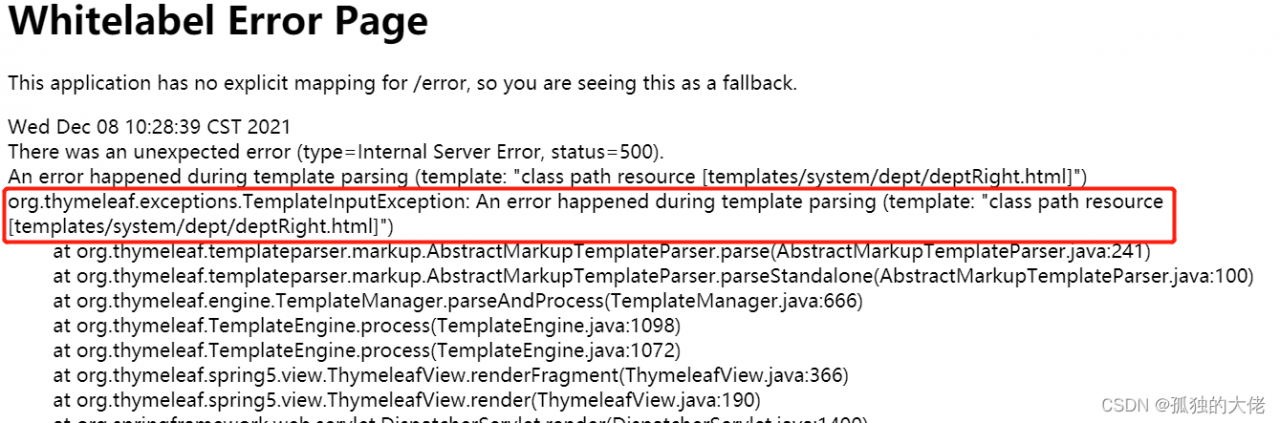
[Solved] layui table org.thymeleaf.exceptions.TemplateInputException: An error happened during template…

The error message is as follows

Reason:
because the expression between [[…]] is considered an inline expression in thymeleaf, rendering error occurs

Solution 1:
change [[]] after cols to [[]]

Solution 2:
in <script type=“text/javascript” > Add th: inline = “None”

<script type="text/javascript" th:inline="none">

[Solved] Angular&CI/CD:Error: initial exceeded maximum budget

During CI/CD process of angular project, the following errors occur:

Warning: initial exceeded maximum budget. Budget 2.00 MB was not met by 3.01 MB with a total of 5.01 MB.
Error: initial exceeded maximum budget. Budget 5.00 MB was not met by 6.83 kB with a total of 5.01 MB.

The packed file is too large for the specified file size

Solution: modify the angular in the project JSON configuration file (memory parameters)

 "budgets": [{
                  "type": "initial",
                  "maximumWarning": "2mb",
                  "maximumError": "6mb"
                },
              ]

I originally set the maximum error to 5MB, but now I can set it to 6MB. The specific problem depends on the situation

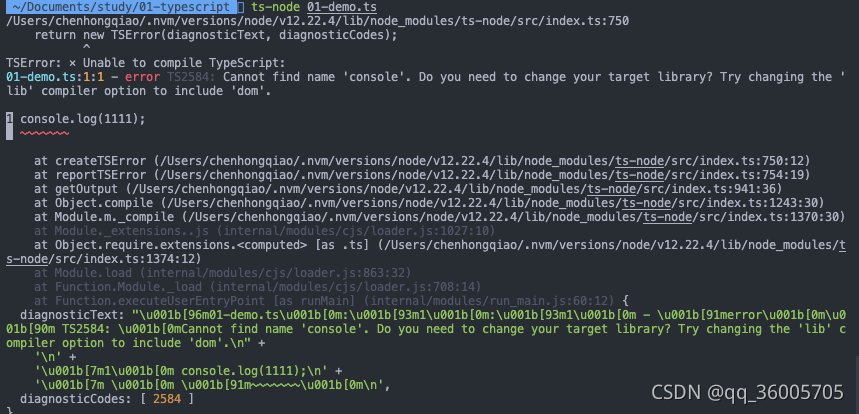
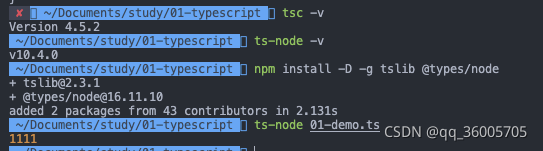
Using ts-node to Execute .ts files Error [Solved]

When learning typescript, you want to execute the TS file. First install the TS package, then use the TSC command to execute it, compile it into a JS file, and use node xxx.js to execute it. However, this is troublesome. Later, you want to use TS node to directly execute it and simplify the steps. An error is reported:

It is found that the corresponding package needs to be installed to compile:

Solution:
 
npm install -D tslib @types/node