Error Messages:
Syntax Error: Error: Cannot find module ‘@vue/babel-preset-app’
Solution:
npm i @vue/babel-preset-app -D
Syntax Error: Error: Cannot find module ‘@vue/babel-preset-app’
Solution:
npm i @vue/babel-preset-app -D
Find the vue.config.js file and change the address:
devServer: {
  proxy: {
    '/api': {
      target: "http://localhost:Port number own address", //This replacement is the local address
      changeOrigin: true,
      logLevel: "debug"
    }
  }
}
Note:
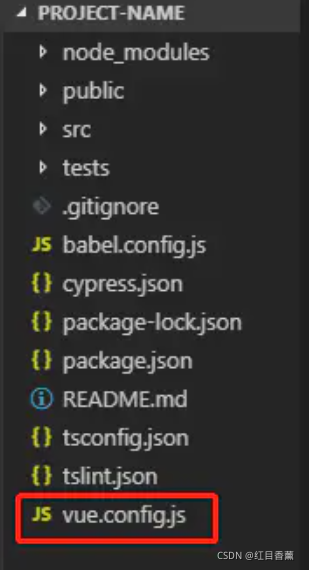
vue.config.js Is an optional configuration file if the project’s (and package.json If this file exists in the root directory of the same level, it will be deleted @ vue/cli-service Automatic loading. You can also use package.json Medium vue Field, but note that this writing method requires you to strictly follow the JSON format.
Create in root directory: vue.config.js
NPM download dependency error
npm ERR! code EPERM
npm ERR! syscall unlink
npm ERR! path E:\code\20200212\web\cbos2.0-wenlv-wx-cli\node_modules\.staging\caniuse-lite-70323fe6\data\features\document-scrollingelement.js
npm ERR! errno -4048
npm ERR! Error: EPERM: operation not permitted, unlink 'E:\code\20200212\web\cbos2.0-wenlv-wx-cli\node_modules\.staging\caniuse-lite-70323fe6\data\features\document-scrollingelement.js'
npm ERR!  [OperationalError: EPERM: operation not permitted, unlink 'E:\code\20200212\web\cbos2.0-wenlv-wx-cli\node_modules\.staging\caniuse-lite-70323fe6\data\features\document-scrollingelement.js'] {
npm ERR!   cause: [Error: EPERM: operation not permitted, unlink 'E:\code\20200212\web\cbos2.0-wenlv-wx-cli\node_modules\.staging\caniuse-lite-70323fe6\data\features\document-scrollingelement.js'] {
npm ERR!     errno: -4048,
npm ERR!     code: 'EPERM',
npm ERR!     syscall: 'unlink',
npm ERR!     path: 'E:\\code\\20200212\\web\\cbos2.0-wenlv-wx-cli\\node_modules\\.staging\\caniuse-lite-70323fe6\\data\\features\\document-scrollingelement.js'
npm ERR!   },
npm ERR!   errno: -4048,
npm ERR!   code: 'EPERM',
npm ERR!   syscall: 'unlink',
npm ERR!   path: 'E:\\code\\20200212\\web\\cbos2.0-wenlv-wx-cli\\node_modules\\.staging\\caniuse-lite-70323fe6\\data\\features\\document-scrollingelement.js',
npm ERR!   parent: 'cbos2.0-wenlv-wx-cli'
npm ERR! }
npm ERR!
npm ERR! The operation was rejected by your operating system.
npm ERR! It's possible that the file was already in use (by a text editor or antivirus),
npm ERR! or that you lack permissions to access it.
npm ERR!
npm ERR! If you believe this might be a permissions issue, please double-check the
npm ERR! permissions of the file and its containing directories, or try running
npm ERR! the command again as root/Administrator.

npm ERR! A complete log of this run can be found in:
npm ERR!     D:\nodejs\node_cache\_logs\2021-11-25T08_55_03_606Z-debug.log
NPM installation has reported this all the time before, thinking that the permissions are really insufficient. I feel a little strange. It’s useless to execute with administrator permissions. However, I checked later and thought it was a cache problem. Just clean up the cache without administrator permissions. But it doesn’t work (see below)
Method 1
Npmrc files need to be deleted.
Stress: it is not the npmrc file under the NPM module in the nodejs installation directory, but the. Npmrc file under C: \ users {account} \. Delete the dependency and download it again
Method 2
Or you can clean it directly with the command. On the console, enter:
npm cache clean --force
I think it’s because I downloaded cnpm before, which leads to permission problems. In the future, the problem will be solved by installing the package with cmpn
Code
main.js:
import { createApp } from 'vue'
import App from './App.vue'
import router from './router'
import ElementPlus from 'element-plus'
import 'element-plus/dist/index.css'
import {store} from './store'
//Wrapping of request methods
import {postRequest} from "@/utils/api";
import {postKeyValueRequest} from "@/utils/api";
import {putRequest} from "@/utils/api";
import {deleteRequest} from "@/utils/api";
import {getRequest} from "@/utils/api";
import {initMenu} from "@/utils/menus";

router.beforeEach((to, from,next) => {

    if (to.path == '/') {
        next();
    }else {
        initMenu(router, store);
        next();
    }
})

const app = createApp(App)

app.use(ElementPlus)

app.config.globalProperties.postRequest=postRequest
app.config.globalProperties.postKeyValueRequest=postKeyValueRequest
app.config.globalProperties.putRequest=putRequest
app.config.globalProperties.deleteRequest=deleteRequest
app.config.globalProperties.getRequest=getRequest

app.use(router).use(store).mount('#app')
router\index.js:
import { createRouter, createWebHashHistory } from 'vue-router'
import Login from '../views/Login.vue'
import Home from '../views/Home.vue'
import Test1 from "@/views/Test1";
import Test2 from "@/views/Test2";


const routes = [
  {
    path: '/',
    name: 'Login',
    component: Login,
    hidden: true
  }
  ,{
    path: '/home',
    name: 'Home',
    component: Home,
    hidden: true
  },{
    path: '/home',
    name: 'Test Menu',
    component: Home,
    children:[
      {
        path: '/Test1',
        name: 'NAV 1',
        component: Test1
      },{
        path: '/Test2',
        name: 'NAV 2',
        component: Test2
      }
    ]
  }
]
//When the children in home go to the jump, first look for <router-view/> under home.

const router = createRouter({
  history: createWebHashHistory(),
  routes
})

export default router
Additional notes: login.vue is the login page. When logging off the user, you will jump to the login page with the jump code:
this.$router.replace("/");
Error message:

reference resources:
No slash is added to the named sub route with empty path
change the Path:'/' in main.JS and router\index.JS to Path:'
the problem is solved.
Vue use failure:
D:\project\vueProject\vue-02\src\components\hello.vue
5:5 error Parsing error: x-invalid-end-tag vue/no-parsing-error
Such an error was reported when the slot was introduced. After careful inspection, it was found that the label of the slot was written incorrectly.
It should be the <slot/> slash at the back, and it will return to normal after the change.
<!-- /* html page */ -->
<template>
  <div>
    <!-- slot -->
    </slot>
    <h3>This is a custom component hello</h3>
  </div>

</template>


<!-- /* javaScript */ -->
<script>
  export default {

  }
</script>

<!-- /* css */ -->
<style>

</style>Remember the problem of using Vue once. The page console prompts, error in mounted hook: typeerror: invalid SRC type
the reason is that mounted mounts unused methods. Delete them.
<template>
	<button v-on:click ="add()">add</button>
	<button v-on:click ="edit()">edit</button>
</template>

<script>
...
mounted:function(){
    this.select();
	//this.del();  Delete the superfluous codes
},
methods:{
  select(){
  },
  add(){
  },
  edit(){
  }
}
</script>
When using express JWT, the following errors are reported during compilation:
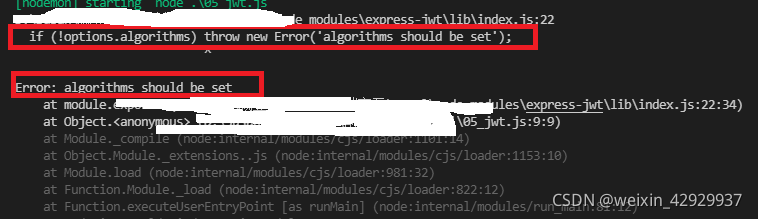
as a result of:

After JWT is updated on July 7, 2020, the installed express JWT module will default to version 6.0.0. The updated JWT needs to add the algorithms attribute to the configuration, that is, set the algorithm of JWT. Generally, hs256 is the default value for configuring algorithms:

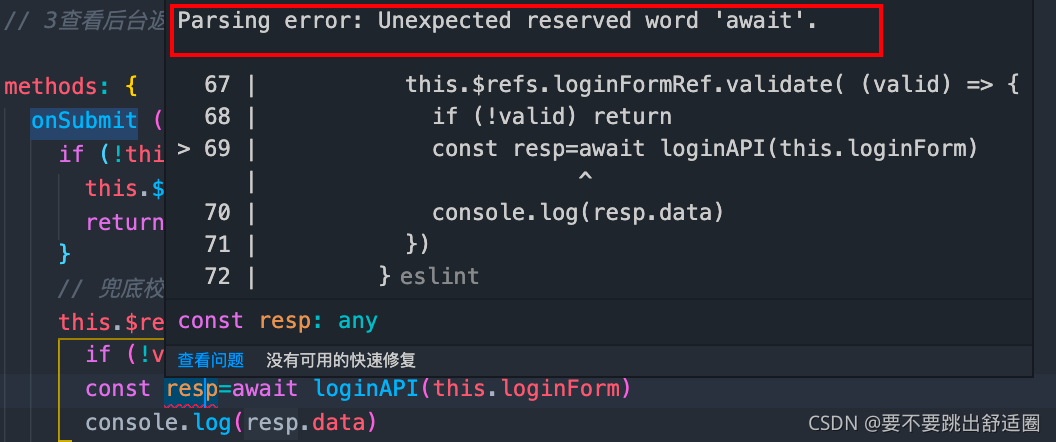
Vscode error
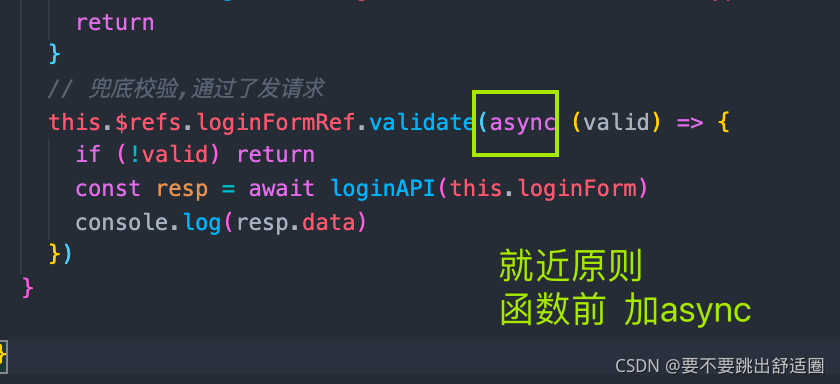
Parsing error: Unexpected reserved word ‘await’.
Solution:
Add async in the principle of await [proximity] for error reporting
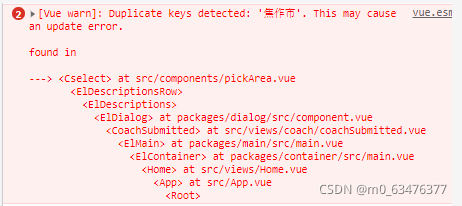
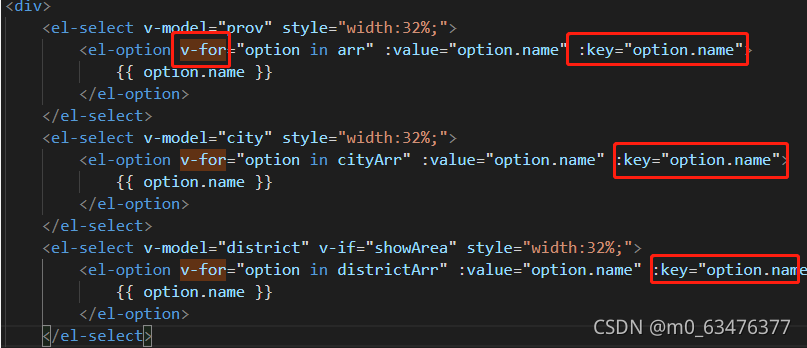
Duplicate keys detected: ‘Jiaozuo City’. This may cause an update error.
if you see this error message, it indicates that the key value of the V-for instruction is repeated,
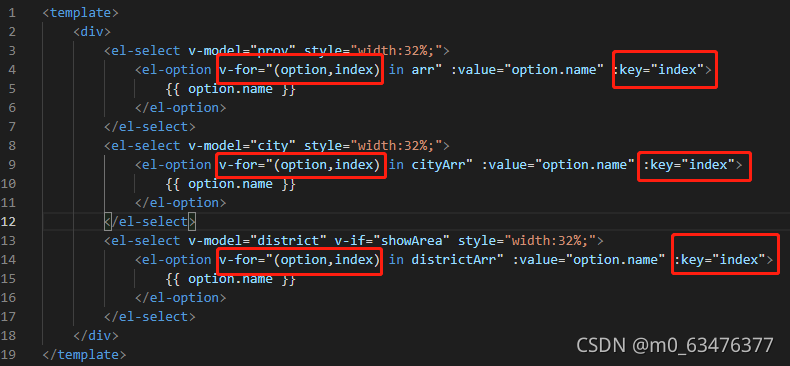
Just modify your key value so that it will not be repeated.
After modification, it is like this
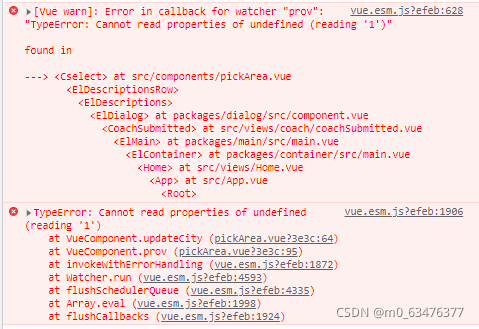
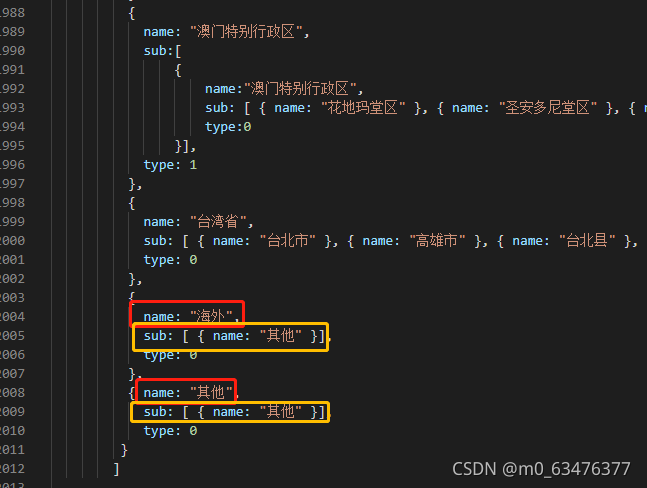
When the address is selected as other, such an error will be reported. After looking at the area.js region, the structure of other regions is different from that of other regions, and it will be changed to the same structure. (seems to be)
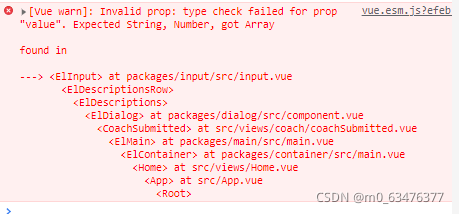
‘value’ is expected to be string number, But the result is array
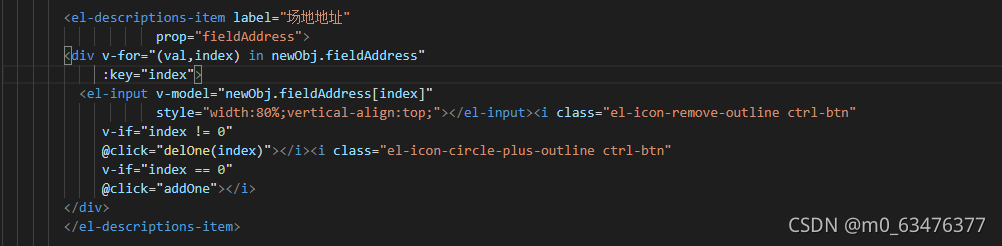
Console.log the current error code location Find out which are arrays, and then look in the code to see where the problem is
If you comment on this line of code, you will not report an error!

After change
Background
Today, I want to run a yolact model, but in the process of training, I need a DCN network model. This requires CUDA to compile relevant files, but an error is reported. The main errors are:
cuda_runtime.h: No such file or directory
I spent an afternoon reading a lot of blogs, but I didn’t solve it. Later I knew why. In fact, the solution is also very simple, that is, add some folder paths of CUDA installation directory to environment variables. The following are the solutions for the windows operating system:
Add the following two paths to the environment variable path:
	C:\Program Files\NVIDIA GPU Computing Toolkit\CUDA\v11.0\bin
	C:\Program Files\NVIDIA GPU Computing Toolkit\CUDA\v11.0\lib\x64
Basically, everyone’s default installation path is this. You only need to replace v11.0 according to their installed CUDA version number.
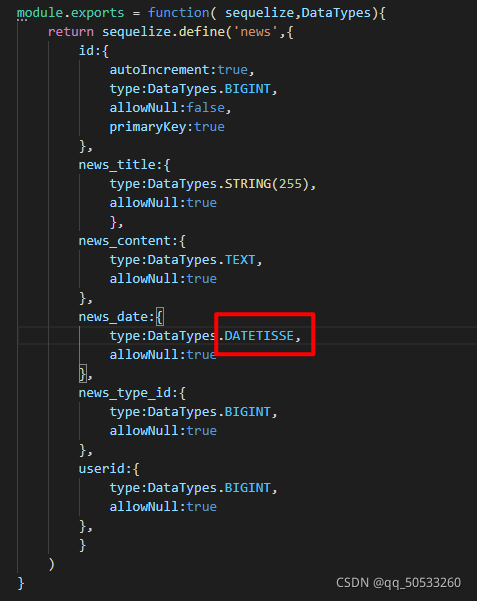
Change datetisse to date
Serialize does not support datetisse
Deploy to the line and report a pile of errors:
JS,CSS and HTML report the following errors
net::ERR_SSL_PROTOCOL_ERROR
Because the domain name used by the server is HTTPS/HTTP
deployed to the online address, HTTPS starts with the first line of code and HTTP uses the second line of code
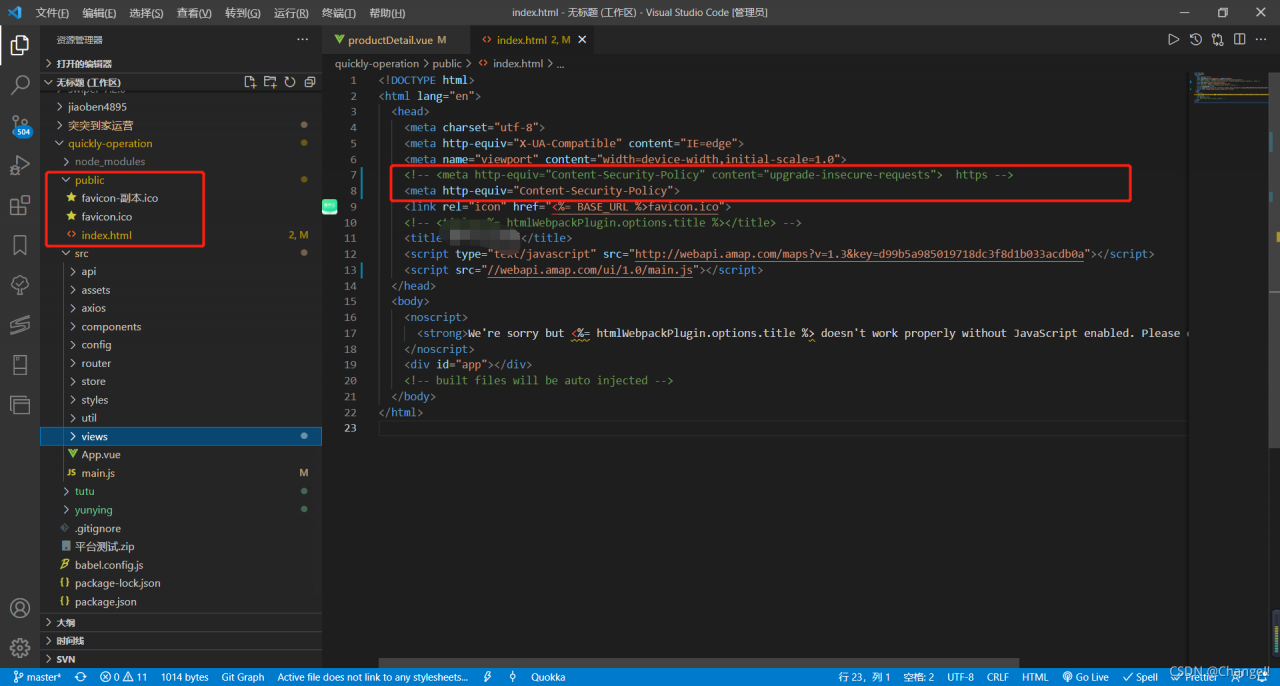
<meta http-equiv="Content-Security-Policy" content="upgrade-insecure-requests">
<meta http-equiv="Content-Security-Policy">