Category Archives: How to Fix

Java was started but returned exit code = 13

Java was started but returned exit code=13
As is shown in
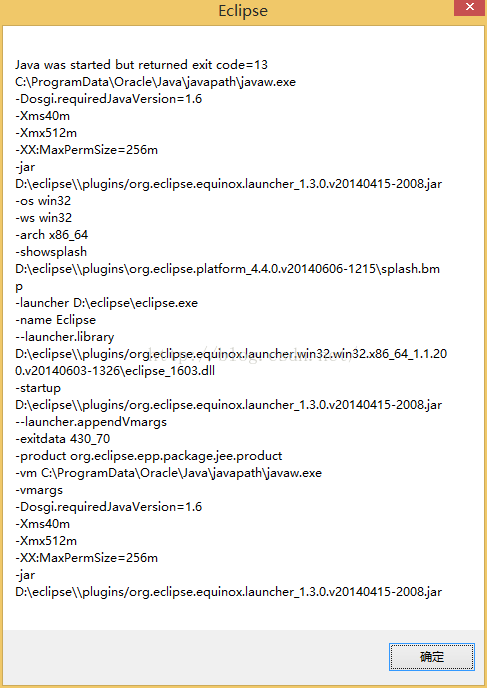
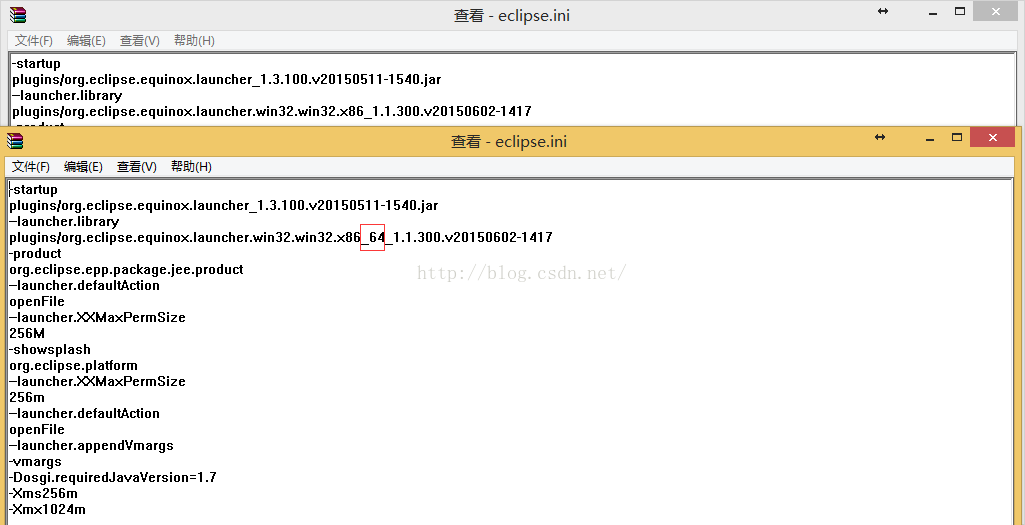
The reason is that when you update the JRE through a third party, the third party installs a 32-bit JRE that doesn’t match the 64-bit Eclipse. (The error message — Launcher. Library has x86_64 to show that eclipse is 64-bit.)
After installation JDK8/JRE8 adds an environment variable C:\ProgramData\Oracle\Java\ Javapath
The environment variable is three shortcuts, java.exe.lnk javaw.exe.lnk javaws.exe.lnk. Every time you install the JDK/JRE, these three shortcuts will update the path to the last JRE path
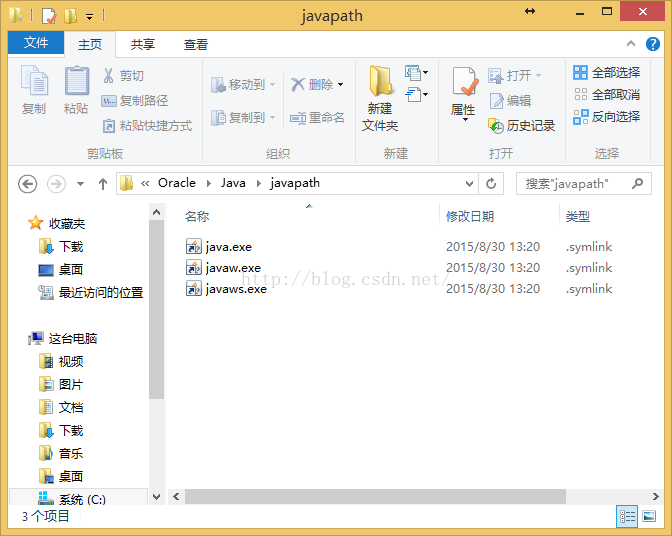
Cause found, reinstall the 64-bit JDK to fix the problem
Attached is a comparison of the 1:32 bit 64-bit running java-Version commands
32 bit
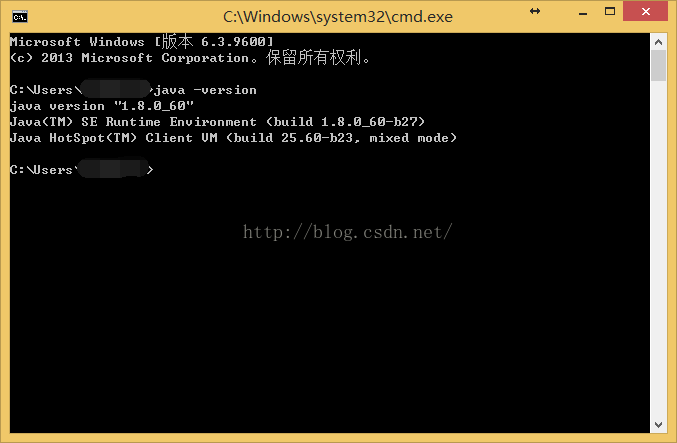
C:\>java -version
java version "1.8.0_60"
Java(TM) SE Runtime Environment (build 1.8.0_60-b27)
Java HotSpot(TM) Client VM (build 25.60-b23, mixed mode)

A 64 – bit
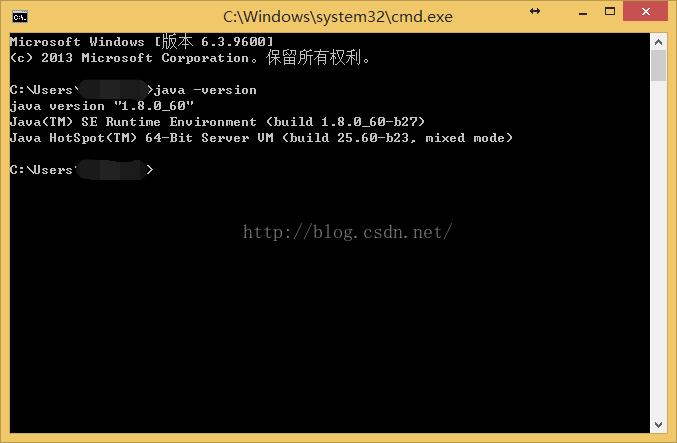
C:\>java -version
java version "1.8.0_60"
Java(TM) SE Runtime Environment (build 1.8.0_60-b27)
Java HotSpot(TM) 64-Bit Server VM (build 25.60-b23, mixed mode)

you can see that 64 is 64 Bit, 32 Bit is not
Annex 2: Determine whether Eclipse is 32-bit or 64-bit through eclipse directory specific files
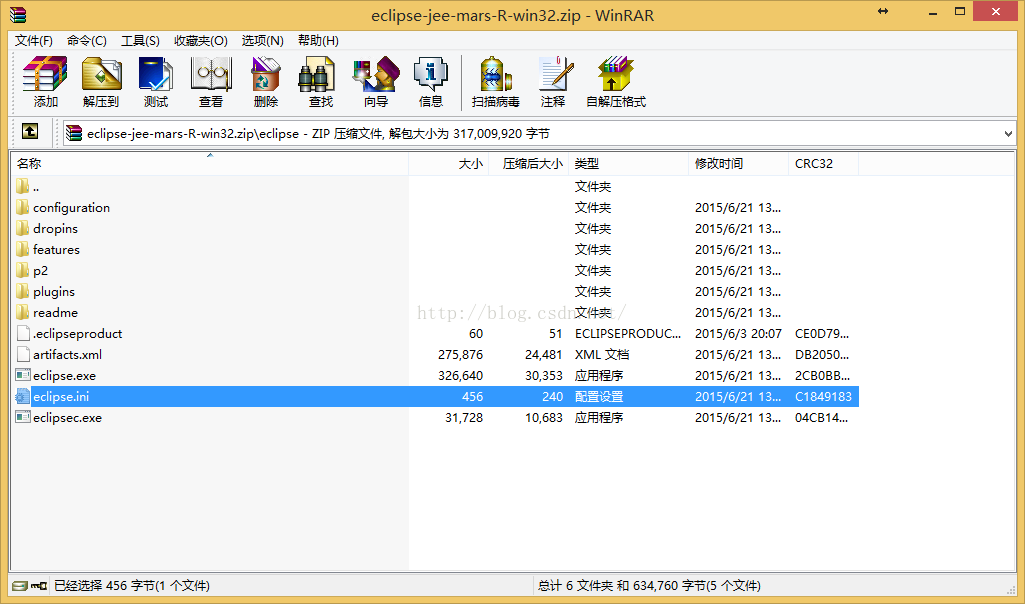
The directory structure of eclipse32-bit and 64-bit is similar. We can look at the Eclipse.ini file after unziping and compare it with -launcher. Library to find if there is x86_64
As shown in the figure, the top is 32 bits and the bottom is 64 bits
Eclipse directory structure
yum install Transaction Check Error

Transaction Check Error occurs when using Yum Install because of software conflicts. The following red part is the conflicting software. If it is installed by RPM, you can directly uninstall it by RPM and re-install yum Install.
. Total 39 kB/s | 5.0 MB 02:11

Running rpm_check_debug

Running Transaction Test

Finished Transaction Test

Transaction Check Error:

the file/usr/share/man/man3/Bundle: : DBD: : mysql. 3 PM. Gz from the install of perl – DBD – mysql 3.0007-2. El5. X86_64 conflicts with the file from the package
Perl – DBD – MySQL 3.0007-2. El5. I386

Error Summary

ACPI BIOS error resolution

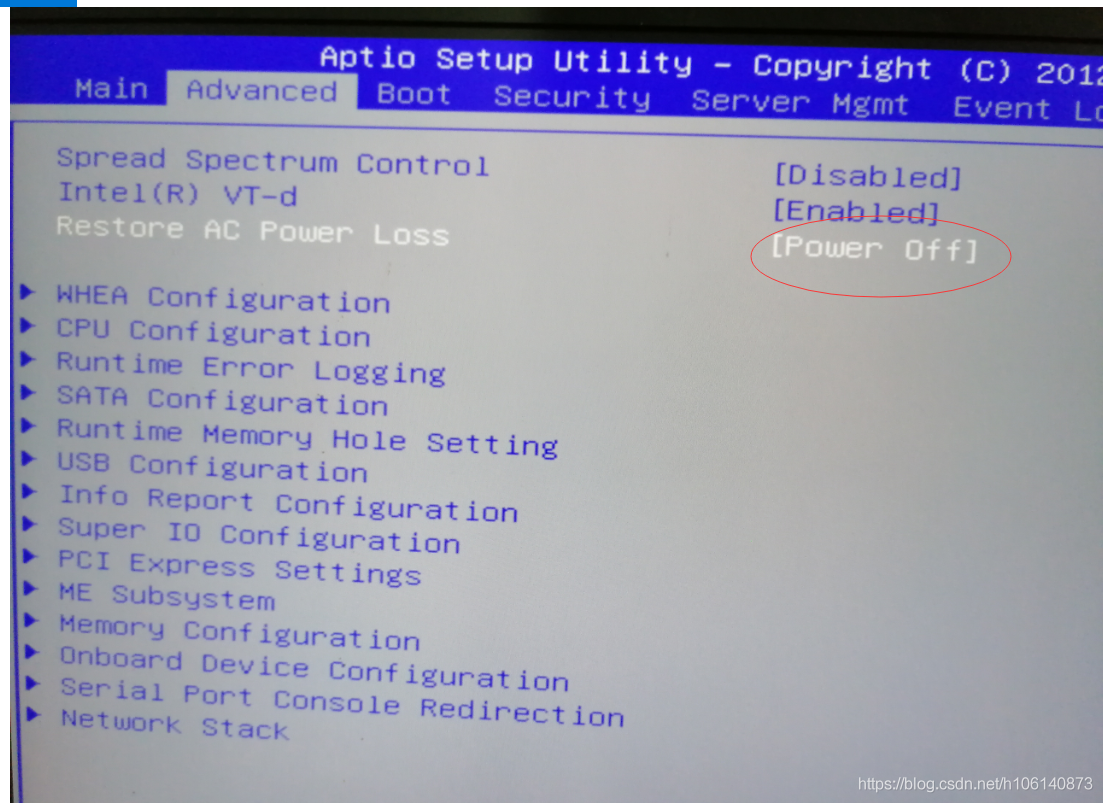
Yesterday, my computer acpi BIOS error, could not be win10/win10PE/winserver2016/Windows server 2019. This error does not occur in Win2003PE.
The computer motherboard is Inventec’s B810G, which finally solved the problem after much trouble.


INT 19 loads 512 bytes of MBR into memory 0x7c00, then jumps to 0x7c00 to execute the MBR executable (master booter). Master booter at least needs to do these things:

checks whether MAGIC (Signature) is a valid value (hexadecimal 55 AA);
moves itself to another location (usually 0x0600), leaving 0x7C00 to 0x7C00 +512K, in case a boot sector program is subsequently loaded at that location. This is the same as loading a boot sector program directly from a diskette. According to the design, it can be moved to any non-conflict position (that is, not reserved for other programs). But in general, one end space is found between 0X000800 and 0X0A0000.

view the partition table. Load 0X7C00 at the first Sector of the partition that is set to be active. Normally, this Sector will be the boot Sector. Finally, the master booter jumps to 0X7C00 and executes boot sector.
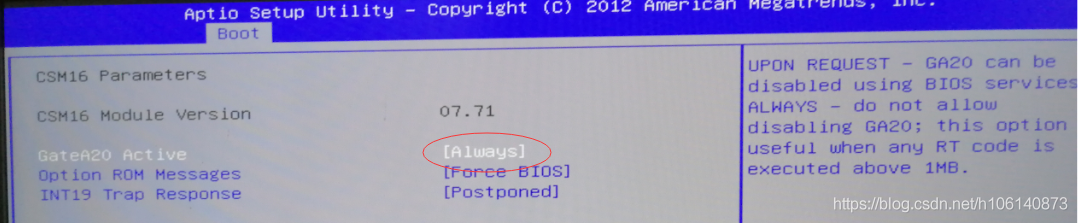
Gate A20 Option
function: set the control mode of A20 address line
set value :Fast or Normal
A20 address line control mode refers to how the system accesses the part of the memory space above 1MB. Because of history, early computers had only 1MB of memory, and software could use up to 1MB. Later, due to technological advances, software required more memory, so the system was required to provide more memory space. The A20 signal was created to solve this problem.
when this option is set to “Normal”, the system USES the keyboard controller chip to control the A20 signal; When this option is set to “Fast”, the system USES a chip on the motherboard to control the A20 signal. When using the motherboard chip to control the A20 signal, the memory access speed can be improved, thus improving the performance of the system. Therefore, it is recommended to set this option to “Fast”.

composer Error while processing content unencoding: Unknown failure within decompression softwar

On Composer download file Error [Composer\Downloader\TransportException] Error while Processing content unencoding: Unknown failure within decompression Software. After checking the results returned after running the command, it was found that the problem was not due to compression expansion. The package information was loaded from the local cache and may be out of date. So you can just clear the Composer local cache

Composer clears the cache: Composer ClearCache

Pychar configures Anaconda environment

Reprinted from: https://blog.csdn.net/baoxiao7872/article/details/80328224
the author: low m
PyCharm is a very useful and popular Python editor. Anaconda is a Python distribution focused on data analysis and contains more than 190 science packages and dependencies, including Conda, Python, and others. Anaconda makes your work flow a lot easier with the management toolkit, development environment, and Python versions. Not only can you easily install, update, and uninstall toolkits, but you can automatically install the corresponding dependent packages when you install them, and you can use different virtual environments to isolate projects with different requirements. Anaconda comes with its own integrated development environment Spyder. Some people don’t like the Spyder style. Personally, I feel that its prompt function is also inferior to PyCharm. Wouldn’t it be nice to configure the Anaconda environment with PyCharm?Here’s a personal lesson:
I won’t go through the process of installing Anaconda and Pycharm, which is relatively simple. There are also great tutorials online. The version of PyCharm That I installed was 2017.3.2 (community version).
After completing the installation of both:
The first step is to configure the Anaconda environment variable and add the installation Path of the Anacond and its subfolders script and library/bin to the system environment variable Path. I am installed on the G disk and my configuration is “G:\Anaconda3; G:\Anaconda3\Scripts; G: \ Anaconda3/Library/bin “.
The second step is to configure the Anaconda environment for PyCharm. Enter PyCharm and click File-&gt in turn. Default Setting-> Project Interpreter

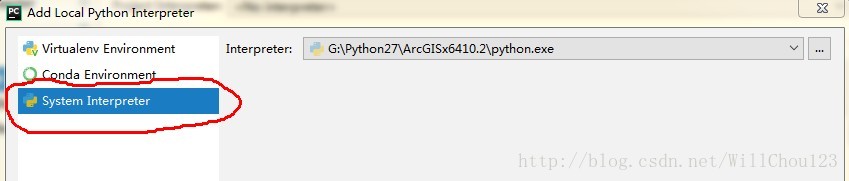
Click gear to select Add Local

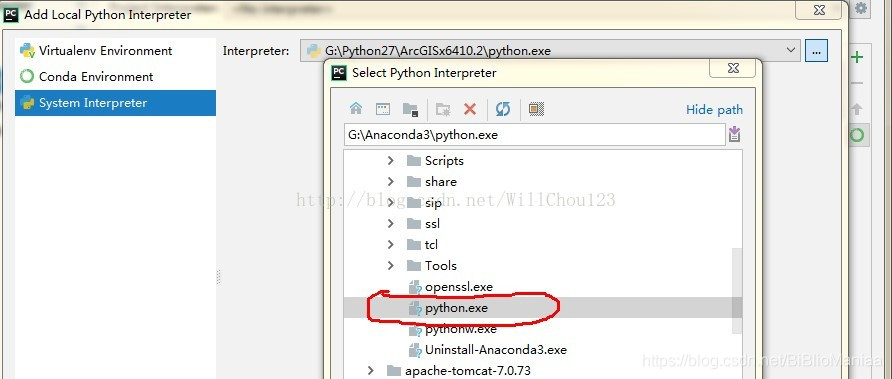
I chose the third one. I took it for granted that it was the second one, but I didn’t know what to do for a long time. Click on the third TAB, select python. Exe under the Anaconda installation path, and then successfully configure the Anaconda environment.

The project created in this environment can then use the existing library in Anaconda.

Composer install ThinkPHP

1. There is no download of Composer. We only need to download Composer- setup. exe (for the Window platform) and install it step by step.
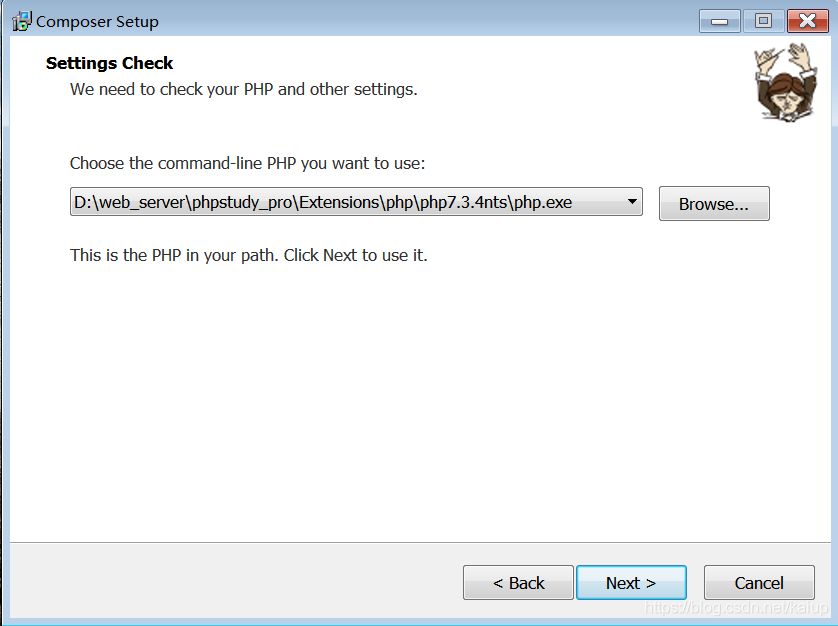
Note the following step, using my phpstydy integrated environment as an example, to select the path to install:

2. After the installation is successful, we can check whether the installation is successful by typing the Composer – Version command through the command window (CMD)
3. Open a command line window, enter the following command:
composer config - g repo. Packagist composer https://mirrors.aliyun.com/composer/
4. If this is your first installation, under the command line, switch to your WEB root and execute the following command:
composer create-project topthink/think=5.1.* tp5.1
5. Wait for installation to complete

JS exception capture: the usage and example analysis of onerror() in window

From: https://www.jb51.net/article/78765.htm
Note: OnError will only be triggered if the error is run. Syntax error will not be triggered.
There are three ways to cause an onerror:
• runtime errors, such as invalid object references or security restrictions
• download errors, such as images
• in IE9, failure to obtain multimedia data is also thrown
Please refer to the link above for details

Python – SSL certificate error

One, SSL certificates


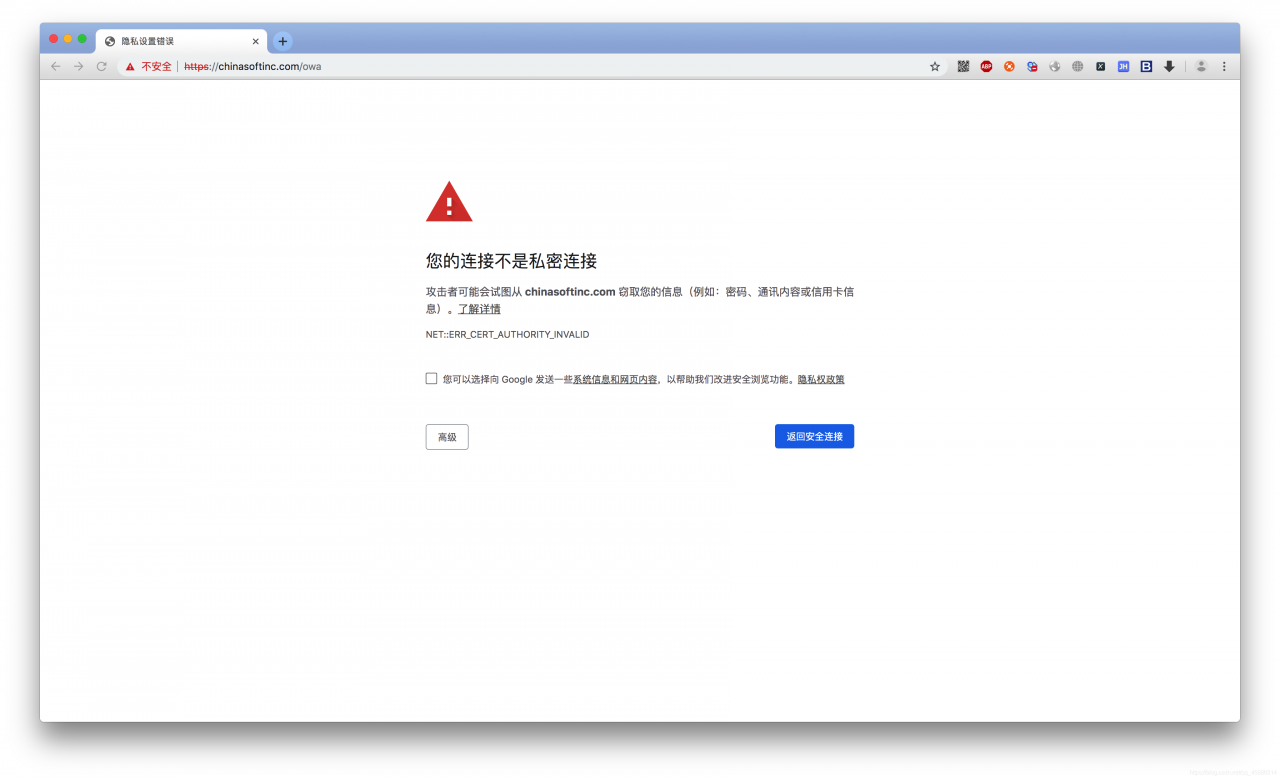
the reason for this problem is that SSL certificates are not secure
1. What about making a request in your code
Ex. :

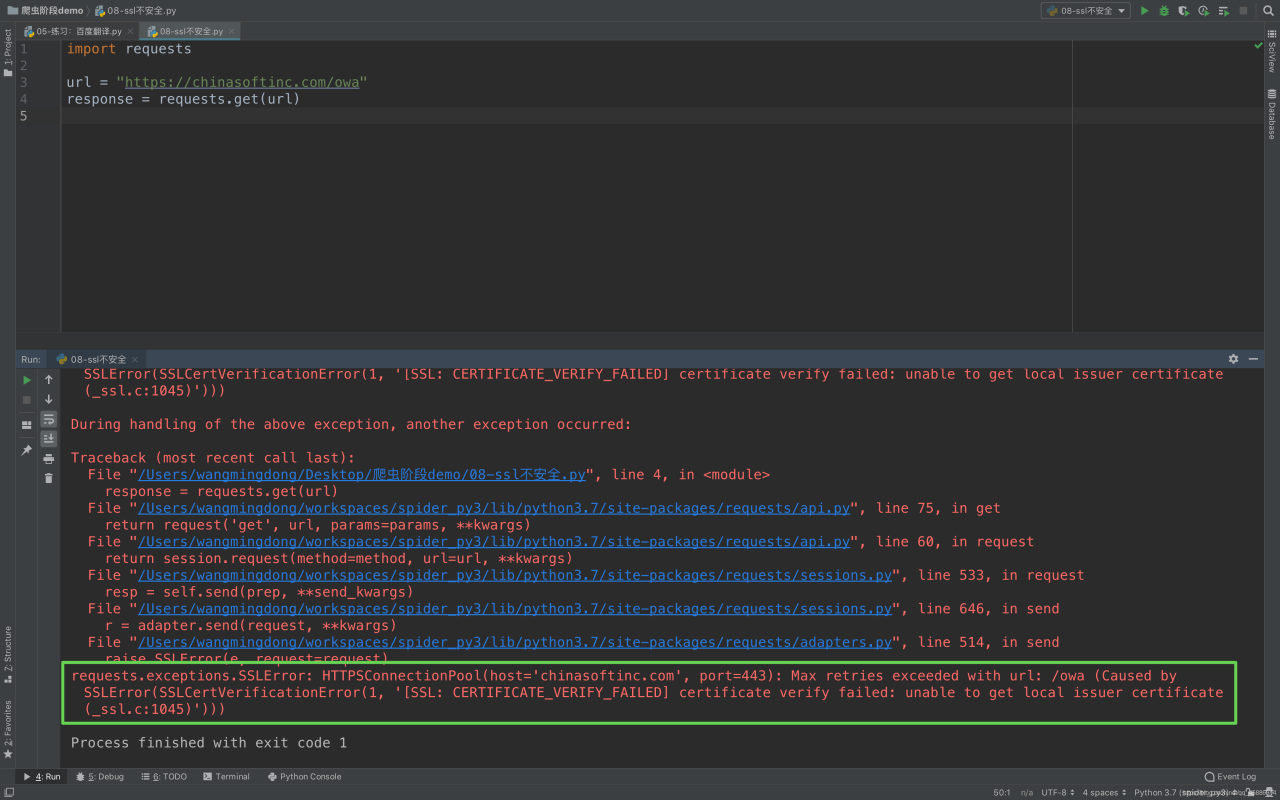
import requests

url = "https://chinasoftinc.com/owa"
response = requests.get(url)

Return certificate error as below

Second, solutions
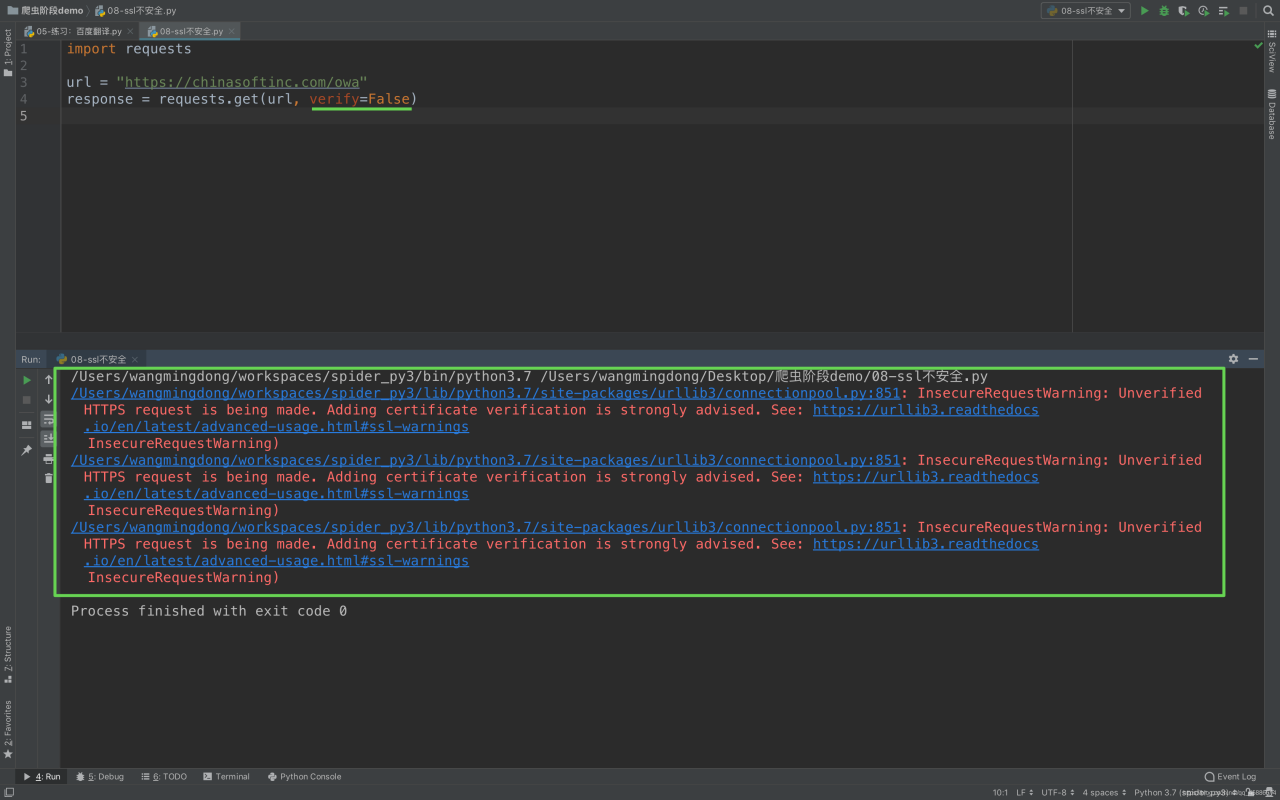
In order to make a normal request in the code, we modify to add a parameter

import requests

url = "https://12306.cn/mormhweb/"
response = requests.get(url, verify=False)

Mybatis batch insert data

Due to the project need to generate more data, and saved to the database, in the program encapsulates a List collection objects, then need to put the collection of entities in the inserted into the database, the project USES the Spring + MyBatis, therefore intends to use the MyBatis bulk insert, should be better than that of circular insert, because before used bulk insert, finally achieved after got some information on the Internet, stick process in detail. For future reference and study.
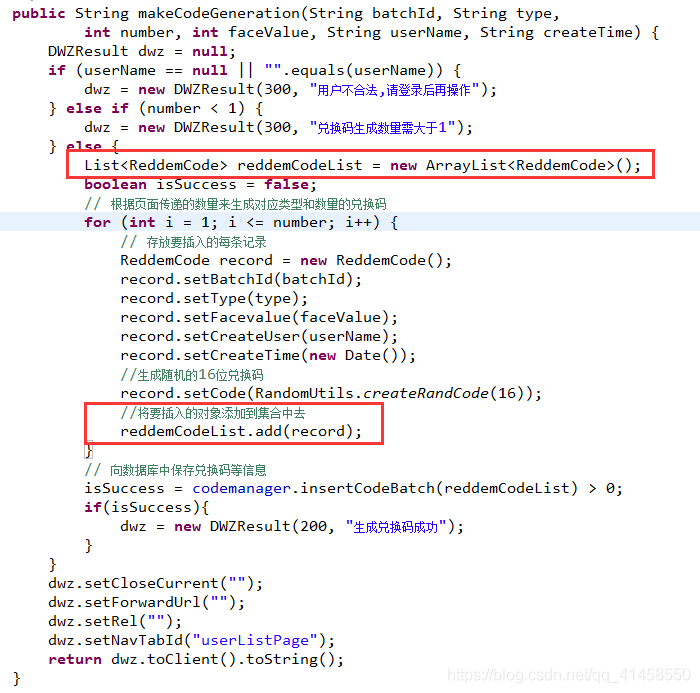
Java code:

Java code: