Unity game development xlua invalidcastexception: this type must add to csharpcalllua: has iperson added csharpcalllua or reported an error
Thank the author 
Unity game development xlua invalidcastexception: this type must add to csharpcalllua: has iperson added csharpcalllua or reported an error
Thank the author
Install ThinkPHP and execute the command
composer create-project topthink/think tp5 --prefer-dist
report errors
 [InvalidArgumentException]
Could not find package topthink/think with stability stable.
resolvent:
composer config -g --unset repos.packagist
composer create-project topthink/think tp5 --prefer-dist
success!!!
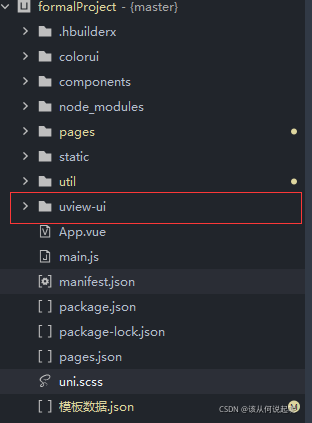
Uniapp uses CMD to import uview. An error is reported, and the file search fails: ‘uview UI’
Note: do not use CMD to import uview plug-in. If you use local file import, the problem does not exist and can be imported normally.
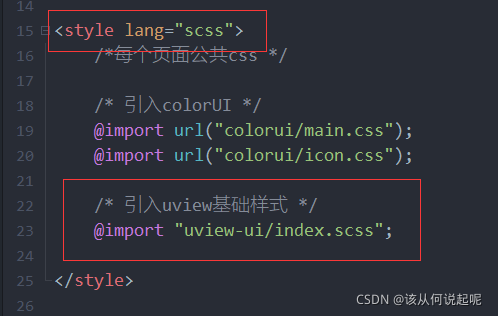
1.App.vue
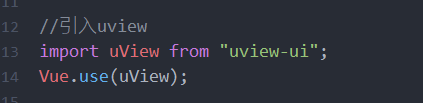
2.main.js
3.pages.json

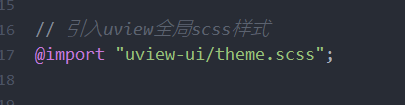
4.uni.scss
5. Uview is imported into the project root directory
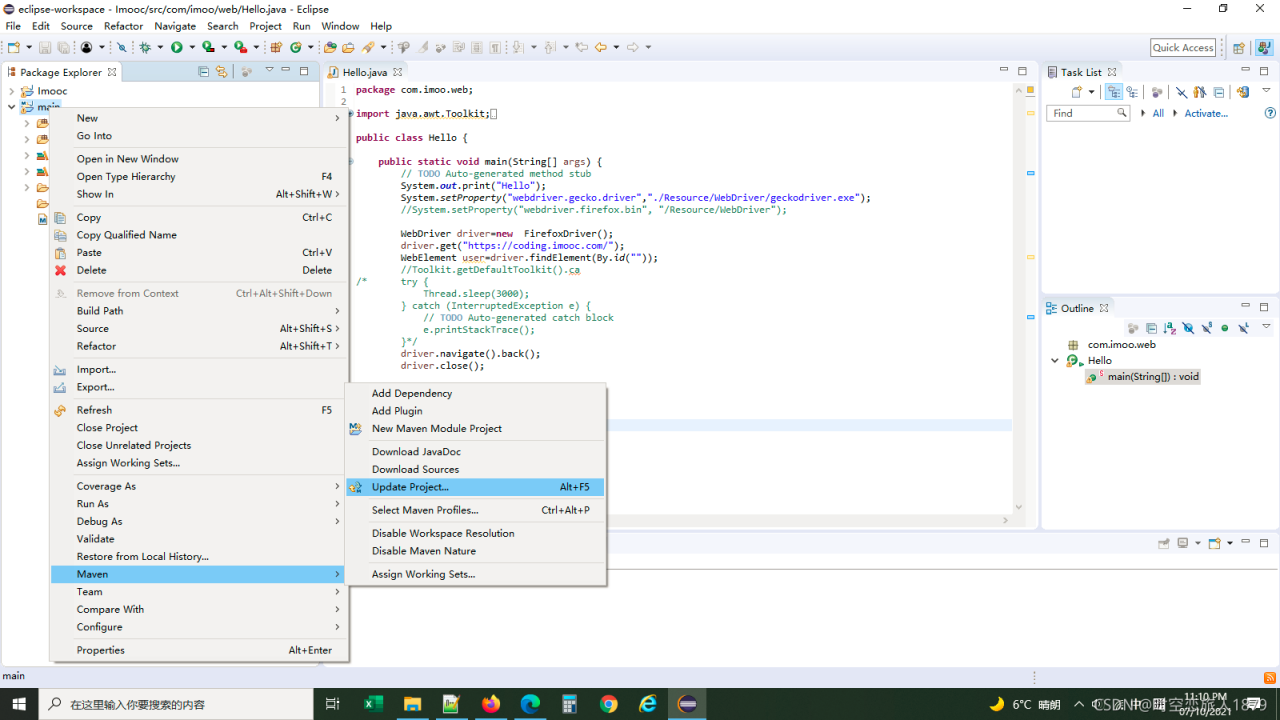
1 delete all jar packages in the original Maven repository
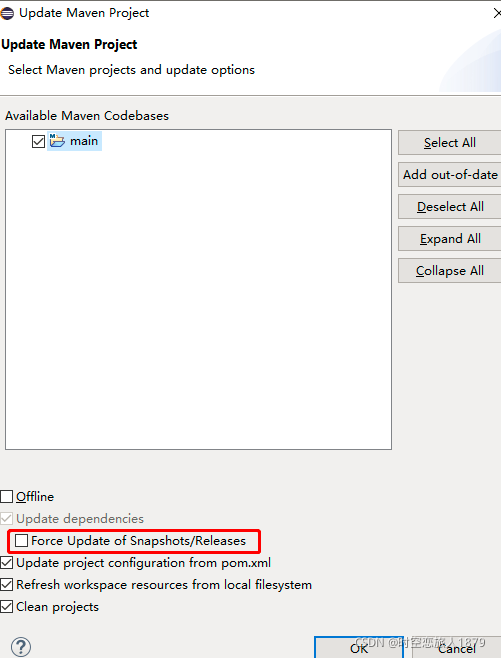
2. Re configure update maven
Force clear check
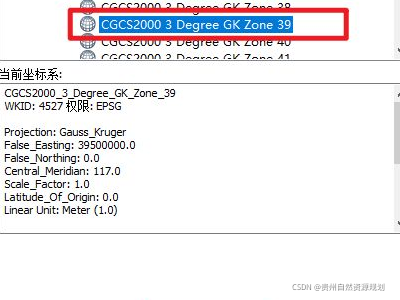
Error reporting: the error reported by ArcGIS publishing service analysis is not resolved. There is no space reference in 00002 data frame
Select the 2000 coordinate system, GK zone 39
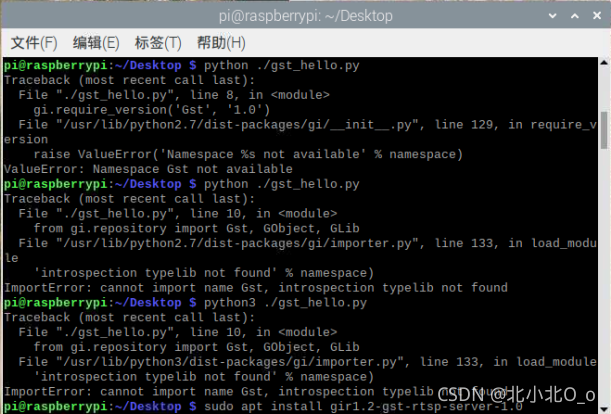
GStreamer is a video streaming framework. When it is first used after installation, an error will be reported when using the Hello World routine in the official doc, as follows:
ImportError: cannot import name GstRtspServer, introspection typelib not found
```python
#!/usr/bin/env python3
import sys

import gi

gi.require_version('GLib', '2.0')
gi.require_version('GObject', '2.0')
gi.require_version('Gst', '1.0')

from gi.repository import Gst, GObject, GLib

pipeline = None
bus = None
message = None

# initialize GStreamer
Gst.init(sys.argv[1:])

# build the pipeline
pipeline = Gst.parse_launch(
    "playbin uri=https://www.freedesktop.org/software/gstreamer-sdk/data/media/sintel_trailer-480p.webm"
)

# start playing
pipeline.set_state(Gst.State.PLAYING)

# wait until EOS or error
bus = pipeline.get_bus()
msg = bus.timed_pop_filtered(
    Gst.CLOCK_TIME_NONE,
    Gst.MessageType.ERROR | Gst.MessageType.EOS
)

# free resources
pipeline.set_state(Gst.State.NULL)
“209151;”
sudo apt-get install gir1.2-gst-rtsp-server-1.0

JSX syntax
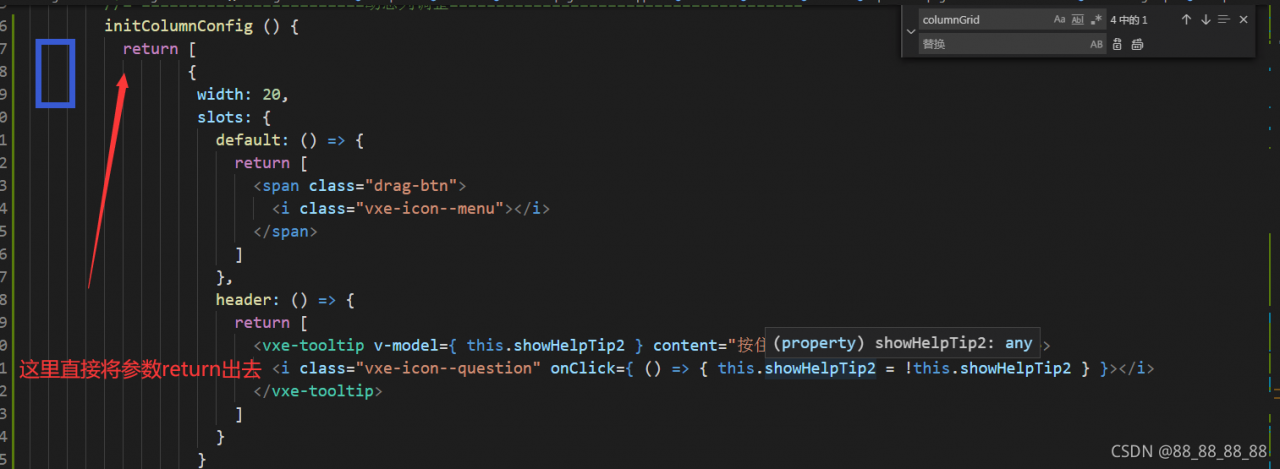
encounters this error: check whether there are parameters similar to the code structure in the picture in your data() {
}. This belongs to JSX syntax and can also render components directly. However, in some specific scenarios, the browser console will report
referenceerror: H is not defined. This error 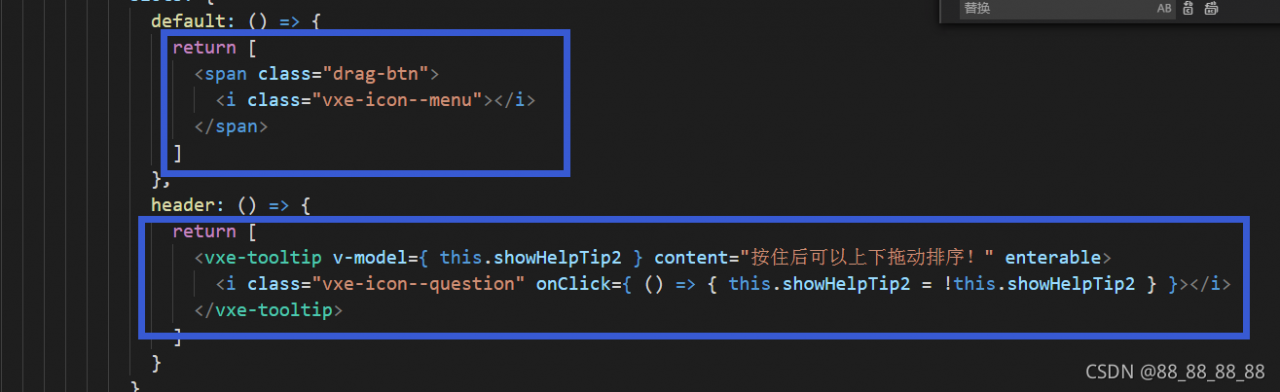
solution: create a new method in methods () {} and clip the parameters of the whole structure above to the method. The parameters in the data that you called before the template code block is changed from calling the methods to solving the problem from the method,
First of all, let’s talk about the reason why I have this problem
when I use idea, because I am shy in my pocket, I use improper means to crack idea indefinitely, and then because I am stupid and improper operation, idea exits unexpectedly and can’t enter the flash screen
finally, through repeated search on the Internet, the strength of nine cattle and two tigers was wasted, and finally a solution was found. I share it with you here.
The problem is that it appears in the idea. Vmoptions file. For some cracking, you need to add a path to crack the JRE package in this file. The problem appears here.
So the first solution I think of is to find this file, modify it back, or delete it directly
so I found the idea.vmoptions file in the bin directory of the idea installation directory. Then delete it, and the result still doesn’t work.
Then I tried to uninstall the software and reinstall it with another version, which still didn’t work.
This shows that the idea.vmoptions file under the installation package is not the root of the problem
Because every time we start, the file idea.vmoptions in the installation directory is not loaded
instead, the file under C: \ users \ user name \. Intellijidea2018.1 \ config \ plugins
. Mac is located in users/computer user name/library/preferences/intellijidea2019.3
if not, go to if not, go to: application support/JetBrains/intellijidea2020.1 under library /. After finding it, delete it and start the idea again.
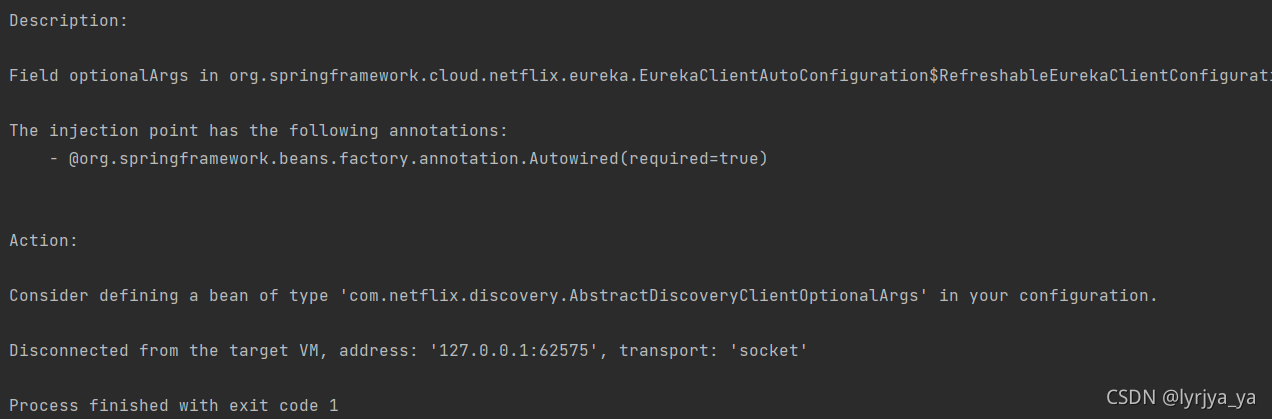
The error report is shown in the figure above,
POM file plus
<dependency>
    <groupId>org.springframework.boot</groupId>
    <artifactId>spring-boot-starter-web</artifactId>
</dependency>
Just restart this,
Just add this annotation to the startup class
@EnableEurekaClient
Run the command roslaunch realsense2_ camera rs_ The following error message appears in camera.launch:
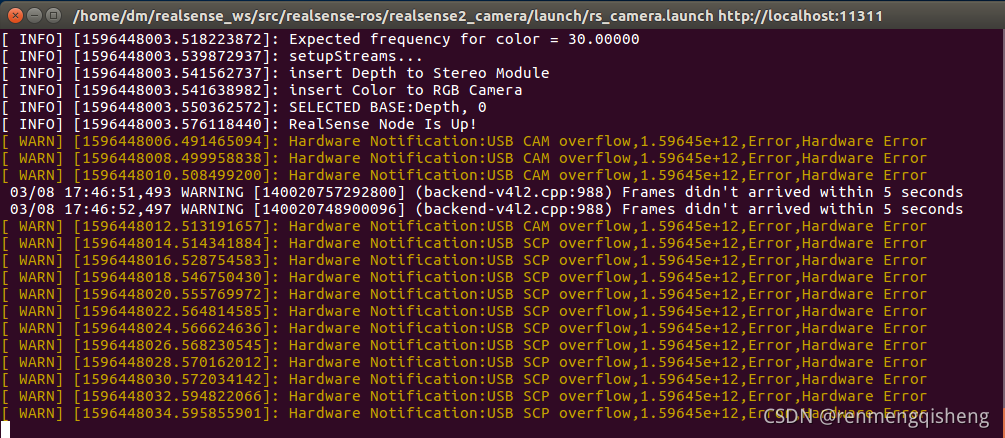
resolvent:
The reason for this problem is not that the driver is not installed properly, but because the realsense is connected to the computer through the USB2.0 interface, the transmission speed is slow, resulting in data overflow and loss. The problem can be solved by connecting through USB3.0.
Background
At the beginning, I wrote an ArcGIS Python script, which is an independent script. I ran it in Python and ran it successfully. But if you put this script in the ArcGIS toolbox, it won’t work properly. The following errors are reported.
IndentationError: unexpected indent。
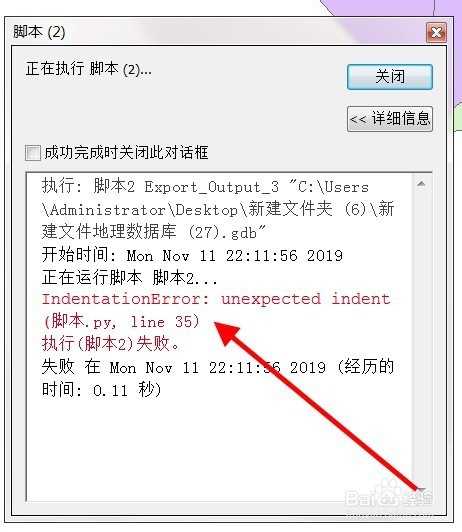
The above figure is an article from Baidu experience. Because there was no screenshot at that time, I didn’t bother to reproduce this problem again…
Find solutions
Code indentation problem
When searching for this error report on Baidu, most of the answers are to ask you to find the indentation problem and space problem in the code. As in the article from the above figure.
The problem is that my code can run successfully in pycharm, and I checked the code several times and found no problem…
Chinese in code (including Chinese in notes)
I use ArcGIS 10.2 and python version is 2.7. This version of Python doesn’t support Chinese very much, but generally you can run normally by adding # coding = UTF-8 at the beginning of the code in the python environment.
# coding=utf-8There is a Chinese comment on the last line of the wrong line of my code. So I tried to remove that line of Chinese notes and succeeded
Summary
1. If the python script of ArcGIS does not need Chinese, do not use Chinese
2. If you have to use Chinese, you can consider adding # coding: cp936 at the beginning of the script code
When creating a partition with Linux, an error is reported:
no free sectors available
Chinese translation
No free partitions available
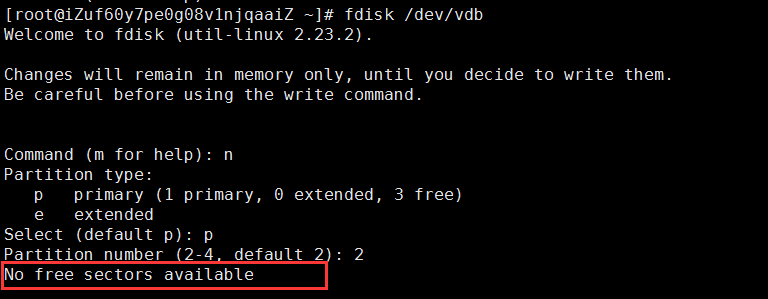
reason:
No free sectors available: your disk space is insufficient and there is no extra space for you to allocate; Sometimes, using various translation tools is not necessarily accurate; Everyone can understand vernacular;
The Linux partition also needs space. If you don’t even have excess disk space, of course, you can’t divide the partition;
Combined with the above figure:
Let’s take a look at all the information on the disk; With command:
fdisk -l
As a result, it is found that VDB already has a partition, which is/dev/vdb1; It happens to be the size of the whole disk, because we can’t partition again; As shown below:
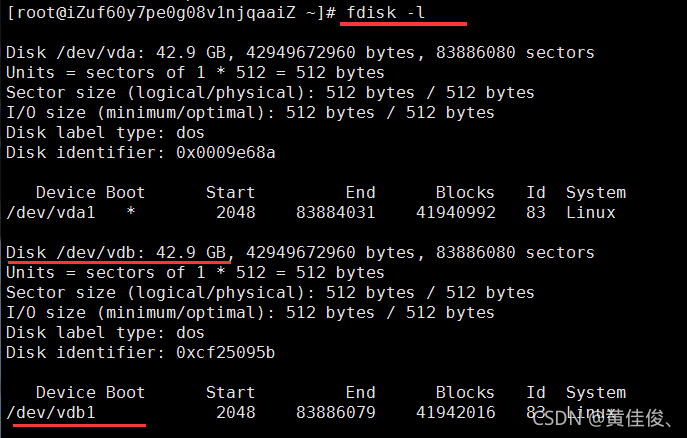
Therefore, we need to delete the partition first and then re partition it! The entire command is as follows:
fdisk /dev/vdb
d
(select the partition number. Bloggers only have one partition on this disk, and do not need to select. For multiple partitions, you need to select the partition number; if you do not understand the partition number of the disk)