Category Archives: How to Fix

Fatal error in launcher:

It’s wrong to build a virtual environment today, but why not

I tried the PIP command and found that it was the same error

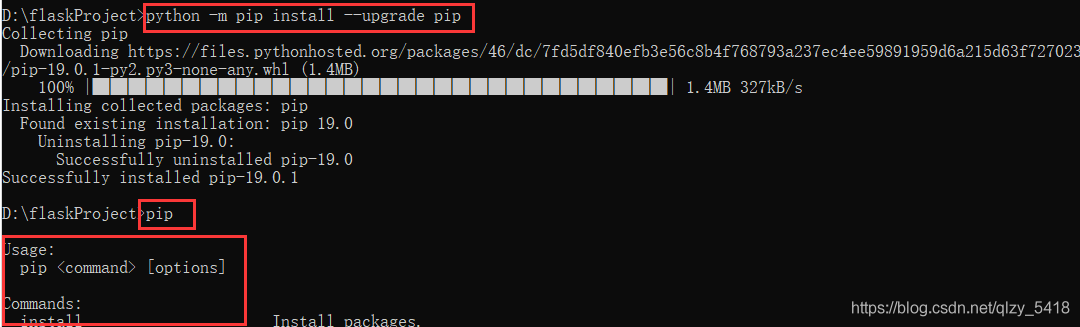
I feel like it needs to be updated, and then I enter the update PIP command

python -m pip install –upgrade pip

Sure enough,

Pip is OK, but virtualenv still reports an error

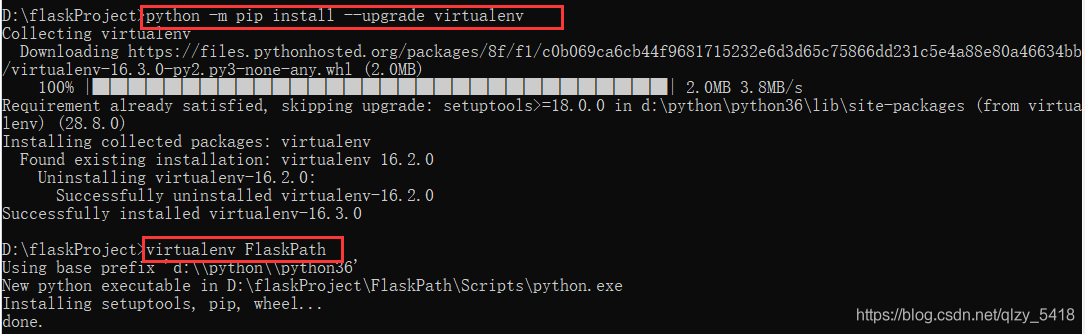
So I updated virtualenv. Now it’s OK. The command is as follows

python -m pip install –upgrade virtualenv


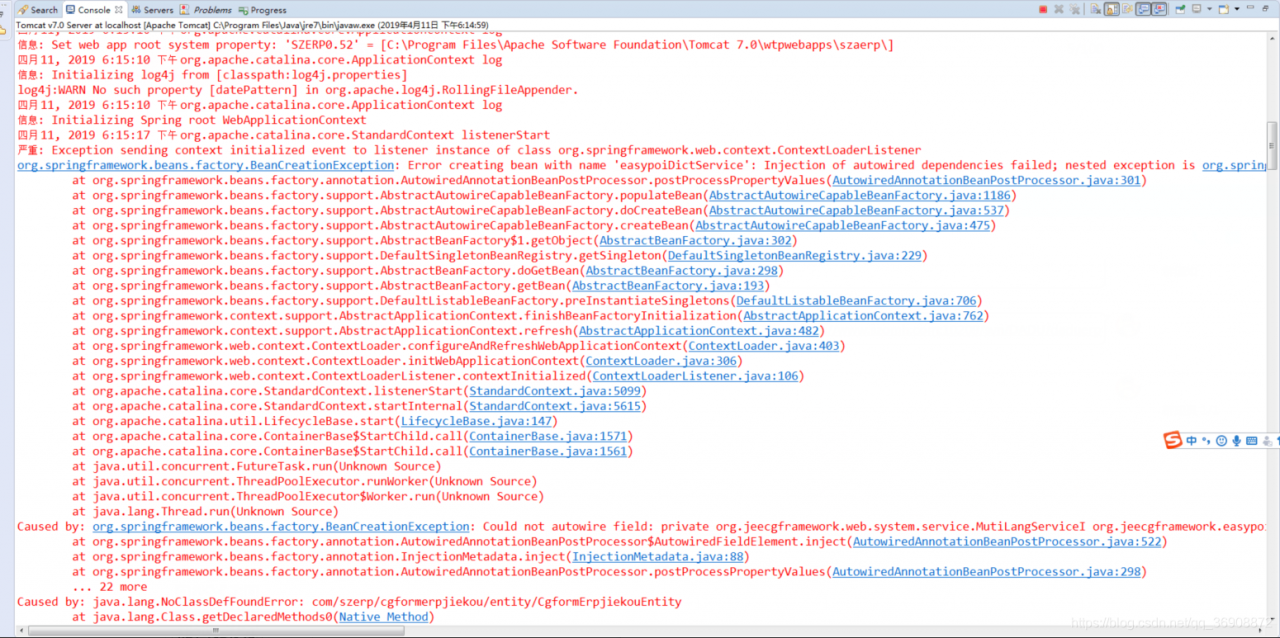
Error in project operation org.springframework.beans . factory.BeanCreationException : error creating bean with name can be configured by

I encountered this problem because the JDK memory and Tomcat I configured were not large enough, so the project ran with an error. I solved this problem through configuration.

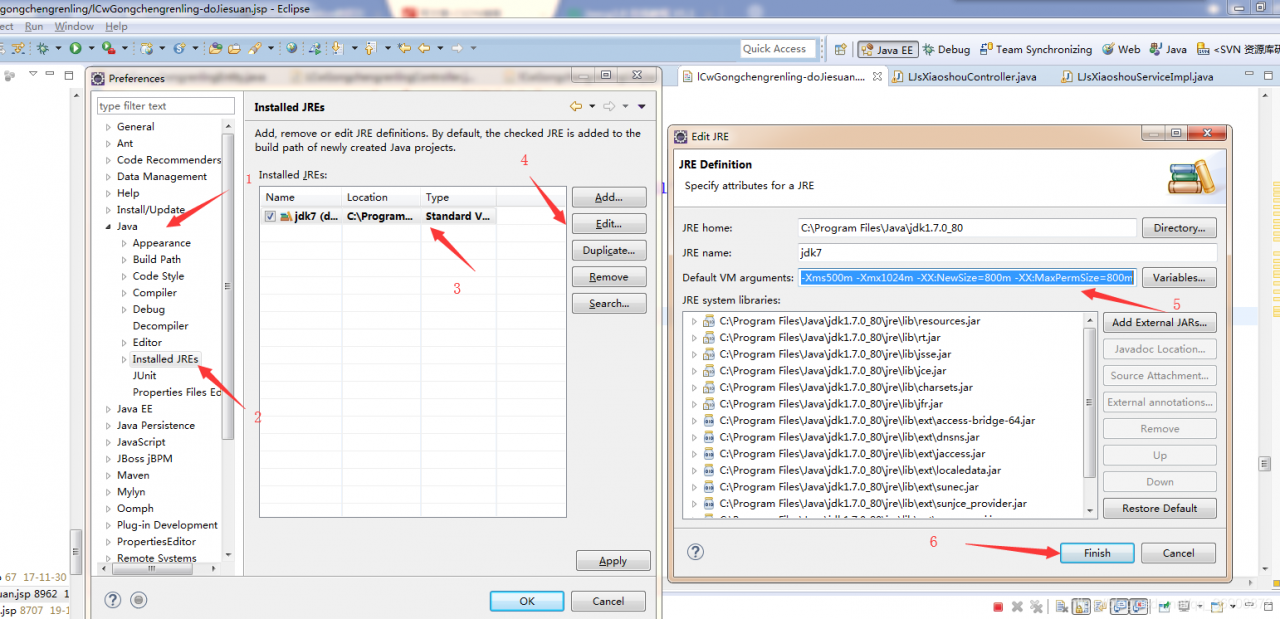
JDK configuration memory size

-Xms500m -Xmx1024m -XX:NewSize=800m -XX:MaxPermSize=800m

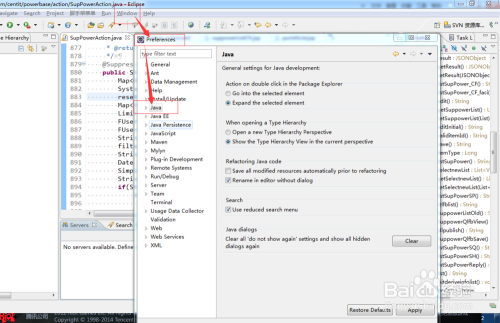
Run eclipse normally, open window preferences Java, and the page window will pop up


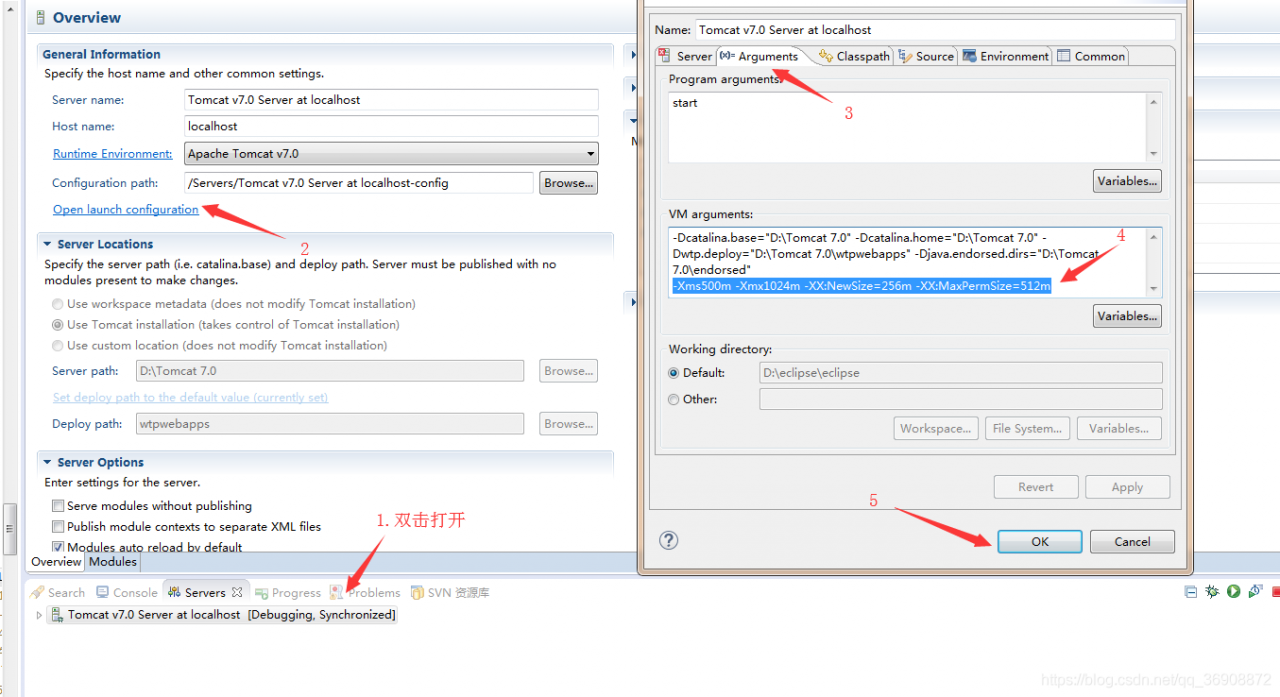
Tomcat configuration is divided into two steps

The first step is to configure in eclipse

-Xms500m -Xmx1024m -XX:NewSize=256m -XX:MaxPermSize=512m


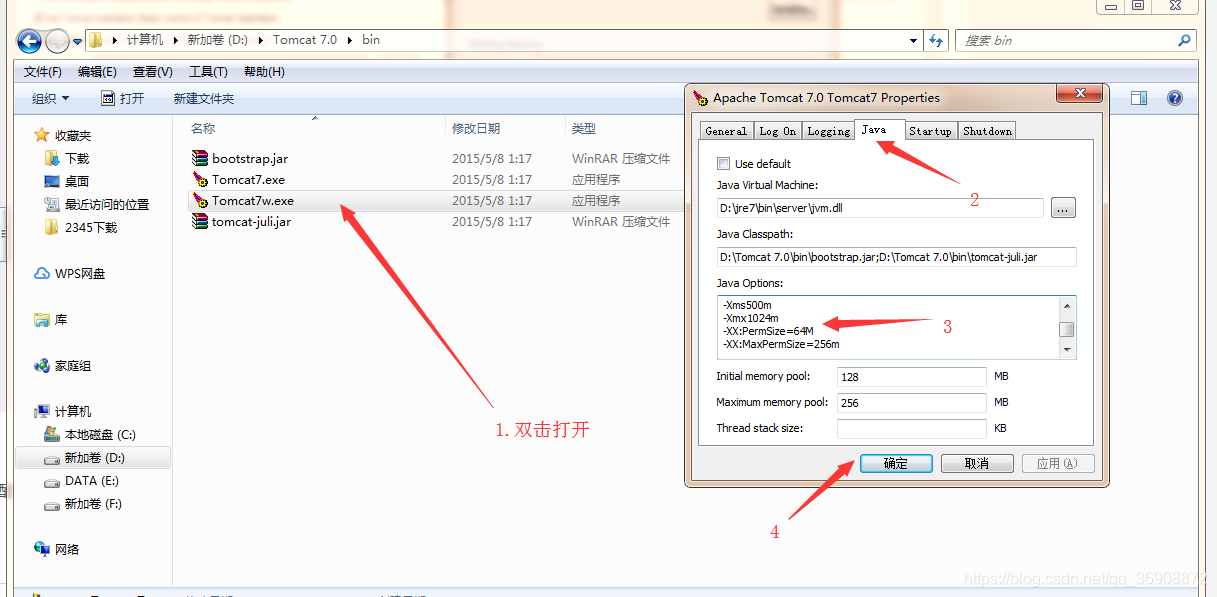
Find the path to configure and install tomcat, enter the bin file, and install Tomcat 7 by myself

-Xms500m
-Xmx1024m
-XX:PermSize=64M
-XX:MaxPermSize=256m
-XX:ReservedCodeCacheSize=48m
– Duser.timezone=GMT +08


After the configuration is completed, there is no error in running the project! Problem solving


Eclipse reported an error: an error has occurred

Eclipse reported an error: an error has occurred

When installing maven, the JDK was updated from jdk9 to jdk11. However, when opening eclipse, after selecting workspace, the loading process stopped suddenly, and then the box: an error has occurred
It’s obviously a problem with the version of JDK, so I didn’t return to jdk9, but returned to the relatively stable jdk8.

Jdk8 official download link: https://www.oracle.com/technetwork/java/javase/downloads/jdk8-downloads-2133151.html

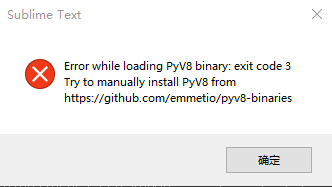
Sublime error: error while loading pyv8 binary:exit code three

The error information is:

The solution is: (Reference: https://blog.csdn.net/revitalizing/article/details/50086495 But slightly different)

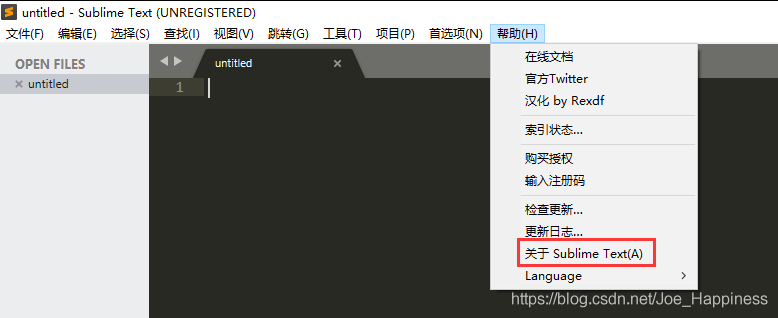
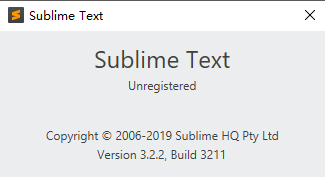
1. Check the version of sublime

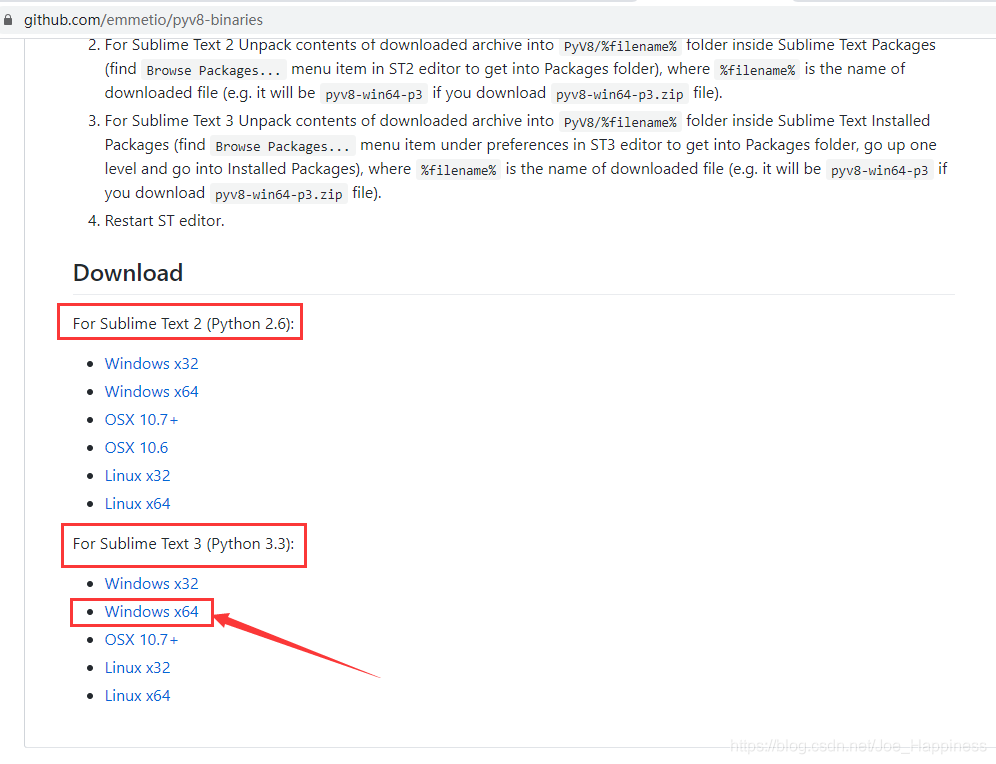
2. Access https://github.com/emmetio/pyv8-binaries Download the file according to the sublime version

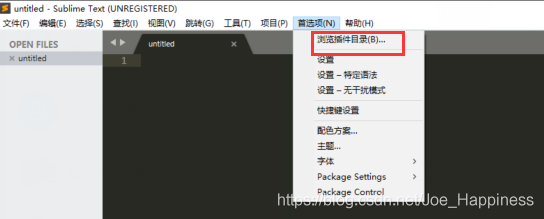
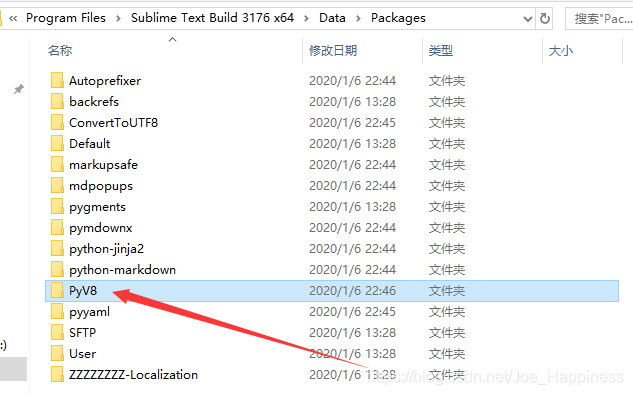
3. Click “browse plug-in directory” to find the package directory

4. Unzip the compressed package to pyv8 directory

———————Successful solution, over————–

Error creating bean with name ‘sqlsessionfactory’ defined in ServletContext resource)

Error creating bean with name ‘sqlsessionfactory’ defined in ServletContext resource)

The general error report is as follows

error creating bean with name 'aaaService'......
error creating bean with name 'aaaMapper'......
error creating bean with name 'sqlSessionFactory'defined in ServletContext resource [XXXXXXXX.AAA.class]

From the Internet search a lot of solutions, are not my type. Finally, the problem has been solved;
solution:
reconfigure maven, download the relevant jar package, and then view the project’s pom.xml Whether there are redundant or missing dependencies in. (mine is in pom.xml There is one more dependency in. After deleting, the project will start normally.)

IntelliJ idea error: error: Java does not support release 5

Recommended solution: thanks to another blogger in the comments area, Fu moon, for his solution: https://blog.csdn.net/qq_ 42583206/article/details/108375173   

If the problem is solved in the above way, it can be ignored below.    

—————————————————————————————————————————————————————————————————————————————–

A new Maven project is created in IntelliJ idea. The running error is as follows: error: Java does not support release 5

Jdk9 is used for local operation. When testing Java stream operation, the error should be that the Java version used in the project compilation configuration is wrong. You need to check the Java compilation version configuration used in the project and environment.

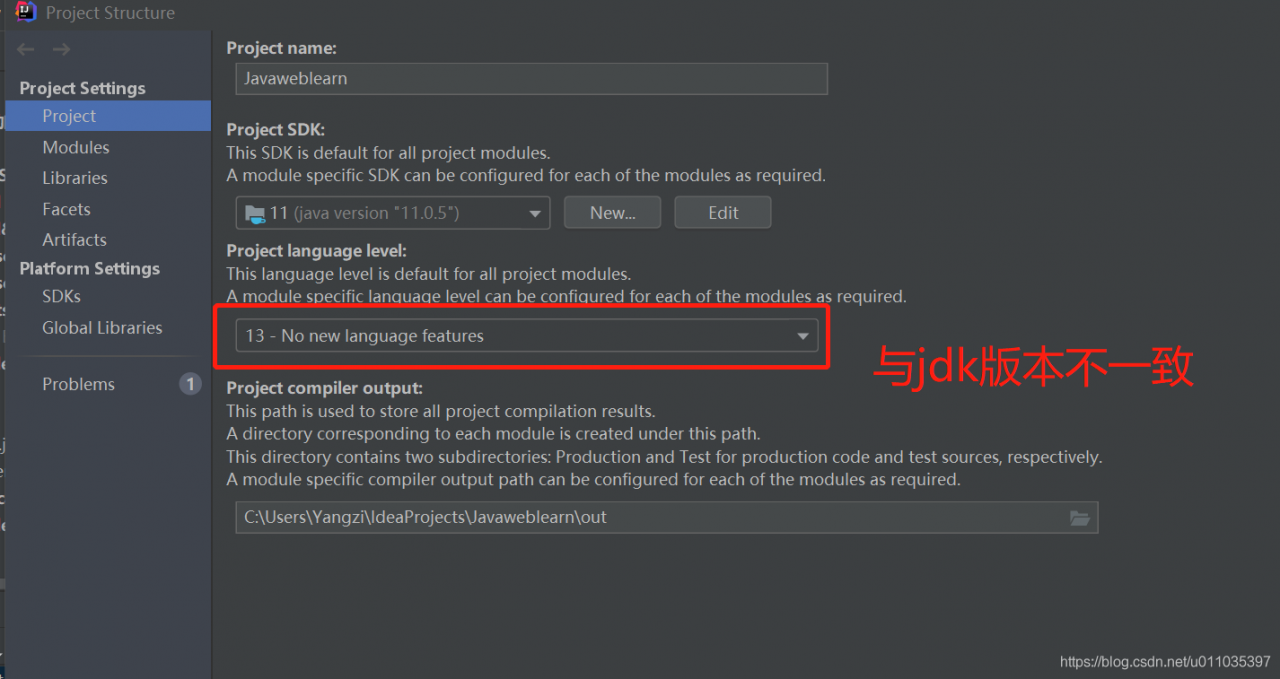
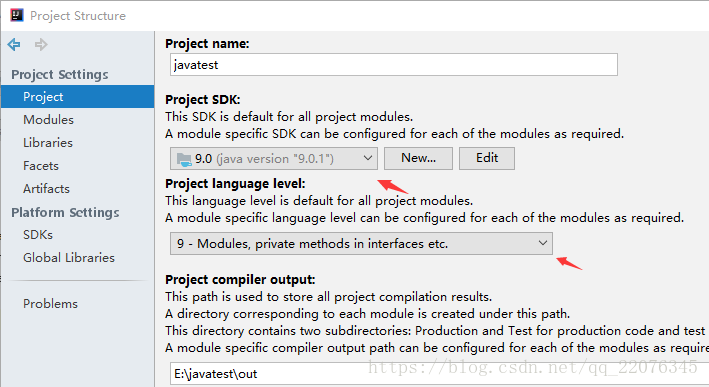
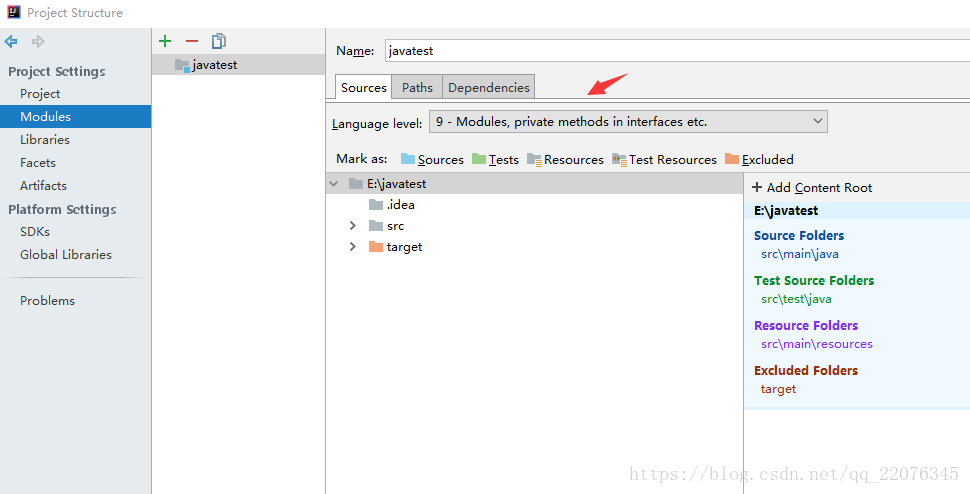
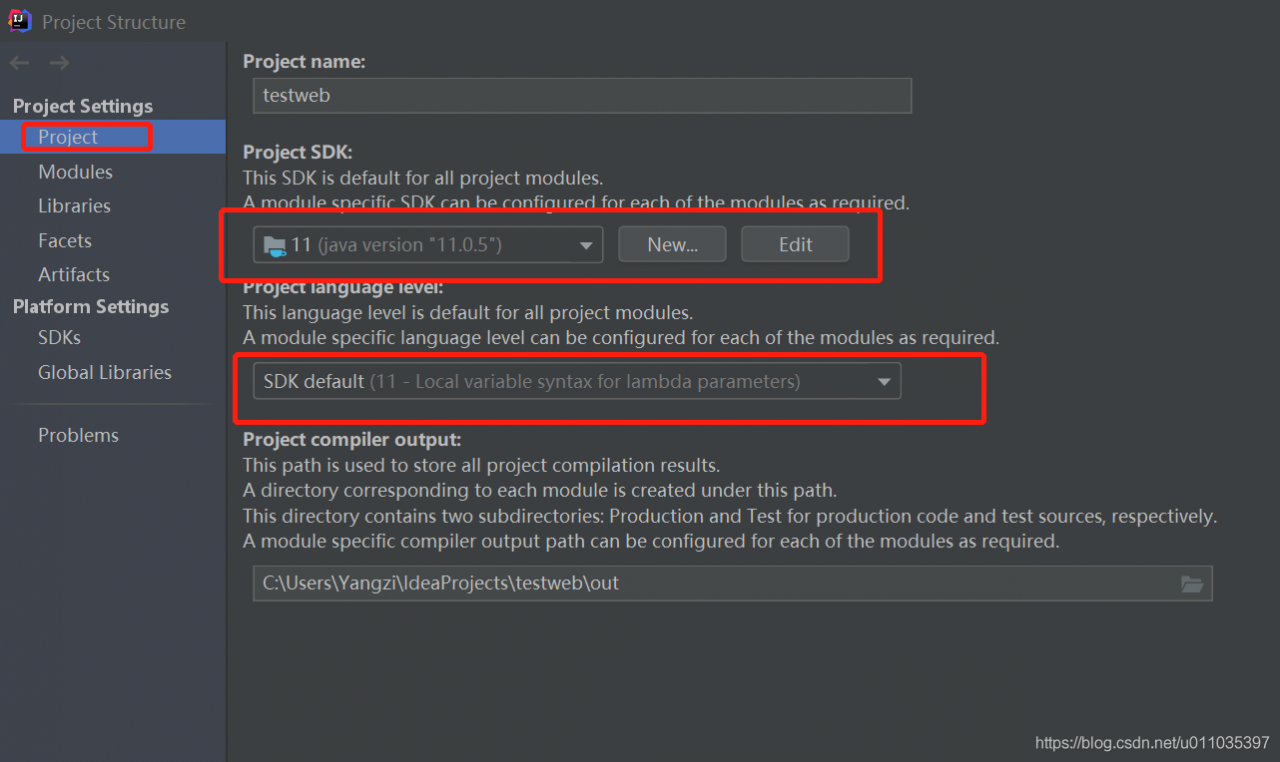
Click “file” – & gt; “project structure” in IntelliJ to see if the Java version in “project” and “module” columns is consistent with the local version


If not, change to the local java version.

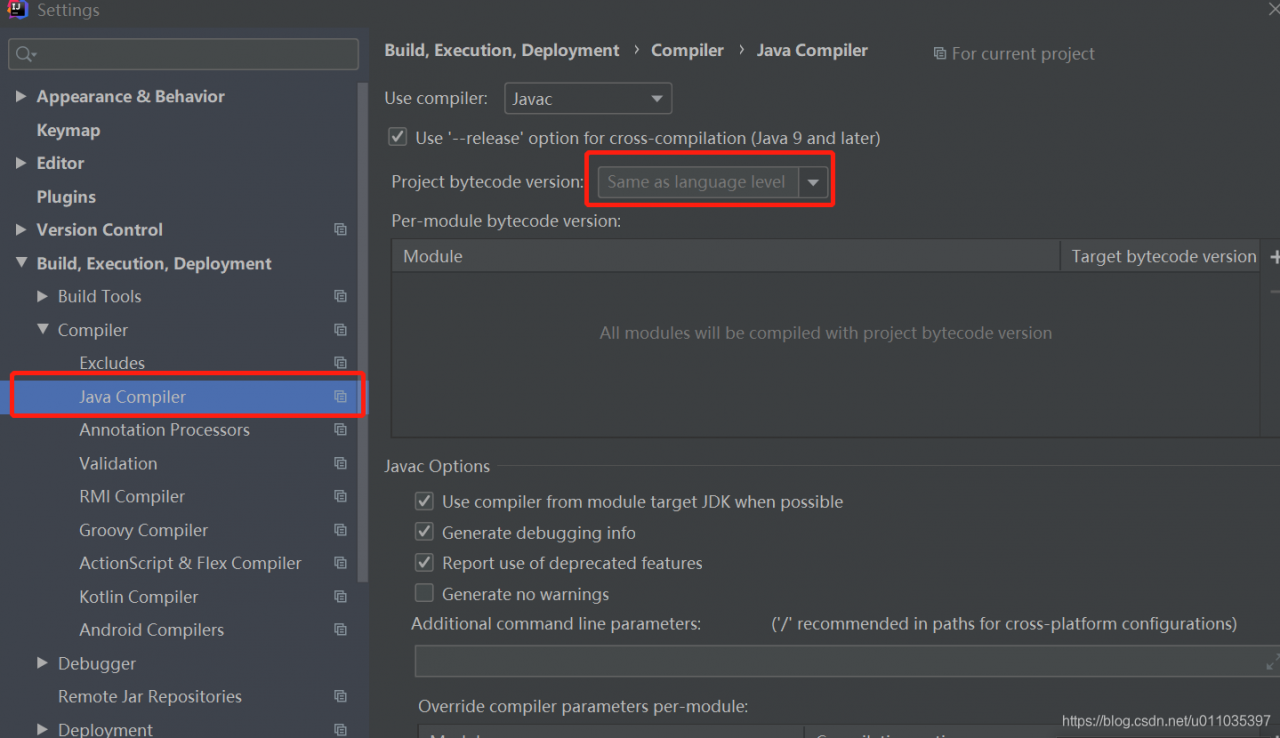
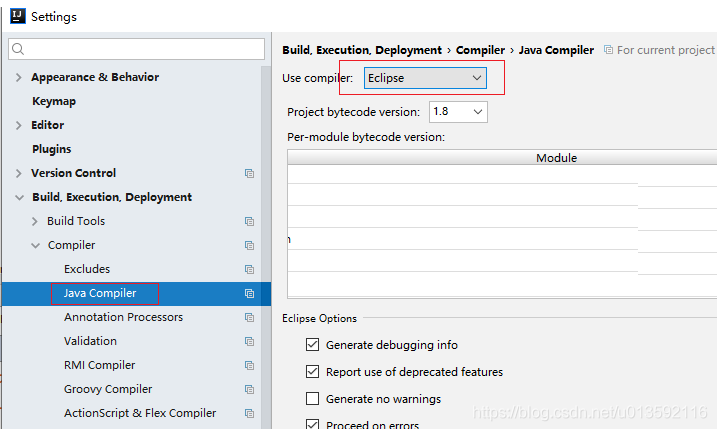
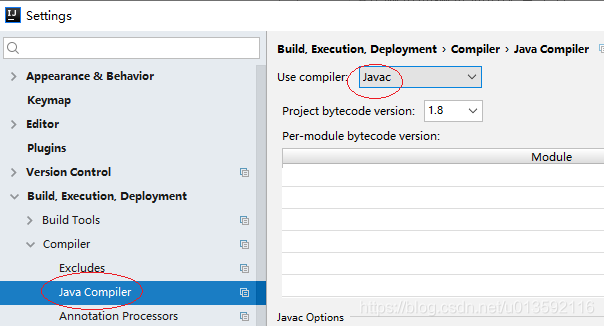
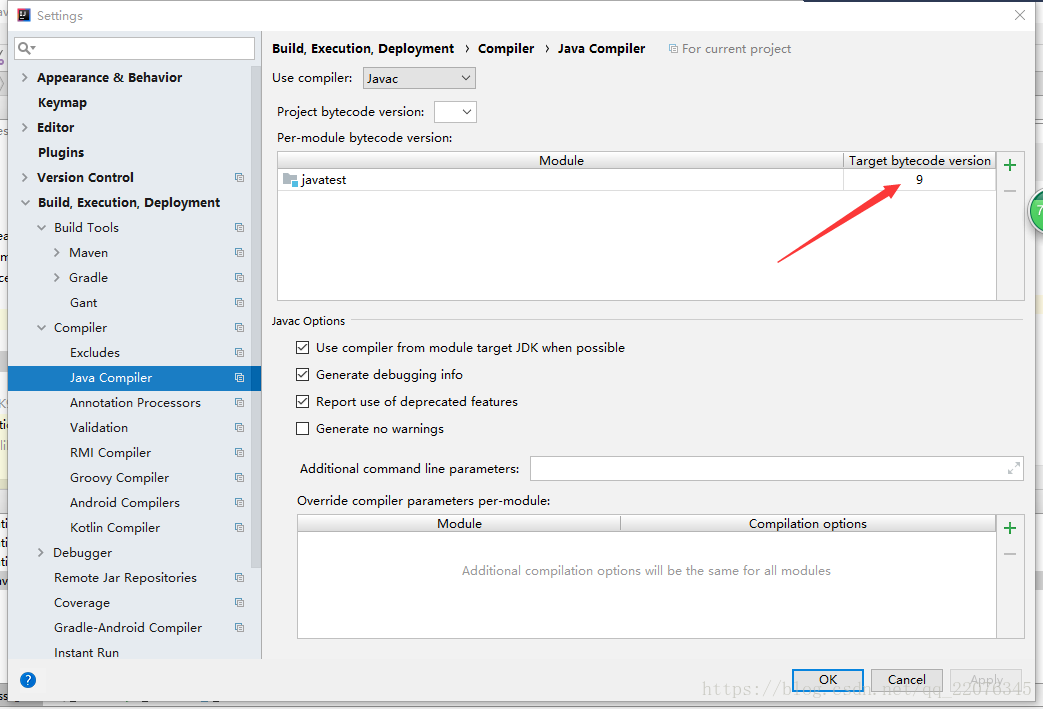
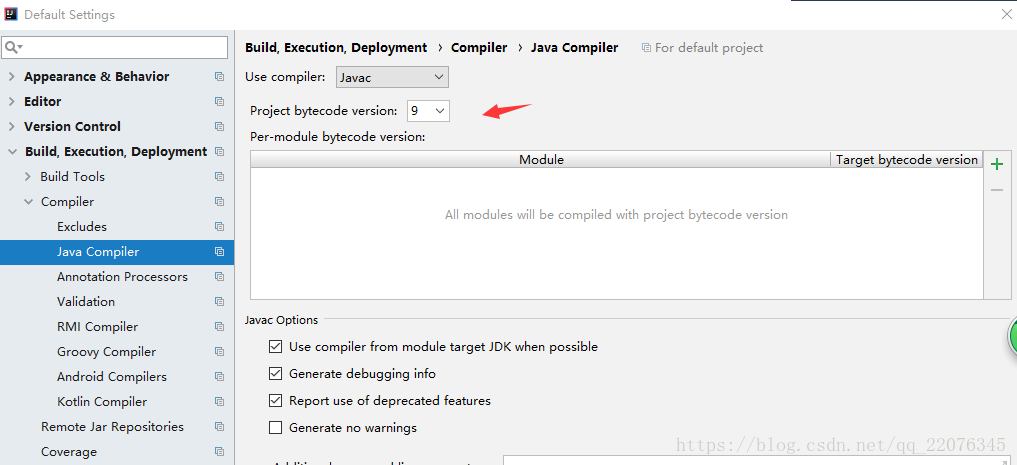
Click “Settings” – & gt; “bulid, execution, deployment” – & gt; “java compiler”, and set the target bytecode version to the local java version. (you can configure project bytecode version to local java version once and for all in default settings)

Default Settings:

After the above two steps have been configured, the above error will not be reported after re running.


Once and for all reform through labor:

Thanks to another blogger in the comments area, fumion, for his proposal: https://blog.csdn.net/qq_ 42583206/article/details/108375173

NPM install error: gyp err! Configure error

Question:

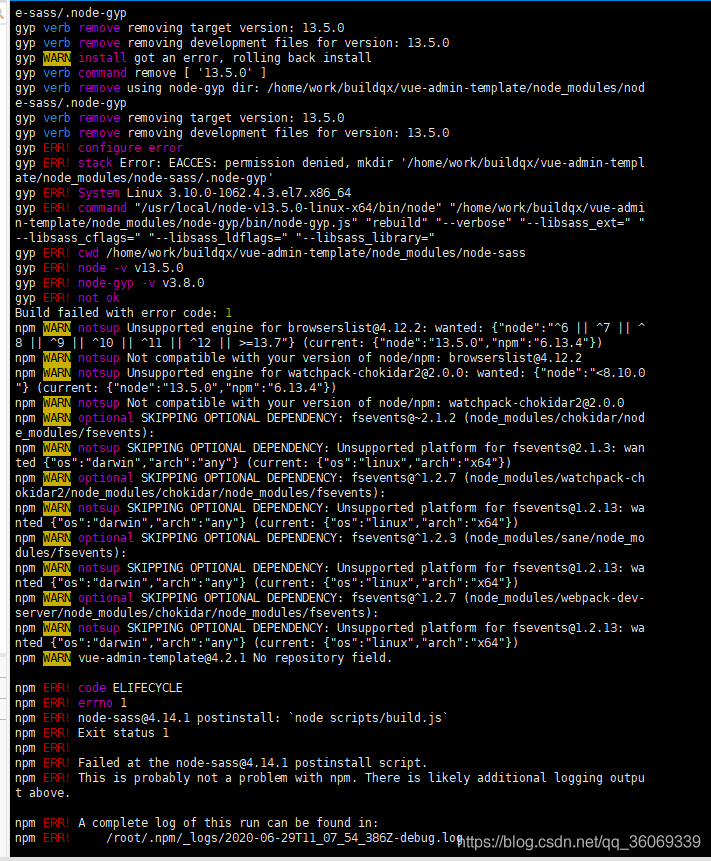
After the new code is pulled, NPM install reports an error. The error information is as follows:

gyp ERR! configure error 
gyp ERR! stack Error: EACCES: permission denied, mkdir '/home/work/buildqx/vue-admin-template/node_modules/node-sass/.node-gyp'

Error report screenshot:


resolvent:

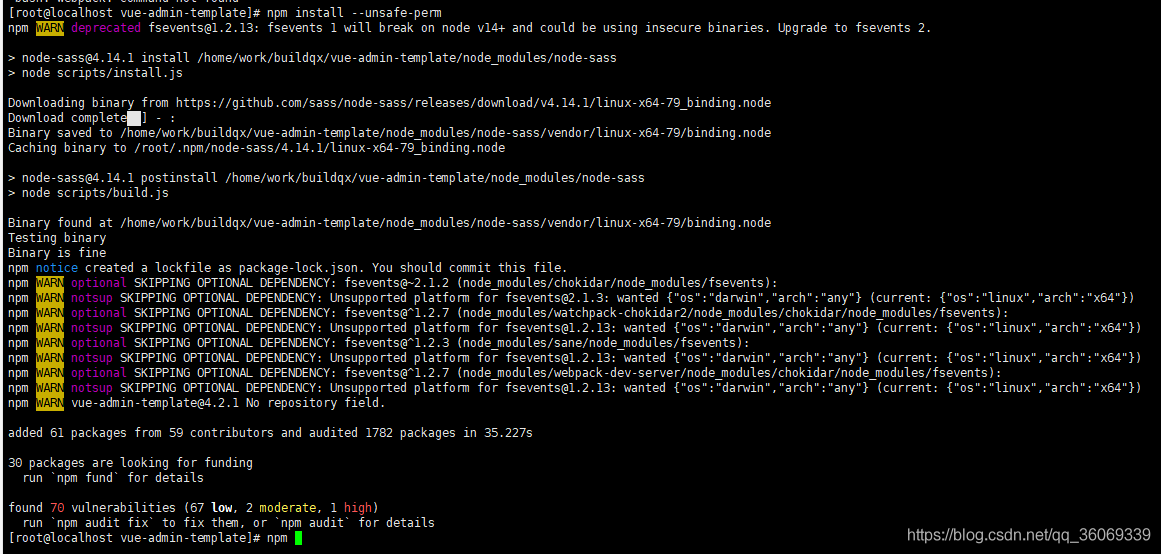
npm install --unsafe-perm


After execution, you can download and install related dependencies normally

JQuery: How to get the selected values of checkbox, radio and select

JQuery gets the selected value of radio:

<input type="radio" name="rd" id="rd1" value="1">1
<input type="radio" name="rd" id="rd2" value="2">2
<input type="radio" name="rd" id="rd3" value="3">3

All three methods are OK

$('input:radio:checked').val();
$("input[type='radio']:checked").val();
$("input[name='rd']:checked").val();

JQuery gets the selected value of select

  <select name="products" id="sel">
    <option value='1'>option1</option>
    <option value='2' selected>option2</option>
    <option value='3'>option3</option>
    <option value='4'>option4</option>
  </select>

Get the value of the selected item:

$('select#sel option:selected').val();
or
$('select#sel').find('option:selected').val();

Get the text value of the selected item:

$('select#seloption:selected').text();
or
$('select#sel').find('option:selected').text();

Get the index value of the currently selected item:

$('select#sel').get(0).selectedIndex;

JQuery gets the selected value of the check box:

<input type="checkbox" name="ck" value="checkbox1">checkbox1     
<input type="checkbox" name="ck" value="checkbox2" checked>checkbox2     
<input type="checkbox" name="ck" value="checkbox3">checkbox3      

Get a single check box selected item:

$("input:checkbox:checked").val() 
or 
$("input:[type='checkbox']:checked").val(); 
or 
$("input:[name='ck']:checked").val(); 

Get multiple check box items:

$('input:checkbox').each(function() { 
    if ($(this).attr('checked') ==true) { 
        alert($(this).val()); 
    } 
}); 
 

Duplicate keys detected: ‘XXXX’. This may cause an update error. Solution

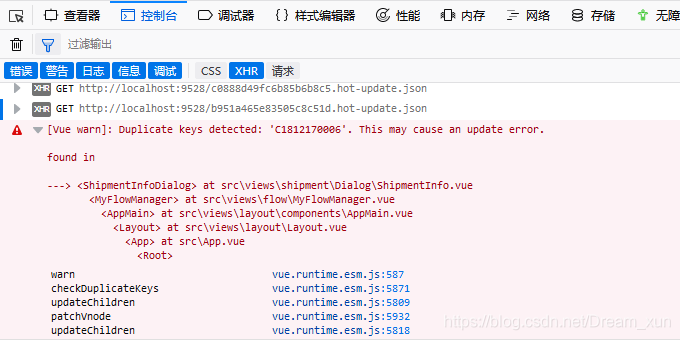
This may cause an update error in Vue project: duplicate keys detected: ‘c1812170006’

Although it does not affect the use, but the error has to be resolved

As soon as you enter the page, you will get this red error. After checking the information on the Internet, you say that in the V-for loop, the key value may be repeated, so you will report this error.

After checking, there is a V-for loop on the page

The key value must be unique. If it is repeated, an error will be reported.
this situation can be avoided by changing the key value to index


Viewing the file system format of disk partition under Linux

Link to the original text:

https://www.cnblogs.com/youbiyoufang/p/7607174.html

————————————————————————-

DF – t can only view mounted partitions and file system types.

Filesystem Type 1K-blocks Used Available Use% Mounted on
/dev/sda1 ext4 20642428 3698868 15894984 19% /
tmpfs tmpfs 32947160 0 32947160 0% /dev/shm

Fdisk – L displays all mounted and unmounted partitions, but does not display the file system type.

Disk /dev/sda: 299.4 GB, 299439751168 bytes
255 heads, 63 sectors/track, 36404 cylinders
Units = cylinders of 16065 * 512 = 8225280 bytes
Sector size (logical/physical): 512 bytes/512 bytes
I/O size (minimum/optimal): 512 bytes/512 bytes
Disk identifier: 0x000576df

Device Boot Start End Blocks Id System
/dev/sda1 * 1 2611 20971520 83 Linux
/dev/sda2 2611 3134 4194304 82 Linux swap/Solaris
/dev/sda3 3134 36404 267248282 83 Linux

Parted – L to see the types of unmounted file systems and which partitions are not formatted.

Model: LSI MR9240-8i (scsi)
Disk /dev/sda: 299GB
Sector size (logical/physical): 512B/512B
Partition Table: msdos

Number Start End Size Type File system Flags
1 1049kB 21.5GB 21.5GB primary ext4 boot
2 21.5GB 25.8GB 4295MB primary linux-swap(v1)
3 25.8GB 299GB 274GB primary ext4

Lsblk – F can also view unmounted file system types.

NAME FSTYPE LABEL UUID MOUNTPOINT
sda 
|-sda1 ext4 c4f338b7-13b4-48d2-9a09-8c12194a3e95 /
|-sda2 swap 21ead8d0-411f-4c23-bdca-642643aa234b [SWAP]
`-sda3 ext4 2872b14e-45va-461e-8667-43a6f04b7bc9


file -s /dev/sda3

/dev/sda3: Linux rev 1.0 ext4 filesystem data (needs journal recovery) (extents) (large files) (huge files)