Category Archives: Error

How to Solve Mac installation luajit error

Install luajit today. After downloading the file, run the mak é command and keep reporting this error
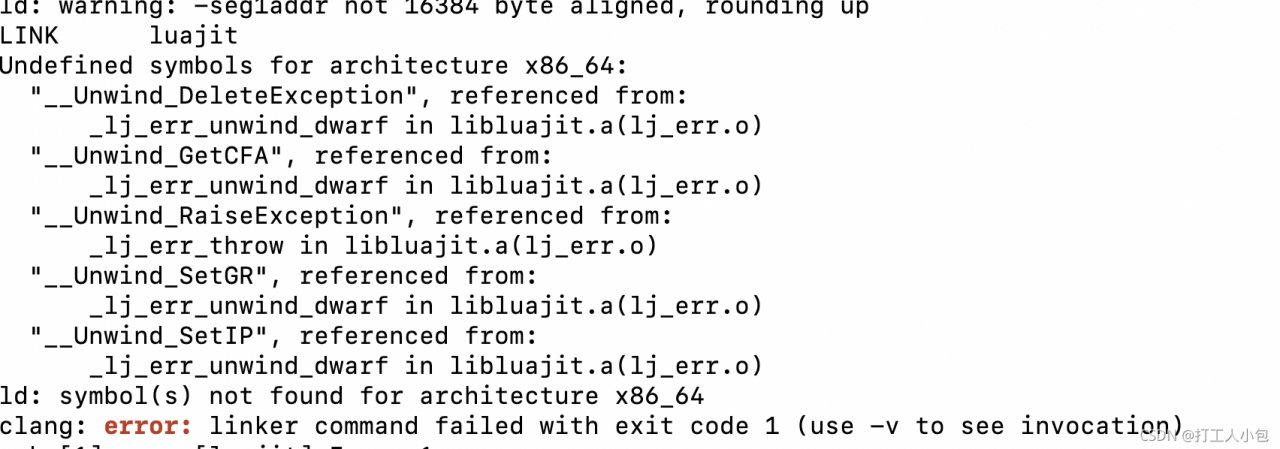
tips on the official website:
note for OSX: if the MacOSX_ DEPLOYMENT_ TARGET environment variable is not set, then it’s forced to 10.4.

So the solution: set the environment variable

export MACOSX_DEPLOYMENT_TARGET=10.15

If the error is still reported, it may be that there is no package of 10.15 locally. Replace 10.15 with the version of the cost machine SDK. To see the SDK version of this machine, run the following command:

cd /Library/Developer/CommandLineTools/SDKs

How to Solve Spark Writes Hudi Error

Error message

java.lang.UnsatisfiedLinkError: org.apache.hadoop.io.nativeio.NativeIO$POSIX.stat(Ljava/lang/String;)Lorg/apache/hadoop/io/nativeio/NativeIO$POSIX$Stat;
        at org.apache.hadoop.io.nativeio.NativeIO$POSIX.stat(Native Method)
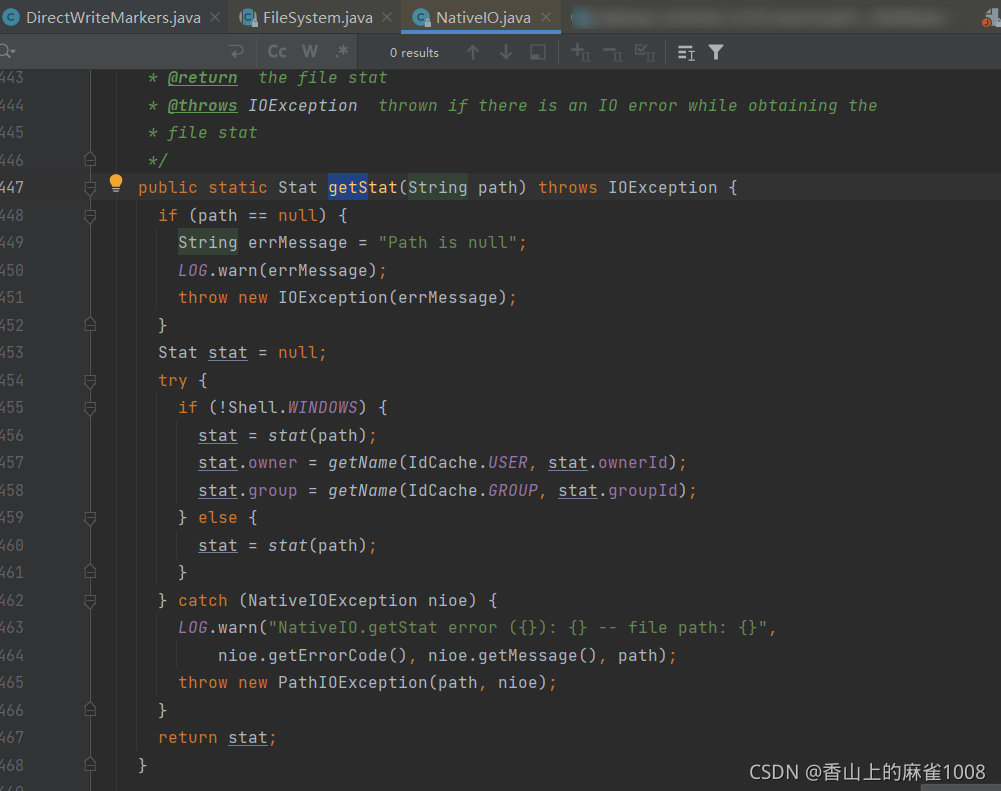
        at org.apache.hadoop.io.nativeio.NativeIO$POSIX.getStat(NativeIO.java:456)
        at org.apache.hadoop.fs.RawLocalFileSystem$DeprecatedRawLocalFileStatus.loadPermissionInfoByNativeIO(RawLocalFileSystem.java:821)
        at org.apache.hadoop.fs.RawLocalFileSystem$DeprecatedRawLocalFileStatus.loadPermissionInfo(RawLocalFileSystem.java:735)
        at org.apache.hadoop.fs.RawLocalFileSystem$DeprecatedRawLocalFileStatus.getPermission(RawLocalFileSystem.java:703)
        at org.apache.hadoop.fs.LocatedFileStatus.<init>(LocatedFileStatus.java:52)
        at org.apache.hadoop.fs.FileSystem$4.next(FileSystem.java:2091)
        at org.apache.hadoop.fs.FileSystem$4.next(FileSystem.java:2071)
        at org.apache.hadoop.fs.FileSystem$5.hasNext(FileSystem.java:2190)
        at org.apache.hudi.table.marker.DirectWriteMarkers.lambda$createdAndMergedDataPaths$69cdea3b$1(DirectWriteMarkers.java:138)
        at org.apache.hudi.client.common.HoodieSparkEngineContext.lambda$flatMap$7d470b86$1(HoodieSparkEngineContext.java:78)
        at org.apache.spark.api.java.JavaRDDLike.$anonfun$flatMap$1(JavaRDDLike.scala:125)
        at scala.collection.Iterator$$anon$11.nextCur(Iterator.scala:484)
        at scala.collection.Iterator$$anon$11.hasNext(Iterator.scala:490)
        at scala.collection.Iterator.foreach(Iterator.scala:941)
        at scala.collection.Iterator.foreach$(Iterator.scala:941)
        at scala.collection.AbstractIterator.foreach(Iterator.scala:1429)
        at scala.collection.generic.Growable.$plus$plus$eq(Growable.scala:62)
        at scala.collection.generic.Growable.$plus$plus$eq$(Growable.scala:53)
        at scala.collection.mutable.ArrayBuffer.$plus$plus$eq(ArrayBuffer.scala:105)
        at scala.collection.mutable.ArrayBuffer.$plus$plus$eq(ArrayBuffer.scala:49)
        at scala.collection.TraversableOnce.to(TraversableOnce.scala:315)
        at scala.collection.TraversableOnce.to$(TraversableOnce.scala:313)
        at scala.collection.AbstractIterator.to(Iterator.scala:1429)
        at scala.collection.TraversableOnce.toBuffer(TraversableOnce.scala:307)
        at scala.collection.TraversableOnce.toBuffer$(TraversableOnce.scala:307)
        at scala.collection.AbstractIterator.toBuffer(Iterator.scala:1429)
        at scala.collection.TraversableOnce.toArray(TraversableOnce.scala:294)
        at scala.collection.TraversableOnce.toArray$(TraversableOnce.scala:288)
        at scala.collection.AbstractIterator.toArray(Iterator.scala:1429)
        at org.apache.spark.rdd.RDD.$anonfun$collect$2(RDD.scala:1030)
        at org.apache.spark.SparkContext.$anonfun$runJob$5(SparkContext.scala:2236)
        at org.apache.spark.scheduler.ResultTask.runTask(ResultTask.scala:90)
        at org.apache.spark.scheduler.Task.run(Task.scala:131)
        at org.apache.spark.executor.Executor$TaskRunner.$anonfun$run$3(Executor.scala:497)
        at org.apache.spark.util.Utils$.tryWithSafeFinally(Utils.scala:1439)
        at org.apache.spark.executor.Executor$TaskRunner.run(Executor.scala:500)
        at java.util.concurrent.ThreadPoolExecutor.runWorker(ThreadPoolExecutor.java:1149)
        at java.util.concurrent.ThreadPoolExecutor$Worker.run(ThreadPoolExecutor.java:624)
        at java.lang.Thread.run(Thread.java:748)

Error reporting reason

Because the Hadoop version loaded at runtime is version 3.2, while the Hadoop version in the cluster is version 3.0.0-cdh6.3.2
this code is different for two different versions

Solution:

Download the spark source code, compile spark by yourself, and change the built-in Hadoop to version 3.0.0-cdh6.3.2

Pyqt5 Error: AttributeError: ‘QWidget‘ object has no attribute ‘setCentralWidget‘

problem

AttributeError: 'QWidget' object has no attribute 'setCentralWidget'

reason

We can see setcentralwidget in QT help document that it belongs to the method of qmainwindow class and is defined separately in its class, so it cannot be called directly for its parent class QWidget.

void QMainWindow::setCentralWidget(QWidget *widget)

decided

Write QtWidgets.QWidget() converts QtWidgets.QMainWindow().

How to Solve Git Error: error: failed to push some refs to……

Error message:

error: failed to push some refs to '[email protected]:....." Updates were rejected because the remote contains work that you do not have locally.
This is usually caused by another repository pushing to

Cause analysis:

1. This error may occur when using git to push the source code to GitHub

2. The main reason for the error is that the readme.md file in GitHub is not in the local code directory

Solutiont:

Method 1: pull it down first and it will merge automatically (don’t worry)

Command: git pull origin master

Method 2: Code merging can be carried out through the following commands

Command: git pull — rebase origin master (my successful solution is method 2)

Finally, execute the statement git push to upload the code to GitHub

Command: git push – U origin master

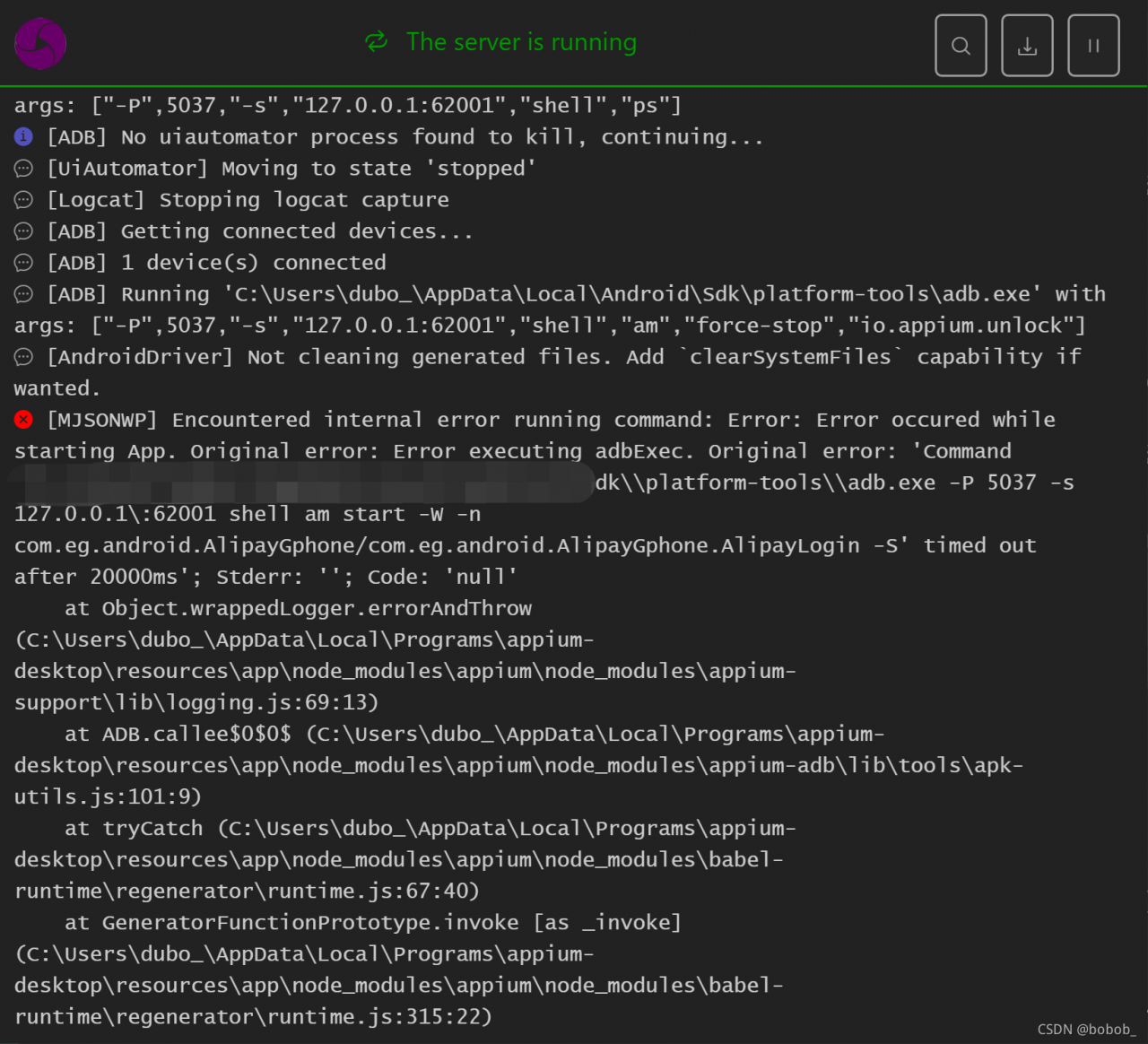
Encountered internal error running command: Error: Error occured while starting App. Original error:

Error: Encountered internal error running command: Error: Error occured while starting App. Original error: Error executing adbExec
[ADB] Error: Error occured while starting App. Original error: Error executing adbExec. Original error: ‘Command ‘C\:\\Users\\bo_\\AppData\\Local\\Android\\Sdk\\platform-tools\\adb.exe -P 5037 -s 127.0.0.1\:62001 shell am start -W -n

An unknown server-side error occurred while processing the command. Original error: Error occured while starting App. Original error: Error executing adbExec. Original error: ‘Command ‘C\:\\Users\\bo_\\AppData\\Local\\Android\\Sdk\\platform-tools\\adb.exe -P 5037 -s 127.0.0.1\:62001 shell am start -W -n com.eg.android.AlipayGphone/com.eg.android.AlipayGphone.AlipayLogin -S’ timed out after 20000ms’; Stderr: ”; Code: ‘null’ (WARNING: The server did not provide any stacktrace information

1. First check if the local app can be opened
2. See if the DesiredCapabilities configuration is normal

First look at the activity, using the command
Open the app under test and enter the command adb shell dumpsys window | findstr mCurrentFocus
Start the app under test and enter the command
>adb shell dumpsys activity activities >E:\aaa.txt

[Solved] Error from server (InternalError): an error on the server (““) has prevented the request from suc

Phenomenon

This error occurs when executing any k8s command

[root@master helm]# kubectl get pod
Error from server (InternalError): an error on the server ("") has prevented the request from succeeding

reason

To contact apiserver, you need to visit: https://master:6443

The current command is executed directly on the control plane, so it is necessary to ensure that there is no problem in the resolution of Master

# Since the http proxy was previously configured on the local machine
export http_proxy='http://10.0.0.1:8889'
export https_proxy='http://10.0.0.1:8889'

# and
[root@master helm]# hostname
master

Therefore, the resolution of Master is local and will be proxy to http://10.0.0.1:8889

Therefore, the apiserver cannot be accessed normally

Solution:

Method 1: cancel the agent

unset http_proxy
unset https_proxy

Method 2: do not proxy this machine

export no_proxy='master,localhost,127.0.0.1,localaddress,.localdomain.com'

Note: if it is not restored after modification, you can try to restart the kubelet service of the node.

[Solved] Angular build Error: throw er; // Unhandled ‘error’ eventEmitted ‘error’ event on ChildProcess instance

Background description

1. Ng server can start normally (no problem with compilation)

2. Ng build error

Error content (forgot the screenshot, * * * has indicated the intermediate content)

throw er; // Unhandled ‘error’ event
***
Emitted ‘error’ event on ChildProcess instance at:
***
errno: -4058,
code: ‘ENOENT’,
****
spawnargs: [ ‘–service=0.12.9’, ‘–ping’ ]

Solution:

Execute node_ Modules/esbuild/install.js file

node  PATH/node_modules/esbuild/install.js

Build again

error: field ‘XXX’ declared as a function [How to Solve]

Problem description

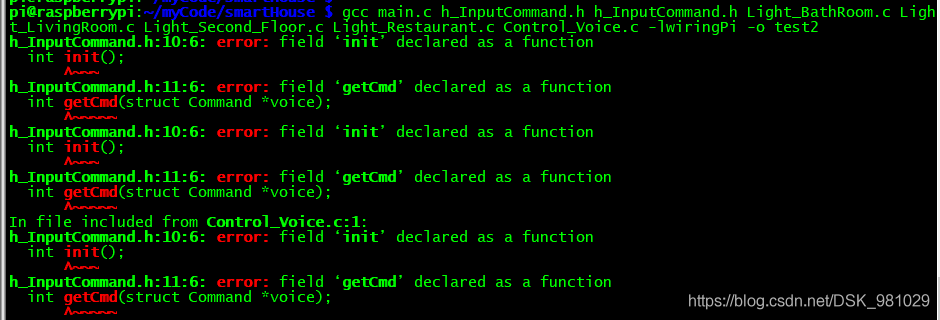
Some time ago, I started a small smart home project to practice my hand. I encountered this problem when compiling

Compilation error:

reason:

The function pointer in the structure element is incorrectly defined

#include <stdlib.h>
#include <stdio.h>
#include <unistd.h>
#include <wiringSerial.h>

struct Command{
        char cmdName[128];
        char cmd[32];
        int (*init)();		//int init();
        int (*getCmd)(struct Command *voice);	//int getCmd(struct Command *voice);
        char log[1024];
        int fd;
        struct Command *next;
};

Aapt Remove Command error during crunch – archive is toast

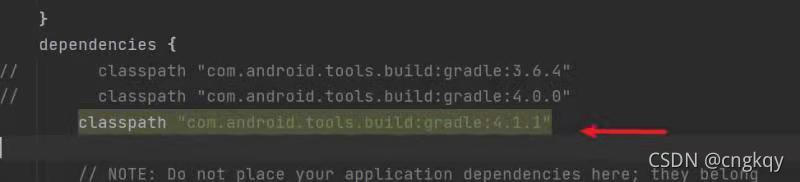
To package APK these days, you need to use the AAPT command to remove the old certificate file in APK, add a new certificate file again, and then sign and repackage again. It is found that when using the AAPT remove command, the error during crash – archive is toast is always reported. After a day’s comparison, it is found that it is related to the referenced com.android.tools.build: gradle: 4.1.1 and gradle-6.5-bin versions. As long as it is equal to or greater than this version, this error will be reported, which should be a bug of AAPT.

Solution:

1. The gradle plug-in is lower than these two versions. It’s unrealistic. It’s impossible not to upgrade it all the time.

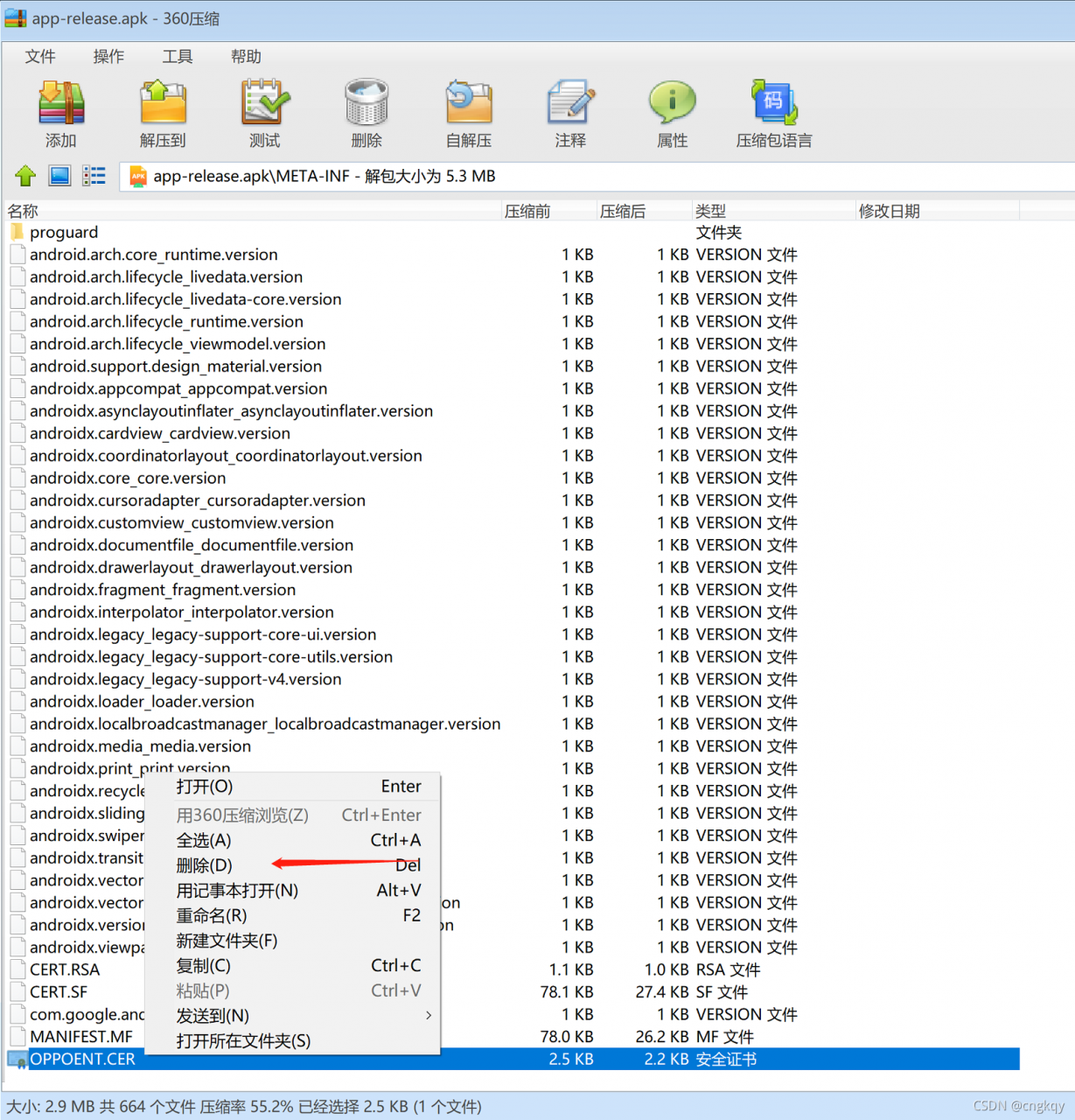
2. Since APK is essentially a zip file, simply when deleting the file, open the APK package directly with the zip decompression software, manually delete the ball, and complete the remaining AAPT add command and re signature operation with the command line.

ERROR server.datanode.DataNode: BlockSender.sendChunks() exception [How to Solve]

View log error messages:

2021-09-13 14:56:08,737 ERROR org.apache.hadoop.hdfs.server.datanode.DataNode: BlockSender.sendChunks() exception: 
java.io.IOException: Connection reset by the other party
	at sun.nio.ch.FileChannelImpl.transferTo0(Native Method)
	at sun.nio.ch.FileChannelImpl.transferToDirectlyInternal(FileChannelImpl.java:428)
	at sun.nio.ch.FileChannelImpl.transferToDirectly(FileChannelImpl.java:493)
	at sun.nio.ch.FileChannelImpl.transferTo(FileChannelImpl.java:608)
	at org.apache.hadoop.net.SocketOutputStream.transferToFully(SocketOutputStream.java:223)
	at org.apache.hadoop.hdfs.server.datanode.FileIoProvider.transferToSocketFully(FileIoProvider.java:280)
	at org.apache.hadoop.hdfs.server.datanode.BlockSender.sendPacket(BlockSender.java:619)
	at org.apache.hadoop.hdfs.server.datanode.BlockSender.doSendBlock(BlockSender.java:803)
	at org.apache.hadoop.hdfs.server.datanode.BlockSender.sendBlock(BlockSender.java:750)
	at org.apache.hadoop.hdfs.server.datanode.DataXceiver.readBlock(DataXceiver.java:606)
	at org.apache.hadoop.hdfs.protocol.datatransfer.Receiver.opReadBlock(Receiver.java:152)
	at org.apache.hadoop.hdfs.protocol.datatransfer.Receiver.processOp(Receiver.java:104)
	at org.apache.hadoop.hdfs.server.datanode.DataXceiver.run(DataXceiver.java:289)
	at java.lang.Thread.run(Thread.java:748

Add configuration of yarn-site XML

<!-- The minimum memory resources (in MB) requested per container. -->
<property>
	<name>yarn.scheduler.minimum-allocation-mb</name>
	<value>512</value>
</property>
<! -- The maximum memory resource (in MB) requested per container. -->
<property>
	<name>yarn.scheduler.maximum-allocation-mb</name>
	<value>512</value>
</property>
<property>
	<name>yarn.scheduler.minimum-allocation-mb</name>
	<value>512</value>
</property>
<! -- The maximum memory resource (in MB) requested per container. -->
<property>
	<name>yarn.scheduler.maximum-allocation-mb</name>
	<value>2048</value>
</property>
<! -- The ratio between container virtual memory and physical memory-->
<property>
	<name>yarn.nodemanager.vmem-pmem-ratio</name>
	<value>4</value>
</property>

These configurations are all about memory resources

Previously, running with small files can be successful   If you change to a large file, you will report the above error   It should have something to do with memory

Pro test effective

[Solved] CMake Error: Could not create named generator Visual Studio 16 2019

Cmake error: could not create named generator visual studio 16 2019

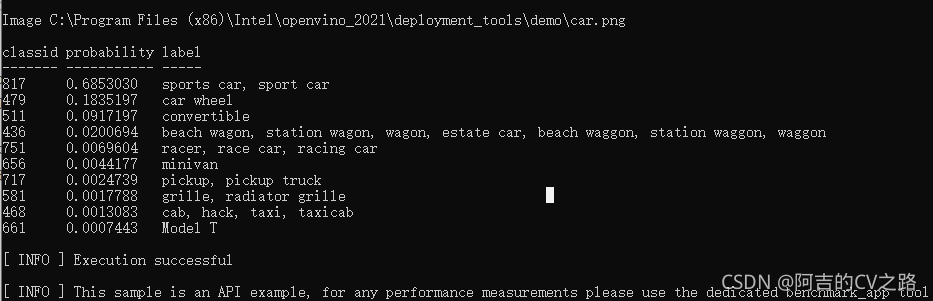
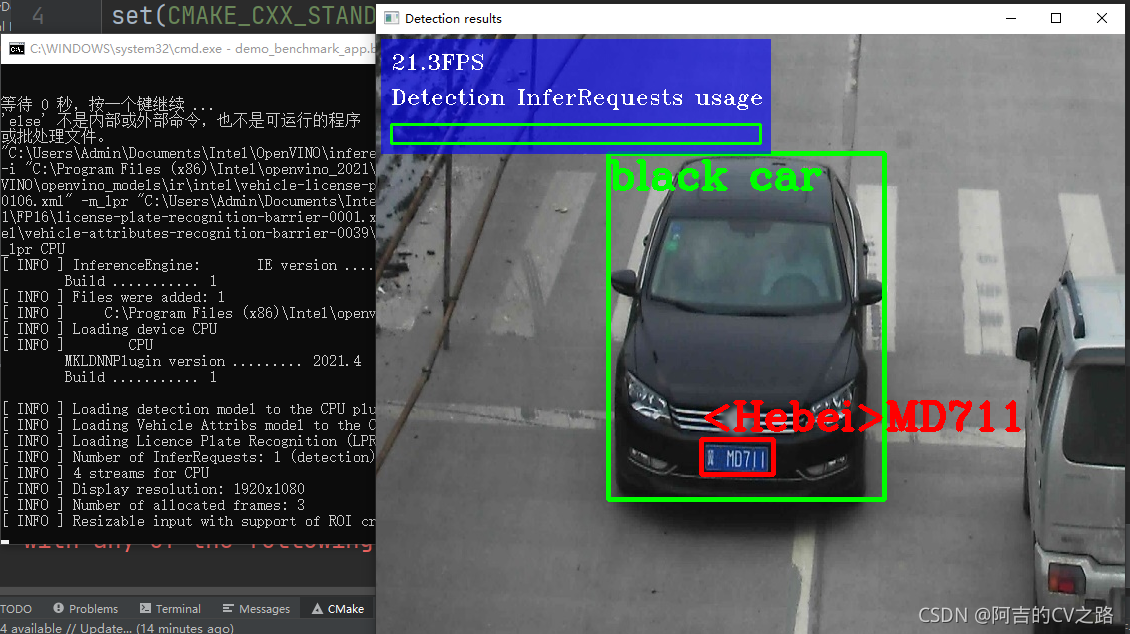
When running the demo in openvino, this bug is always prompted. According to the suggestions of stackoverflow and official documents, use cmake - G "Visual Studio 16 2019" - a x64 this command to compile, which is also invalid. Later, after troubleshooting, I thought it might be the problem of cmake version. Because the old version of cmake (before 3.14) may not find the latest visual studio, I went to the official website to download it, Run the. Bat file in the demo to solve the problem


[Solved] Fluent filesysterexception: exists failed, path =’d: \ as’. Plugins’ (OS error: incorrect file name, directory name or volume slogan)

E:\flutter_project\first_app>flutter doctor -v
[√] Flutter (Channel stable, 2.2.3, on Microsoft Windows [Version 10.0.19042.1052], locale zh-CN)
    • Flutter version 2.2.3 at D:\flutter
    • Framework revision f4abaa0735 (7 days ago), 2021-07-01 12:46:11 -0700
    • Engine revision 241c87ad80
    • Dart version 2.13.4

[√] Android toolchain - develop for Android devices (Android SDK version 30.0.3)
    • Android SDK at D:\Android
    • Platform android-30, build-tools 30.0.3
    • ANDROID_HOME = D:\Android
    • Java binary at: D:\Java\jdk\bin\java
    • Java version Java(TM) SE Runtime Environment (build 1.8.0_231-b11)
    • All Android licenses accepted.

[√] Chrome - develop for the web
    • Chrome at C:\Program Files\Google\Chrome\Application\chrome.exe

[☠] Android Studio (the doctor check crashed)
    X Due to an error, the doctor check did not complete. If the error message below is not helpful, please let us know
      about this issue at https://github.com/flutter/flutter/issues.
    X FileSystemException: Exists failed, path = ''D:\AS'.plugins' (OS Error: 文件名、目录名或卷标语法不正确。
      , errno = 123)
    • #0      _Directory.existsSync (dart:io/directory_impl.dart:94:7)
      #1      ForwardingFileSystemEntity.existsSync
      (package:file/src/forwarding/forwarding_file_system_entity.dart:43:33)
      #2      ErrorHandlingDirectory.existsSync.<anonymous closure>
      (package:flutter_tools/src/base/error_handling_io.dart:479:22)
      #3      _runSync (package:flutter_tools/src/base/error_handling_io.dart:573:14)
      #4      ErrorHandlingDirectory.existsSync (package:flutter_tools/src/base/error_handling_io.dart:478:12)
      #5      AndroidStudio.pluginsPath (package:flutter_tools/src/android/android_studio.dart:186:52)
      #6      AndroidStudioValidator.validate (package:flutter_tools/src/android/android_studio_validator.dart:46:17)
      #7      asyncGuard.<anonymous closure> (package:flutter_tools/src/base/async_guard.dart:111:32)
      #8      asyncGuard.<anonymous closure> (package:flutter_tools/src/base/async_guard.dart:109:18)
      #9      _rootRun (dart:async/zone.dart:1354:13)
      #10     _CustomZone.run (dart:async/zone.dart:1258:19)
      #11     _runZoned (dart:async/zone.dart:1789:10)
      #12     runZonedGuarded (dart:async/zone.dart:1777:12)
      #13     runZoned (dart:async/zone.dart:1708:12)
      #14     asyncGuard (package:flutter_tools/src/base/async_guard.dart:109:3)
      #15     Doctor.startValidatorTasks (package:flutter_tools/src/doctor.dart:199:9)
      #16     Doctor.diagnose (package:flutter_tools/src/doctor.dart:303:47)
      #17     DoctorCommand.runCommand (package:flutter_tools/src/commands/doctor.dart:50:47)
      #18     FlutterCommand.verifyThenRunCommand (package:flutter_tools/src/runner/flutter_command.dart:1192:12)
      <asynchronous suspension>
      #19     FlutterCommand.run.<anonymous closure> (package:flutter_tools/src/runner/flutter_command.dart:1043:27)
      <asynchronous suspension>
      #20     AppContext.run.<anonymous closure> (package:flutter_tools/src/base/context.dart:150:19)
      <asynchronous suspension>
      #21     CommandRunner.runCommand (package:args/command_runner.dart:196:13)
      <asynchronous suspension>
      #22     FlutterCommandRunner.runCommand.<anonymous closure>
      (package:flutter_tools/src/runner/flutter_command_runner.dart:284:9)
      <asynchronous suspension>
      #23     AppContext.run.<anonymous closure> (package:flutter_tools/src/base/context.dart:150:19)
      <asynchronous suspension>
      #24     FlutterCommandRunner.runCommand (package:flutter_tools/src/runner/flutter_command_runner.dart:232:5)
      <asynchronous suspension>
      #25     run.<anonymous closure>.<anonymous closure> (package:flutter_tools/runner.dart:62:9)
      <asynchronous suspension>
      #26     AppContext.run.<anonymous closure> (package:flutter_tools/src/base/context.dart:150:19)
      <asynchronous suspension>
      #27     main (package:flutter_tools/executable.dart:91:3)
      <asynchronous suspension>


[√] IntelliJ IDEA Community Edition (version 2021.1)
    • IntelliJ at D:\Intelij\IntelliJ IDEA Community Edition 2021.1.2
    • Flutter plugin can be installed from:
       https://plugins.jetbrains.com/plugin/9212-flutter
    • Dart plugin can be installed from:
       https://plugins.jetbrains.com/plugin/6351-dart

[√] VS Code (version 1.57.1)
    • VS Code at C:\Users\zhongdongjing\AppData\Local\Programs\Microsoft VS Code
    • Flutter extension can be installed from:
       https://marketplace.visualstudio.com/items?itemName=Dart-Code.flutter

[√] Connected device (2 available)
    • Chrome (web) • chrome • web-javascript • Google Chrome 91.0.4472.124
    • Edge (web)   • edge   • web-javascript • Microsoft Edge 91.0.864.64

! Doctor found issues in 1 category.

Run fluent config -- Android studio dir = "C:\program files\Android\Android studio" this problem occurs if the path of Android studio cannot be found. Make sure to use the correct Android studio path.

Run fluent doctor again