Category Archives: Error

Kettle Flash Back Error:The graphical interface cannot be opened. There is an ETI installation problem

1. Install JDK (version 1.6 or above)

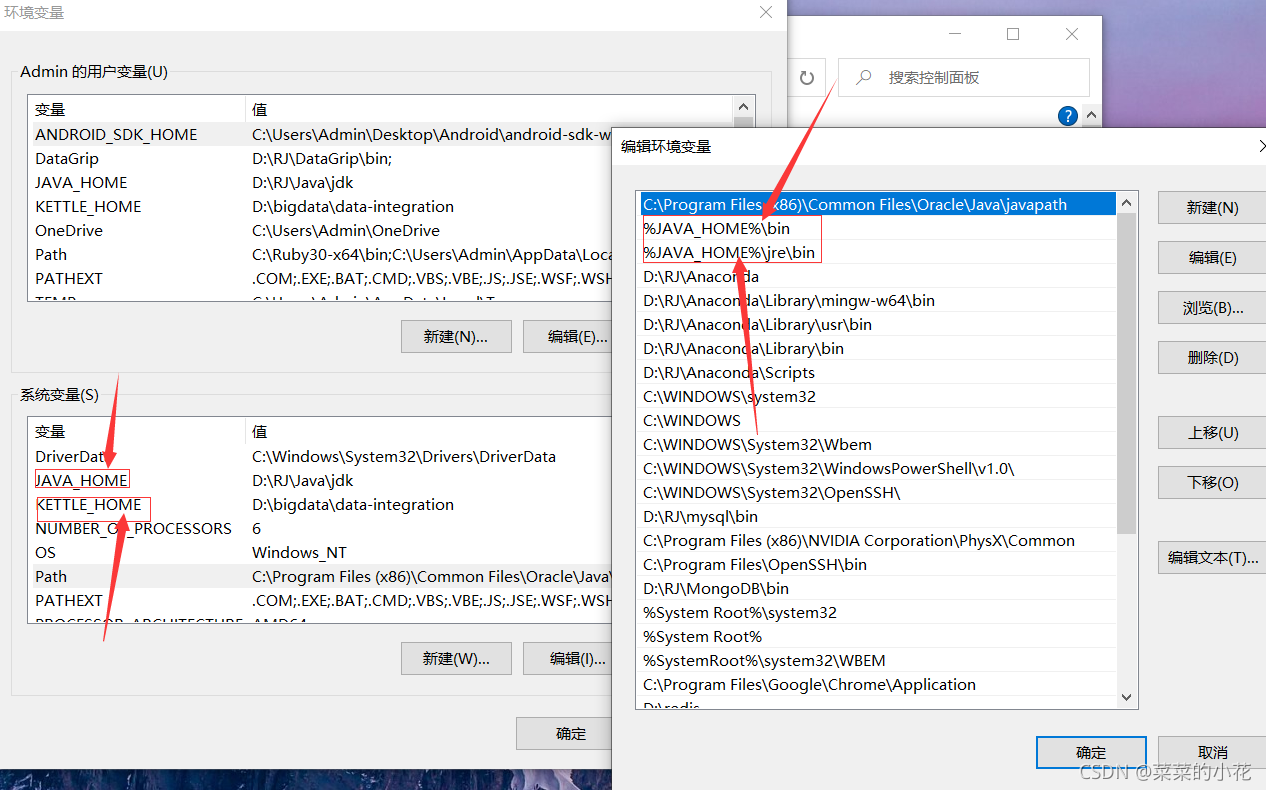
2. JDK environment variable configuration is shown in the figure (the following values are their own installation directory):
3. For the first error, directly flash back, find the spoon.bat in the data integration directory, right-click Notepad to edit, and find the following code to modify
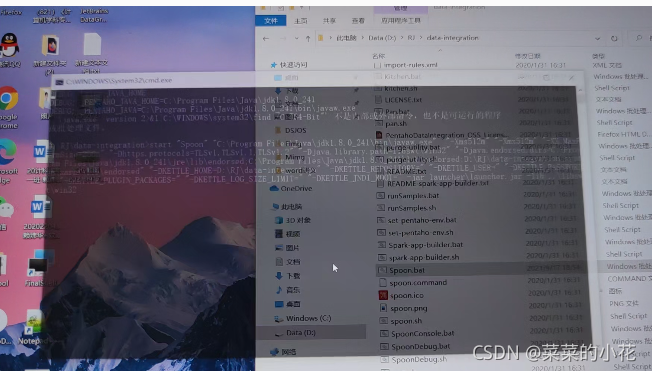
if "%SPOON_CONSOLE%"=="1" set PENTAHO_JAVA=java.exe
if not "%SPOON_CONSOLE%"=="1" set PENTAHO_JAVA=javaw.exe

change to 

 if "%SPOON_CONSOLE%"=="1" set PENTAHO_JAVA=java.exe
if not "%SPOON_CONSOLE%"=="1" set PENTAHO_JAVA=java.exe

4. If you change the first error and then flash back (modify the memory configuration in spoon.bat)


 if "%PENTAHO_DI_JAVA_OPTIONS%"=="" set PENTAHO_DI_JAVA_OPTIONS="-Xms1024m" "-Xmx2048m" "-XX:MaxPermSize=256m"

change to

 if "%PENTAHO_DI_JAVA_OPTIONS%"=="" set PENTAHO_DI_JAVA_OPTIONS="-Xms512m" "-Xmx1024m" "-XX:MaxPermSize=256m"

5. If the above errors are corrected, the following occurs:
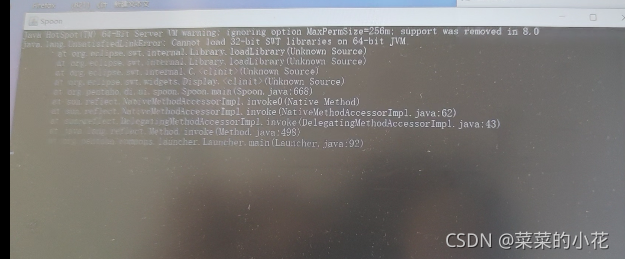
You need to modify the variable value in spoon.bat

pushd "%JAVA_HOME%\jre\bin"
if exist java.exe goto USEJAVAFROMPATH
goto USEJAVAFROMPATH
:USEJAVAFROMPENTAHOJAVAHOME
FOR /F %%a IN ('.\java.exe -version 2^>^&1^|%windir%\system32\find /C "64-Bit"') DO (SET /a IS64BITJAVA=%%a)
GOTO CHECK32VS64BITJAVA
:USEJAVAFROMPATH
FOR /F %%a IN ('java -version 2^>^&1^|%windir%\system32\find /C "64-Bit"') DO (SET /a IS64BITJAVA=%%a)
GOTO CHECK32VS64BITJAVA
:CHECK32VS64BITJAVA
IF %IS64BITJAVA% == 1 GOTO :USE64

add a line:(set IS64BITJAVA=1,make them all TRUE)

pushd "%JAVA_HOME%\jre\bin"
if exist java.exe goto USEJAVAFROMPATH
goto USEJAVAFROMPATH
:USEJAVAFROMPENTAHOJAVAHOME
FOR /F %%a IN ('.\java.exe -version 2^>^&1^|%windir%\system32\find /C "64-Bit"') DO (SET /a IS64BITJAVA=%%a)
GOTO CHECK32VS64BITJAVA
:USEJAVAFROMPATH
FOR /F %%a IN ('java -version 2^>^&1^|%windir%\system32\find /C "64-Bit"') DO (SET /a IS64BITJAVA=%%a)
GOTO CHECK32VS64BITJAVA
:CHECK32VS64BITJAVA
set IS64BITJAVA=1

IF %IS64BITJAVA% == 1 GOTO :USE64

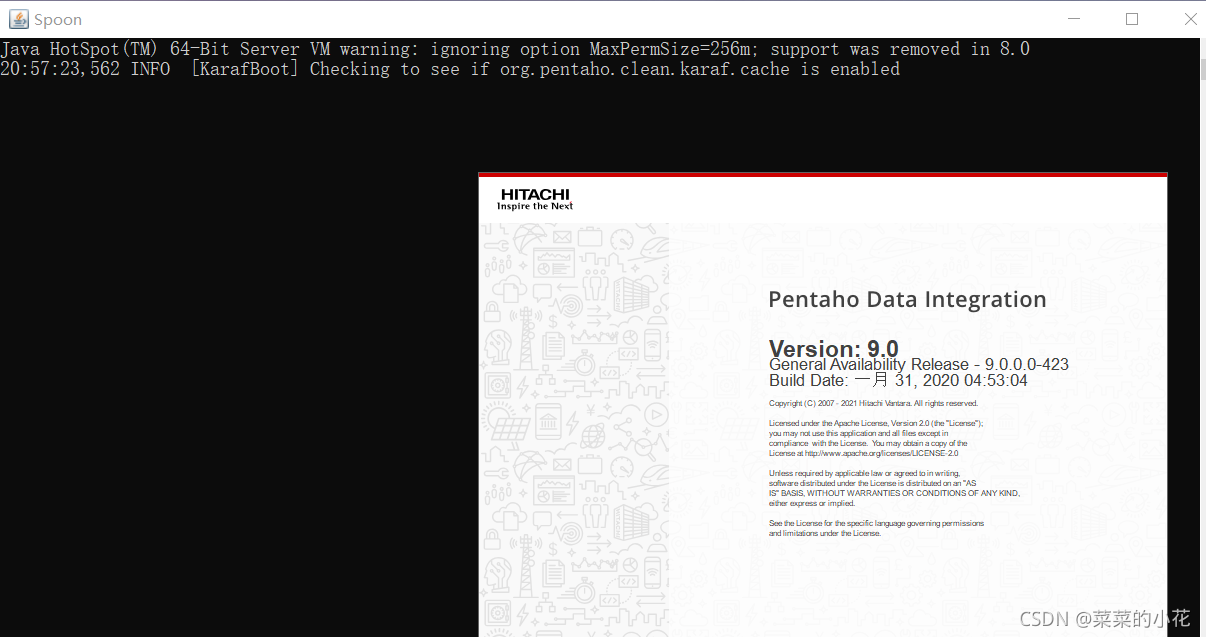
7. After the modification is successful, the graphical interface can be opened after saving
[Solved] Django Models Error: Manager isn‘t accessible via UserInfo instances

Error content: manager isn’t accessible via userinfo instances

Error reason: it is because the variable name is used instead of the object name (model class) when calling the model object, for example:

user = UserInfo()
user_Li = User. Objects. Filter (uname = username), this error will be reported in this call

Solution: call the objects method with the object name

user = UserInfo()
user_li = UserInfo.objects.filter(uname=username)

[Solved] Error in porting libzrtp: automake-1.14: command not found

Error:

cd . && /bin/bash /home/disk//libzrtp/src/config/missing automake-1.14 –gnu
/home/disk/libzrtp/src/config/missing: line 81: automake-1.14: command not found
WARNING: ‘automake-1.14’ is missing on your system.
You should only need it if you modified ‘Makefile.am’ or
‘configure.ac’ or m4 files included by ‘configure.ac’.
The ‘automake’ program is part of the GNU Automake package:
http://www.gnu.org/software/automake
It also requires GNU Autoconf, GNU m4 and Perl in order to run:
http://www.gnu.org/software/autoconf
http://www.gnu.org/software/m4/
http://www.perl.org/
make[2]: *** [Makefile.in] Error 1

Principle:
1, the execution of autoscan will generate a configure.scan file, which can be used as a blueprint for the configure.in file.
2. Execute aclocal and autoconf, which will generate aclocal.m4 and configure files respectively.
The specific operations.

./autoscan
./aclocal
./autoconf
automake –add-missing
./configure

this.$el.querySelectorAll is not a function [How to Solve]

Problem description
when using El tree, the error this. $el.queryselectorall is not a function is reported, which makes the tree unable to render

Problem resolution
refer to the following code snippet

	<el-tree
        :data="treeData"
        show-checkbox
        node-key="id"
        ref="functionTree"
    ></el-tree>

Most of the errors reported are incorrect data bound by El tree. Data errors can be divided into the following two types:

Case 1:

Cause: wrong format of treeData data.
Solution: check the treeData data format, the data bound by :data must be an array.

Case 2:

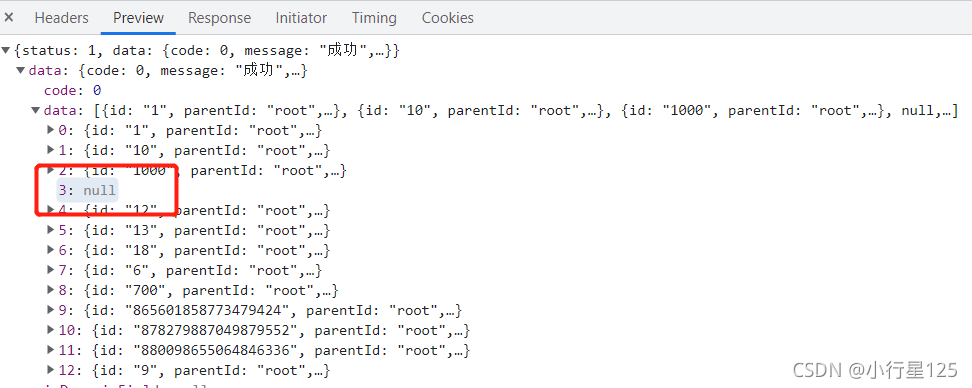
Cause: The treeData array contains dirty data such as null
Solution: Delete the null and other dirty data in the data

[Solved] Git Push Error: &fatal: the remote end hung up unexpectedly

First of all, this is my error report

Total 123 (delta 0), reused 0 (delta 0), pack-reused 0
error: RPC failed; curl 18 transfer closed with outstanding read data remaining
send-pack: unexpected disconnect while reading sideband packet
fatal: the remote end hung up unexpectedly

Reason: the project is too large and the network is not working, resulting in an error that the download is too slow and exceeds the time trigger

Method 1: modify the cache size

git config --global http.postBuffer 524288000

Change the warehouse configuration to the following

[core]
	
   repositoryformatversion = 0
	
   filemode = false
	
   bare = false
	
   logallrefupdates = true
	
   symlinks = false
	
   ignorecase = true


[remote "origin"]
	
   url = https://github.com/dhsb-4/SSM.git
	
   fetch = +refs/heads/*:refs/remotes/origin/*


[branch "master"]
   remote = origin
   merge = refs/hefs/master

[http]
  postBuffer = 1048576000

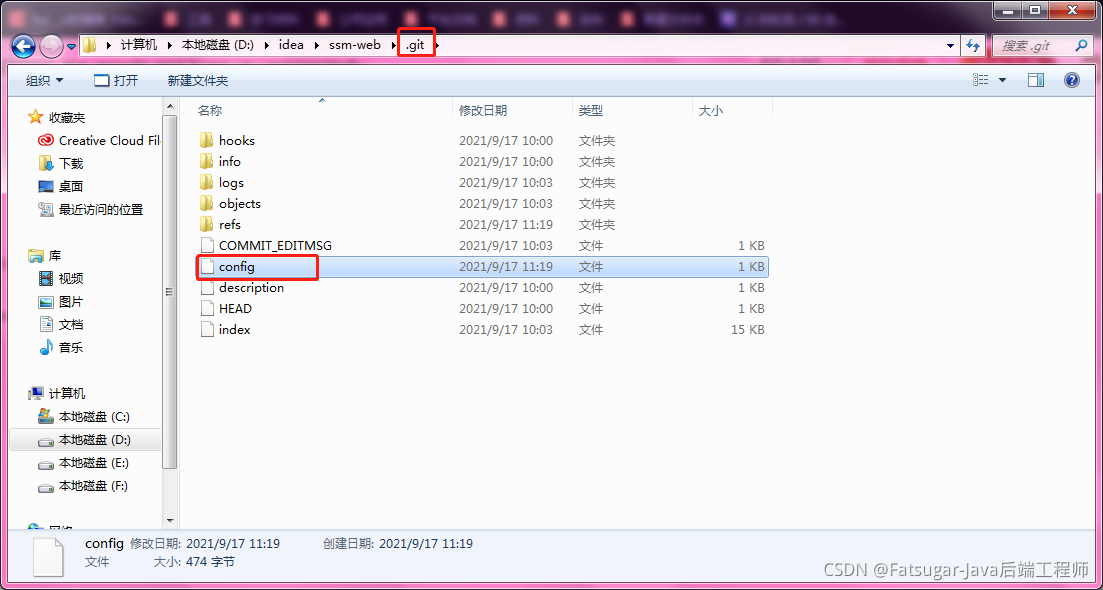
Configuration path (open with Notepad)
push again after modification

Method 2: configure the minimum speed and minimum speed time of GIT

git config --global http.lowSpeedLimit 0
git config --global http.lowSpeedTime 999999 

– Global: for the current user – system: for all users

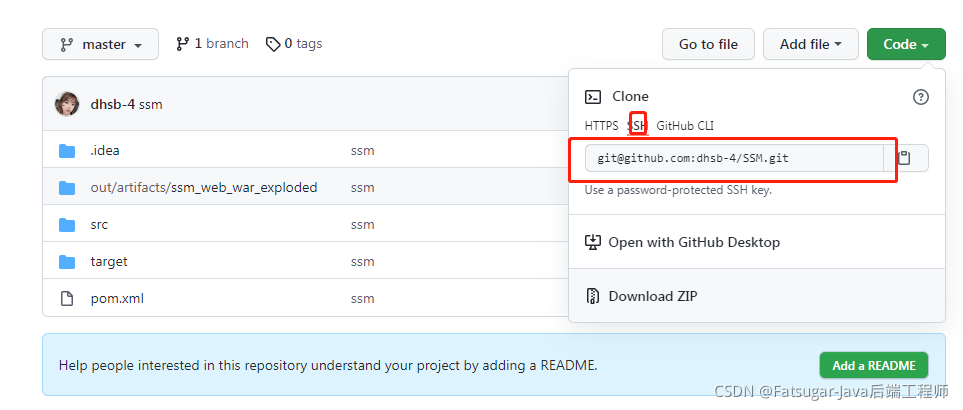
Method 3: use SSH path

I use this method to solve this problem

[Solved] Tsingsee green rhinoceros video pedestrian intelligence detection test error panic: runtime error

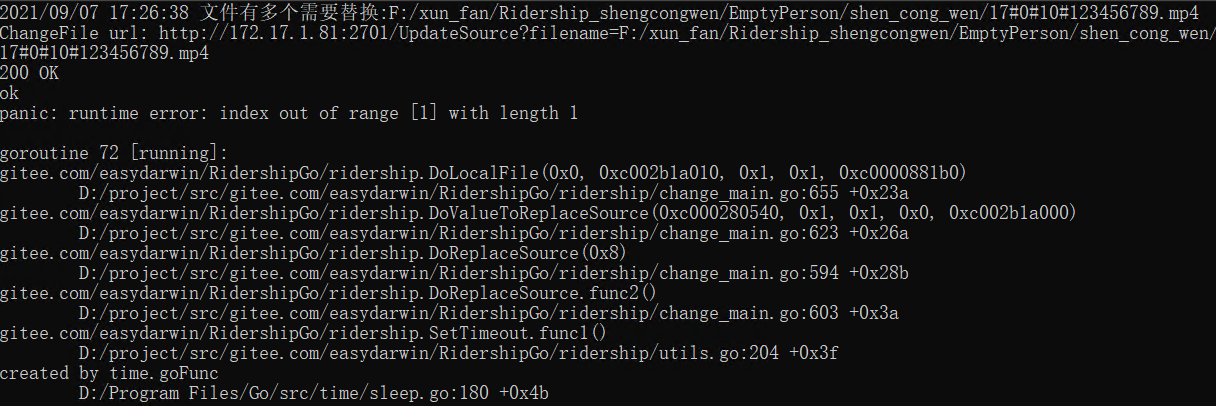
In the previous article, we introduced the test of tsingsee green rhinoceros video pedestrian intelligent detection function in the scenic spot project. In the scenic spot project system, an error occurred when replacing the local file with the error message: “panic: runtime error: index out of range [1] with length 1”. This error means that the program runs beyond the index range, which will cause the program to crash.

First look at the code:

var allFile = ""
for _, dirfile := range dirfiles {
   fname := dirfile.Name()
   n := strings.Split(fname, "_")[1]
   allFile += fmt.Sprintf("%s/%s;", dir, n)
}
allFile = allFile[:len(allFile) -1]

nameSplit := strings.Split(arr[index].Filename, ";")
   log.Println("There are multiple files that need to be replaced:" + arr[index].Filename)

   DoLocalFile(0, nameSplit,  func() {
      index+=1
      DoValueToReplaceSource(arr, index, cb)
   })

   return

The above code is to splice the video files in all folders and use semicolons (“;”) as separators. However, an error will appear in the code: reference a slice with nil, that is, an element with subscript 0. This error will cause an index out of range error in the code, which will trigger panic and make the program unable to run normally.

The semicolon (“;”) segmentation is used here, so as long as a judgment is made, the character segmented from the semicolon needs to be greater than 1. If it is less than or equal to 1, an error will occur. The code is modified as follows:

nameSplit := strings.Split(arr[index].Filename, ";")
if len(nameSplit) > 1 {
   log.Println("There are multiple files that need to be replaced:" + arr[index].Filename)

   DoLocalFile(0, nameSplit,  func() {
      index+=1
      DoValueToReplaceSource(arr, index, cb)
   })

   return
} else {
   if IsExists(arr[index].Filename) {
      ChangeFile(arr[index].Filename)
   } else {
      log.Println("No path to this file")
   }
}

After modification, the error can be solved. Tsingsee Qingxi video will continue to expand the functions and advantages of the live video broadcasting system. On the one hand, it realizes intelligent judgment through AI intelligent analysis. On the other hand, it obtains the most vivid data information and carries out accurate calculation through Internet of things, big data and other technologies. You are welcome to understand or test.

How to Solve 0xc1900101 Error (Win10 upgrade Win11)

Open PowerShell with administrator privileges and execute the following statement:

net stop wuauserv
net stop cryptSvc
net stop bits
net stop msiserver
ren C:\\Windows\SoftwareDistribution SoftwareDistribution.old
ren C:\\Windows\System32\catroot2 catroot2.old
net start wuauserv
net start cryptSvc
net start bits
net start msiserver

How to Solve null/hadoopbinary/wintils.exe Error

Null/Hadoop binary/wintils.exe reports an error
because Windows lacks Hadoop common package, you need to download and unzip hadoop-common-2.2.0-bin-master package

Set the environment variable in the environment variable,
1. Create Hadoop in the user variable_Home variable name, variable value is the location of common package
2. Add% Hadoop in the system variable path_HOME%\bin;
click OK to save and restart the computer

How to Solve Node GYP Rebuild Error

Node gyp rebuild error handling

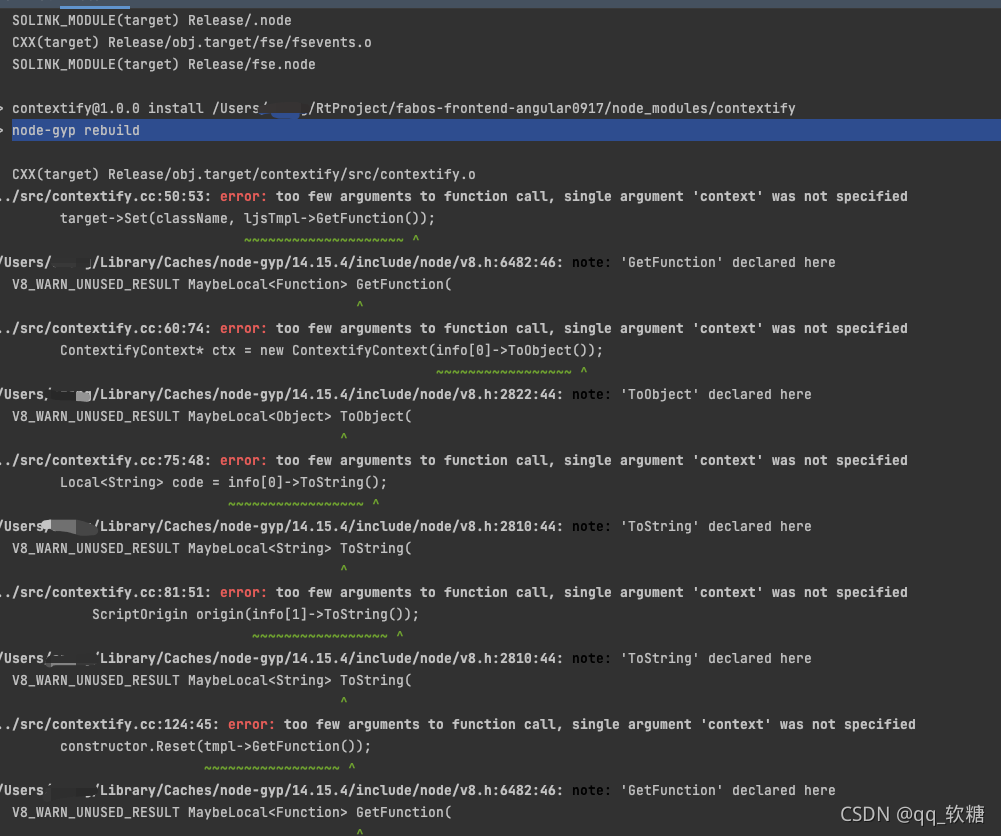
Error message:

node-gyp rebuild

  CXX(target) Release/obj.target/contextify/src/contextify.o
../src/contextify.cc:50:53: error: too few arguments to function call, single argument 'context' was not specified
        target->Set(className, ljsTmpl->GetFunction());
                               ~~~~~~~~~~~~~~~~~~~~ ^
/Users/xxx/Library/Caches/node-gyp/14.15.4/include/node/v8.h:6482:46: note: 'GetFunction' declared here
  V8_WARN_UNUSED_RESULT MaybeLocal<Function> GetFunction(
                                             ^
../src/contextify.cc:60:74: error: too few arguments to function call, single argument 'context' was not specified
        ContextifyContext* ctx = new ContextifyContext(info[0]->ToObject());
                                                       ~~~~~~~~~~~~~~~~~ ^
/Users/xxx/Library/Caches/node-gyp/14.15.4/include/node/v8.h:2822:44: note: 'ToObject' declared here
  V8_WARN_UNUSED_RESULT MaybeLocal<Object> ToObject(
                                           ^
../src/contextify.cc:75:48: error: too few arguments to function call, single argument 'context' was not specified
        Local<String> code = info[0]->ToString();
                             ~~~~~~~~~~~~~~~~~ ^
/Users/xxx/Library/Caches/node-gyp/14.15.4/include/node/v8.h:2810:44: note: 'ToString' declared here
  V8_WARN_UNUSED_RESULT MaybeLocal<String> ToString(
                                           ^
../src/contextify.cc:81:51: error: too few arguments to function call, single argument 'context' was not specified
            ScriptOrigin origin(info[1]->ToString());
                                ~~~~~~~~~~~~~~~~~ ^
/Users/xxx/Library/Caches/node-gyp/14.15.4/include/node/v8.h:2810:44: note: 'ToString' declared here
  V8_WARN_UNUSED_RESULT MaybeLocal<String> ToString(
                                           ^
../src/contextify.cc:124:45: error: too few arguments to function call, single argument 'context' was not specified
        constructor.Reset(tmpl->GetFunction());

Solution: switch the node version to node 8.17.0 to solve the above error reports

Mac install to multi version node

1. Download and install
NPM install -g n
2. Download the specified version (followed by the version number)
sudo n 14.15.0
3. Display which versions have been installed
n LS
4. Switch the version used (followed by the version number)
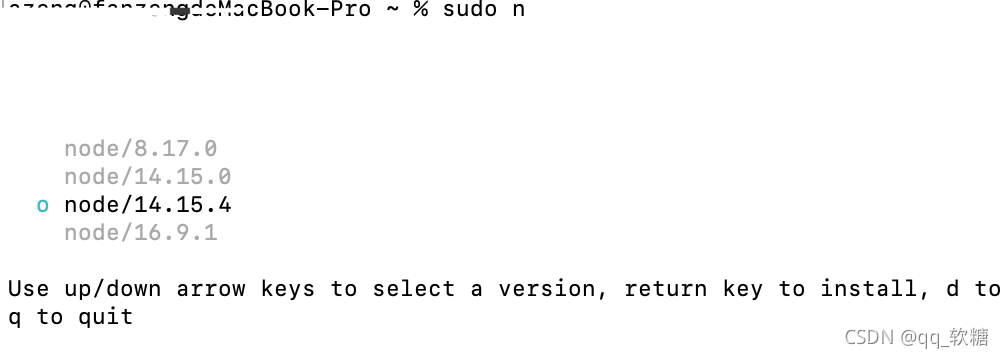
sudo n
view the installed version and switch the version used up and down

How to Solve Git error: out of memory

Question

No matter pull, clone or push, errors are reported

fatal: Out of memory, malloc failed (tried to allocate 301989888 bytes)
fatal: Could not read from remote repository.

Please make sure you have the correct access rights
and the repository exists.

Solution:

git config --global http.postBuffer 524288000
git config --global core.compression -1