Sometimes the line brush OTA upgrade package appears
adb: failed to read command: No error
This error can be ignored because
After the mobile phone restarts, it enters the OS, and the upgraded system has actually been covered.
Sometimes the line brush OTA upgrade package appears
adb: failed to read command: No error
This error can be ignored because
After the mobile phone restarts, it enters the OS, and the upgraded system has actually been covered.
java.lang.IllegalStateException: Failed to load property source from location ‘classpath:/application.yml’
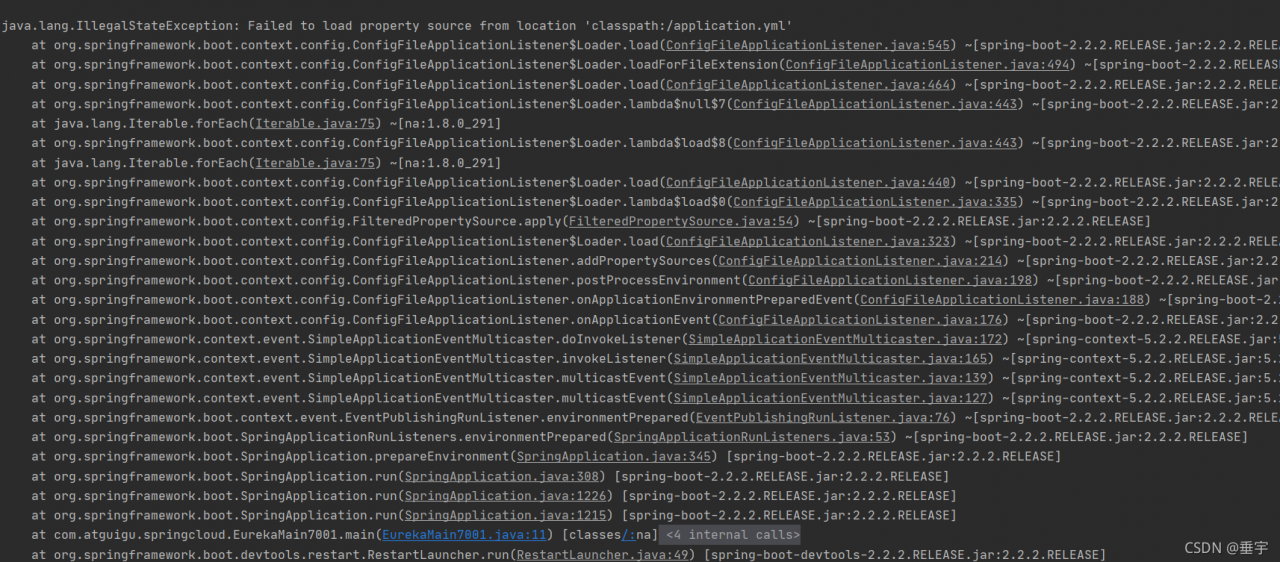
Caused by:
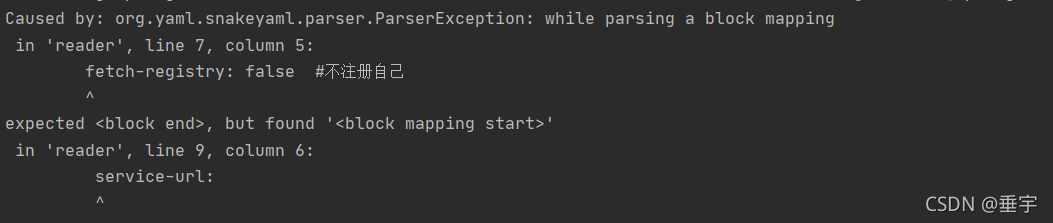
Error Reason:
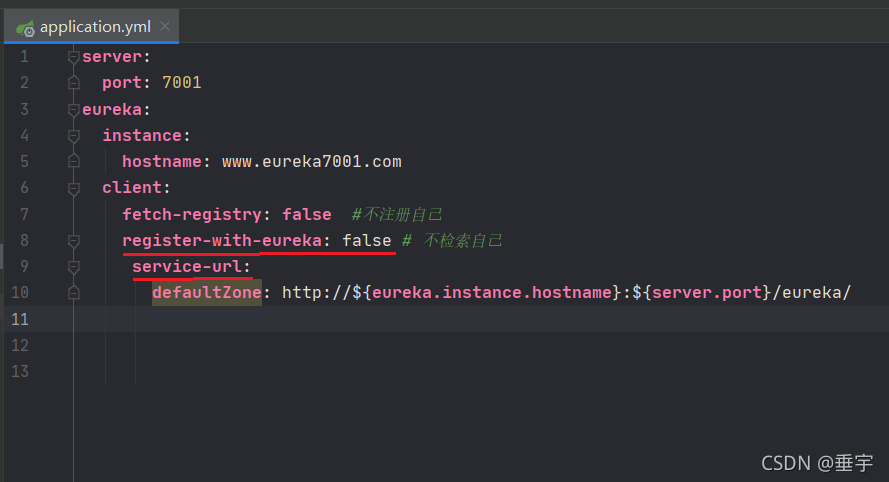 register-with-eureka: false and service-url: are not aligned in the application.yml configuration file
server:
  port: 7001
eureka:
  instance:
    hostname: www.eureka7001.com
  client:
    fetch-registry: false
    register-with-eureka: false
    service-url:
       defaultZone: http://${eureka.instance.hostname}:${server.port}/eureka/
Problems encountered:
after ADB root (obtaining root permission), execute ADB remount (adding read-write permission to system files/system,/vendor,/OEM) and report:
remount of/system failed: read-only file system error
Solution:
1. ADB disable verity will appear
verity disabled on/system
now reboot your device for settings to take effect
2. ADB reboot restart the device.
then remout can succeed
PySide2 Error: This application failed to start because no Qt platform plugin could be initialized
Add at the first:
import sys,os
import PySide2

dirname = os.path.dirname(PySide2.__file__)
plugin_path = os.path.join(dirname, 'plugins', 'platforms')
os.environ['QT_QPA_PLATFORM_PLUGIN_PATH'] = plugin_path
Manifest merger failed : android: exported needs to be explicitly specified for. Apps targeting Android 12 and higher are required to specify an explicit value for android:exported when the corresponding component has an intent filter defined. See https://developer.android.com/guide/topics/manifest/activity-element#exported for details.
Solution: In the Activity with the intent, add android:exported="true"
<activity android:name=".MainActivity"
            android:exported="true">
      <intent-filter>
          <action android:name="android.intent.action.MAIN" />

          <category android:name="android.intent.category.LAUNCHER" />
      </intent-filter>
</activity>
Fuel9.0 deployment openstack error:
When deploying a node in fuel9.0, click “deploy changes” and the following error occurs when deploying the node halfway:
Deployment has failed,All nodes are finishedFailed task:Task[netconfig/4] Stopping the deployment process!

solution: turn off 360 and firewall before deployment to avoid this error.
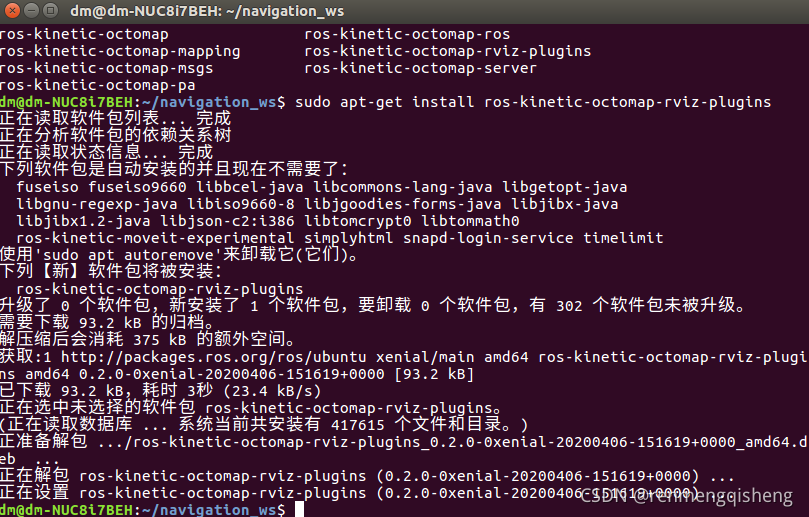
An error message appears when running rtabmap:
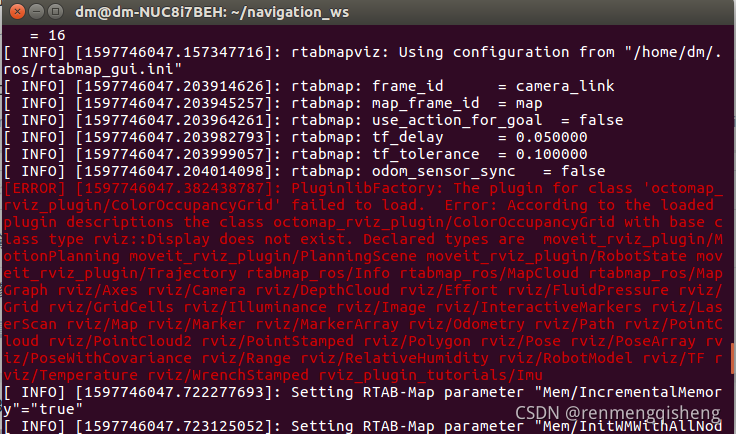
solution:
According to the prompt, the plug-in octomap is missing_rviz_Plugin, use the command: sudo apt get install ROS kinetic octomap rviz plugins to install
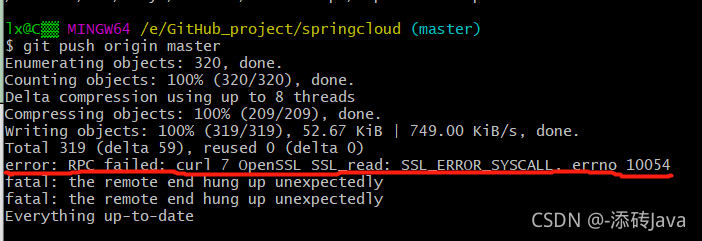
Today, I encountered an error when submitting code with gitbash
error: RPC failed; curl 7 OpenSSL SSL_read: SSL_ERROR_SYSCALL, errno 10054
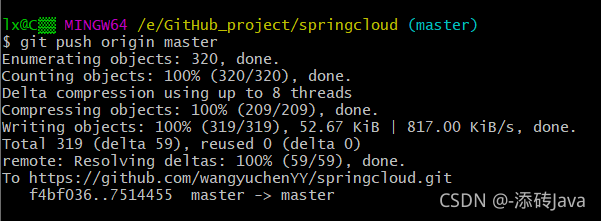
The common solution on the Internet is:
git config — global http.sslverify “false”
but I still report the same error after trying
Later, it was found that the uploaded file was too large. You can modify the configuration to

execute the statement: git config http.postbuffer 524288000
and then push again. It’s done
Following the crud-ssm tutorial in Silicon Valley, insert the following bean tags when configuring the spring environment configuration file applicationcontext.xml,
<bean id="sqlSessionFactory" class="org.mybatis.spring.SqlSessionFactoryBean">
                <property name="configLocation" value="classpath:mybatis-config"></property>
                <property name="dataSource" ref="dataSource"></property>
                <property name="mapperLocations" value="classpath:mappers/*.xml"></property>
</bean>
among
<property name="mapperLocations" value="classpath:mappers/*.xml"></property>
It will be red. You only need to create any. XML file under Resources/maps, but this will lead to Title errors
just enter the project name\target\xxx-1.0-snapshot\WEB-INF\classes\mappers and delete the.XML file created at that time
OpenCv5——error: (-215:Assertion failed) !_ Descriptors. Empty() in function ‘Add’ problem solved
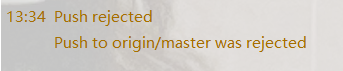
There is an error in pushing from the local warehouse to the remote warehouse (rejected) because the code of the remote warehouse has been modified directly in the remote warehouse. At this time, the code of the local warehouse is different from that of the remote warehouse, so you must update the code of the local warehouse (Pull) first and then submit (push)
Error log in idea for this problem:
error log in Git bash:

at this time, you can only pull to update your local warehouse and then push to the remote warehouse, but you will find that you will also report an error when you pull to the local warehouse
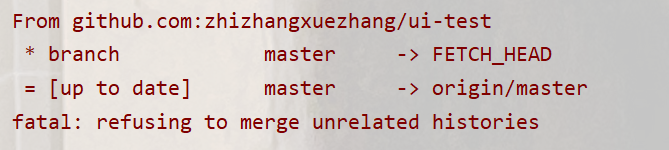

at this time, your pull command should be changed to the following command, That is, just add a parameter to ignore the history (because the two branches are caused by different versions)
git pull origin master --allow-unrelated-historiesThere is no other prompt for the error encountered when compiling orbslam3. ubuntu18.04
CMakeFiles/ORB_SLAM3.dir/build.make:110: recipe for target 'CMakeFiles/ORB_SLAM3.dir/src/LocalMapping.cc.o' failed
make[2]: *** [CMakeFiles/ORB_SLAM3.dir/src/LocalMapping.cc.o] Error 1
CMakeFiles/Makefile2:289: recipe for target 'CMakeFiles/ORB_SLAM3.dir/all' failed
make[1]: *** [CMakeFiles/ORB_SLAM3.dir/all] Error 2
Makefile:83: recipe for target 'all' failed
make: *** [all] Error 2
Solution:
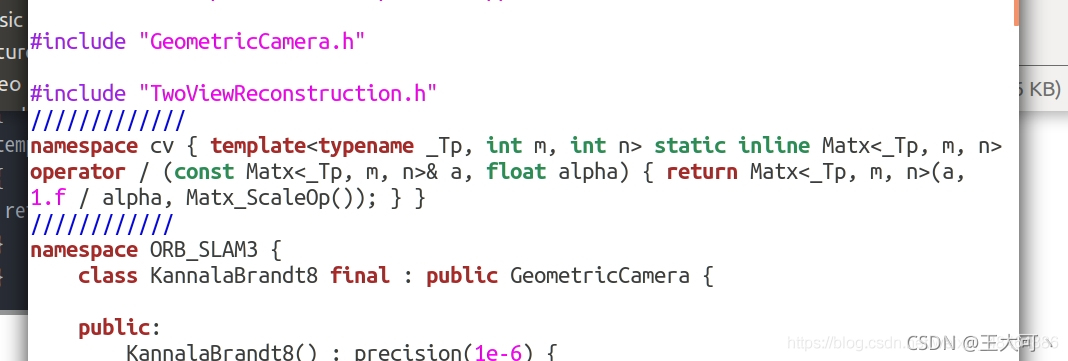
Add the following code to the orb_SLAM3/include/CameraModels/KannalaBrandt8.h
namespace cv
{
template<typename _Tp, int m, int n> static inline Matx<_Tp, m, n> operator/(const Matx<_Tp, m, n>& a, float alpha)
{
 return Matx<_Tp, m, n>(a, 1.f/alpha, Matx_ScaleOp());
}
}
As shown below
In addition, it is easy to get stuck during compilation. After making in build.sh, remove the multithreading options such as -J4-J