Author Archives: Robins

SAP Spartacus encountered an error in the background of Commerce cloud when using the product configuration function


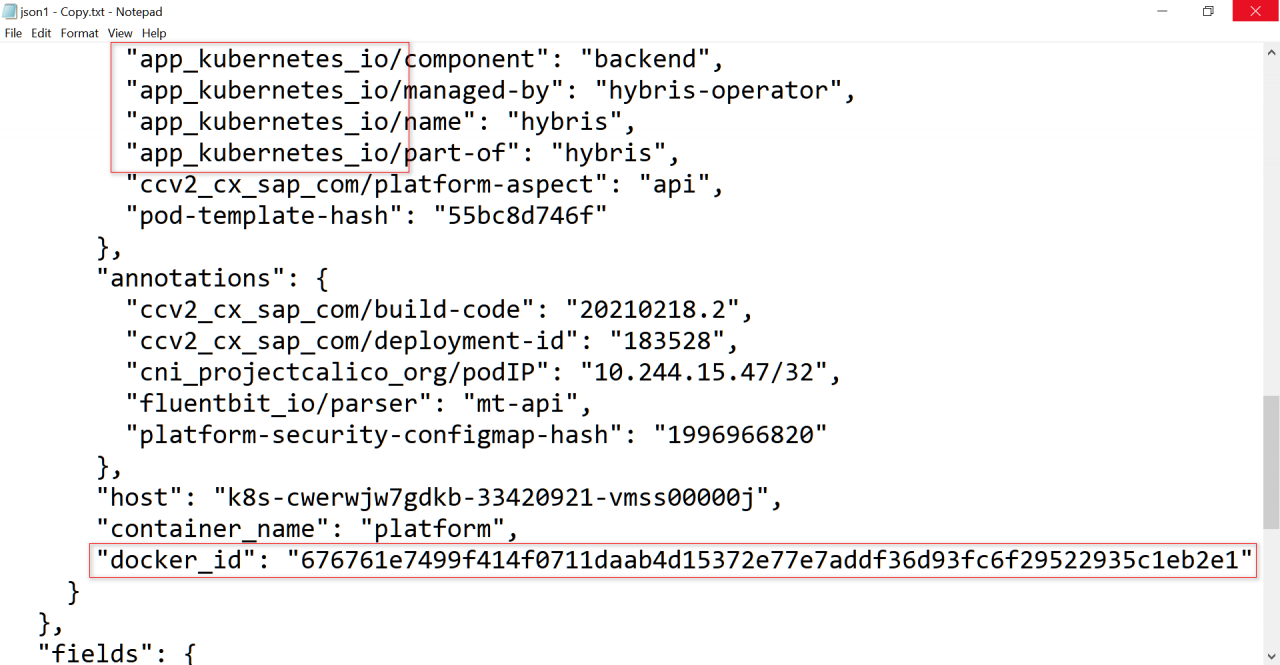
From the error log app_Kubernetes_io and docker_id, we know that the background system is a CCv2 system.

{
  "_index": "flb-2021.02.22",
  "_type": "flb_type",
  "_id": "b3243f97-d237-f049-3471-a181583767c1",
  "_version": 1,
  "_score": null,
  "_source": {
    "@fb_timestamp": "2021-02-22T14:13:41.254Z",
    "log": "{\"thread\":\"hybrisHTTP35\",\"level\":\"ERROR\",\"loggerName\":\"de.hybris.platform.sap.productconfig.runtime.cps.impl.RequestErrorHandlerImpl\",\"message\":\"While calling the cps service the following server error occured:{\\n  \\\"status\\\" : 412,\\n  \\\"typeId\\\" : \\\"40001\\\",\\n  \\\"type\\\" : \\\"precondition_failed\\\",\\n  \\\"message\\\" : \\\"Configuration is outdated\\\",\\n  \\\"moreInfo\\\" : null,\\n  \\\"details\\\" : [ ]\\n}\",\"endOfBatch\":false,\"loggerFqcn\":\"de.hybris.platform.util.logging.HybrisLogger\",\"instant\":{\"epochSecond\":1614003221,\"nanoOfSecond\":254006000},\"contextMap\":{\"RemoteAddr\":\"[194.153.147.4] \",\"Tenant\":\"\"},\"threadId\":206,\"threadPriority\":5,\"origin\":\"PLATFORM\"}\r\n",
    "stream": "stdout",
    "time": "2021-02-22T14:13:41.254242808Z",
    "logs": {
      "thread": "hybrisHTTP35",
      "level": "ERROR",
      "loggerName": "de.hybris.platform.sap.productconfig.runtime.cps.impl.RequestErrorHandlerImpl",
      "message": "While calling the cps service the following server error occured:{\n  \"status\" : 412,\n  \"typeId\" : \"40001\",\n  \"type\" : \"precondition_failed\",\n  \"message\" : \"Configuration is outdated\",\n  \"moreInfo\" : null,\n  \"details\" : [ ]\n}",
      "endOfBatch": false,
      "loggerFqcn": "de.hybris.platform.util.logging.HybrisLogger",
      "instant": {
        "epochSecond": 1614003221,
        "nanoOfSecond": 254006000
      },
      "contextMap": {
        "RemoteAddr": "[194.153.147.4] ",
        "Tenant": ""
      },
      "threadId": 206,
      "threadPriority": 5,
      "origin": "PLATFORM"
    },
    "kubernetes": {
      "pod_name": "api-55bc8d746f-fq9km",
      "namespace_name": "default",
      "pod_id": "099b8290-0cd9-49b3-9dd1-1e58be4b7a9f",
      "labels": {
        "app_kubernetes_io/component": "backend",
        "app_kubernetes_io/managed-by": "hybris-operator",
        "app_kubernetes_io/name": "hybris",
        "app_kubernetes_io/part-of": "hybris",
        "ccv2_cx_sap_com/platform-aspect": "api",
        "pod-template-hash": "55bc8d746f"
      },
      "annotations": {
        "ccv2_cx_sap_com/build-code": "20210218.2",
        "ccv2_cx_sap_com/deployment-id": "183528",
        "cni_projectcalico_org/podIP": "10.244.15.47/32",
        "fluentbit_io/parser": "mt-api",
        "platform-security-configmap-hash": "1996966820"
      },
      "host": "k8s-cwerwjw7gdkb-33420921-vmss00000j",
      "container_name": "platform",
      "docker_id": "676761e7499f414f0711daab4d15372e77e7addf36d93fc6f29522935c1eb2e1"
    }
  },
  "fields": {
    "@fb_timestamp": [
      "2021-02-22T14:13:41.254Z"
    ],
    "time": [
      "2021-02-22T14:13:41.254Z"
    ]
  },
  "highlight": {
    "logs.level": [
      "@kibana-highlighted-field@ERROR@/kibana-highlighted-field@"
    ]
  },
  "sort": [
    1614003221254
  ]
}

While calling the cps service the following server error occured: Configuration is outdated.
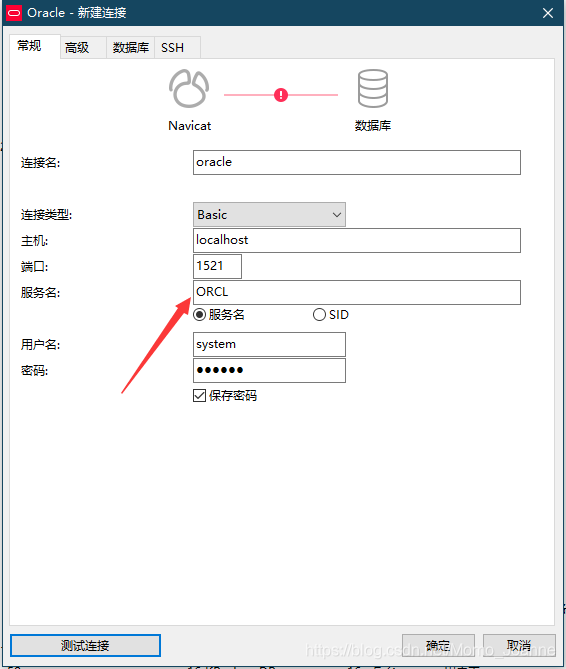
Ora-28547 of Navicat solution

The solution is very simple. I replaced the oci. DLL in the navicat file directory C:\ oracle \product\11.2.0\dbhome_1\BIN with the oci. DLL in the navicat file directory C:\PremiumSoft\ navicat Premium\instantclient_10_2 and connected it smoothly.

Oracle error collection solution

1.: ORA-00054: Resource is busy, but NOWAIT is specified to retrieve resource
The transaction is not committed because the table is locked
 
ORA-00959 tablespace does not have Oracle IMP import problem
If the table contains fields of type LOB, an ORA-00959 error will occur during the import, resulting in IMP-00017 and IMP-00003 errors, which will make the table import unsuccessful.
When importing, tables are created in the default tablespace of the importing user. However, physical storage parameters for LOB fields are specified separately and are not automatically created into the default tablespace.
The solution to the problem:
Create a tablespace with the same name in the import database beforehand to avoid this error
2. Since there are very few tables with LOB fields, I will now remove the storage parameter part of the creation script after import and re-execute it. If you have data, use the import and export tools in SQL/DEV
 
User =”sys”; user=”sys”; user=”sys”;
Java.sql. SQLExeption: ORA-28009: connection as SYS should be as SYSDBA or SYSOPER
Solution:
Set user name to “sys as sysdba”, other things remain the same, such as:
 
Protected final String url = “JDBC :oracle:thin: @host name: port number :SID”;
Protected final String user = “sys as sysdba”, password = “password “;
static {
try {
Class.forName(“oracle.jdbc.driver.OracleDriver”).newInstance();
} catch (ClassNotFoundException e) {
e.printStackTrace();
}
public Connection conn = DriverManager.getConnection(url, user, password);
 
Connection to the database no error, done.
 
ORA-12169: TNS: NET service name specified as connection identifier is too long
12169. 00000 – “TNS:Net service name given as connect identifier is too long”
*Cause: The net service name you are attempting to resolve is too long.
*Action: The maximum length of a net service name is 255 bytes; this limit
has been exceeded. Use a smaller net service name. If this
is not possible, contact Worldwide Customer Support.
 
 
Exceptionally long space caused by creating a dblink
 
 
5.drop database link ’20_TEST’
Error reporting –
SQL error: ORA-01729: Need database link name
01729. 00000 – “database link name expected”
*Cause:
*Action:
 
Drop database link “20_TEST”
 
 
SQL error: ORA-02018: Database link with the same name has an open connection
02018. 00000 – “database link of same name has an open connection”
Close the dblink:
Sql code
ALTER SESSION CLOSE DATABASE LINK [name];
Error:
ORA-02080: database link is in use
V $dblink view
Sql code
SELECT * FROM v$dblink;
The dblink is indeed not in transaction. Confused. ALTER SESSION (ALTER SESSION, ALTER SESSION, ALTER SESSION, ALTER SESSION)
ORA-02080: database link is not open
I know it should be possible to delete it and DROP it again.
 
 
ORA-01830: The date format image ends before converting the entire input string
 
The to_date(‘2012-11-11′,’ yyyy-mm-dd ‘) string format should be consistent with the conversion format
 
ORA-01810: Format code appears twice
01810. 00000 – “format code appears twice”
*Cause:
*Action:
select * from ly_sbqb_czrz where czsj > To_date (‘2018-04-22 23:59:59′,’ yyyy-mm-dd HH24: MM :ss’
select * from ly_sbqb_czrz where czsj > to_date(‘2018-04-22 23:59:59′,’yyyy-MM-dd HH24:mi:ss’) ok
 
 
SQLPLUS/AS SYSDBA does not solve the problem, but creates a PDB database to solve the problem
 
1. Can you use SHOW PDBS to confirm which PDBs are available?
 
[sql] view plain copy
SQL> show pdbs
CON_ID CON_NAME OPEN MODE RESTRICTED
———- —————————— ———- ———-
2 PDB$SEED READ ONLY NO
3 TESTP1 MOUNTED
SQL>
In the figure above, PDB$SEED is not a PDB but a template for a PDB, and the state is always Read Only. TestP1 is a PDB.


2. Switch to TestP1.
 
[sql] view plain copy
SQL> alter session set container=PDBORCL;
Session altered.
SQL> show pdbs;
CON_ID CON_NAME OPEN MODE RESTRICTED
———- —————————— ———- ———-
3 TESTP1 MOUNTED
SQL>
 
3. Cut back to CDB.
 
[sql] view plain copy
SQL> alter session set container=CDB$ROOT;
Session altered.
SQL> show pdbs
CON_ID CON_NAME OPEN MODE RESTRICTED
———- —————————— ———- ———-
2 PDB$SEED READ ONLY NO
3 TESTP1 MOUNTED
SQL>
 
10. Import database files with different user names
Imp userid = [usernam]/[password]. @ ORCL_192 168.1.2 fromuser = [old_usernam] touser = [usernam] file = e: \ data. DMP
 
Alter tablespace size increment
alter database datafile ‘D:\APP\ORCL\ORADATA\ORCL\LY_QMP.ORA’ autoextend on next 100m maxsize 5120M;
Too much will report errors
ORA-03206: Maximum file size of block (6553600) in AUTOEXTEND clause out of range
03206. 00000 – “maximum file size of (%s) blocks in AUTOEXTEND clause is out of range”
 
ORA-28040 No Matching Authentication Protocol (ORA-28040 No Matching Authentication Protocol
1. The program replaces OJDBC14 with OJDBC7
2. Download 12c client instantclient_12_1
D:\instantclient_12_1
D:\instantclient_12_1\oci.dll


The solution to the error of [Oracle] ora-00054

Error message:
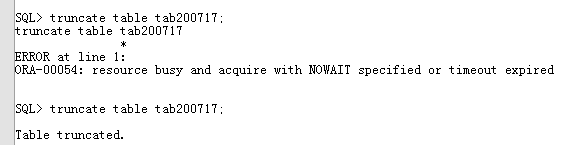
ORA-00054: resource busy and acquire with NOWAIT specified or timeout expired
 
Key words: ORA-00054 lock wait
 
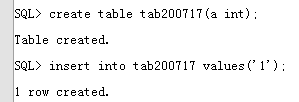
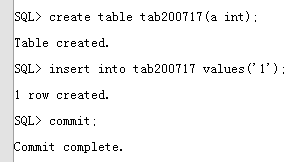
The table cannot be truncated by another process if the table is not committed after the INSERT message is sent.
For example:
Process A creates A new table, inserts A row of data, but does not commit.

ORA-00054: ORA-00054 ORA-00054: ORA-00054: ORA-00054: ORA-00054: ORA-00054: ORA-00054: ORA-00054: ORA-00054: ORA-00054

The truncate of process B can only be executed after process A commits or after the resource is released.


Note that this situation is different from two processes operating on a resource at the same time (e.g., UPDATE on the same row). When two processes are operating on a resource at the same time, the second operation will get stuck (waiting).
You can find the process that holds the resource, commit the resource and release it. If you cannot commit, you can confirm and kill it.

SQL> select b.owner,b.object_name,a.session_id,a.locked_mode from v$locked_object a,dba_objects b where b.object_id = a.object_id;


Note that not all the information that appears after using the above statement is the problem process, because normal operation on the table as long as there is a hold resource in the query will be selected, so you can use this command several times to check whether the resource has been held, and you can look at the table name below to help confirm.
Query for sid and serial#.

SQL> select b.username,b.sid,b.serial#,logon_time from v$locked_object a,v$session b where a.session_id = b.sid order by b.logon_time;

KILL the session process.

Solution of visdom enabling problem

When enabling visdom.server, stop in the M.E. scripts.It might take a while before an error is reported after a long interval.
The reason for this is that during the process of downloading part of the script, some websites were not accessible (maybe because of overseas websites or firewall block). The reason is unclear.
Solution: Comment the download_scripts() function call in visdom/server.py. The exact location of the visdom/server.py file may vary. But you’re using the Python directory. For example, mine under this path:

/usr/local/anaconda3/lib/python3.6/site-packages/visdom

You can sudo gedit server.py or su root, enter the root password, and then gedit server.py. Once opened, you can go directly to the end of the file to find download_scripts_and_run() and comment out the download_scripts().
Enable visdom.server at this point and it will not get stuck in the previous problem. However, the download_scripts are commented out and some of the parts required for the front end are not working properly.
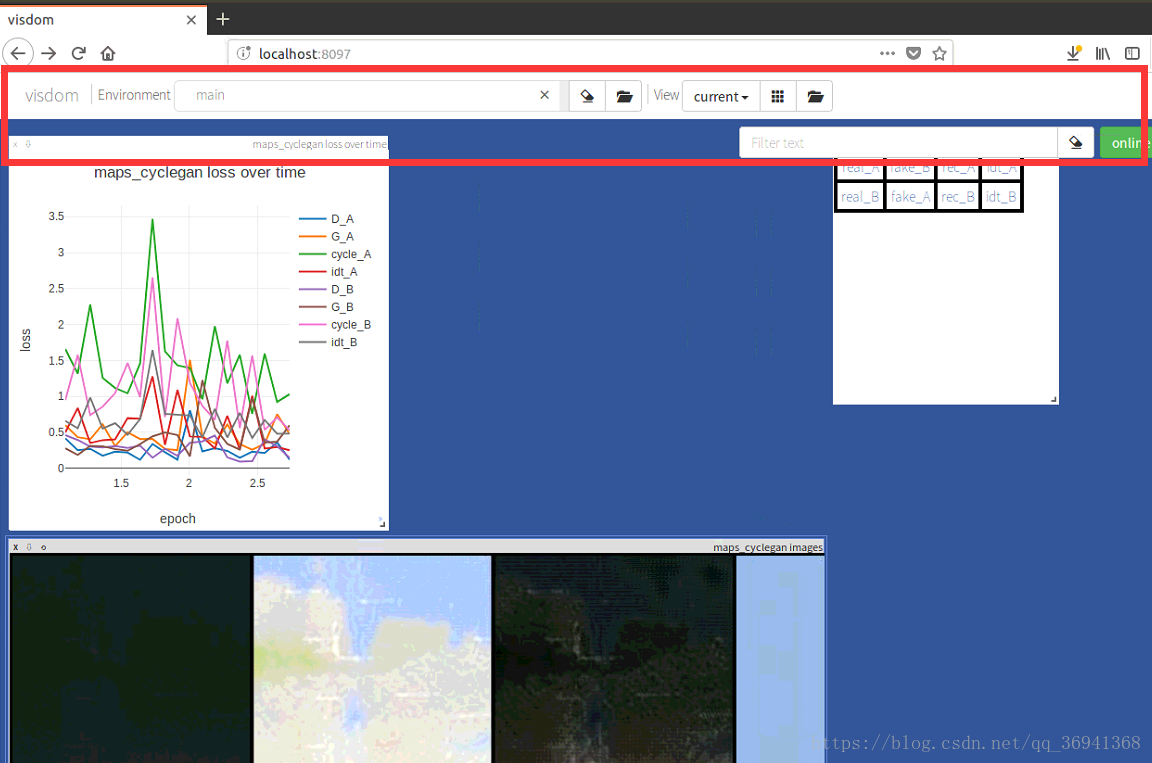
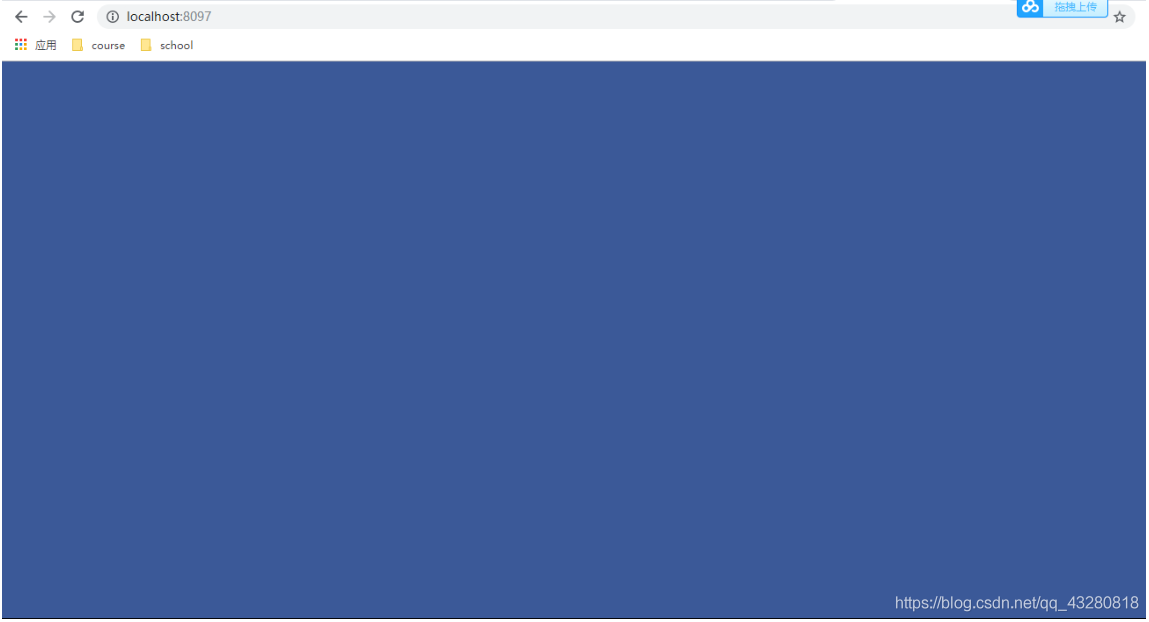
When you open localhost:8097, the page is blank (all blue) and there is no navigation bar as shown in the following image:

Cause: Viewing terminal will receive a 404 alert indicating that the page is not displaying properly due to some missing part.
Solution:

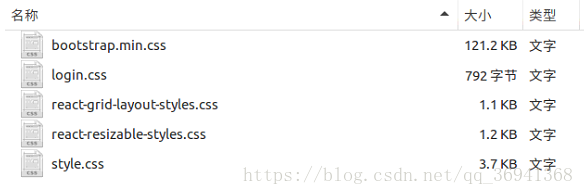
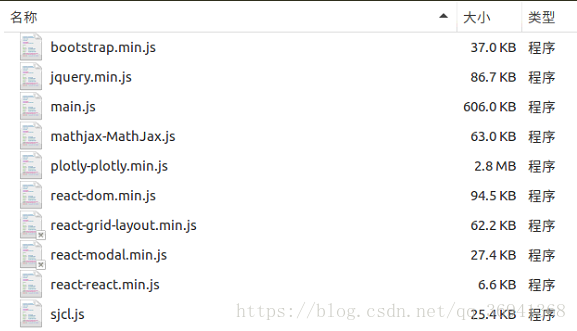
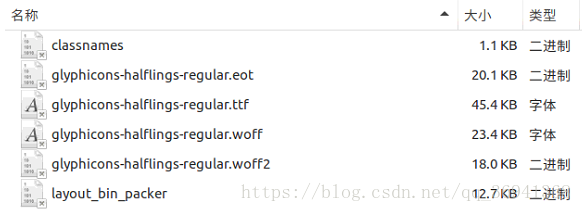
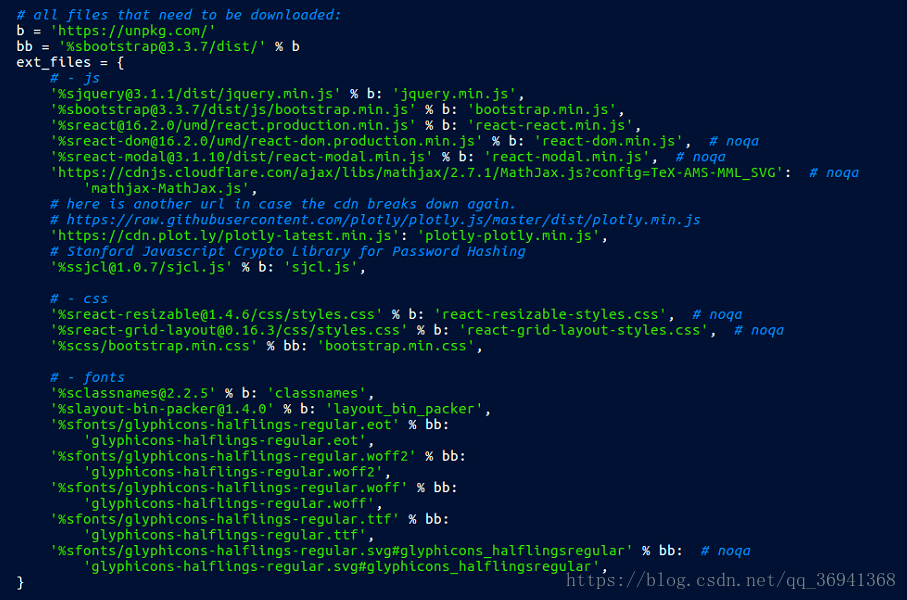
    tried online some change in the static index. The HTML file content method, solve the problem. Try manually downloading the missing file. Look for the URL in the download_scripts function of server.py from the previous operation. And compare the existing files of JS, CSS and Font files under visdom/static to download the missing files. The following is a list of the completed file directories. Click to download the missing files.


Website image:

Here are two examples of web sites for reference:
https://unpkg.com/[email protected]/dist/jquery.min.js with %b
With % bb url (must be in the middle add [email protected]/dist /) : https://unpkg.com/[email protected]/dist/[email protected]
Some can be downloaded directly and some URL is open source format, you can copy to a text document, and then change the rename change format.
Note: Fonts/Glyphicons – Halflings-Regular. SVG did not download successfully, but it does not seem to affect the use of Visdom.

Solution of visdom startup failure in Windows 10

Task description
Recently collected a batch of data, want to call Cyclegan to complete the domain migration to see the effect. So I found the open source Cyclegan code on the Internet, the code can run normally, but the call to Visidom will always show an Error: HTTP Error. So record the process of my solution
 
Start the visdom

python -m visdom.server

Calling CMD to start visdom.server but the code will get stuck, stuck in downloading the script
 
To solve the caton
The reason is that the file is difficult to download. Here’s how to solve it
Find the location of the Visidom package in the current environment, roughly: ~\Lib\site-packages\visdom Open server.py and look for download_scripts and comment this line so that download_scripts() is not executed
After this operation, and then start Visidom, the model will run smoothly, and no exception thrown. But there is a problem, open the page blue screen.
 
To solve the blue screen
The reason for the blue screen is that it does not download properly. The solution here refers to two articles, both of which are cited in the following references
Into local visdom in static files, there is a index. The HTML files, the backup download reference (2) in the index. The HTML files, to replace the current folder has the backup index. The restart visdom HTML files, open the page, the question remains, to be the next step will be the backup of the original index. The HTML to replace the current index. The HTML restart visdom, problem solving
 
reference
https://blog.csdn.net/AnthongDai/article/details/79117472https://github.com/chenyuntc/pytorch-book/blob/2c8366137b691aaa8fbeeea478cc1611c09e15f5/README.md#visdom%E6%89%93%E4%B8%8D%E5%BC%80%E5%8F%8A%E5 %85%B6%E8%A7%A3%E5%86%B3%E6%96%B9%E6%A1%88
 
This article is the author’s original, reproduced need to indicate the source!

Windows solution enabled visdom.server Slow and blank blue screen (no navigation bar)

Windows resolves enabling visdom.server slow and blank blue screen (no navigation bar)

ke a little while <>ode>take a little while take a little while The solution is as follows:
visdomrectory (.> \ [local] Anaconda3 \ Lib \ site - packages \ visdom ), open the inside of the server. Py file, directly turn to find the file last download_scripts_and_run () , will be one of the download_scripts () commented out, as follows:

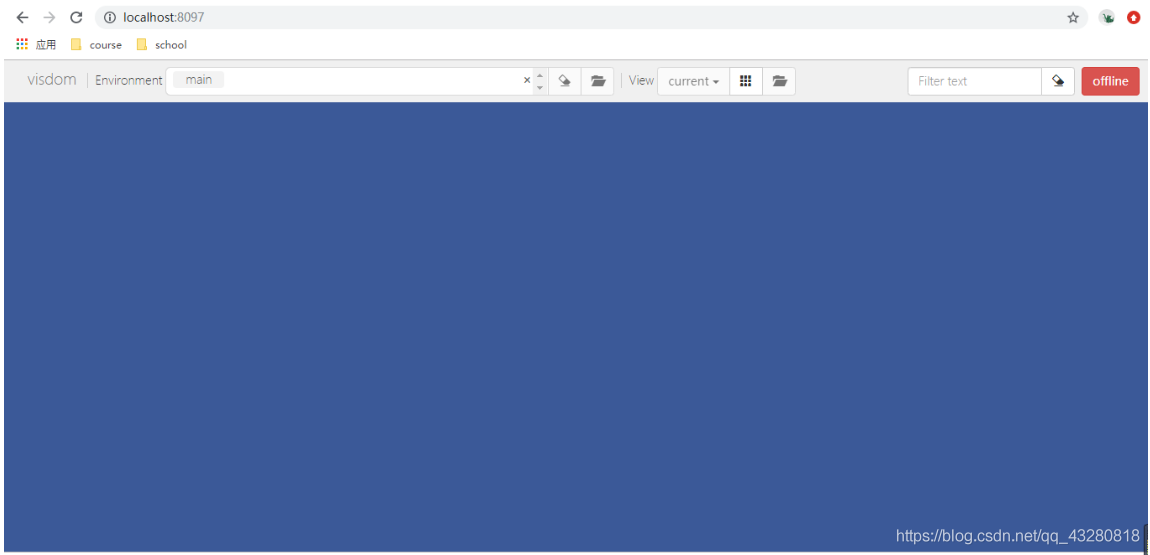
then you can start quickly but also have the port, but after the browser is "blue screen", there is no navigation, the diagram below:

to see the process in the CMD, said error Could not open the static file , illustrate the static missing some necessary documents can't find it in the

then only need to put the missing file up the line. Here for everybody, you just need to put the visdom in the static replace the static .
Link: https://pan.baidu.com/s/1fDKi2rAtot-PcHGTXH8fbA
extraction code: li1w
python-m visdom.server/ code>>

The C compiler identification is unknown solution

LINK: fatal error LNK1158: cannot run ‘rc.exe’
Solution:
C:\Program Files (x86)\ Windowkits \8.1\bin\x86 C:\Program Files (x86)\ WindowKits \8.1\ Bin \x64, ARM :\Program Files (x86)\ WindowKits \8.1\ Bin \ ARM :\Program Files (x86)\ WindowKits \8.1\ Bin \ ARM
C:\Program Files (x86)\Windows Kits\8.1\ Bin \x86 (x64 or ARM) C:\Program Files (x86)\Microsoft Visual Studio 14.0\VC\ Bin (this compiler is corresponding to VS2015) folder.
Problem solved!

The C compiler identification is unknown

The environment
CLion+Cmake+Mingw
An error log

-- The C compiler identification is unknown
-- Check for working C compiler: D:/MinGW/bin/gcc.exe
-- Check for working C compiler: D:/MinGW/bin/gcc.exe -- broken
CMake Error at D:/Program Files/JetBrains/CLion 2019.2.3/bin/cmake/win/share/cmake-3.15/Modules/CMakeTestCCompiler.cmake:60 (message):
  The C compiler

    "D:/MinGW/bin/gcc.exe"

  is not able to compile a simple test program.

If it is a CPP program, it may be reported again

-- The CXX compiler identification is unknown

why
CMAKE could not check the C Compiler ID for unknown reasons, causing compilation to fail
The solution
Add the following configuration to the cMakelists.txt file to force the Compiler ID to be specified

INCLUDE(CMakeForceCompiler)
CMAKE_FORCE_C_COMPILER(gcc GNU)
CMAKE_FORCE_CXX_COMPILER(g++ GNU)

Rerun the cmake directive after adding it

Solve the problem of the C compiler identification is unknown or the cxx compiler identification is unknown in the process of using cmake

The compiler is not installed. You can run the following commands from the command line depending on your system choice.
RedHat-based

yum install gcc gcc-c++

Debian/Ubuntu-based

apt-get install cmake gcc g++

If you don’t have enough permissions, preface the command with sudo, execute
and recompile your project

The cxx compiler identification is unknown

//Configure VS2015/VS2015/VS2015/VS2015/VS2015/VS2015/VS2015

The CXX compiler identification is unknown

Cmake can’t find the C++ compiler. Check the VS installation directory for cl.exe, rc.exe and rcdll. DLL.
If you do not have cl.exe, you may have only installed VS and no VC compiler. Open VS and select VC to install.
If you do not have rc.exe and rcdll. DLL, which are used for compiling resources, you may install them in the Windows SDK. You can directly copy these two files to the VC/bin directory.