Author Archives: Robins

[Solved] Pytorch Error: AttributeError: ‘Tensor‘ object has no attribute ‘backword‘

Pytorch error attribute error: ‘tensor’ object has no attribute ‘backword’

According to the error description, there is no backword attribute.

error code

loss.backword() # Reverse Propagation

correct

loss.backward() # Reverse Propagation

I mistyped a a letter. There is no error prompt on the Jupiter notebook editor, which is difficult to find 😂

NestedServletException, Handler dispatch failed; nested exception is java.lang.StackOverflowError [Solved]

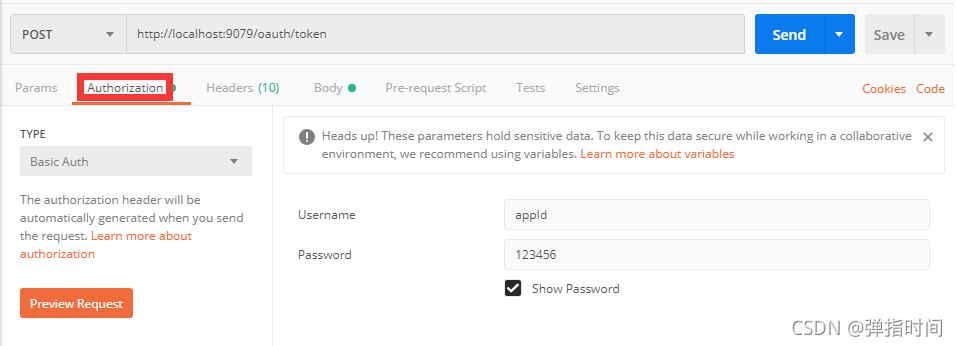
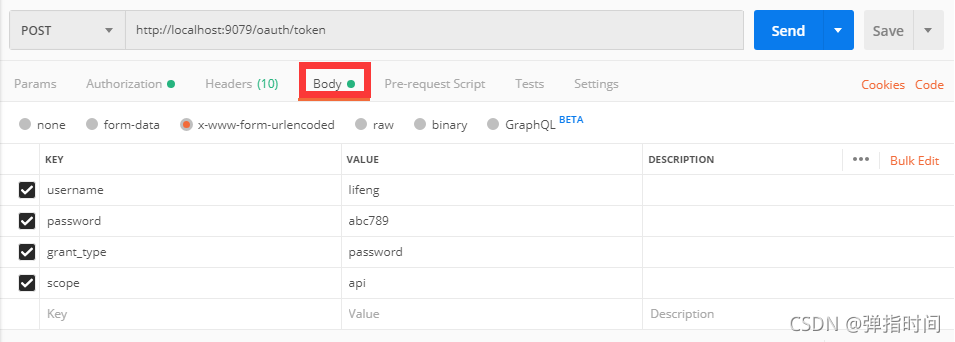
After setting up the spring security oauth2 environment, conduct interface test with postman:

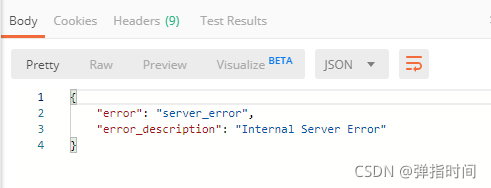
Postman returned an error message:

The idea console outputs the following warnings:

WARN 4344 — [nio-8082-exec-1] o.s.s.o.provider.endpoint.TokenEndpoint  : Handling error: NestedServletException, Handler dispatch failed; nested exception is java.lang.StackOverflowError

After investigation, it is found that a method in the spring security configuration class securityconfiguration written by myself is wrong and written as: AuthenticationManager. The correct method name should be authenticationmanagerbean.

The complete and correct method is:

@Bean
@Override
public AuthenticationManager authenticationManagerBean() throws Exception {
      return super.authenticationManagerBean();
}

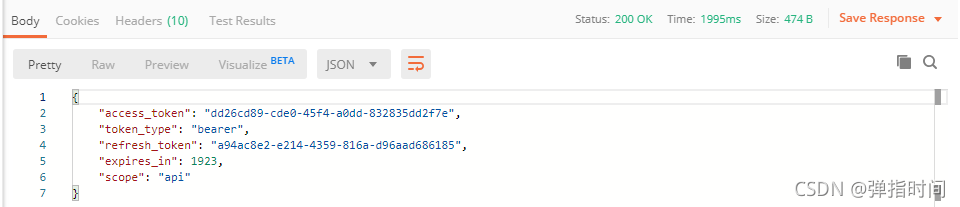
Retest after modification and return the correct result:

If you encounter any problems during browsing, please leave me a message in the comment area below.

[Solved] Msbuild: error msb3428: the group cannot use the visual c + + function “vcbuild. Exe”.

After modifying the node version, the project starts to prompt the error message. Nothing has been changed. The error message is as follows:

MSBUILD : error MSB3428: The Visual C++ component "VCBuild.exe" failed to load. To resolve this issue, 1) install the .NET Framework 2.0 SDK; 2) install Microsoft Visual Studio 2005; or 3) if the component is installed in another location, add its location to the system path. [D:\manage\web\node_modules\utf-8-validate\bui
ld\binding.sln]


Error reason: missing windows build in

Solution: run as administrator   And open the command-line tool. Run NPM install – global – production windows build tools in the command-line tool.

[Solved] AttributeError: module ‘selenium.webdriver‘ has no attribute ‘Chrome‘

**

Attributeerror: module ‘selenium. Webdriver’ has no attribute ‘chrome’

**
Description:
there is no problem creating a Google browser directly in the IDE
this error is reported when you go to Python
this is a novice problem

solution:
the reason for the error is that the selenium module is not installed in Python
this module is added in the setting project interpreter

in addition:
if it has been preceded, But not now
the possible reason is that you have opened a new project, which needs to be imported again

[GNS3 router and cloud times error] error while sending commadn ‘bridge add_nio_ethernet

1. Error Messages:
error while sending commadn ‘bridge add_nio_ethernet 992cbac3-3290-4aa4-9124-495da89e147e-1 “\Device\NPF_{DD33F9C0-A7CD-4E68-8A8C-04238D7F0D78}”‘: unable to create NIO Ethernet for bridge ’60eb5d09-3290-4aa4-9124-495da89e147e-1’: uBridge version 0.9.16 running with WinPcap version 4.1.3 (packet.dll version 4.1.0.2980), based on libpcap version 1.0 branch 1_0_rel0b (20091008)Hypervisor TCP control server started (IP localhost port 49961).UDP tunnel connecting from local port 10001 to IPv4 addresss 127.0.0.1 on port 10000nio_ethernet_open: unable to open device ‘\Device\NPF_{DD33F9C0-A7CD-4E68-8A8C-04238D7F0D78}’: Error opening adapter:  (20)

2. Operation before appearing
Added a new network card to the PC
3. Solution
Uninstall winpcap and then reinstall winpcap


[Solved] AttributeError: Manager isn‘t available; ‘auth.User‘ has been swapped for ‘

AttributeError: Manager isn't available; ' auth.User' has been swapped for 'account.UserInfo'

This is because I have extended Django’s user authentication model

#setting.py
AUTH_USER_MODEL = 'account.UserInfo'

Official documents

from django.contrib.auth.models import User
from django.contrib.auth import get_user_model

User = get_user_model()

Or use the user info model directly

""" get_user_model"""
def get_user_model():
    """
    Return the User model that is active in this project.
    """
    try:
        return django_apps.get_model(settings.AUTH_USER_MODEL, require_ready=False)
    except ValueError:
        raise ImproperlyConfigured("AUTH_USER_MODEL must be of the form 'app_label.model_name'")
    except LookupError:
        raise ImproperlyConfigured(
            "AUTH_USER_MODEL refers to model '%s' that has not been installed" % settings.AUTH_USER_MODEL
        )

NDK Version Clang++: error: unknown argument: ‘-static-openmp‘

Cmakelists.txt file compiles ncnn and CPP and runs normally on the other two Ubuntu machines.

Similarly, the source code is configured, the project is loaded, and the gradle initialization is correct, but there is an error in compiling APK.

clang++: error: unknown argument: ‘-static-openmp’

After searching for a long time, I can’t see the wrong configuration. I doubt the gradle version. The problem remains after the upgrade; Upgrade the as version, and the problem still occurs.

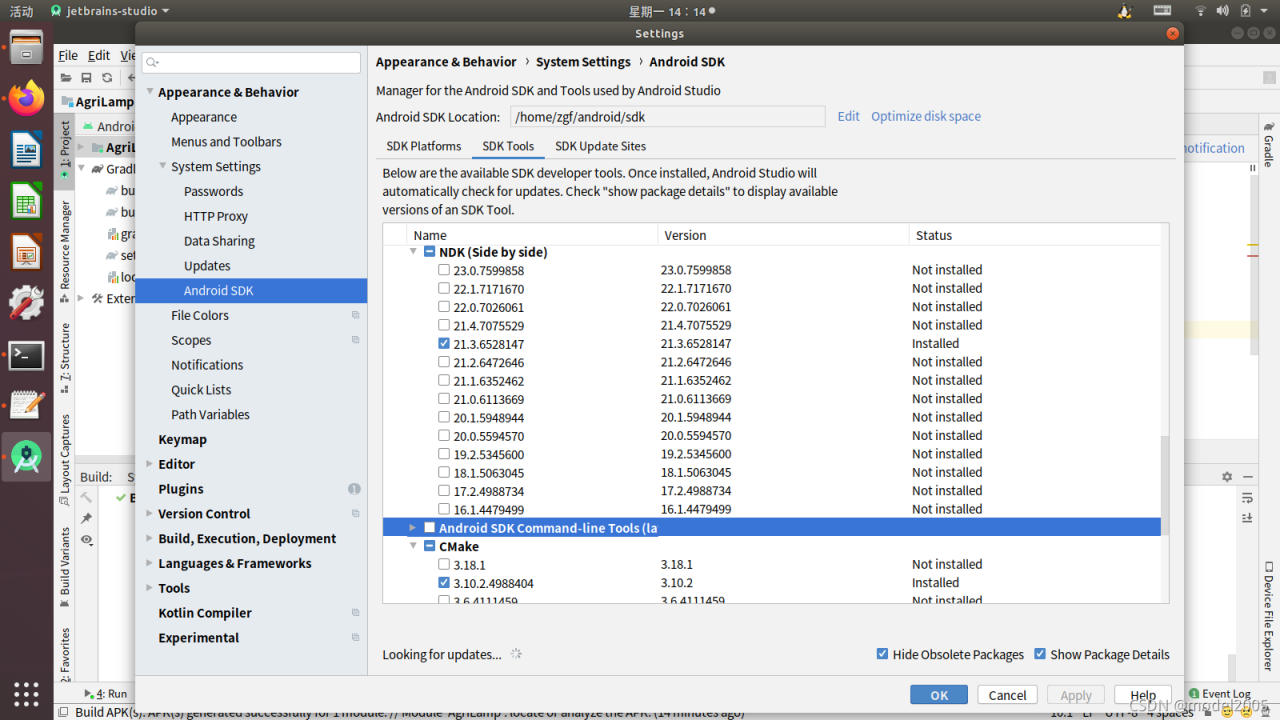
Open settings, SDK configuration, check SDK tools, and reinstall SDK. The latest SDK 23.0 is installed at once. The error disappears, but there is still a problem with the compilation. It is reduced to SDK 20.0, and the error occurs again.

High or low, choose ndk21.3 and cmake3.10.2. Finally, the compilation is normal and the debugging is passed.

[Solved] Error running query: MetaException(message:Got exception: java.net.ConnectException Call From XXXX

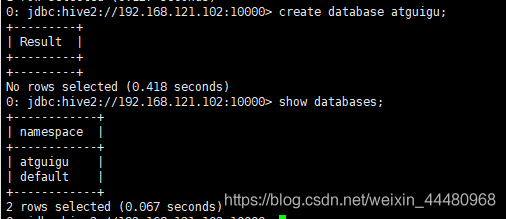
Problem screenshot

Problem description

Error: Error running query: MetaException(message:Got exception: 
java.net.ConnectException Call From hadoop102/192.168.121.102 to hadoop102:9000 
failed on connection exception: 
java.net.ConnectException: Connection denied;
For more details see:  http://wiki.apache.org/hadoop/ConnectionRefused) (state=,code=0)

Cause:

Hadoop cluster is not started

Solution:

Start Hadoop cluster: detailed steps

Result screenshot

Invalid python sd, Fatal Python error: init_fs_encoding: failed to get the Python cod [How to Solve]

Error:
prompt when opening pycharm: invalid python sdk.
The cmd appears as: Fatal Python error: init_fs_encoding: failed to get the Python codec of the filesystem encoding;
Error message:
Python path configuration:
PYTHONHOME = ‘C:\PythonHome’
PYTHONPATH = ‘C:\PythonPath’
program name = ‘D:\Python38\python.exe’
isolated = 0
environment = 1
user site = 1
import site = 1
sys._base_executable = ‘D:\Python38\python.exe’
sys.base_prefix = ‘C:\PythonHome’
sys.base_exec_prefix = ‘C:\PythonHome’
sys.executable = ‘D:\Python38\python.exe’
sys.prefix = ‘C:\PythonHome’
sys.exec_prefix = ‘C:\PythonHome’
sys.path = [
‘C:\PythonPath’,
‘D:\Python38\python38.zip’,
‘C:\PythonHome\DLLs’,
‘C:\PythonHome\lib’,
‘D:\Python38’,
]
Fatal Python error: init_fs_encoding: failed to get the Python codec of the filesystem encoding
Python runtime state: core initialized
ModuleNotFoundError: No module named ‘encodings’
Current thread 0x00008bd8 (most recent call first):

Configuring environment variables, no matter how they are configured, does not work.

Solution:
Tried opening the installation package directly and reinstalling it, and making changes in System Applications and Features, but none of them solved it.
I can only find python in settings-applications and features, uninstall it first, and then reinstall it.
The problem is solved, although after re-entering pycharm, the previous library needs to be reinstalled.