Problem Description:
Failed to upgrade PIP version
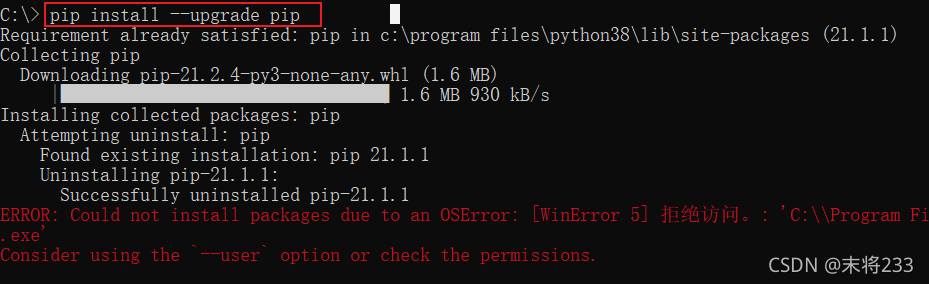
Solution:
Append visual DL to the command
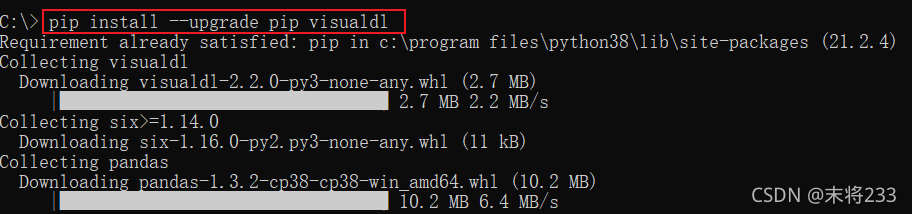
Problem Description:
Failed to upgrade PIP version
Solution:
Append visual DL to the command
1. Phenomenon
The ES net network card was not found
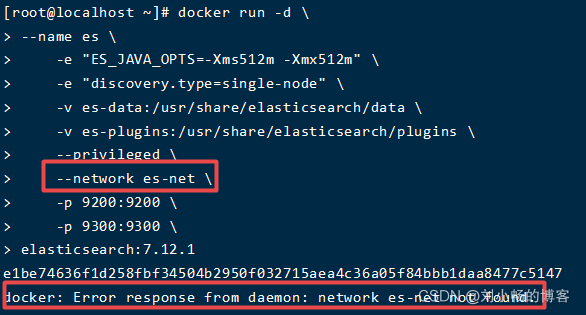
2. Solutions
(1) Create a new custom network type
Docker network create es net (network card name)
(2) disconnect the container from the previous custom network
Docker network disconnect es net es (container name)
(3) establish a connection between the container and a new custom network
Docker network connect es net es (container name)
(4) start the container
docker start es

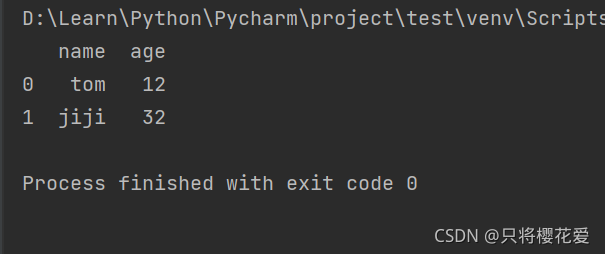
When using pandas to import file data, run read_ CSV is normal, and read is running_ If there is an error in Excel, install openpyxl directly according to the prompt.
terms of settlement:
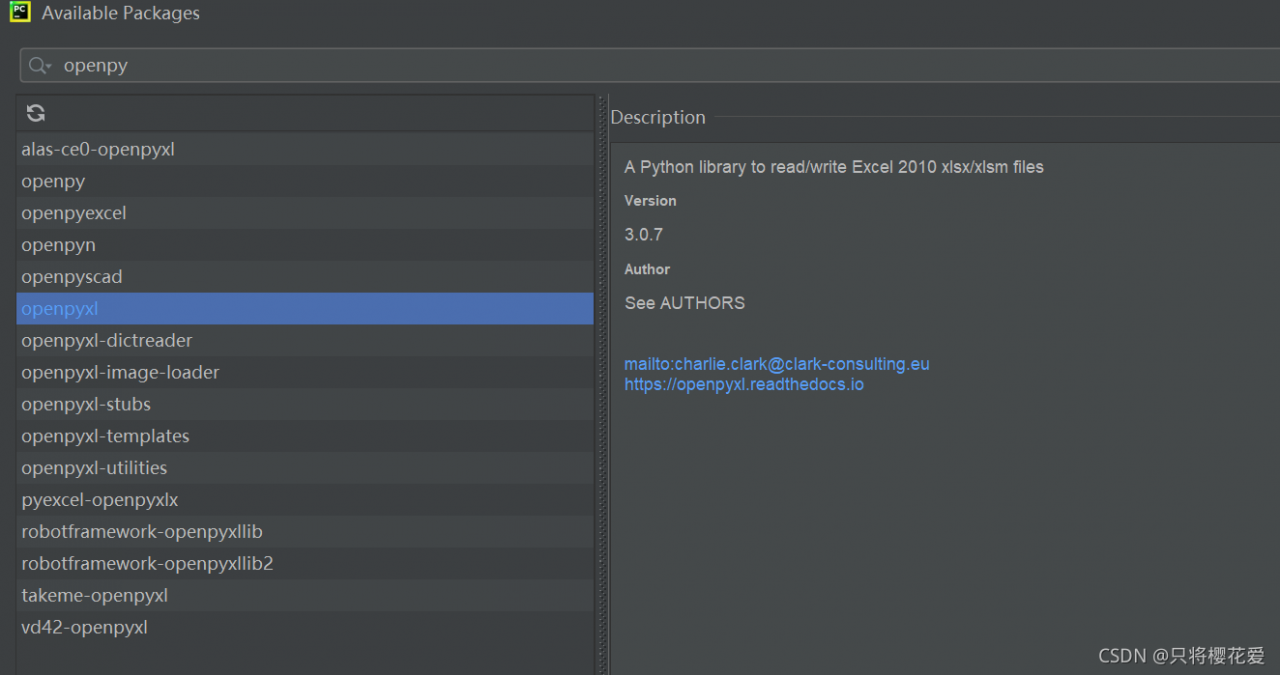
Upper left corner file — & gt; Settings—> project –>+ Openpyxl search installation number
Run again as follows:
Error: unable to perform an operation on node ‘ rabbit@rabbitma ’ please see diamostics infoxmation and suagestions below.
At this time, check with rabbitmqctl status
If there is an error, the following message will be displayed
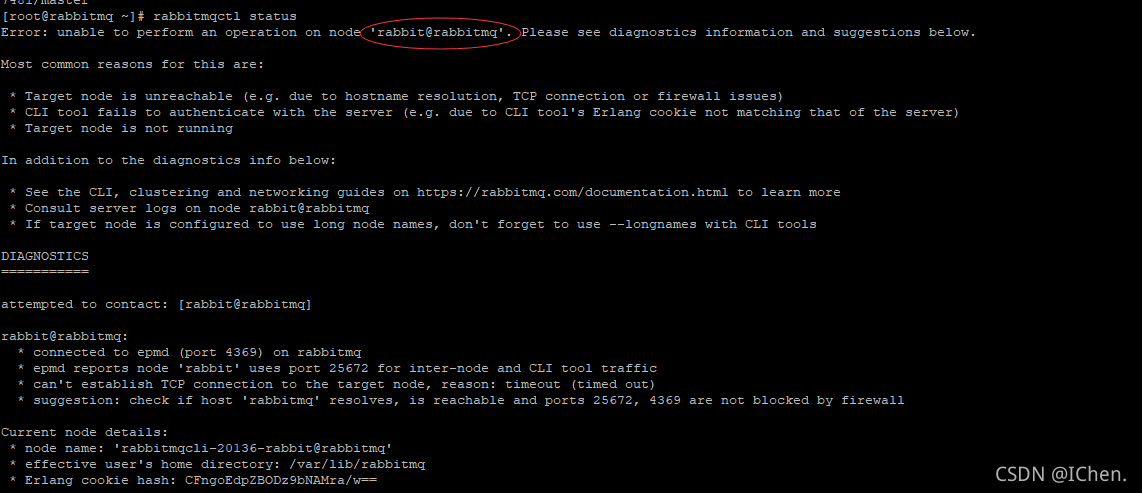
At this time, circle the words in red on the first line
Directly use echo 192.168.174.131 rabbitmq & gt& gt;/ Etc/hosts where IP is the server IP
At this time, restart rabbitmq and you can start quickly
systemctl restart rabbitmq-server.service
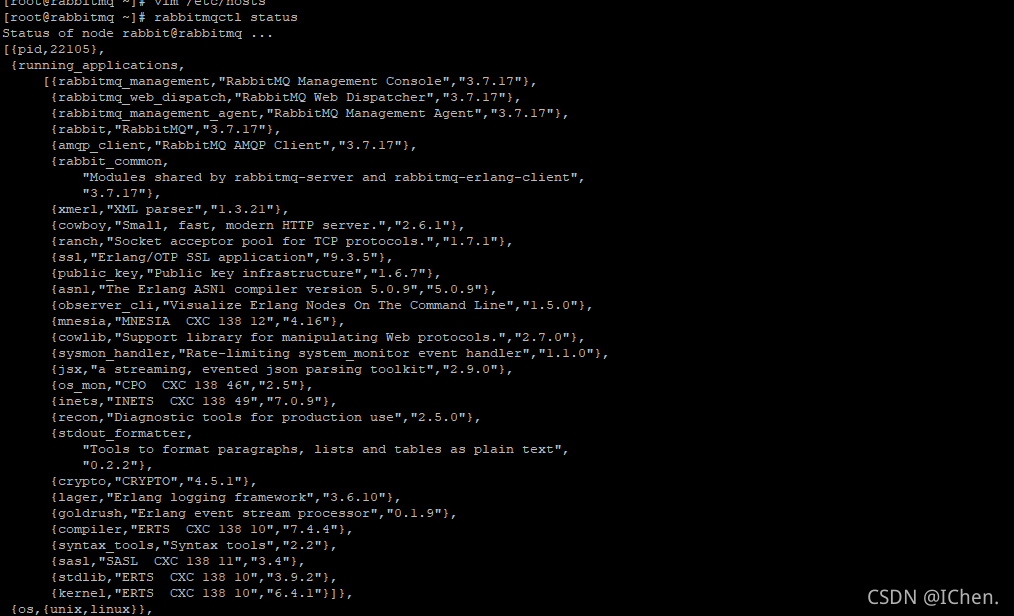
After startup, use
rabbitmqctl status to check, and the correct information will be displayed
Problem description
Use supervisor to host the process, and use supervisorctl to report an error:
[~]$ supervisorctl status
error: <class 'OSError'>, [Errno 97] Address family not supported by protocol: file: /home/miniconda3/envs/open3d/lib/python3.7/socket.py line: 151
[~]$
[~]$ supervisorctl start all
error: <class 'OSError'>, [Errno 97] Address family not supported by protocol: file: /home/miniconda3/envs/open3d/lib/python3.7/socket.py line: 151
Cause of problem
The commands used when starting supervisor are:
$ supervisord -c /etc/supervisord.d/supervisord.conf
That is:
the configuration file supervisor.conf is placed under the path /etc/Supervisor. D/,
this path is not the built-in path of supervisor CTL .
Solution
supervisorctl at the path where the file supervisord. Conf is stored; Place the file supervisor.conf in the default path of supervisor CTL , for example: /etc
Today, when you try to run a demo of Chatbot and create an entity, an error occurs:
Traceback (most recent call last):
  File "c:/users/USER/desktop/bot.py", line 77, in <module>
    chatbot = ChatBot('Ron Obvious')
  File "C:\Users\USER\AppData\Local\Programs\Python\Python37\lib\site-packages\chatterbot\chatterbot.py", line 28, in __init__
    self.storage = utils.initialize_class(storage_adapter, **kwargs)
  File "C:\Users\USER\AppData\Local\Programs\Python\Python37\lib\site-packages\chatterbot\utils.py", line 33, in initialize_class
    return Class(*args, **kwargs)
  File "C:\Users\USER\AppData\Local\Programs\Python\Python37\lib\site-packages\chatterbot\storage\sql_storage.py", line 20, in __init__
    super().__init__(**kwargs)
  File "C:\Users\USER\AppData\Local\Programs\Python\Python37\lib\site-packages\chatterbot\storage\storage_adapter.py", line 21, in __init__
    'tagger_language', languages.ENG
  File "C:\Users\USER\AppData\Local\Programs\Python\Python37\lib\site-packages\chatterbot\tagging.py", line 13, in __init__
    self.nlp = spacy.load(self.language.ISO_639_1.lower())
  File "C:\Users\USER\AppData\Local\Programs\Python\Python37\lib\site-packages\spacy\__init__.py", line 47, in load
    return util.load_model(name, disable=disable, exclude=exclude, config=config)
  File "C:\Users\USER\AppData\Local\Programs\Python\Python37\lib\site-packages\spacy\util.py", line 328, in load_model
    raise IOError(Errors.E941.format(name=name, full=OLD_MODEL_SHORTCUTS[name]))
OSError: [E941] Can't find model 'en'. It looks like you're trying to load a model from a shortcut, which is deprecated as of spaCy v3.0. To load the model, use its full name instead:

nlp = spacy.load("en_core_web_sm")

For more details on the available models, see the models directory: https://spacy.io/models. If you want to create a blank model, use spacy.blank: nlp = spacy.blank("en")
In fact, I feel that there is a conflict between packages. Spacyv3.0 will no longer support the simple reference of “en”, and I expect the full name of “en”_ core_ web_ SM “reference. Chatbot failed to follow up, and kept trying the deprecated shortcut such as “en” in the source code.
resolvent:
Enter the tagging.py module in the Chatbot package in the PY environment, and the sentence mentioned in the error message will be:
self.nlp = spacy.load(self.language.ISO_639_1.lower())Change to:
if self.language.ISO_639_1.lower() == 'en':
    self.nlp = spacy.load('en_core_web_sm')
else:
    self.nlp = spacy.load(self.language.ISO_639_1.lower())
The problem is resolved after reloading.
Error: listen eaddnotavail: address not available 192.168.43.149:8002 will appear when NPM run dev is running. This error is caused by the dynamic change of the local IP and the difference between the two IP addresses,
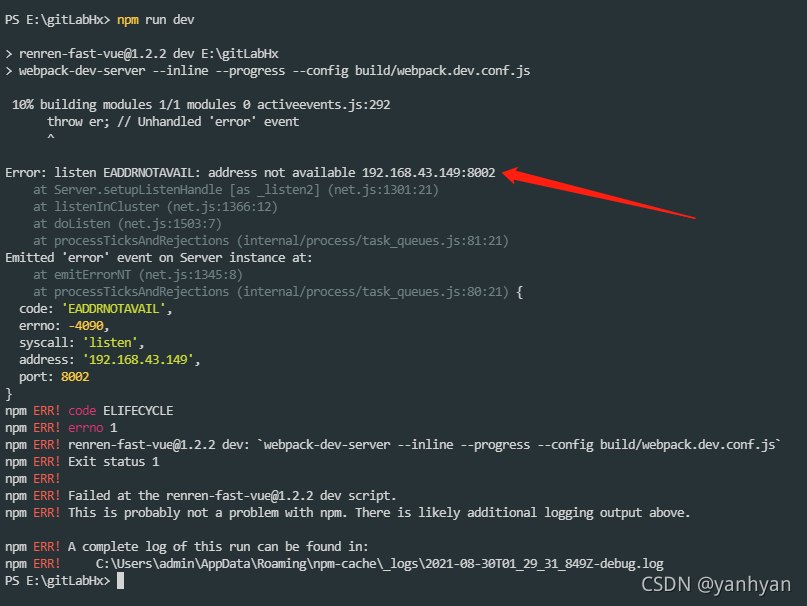
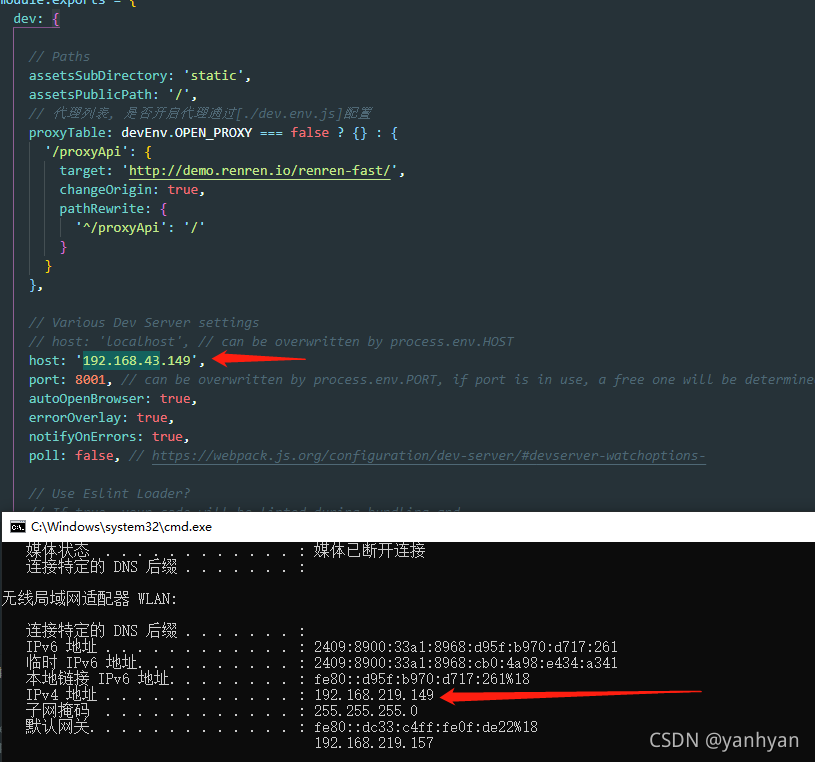
open the config folder, find the index.js file, and change the host: '192.168.43.149' to host: 'localhost', host: '192.168.219.149'
Introduce a project and prompt this error after configuring the NDK

the reason for this error is that mipsel Linux Android is officially not recommended, so gradle is not supported, but it will cause the compilation of the old version to fail.
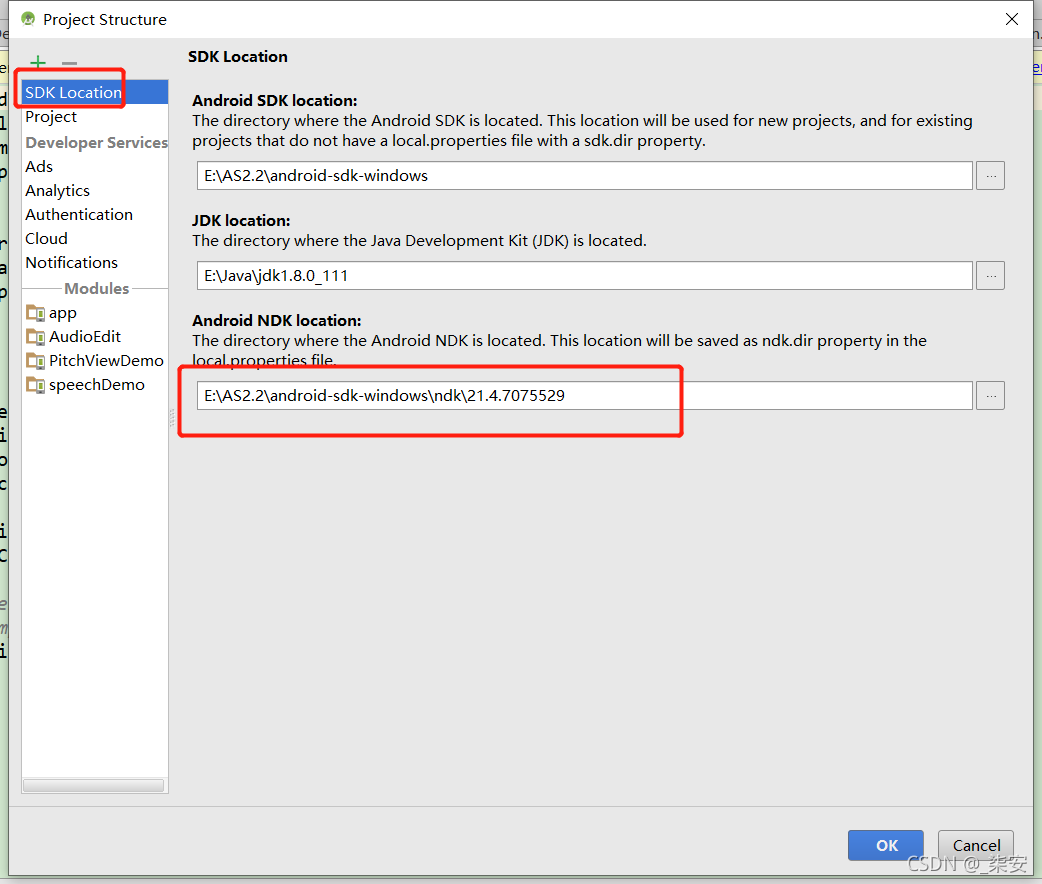
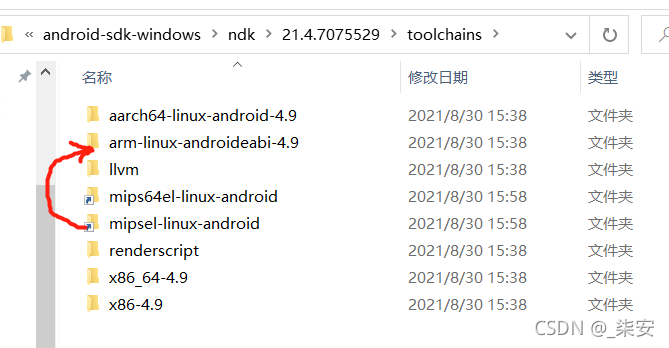
Open project structure , view the path of NDK under SDK loading , open the path in the folder 
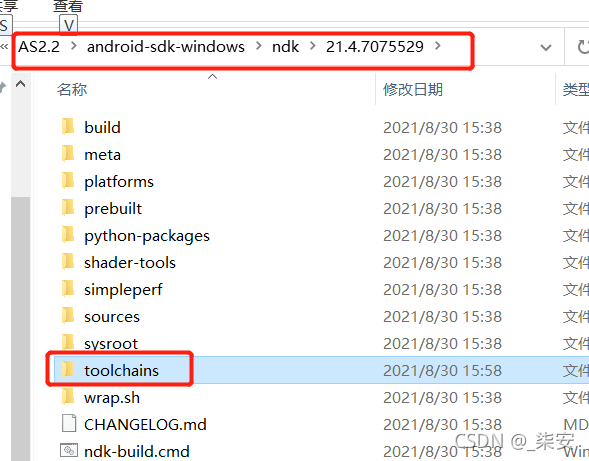
enter the toolchains folder to view, and there are no error files
Method 1 (invalid)
This method is invalid because there is no mipsel in the new version of NDK
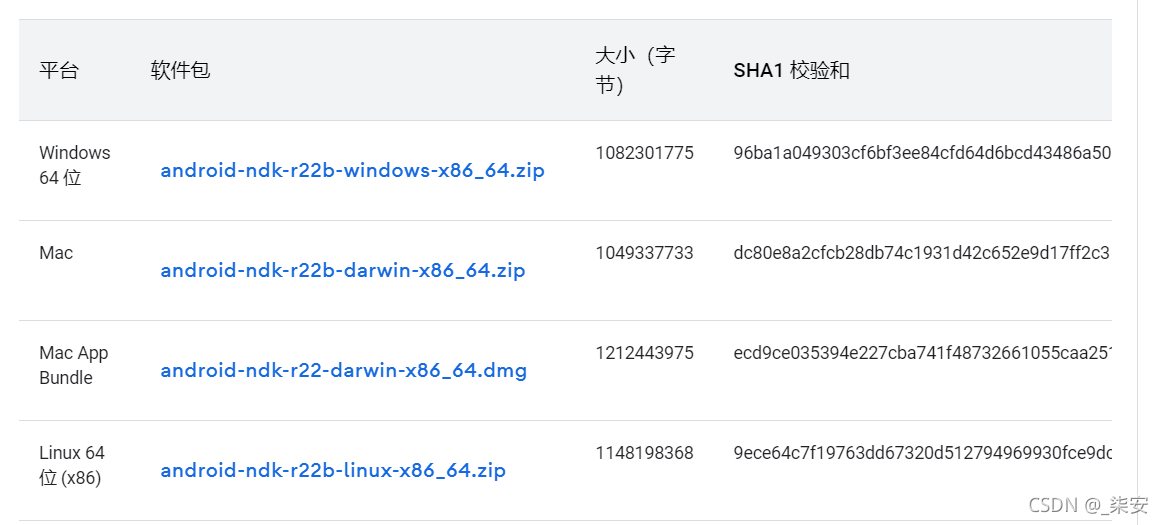
the official download requires the version of NDK, then unzip it, find the mipsel Linux Android folder under the toolchains folder under the NDK directory, and put it into the toolchains folder of the local NDK
Method 2 (redirect directory)
Windows executes the following under the toolchains directory, provided that arm linux android-4.9 is an existing directory under toolchains
mklink /j mipsel-linux-android arm-linux-androideabi-4.9
Execute under Linux
ln -sf arm-linux-androideabi-4.9 mipsel-linux-android
After execution, the link is established successfully.
An error is reported after rebuild no toolchains found in the NDK toolchains folder for ABI with prefix: mips64el Linux Android , continue to perform the above operations, and associate mips64el Linux Android with aarch64 Linux android-4.9
Method 3 (upgrade gradle)
Upgrade the gradle version to 3.1.3 or above without testing. It can also be solved by checking that someone passes this method
Error: expected caller to ensure valid ABI: MIPS
After solving the above problem sync, continue to report errors:
Error:Expected caller to ensure valid ABI: MIPS
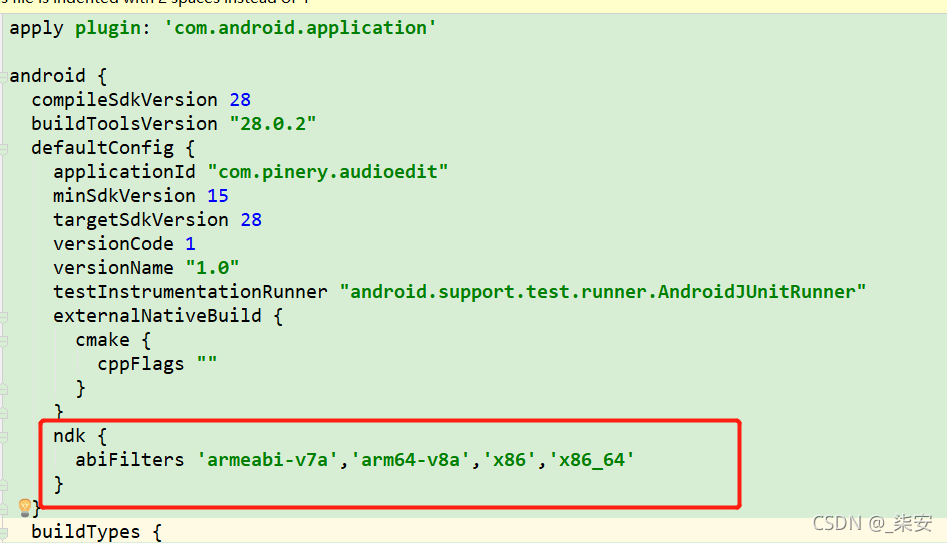
Solution (Reference): add in defaultconfig in app/build.gradle
ndk {
    abiFilters 'armeabi-v7a','arm64-v8a','x86','x86_64'
}
python3
gensim 4.0.1
My code: doc2vec reported an error when loading the doc2vec model file
from gensim.models import Doc2Vec

doc2vec_model = Doc2Vec.load('data/doc2vec.model')
“AttributeError: ‘Doc2Vec’ object has no attribute ‘dv’”
Reason 1: there may be some problems with the latest version. Change the version!!!
Reason 2: another code Change model.dv to = & gt; model.docvecs
resolvent:
I uninstalled gensim PIP uninstall gensim
Reinstall PIP install gensim = = 3.8.3
Solved!!! I hope it will be useful to you.
Encountered while developing Vue project Duplicate keys detected: ’13’. This may cause an update error. This error will not affect the page display, but will always be printed on the console. As shown in the figure
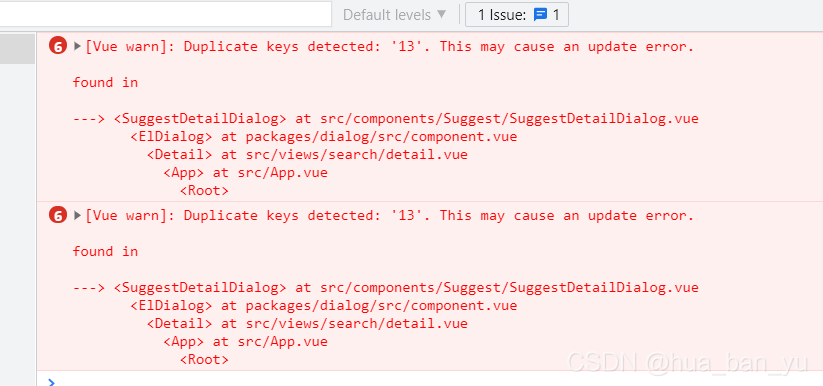
Error reason: the key value set during V-for loop is not unique. As shown in the figure

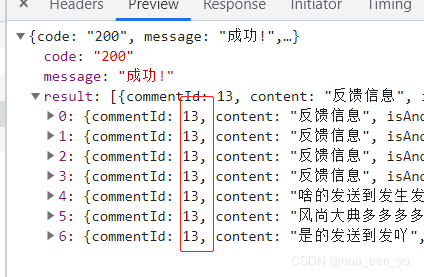
Solution
The key that sets the V-for loop is unique. As shown in the figure

It is mainly aimed at the problems encountered by novices. When I first upload code with GitHub, the above errors are reported because individual files are large. After local deletion, the same error will still be reported, indicating that it has been saved to a cache area of GIT. You can modify it as follows:
For example, the large file I deleted before is a.txt (the same is true for folders). Execute the following code to delete it in a git cache
git filter-branch -f --prune-empty --index-filter 'git rm -rf --cached --ignore-unmatch a.txt' --tag-name-filter cat -- --all
python3
MemoryError: Unable to allocate 165. MiB for an array with shape … …
Solution: exit and close other programs opened by the computer to reduce the occupation of memory resources.