Author Archives: Robins

Easyexcel Llinux reports an error, but the local error is correct

terms of settlement:

    on the command line, enter
    Yum install fontconfig to add a sentence in the dockerfile (just add it in the line before entrypoint)
    Run APK add -- update font-adobe-100dpi TTF dejavu fontconfig restart or rebuild

    Reason:
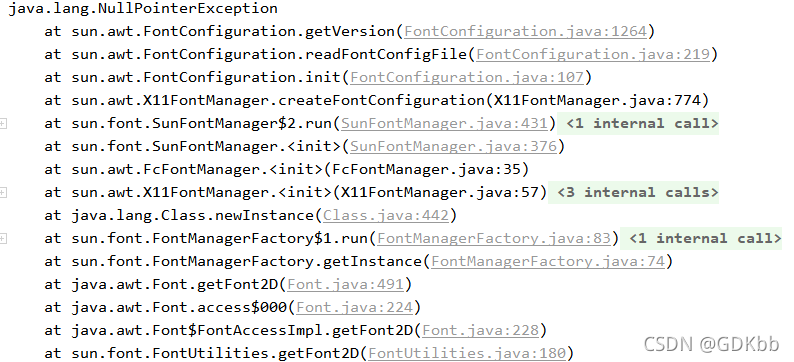
    the openjdk used in the docker container is different from the local JDK, so the null pointer error of the font will be reported. If the font is useful, you can try it

Avpro Video Error: MediaPlayer.FileLocation [How to Solve]

Problems with avpro video

Problem Description:

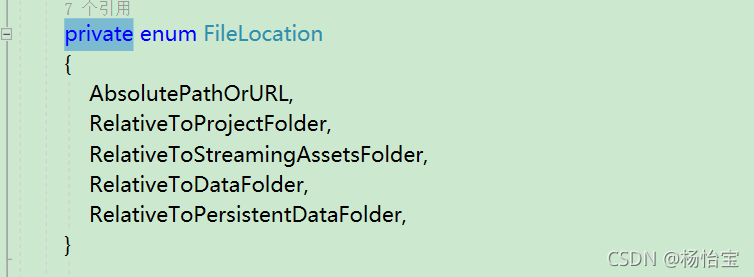
Mediaplayer.filelocation in version 2. X is red: it is inaccessible because it has a certain protection level

Solution:

Mediaplayer.filelocation encountered is inaccessible because it has a certain protection level
Press and hold Ctrl and click filelocation

just change private to public

After Vue is packaged, a blank page appears, an error is reported in the resource request, and there is no error handling scheme

1、 A blank page appears and an error is reported

        Scheme I:

                 1: The path of JS and CSS resources is incorrect

                 Solution: add assetspublicpath in config/index.js: ‘/’   Change to assetspublicpath: ‘. /’  

                 2: Error in background image in CSS

                 Solution: add a line of code in build/utils.js   publicPath:’../../’  

        Scheme 2: some people may create Vue basic projects through hbuilder. There are no files in scheme 1 in the directory. Then you can try the scheme at this time. It’s easy to use on my side. I’m not sure everyone is effective.

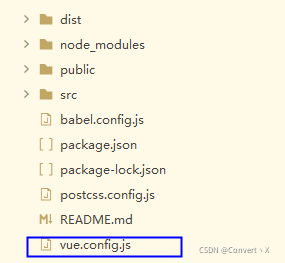
                Solution: create the vue.config.js file in the project root directory


  The contents of the document are as follows:

module.exports = {
    publicPath : './'
}

2、 Blank page, no resource error

        At this time, the problem may be caused by the routing mode

  history :

The new pushstate () and replacestate () methods in HTML5 history interface are utilized. (specific browser support is required) these two methods are applied to the browser’s history stack. On the basis of the existing back, forward and go, they provide the function of modifying the history. Only when they perform modification, although the current URL is changed, the browser will not immediately send a request to the back end.

Solution:

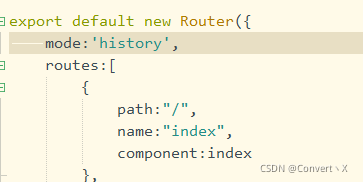
The default route of Vue is hash mode. You can modify it to hash. Or directly comment out mode: ‘history’,

Conclusion: the above is the relevant information I know. If any boss knows other questions, you can leave a message and learn together.


Oracle Database AWR error: ORA-06502 [How to Solve]

Oracle database AWR report is an important tool for DBA to analyze database performance!

Recently encountered a problem and reported an error:

ERROR:
ORA-06502: PL/SQL: numeric or value error: character string buffer too small
ORA-06512: at "SYS.DBMS_WORKLOAD_REPOSITORY", line 919
ORA-06512: at line 1

So, how to solve this problem?

Solution:

update WRH$_SQLTEXT set sql_text = SUBSTR(sql_text, 1, 1000);
commit;

After execution, re execute sqlplus/as SYSDBA @/ RDMBS/admin/awrrpt. SQL script successfully generates AWR report!


This sharing is over~

Vscode development Vue project eslint check error

When using vscode to develop Vue projects and eslint to check rules, V-for reports an error: expected ‘v-bind: key’ directives to use the viruses which are defined by the ‘V-for’ directive.
solution: define the index in the variable defined in V-for
example:

<div v-for="titile in titles" :key="title.index">{{ name }}</div>

Cmake compile cocos2d-x error [How to Solve]

Enter at the terminal:

cocos run --proj-dir .. -p mac

The error information is as follows:

-- The C compiler identification is unknown
-- The CXX compiler identification is unknown
CMake Error at CMakeLists.txt:30 (project):
  No CMAKE_C_COMPILER could be found.


CMake Error at CMakeLists.txt:30 (project):
  No CMAKE_CXX_COMPILER could be found.


-- Configuring incomplete, errors occurred!
See also "/Users/roy/Desktop/workspace/CocosProject/MyGame/mac-build/CMakeFiles/CMakeOutput.log".
See also "/Users/roy/Desktop/workspace/CocosProject/MyGame/mac-build/CMakeFiles/CMakeError.log".

Solution:

sudo xcode-select --reset

An error occurs when es logstash is installed and running

Error message:

Expected one of [ \\t\\r\\n], \”#\”, \”input\”, \”filter\”, \”output\” at line 1, column 1 (byte 1)

Logstash run command:./logstash – f config MySQL/

SQL configuration file:/home/ES/logstash/bin/config MySQL/mysql-1.conf

SQL statement file:/home/ES/logstash/bin/config MySQL/tk.sql

JDBC configuration uses the configuration: statement_ filepath => “/home/es/logstash/bin/config-mysql/tk.sql”

terms of settlement:

        Put tk.sql in another file, for example:/home/ES/logstash/config/tk.sql

        As long as it is not in the same directory as the SQL configuration file, it is OK

Java connection zookeeper high availability hive error

Today, when using java to connect zookeeper high availability hive, errors are reported:

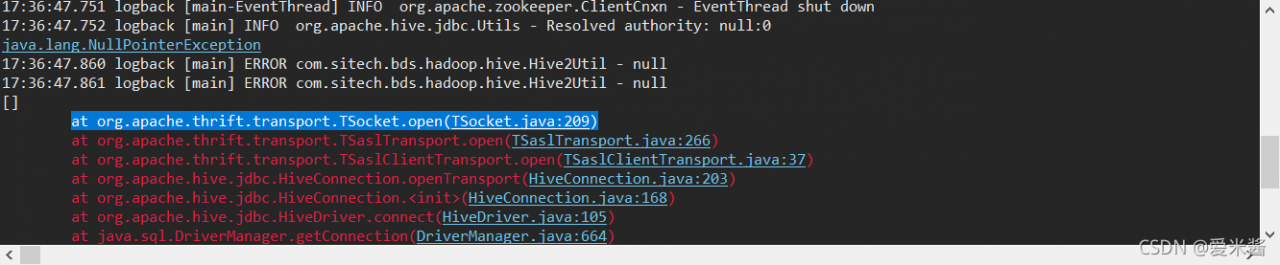
java.lang.NullPointerException

at org.apache.thrift.transport.TSocket.open(TSocket.java:209)


My current Hadoop and hive versions are as follows:

< hadoop.version> 2.6.0-cdh5.5.2
< hive.version> 1.1.0-cdh5.16.2

At this time, I use the old connection string to connect without error:

“jdbc:hive2://marshal:10000”;

However, if a new connection string is used to connect, an error is reported:

“jdbc:hive2://marshal:2181,marshal01:2181/;serviceDiscoveryMode=zooKeeper;zooKeeperNamespace=hiveserver2_zk”;

  After some experiments, the final solution is to make the hive version a little higher than the Hadoop version

< hadoop.version> 2.6.0-cdh5.5.2
< hive.version> 1.1.0-cdh5.6.0

There will be no error at this time

Xcode12.5 package framework error [How to Solve]

1. General

Today, Xcode was upgraded to 12.5.1. When compiling the existing project, the problem of swift incompatibility reported by referring to the framework compiled by swift appeared again. According to previous experience, just pack it again with the latest version of Xcode, but my colleague recommended a configuration to avoid the problem of swift incompatibility in the later stage, but this configuration was set, But it triggered a series of changes.

2. Project configuration and script modification

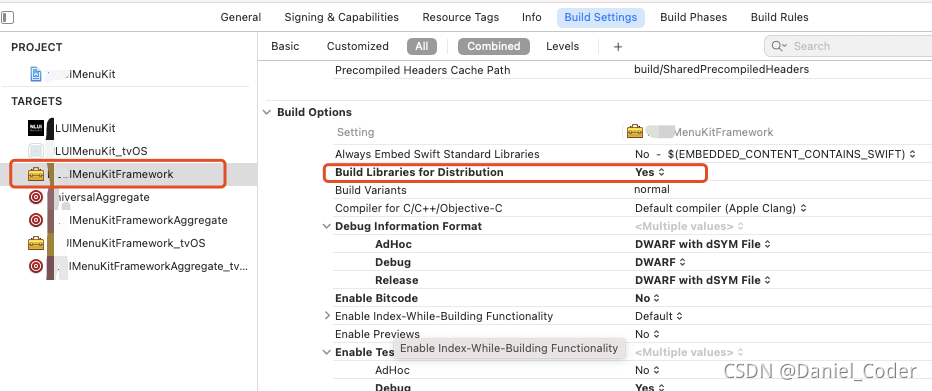
2.1. Modify the build libraries for distribution configuration item

This upgrade will ‘build settings’ – & gt` Build Options`->` Build libraries for distribution ` is set to yes, which has solved the problem of incompatibility in the later stage (it is set temporarily and needs to be verified in the later stage).
two point two   Modify project build system

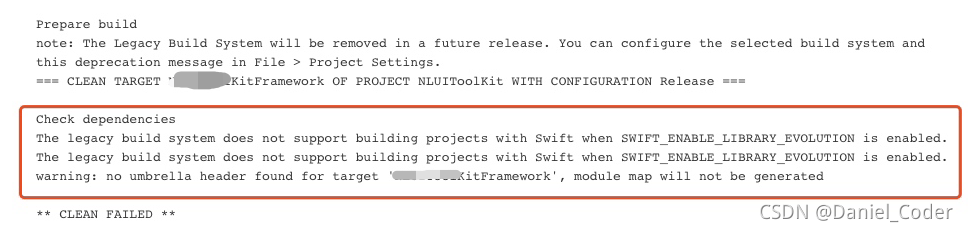
Because ‘build libraries for distribution’ is set to yes, ‘project settings’ – & gt; under’ file ‘in the Project menu` Build system needs to be changed from ‘legacy build system’ to ‘new build system (default)’. Otherwise, packaging will fail with the following error.

  two point three   Modify the universal aggregate script file

Our project uses a universalaggregate script file to execute the other two script files. One is xxxxkitaggregate of IOS_ IOS, one is xxxxkitaggregate of tvos_ tvOS。 In the universalaggregate script, add ` – usemodernbuildsystem = no ‘after the two instructions respectively. If it is set to no, it means that the build system adopts’ legacy build system’, and if it is set to yes, it adopts’ new build system (default) ‘. As follows:

xcodebuild -target "XXXXKitAggregate_iOS" BUILD_DIR="${BUILD_DIR}" -UseModernBuildSystem=NO
xcodebuild -target "XXXXKitAggregate_tvOS" BUILD_DIR="${BUILD_DIR}" -UseModernBuildSystem=NO

Add ` – usemodernbuildsystem = no ‘to avoid disk read-write errors caused by simultaneous packaging of IOS and tvos
the error is as follows:

--error: error: accessing build database "xxx/build/XCBuildData/build.db": disk I/O error

Or:

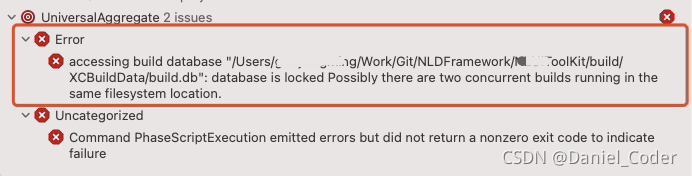
accessing build database "/Users/xxxx/Work/Git/NLDFramework/XXXToolKit/build/XCBuildData/build.db": database is locked Possibly there are two concurrent builds running in the same filesystem location.
2.4 modify the packaging script (xxxxkitaggregate_ios, xxxxkitaggregate_tvos)

Add ‘RM – RF ${build_dir}’ before the ‘xcodebuild – target “XXXX’ command, and remove ‘clean’ from the ‘xcodebuild’ command, as shown in the following figure:
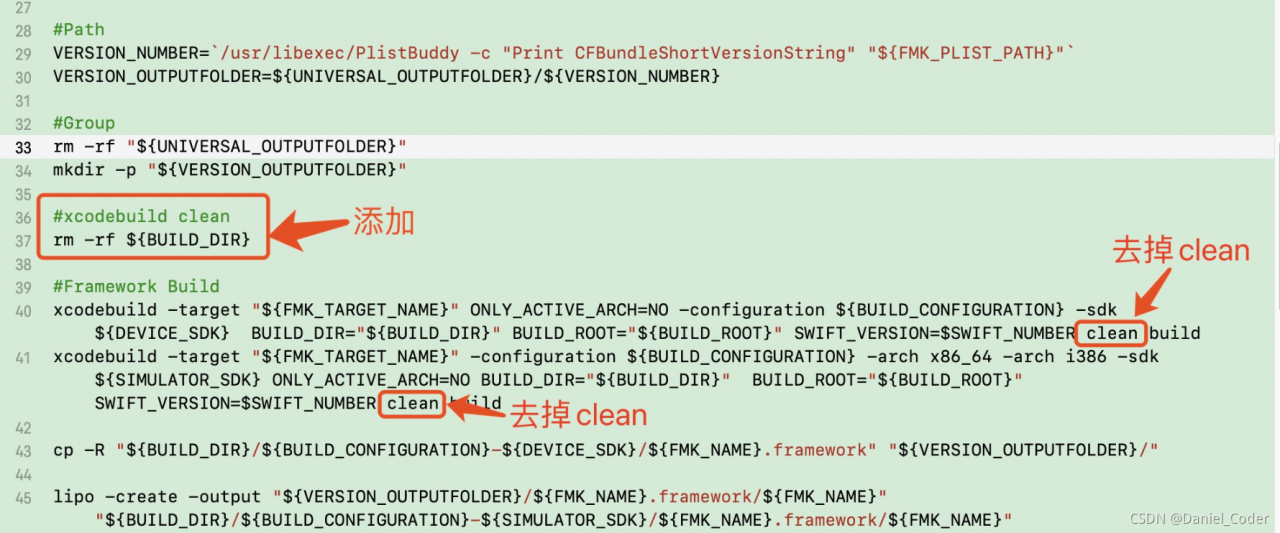
Before each build, delete the build file directory to avoid the following errors:

Could not delete `/Users/xxxx/Work/Git/NLDFramework/XXXMenuKit/build` because it was not created by the build system.

2.5 modify the configuration in Jenkins project

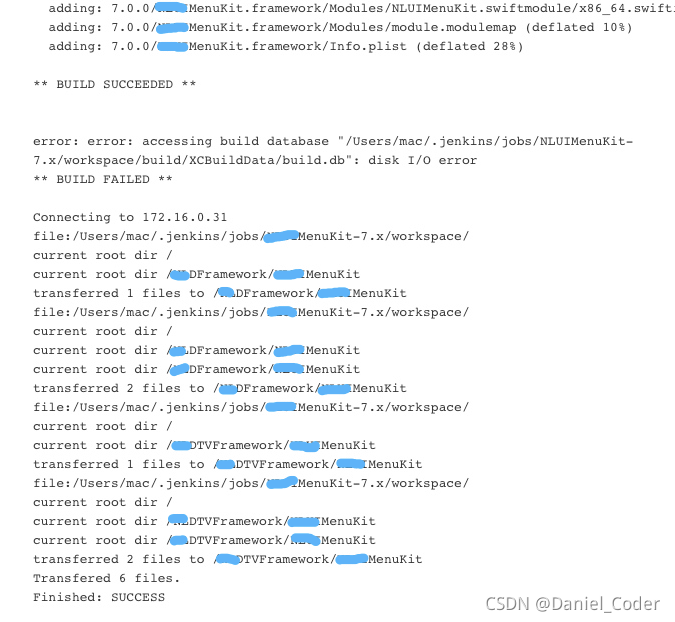
If the framework is packaged through Jenkins, you need to find the build configuration under the corresponding project configuration in Jenkins and check ‘allow failing build results’. Otherwise, Jenkins packaging will fail due to disk read-write exceptions. Check it, that is, ignore the exceptions and put the packaged framework in the specified location.
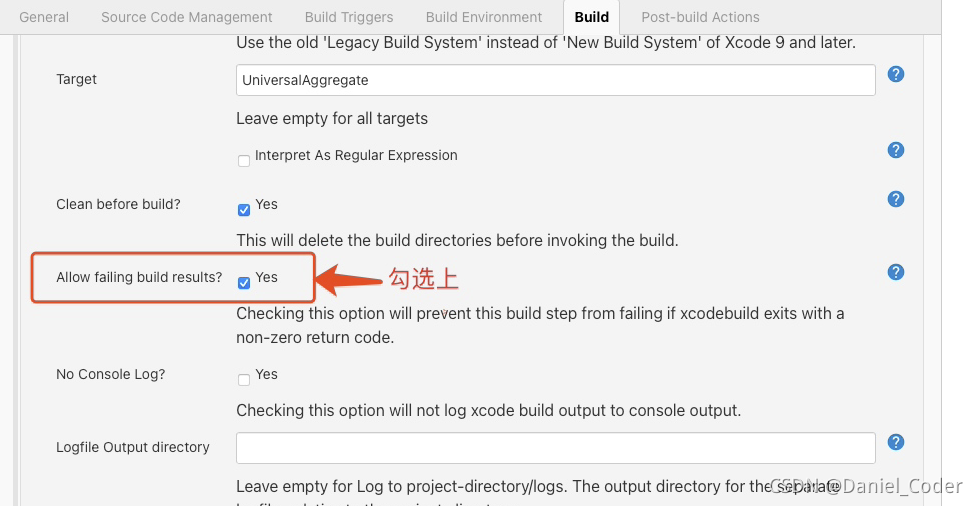
If not checked, Jenkins’s final output results are as follows:
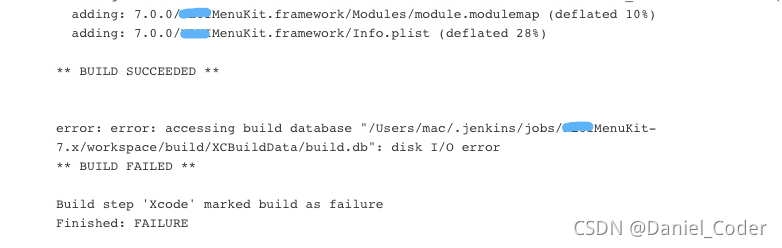
When checked, Jenkins’s final output results are as follows: