Author Archives: Robins

[Solved] R Error: Python module tensorflow.keras was not found.

Scenario:

rstudio reported error R: Python module tensorflow.keras was not found.
at first, I suspected that I could not accurately locate the keras package of R, because I was using Anaconda to do other things, but later I saw other error reports and felt that they were not so complex… Later, I found that they were just simple and not installed properly… In short, the solution is as follows


Solution:

terminal input:

install.packages(tensorflow)
install_tensorflow()
library(tensorflow)
#Keras The R interface uses the TensorFlow backend engine.
# To install the core Keras library and TensorFlow backend, use the install_keras() function
install_keras()
library(keras)
# Run them all and then tune the package, if you have already done so, restart RStudio
-------------------------------------------
#Other solutions to this problem are as follows:
library(tensorflow)
library(keras)
use_condaenv("r-tensorflow")
ERROR server.datanode.DataNode: BlockSender.sendChunks() exception [How to Solve]

View log error messages:

2021-09-13 14:56:08,737 ERROR org.apache.hadoop.hdfs.server.datanode.DataNode: BlockSender.sendChunks() exception: 
java.io.IOException: Connection reset by the other party
	at sun.nio.ch.FileChannelImpl.transferTo0(Native Method)
	at sun.nio.ch.FileChannelImpl.transferToDirectlyInternal(FileChannelImpl.java:428)
	at sun.nio.ch.FileChannelImpl.transferToDirectly(FileChannelImpl.java:493)
	at sun.nio.ch.FileChannelImpl.transferTo(FileChannelImpl.java:608)
	at org.apache.hadoop.net.SocketOutputStream.transferToFully(SocketOutputStream.java:223)
	at org.apache.hadoop.hdfs.server.datanode.FileIoProvider.transferToSocketFully(FileIoProvider.java:280)
	at org.apache.hadoop.hdfs.server.datanode.BlockSender.sendPacket(BlockSender.java:619)
	at org.apache.hadoop.hdfs.server.datanode.BlockSender.doSendBlock(BlockSender.java:803)
	at org.apache.hadoop.hdfs.server.datanode.BlockSender.sendBlock(BlockSender.java:750)
	at org.apache.hadoop.hdfs.server.datanode.DataXceiver.readBlock(DataXceiver.java:606)
	at org.apache.hadoop.hdfs.protocol.datatransfer.Receiver.opReadBlock(Receiver.java:152)
	at org.apache.hadoop.hdfs.protocol.datatransfer.Receiver.processOp(Receiver.java:104)
	at org.apache.hadoop.hdfs.server.datanode.DataXceiver.run(DataXceiver.java:289)
	at java.lang.Thread.run(Thread.java:748

Add configuration of yarn-site XML

<!-- The minimum memory resources (in MB) requested per container. -->
<property>
	<name>yarn.scheduler.minimum-allocation-mb</name>
	<value>512</value>
</property>
<! -- The maximum memory resource (in MB) requested per container. -->
<property>
	<name>yarn.scheduler.maximum-allocation-mb</name>
	<value>512</value>
</property>
<property>
	<name>yarn.scheduler.minimum-allocation-mb</name>
	<value>512</value>
</property>
<! -- The maximum memory resource (in MB) requested per container. -->
<property>
	<name>yarn.scheduler.maximum-allocation-mb</name>
	<value>2048</value>
</property>
<! -- The ratio between container virtual memory and physical memory-->
<property>
	<name>yarn.nodemanager.vmem-pmem-ratio</name>
	<value>4</value>
</property>

These configurations are all about memory resources

Previously, running with small files can be successful   If you change to a large file, you will report the above error   It should have something to do with memory

Pro test effective

[Solved] CMake Error: Could not create named generator Visual Studio 16 2019

Cmake error: could not create named generator visual studio 16 2019

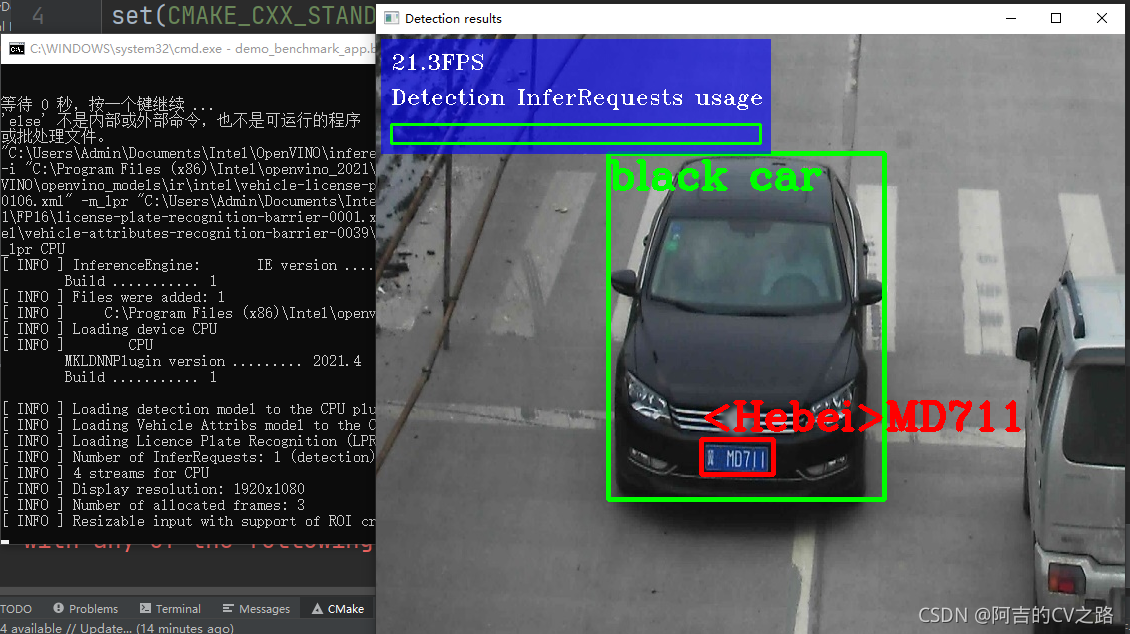
When running the demo in openvino, this bug is always prompted. According to the suggestions of stackoverflow and official documents, use cmake - G "Visual Studio 16 2019" - a x64 this command to compile, which is also invalid. Later, after troubleshooting, I thought it might be the problem of cmake version. Because the old version of cmake (before 3.14) may not find the latest visual studio, I went to the official website to download it, Run the. Bat file in the demo to solve the problem


[Solved] Vue Error: Module build failed Error Node Sass version 6.0.1 is incompatible with ^4.0.0.

Vue error module build failed: error: node sass version 6.0.1 is incompatible with ^ 4.0.0. Solution

Error message:

 ERROR  Failed to compile with 1 errors                                                                                                                                      下午6:51:57
 
 error  in ./src/views/Login.vue
 
Module build failed: Error: Node Sass version 6.0.1 is incompatible with ^4.0.0.
    at getSassImplementation (D:\IDEA\IDEA Projects\Vue\hello-vue\node_modules\[email protected]@sass-loader\dist\utils.js:77:13)
    at Object.loader (D:\IDEA\IDEA Projects\Vue\hello-vue\node_modules\[email protected]@sass-loader\dist\index.js:34:59)
 
 @ ./node_modules/vue-style-loader!./node_modules/css-loader?{"sourceMap":true}!./node_modules/vue-loader/lib/style-compiler?{"vue":true,"id":"data-v-26084dc2","scoped":true,"hasInline
Config":false}!./node_modules/[email protected]@sass-loader/dist/cjs.js?{"sourceMap":true}!./node_modules/vue-loader/lib/selector.js?type=styles&index=0!./src/views/Login.vue 4:14-389
 13:3-17:5 14:22-397
 @ ./src/views/Login.vue
 @ ./src/router/index.js
 @ ./src/main.js
 @ multi (webpack)-dev-server/client?http://localhost:8080 webpack/hot/dev-server ./src/main.js

Solution:

Find the problem: module build failed: error: node sass version 6.0.1 is incompatible with ^ 4.0.0

This problem is caused by the high version of SASS, so just change the version to the corresponding version according to the prompt. Here, change to version 4.0.0.

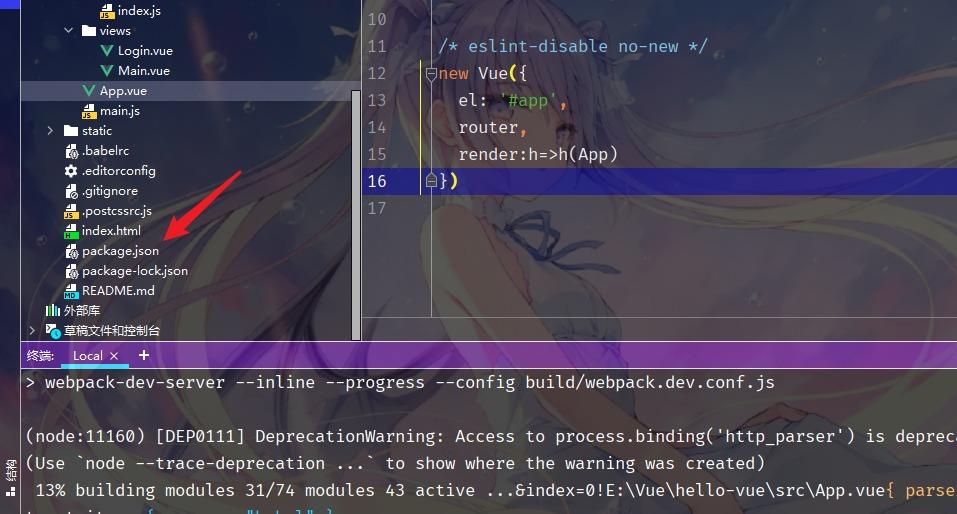
Step 1: find the package.json file in the IDE:

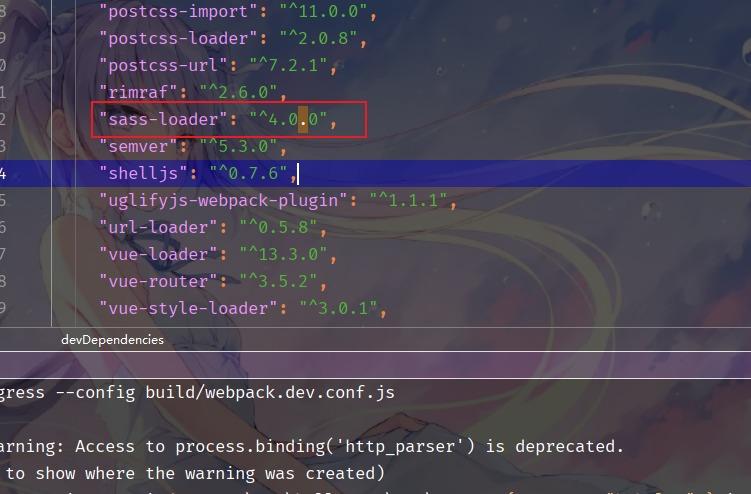
Step 2: find sass loader and change its version to 4.0.0

Finally, execute

cnpm install

Finally, execute

cnpm install

npm run dev

[Solved] Fluent filesysterexception: exists failed, path =’d: \ as’. Plugins’ (OS error: incorrect file name, directory name or volume slogan)

E:\flutter_project\first_app>flutter doctor -v
[√] Flutter (Channel stable, 2.2.3, on Microsoft Windows [Version 10.0.19042.1052], locale zh-CN)
    • Flutter version 2.2.3 at D:\flutter
    • Framework revision f4abaa0735 (7 days ago), 2021-07-01 12:46:11 -0700
    • Engine revision 241c87ad80
    • Dart version 2.13.4

[√] Android toolchain - develop for Android devices (Android SDK version 30.0.3)
    • Android SDK at D:\Android
    • Platform android-30, build-tools 30.0.3
    • ANDROID_HOME = D:\Android
    • Java binary at: D:\Java\jdk\bin\java
    • Java version Java(TM) SE Runtime Environment (build 1.8.0_231-b11)
    • All Android licenses accepted.

[√] Chrome - develop for the web
    • Chrome at C:\Program Files\Google\Chrome\Application\chrome.exe

[☠] Android Studio (the doctor check crashed)
    X Due to an error, the doctor check did not complete. If the error message below is not helpful, please let us know
      about this issue at https://github.com/flutter/flutter/issues.
    X FileSystemException: Exists failed, path = ''D:\AS'.plugins' (OS Error: 文件名、目录名或卷标语法不正确。
      , errno = 123)
    • #0      _Directory.existsSync (dart:io/directory_impl.dart:94:7)
      #1      ForwardingFileSystemEntity.existsSync
      (package:file/src/forwarding/forwarding_file_system_entity.dart:43:33)
      #2      ErrorHandlingDirectory.existsSync.<anonymous closure>
      (package:flutter_tools/src/base/error_handling_io.dart:479:22)
      #3      _runSync (package:flutter_tools/src/base/error_handling_io.dart:573:14)
      #4      ErrorHandlingDirectory.existsSync (package:flutter_tools/src/base/error_handling_io.dart:478:12)
      #5      AndroidStudio.pluginsPath (package:flutter_tools/src/android/android_studio.dart:186:52)
      #6      AndroidStudioValidator.validate (package:flutter_tools/src/android/android_studio_validator.dart:46:17)
      #7      asyncGuard.<anonymous closure> (package:flutter_tools/src/base/async_guard.dart:111:32)
      #8      asyncGuard.<anonymous closure> (package:flutter_tools/src/base/async_guard.dart:109:18)
      #9      _rootRun (dart:async/zone.dart:1354:13)
      #10     _CustomZone.run (dart:async/zone.dart:1258:19)
      #11     _runZoned (dart:async/zone.dart:1789:10)
      #12     runZonedGuarded (dart:async/zone.dart:1777:12)
      #13     runZoned (dart:async/zone.dart:1708:12)
      #14     asyncGuard (package:flutter_tools/src/base/async_guard.dart:109:3)
      #15     Doctor.startValidatorTasks (package:flutter_tools/src/doctor.dart:199:9)
      #16     Doctor.diagnose (package:flutter_tools/src/doctor.dart:303:47)
      #17     DoctorCommand.runCommand (package:flutter_tools/src/commands/doctor.dart:50:47)
      #18     FlutterCommand.verifyThenRunCommand (package:flutter_tools/src/runner/flutter_command.dart:1192:12)
      <asynchronous suspension>
      #19     FlutterCommand.run.<anonymous closure> (package:flutter_tools/src/runner/flutter_command.dart:1043:27)
      <asynchronous suspension>
      #20     AppContext.run.<anonymous closure> (package:flutter_tools/src/base/context.dart:150:19)
      <asynchronous suspension>
      #21     CommandRunner.runCommand (package:args/command_runner.dart:196:13)
      <asynchronous suspension>
      #22     FlutterCommandRunner.runCommand.<anonymous closure>
      (package:flutter_tools/src/runner/flutter_command_runner.dart:284:9)
      <asynchronous suspension>
      #23     AppContext.run.<anonymous closure> (package:flutter_tools/src/base/context.dart:150:19)
      <asynchronous suspension>
      #24     FlutterCommandRunner.runCommand (package:flutter_tools/src/runner/flutter_command_runner.dart:232:5)
      <asynchronous suspension>
      #25     run.<anonymous closure>.<anonymous closure> (package:flutter_tools/runner.dart:62:9)
      <asynchronous suspension>
      #26     AppContext.run.<anonymous closure> (package:flutter_tools/src/base/context.dart:150:19)
      <asynchronous suspension>
      #27     main (package:flutter_tools/executable.dart:91:3)
      <asynchronous suspension>


[√] IntelliJ IDEA Community Edition (version 2021.1)
    • IntelliJ at D:\Intelij\IntelliJ IDEA Community Edition 2021.1.2
    • Flutter plugin can be installed from:
       https://plugins.jetbrains.com/plugin/9212-flutter
    • Dart plugin can be installed from:
       https://plugins.jetbrains.com/plugin/6351-dart

[√] VS Code (version 1.57.1)
    • VS Code at C:\Users\zhongdongjing\AppData\Local\Programs\Microsoft VS Code
    • Flutter extension can be installed from:
       https://marketplace.visualstudio.com/items?itemName=Dart-Code.flutter

[√] Connected device (2 available)
    • Chrome (web) • chrome • web-javascript • Google Chrome 91.0.4472.124
    • Edge (web)   • edge   • web-javascript • Microsoft Edge 91.0.864.64

! Doctor found issues in 1 category.

Run fluent config -- Android studio dir = "C:\program files\Android\Android studio" this problem occurs if the path of Android studio cannot be found. Make sure to use the correct Android studio path.

Run fluent doctor again

[Solved] error: method does not override or implement a method from a supertype

Compilation error:

error: method does not override or implement a method from a supertype

@Override

error: TestDocumentClipper is not abstract and does not override abstract method copyFromClipboard(DocumentInfo,DocumentStack,Callback,Injector) in DocumentClipper

The above is the compilation error caused by increasing or decreasing the parameters in the method when overriding the method of the parent class in a subclass, or when implementing the interface and overriding the method of the interface in a class
the above error messages are translated as:

1. Method does not override or implement the method in the supertype
2. Testdocumentclipper is not abstract and does not override the abstract method copyfromclipboard (documentinfo, documentstack, callback, injector) in documentclipper

Analysis:
when the documentclipper class implements the methods of the documentclipper interface, it adds (reduces) one more parameter, but there is no corresponding method in the interface to match, so it leads to compilation errors.

Solution:
Add (reduce) the same parameter to the corresponding method in the interface (parent class).

For example, you override the copyfromclipboard() method of the documentclipper interface in the documentclipper class. Because of necessity or carelessness, you add the parameter injector of type injector. The code is as follows:

@Override
public void copyFromClipboard(
        DocumentInfo destination,
        DocumentStack docStack,
        FileOperations.Callback callback,Injector injector){……

At this time, you need to find the copyfromclipboard() method in the documentclipper interface and add the same type of parameters

void copyFromClipboard(
            DocumentInfo destination,
            DocumentStack docStack,
            FileOperations.Callback callback,Injector injector);

Pip3 install Mysqlclient Error: Command “python setup.py egg_info“ failed with error

pip3 install mysqlclient error Command “python setup.py egg_info” failed with error
1. Software description

    centos 8.0python3.6

2. Problem description
Use the command

pip3 install mysqlclient
error
[root@z ~]# pip3 install mysqlclient
WARNING: Running pip install with root privileges is generally not a good idea. Try `pip3 install --user` instead.
Collecting mysqlclient
  Using cached https://files.pythonhosted.org/packages/3c/df/59cd2fa5e48d0804d213bdcb1acb4d08c403b61c7ff7ed4dd4a6a2deb3f7/mysqlclient-2.0.3.tar.gz
    Complete output from command python setup.py egg_info:
    /bin/sh: mysql_config: Command not found
    /bin/sh: mariadb_config: Command not found
    /bin/sh: mysql_config: Command not found
    mysql_config --version
    mariadb_config --version
    mysql_config --libs
    Traceback (most recent call last):
      File "<string>", line 1, in <module>
      File "/tmp/pip-build-8k22usrq/mysqlclient/setup.py", line 15, in <module>
        metadata, options = get_config()
      File "/tmp/pip-build-8k22usrq/mysqlclient/setup_posix.py", line 70, in get_config
        libs = mysql_config("libs")
      File "/tmp/pip-build-8k22usrq/mysqlclient/setup_posix.py", line 31, in mysql_config
        raise OSError("{} not found".format(_mysql_config_path))
    OSError: mysql_config not found
    
    ----------------------------------------
Command "python setup.py egg_info" failed with error code 1 in /tmp/pip-build-8k22usrq/mysqlclient/

3. Solutions

yum install python3-devel mysql-devel 

[Perfectly Solved] attributeerror: module ‘SciPy. Misc’ has no attribute ‘toimage’ error

Problem Description:

When learning the MNIST machine learning introductory course, the attributeerror: module ‘SciPy. Misc’ has no attribute ‘toimage’ error occurs when converting the numpy array into a picture and saving it
the execution code is as follows:

# Save the first 20 images
for i in range(20):
    image_array = train_images[i]
    #Save file as the format:mnist_train_0.jpg,mnist_train_1.jpg,...
    filename = save_dir + '/mnist_train_%d.jpg' %i
    #save image_array to image
    # use scipy.misc.toimage to convert to image and save
    scipy.misc.toimage(image_array, cmin=0.0, cmax=1.0).save(filename)

Crux attribution:
I checked the scene where Python 3 uses the toimage() function on the Internet and found that this function has been deprecated. Many tutorials recommend reducing the version of the third-party SciPy to match the use of the toimage() function. I feel that this is a bit “married down” and can not fundamentally solve the problem. Moreover, the iteration of technology update is inevitable, We need to follow the trend.

Scipy.misc.toimage official latest instructions.

Solution:

Turn the problem into how to save the array as an image?

Method 1: use the .Imwrite() function of CV2 module to convert the numpy array into an image and save it. The specific codes are as follows:

cv2.imwrite(filename, image_array)  #Mutual transformation of images and numpy arrays using cv2

Method 2: use the .Fromarray() function under Image in PIL module to convert the numpy array into an image and save it. The specific codes are as follows:

from PIL import Image
Image.fromarray((image_array)).save(filename)  #Mutual transformation of images and numpy arrays using PIL
# or
Image.fromarray((image_array*255).astype('uint8'), mode='L').convert('RGB').save(filename)  # For processing color images

Method 3: use the Matplotlib module to convert the numpy array into a picture and save it. (including two methods): (1) preferred recommendation:   Use the . Imsave() function under Image in the Matplotlib module to convert the numpy array into an image for saving. The specific codes are as follows:

from matplotlib import image
image.imsave(filename,image_array,cmap='gray')  # cmap is often used to change the drawing style, such as black and white gray, emerald green virdidis

(2) Not recommended:   Use the .Savefig() function under pyplot in Matplotlib module to convert the numpy array into a picture for saving. The generated picture contains coordinate axis and border information. The specific codes are as follows:

import matplotlib.pyplot as plt
# Drawing pictures
plt.imshow(image_array,cmap='gray')
# save image
plt.savefig(filename) # In this case, the picture variable is already specified when drawing the picture, so there is no need to specify it again when saving