Author Archives: Robins

Initialization of bean failed; nested exception is java.lang.StackOverflowError

Too many assemblies in mybatis spring mapper cause stackoverflow

It is applicable to idea starting a new SSM project
environment Tomcat deployment
reason: the space size of Tomcat catalina.sh is not configured

terms of settlement

1. Modify the catalina.sh file of Tomcat

Directory: Apache Tomcat \ bin \ Catalina. Sh
self allocated space size
Directory: JDK \ 1.8 \ JRE \ lib \ AMD64 \ JVM. CFG
self allocated space size

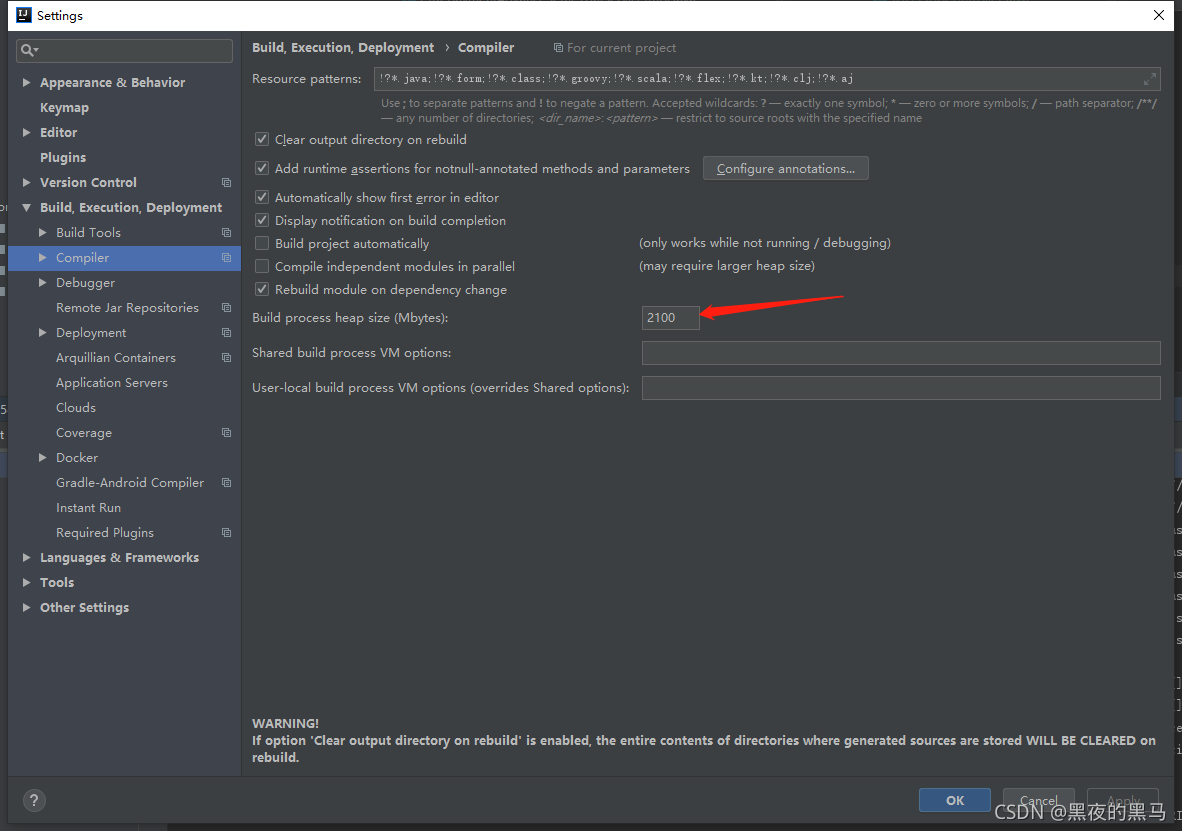
2. Easy: modify the current project configuration of idea

two point one

Generally, 2100 variables are enough
  Tomcat startup space configuration
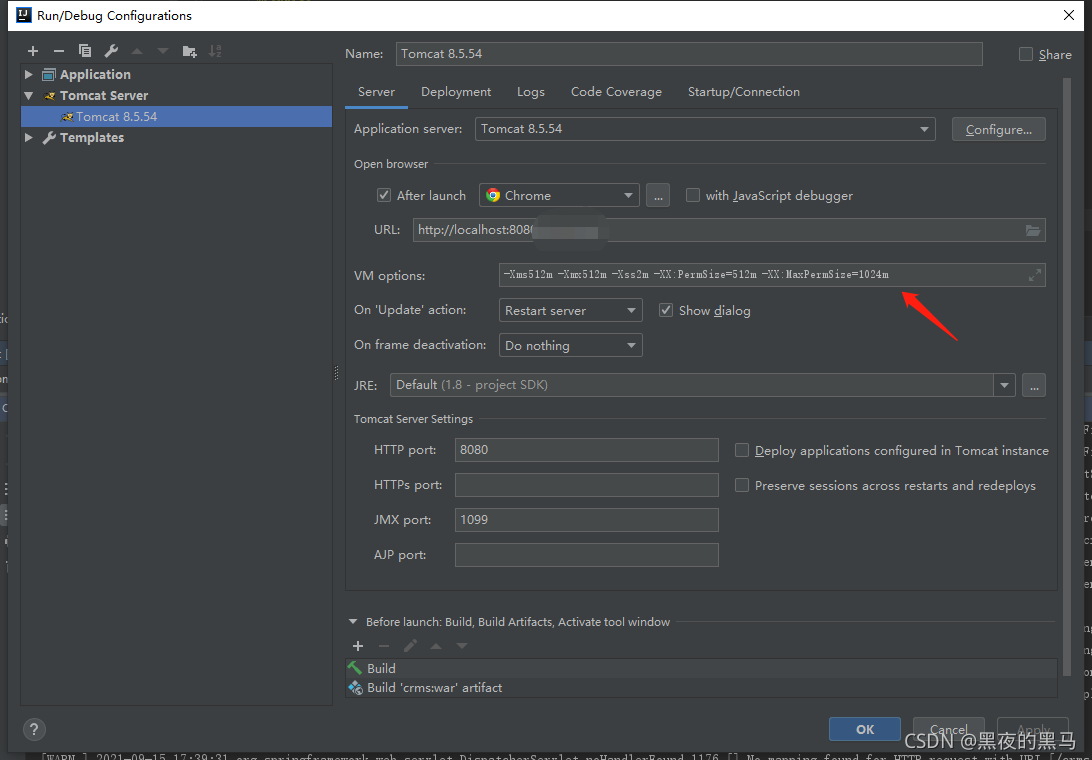
 

-Xms512m -Xmx512m -Xss2m -XX:PermSize=512m -XX:MaxPermSize=1024m

Restart to solve the problem

I am the second configuration. Because there is a configured space allocation on the server, my locally developed tester is simply configured on the idea.


Solve the problem of error running xxxapplication command line is too long when compiling and running IntelliJ idea

This article is an original article of Joshua 317. Please note that it is reproduced from Joshua 317 blog   Solve the problem of error running xxxapplication command line is too long – Joshua 317 when compiling IntelliJ idea

Idea reports an error when compiling the project, and the saved information is as follows:

15:42	Error running 'xxxxApplication': Command line is too long. Shorten command line for xxxxApplication or also for Spring Boot default configuration.

Solution 1

Found in the project folder. Idea/workspace.xml

<component name="PropertiesComponent">

  ...

</component>

Then add a row of attributes to solve the problem:

<property name="dynamic.classpath" value="true" />

Solution 2

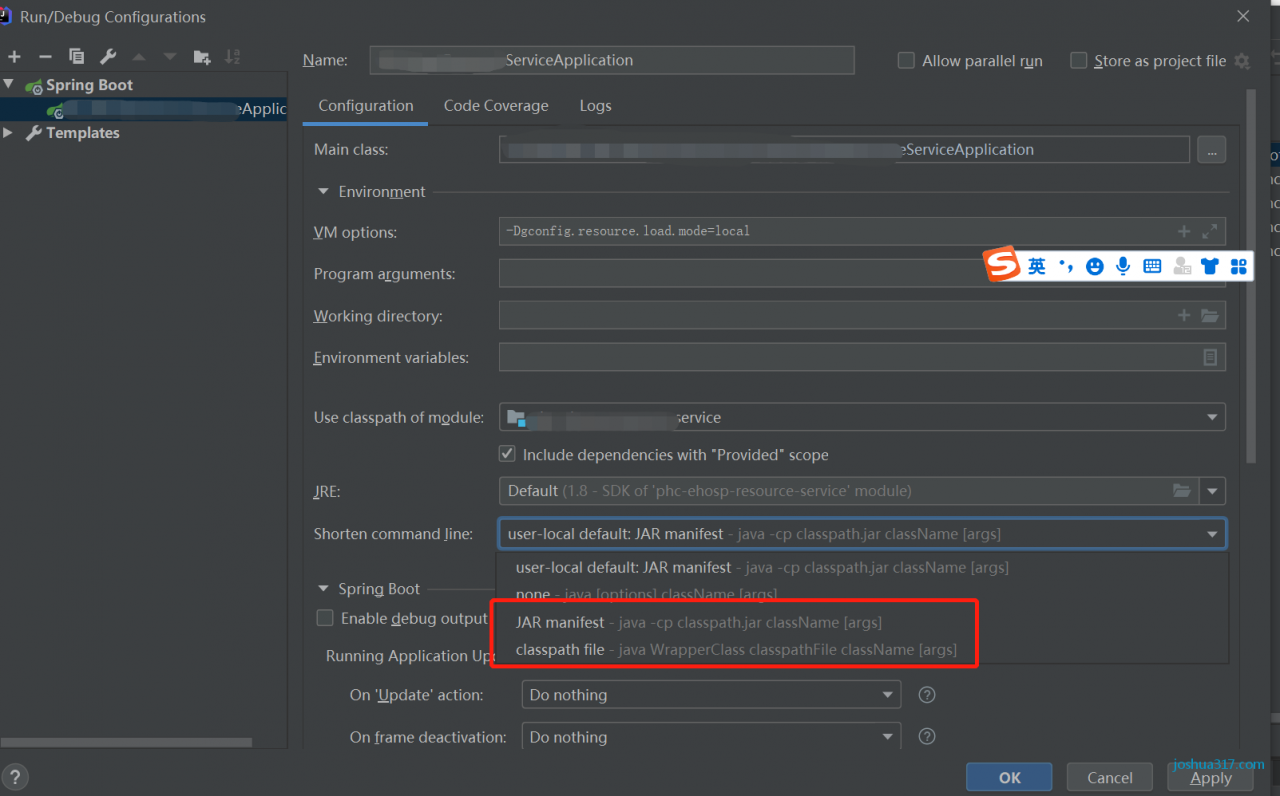
Open the running configuration of the program and change short command line to jar manifest or classpath file , as shown in the figure:

This article is an original article of Joshua 317. Please note that it is reproduced from Joshua 317 blog   Solve the problem of error running xxxapplication command line is too long – Joshua 317 when compiling IntelliJ idea

org.thymeleaf.exceptions.TemplateInputException: Error resolving template [XXX]

Error record:

org.thymeleaf.exceptions.TemplateInputException: Error resolving template [currentUserCartItems]

Background: Spring + thymeleaf reports an error

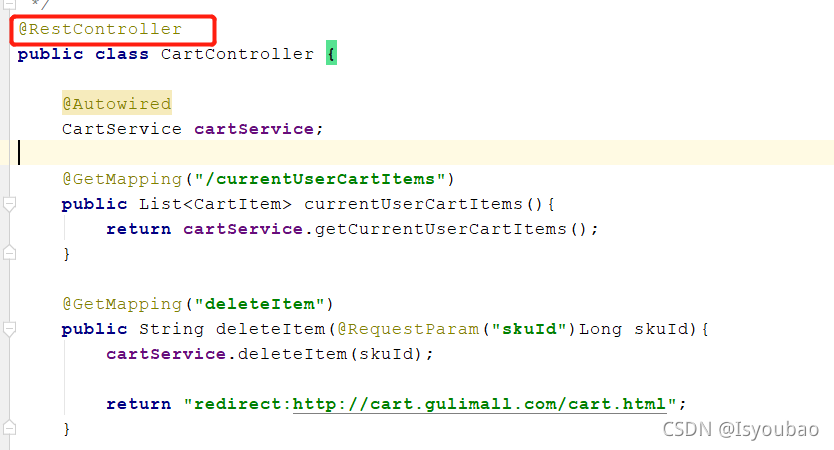
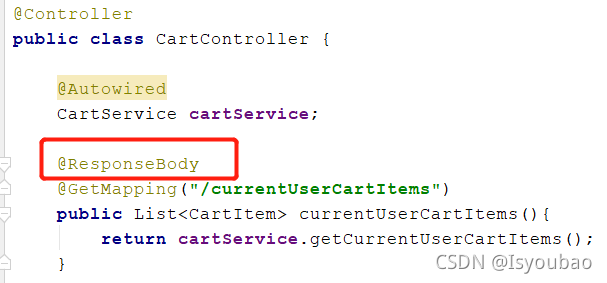
Reason: no @ respontroller or @ ResponseBody annotation is written on the method of data returned by the controller, and the returned data will be converted to JSON format

note: if it is necessary to return page Jump, it is best to add @ ResponseBody annotation on the specific method of data returned, otherwise other controllers cannot jump to the page normally

When idea generates a spring boot project, error: read timed out appears

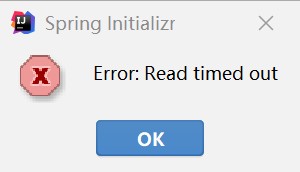
When using idea to generate spring boot projects, the following occurs: error: read timed out ,

The solution is as follows:

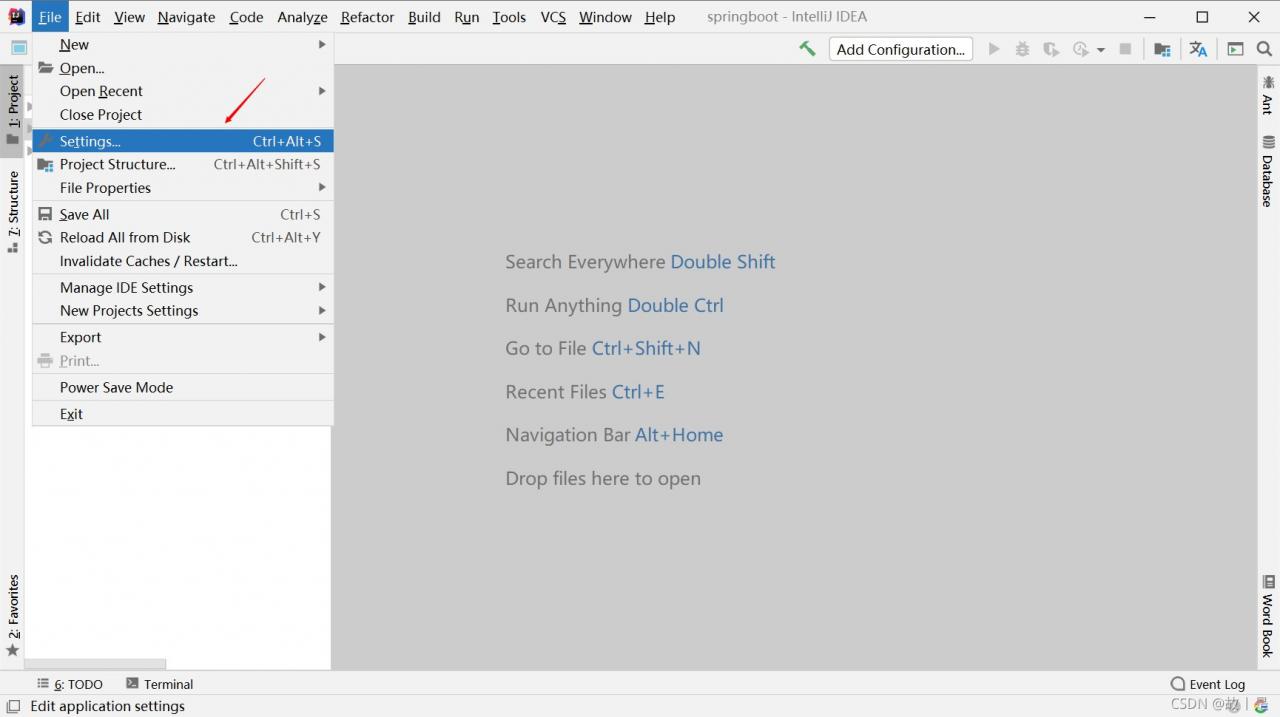
    click file in the upper right corner of idea and select settings in the list. Click settings
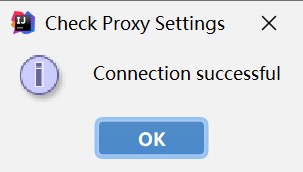
    to open the settings box, and select appearance & amp; on the left; Behavior –> System Settings –> HTTP proxy, select auto detect proxy settings on the right, click Check connection below, and fill in in the pop-up box https://start.spring.io , click OK
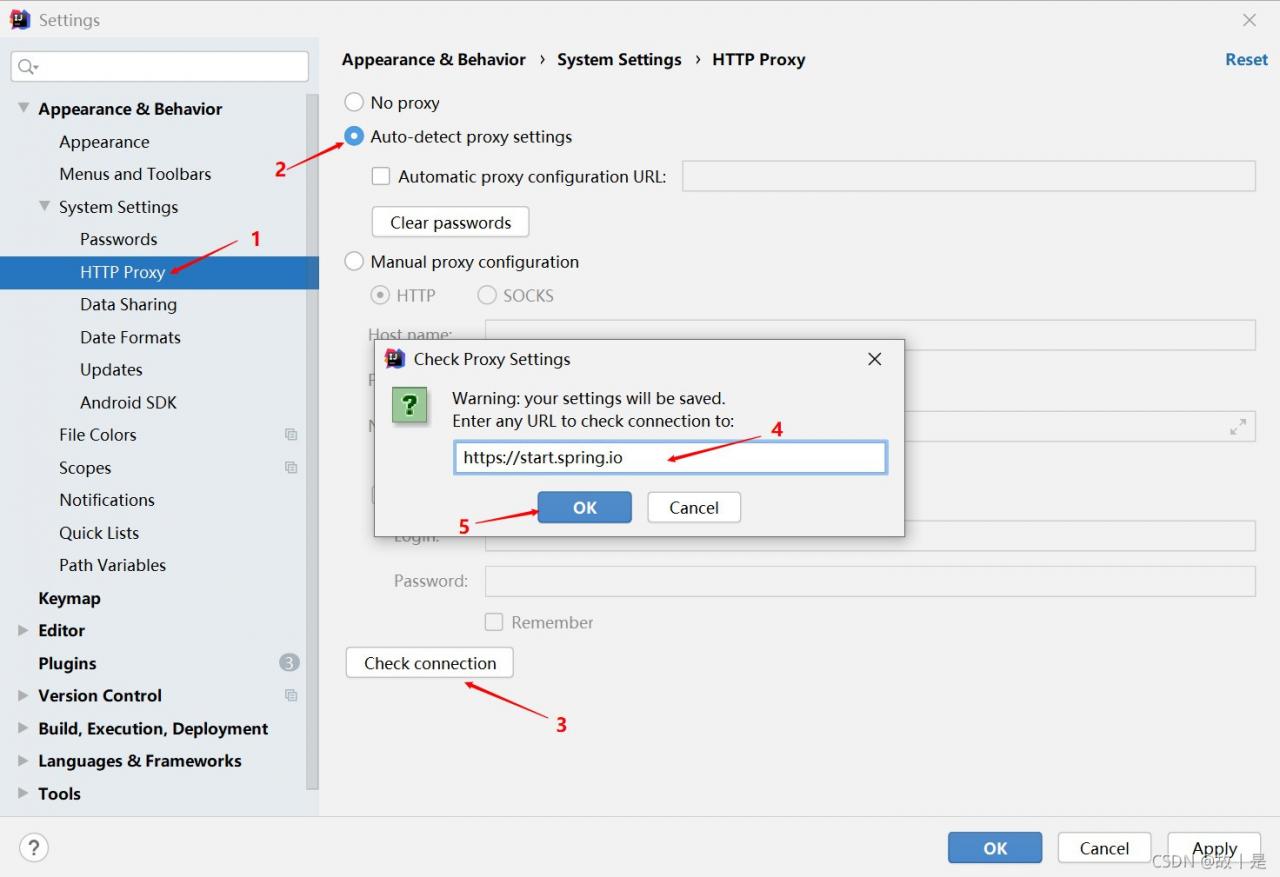
    , and the connection successful information will be displayed in the pop-up box, and it will succeed.

gcc /usr/include/stdio.h:27:10: fatal error: bits/libc-header-start.h: No such file or directory

$ gcc -fno-stack-protector -m32 -o hello hello.c
In file included from hello.c:3:
/usr/include/stdio.h:27:10: fatal error: bits/libc-header-start.h: No such file or directory
   27 | #include <bits/libc-header-start.h>
      |          ^~~~~~~~~~~~~~~~~~~~~~~~~~
compilation terminated.

The reason is that the GCC environment is incomplete.

solve:

sudo apt-get install gcc-multilib

[vue/no-parsing-error]Parsing error: control-character-in-input-stream.eslint-plugin-vue

Problem background:

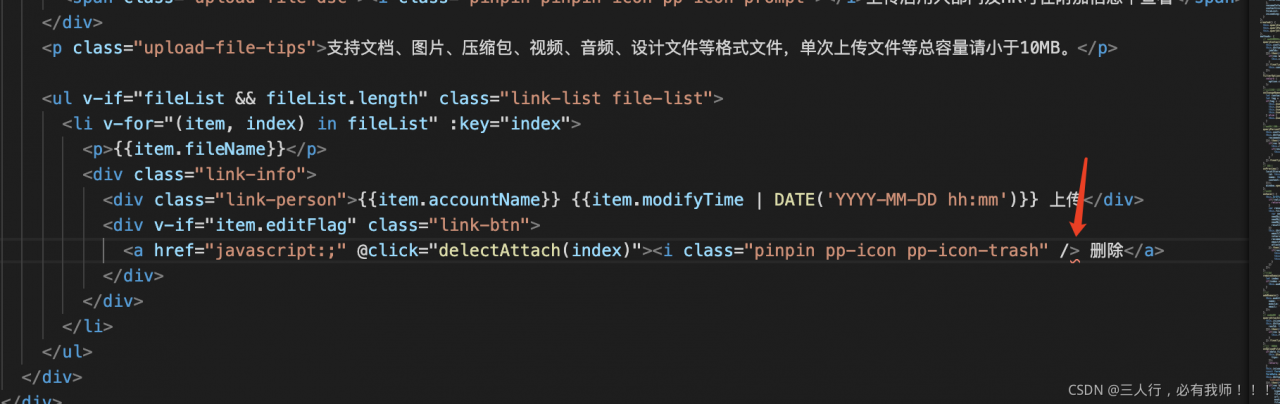
Similar to the figure below, the label is clearly closed, but still red.

  solve the problem:

In fact, there are no errors in the code. For example, after using the element UI or iView framework, you will find that some parts of vs code will automatically mark red wavy lines,  

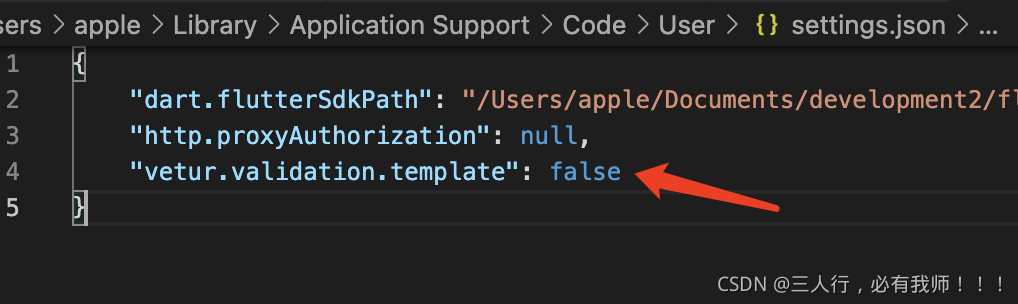
In fact, it is a syntax check problem for vuter. You only need to add it in setting.json  

“vetur.validation.template”: false

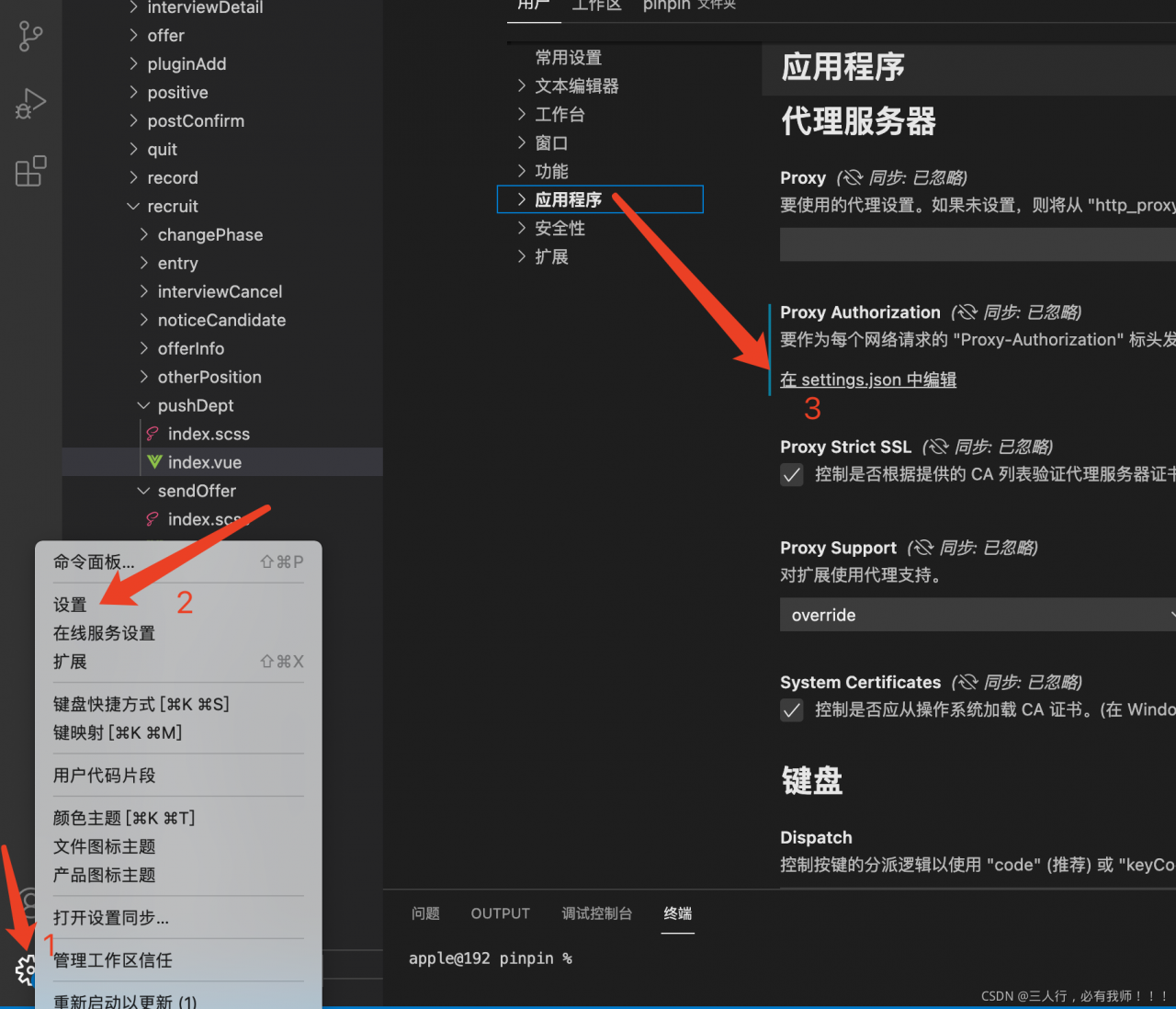
Setting method:


Create Vue cli project and report error command failed: Yarn

Create Vue cli project and report error command failed: Yarn

Solution 1:

Enter C:/users/administrator/in the windows environment

There is a file . Vuerc

Open this file to display

{
“useTaobaoRegistry”: true,
“packageManager”: “yarn”
}

Just manually change the configuration content yarn to NPM to change the package manager when the project is created


Solution 2:

Delete the. Vuerc file. When you create a Vue project for the first time, you will be prompted to select the configuration, and then select NPM.


Solution 3: enter CMD in Win + R to enter the command line interface

Enter command

npm install -g yarn

After success, the problem can be solved by re creating vue-cli4 project.

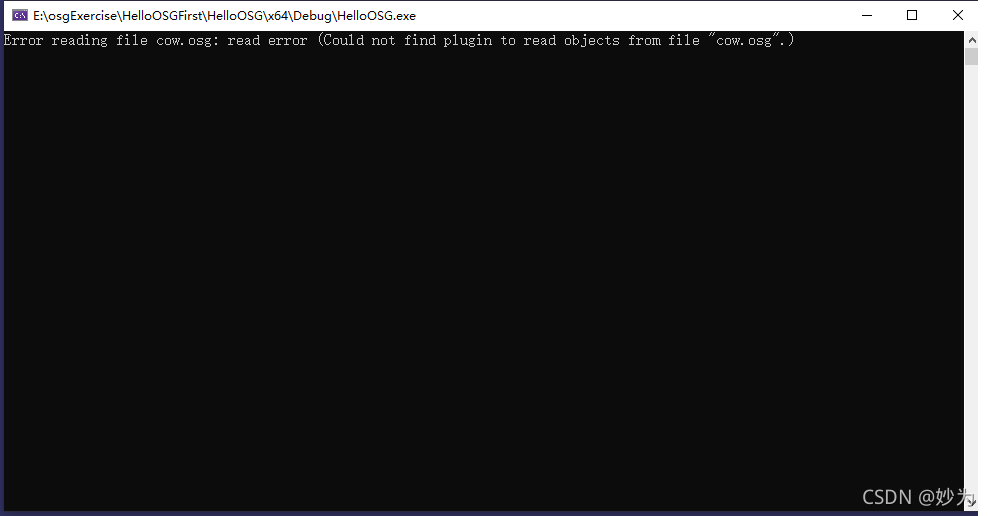
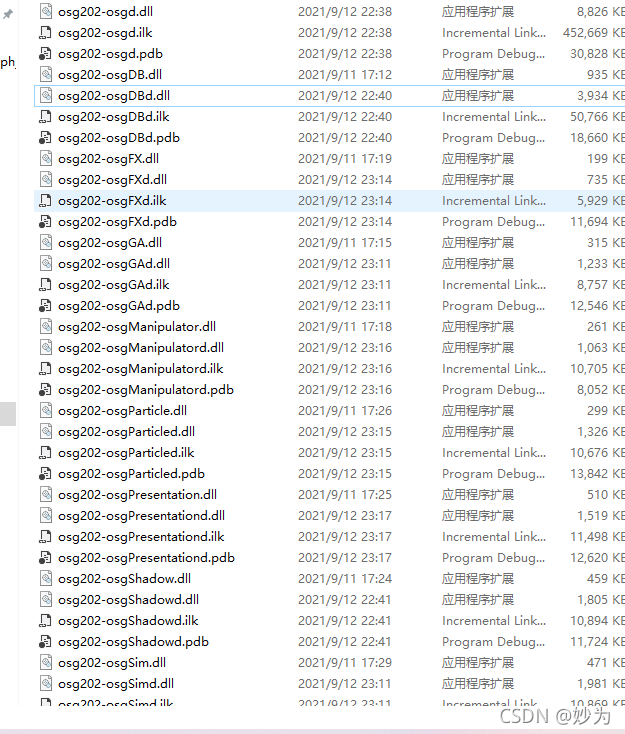
Error reading file cow.osg: read error (Could not find plugin to read objects from file “cow.osg“.)

problem


#include "osgViewer/Viewer"
#include "osgDB/ReadFile"

int main(int argc, char** argv)
{
	osgViewer::Viewer viewer;
	viewer.setSceneData(osgDB::readNodeFile("cow.osg"));
	return viewer.run();
}

Error reading file cow.osg: read error (Could not find plugin to read objects from file “cow.osg”.)

reason

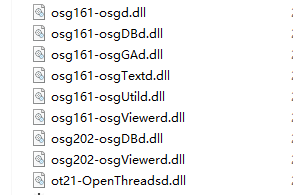
I compiled the library with osg3.6.5 on one machine, and then wrote the program. It runs normally, but it is copied to the other machine. The other machine is the library compiled with osg3.7.0, so it causes an error

Osg3.6.5 library

osg3.7.0 library

Error 1 fatal error LNK1220: ‘/PGD‘ requires ‘/LTCG:[PGINSTRUMENT|PGOPTIMIZE]‘ specification

VS2008 compilation of an MFC project pop-up error, looking for a long time, did not find the problem.

  resolvent,

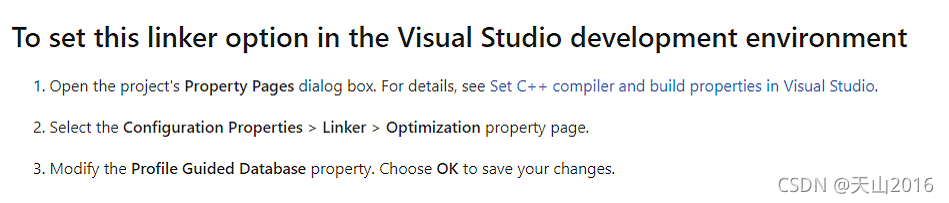
According to the official article:/PGD (specify database for profile guided optimizations) | Microsoft docs

  It says how to solve this problem,

  Setup steps,

1. Open the project property setting (right click on the solution project and select properties),

2. Select link = & gt; Optimization=> Profile Guided Database

3. Select & lt; inherit from parent or project defaults>, Click apply and confirm. Then compile and solve the problem.

Idea SpringBoot:Error creating bean with name ‘XXXXController‘

Problem Description:

Red when starter starts springboot:

  Error creating bean with name ‘indexController’

Error creating bean named ‘indexcontroller’

Error in bean of ‘sqlsessionfactory’: failed to instantiate bean through factory method

Problem solving:

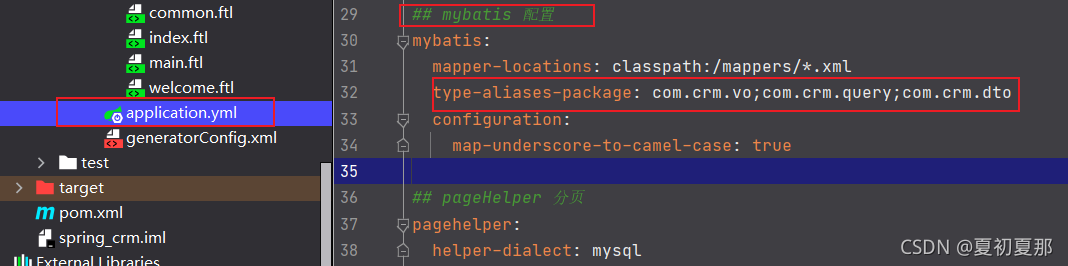
According to the error report, it can be seen that the mapper layer is not injected and the mapper instance cannot be found. First, check the springboot core configuration file application.yml. In the mybatis configuration structure, the bean is not configured in the custom scan package type aliases package. Just reconfigure it (the package name depends on the individual)

com.crm.bean;