Author Archives: Robins

error: non-const lvalue reference to type cannot bind to a value of unrelated type

Project scenario:

The error information reported during project code compilation is as follows:

error: non-const lvalue reference to type '...' cannot bind to a value of unrelated type '...'

Problem Description:

After the project problem is simply abstracted, it is equivalent to the following problems:

Do this and compile through

 int a;
 const double& m = a;

However, an error is reported in this compilation

 int a;
 double& m = a;

Error information such as title


Cause analysis:

Because temporary variables cannot be bound to a non const reference

 double& m = a;

a is an int variable that will be implicitly converted to a double variable, so this process generates a temporary variable. Non const reference cannot bind temporary variables


Solution:

Avoid implicit conversion or add const

How to Solve postgres Errror: ERROR #42883 operator does not exist: smallint ~~ unknown

Problem background

What is written in the code is general. After an error is reported, it is found that the value in like is actually an integer, but the code is spliced with strings. Therefore, in fact, when postgre queries, SQL is executed with integer columns and string parameters, and this error is reported.

Namely column LIKE ‘%0%’

The same is true for SQL queries:

Solution:

Strings can be queried vaguely, but when querying, if the column is an integer, just use the equal sign directly. Judge in the code. If the column is an integer, splice it=  Don’t use like

ERROR: Rancher must be ran with the –privileged flag when running outside of Kubernetes

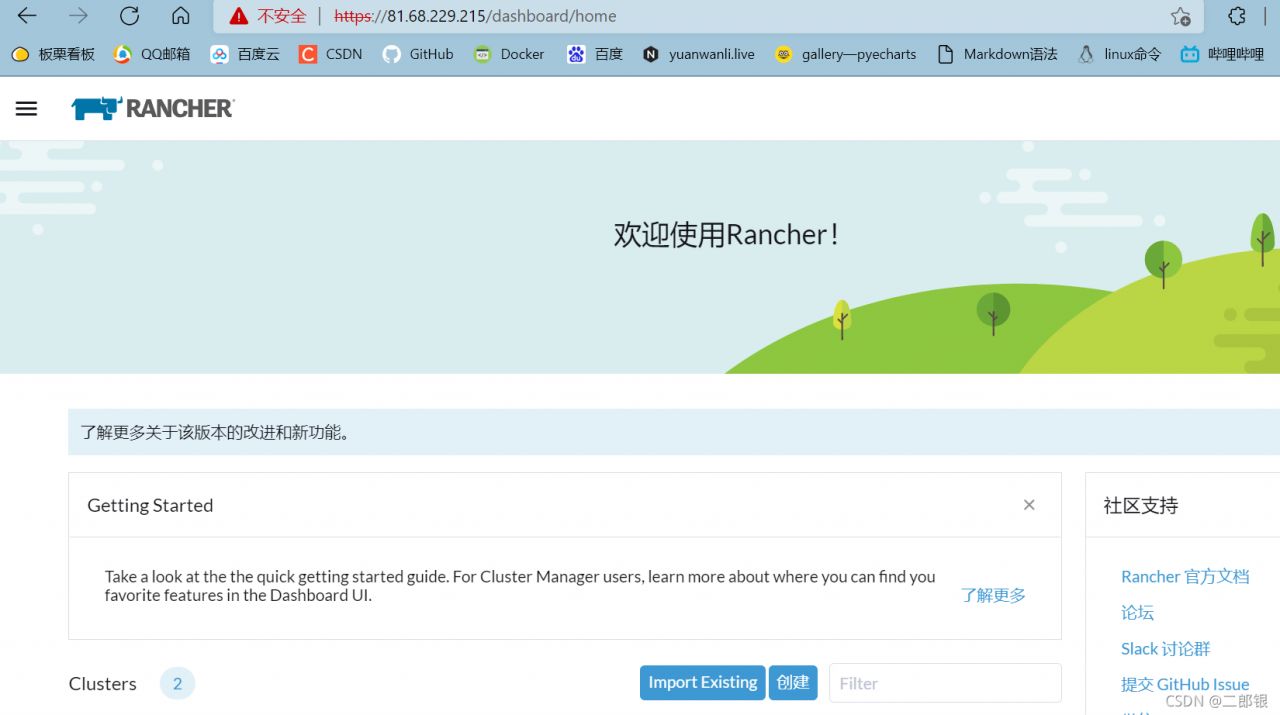
According to the document on the official website of rancher 2.4, only one Linux host is required. Remember that a single node rancher server can be quickly deployed. Of course, this can only be used for testing. Deployment is very convenient. Just start dcoker on the host, and then start a container:

sudo docker run -d --restart=unless-stopped -p 80:80 -p 443:443 rancher/rancher

After the test, it is found that the container is constantly restarted after startup, and there is no way to enter the UI, prompting a network error.

CONTAINER ID        IMAGE               COMMAND             CREATED             STATUS                         PORTS               NAMES
bfd5c52a1ce7        rancher/rancher     "entrypoint.sh"     12 hours ago        Restarting (1) 3 seconds ago                       elated_heisenberg

View log:

[root@k8s-node02 ~]# docker logs --tail 3 bfd5c52a1ce7
ERROR: Rancher must be ran with the --privileged flag when running outside of Kubernetes

If an error is found, it is said that — privileged is required to increase privileges
turn off the lifting appliance — privileged to try:

docker run -d --restart=unless-stopped --privileged  -p 80:80  -p 443:443 rancher/rancher

Found it

RuntimeError: Unable to locate turbojpeg library automatically. You may specify the turbojpeg librar

This error occurs when using the official instance code of jpegturbo. Record the solution.

Environment introduction

          ubuntu 16.04

          conda

          python3.7

Error details

Traceback (most recent call last):
  File "/home/ubuntu/PycharmProjects/python_code_test/JPEGTurbo/official_demo1.py", line 30, in <module>
    turbo_jpeg = TurboJPEG()
  File "/home/ubuntu/.conda/envs/pytorch-1.7/lib/python3.7/site-packages/turbojpeg.py", line 286, in __init__
    self.__find_turbojpeg() if lib_path is None else lib_path)
  File "/home/ubuntu/.conda/envs/pytorch-1.7/lib/python3.7/site-packages/turbojpeg.py", line 895, in __find_turbojpeg
    'Unable to locate turbojpeg library automatically. '
RuntimeError: Unable to locate turbojpeg library automatically. You may specify the turbojpeg library path manually.
e.g. jpeg = TurboJPEG(lib_path)

Solution

sudo apt-get update -y
sudo apt-get install -y libturbojpeg

References

PyTurboJPEG · PyPI

https://github.com/lilohuang/PyTurboJPEG/issues/27

goldendict: error while loading shared libraries: libQt5Svg.so.5

In Ubuntu system, use the tool goldendict

goldendict: error while loading shared libraries: libQt5Svg.so.5: cannot open shared object file: No such file or directory

The reason is that the environment variable is not set. Solution:

1 find the libqt5svg. So. 5 path./opt/Netease/Netease cloud music/LIBS/libqt5svg. So. 5

2/etc/LD. So. Conf.d add a file goldendict.conf, which reads as follows
/opt/Netease/Netease cloud music/LIBS

3 execute the command to update the dynamic link library sudo ldconfig

The following is the reference address:
QT error resolution: error while loading shared libraries: libxxx.so

Unity report error CS0619: ‘XRDevice.isPresent’ is obsolete

Unity error resolution error cs0619: ‘xrdevice. Ispresent’ is obsolete:

1. Problem description 2. Solution

1. Problem description

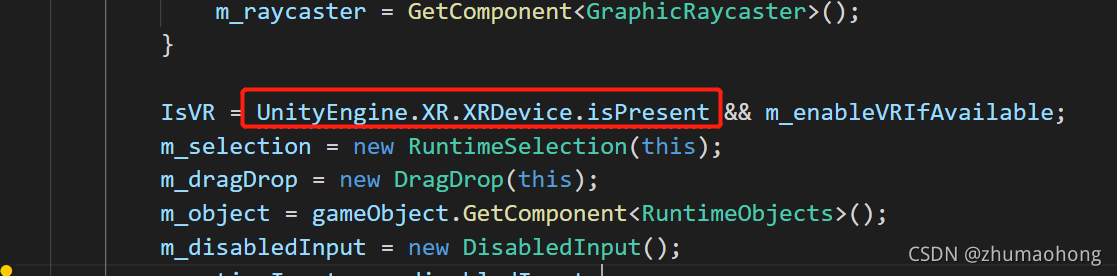
Assets\Battlehub\RTCommon\Scripts\RTEBase.cs(690,20): error CS0619: ‘XRDevice.isPresent’ is obsolete: ‘This is obsolete, and should no longer be used. Instead, find the active XRDisplaySubsystem and check that the running property is true (for details, see XRDevice.isPresent documentation).’

This error occurred when I was using unity’s runtimes editor plug-in, which probably means that the API has expired and needs to be modified.


2. Solutions

I checked the Internet and found no relevant information, so I went directly to unity’s API document according to the error message. After looking at it, I know that the previous interface can’t be used. Just rewrite it. Xrdevice.ispresent document. Just rewrite an inner class and call it again according to the document
add the following part to the code, and then modify the calling code.

internal static class ExampleUtil
{
    public static bool isPresent()
    {
        var xrDisplaySubsystems = new List<XRDisplaySubsystem>();
        SubsystemManager.GetInstances<XRDisplaySubsystem>(xrDisplaySubsystems);
        foreach (var xrDisplay in xrDisplaySubsystems)
        {
            if (xrDisplay.running)
            {
                return true;
            }
        }
        return false;
    }
}

Error: l6218e: undefined symbol appears when keil calls lib

1. Recently, when using MDK to generate lib, Keil failed to call lib, resulting in a lot of undefined problems

2. When generating lib with keil for testing, you can’t add the header file to the project.

        Delete all. H files, regenerate the Lib file, and call again. It is found that there will be no more problems such as error: l6218e: undefined symbol