Author Archives: Robins

mysqldump: Error: Binlogging on server not active [How to Solve]

Background:

Execute the following statement to report an error:

mysqldump.exe -uroot -p --master-data=2 --single-transaction --routines --triggers --events mc_orderdb > aa.sql

Tried Methods:

1. Modify the configuration file and add the following configuration

#Enable binary logging
log-bin=mysql-bin

Then restart the service

It doesn’t work

2. Delete — master data = 2 parameter

Export succeeded

[Solved] Vue Project Error: Error: Cannot find module ‘webpack‘ Require stack以及Error: Rule can only have one resource so

Error 1: NPM run serve reports an error when Vue project is started: error: cannot find module ‘webpack’ require stack

After the project is pulled down and the dependencies are installed normally, start the project and report error: cannot find module ‘webpack’ require stack. It is found that the webpack module is missing,

Error: Cannot find module 'webpack'
Require stack:
  at Function.Module._load (internal/modules/cjs/loader.js:725:27)
    at Module.require (internal/modules/cjs/loader.js:952:19)
    at require (internal/modules/cjs/helpers.js:88:18)

However, I have already installed webpack. Here, I need to re open CMD to install webpack globally

reason:

even if you installed webpack before, it must be a non global installation

Solution:

npm install  -g webpack

After the installation is complete, I start the project and find that it reports an error again!
Reported error: Error: Rule can only have one resource source (provided resource and test + include + exclude) in


Error 2: Project Error: Error: Rule can only have one resource source (provided resource and test + include + exclude) in

Error: Rule can only have one resource source (provided resource and test + include + exclude) in {
  "exclude": [
    null
  ]

reason:

package. Webpack version conflict in JSON

Solution::

delete the webpack and reinstall the previous version

npm uninstall webpack
npm install webpack@^4.0.0 --save-dev

jitpack.io ERROR: No build artifacts found [How to Solve]

jitpack.io ERROR: No build artifacts found

The foreword is solved

preface

Before, Android studio has been used to develop open source libraries and put them into jitpack Compile and package on Io. Recently, due to the research on the kotlin multiplatform of JetBrains, it is changed to develop an independent JVM library or multiplatform Library in idea. The multiplatform library is placed in jitpack There are bound to be problems with IO, because jitpack There are only JVM environments on Io. However, when the JVM library is put on, there are compilation success and packaging errors, error: no build artifacts found

Solution:

This is actually due to the fact that the com.android.libraryplugin is included when developing the library in Android studio, and artifacts are generated. But there is no need to put the com.android.libraryplugin in when making the jvm library ;

So we need to add artifacts manually.

Modify build Gradle file
groovy:

publishing {
    publications {
    	// This mavenJava can be filled in randomly, it's just a task name
    	// MavenPublication must have, this is the task class to call
        mavenJava(MavenPublication) {
        	// The header here is the artifacts configuration information, do not fill in the default
            groupId = 'org.gradle.sample'
            artifactId = 'library'
            version = '1.1'

            from components.java
        }
    }
}

If it is build gradle.kts file
kotlin:

publishing {
    publications {
        create("maven_public", MavenPublication::class) {
            groupId = "org.gradle.sample"
            artifactId = "library"
            version = "1.1"
            from(components.getByName("java"))
        }
    }
}

Finish
SpringBoot integrates Es error: Error creating bean with name ‘restHighLevelClient‘ defined in class path resource

org.springframework.beans.factory.BeanCreationException: Error creating bean with name 'restHighLevelClient' defined in class path resource [com/esdemo/config/ElasticSearchClientConfig.class]: Bean instantiation via factory method failed; nested exception is org.springframework.beans.BeanInstantiationException: Failed to instantiate [org.elasticsearch.client.RestHighLevelClient]: Factory method 'restHighLevelClient' threw exception; nested exception is java.lang.NoClassDefFoundError: org/elasticsearch/common/xcontent/DeprecationHandler
	at org.springframework.beans.factory.support.ConstructorResolver.instantiateUsingFactoryMethod(ConstructorResolver.java:590)
	at org.springframework.beans.factory.support.AbstractAutowireCapableBeanFactory.instantiateUsingFactoryMethod(AbstractAutowireCapableBeanFactory.java:1247)
	at org.springframework.beans.factory.support.AbstractAutowireCapableBeanFactory.createBeanInstance(AbstractAutowireCapableBeanFactory.java:1096)
	at org.springframework.beans.factory.support.AbstractAutowireCapableBeanFactory.doCreateBean(AbstractAutowireCapableBeanFactory.java:535)
	at org.springframework.beans.factory.support.AbstractAutowireCapableBeanFactory.createBean(AbstractAutowireCapableBeanFactory.java:495)
	at org.springframework.beans.factory.support.AbstractBeanFactory.lambda$doGetBean$0(AbstractBeanFactory.java:317)
	at org.springframework.beans.factory.support.DefaultSingletonBeanRegistry.getSingleton(DefaultSingletonBeanRegistry.java:222)
	at org.springframework.beans.factory.support.AbstractBeanFactory.doGetBean(AbstractBeanFactory.java:315)
	at org.springframework.beans.factory.support.AbstractBeanFactory.getBean(AbstractBeanFactory.java:199)
	at org.springframework.beans.factory.support.DefaultListableBeanFactory.preInstantiateSingletons(DefaultListableBeanFactory.java:759)
	at org.springframework.context.support.AbstractApplicationContext.finishBeanFactoryInitialization(AbstractApplicationContext.java:869)
	at org.springframework.context.support.AbstractApplicationContext.refresh(AbstractApplicationContext.java:550)
	at org.springframework.boot.web.servlet.context.ServletWebServerApplicationContext.refresh(ServletWebServerApplicationContext.java:140)
	at org.springframework.boot.SpringApplication.refresh(SpringApplication.java:762)
	at org.springframework.boot.SpringApplication.refreshContext(SpringApplication.java:398)
	at org.springframework.boot.SpringApplication.run(SpringApplication.java:330)
	at org.springframework.boot.SpringApplication.run(SpringApplication.java:1258)
	at org.springframework.boot.SpringApplication.run(SpringApplication.java:1246)
	at com.esdemo.EsdemoApplication.main(EsdemoApplication.java:13)
Caused by: org.springframework.beans.BeanInstantiationException: Failed to instantiate [org.elasticsearch.client.RestHighLevelClient]: Factory method 'restHighLevelClient' threw exception; nested exception is java.lang.NoClassDefFoundError: org/elasticsearch/common/xcontent/DeprecationHandler
	at org.springframework.beans.factory.support.SimpleInstantiationStrategy.instantiate(SimpleInstantiationStrategy.java:185)
	at org.springframework.beans.factory.support.ConstructorResolver.instantiateUsingFactoryMethod(ConstructorResolver.java:582)
	... 18 common frames omitted
Caused by: java.lang.NoClassDefFoundError: org/elasticsearch/common/xcontent/DeprecationHandler
	at java.lang.ClassLoader.defineClass1(Native Method)
	at java.lang.ClassLoader.defineClass(ClassLoader.java:763)
	at java.security.SecureClassLoader.defineClass(SecureClassLoader.java:142)
	at java.net.URLClassLoader.defineClass(URLClassLoader.java:467)
	at java.net.URLClassLoader.access$100(URLClassLoader.java:73)
	at java.net.URLClassLoader$1.run(URLClassLoader.java:368)
	at java.net.URLClassLoader$1.run(URLClassLoader.java:362)
	at java.security.AccessController.doPrivileged(Native Method)
	at java.net.URLClassLoader.findClass(URLClassLoader.java:361)
	at java.lang.ClassLoader.loadClass(ClassLoader.java:424)
	at sun.misc.Launcher$AppClassLoader.loadClass(Launcher.java:349)
	at java.lang.ClassLoader.loadClass(ClassLoader.java:357)
	at org.elasticsearch.client.RestHighLevelClient.<clinit>(RestHighLevelClient.java:1741)
	at com.esdemo.config.ElasticSearchClientConfig.restHighLevelClient(ElasticSearchClientConfig.java:19)
	at com.esdemo.config.ElasticSearchClientConfig$$EnhancerBySpringCGLIB$$cca08d.CGLIB$restHighLevelClient$0(<generated>)
	at com.esdemo.config.ElasticSearchClientConfig$$EnhancerBySpringCGLIB$$cca08d$$FastClassBySpringCGLIB$$14e70886.invoke(<generated>)
	at org.springframework.cglib.proxy.MethodProxy.invokeSuper(MethodProxy.java:228)
	at org.springframework.context.annotation.ConfigurationClassEnhancer$BeanMethodInterceptor.intercept(ConfigurationClassEnhancer.java:361)
	at com.esdemo.config.ElasticSearchClientConfig$$EnhancerBySpringCGLIB$$cca08d.restHighLevelClient(<generated>)
	at sun.reflect.NativeMethodAccessorImpl.invoke0(Native Method)
	at sun.reflect.NativeMethodAccessorImpl.invoke(NativeMethodAccessorImpl.java:62)
	at sun.reflect.DelegatingMethodAccessorImpl.invoke(DelegatingMethodAccessorImpl.java:43)
	at java.lang.reflect.Method.invoke(Method.java:498)
	at org.springframework.beans.factory.support.SimpleInstantiationStrategy.instantiate(SimpleInstantiationStrategy.java:154)
	... 19 common frames omitted
Caused by: java.lang.ClassNotFoundException: org.elasticsearch.common.xcontent.DeprecationHandler
	at java.net.URLClassLoader.findClass(URLClassLoader.java:381)
	at java.lang.ClassLoader.loadClass(ClassLoader.java:424)
	at sun.misc.Launcher$AppClassLoader.loadClass(Launcher.java:349)
	at java.lang.ClassLoader.loadClass(ClassLoader.java:357)
	... 43 common frames omitted

Process finished with exit code 1

Solution:

Check whether the jar package of ES is introduced into Maven’s POM file

<dependency>
            <groupId>org.elasticsearch</groupId>
            <artifactId>elasticsearch</artifactId>
            <version>7.7.0</version>
        </dependency>

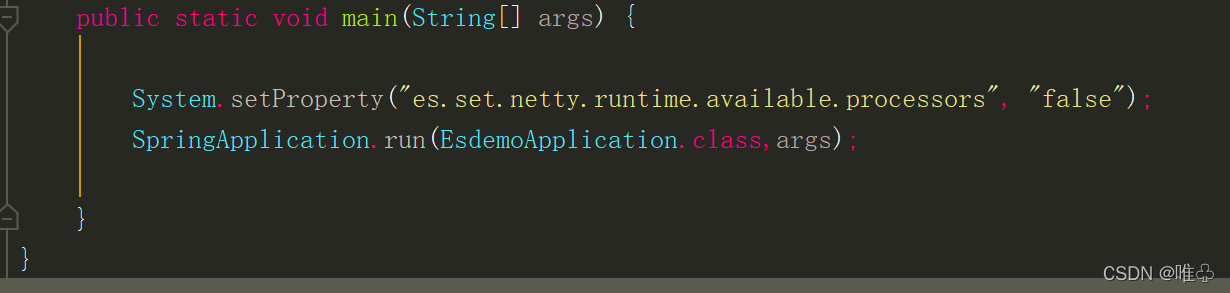
If there is still an error after introducing the jar package, add the following to the startup class

 System.setProperty("es.set.netty.runtime.available.processors", "false");

[Solved] Error: Could not open client transport with JDBC Uri

Error Messages:

[root@cpucode100 bin]# beeline -u jdbc:hive2://cpucode100:10000 -n root
Connecting to jdbc:hive2://cpucode100:10000
21/12/15 21:41:51 [main]: WARN jdbc.HiveConnection: Failed to connect to cpucode100:10000
Error: Could not open client transport with JDBC Uri: jdbc:hive2://cpucode100:10000: Failed to open new session: java.lang.RuntimeException: org.apache.hadoop.ipc.RemoteException(org.apache.hadoop.security.authorize.AuthorizationException): User: root is not allowed to impersonate root (state=08S01,code=0)
Beeline version 3.1.2 by Apache Hive

Connecting to jdbc:hive2://cpucode100:10000
21/12/16 21:15:53 [main]: WARN jdbc.HiveConnection: Failed to connect to cpucode100:10000
Could not open connection to the HS2 server. Please check the server URI and if the URI is correct, then ask the administrator to check the server status.
Error: Could not open client transport with JDBC Uri: jdbc:hive2://cpucode100:10000: java.net.ConnectException: Connection refused (Connection refused) (state=08S01,code=0)
Beeline version 3.1.2 by Apache Hive

Solution:
The configuration information in the hadoop file core-site.xml is as follows, restart Hadoop, and start hiveserver2 and beeline again. Can
Replace the root below with your own username

	<property>
		<name>hadoop.proxyuser.root.hosts</name>
		<value>*</value>
	</property>
	<property>
		<name>hadoop.proxyuser.root.groups</name>
		<value>*</value>
	</property>

distribute

xsync /etc

Restart start

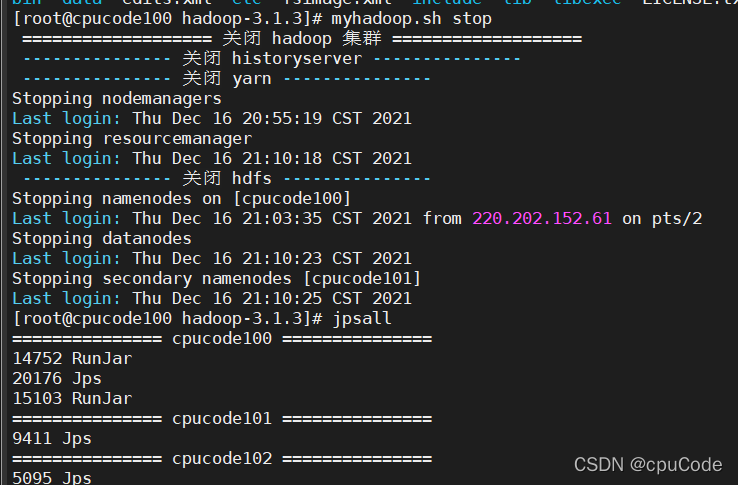
myhadoop.sh stop

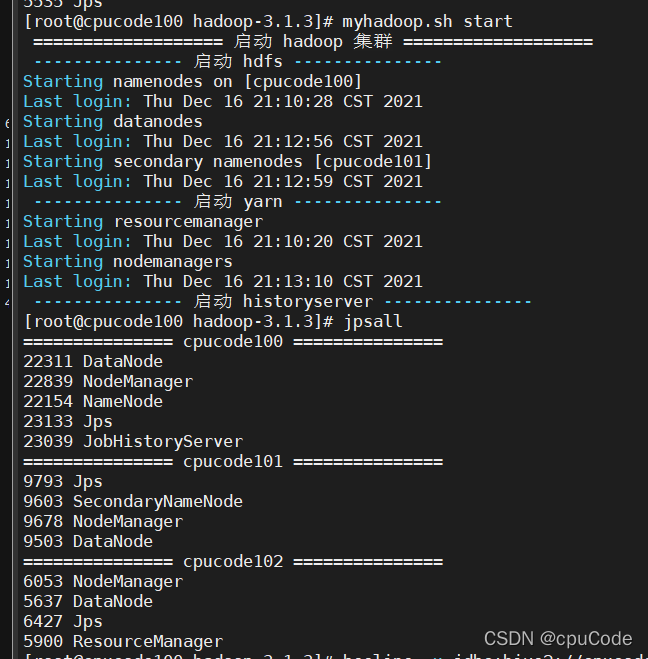
myhadoop.sh start

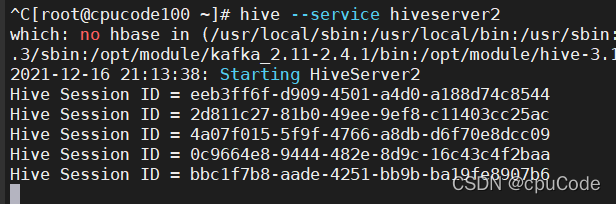
hive --service hiveserver2

Wait, it will be a long time here, about 10 minutes

beeline -u jdbc:hive2://cpucode100:10000 -n root

How to Solve Java Runtime (class file version 53.0)ERROR

libs/granite/ui/components/shell/header/user/User has been compiled by a more recent version of the Java Runtime (class file version 53.0), this version of the Java Runtime only recognizes class file versions up to 52.0

Specific corresponding version:

JDK 1.1 = 45
JDK 1.2 = 46
JDK 1.3 = 47
JDK 1.4 = 48
Java SE 5.0 = 49
Java SE 6.0 = 50
Java SE 7 = 51
Java SE 8 = 52
Java SE 9 = 53
Java 10 = 54
Java 11 = 55
Java 12 = 56
…


So the question is, how to replace the version?
First of all, the easiest way is to check whether java has been installed through the command: java -version
View the java package of yum source: yum list java*
Install java108jdk software: yum -y install java-1.8.0-openjdk****
Verify that the installation is successful, check the java version: java -version

[Solved] xtrabackup Error: “Too many open files” (system error number 24)

The following error occurs during a MySQL database backup:

InnoDB: Operating system error number 24 in a file operation.
InnoDB: Error number 24 means ‘Too many open files’ 
InnoDB: Some operating system error numbers are described at http://dev.mysql.com/doc/refman/5.7/en/operating-system-error-codes.html 

It is found that there are too many data files:

a total of 90811 data files.

View number of open files:

[root@localhost ~]# ulimit -Sn
1024
[root@localhost ~]# ulimit -Hn
4096

Description of this check command:

ulimit [-HSTabcdefilmnpqrstuvx [limit]]
              Provides  control over the resources available to the shell and to processes started by it, on systems that allow such control.  The -H and -S options specify that the hard or soft
              limit is set for the given resource.  A hard limit cannot be increased by a non-root user once it is set; a soft limit may be increased up to the value of the hard limit. 
  -n     The maximum number of open file descriptors (most systems do not allow this value to be set)

Query the maximum number of files opened by the operating system:

# cat /proc/sys/fs/nr_open
1048576

In the file/etc/security/limits Conf settings:

mysql hard nofile 65535
mysql soft nofile 65535

mysql hard nproc 65535
mysql soft nproc 65535

You can also replace MySQL with *
the problem of re backup is solved.

[Solved] DDP/DistributedDataParallel Error: RuntimeError: Address already in use

An error is reported when testing pytorch multi card:
store = tcpstore (master_addr, master_port, world_size, start_daemon, timeout)
runtimeerror: address already in use

After investigation, there is another task running with DDP.

Solution:
manually specify an idle port

python -m torch.distributed.launch --master_port 145622

View port occupancy:
terminal input
netstat - nultp

[Solved] Jmeter Error: Error loading results file – see file log

Error occurs when JMeter test is used to save test files concurrently: error loading results file – see file log
solution: create a new text file (any type is OK), and add <?XML version = “1.0” encoding = “UTF-8”?> to the file.

Create a new text TXT copy and paste
after modifying the suffix extension, the corresponding file name can be XXX csv