Author Archives: Robins

[Solved] redis Error: AttributeError: ‘list‘ object has no attribute ‘decode‘

An error occurred while [redis data management tool] was running!

AttributeError: ‘list’ object has no attribute ‘decode’

Solution:

1. redisutil_main.py under /www/server/panel/plugin/redisutil
2. Line 97 db=db, followed by decode_responses=True
3. Look for .decode(‘utf-8’) and delete, four out of four
4. Done!

[Solved] cv2.error: OpenCV(4.5.1) XXX\shapedescr.cpp:315: error: (-215:Assertion failed) npoints >= 0 &&……

Error resolution

Error reproduction

Traceback (most recent call last):
  File "D:/pythonProjects/Object_movement/object_movement.py", line 88, in <module>
    c = max(cnts, key=cv2.contourArea)
cv2.error: OpenCV(4.5.1) C:\Users\appveyor\AppData\Local\Temp\1\pip-req-build-i1s8y2i1\opencv\modules\imgproc\src\shapedescr.cpp:315: error: (-215:Assertion failed) npoints >= 0 && (depth == CV_32F || depth == CV_32S) in function 'cv::contourArea'

source code

cnts = cv2.findContours(mask.copy(), cv2.RETR_EXTERNAL,
                            cv2.CHAIN_APPROX_SIMPLE)
cnts=cnts[1]

Modified code

cnts, hierarchy = cv2.findContours(mask.copy(), cv2.RETR_EXTERNAL,
                                       cv2.CHAIN_APPROX_SIMPLE)

Error reporting reason

New CV2 Findcontours returns two values. The result of [0] is contour instead of [1]

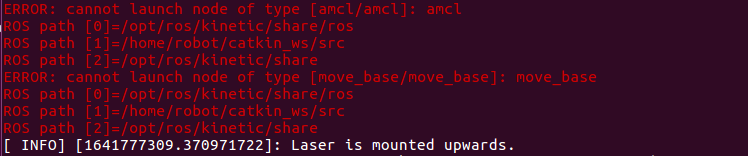
ERROR: cannot launch node of type [amcl/amcl]: amcl

ERROR: cannot launch node of type [amcl/amcl]: amcl
ROS path [0]=/opt/ros/kinetic/share/ros
ROS path [1]=/home/robot/catkin_ws/src
ROS path [2]=/opt/ros/kinetic/share
ERROR: cannot launch node of type [move_base/move_base]: move_base
ROS path [0]=/opt/ros/kinetic/share/ros
ROS path [1]=/home/robot/catkin_ws/src
ROS path [2]=/opt/ros/kinetic/share


Solution:

sudo apt-get install ros-kinetic-navigation

[Solved] CentOS Use Yum to install dependency: error: rpmdb open failed

When installing dependencies using Yum in CentOS, the following errors are reported:

the solution is as follows:

Execute the following commands in order

 # Go to the directory where rpmdb is located
 cd /var/lib/rpm
 # Clear the original rpmdb file
 rm -f __db.*
 # Rebuild the rpm database
 rpm --rebuilddb
 # Clear all yum caches
 yum clean all

After execution, use Yum to install the dependent packages normally

[Solved] Nginx cannot access pictures on FTP Error: Whitelabel error page

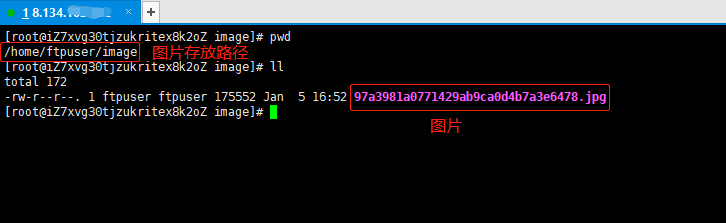
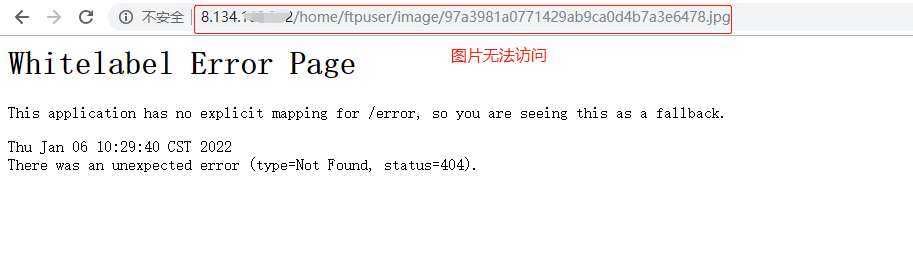
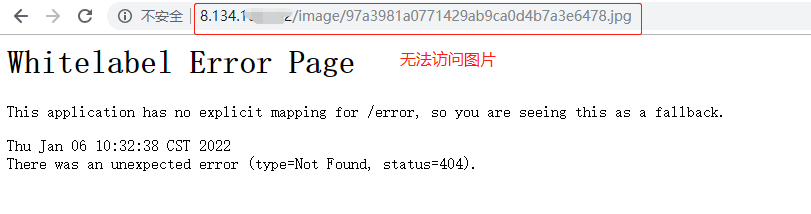
1. Unable to access the picture


As can be seen from the above figure, whether the full path home/ftpuser/image access or/image access is used, the image access fails.

Let’s solve this problem

2. Configure nginx image access path

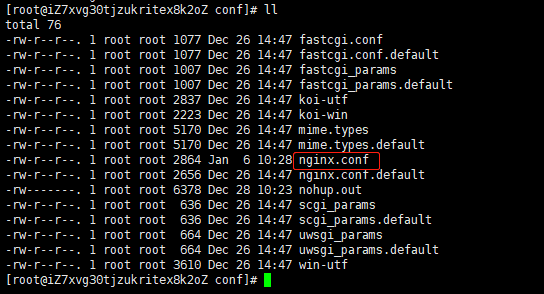
# Go to the conf directory of nginx, and find nginx.conf

# Edit profile
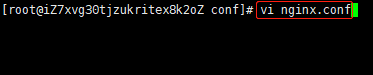
vi nginx.conf

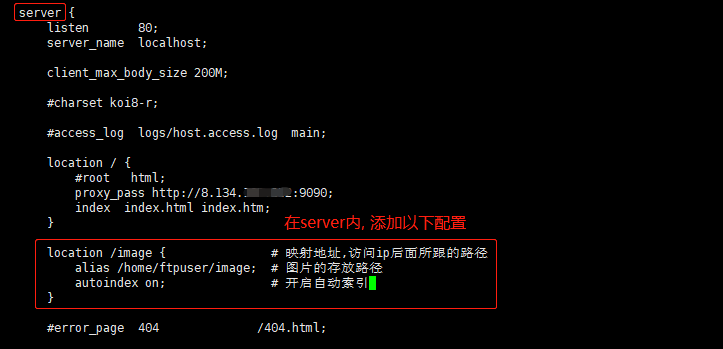
# nginx.conf Add Configuration
location /image {
	alias /home/ftpuser/image;
	autoindex on;
}

3. Restart nginx

./nginx -s reload

4. Picture access succeeded

BlazingSQL Error: AttributeError: module ‘cio‘ has no attribute ‘RunQueryError‘

When using blazingsql, the following error was encountered:

Exception:
java.lang.IllegalStateException: Unable to instantiate java compiler
at org.apache.calcite.rel.metadata.JaninoRelMetadataProvider.compile(JaninoRelMetadataProvider.java:433)
at org.apache.calcite.rel.metadata.JaninoRelMetadataProvider.load3(JaninoRelMetadataProvider.java:374)
at org.apache.calcite.rel.metadata.JaninoRelMetadataProvider.lambda$static$0(JaninoRelMetadataProvider.java:109)
at com.google.common.cache.CacheLoader$FunctionToCacheLoader.load(CacheLoader.java:151)
·····

File "/root/bsqlserver/gce_app/libs/bsql_util.py", line 22, in jsonstr_bsql_exec
gdf = bc.sql(sql)
File "/usr/local/envs/bsql/lib/python3.7/site-packages/pyblazing/apiv2/context.py", line 2880, in sql
except cio.RunQueryError as e:
AttributeError: module 'cio' has no attribute 'RunQueryError'

Possible causes: blazingsql modules are imported in multiple places
keep a from blazingsql import blazingcontext to restore normal operation

[Solved] Win10 install Ubuntu error: wslregisterdistribution failed with error: 0x8007019e

This article is reproduced in \ Author: Buyan \ original text: win10 installs Ubuntu system and reports the error wslregisterdistribution failed with error: 0x8007019e – jova – blog Garden (cnblogs. Com)

When installing the Ubuntu system in the windows app store, the error wslregisterdistribution failed with error: 0x8007019e is reported

1. Error reporting:

Installing, this may take a few minutes... Installation Failed! Error: 0x8007019e Press any key to continue...

2. Cause: Windows subsystem support is not installed.

3. Solution:

1. Win + X, select windows PowerShell (administrator)

2. Input: enable windowsoptionalfeature – Online – featurename Microsoft Windows subsystem Linux

3. Enter, enter y, restart!

4. Reopen the installed subsystem, wait a few minutes, and enter the account and password.

**
 

error C4996: ‘pcl::SAC_SAMPLE_SIZE‘ [How to Solve]

Error: pcl-1.8\pcl\sample_consensus\model_types.h(99): error C4996: ‘pcl::SAC_SAMPLE_SIZE’: This map is deprecated and is kept only to prevent breaking existing user code. Starting from PCL 1.8.0 model sample size is a protected member of the SampleConsensusModel class

Solution:
Open the project property page > C/C++ > General > SDL Check (set to No).

[Solved] MAC Compile Error: fatal error: ‘endian.h‘ file not found

Specific error

In file included from conf.c:427:
In file included from ../include/local.h:146:
In file included from ../include/sound/asound.h:4:
../include/alsa/sound/uapi/asound.h:31:10: fatal error: 'endian.h' file not
      found
#include <endian.h>

Solution:

Change to <machine/endian.h> Just.

Others say it should be changed to <Endian.h>, Tried, it didn’t work!

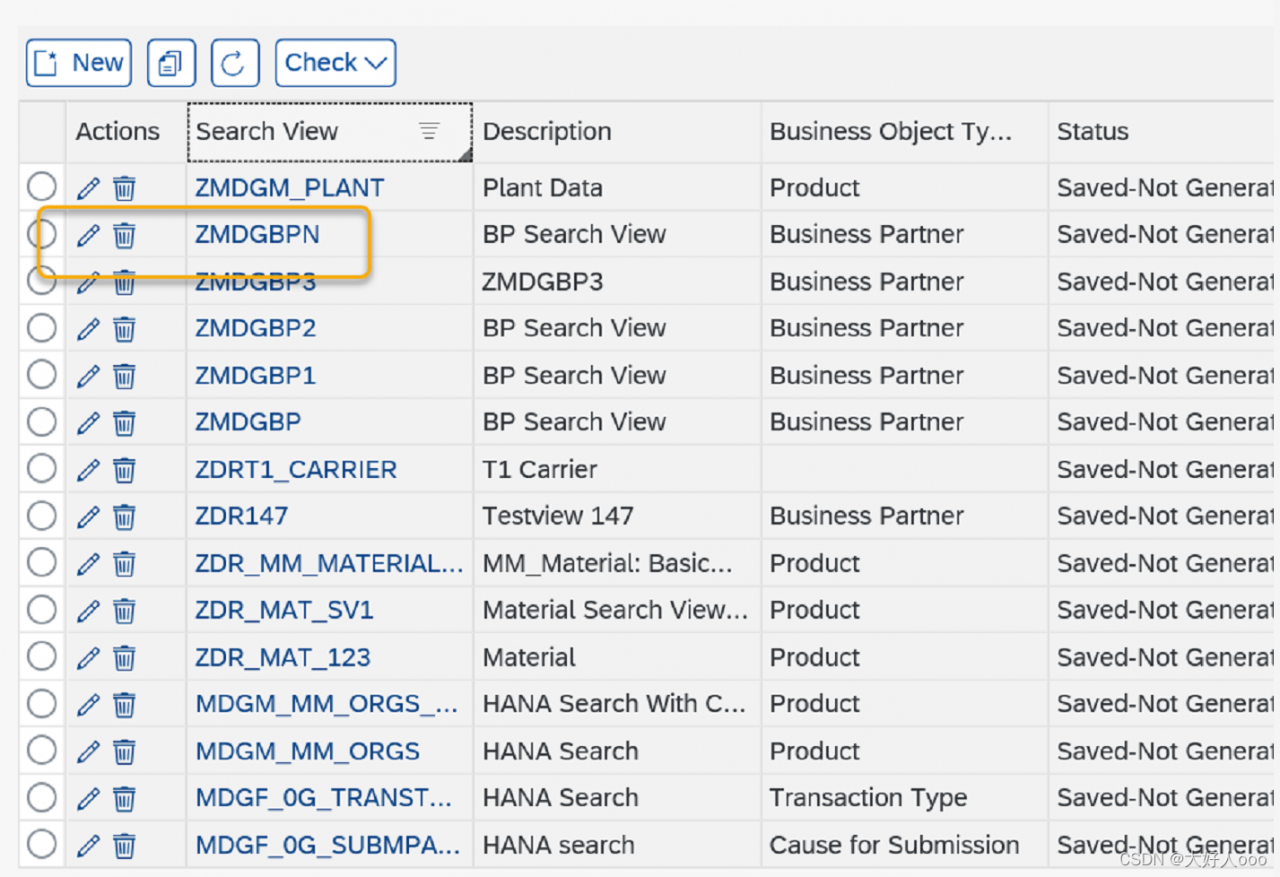
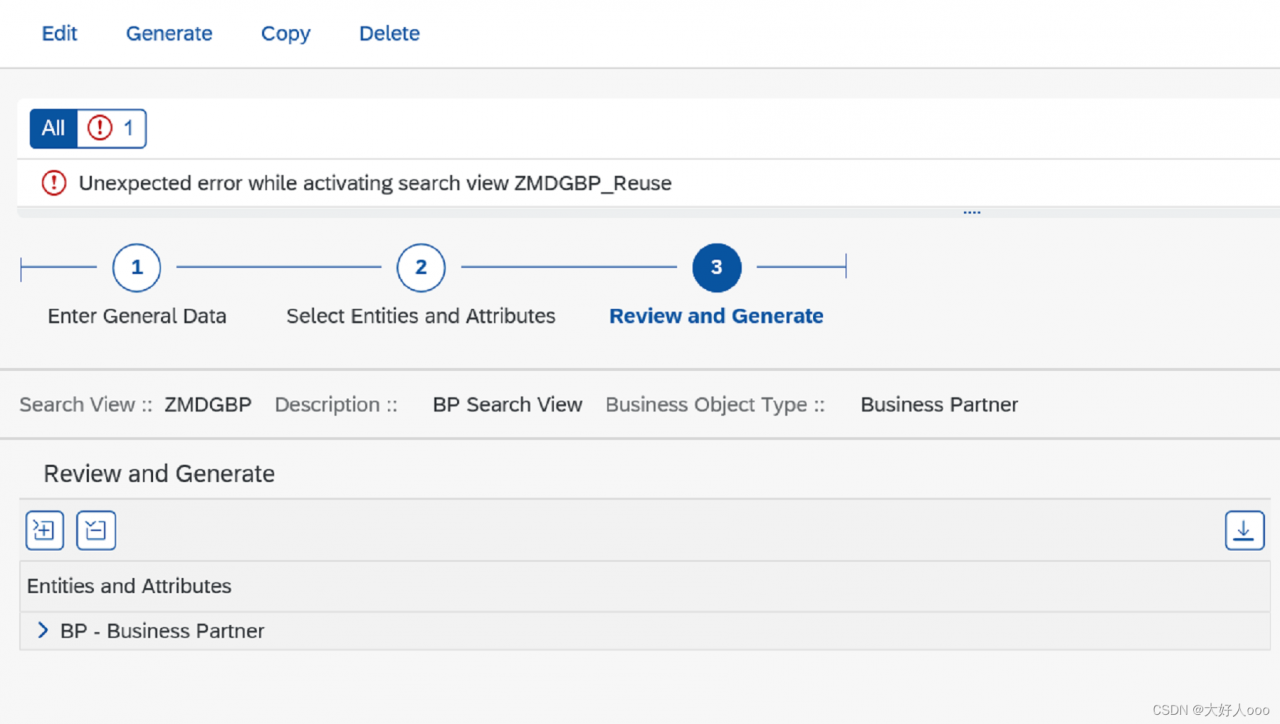
[Solved] SAP MDG Create View Error: unexpected error while activating search view ZMDG_XXX

Problem Description:
unexpected error while activating search view zmdg_XXX

SAP system version: S/4 Hana 1909 SP2

Reproduction steps:
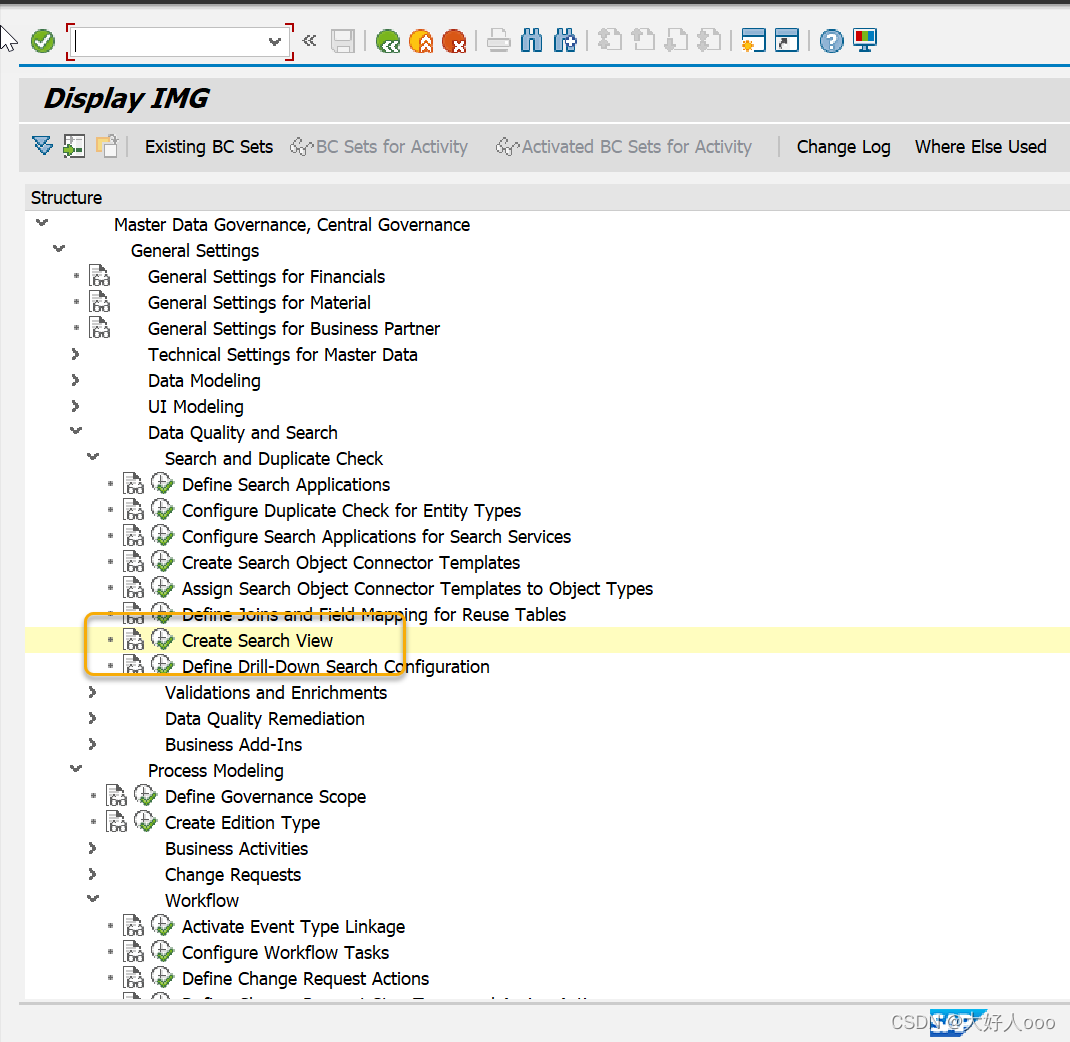
Tcode: mdgimg


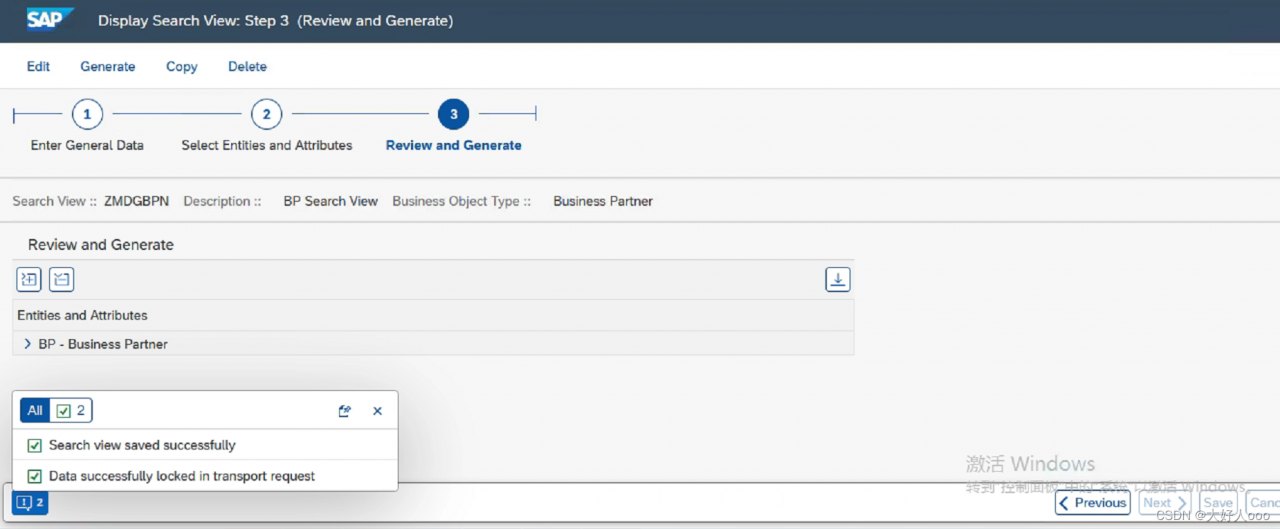
when you click generate, the following errors appear

Solution:

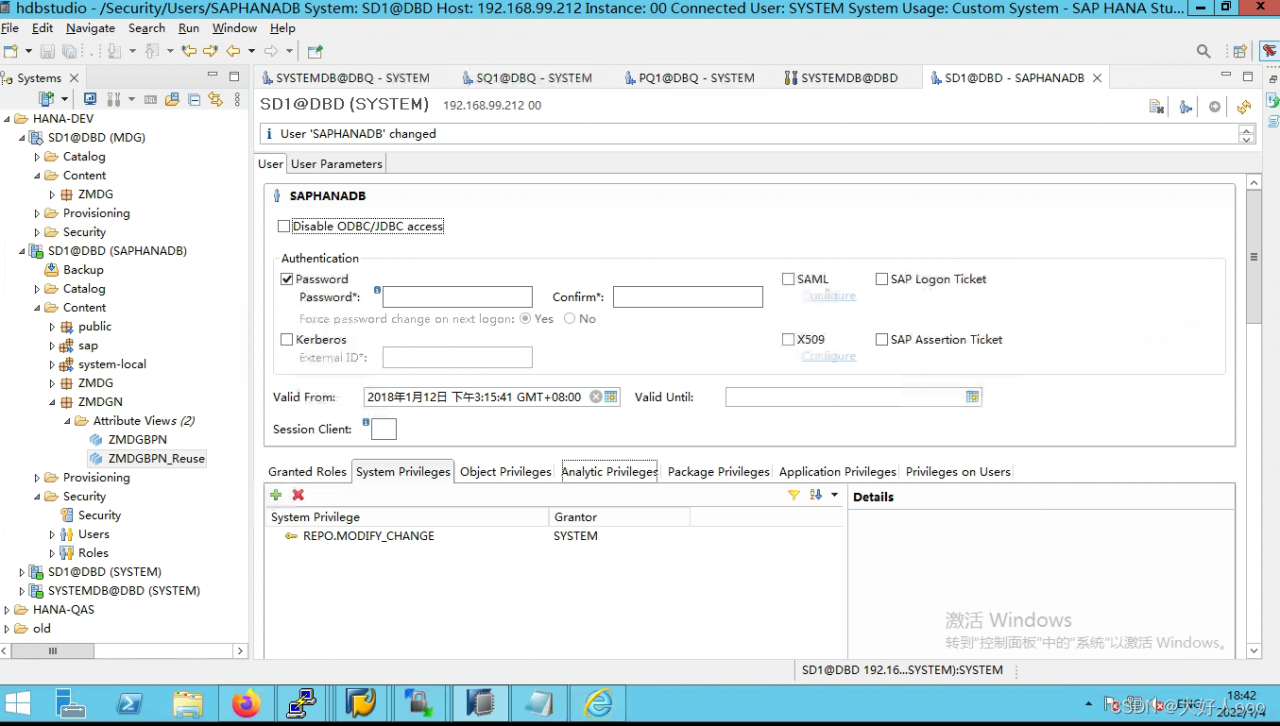
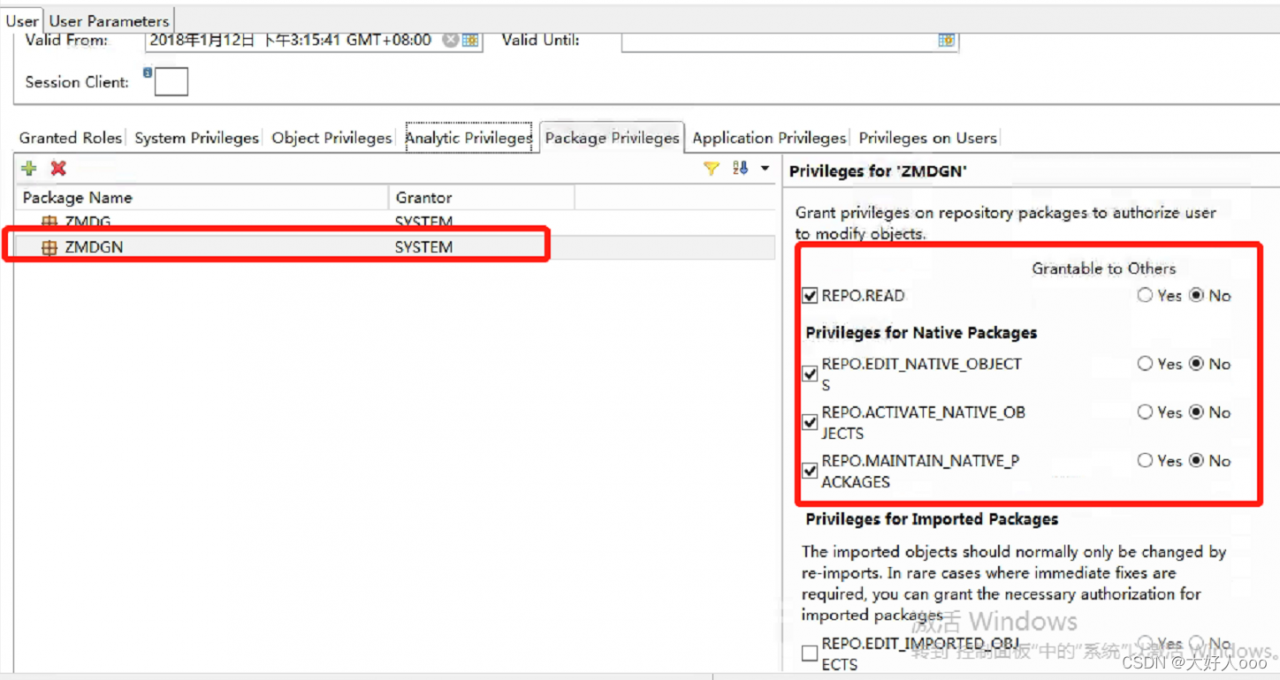
    1. 1. using the system user to authorize SAPHANADB


    1. 2. if there is an error after generate; You need to manually create a temporary attribute view, and then click generate to succeed

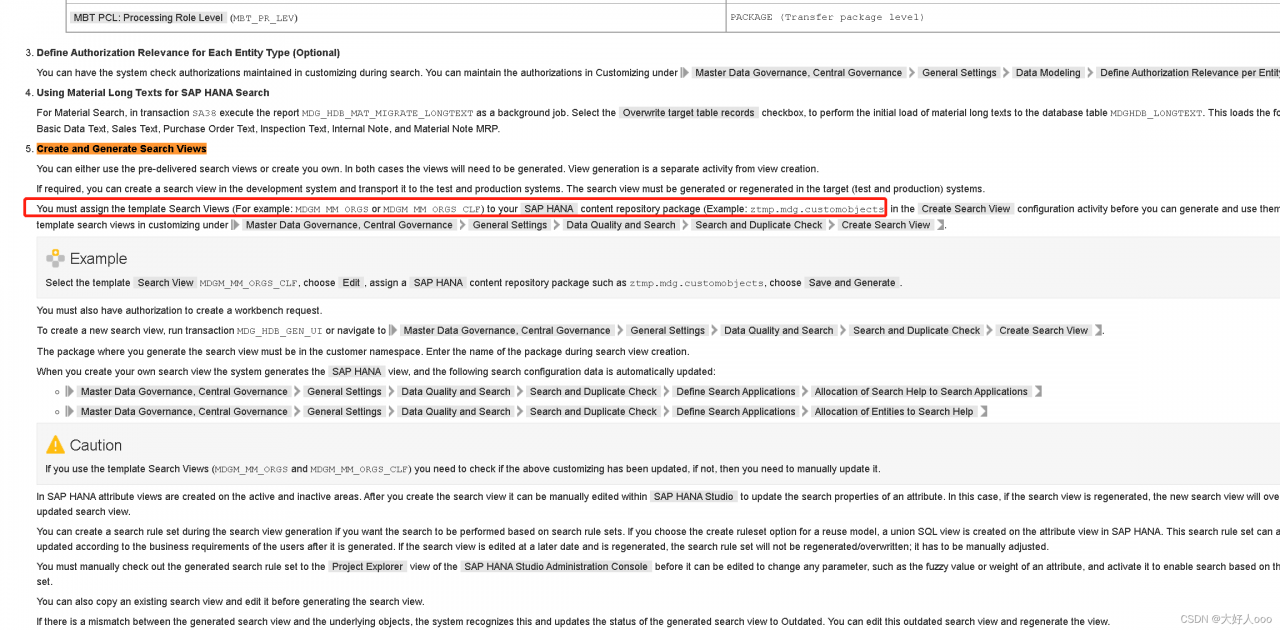
Refer to configuring SAP Hana based search for MDG

Vmware Virtual Machine ubuntu Compile Error: fatal error: Killed signal terminated program cc1plus

VMware virtual machine
Ubuntu compiles opencv with an error of 92%.
fatal error: killed signal terminated program cc1plus.

Cause: the virtual machine is out of allocated memory.

Close the client, edit the client settings, and expand the memory to 4G.

After confirmation, restart the virtual machine and execute the compile command again. Generally, the system will compile and will not restart.