Author Archives: Robins

Tp6 Cannot enable error [How to Solve]

tp6 open error, you need to copy the root directory of .example.env, save it as .env, then modify the header to APP_DEBUG=true, and then directory config/app.php modify ‘show_error_msg’ => fales.

If the pdo still reports an error after starting php.ini again, log out the .env file

[DATABASE]
TYPE=mysql
HOSTNAME=host.docker.internal
DATABASE=easyadmin
USERNAME=root
PASSWORD=root
HOSTPORT=3306
CHARSET=utf8
DEBUG=true
PREFIX=ea_


Node Kubelet Error: node “xxxxx“ not found [How to Solve]

11月 05 10:58:35 localhost.localdomain kubelet[974]: E1105 10:58:35.108952     974 kubelet.go:2412] "Error getting node" err="node "localhost.localdomain" not found"
11月 05 10:58:35 localhost.localdomain kubelet[974]: E1105 10:58:35.209293     974 kubelet.go:2412] "Error getting node" err="node "localhost.localdomain" not found"
11月 05 10:58:35 localhost.localdomain kubelet[974]: E1105 10:58:35.310543     974 kubelet.go:2412] "Error getting node" err="node "localhost.localdomain" not found"
11月 05 10:58:35 localhost.localdomain kubelet[974]: E1105 10:58:35.411121     974 kubelet.go:2412] "Error getting node" err="node "localhost.localdomain" not found"
11月 05 10:58:35 localhost.localdomain kubelet[974]: E1105 10:58:35.511949     974 kubelet.go:2412] "Error getting node" err="node "localhost.localdomain" not found"
11月 05 10:58:35 localhost.localdomain kubelet[974]: E1105 10:58:35.612822     974 kubelet.go:2412] "Error getting node" err="node "localhost.localdomain" not found"
11月 05 10:58:35 localhost.localdomain kubelet[974]: E1105 10:58:35.713249     974 kubelet.go:2412] "Error getting node" err="node "localhost.localdomain" not found"
11月 05 10:58:35 localhost.localdomain kubelet[974]: E1105 10:58:35.781263     974 controller.go:144] failed to ensure lease exists, will retry in 7s, error: leases.coordination.k8s.io "localhost.localdomain" is forbidden: User "system:node:k8s222" cannot get resource "leases" in API group "coordination.k8s.io" in the namespace "kube-node-lease": can only access node lease with the same name as the requesting node
11月 05 10:58:35 localhost.localdomain kubelet[974]: E1105 10:58:35.813355     974 kubelet.go:2412] "Error getting node" err="node "localhost.localdomain" not found"
11月 05 10:58:35 localhost.localdomain kubelet[974]: E1105 10:58:35.913495     974 kubelet.go:2412] "Error getting node" err="node "localhost.localdomain" not found"

1.1 this node is always notready

[root@crust-m01 ~]# kubectl get node
NAME        STATUS     ROLES                  AGE   VERSION
k8s220   NotReady   control-plane,master   44d   v1.21.3
k8s221   NotReady   <none>                 44d   v1.21.3
k8s222   NotReady   <none>                 44d   v1.21.3

1.2 view details of this node

[root@localhost ~]# kubectl describe node k8s221


……
Unschedulable:      false
Lease:
  HolderIdentity:  k8s221
  AcquireTime:     <unset>
  RenewTime:       Tue, 28 Sep 2021 14:37:08 +0800
Conditions:
  Type             Status    LastHeartbeatTime                 LastTransitionTime                Reason              Message
  ----             ------    -----------------                 ------------------                ------              -------
  MemoryPressure   Unknown   Tue, 28 Sep 2021 14:32:16 +0800   Tue, 28 Sep 2021 14:38:17 +0800   NodeStatusUnknown   Kubelet stopped posting node status.
  DiskPressure     Unknown   Tue, 28 Sep 2021 14:32:16 +0800   Tue, 28 Sep 2021 14:38:17 +0800   NodeStatusUnknown   Kubelet stopped posting node status.
  PIDPressure      Unknown   Tue, 28 Sep 2021 14:32:16 +0800   Tue, 28 Sep 2021 14:38:17 +0800   NodeStatusUnknown   Kubelet stopped posting node status.
  Ready            Unknown   Tue, 28 Sep 2021 14:32:16 +0800   Tue, 28 Sep 2021 14:38:17 +0800   NodeStatusUnknown   Kubelet stopped posting node status.
……

1.3 view kubelet logs on this node

[root@crust-m2 ~]# service kubelet status -l
Redirecting to /bin/systemctl status  -l kubelet.service
● kubelet.service - kubelet: The Kubernetes Node Agent
   Loaded: loaded (/usr/lib/systemd/system/kubelet.service; enabled; vendor preset: disabled)
  Drop-In: /usr/lib/systemd/system/kubelet.service.d
           └─10-kubeadm.conf
   Active: active (running) since 二 2021-09-28 14:51:57 CST; 4min 6s ago
     Docs: https://kubernetes.io/docs/
 Main PID: 21165 (kubelet)
    Tasks: 19
   Memory: 43.0M
   CGroup: /system.slice/kubelet.service
           └─21165 /usr/bin/kubelet --bootstrap-kubeconfig=/etc/kubernetes/bootstrap-kubelet.conf --kubeconfig=/etc/kubernetes/kubelet.conf --config=/var/lib/kubelet/config.yaml --network-plugin=cni --pod-infra-container-image=registry.aliyuncs.com/google_containers/pause:3.4.1

9月 28 14:56:03 crust-m2 kubelet[21165]: E0928 14:56:03.119645   21165 kubelet.go:2291] "Error getting node" err="node "crust-m2" not found"
9月 28 14:56:03 crust-m2 kubelet[21165]: E0928 14:56:03.220694   21165 kubelet.go:2291] "Error getting node" err="node "crust-m2" not found"
9月 28 14:56:03 crust-m2 kubelet[21165]: E0928 14:56:03.321635   21165 kubelet.go:2291] "Error getting node" err="node "crust-m2" not found"
9月 28 14:56:03 crust-m2 kubelet[21165]: E0928 14:56:03.385100   21165 eviction_manager.go:255] "Eviction manager: failed to get summary stats" err="failed to get node info: node "crust-m2" not found"
9月 28 14:56:03 crust-m2 kubelet[21165]: E0928 14:56:03.422387   21165 kubelet.go:2291] "Error getting node" err="node "crust-m2" not found"
9月 28 14:56:03 crust-m2 kubelet[21165]: E0928 14:56:03.523341   21165 kubelet.go:2291] "Error getting node" err="node "crust-m2" not found"
9月 28 14:56:03 crust-m2 kubelet[21165]: E0928 14:56:03.624021   21165 kubelet.go:2291] "Error getting node" err="node "crust-m2" not found"
9月 28 14:56:03 crust-m2 kubelet[21165]: E0928 14:56:03.724418   21165 kubelet.go:2291] "Error getting node" err="node "crust-m2" not found"
9月 28 14:56:03 crust-m2 kubelet[21165]: E0928 14:56:03.825475   21165 kubelet.go:2291] "Error getting node" err="node "crust-m2" not found"
9月 28 14:56:03 crust-m2 kubelet[21165]: E0928 14:56:03.926199   21165 kubelet.go:2291] "Error getting node" err="node "crust-m2" not found"

2. [troubleshooting]

The startup command of log output in 1.3 is as follows:

/usr/bin/kubelet --bootstrap-kubeconfig=/etc/kubernetes/bootstrap-kubelet.conf --kubeconfig=/etc/kubernetes/kubelet.conf --config=/var/lib/kubelet/config.yaml --network-plugin=cni --pod-infra-container-image=registry.aliyuncs.com/google_containers/pause:3.4.1


There is no problem viewing and analyzing all configuration files in the startup command

The error err = "node" localhost. Output in 1.3 was found localdomain "Not found
the information of kubectl get node on the master is k8s220, k8s221, k8s222

conclusion
when kubernetes was installed before, the name of the master was k8s220, and the node was k8s221, k8s222, because /etc/hostname was written as localhost.localdomain by default, kubelet has always been report errors

3. [modification]

Modify the hostname file, execute the hostname command, modify the server name,

Restart kubelete

css-rcurlyexpected Error: css-rcurlyexpected at-rule, or selector expected, Do not use empty rulesets

● questions:

● the errors are:

css-rcurlyexpected
at-rule or selector expected
Do not use empty rulesets

But the style works normally.

● cause

1. set “vetur.validation.style”: false in setting.json,
2. add @charset “utf-8” to the first line of style;
But the main reason for this is that the page language mode is set incorrectly, just use the default .vue will be set to html mode, so it will report an error

● Solution 1:

Click in to change to Vue mode

● Solution 2:

Set the setting in setting.json to allow the system to modify the language mode of the .vue file to vue by default

"files.associations": {
   "*.vue": "vue",
 },

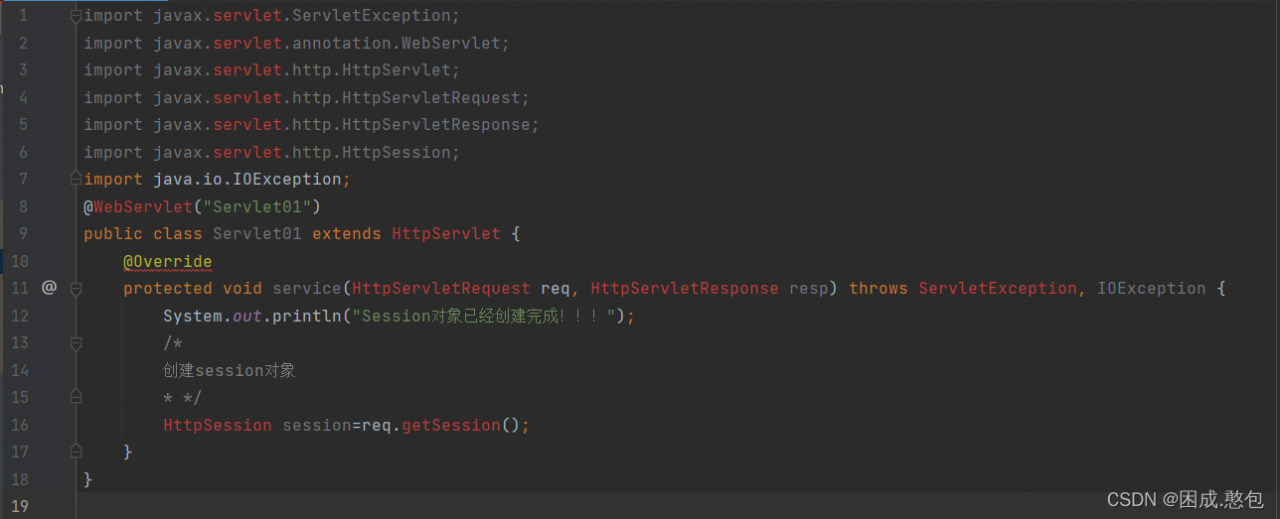
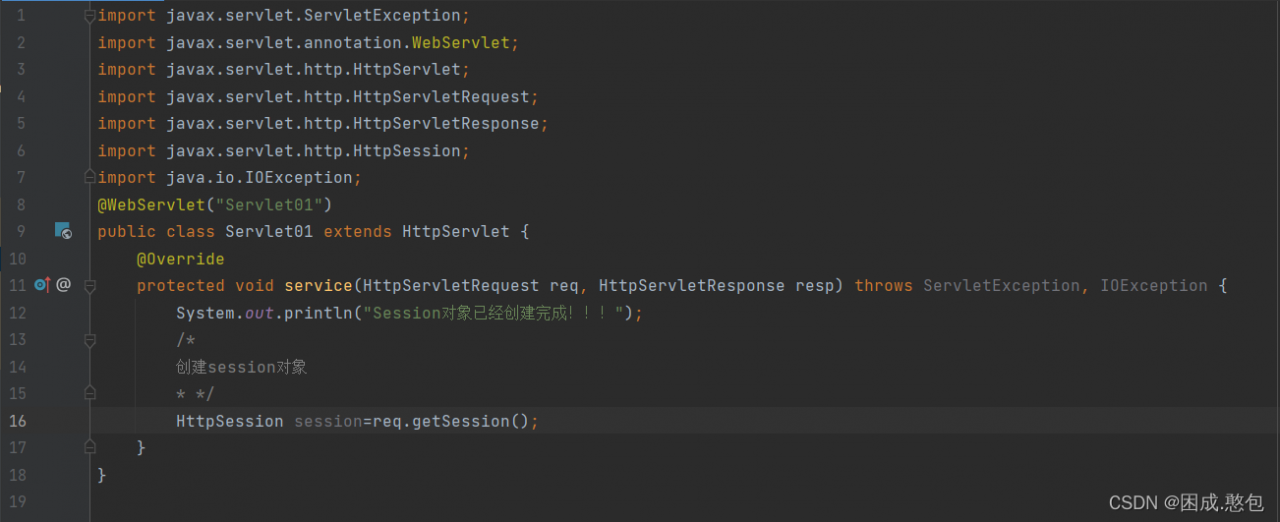
IDEA Import Servlet Package Error [How to Solve]

When we use idea to import packages related to servlets, we sometimes encounter errors, which leads to the problem that servlets cannot recognize. In fact, the reason for the problem is very simple, that is, we can’t find packages related to servlets in JDK

Solution:
1. Find the installation directory of Tomcat, here is C:\Program Files\Apache Software Foundation\Tomcat 8.5\lib (Note: not everyone’s directory is this, need to be based on the actual situation of your computer’s installation directory), find the Servlet-api.jar This file, copy it

2. then go to the JDK installation directory: C:\Program Files\Java\jdk1.8.0_241\jre\lib\ext, find the ext folder, and then copy the Servlet-api.jar file just copied to this folder

3. Back to the idea, the problem is solved, if the idea is still reporting errors, restart the idea refresh

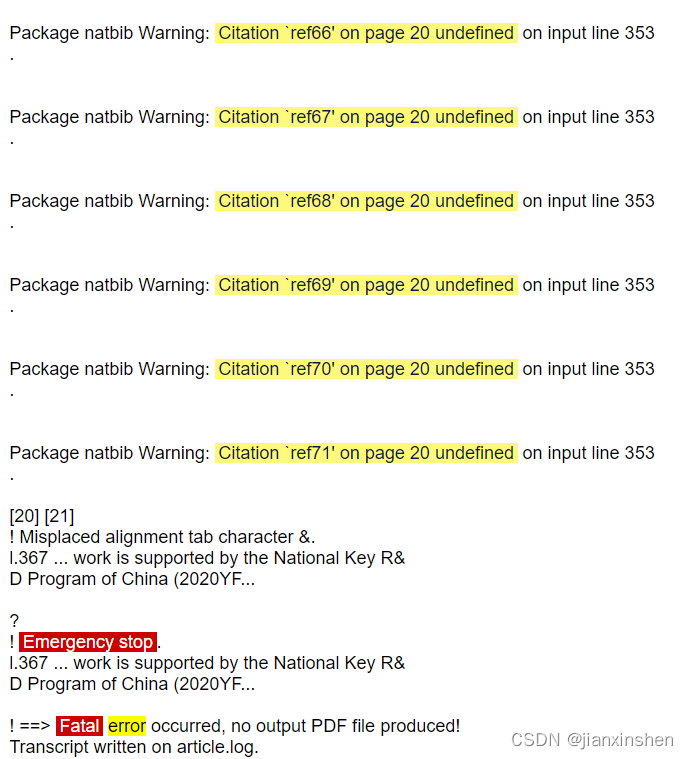
How to Solve Arxiv Upload with PDFLatex Error

The basic process of uploading latex files to arxiv has been clearly explained by other bigwigs, here is the main record of the problems I encountered and the solutions.

Background: I used the ACS achemso template in overleaf coding.

Need to pay attention to.

1. the reference format is bbl instead of bib, bbl is a compiled intermediate file that can be exported directly after overleaf compilation.

2. in the first five lines of .tex add \pdfoutput=1%For ARXIV

Problems encountered.

In overleaf compile completely fine file upload to arxiv after reporting an error: \pdfoutput=1%For ARXIV


Solution:

1. may be a coding problem, add \UseRawInputEncoding in the first line of .tex

2. arxiv file transfer when the original file is deleted and replaced by a new file, sometimes the update will not be timely, or the compiled results of the original file, you can go back to the original interface to refresh or simply re-login.

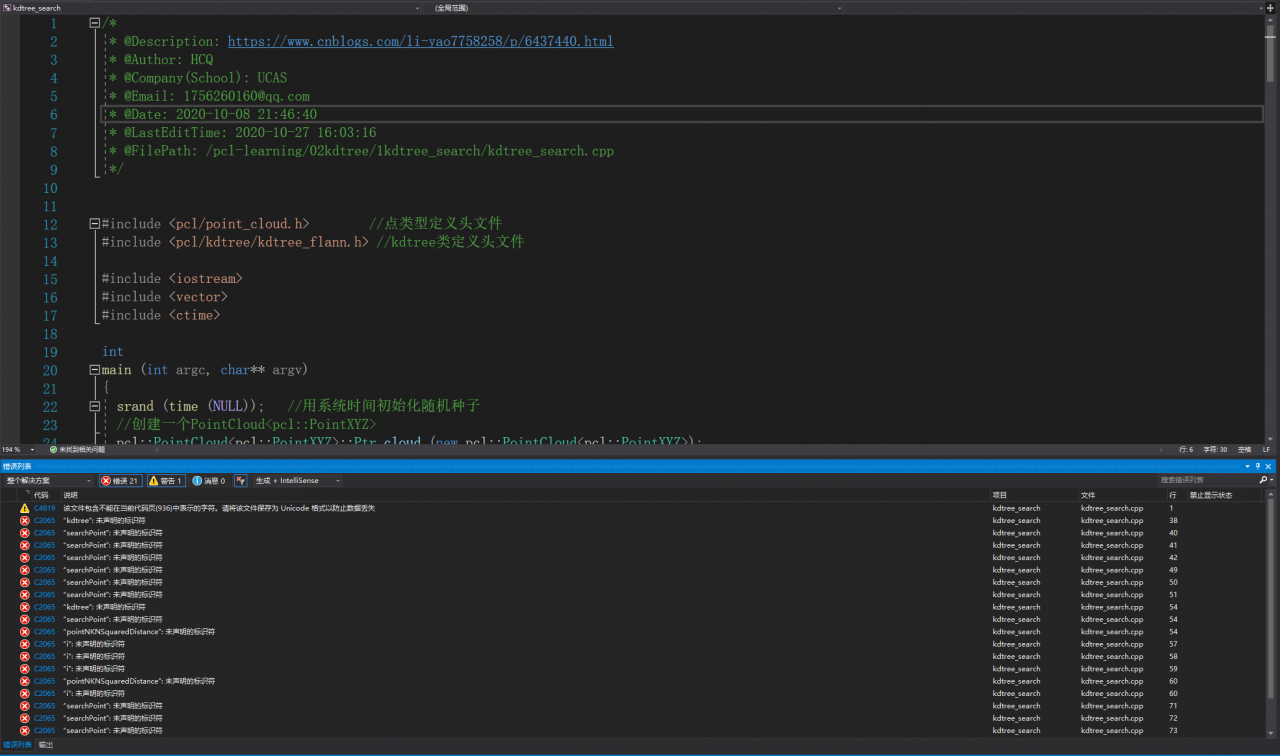
Windows: How to Solve PCL C2065 Error

Solution of PCL running error under Windows

Configuration: vs2019 + pcl1 11.1+CMake3. twenty-two

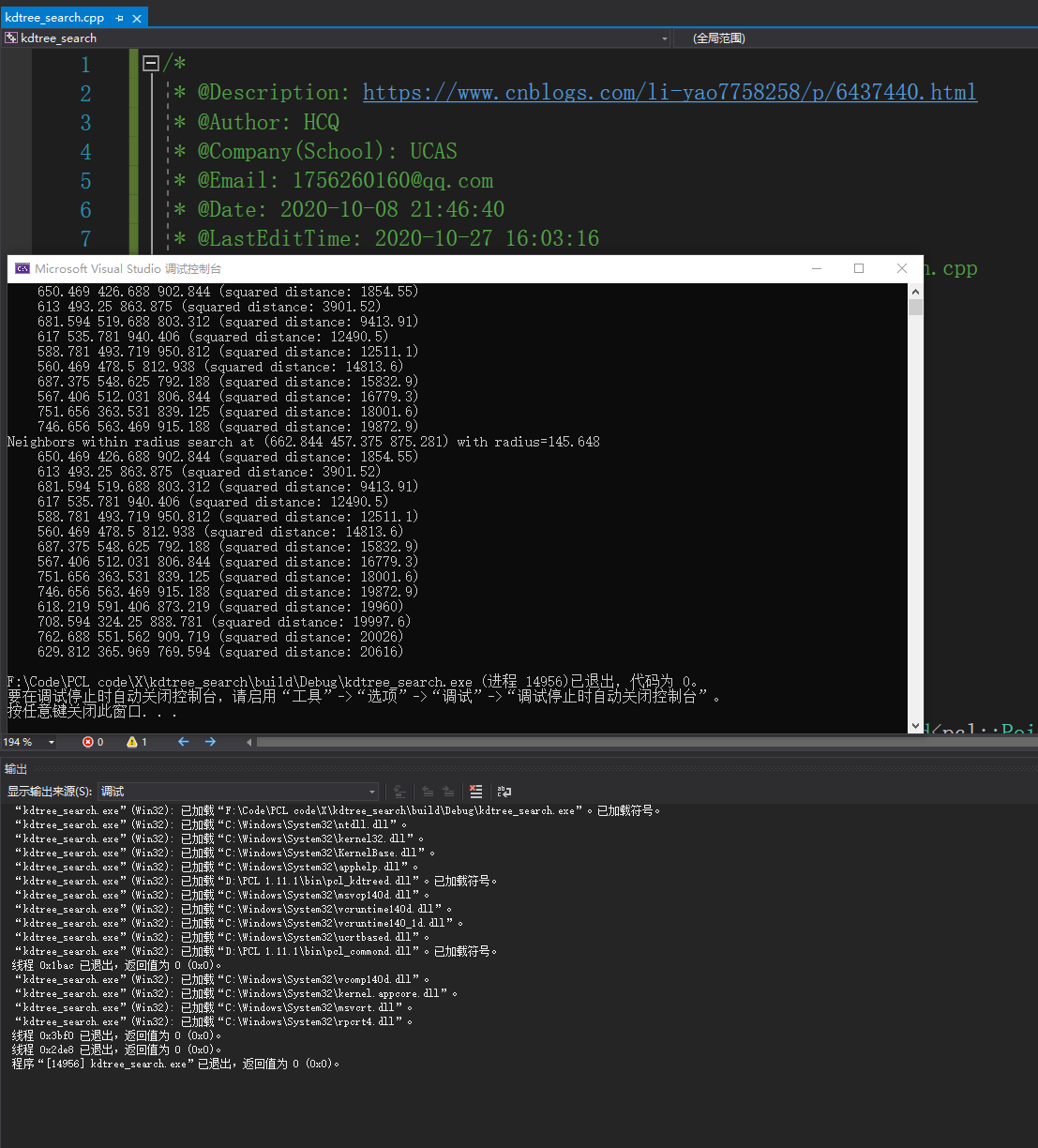
The program has no problem, but there are a lot of error codes when running

Kdtree program

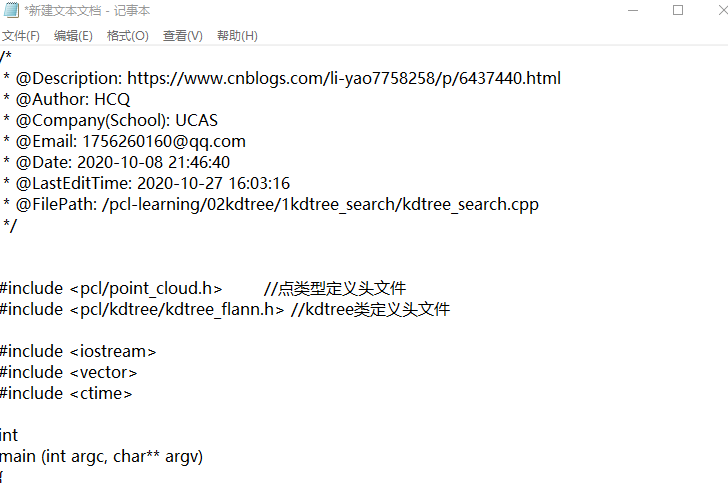
Solution:

Copy the program to a new txt file, save it, and then copy it to the vs2019 cpp document

Rerun results

reason

Maybe the program is downloaded from GitHub, and the coding method is wrong. It needs to be copied to TXT document for transcoding

[Solved] graphviz Error: failed to execute [‘dot’, ‘-Tsvg’], make sure the Graphviz executables are on your systems’ PATH


graphviz error: failed to execute [‘dot’, ‘-Tsvg’], make sure the Graphviz executables are on your systems’ PATH

1. Download graphviz

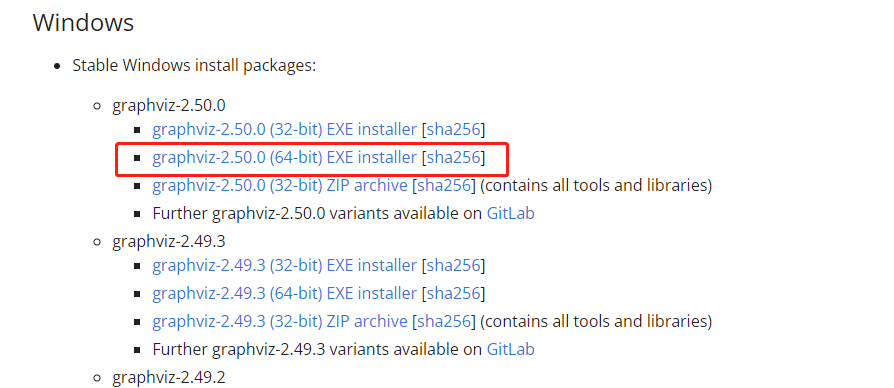
Go to https://graphviz.org/download/ to download graphviz (64-bit system must choose 64-bit Installer, can not choose ZIP)

2. Installation

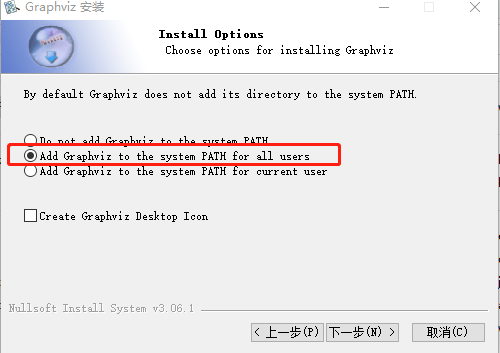
In the following interface, you must select the red option (if not selected, you can only manually add environment variables later), and then you can finish all the way.

3. Test

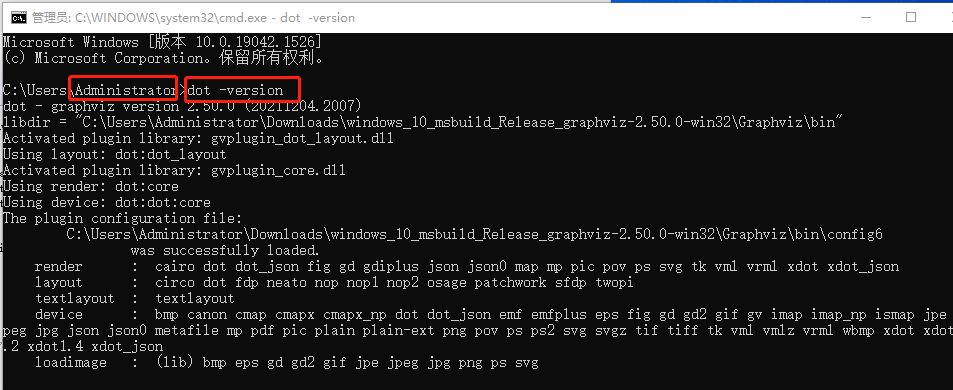
win + R, type cmd, open the cmd window, use dot -version test, can display the version information is installed successfully
(Do not blindly open CMD, if the open is C:\WINDOWS\system32> that can not be measured)

Note: if not, restart anaconda.

Oracle VM VirtualBox open replication virtual machine Error

Copy an existing virtual machine and register it to VirtualBox with the same UUID, error message: which has the same UUID as an existing virtual machine.

which has the same UUID as an existing virtual machine.

Workaround (my VirtualBox version: 6.1).

cmd switch to the VirtualBox installation directory and enter.

C:\Program Files\Oracle\VirtualBox>VBoxManage internalcommands sethduuid "E:\VirtualBox\ubuntu 20.04\ubuntu 20.04.vdi"

[Solved] MindSpore Error: “operation does not support the type kMetaTypeNone“

Environment:
Hardware Environment(Ascend/GPU/CPU): All
Software Environment:
MindSpore version (source or binary): 1.6.0 & Earlier versions
Python version (e.g., Python 3.7.5): 3.7.6
OS platform and distribution (e.g., Linux Ubuntu 16.04): Ubuntu
GCC/Compiler version (if compiled from source): gcc 9.4.0
python code examples

from mindspore import nn

class Net(nn.Cell):
    def __init__(self):
        super(Net, self).__init__()

    def construct(self, x):
        return self.y + x

net = Net()
output = net(1)

Error reporting information

Traceback (most recent call last):
  File "test_self.py", line 11, in <module>
    output = net(1)
  File "mindspore\nn\cell.py", line 477, in __call__
    out = self.compile_and_run(*args)
  File "mindspore\nn\cell.py", line 803, in compile_and_run
    self.compile(*inputs)
  File "mindspore\nn\cell.py", line 790, in compile
    _cell_graph_executor.compile(self, *inputs, phase=self.phase, auto_parallel_mode=self._auto_parallel_mode)
  File "mindspore\common\api.py", line 632, in compile
    result = self._graph_executor.compile(obj, args_list, phase, self._use_vm_mode())
RuntimeError: mindspore\ccsrc\frontend\operator\composite\multitype_funcgraph.cc:162 GenerateFromTypes] The 'add' operation does not support the type [kMetaTypeNone, Int64].
The supported types of overload function `add` is: [Tuple, Tuple], [RowTensor, Tensor], [Tensor, Tensor], [List, List], [Tensor, List], [List, Tensor], [String, String], [Tuple, Tensor], [kMetaTypeNone, kMetaTypeNone], [Number, Number], [Number, Tensor], [Tensor, Number], [Tensor, Tuple].

The function call stack (See file 'rank_0/om/analyze_fail.dat' for more details):
# 0 In file test_self.py(8)
        return self.y + x


Solution:

Since the execution error is caused by using an undefined variable, the solution is to define the variable in the network’s initialization function __init__(self):. Note that only variables defined as members of self can be used in the construct(self, x) method.

from mindspore import nn

class Net(nn.Cell):
    def __init__(self):
        super(Net, self).__init__()
        self.y = 1.0

    def construct(self, x):
        return self.y + x

net = Net()
output = net(1)

If you write self.y = 1.0 instead of y = 1.0, you will also get an error because the variable is undefined.

org/sqlite/native/Mac/aarch64 Error [How to Solve]

Problem Description:
When building a project with m1 chip, if you use room, you will get the following error because the sqlite jar package is not compatible with arm.

Caused by: java.lang.Exception: No native library is found for os.name=Mac and os.arch=aarch64. path=/org/sqlite/native/Mac/aarch64
    at org.sqlite.SQLiteJDBCLoader.loadSQLiteNativeLibrary(SQLiteJDBCLoader.java:333)
    at org.sqlite.SQLiteJDBCLoader.initialize(SQLiteJDBCLoader.java:64)
    at androidx.room.verifier.DatabaseVerifier.<clinit>(DatabaseVerifier.kt:68)
    ... 50 more

Solution:
To update the room version, you don’t need to add org.xerial:sqlite-jdbc:3.34.0 as the web says, just update the room directly as shown below.

    def room_version = "2.4.0-beta01"  
    implementation "androidx.room:room-runtime:$room_version"
    kapt "androidx.room:room-compiler:$room_version"
    implementation "androidx.room:room-rxjava2:$room_version"